




Schools ready to implement digital hall of fame displays consistently ask the same question: who actually installs these systems and handles the technical work? The answer matters because installation quality directly affects display reliability, appearance, and long-term performance.
Digital recognition displays require coordinated work across multiple specialties—physical mounting, electrical connections, network configuration, and software setup. Understanding who handles each component helps schools plan effectively, budget accurately, and ensure professional installations that serve reliably for years.
This guide explains the complete installation process for digital hall of fame displays near school front offices and throughout facilities. You’ll learn which professionals handle each installation phase, what work schools can manage internally versus requiring specialized contractors, and how comprehensive installation services eliminate coordination headaches while ensuring quality results.
Understanding Digital Display Installation Requirements
Digital hall of fame displays involve more than hanging a screen on a wall. Professional installations coordinate multiple technical systems creating reliable, attractive recognition displays that operate flawlessly daily.
Core Installation Components
Complete digital recognition display installations include several distinct technical elements:
Physical Mounting: Secure wall attachment or freestanding kiosk installation supporting substantial weight loads. A 55-inch commercial display with mounting hardware weighs 60-80 pounds requiring professional mounting to structural components, not just drywall. Proper mounting ensures displays remain secure indefinitely while maintaining level positioning and appropriate viewing angles.
Electrical Connections: Dedicated power circuits providing clean, surge-protected electricity. Commercial displays draw continuous power requiring reliable electrical service. Professional installations often include dedicated circuit breakers preventing power sharing with other equipment that might cause voltage fluctuations affecting display operation.
Network Infrastructure: Wired Ethernet or strong wireless connectivity enabling cloud-based content management. Recognition displays require consistent network access for content updates, remote management, and performance monitoring. Wired connections provide better reliability while wireless installations require strong signal strength at display locations.
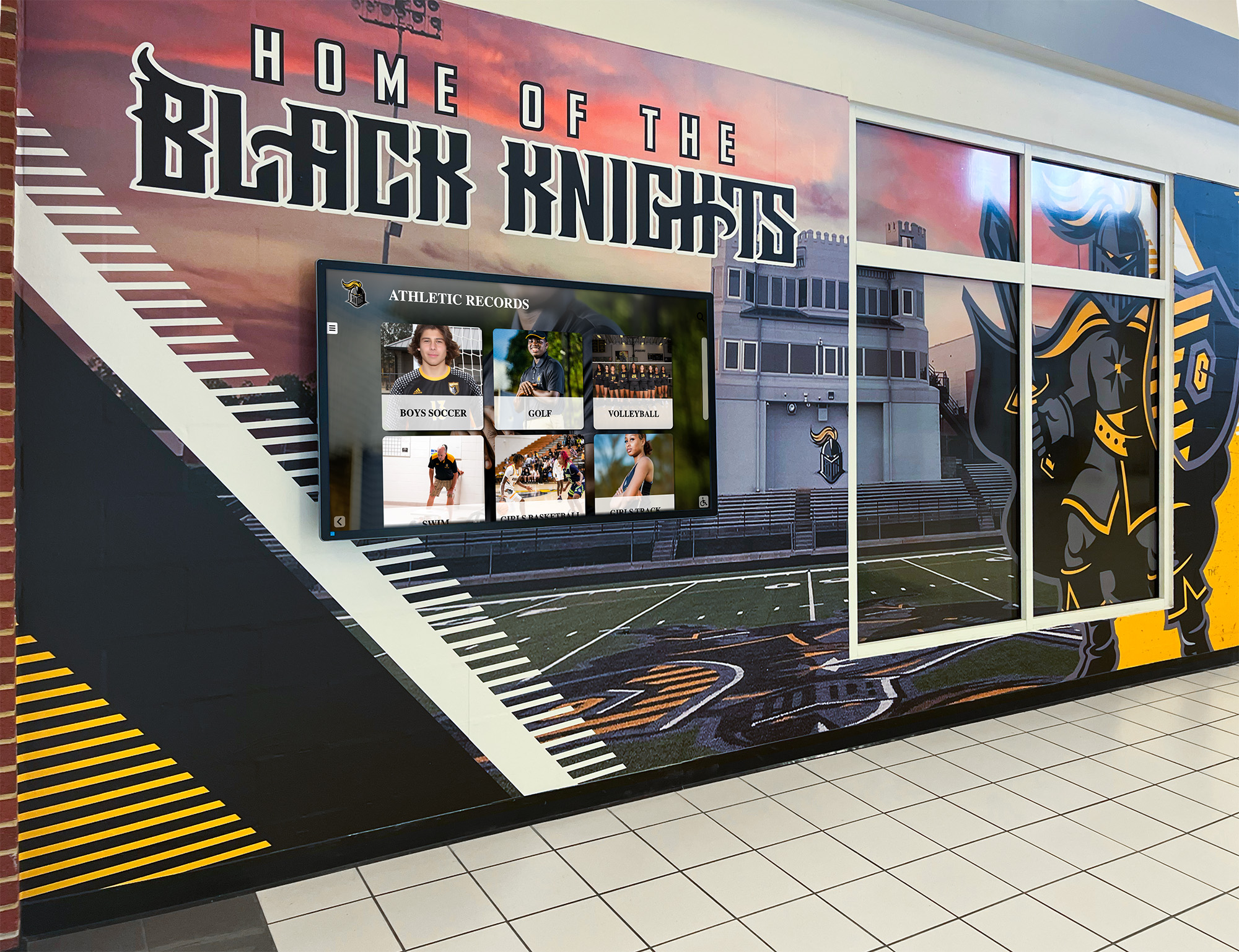
Computing Integration: Mini PC or computing module installation providing processing power for interactive content. Some displays include integrated computing while others require separate computer components installed cleanly within or behind displays.
Software Configuration: Platform setup, content management system configuration, and display calibration ensuring optimal performance. Technical configuration transforms generic hardware into functioning recognition systems ready for content.
Schools attempting installations without coordinating these components encounter problems—displays installed at wrong heights, insufficient electrical capacity causing operational issues, network connectivity problems preventing content updates, or poor cable management creating unprofessional appearances. Professional coordination prevents these issues through systematic installation approaches.
Installation Team Roles and Responsibilities
Digital recognition display installations typically involve multiple specialized professionals, each handling specific technical components requiring distinct expertise.
Audiovisual Integration Contractors
AV integration firms specialize in commercial display installations across educational, corporate, and institutional environments. These contractors typically serve as installation project leads, coordinating all technical components while directly handling display mounting, computing setup, and initial configuration.
AV Integrator Responsibilities:
- Site assessment evaluating installation locations and requirements
- Hardware specification ensuring appropriate equipment selection
- Physical display mounting with professional brackets and hardware
- Cable management creating clean, professional appearances
- Computing device installation and initial setup
- Display calibration for optimal viewing quality
- Coordination with electricians and network technicians
- Final testing ensuring all systems function correctly
Quality AV integrators bring significant value through experience with similar installations. They anticipate challenges, recommend optimal configurations, and deliver professional results avoiding common mistakes schools encounter attempting self-installation.
Many schools maintain relationships with preferred AV contractors through technology purchasing cooperatives or district-level contracts. These established relationships often provide cost advantages while ensuring contractors understand specific institutional requirements and preferences.

Licensed Electricians
Professional electrical work requires licensed electricians complying with local codes and safety regulations. Even schools with facilities staff typically contract licensed electricians for new electrical installations ensuring code compliance and proper permitting.
Electrical Contractor Responsibilities:
- Power circuit evaluation at planned installation locations
- New circuit installation when existing power proves inadequate
- Dedicated breaker installation for display power
- Conduit installation for professional wire routing
- GFCI or surge protection as required by code
- Electrical inspection coordination when required
- Final connection and testing ensuring safe operation
Front office locations often require minimal electrical work when adequate power already exists nearby. Hallway installations away from existing outlets typically require running new circuits from electrical panels—work requiring professional electricians for safety and code compliance.
Network and IT Professionals
Network connectivity enables cloud-based content management and remote display monitoring. School IT departments or contracted network professionals handle network infrastructure ensuring displays connect reliably.
Network Professional Responsibilities:
- Network access evaluation at display locations
- Ethernet cable installation when wired connections are preferred
- Network switch configuration for wired connections
- Wireless access point optimization for WiFi installations
- Firewall configuration allowing required cloud services
- IP address assignment and DHCP configuration
- VPN or secure remote access setup if required
- Ongoing network support and troubleshooting
Schools with strong internal IT departments often handle network configuration using existing staff. Smaller districts may contract network professionals or rely on AV integrators providing comprehensive services including network setup.
Pre-Installation Planning and Site Assessment
Professional installations begin with thorough planning identifying requirements, potential challenges, and optimal approaches before any physical work begins.
Location Selection and Evaluation
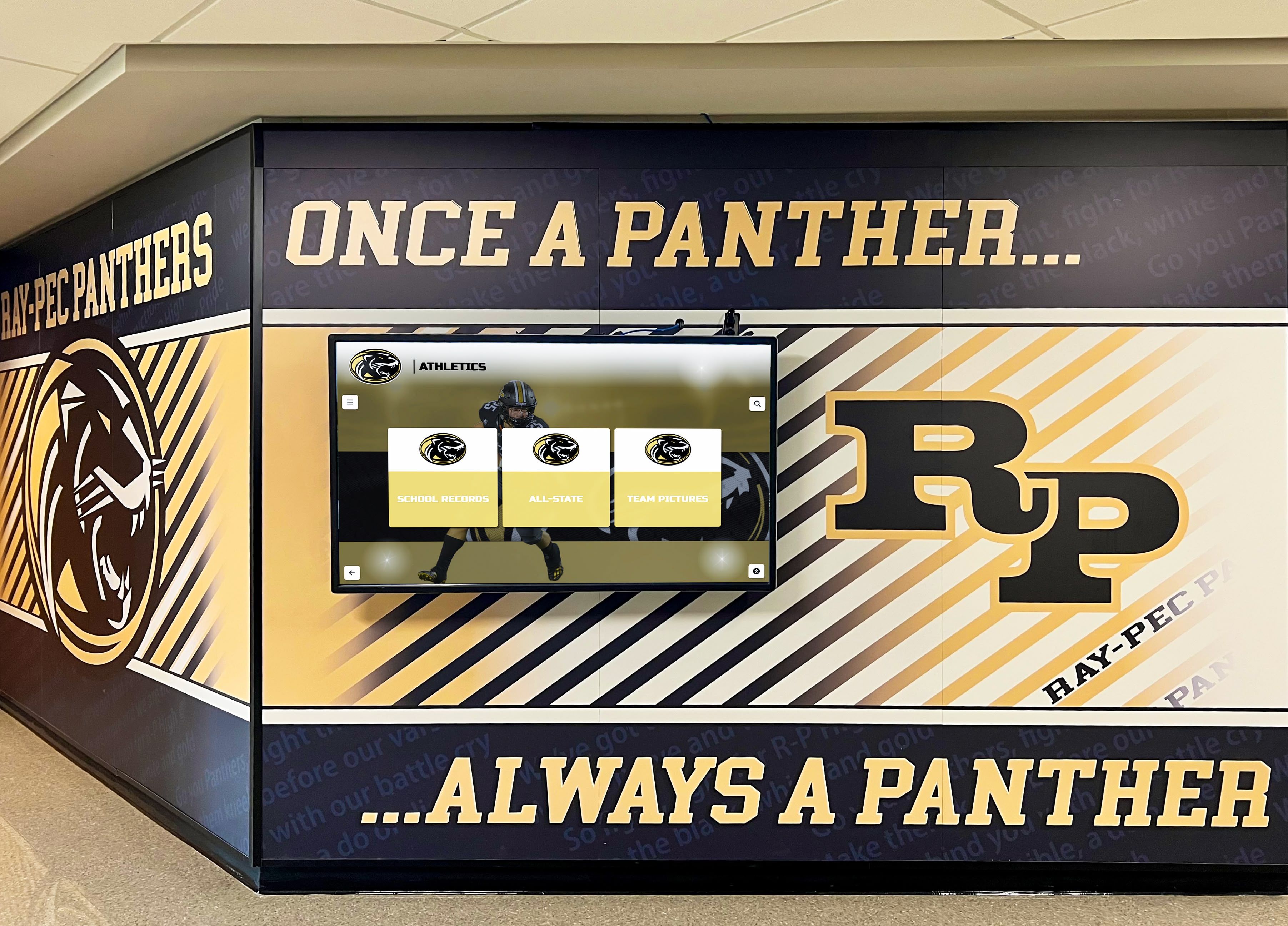
Front office areas provide ideal digital recognition display locations capturing all visitors, students, and community members. Specific placement within front office areas affects viewing angles, traffic flow, and installation complexity.
Front Office Placement Considerations:
- Direct sightlines from main entrance ensuring visitors immediately notice displays
- Proximity to reception desk positioning displays where staff can monitor and assist visitors
- Available wall space with adequate dimensions for display sizing
- Ceiling height and viewing distance ensuring comfortable interaction
- Natural lighting evaluation preventing screen glare affecting visibility
- Traffic flow ensuring displays don’t obstruct movement or create congestion
- Existing furniture and fixtures requiring coordination or relocation
Athletic facilities, commons areas, and main hallways provide additional strategic locations beyond front offices. Each location requires similar evaluation considering viewing patterns, available mounting surfaces, and technical infrastructure access.
Infrastructure Assessment
Technical professionals evaluate existing infrastructure determining what installation work is required:
Structural Evaluation: Wall construction determines mounting approaches. Concrete or CMU block walls common in institutional construction provide excellent mounting surfaces supporting substantial weight loads. Drywall over metal studs requires backing plates or alternative mounting strategies distributing weight appropriately. Glass walls or windows require freestanding kiosk installations rather than wall mounting.
Electrical Assessment: Electricians verify power availability measuring circuit capacity, outlet locations, and code compliance. New installations often require dedicated 20-amp circuits preventing power sharing that might affect display operation. Surge protection protects expensive equipment from voltage spikes common in school electrical systems.
Network Evaluation: IT professionals test network access verifying adequate bandwidth, signal strength, and connectivity options. Wired connections provide optimal reliability when feasible. Wireless installations require minimum signal strength thresholds ensuring consistent connectivity during content updates.
Permitting and Approvals
Some jurisdictions require permits for electrical work or structural modifications associated with display installations. Professional contractors handle permit applications, inspections, and approval documentation ensuring legal compliance.
Schools should also verify internal approval requirements. Facility modifications may require district-level administrative approval, especially in newer buildings or recently renovated spaces. Historical buildings or facilities with architectural significance sometimes require additional review ensuring installations respect building character.
Physical Mounting and Display Installation
Professional mounting creates secure, level installations maintaining proper positioning indefinitely while accommodating equipment servicing when needed.
Wall-Mounted Installation Approaches
Wall mounting provides clean, space-efficient installations common in hallways, lobby areas, and office spaces. Professional mounting systems distribute weight appropriately while enabling future display removal or replacement if needed.
Standard Wall Mount Installation: Commercial-grade tilting or fixed mounts attach directly to structural wall components using appropriate fasteners for wall construction. Concrete anchors secure mounts to CMU block or poured concrete walls. Toggle bolts or metal stud screws attach to drywall over metal studs after locating structural members. Wood stud installations in older buildings use lag bolts securing mounts to multiple studs.
Mounting height typically positions display centers 48-54 inches above floor level, providing comfortable viewing for standing adults while remaining accessible for wheelchair users. Interactive touchscreen displays sometimes mount slightly lower (42-48 inch center height) facilitating easier touch interaction, especially in elementary schools serving younger students.
Professional installers use laser levels ensuring perfectly horizontal mounting. Even slight tilting creates unprofessional appearances while potentially affecting touchscreen calibration on interactive displays.
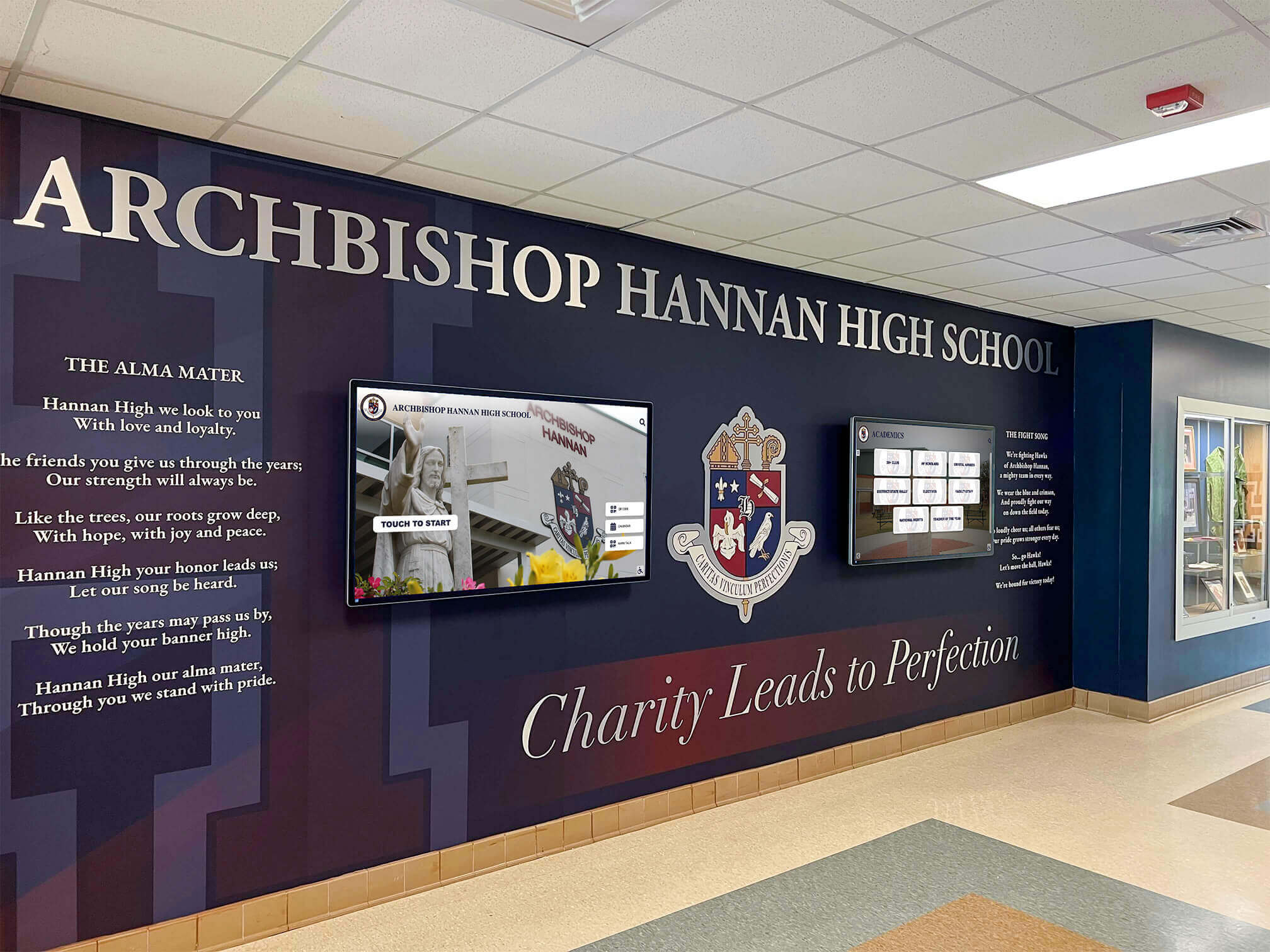
Recessed Installation Options: High-end installations sometimes recess displays into walls creating flush, built-in appearances. Recessed mounting requires significant carpentry work cutting wall openings, framing recesses appropriately, and finishing surrounding surfaces. These installations deliver stunning visual impact but add substantial cost and complexity compared to standard wall mounting.
Freestanding Kiosk Installations
Freestanding kiosks provide mounting alternatives when wall installation proves impractical or undesirable. Commercial kiosk enclosures protect displays while providing professional appearances and secure component housing.
Kiosk Advantages:
- Placement flexibility enabling optimal positioning without wall constraints
- Base-weighted stability preventing tipping without wall attachment
- Internal component housing concealing computers and cables
- Lockable access panels preventing unauthorized tampering
- Easy relocation if space requirements change
- ADA-compliant accessible height without custom mounting
- Cable management systems organizing power and network connections
Quality kiosks specify heavy bases (often 100+ pounds) preventing tipping during interaction. Cheaper consumer-grade stands risk toppling when users apply pressure during touchscreen interaction—potential safety hazards inappropriate for school environments.
Electrical Installation and Power Requirements
Reliable electrical service provides clean power protecting expensive display equipment while ensuring continuous operation without outages or performance issues.
Power Circuit Requirements
Commercial displays continuously draw 200-400 watts depending on screen size and brightness levels. Professional installations typically include dedicated circuits preventing power sharing that might cause voltage fluctuations.
Circuit Specifications: Most installations use 20-amp dedicated circuits providing 2,400 watts capacity—sufficient for displays plus associated computing equipment with comfortable safety margin. Larger installations with multiple displays sometimes use 30-amp circuits supporting several displays on shared circuits when practical.
Circuit breakers dedicated to recognition displays enable quick power cycling during troubleshooting without affecting other school systems. Labeled breaker panels identify display circuits simplifying future maintenance and service.
Surge Protection and Power Conditioning
School electrical systems experience frequent voltage spikes from HVAC systems, fluorescent lighting, and various equipment creating electrical noise. Surge protection prevents equipment damage from voltage events while power conditioning filters electrical noise affecting sensitive electronics.
Protection Levels:
- Whole-facility surge suppressors protect building electrical systems broadly
- Panel-level protection serves specific circuits or electrical sub-panels
- Point-of-use surge strips provide equipment-level protection
- Uninterruptible power supplies (UPS) protect against brief outages while providing battery backup
Most installations include point-of-use surge protection as minimum standard. Facilities with poor power quality or frequent outages benefit from UPS systems providing continuous operation during brief power interruptions while protecting equipment from damage.
Cable Management and Professional Appearance
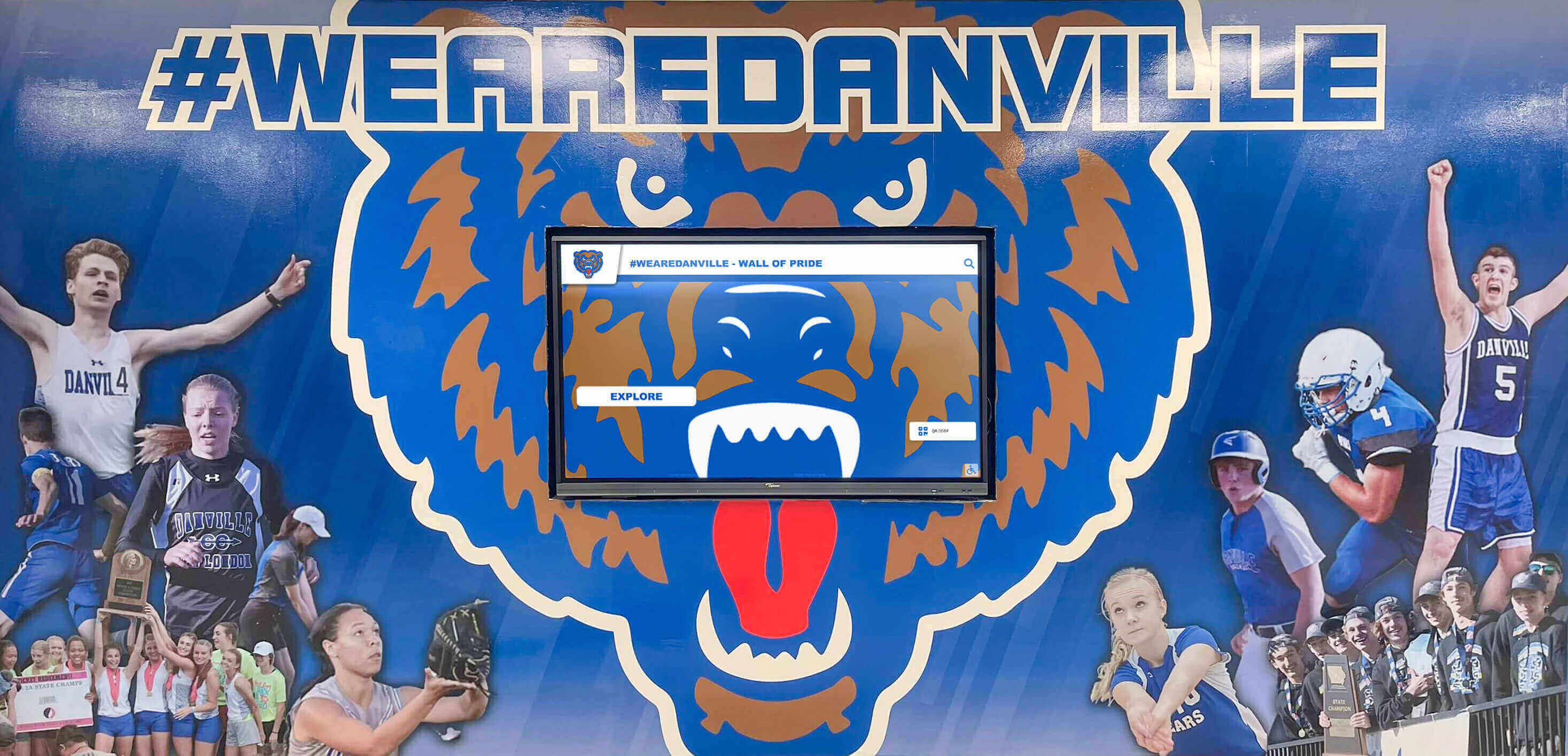
Professional installations conceal power cables within walls or conduit creating clean appearances without exposed wiring. Surface-mounted cable raceways provide cost-effective alternatives when in-wall routing proves impractical, though in-wall routing delivers superior aesthetics when feasible.
Electricians coordinate with AV installers ensuring adequate outlet positioning supporting clean cable routing. Outlets positioned directly behind wall-mounted displays enable short power cables concealed completely behind displays. Poorly positioned outlets require visible cable routing reducing installation quality.
Network Installation and Connectivity
Network connectivity enables cloud-based content management systems allowing athletic directors and administrators to update recognition displays remotely from any device. Reliable networking forms the foundation for sustainable long-term display management.
Wired Network Installation
Ethernet connections provide optimal reliability for digital recognition displays requiring frequent content updates. Professional network installations include several key components:
Structured Cabling Standards: Network professionals install CAT6 or CAT6A cabling from network switches to display locations. Modern structured cabling standards support gigabit Ethernet speeds ensuring adequate bandwidth for high-resolution photo uploads and video content. Proper cable termination with professional connectors ensures reliable connections avoiding intermittent network issues.
Network Switch Configuration: Displays connect to network switches providing network access. Managed switches enable traffic monitoring, security features, and troubleshooting capabilities. IT professionals configure appropriate VLANs (virtual local area networks) when security policies require isolation between display networks and other school systems.
Firewall and Security Configuration: Cloud-based digital recognition platforms require internet access for content updates and remote management. IT departments configure firewalls allowing required cloud services while maintaining network security. Most platforms require standard HTTPS (port 443) access with occasional remote desktop protocols for technical support.
Wireless Network Options
Wireless connectivity provides installation alternatives when running network cables proves impractical or cost-prohibitive. Schools with comprehensive WiFi coverage throughout facilities can leverage existing wireless infrastructure supporting display connectivity.
Wireless Installation Requirements: Displays need consistent wireless signal strength exceeding minimum thresholds ensuring reliable connectivity during multi-megabyte content uploads. Network professionals test signal strength at installation locations using professional WiFi analyzers. Weak signals require additional wireless access points or WiFi range extenders improving coverage.
Wireless installations should include wired network backup capabilities when possible. Schools experiencing wireless network outages maintain display operation through automatic failover to cellular backup connections or temporary wired connections enabling content updates during wireless infrastructure problems.
Front Office Installation Considerations
Front office locations provide maximum visibility for digital recognition displays but require careful installation planning addressing unique operational considerations in administrative areas.
Coordinating with Office Operations
Front office installations must minimize disruption to daily administrative operations. Professional installers schedule work during non-peak hours—early mornings, evenings, or summer breaks—when administrative staff can relocate temporarily if needed.
Operational Considerations:
- Installation timing avoiding high-traffic periods
- Furniture relocation providing installation access
- Temporary reception desk arrangements during installation
- Noise considerations during office hours
- Dust protection for office equipment during drilling or cutting
- Post-installation cleanup removing installation debris
- Staff orientation on display operation and visitor assistance
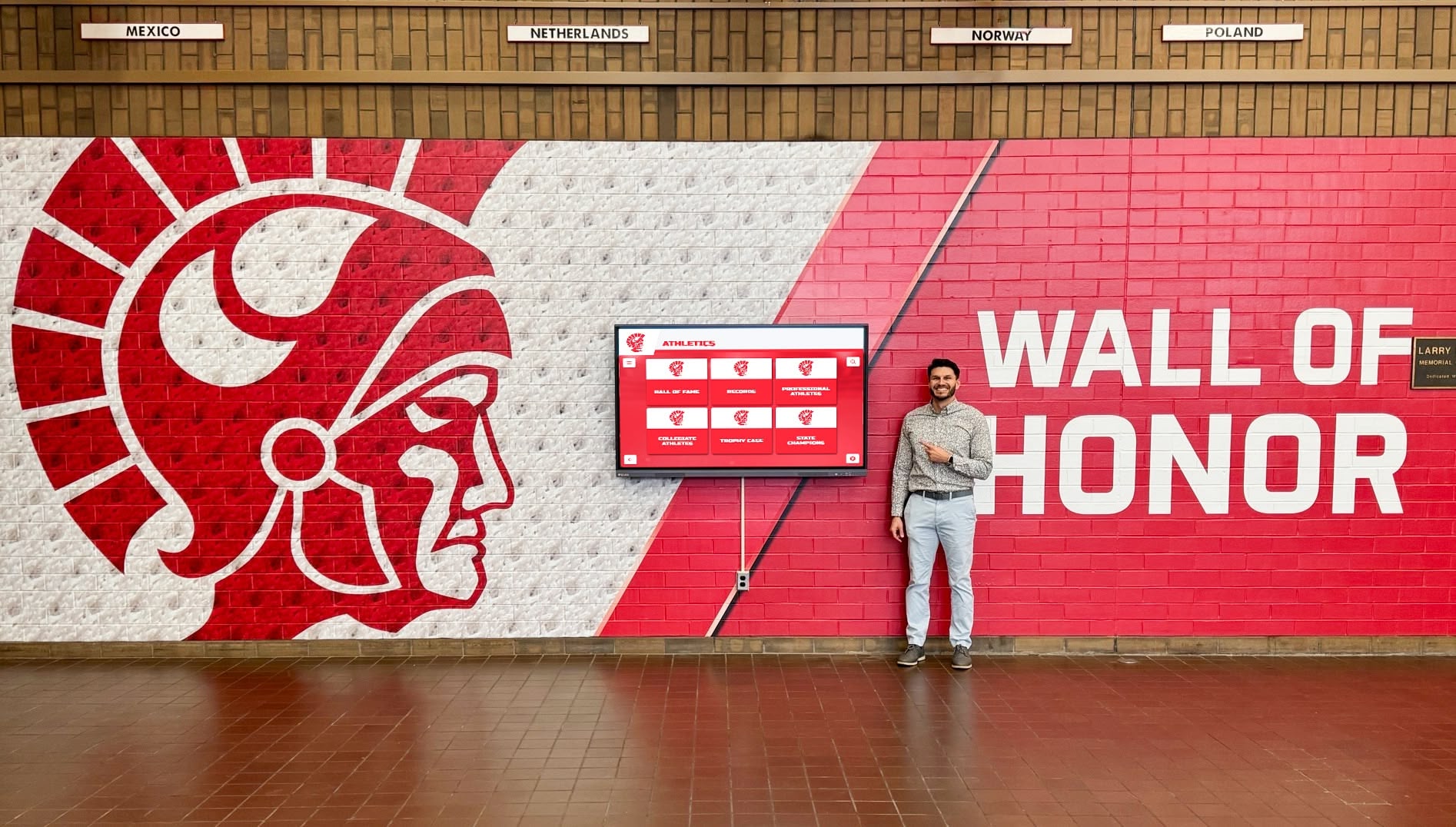
Accessibility and Interaction Design
Front office displays serve diverse visitors including parents, alumni, prospective families, and community members. Installations must ensure comfortable interaction for all visitors regardless of height, age, or physical abilities.
Accessible Design Requirements:
- Touchscreen centers positioned 40-48 inches above floor level
- Clear floor space (30" x 48" minimum) in front of displays
- Unobstructed approach paths from main traffic areas
- Adequate lighting without screen glare
- Simple reset mechanisms returning displays to home screens
- Audio capabilities for vision-impaired visitors when required
- Clear sightlines allowing reception staff to assist visitors
Schools implementing ADA-compliant installations ensure equal access while meeting legal requirements for publicly accessible technology in educational facilities.
Security and Access Control
Front office displays require security measures preventing unauthorized access, tampering, or theft while maintaining ease of use for legitimate visitors.
Security Implementations:
- Locked kiosk enclosures preventing internal component access
- Secured mounting hardware requiring tools for display removal
- Software lockdown preventing system access beyond display application
- Network security isolating display devices from sensitive school systems
- Surveillance camera coverage deterring vandalism or theft
- After-hours power scheduling reducing unnecessary operation
- Password-protected administrative access for display configuration
Professional installations balance security with functionality. Displays must remain fully accessible to visitors for recognition exploration while preventing any unauthorized system access or configuration changes.
Rocket Alumni Solutions Installation Approach
Companies specializing in recognition displays often provide comprehensive installation services handling complete setup from initial planning through final configuration. Understanding how specialized providers approach installation helps schools evaluate whether full-service installation or self-coordination better serves their needs.
Comprehensive Installation Services
Providers like Rocket Alumni Solutions offer complete installation services managing all technical components through experienced installation teams or trusted contractor networks. This full-service approach eliminates school coordination requirements while ensuring quality results through proven installation processes.
Full-Service Installation Includes:
- Pre-installation site assessment and planning
- Hardware procurement and delivery coordination
- Licensed contractor coordination for electrical and mounting work
- Network infrastructure evaluation and configuration support
- Physical installation and mounting
- Computing equipment setup and configuration
- Software platform installation and initial configuration
- Staff training on content management systems
- Post-installation testing and quality verification
- Warranty service and ongoing technical support
Schools lacking technical staff or preferring single-point accountability benefit significantly from comprehensive installation services. A single vendor manages entire installation processes, troubleshoots any issues, and ensures all systems function correctly before project completion.
Installation Process Timeline
Professional installations typically follow systematic timelines ensuring quality work without unnecessary delays:
Week 1-2: Planning and Assessment Site visits evaluate installation locations. Technical teams assess structural, electrical, and network requirements. Hardware specifications finalize ensuring appropriate equipment selection. Schools review installation plans and approve final approaches.
Week 3-4: Pre-Installation Preparation Hardware orders process and ship to schools or installation contractors. Electrical contractors schedule and complete any required circuit installation. Network professionals run cabling or configure wireless access. Schools coordinate scheduling for installation day minimizing operational disruption.
Week 5: Physical Installation AV contractors complete physical mounting, display installation, computing setup, and cable management. Typical installations require 4-8 hours for single displays depending on complexity. Multi-display installations may require multiple days spacing work to minimize disruption.
Week 6: Configuration and Training Technical teams complete software configuration, content platform setup, and display calibration. Schools receive comprehensive training on content management systems. Initial content uploads populate displays with existing achievements. Final testing ensures all systems operate correctly.
Timeline variables include electrical permit requirements, contractor scheduling availability, and school calendar constraints. Summer installations avoid academic year disruptions while providing ample time for comprehensive work. Mid-year installations require careful scheduling minimizing impact on daily operations.

Quality Assurance and Post-Installation Support
Professional installations include testing protocols verifying all systems function correctly before final acceptance:
Installation Verification:
- Display power on/off cycles testing electrical connections
- Network connectivity verification ensuring content uploads
- Touchscreen calibration confirming accurate touch response
- Audio testing when displays include sound capabilities
- Software functionality verification across all features
- Content upload testing ensuring management systems work properly
- Documentation delivery including technical specifications, warranty information, and support contacts
Ongoing support ensures schools receive assistance whenever questions or issues arise. Technical support teams provide phone, email, and remote assistance troubleshooting software questions, network connectivity issues, or display problems. Hardware warranties typically provide 3-5 year coverage with on-site service for component failures requiring repair or replacement.
Self-Installation Versus Professional Installation
Schools sometimes consider self-installation reducing costs through internal facilities staff or technology coordinators. Understanding the trade-offs helps schools make informed decisions balancing cost savings against professional installation advantages.
When Self-Installation Makes Sense
Schools with experienced facilities teams and strong IT departments can successfully handle installations when several conditions align:
Self-Installation Prerequisites:
- Experienced staff comfortable with commercial display installation
- Adequate staff time allocated to installation project
- Existing electrical infrastructure at installation locations
- Strong network connectivity already available
- Access to appropriate tools and installation hardware
- Insurance coverage for equipment during installation
- Technical troubleshooting capability if issues arise
Simple installations in locations with existing power and network connectivity present feasible self-installation opportunities. Wall-mounting 55-inch displays with nearby outlets and strong WiFi signals represents straightforward work schools can manage when experienced staff are available.
When Professional Installation Provides Value
Complex installations benefit substantially from professional services:
Professional Installation Advantages:
- Licensed electrical work meeting code requirements
- Professional mounting ensuring secure, level installation
- Experienced troubleshooting resolving unexpected challenges
- Proper cable management creating clean appearances
- Technical configuration expertise ensuring optimal performance
- Single-point accountability for complete installation
- Warranty protection covering installation quality
- Time savings allowing school staff to focus on core responsibilities
Most schools find professional installation provides superior value through faster completion, guaranteed quality, and elimination of installation risks schools would otherwise assume. Professional installation costs represent small percentages of total project investment while delivering significant quality and reliability advantages.
Post-Installation Configuration and Content Setup
Physical installation represents only half the complete implementation. Software configuration and initial content development transform installed hardware into functional recognition displays.
Platform Configuration and Customization
Recognition software requires configuration matching school branding, organizational structure, and content preferences:
Initial Configuration Tasks:
- School branding setup including logos, colors, and design themes
- User account creation and permission assignment
- Content categories and organizational structure
- Search parameters and filtering options
- Display scheduling and operating hours
- Language settings and accessibility features
- Integration with existing school systems when applicable
Recognition platform specialists guide schools through configuration ensuring settings match institutional preferences while following best practices maximizing engagement and usability.
Initial Content Development
Displays require content before meaningful use begins. Initial content development typically focuses on recent, well-documented achievements before expanding to historical content:
Content Development Priorities:
- Current academic year achievements and recognition
- Recent championship teams (past 3-5 years)
- Current school records across all sports and activities
- Distinguished recent graduates and notable alumni
- Recent major donors and recognition society members
- Historical highlights and milestone achievements
Content development continues beyond installation as schools systematically expand recognition coverage. Athletic directors add achievements as seasons conclude. Activities coordinators document academic competitions, performing arts successes, and student organization accomplishments. The ongoing content growth transforms displays from static installations into evolving recognition systems reflecting current school excellence.

Maintenance, Support, and Long-Term Operation
Professional installations establish foundations for reliable long-term operation, but displays require ongoing attention ensuring continued performance and content relevance.
Routine Maintenance Requirements
Digital displays need minimal but important ongoing maintenance:
Monthly Maintenance:
- Screen cleaning removing fingerprints and dust
- Visual inspection checking for physical damage
- Cable connection verification ensuring secure attachments
- Power cycle testing if displays remain on continuously
- Content update verification ensuring recent additions appear correctly
Annual Maintenance:
- Mounting hardware inspection checking for loose fasteners
- Ventilation cleaning preventing dust accumulation in computing components
- Network connection testing verifying adequate performance
- Software updates applying platform improvements and security patches
- Hardware inspection identifying components approaching end of life
Schools can handle routine maintenance through facilities staff or delegate to technology coordinators. Simple cleaning and visual inspection require minimal technical knowledge while annual technical maintenance may warrant professional service visits ensuring optimal operation.
Technical Support and Troubleshooting
Despite quality installations, occasional issues require troubleshooting and technical support:
Common Support Needs:
- Content upload assistance when users encounter difficulties
- Network connectivity troubleshooting resolving connection issues
- Display problems including image quality or touchscreen calibration
- Software questions about features and functionality
- Password resets and user account management
- Scheduling changes and configuration adjustments
Recognition platform providers typically offer comprehensive support through phone, email, and remote assistance. Technical teams can often diagnose and resolve issues remotely through network access. Hardware problems may require on-site service provided through equipment warranties or service contracts.
Planning for Future Expansion
Successful initial installations often lead to additional displays throughout facilities. Planning ahead enables efficient expansion:
Expansion Considerations:
- Content platform licensing supporting multiple displays
- Network infrastructure supporting additional displays
- Electrical capacity at future installation locations
- Contractor relationships for future installation work
- Budgeting for systematic multi-year display deployment
Schools implementing comprehensive recognition programs typically start with front office installations before expanding to athletic facilities, commons areas, and departmental spaces. Platform providers accommodate expansion through licensing models supporting unlimited displays on shared content platforms.
Answering Common Installation Questions
Schools evaluating digital recognition displays consistently have similar questions about installation processes and requirements.
How long does typical installation take? Single display installations typically require one day for physical installation plus 1-2 days for software configuration and training when schools complete pre-installation preparation (electrical and network work) beforehand. Complete start-to-finish timelines average 4-6 weeks from initial planning through final configuration.
Can existing facilities staff handle installation? Schools with experienced facilities teams can manage simpler installations when electrical and network infrastructure already exists at installation locations. Complex installations requiring electrical work, network cabling, or structural mounting modifications benefit from professional installation services.
What happens if we need to relocate displays later? Professional mounting enables future relocation when needed. Wall-mounted displays can be removed and reinstalled at new locations. Freestanding kiosks relocate easily without any mounting work required. Network and power requirements must be available at new locations.
Do installations require school closures or building access outside normal hours? Most installations complete during normal hours with minimal disruption. Schools may prefer scheduling during summer breaks, extended weekends, or spring breaks when fewer students are present, though installations rarely require building closures.
How do warranties work for installed equipment? Commercial displays typically include 3-5 year manufacturer warranties covering defects and component failures. Installation services may include separate installation workmanship warranties. Combined warranty coverage protects investments through equipment lifespan.
What about software updates and ongoing platform improvements? Cloud-based platforms receive automatic updates delivering new features, security improvements, and performance enhancements without school action required. Schools benefit from continuous platform improvements without additional licensing fees for updates.
Moving Forward with Professional Installation
Digital hall of fame displays require coordinated technical work across multiple specialties creating reliable, professional installations serving schools effectively for years. Understanding the complete installation process—from initial planning through final configuration—helps schools make informed decisions about professional installation services versus self-coordination.
Most schools find comprehensive installation services through specialized recognition display providers deliver superior value. Single vendors coordinate electrical work, mounting installation, network configuration, and software setup while assuming full responsibility for quality results. Schools avoid coordination headaches, eliminate installation risks, and ensure professional outcomes through established installation processes.
Front office installations provide maximum visibility for recognition displays capturing all visitors, students, and community members. Professional installation in these high-visibility locations ensures displays create positive impressions through secure mounting, clean cable management, and quality hardware creating modern, professional appearances.
Schools ready to implement digital recognition displays benefit from understanding complete installation requirements. Whether pursuing professional installation through specialized providers or coordinating installations through internal staff and contractors, systematic approaches addressing mounting, electrical, network, and software components create foundations for successful recognition programs honoring every achievement without space limitations.
Ready for Professional Recognition Display Installation?
Discover how turnkey installation services deliver professional recognition displays celebrating student achievement through comprehensive setup handling mounting, power, network, and configuration from start to finish.
Schedule a DemoProfessional installation transforms recognition vision into reality. Schools focusing on achievement celebration and community building can leave technical installation details to experienced professionals ensuring quality results while administrators focus on what matters most—celebrating student excellence and preserving institutional tradition through comprehensive digital recognition displays honoring every accomplishment deserving recognition.































