




Museums face mounting pressure in 2026 to compete with digital entertainment while preserving their educational mission. Physical exhibits alone no longer captivate visitors accustomed to interactive smartphones and engaging digital experiences. Collections remain hidden in storage with limited public access. Multilingual interpretation strains limited budgets. Donors funding critical acquisitions and programs receive minimal recognition beyond static plaques gathering dust in remote corridors.
Museum kiosks solve these challenges by changing how cultural institutions engage visitors, present collections, share knowledge, and acknowledge supporters. These specialized interactive displays provide searchable access to collection databases, rich multimedia storytelling, multilingual interpretation, accessibility features supporting diverse abilities, and recognition platforms honoring donors and benefactors—capabilities that static exhibits and traditional labels simply cannot deliver.
This comprehensive guide examines everything museums need to know about interactive kiosks in 2026. You’ll discover essential hardware and software requirements distinguishing professional installations from disappointing alternatives, specific applications from wayfinding to collection browsing to donor recognition, realistic cost structures and implementation timelines, accessibility compliance requirements protecting institutions while serving all visitors, and proven strategies maximizing visitor engagement and institutional value.
Whether you’re planning your first digital installation, expanding existing systems to better serve your community, or evaluating whether interactive technology aligns with your institution’s mission and budget, this guide provides the insights needed to make informed decisions that will serve your museum for decades.
Understanding Museum Kiosks: Specialized Solutions for Cultural Institutions
Not all interactive displays serve museum needs equally well. The distinction between purpose-built museum kiosks and generic digital signage or retail touchscreens determines whether your investment delivers exceptional visitor experiences or disappointing mediocrity.
What Makes Museum Kiosks Different?
Museum kiosks represent specialized interactive displays designed specifically for cultural institutions, educational missions, and visitor engagement rather than commerce, advertising, or simple information display. These systems balance rigorous scholarship with natural interaction, preservation requirements with technological capability, and educational depth with engaging presentation.
Core Museum-Specific Capabilities:
- Scholarly accuracy and provenance information meeting curatorial standards
- Deep content management supporting detailed object records, conservation histories, and research documentation
- Multilingual interpretation serving diverse international audiences beyond basic translation
- Powerful search and discovery enabling visitors to explore collections by artist, period, medium, provenance, or theme
- High-resolution imagery with zoom capabilities revealing details invisible to naked eye viewing
- Accessibility features supporting visitors with diverse abilities and learning preferences
- Climate and preservation compliance ensuring displays don’t damage sensitive nearby artifacts
- Professional donor recognition platforms honoring supporters with appropriate dignity
- Offline functionality maintaining visitor access during connectivity issues
- Content security protecting restricted research, unpublished scholarship, and sensitive provenance information
Purpose-built museum kiosks anticipate how cultural institutions think about visitor education, collection stewardship, and community engagement—providing workflows, features, and presentation approaches specifically designed for museums rather than retail, hospitality, or corporate applications.
The Generic Digital Signage Trap
Generic digital signage platforms excel at broadcasting schedules, advertisements, and promotional content. Retail touchscreens optimize transaction speed and product browsing. These systems prioritize content distribution, commercial conversion, or simple information display rather than educational depth, scholarly rigor, or meaningful visitor engagement that museums require.
Museums attempting to adapt general digital signage or retail kiosks for educational purposes typically encounter severe limitations: shallow content organization lacking depth for detailed object records, nonexistent or rudimentary search functionality frustrating visitors seeking specific information, poor multilingual support beyond basic interface translation, inadequate accessibility features excluding visitors with disabilities, and no preservation safeguards protecting sensitive artifacts from heat, light, or electromagnetic radiation.
Successful museum implementations use purpose-built interactive solutions even when budget pressures tempt compromise, as specialized platforms deliver dramatically superior educational outcomes, visitor satisfaction, and long-term institutional value compared to generic alternatives never designed for museum applications.
Essential Components: Hardware Requirements for Museum Kiosks
Understanding critical hardware specifications helps museums identify quality installations that withstand public use in demanding environments while protecting nearby collections and maintaining professional appearance befitting cultural institutions.
1. Commercial-Grade Touchscreen Displays
Consumer televisions or computer monitors fail quickly under continuous museum operation and public interaction. Professional museum kiosks require commercial-grade displays specifically engineered for extended-hour operation, environmental durability, and sustained touch interaction.
Critical Display Specifications:
- Screen Size: 43-55 inches optimal for individual visitor interaction; 65-75 inches for group viewing and gallery installations
- Resolution: Minimum 1920x1080 Full HD; 4K (3840x2160) preferred for high-resolution collection imagery and detail viewing
- Touch Technology: Projected capacitive touch supporting multi-touch gestures, 10+ simultaneous touch points, and reliable performance in varying humidity
- Brightness: 350-450 cd/m² for standard indoor gallery lighting; 500+ cd/m² for high-ambient-light environments
- Anti-Glare Treatment: Essential optical coating reducing reflections that obscure content and frustrate visitors
- Operating Hours: Rated for 16-24 hours daily operation, 7 days weekly
- Warranty: Minimum 3-year commercial warranty with on-site service options for minimal downtime
Museums planning outdoor or high-ambient-light installations require significantly higher brightness specifications (700-1500 cd/m²) and specialized environmental protection exceeding standard commercial-grade displays.
2. Secure Protective Enclosures
Museum kiosks operate in public environments where accidental damage, deliberate vandalism, and theft represent legitimate concerns. Professional enclosures protect hardware investments while maintaining aesthetic quality appropriate for cultural institutions.
Enclosure Design Considerations:
- Tamper-Resistant Construction: Robust steel or aluminum frames with concealed mounting hardware preventing unauthorized removal
- Ventilation Systems: Active or passive cooling preventing heat buildup that damages nearby artifacts or shortens component lifespan
- Cable Management: Concealed routing preventing trip hazards and maintaining clean professional appearance
- Accessibility Compliance: Mounting heights and angles meeting ADA requirements for wheelchair users and visitors of varying heights
- Security Features: Lockable access panels protecting internal components while enabling authorized maintenance
- Aesthetic Integration: Powder-coated finishes, custom colors, and design elements complementing architectural character and exhibit themes
Free-standing floor kiosks provide flexibility for temporary exhibitions and changing gallery configurations. Wall-mounted installations maximize space efficiency in compact galleries while protecting displays from accidental contact in high-traffic areas.

3. Dependable Computing Infrastructure
Museum kiosks demand computing systems balancing sufficient performance for rich multimedia content with reliability requirements of continuous public operation in environments where technical support may be limited.
Computing Specifications:
- Processor: Intel Core i5 or equivalent minimum; i7 recommended for video-intensive applications
- Memory: 8GB RAM minimum; 16GB preferred for complex multimedia and large collection databases
- Storage: Solid-state drives (SSD) providing faster content loading, silent operation, and superior reliability compared to mechanical hard drives; 256GB minimum; 512GB+ for extensive multimedia collections
- Graphics: Dedicated graphics processor supporting 4K video playback and smooth animation
- Connectivity: Dual Ethernet ports supporting network redundancy; strong WiFi capabilities for flexible placement; Bluetooth for accessibility devices
- Operating System: Stable enterprise platforms (Windows 10/11 IoT, commercial Linux distributions) rather than consumer operating systems lacking long-term support
Commercial media players like BrightSign provide cost-effective alternatives for simpler content displays without complex database functionality or visitor input requirements. However, museums prioritizing comprehensive collection access, sophisticated search capabilities, and educational depth typically require full computing platforms supporting purpose-built museum software.
4. Preservation and Environmental Compliance
Museums steward irreplaceable collections requiring environmental conditions protecting artifacts from deterioration. Interactive kiosks must operate safely in climate-controlled galleries without compromising preservation standards or damaging nearby objects.
Preservation Considerations:
- Heat Emission: Low-heat displays and computing systems preventing localized temperature increases near sensitive artifacts
- Light Pollution: Directional displays minimizing light exposure to photosensitive materials and artworks
- Electromagnetic Radiation: Shielding protecting magnetically sensitive objects and reducing interference with security systems
- Vibration Control: Isolation mounting preventing structure-borne vibration affecting delicate nearby objects
- Air Quality: Sealed enclosures preventing dust accumulation and minimizing particle circulation near artworks
- Emergency Power: Battery backup or UPS systems ensuring graceful shutdown preventing data corruption during power interruptions
Museums housing particularly sensitive collections (textiles, works on paper, photographs) require additional consultation with conservation staff ensuring interactive technology installations don’t inadvertently compromise preservation environments developed through significant institutional investment.
Museum Kiosk Software: Specialized Platforms vs. Generic Solutions
Hardware provides the physical interface, but software determines whether museum kiosks deliver excellent visitor experiences or frustrating disappointment. Understanding critical software capabilities helps museums select platforms supporting educational missions rather than commercial agendas.
Purpose-Built Museum Content Management Systems
Specialized museum CMS platforms recognize that curators and educators managing content lack technical backgrounds while maintaining rigorous standards for scholarly accuracy, provenance documentation, and educational value that distinguish museums from entertainment venues.
Essential CMS Features for Museums:
- Simple Content Management: Web-based dashboards requiring no programming knowledge, coding experience, or IT support for routine updates
- Comprehensive Metadata Support: Structured fields capturing accession numbers, provenance, materials, dimensions, dating, attribution, conservation history, exhibition records, and research documentation
- Hierarchical Organization: Flexible taxonomies supporting organization by department, collection, culture, period, artist, medium, theme, or custom categories
- Version Control: Complete revision history tracking changes, supporting peer review, and enabling content recovery
- Multi-User Workflows: Role-based permissions enabling distributed content management across curatorial departments while maintaining quality control
- Controlled Vocabularies: Integration with Getty vocabularies (AAT, TGN, ULAN), Library of Congress authorities, and institutional controlled vocabularies ensuring consistency
- Rights Management: Systematic tracking of image rights, copyright status, reproduction restrictions, and permission documentation
- Publication Workflows: Draft, review, and approval processes supporting scholarly rigor before public-facing publication
Museums implementing systems requiring professional developers for updates inevitably struggle with stale content as staff lack confidence or capability to maintain displays independently. Purpose-built platforms recognize institutional realities, providing museum professionals tools matching their expertise and workflows.
Advanced Search and Discovery Capabilities
Museum collections contain thousands or millions of objects with complex relationships, attributions, and contextual information. Kiosks must enable visitors to discover relevant content quickly through multiple pathways rather than requiring sequential browsing that works only for the most patient users.
Critical Search and Discovery Features:
- Full-Text Search: Comprehensive indexing across object names, descriptions, provenance, materials, artist biographies, and educational content
- Faceted Filtering: Multiple simultaneous filters by department, culture, period, artist, medium, exhibition history, or custom attributes
- Autocomplete Suggestions: Search assistance helping visitors find content quickly as they type, suggesting collections, artists, objects, and themes
- Visual Similarity Search: Image-based discovery enabling visitors to find objects with similar colors, compositions, subjects, or styles
- Related Content Recommendations: Contextual suggestions showing connections between objects, artists, cultures, or historical periods
- Collection Highlights: Curated selections showcasing institution strengths, recent acquisitions, or thematic groupings
- Multilingual Search: Query interpretation across multiple languages reflecting diverse visitor populations
- Accessibility: Keyboard navigation and screen reader compatibility ensuring discovery tools serve all visitors
Interactive discovery transforms passive viewing into active exploration. Visitors spend 10-20 minutes discovering connections between cultures, tracing artistic influences, or exploring personal interests—engagement impossible with linear exhibition design or static labels limiting access to curatorial selections displayed physically.
Rich Multimedia Integration and Presentation
Text and static images convey limited information compared to museums’ rich multimedia assets documenting objects, conservation processes, archaeological contexts, artistic techniques, and cultural significance. Exceptional museum kiosk software integrates diverse media types smoothly.
Multimedia Capabilities Museums Require:
- High-Resolution Imagery: Gigapixel image support enabling extreme zoom revealing details invisible during gallery viewing; multiple views showing all sides of three-dimensional objects
- Video Integration: Conservation documentation, archaeological excavation footage, artistic demonstrations, curatorial insights, and contextual historical documentation
- Audio Content: Guided interpretation, artist interviews, soundscapes, historical recordings, and accessibility descriptions for visually impaired visitors
- 3D Object Models: Rotatable models enabling examination from all angles, particularly valuable for sculpture, decorative arts, and archaeological artifacts
- Interactive Timelines: Chronological visualization of artistic movements, cultural periods, exhibition histories, or acquisition timelines
- Layered Information: Progressive disclosure presenting basic information immediately while enabling deeper exploration for interested visitors without overwhelming casual users
- Document Integration: Exhibition catalogs, scholarly articles, conservation reports, and historical documentation providing research depth
The best platforms handle diverse multimedia easily, automatically preparing images for display performance, streaming video across various connection speeds, and presenting mixed media cohesively without technical expertise required from curatorial staff.
Multilingual Support and Cultural Responsiveness
Museums serve increasingly diverse audiences speaking multiple languages and bringing varied cultural perspectives. Basic interface translation proves insufficient—comprehensive multilingual capability requires sophisticated content management and presentation.
Comprehensive Multilingual Features:
- Interface Localization: Complete translation of navigation, instructions, system messages, and interactive elements across all supported languages
- Content Translation: Professional translation of object records, educational content, and interpretive materials rather than automated machine translation delivering inadequate results
- Language Detection: Automatic recognition of visitor language preferences from initial interaction or device settings
- Right-to-Left Support: Proper text rendering and interface orientation for Arabic, Hebrew, and other RTL languages
- Character Set Handling: Unicode support ensuring proper display of non-Latin scripts including Chinese, Japanese, Korean, Cyrillic, Devanagari, and diverse writing systems
- Cultural Adaptation: Beyond literal translation, content adaptation reflecting cultural contexts, measurement systems, date formats, and interpretive approaches appropriate for different audiences
- Audio Translation: Multilingual audio interpretation supporting visitors preferring listening over reading
Museums serving international tourist destinations or culturally diverse local communities should prioritize robust multilingual capabilities during vendor selection rather than treating translation as an afterthought addressed through expensive custom development after installation.
Primary Museum Kiosk Applications: Solving Institutional Challenges
Understanding specific use cases helps museums prioritize kiosk applications delivering maximum value for institutional missions and visitor needs while justifying technology investments to boards and funding sources.
1. Collection Access and Object Discovery
Museum storage contains far more objects than galleries display. Digital collection access through interactive kiosks opens institutions by enabling public exploration of entire holdings rather than limiting visitors to curated selections fitting available exhibition space.
Collection Kiosk Capabilities:
- Searchable databases providing access to complete cataloged holdings
- High-resolution object imagery revealing details invisible during physical viewing
- Complete provenance documentation, acquisition histories, and ownership chains
- Conservation documentation showing treatments, condition reports, and preservation decisions
- Exhibition histories tracking when and where objects appeared in past installations
- Related object recommendations encouraging exploration across collection areas
- Educational context explaining significance, cultural role, artistic techniques, and historical importance
Science museums use collection kiosks providing access to natural history specimens stored in research facilities. Art museums enable visitors to explore photography, works on paper, and decorative arts holdings requiring light-limited display. Historical societies share document archives and artifact collections documenting community heritage. Archaeological museums provide access to pottery, tools, and cultural materials where physical display of complete excavation finds would overwhelm available space.
2. Exhibition Enhancement and Deep Interpretation
Physical gallery space limits label length and interpretive depth. Touchscreen displays positioned alongside exhibitions provide unlimited interpretive content without cluttering gallery walls or overwhelming visitors who prefer contemplative object viewing.
Exhibition Enhancement Features:
- Extended object labels providing curatorial insights, cultural context, and scholarly interpretation
- Comparative imagery showing similar objects, artistic influences, or stylistic development
- Conservation documentation revealing hidden details, material analysis, and treatment histories
- Video demonstrations of artistic techniques, cultural practices, or scientific principles
- Curator audio discussing interpretation, acquisition decisions, or exhibition themes
- Historical context through archival photographs, period documentation, and comparative material
- Interactive elements including quizzes, games, or activities reinforcing educational content
Visitor studies consistently demonstrate that interactive enhancement increases dwell time, deepens comprehension, and improves visitor satisfaction compared to exhibitions relying exclusively on traditional labels. Museums balance passive object contemplation with optional interactive depth, enabling visitors to choose engagement levels matching personal preferences and learning styles.
3. Wayfinding and Visitor Orientation
Museum visitors arriving for the first time often feel overwhelmed by complex floor plans, multiple buildings, and difficulty locating specific exhibitions or amenities. Interactive wayfinding systems reduce confusion while enabling self-directed exploration matching individual interests.
Wayfinding Kiosk Functions:
- Interactive maps showing current visitor location, exhibition locations, and navigation routes
- Exhibition descriptions helping visitors prioritize time allocation based on interests
- Accessibility information identifying elevator locations, accessible routes, and accommodation services
- Amenity locations including restrooms, dining facilities, gift shops, and coat check
- Event calendars showing tours, lectures, performances, and special programs
- Estimated visit times helping visitors plan limited time effectively
- Custom itinerary building for focused visits around specific interests or school curriculum
- QR code generation enabling visitors to save maps and itineraries to smartphones
Entrance lobby placement provides maximum wayfinding value, though additional kiosks in remote gallery wings or multi-building campuses help visitors reorient as they explore. Campus directory systems developed for universities adapt well to museum complexes requiring sophisticated navigation support.
4. Donor Recognition and Institutional Support
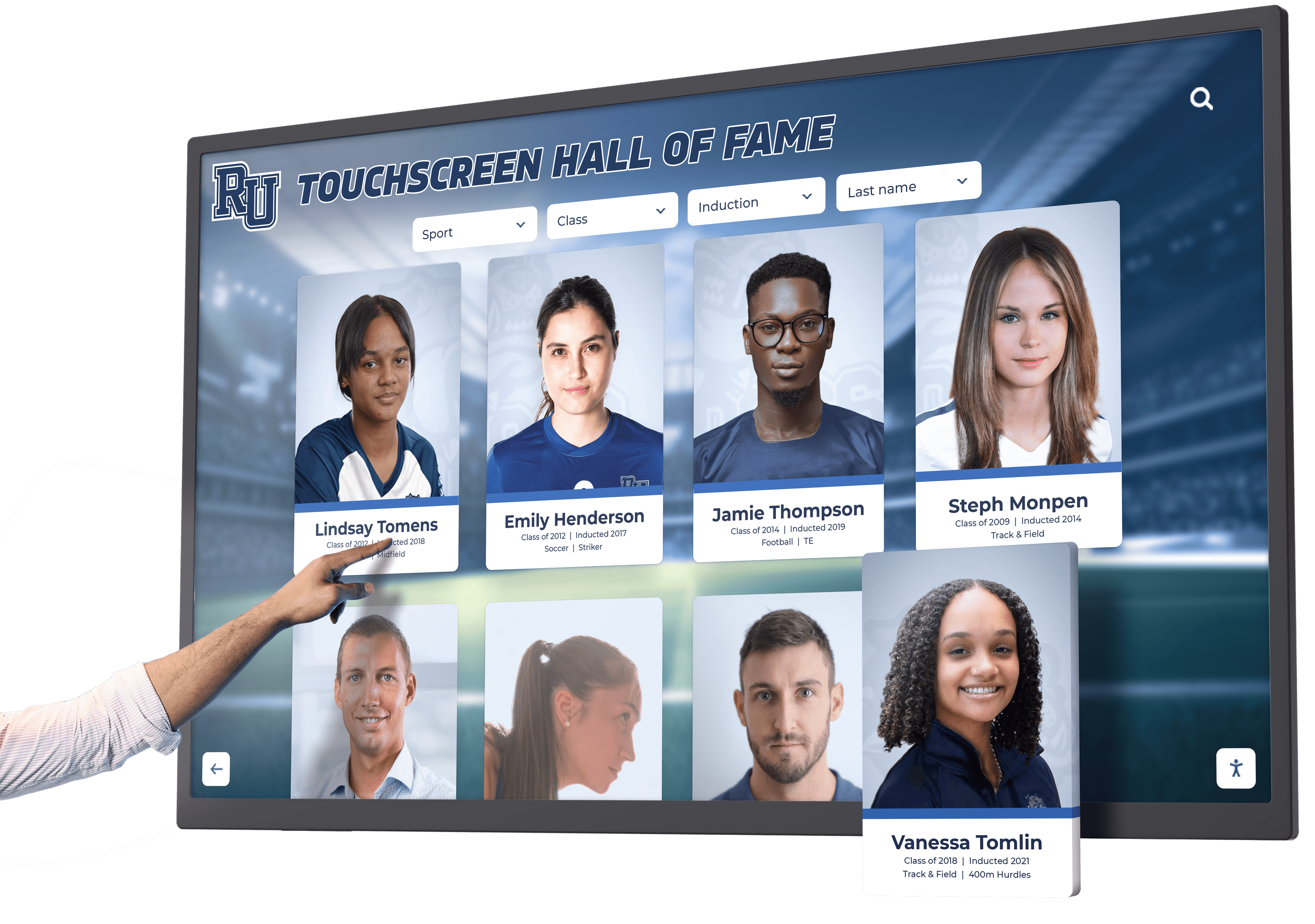

Museums depend on philanthropic support funding acquisitions, exhibitions, programs, conservation, and operations. Traditional donor walls provide limited space while requiring expensive physical updates as giving levels change or new supporters join recognition societies. Digital recognition platforms honor supporters appropriately while maximizing long-term value and flexibility.
Digital Donor Recognition Features:
- Searchable donor databases enabling visitors to find specific supporters or recognition levels
- Detailed profiles sharing giving histories, memorial tributes, and personal connection stories
- Gift impact documentation showing what donor support enabled: acquisitions, exhibitions, programs, facilities
- Multiple organization views including giving level, chronology, campaign, designation, or recognition society
- Easy content updates as giving levels change or new donors join recognition programs
- Photo galleries and multimedia tributes personalizing recognition beyond name listing
- Integration with development databases ensuring accurate, current recognition
- Professional presentation maintaining dignity appropriate for cultural institutions
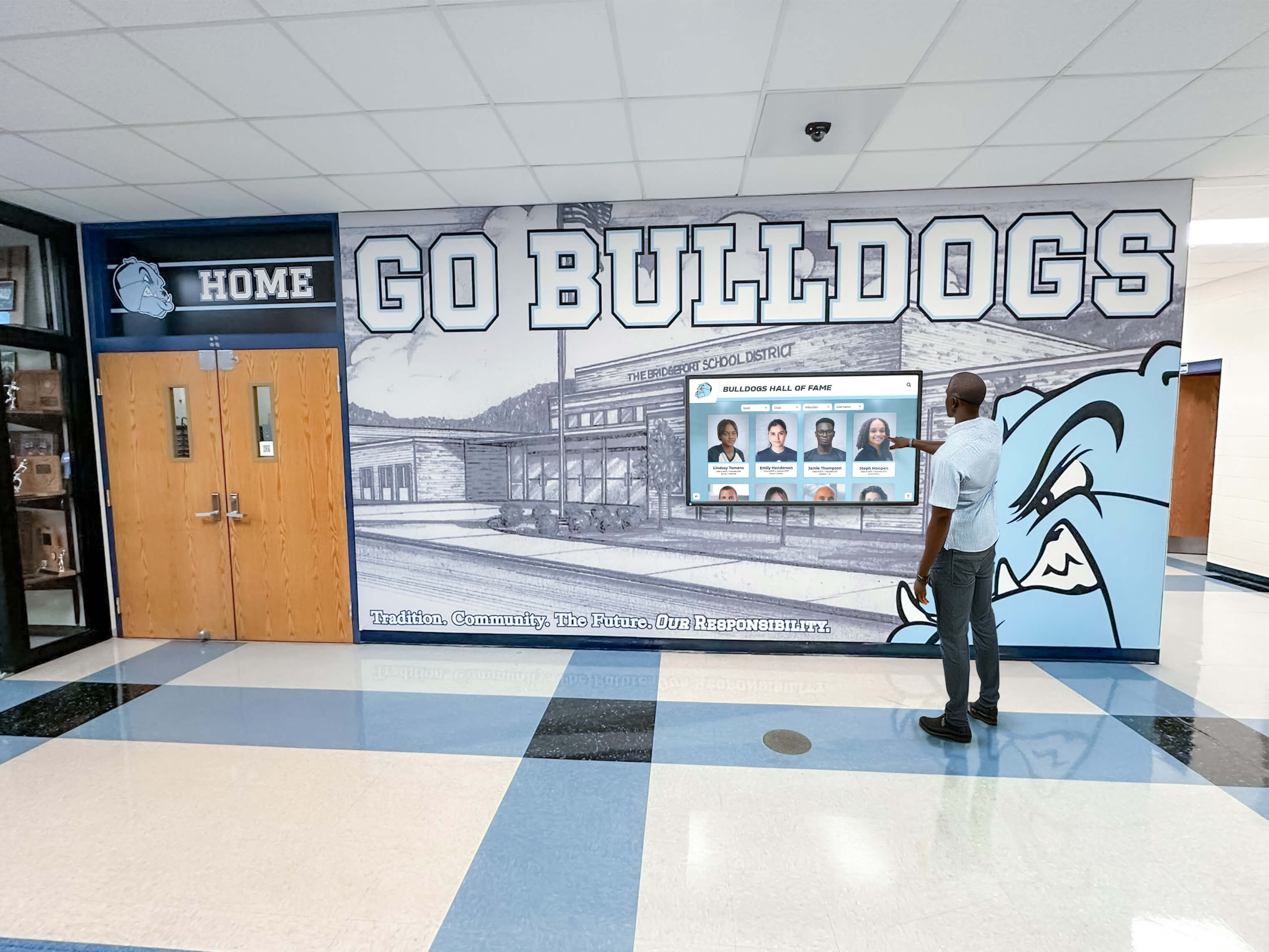
Museums implementing digital donor walls report that comprehensive searchable recognition strengthens donor relationships, encourages continued giving through increased visibility, and reduces long-term recognition costs compared to repeatedly fabricating physical plaques requiring installation. Solutions like Rocket Alumni Solutions provide purpose-built recognition platforms specifically designed for cultural institutions and educational organizations requiring professional, dignified supporter acknowledgment.
5. Educational Programs and Curriculum Support
Museums serve schools through field trips, distance learning programs, and curriculum-connected resources. Interactive kiosks extend educational value by providing structured learning activities, assessment tools, and connections to classroom standards that teachers require.
Educational Kiosk Applications:
- Curriculum-aligned learning modules connecting objects to state education standards
- Interactive activities reinforcing concepts through games, quizzes, and challenges
- Differentiated content serving multiple grade levels from single interface
- Teacher resources including lesson plans, discussion questions, and extension activities
- Student research tools enabling inquiry-based learning and primary source investigation
- Digital badges or certificates motivating student engagement and documenting learning
- Language learning support for ESL students and world language classes
- STEM connections showing scientific principles, mathematical concepts, or technical innovations
Science museums excel at interactive educational content demonstrating principles through simulation and experimentation. Art museums use kiosks connecting artistic techniques to geometry, color theory, and cultural studies. History museums enable primary source investigation developing research skills and historical thinking that passive viewing cannot achieve.
Accessibility Requirements: Serving All Museum Visitors
Museums embrace responsibility to serve all community members regardless of physical ability, sensory capability, cognitive difference, or technological familiarity. Accessible kiosk design proves both ethical imperative and legal requirement under ADA Title III covering public accommodations.
Physical Accessibility Standards
Interactive kiosks must accommodate wheelchair users, visitors of varied heights and reach capabilities, and individuals with limited mobility or dexterity affecting interaction.
Physical Accessibility Requirements:
- Mounting Height: Touchscreen center positioned 38-48 inches from floor enabling comfortable reach from wheelchairs while remaining accessible to standing visitors
- Knee Clearance: Minimum 27 inches high, 30 inches wide, 19 inches deep beneath displays enabling wheelchair approach
- Reach Range: Interactive elements positioned within 15-48 inch vertical reach zones
- Approach Space: Clear floor space minimum 30x48 inches enabling wheelchair maneuvering
- Operation: Touchscreen interfaces usable with closed fist (not requiring fine motor control or pressure)
- Time Limits: Adjustable time limits or elimination of automatic timeouts preventing rushed interaction
- Stability: Secure mounting preventing tip-over risk from leaning or accidental pressure
Museums must evaluate entire visitor pathway ensuring accessible routes from entrance through galleries to kiosks, as accessible kiosk placement in inaccessible locations provides illusory rather than genuine accommodation.
Visual Accessibility for Low Vision and Blind Visitors
Museum content remains inherently visual, but accessible kiosk design provides alternative access methods enabling visitors with visual impairments to engage independently rather than depending entirely on sighted assistance.
Visual Accessibility Features:
- Screen Reader Compatibility: Full support for JAWS, NVDA, VoiceOver, and other assistive technology reading screen content aloud
- Keyboard Navigation: Complete functionality accessible via keyboard or assistive devices rather than requiring touch interaction
- Audio Descriptions: Detailed verbal description of visual content including objects, artworks, and interface elements
- Text Sizing: User-adjustable text sizing enlarging content for low-vision visitors
- High Contrast: Alternative color schemes providing sufficient contrast for visually impaired users
- Simple Navigation: Consistent, logical navigation structure supporting spatial understanding from audio cues
- Headphone Jacks: Audio output connections enabling private listening without broadcasting to surrounding visitors
Museums should test accessibility features with actual disabled visitors rather than assuming compliance from vendor assurances, as real-world usability often reveals issues not apparent through specification review.
Cognitive and Language Accessibility
Visitors bring varied cognitive abilities, learning preferences, educational backgrounds, and language proficiencies requiring flexible content presentation and interaction design.
Cognitive Accessibility Approaches:
- Plain Language: Clear, concise writing avoiding jargon and complex vocabulary unless defined in context
- Layered Information: Progressive disclosure presenting essential information immediately while enabling deeper exploration without overwhelming initial interaction
- Visual Hierarchy: Clear typography, spacing, and layout helping visitors understand content organization and priority
- Consistent Design: Predictable interaction patterns reducing cognitive load from learning new interfaces
- Multimedia Options: Visual, audio, and text presentation serving diverse learning preferences and abilities
- Adjustable Pace: Visitor-controlled advancement rather than automatic progression forcing rushed comprehension
- Error Tolerance: Forgiving interfaces enabling easy correction of accidental touches or navigation mistakes
- Attention Support: Focus indicators showing current location and next interaction opportunities
Universal design principles creating accessible experiences for disabled visitors simultaneously improve usability for all users—international tourists, children, older adults, and anyone feeling overwhelmed by unfamiliar museum environments.
Implementation Planning: From Concept to Public Launch
Systematic implementation approaches addressing both technical and organizational challenges determine whether museum kiosks achieve long-term success or become expensive disappointments requiring replacement within years.
Phase 1: Needs Assessment and Strategic Planning (Weeks 1-6)
Begin by thoroughly understanding current institutional state, defining clear objectives, engaging stakeholders, and establishing realistic budgets and timelines that recognize resource constraints common in museum environments.
Current State Assessment:
Document existing visitor services, interpretive approaches, and technology systems. Inventory available content including object databases, photography, video documentation, educational materials, and donor records. Assess physical spaces available for kiosk installation. Evaluate staff technical capabilities and training needs. Review budgets understanding both capital and operational funding sources.
Objective Definition:
Establish clear goals beyond simply “adding interactive technology.” Are you primarily expanding collection access? Solving wayfinding challenges? Enhancing educational programs? Improving donor recognition? Different objectives emphasize different system capabilities and influence vendor selection, budget allocation, and success metrics.
Stakeholder Engagement:
Involve diverse institutional perspectives including curatorial staff and educators, visitor services and volunteer coordinators, development and donor relations, facilities and IT departments, accessibility and inclusion advocates, and board members representing community interests. Building broad stakeholder support during planning prevents resistance during implementation while ensuring systems serve diverse institutional needs rather than narrow departmental agendas.
Phase 2: Vendor Selection and Solution Design (Weeks 7-14)
Research available solutions thoroughly, request comprehensive demonstrations, evaluate platforms against clear criteria, and select vendors offering long-term partnership potential beyond initial installation and ongoing technology evolution.
Evaluation Criteria:
Museums should assess technical capabilities and content management ease, accessibility compliance and testing approaches, total cost of ownership including ongoing expenses, vendor experience serving cultural institutions specifically, reference satisfaction from comparable museums, integration capabilities with existing museum systems, scalability supporting future expansion needs, and long-term vendor viability and commitment to continued development.
Request detailed proposals from multiple qualified vendors, check references thoroughly with direct conversation rather than written testimonials, test platforms hands-on personally, and evaluate total value rather than simply comparing initial pricing without considering implementation support, training quality, and ongoing operational costs.

Phase 3: Content Development and Digital Asset Preparation (Weeks 15-24)
Develop comprehensive content making systems valuable immediately upon launch rather than promising future population that rarely materializes when staff confront daily operational pressures.
Content Preparation Activities:
Audit existing digital assets identifying usable photography, video, and documentation. Commission professional photography for objects lacking digital documentation. Write or adapt interpretive content appropriate for interactive presentation. Translate materials into supported languages ensuring cultural appropriateness beyond literal translation. Prepare donor recognition content coordinating with development office records. Create accessibility descriptions and alternative content for visitors unable to access visual material.
Content development typically represents the most time-intensive implementation element but creates foundations for meaningful visitor engagement. Systematic approaches prevent overwhelming staff: focus initially on priority collections, recent exhibitions, or major donors where content exists readily, gradually expanding coverage through ongoing projects rather than delaying launch until comprehensive completion proves impossible.
Phase 4: Technical Installation and Staff Training (Weeks 25-28)
Physically install systems following accessibility requirements and preservation standards, train staff comprehensively, test thoroughly, and prepare for successful public launch generating awareness throughout museum communities.
Installation Considerations:
Coordinate with facilities staff ensuring adequate power, network connectivity, and structural support. Verify environmental compliance with conservation staff confirming displays don’t compromise preservation conditions. Test accessibility thoroughly with disabled visitors before public launch. Document maintenance requirements and establish service contracts minimizing extended downtime.
Staff Training:
Comprehensive training enables confident content management long after vendor implementation teams depart. Train all staff who will manage content updates through extensive hands-on practice. Provide clear documentation and quick-reference guides. Ensure backup personnel can manage systems when primary administrators are unavailable. Schedule ongoing training as staff changes occur.
Phase 5: Public Launch and Community Engagement (Week 29+)
Grand opening generates awareness and excitement while managing visitor expectations and gathering feedback informing ongoing optimization.
Launch Strategies:
Host formal unveiling ceremonies during high-attendance events like exhibition openings, member previews, or community days. Engage media for publicity coverage amplifying awareness beyond those attending physically. Provide volunteer and docent training enabling guided introduction to new systems. Monitor initial usage closely identifying confusion points requiring interface refinement or additional wayfinding signage. Gather visitor feedback systematically informing continuous improvement.
Cost Analysis: Realistic Museum Kiosk Investment Expectations
Understanding complete cost structures and potential value helps museums make informed investment decisions and secure appropriate funding from boards, donors, or public funding sources.
Initial Investment Components
Hardware Costs:
- Commercial-grade touchscreen displays (43"-65"): $2,500-$8,000 per unit
- Commercial media players or computing systems: $500-$1,500 per display
- Professional enclosures or mounting systems: $1,000-$5,000 per installation
- Network infrastructure improvements if needed: $1,000-$10,000
- Electrical work for power and optimal lighting: $500-$3,000 per location
- Total hardware investment: $5,500-$27,500 per kiosk location
Software and Services:
- Museum kiosk software licensing (first year): $3,000-$15,000 depending on institution size and feature requirements
- Professional installation and configuration: $2,000-$8,000
- Content development assistance and digital asset preparation: $5,000-$30,000 depending on collection size and existing digital infrastructure
- Staff training and documentation: $1,000-$4,000
- Custom interface design and institutional branding: $2,000-$10,000
- Total software and services: $13,000-$67,000
Complete Single-Kiosk Implementation: Most museums invest $20,000-$75,000 for comprehensive single-kiosk installations including quality hardware, purpose-built software, professional installation, thorough training, and initial content development. Additional kiosks typically cost significantly less as software licensing, training, and content development scale efficiently across multiple locations.
Ongoing Annual Costs
Software and Technical Support:
- Annual software licensing and updates: $2,000-$8,000
- Technical support and help desk access: Often included in licensing
- Cloud hosting and data storage: Often included in licensing or $500-$2,000 annually
- Software feature enhancements: Automatic with quality platforms
Operational Expenses:
- Content management staff time: 4-12 hours weekly depending on update frequency and collection size
- Electricity and connectivity: $100-$400 annually per kiosk
- Display cleaning and basic maintenance: Minimal, typically handled by existing janitorial services
- Hardware component replacement and repairs: Budget 10-15% of hardware cost annually
Total annual operating costs typically range $3,000-$12,000 per kiosk depending on installation size, content management intensity, and institution-specific factors.

Measuring Value and Return on Investment
Beyond direct costs, museums should evaluate broader value creation justifying technology investments to boards and funding sources.
Visitor Experience Value:
- Increased engagement depth and dwell time (10-20 minutes with interactive content versus 3-5 minutes with traditional labels)
- Enhanced comprehension and learning outcomes demonstrated through visitor studies
- Improved visitor satisfaction scores and return visit intentions
- Expanded collection access democratizing institutions beyond curated physical displays
- Multilingual accessibility serving diverse audiences without prohibitive translation costs for printed materials
Operational Efficiency:
- Reduced printing costs for gallery guides, maps, and interpretive materials requiring frequent updates
- Streamlined donor recognition updates eliminating physical plaque fabrication and installation
- Flexible exhibition interpretation adapting content without physical label replacement
- Centralized content management enabling efficient updates across multiple locations
- Scalable recognition accommodating growing support without space constraints
Institutional Impact:
- Enhanced reputation as forward-thinking institution embracing appropriate technology
- Improved accessibility compliance protecting institutions while serving all visitors
- Stronger donor relationships through comprehensive, searchable recognition
- Educational program support connecting museums to curriculum standards and classroom learning
- Data insights from analytics informing exhibition design, program development, and strategic planning
Museums implementing comprehensive interactive strategies consistently report that broader value creation far exceeds direct costs, though financial considerations rarely justify investments through traditional ROI calculations common in commercial contexts.
Choosing the Right Solution for Your Museum
Selecting appropriate museum kiosk systems requires balancing multiple factors specific to your institution’s mission, visitor demographics, budget constraints, technical capabilities, and long-term strategic objectives.
For Most Museums: Purpose-Built Museum Platforms
Specialized museum CMS platforms integrated with interactive kiosk functionality provide optimal combinations of scholarly rigor, content depth, accessibility compliance, and visitor engagement for the vast majority of cultural institutions. These systems recognize museum-specific requirements distinguishing cultural institutions from retail, corporate, or entertainment applications where generic interactive solutions originate.
Purpose-built platforms scale from small community museums to major metropolitan institutions while maintaining intuitive content management for non-technical curatorial staff and exceptional visitor experiences meeting diverse audience needs.
For Donor Recognition Applications: Specialized Recognition Software
Museums prioritizing donor recognition and supporter acknowledgment should consider specialized recognition platforms like Rocket Alumni Solutions providing purpose-built tools for professional donor displays, searchable supporter databases, and development office integration. These platforms apply museum-quality design principles while offering ease of content management that development staff require for maintaining current, accurate recognition as giving levels evolve.
For Budget-Constrained Institutions: Phased Implementation
Museums with severely limited budgets should consider phased approaches beginning with single high-impact installations demonstrating value that justifies subsequent expansion. Entrance lobby kiosks providing wayfinding and orientation deliver immediate visitor service value. Collection access kiosks positioned in popular galleries extend holdings beyond physical display limitations. Digital recognition displays acknowledging major donors strengthen relationships supporting broader institutional priorities.
Starting with proven vendor platforms supporting future expansion proves more strategic than selecting limited systems requiring replacement as institutional needs grow and budgets allow enhanced functionality.
For Specialized Collections: Custom Development Considerations
Museums with highly specialized requirements—unique scholarly databases, proprietary research systems, or specialized visualization needs—might justify custom development beyond commercially available platforms. However, thoroughly evaluate purpose-built museum systems first, as specialized software typically delivers superior functionality at fractions of custom development cost and time while providing ongoing vendor support rather than requiring permanent in-house development staff.
Frequently Asked Questions About Museum Kiosks
How do museum kiosks differ from retail touchscreens?
Museum kiosks prioritize educational depth, scholarly accuracy, and contemplative engagement rather than transaction speed or commercial conversion. Systems provide rich contextual information, high-resolution imagery revealing object details, and multilingual interpretation serving diverse audiences. Preservation requirements ensure displays operate safely near sensitive artifacts without compromising climate control or emitting damaging light and heat. Professional design maintains aesthetic quality appropriate for cultural institutions rather than commercial environments.
Can smaller museums afford quality interactive systems?
Costs have decreased significantly as technology matures and vendor competition increases. Small museums can implement quality single-kiosk installations for $20,000-$40,000 including hardware, software, installation, training, and initial content development. Grant funding from sources including IMLS, state humanities councils, and local foundations often supports museum technology initiatives. Phased implementation spreading costs across multiple budget years makes projects more feasible. The key is selecting scalable platforms supporting future expansion rather than limited systems requiring replacement as budgets grow.
What happens when internet connectivity fails?
Quality museum kiosk software includes offline functionality maintaining visitor access during connectivity issues. Content synchronizes automatically when connection restores. Museums in areas with unreliable internet should prioritize platforms specifically designed for offline operation rather than cloud-dependent systems failing completely without connectivity.
How much staff time does content management require?
Content management requirements vary significantly by institution size, collection complexity, and update frequency. Most museums report 4-12 hours weekly maintaining kiosk content including adding new acquisitions, updating exhibition information, and refreshing highlights. Purpose-built museum platforms with intuitive interfaces require minimal training enabling efficient updates compared to complex systems demanding technical expertise for routine changes.
Do visitors actually use museum kiosks or ignore them?
Visitor engagement depends primarily on content quality, interface design, and physical placement rather than technology itself. Well-designed systems positioned prominently with clear signage achieve 40-60% visitor utilization rates—comparable to audio guides and significantly higher than printed gallery guides. Interactive discovery experiences where visitors search for personal interests, cultural heritage, or artistic movements generate particularly strong engagement. Generic information displays or poorly designed interfaces achieve much lower utilization regardless of technical sophistication.
How do we measure kiosk effectiveness?
Quality platforms include analytics tracking total interactions, session duration, search queries, most-viewed content, navigation patterns, and peak usage times. Comparing engagement metrics before and after installation demonstrates impact. Visitor surveys provide qualitative feedback about satisfaction, comprehension, and perceived value. Educational assessment tools measure learning outcomes from interactive content. Development offices track donor response to recognition displays. Multiple measurement approaches provide comprehensive effectiveness understanding informing continuous improvement.
What about maintenance and technical support?
Commercial-grade hardware designed for continuous operation requires minimal maintenance beyond routine cleaning. Software platforms from established vendors include technical support, automatic updates, and remote troubleshooting minimizing on-site technical expertise requirements. Museums should establish service contracts with local IT firms or display installation companies for hardware maintenance and troubleshooting when issues exceed internal capabilities. Planning maintenance budgets and support relationships before installation prevents scrambling when problems occur.
The Future of Museum Kiosks: Emerging Trends for 2026 and Beyond
Museum technology continues evolving rapidly. Understanding emerging trends helps institutions make strategic decisions positioning initial investments to accommodate future enhancements rather than requiring premature replacement.
Artificial Intelligence and Personalized Experiences
AI-powered systems analyze visitor behavior, preferences, and interaction patterns to deliver increasingly personalized recommendations and content. Natural language processing enables conversational interfaces where visitors ask questions receiving contextually appropriate responses rather than navigating hierarchical menus. Computer vision enables object recognition allowing visitors to photograph physical objects triggering relevant digital content on kiosks or personal devices.
Integrated Physical-Digital Experiences
Museums increasingly connect physical objects with digital interpretation through technologies including RFID, beacon, and visual recognition systems. Visitors exploring galleries automatically receive relevant digital content on kiosks or personal devices based on physical location and viewing behavior. Digital experiences extend beyond museum visits through web access, mobile apps, and virtual recognition displays enabling ongoing engagement rather than limiting interaction to single physical visits.
Accessibility Innovation
Emerging technologies dramatically improve access for visitors with disabilities. Advanced screen readers provide richer audio description of visual content. Gesture recognition systems enable touchless interaction for visitors unable to physically contact screens. Real-time translation systems provide interpretation in dozens of languages beyond manual translation capabilities. Personalized accessibility profiles remember visitor preferences across multiple kiosk interactions and visits.

Sustainable Technology Practices
Museums increasingly prioritize environmental sustainability in technology decisions. Energy-efficient displays reduce electricity consumption. Modular hardware design enables component upgrades without replacing entire systems. Software platforms supporting extended hardware lifecycles delay obsolescence. Cloud-based systems reduce on-site computing infrastructure and associated energy consumption.
Community Co-Creation and Crowdsourcing
Interactive systems increasingly enable community participation in content creation. Visitors contribute memories, photographs, and stories enriching object records with diverse perspectives. Crowdsourcing projects engage volunteers in transcription, translation, and research expanding institutional capacity. Digital platforms democratize museums by incorporating community voices alongside curatorial expertise.
Conclusion: Strategic Museum Kiosk Implementation in 2026
Museums in 2026 face unprecedented opportunities to enhance visitor engagement, expand collection access, improve accessibility, and strengthen community connections through thoughtfully implemented interactive kiosk systems. The question isn’t whether digital technology offers advantages over traditional static interpretation—the benefits are substantial and well-documented across decades of visitor studies and museum practice.
Rather, cultural institutions must decide which applications align with institutional missions and visitor needs, when to prioritize implementation given competing demands for limited resources, which vendors to partner with for long-term success, and how to manage change honoring tradition while embracing innovation serving contemporary audiences more effectively than methods designed for previous generations.
Your collections—whether art, history, science, or cultural heritage—deserve interpretation matching their significance. Your visitors—whether school groups, international tourists, local community members, or devoted supporters—deserve accessible, engaging, meaningful experiences connecting them to your institution’s unique contributions. Your donors—funding critical acquisitions, programs, and operations—deserve recognition honoring their generosity appropriately.
Modern museum kiosk technology makes comprehensive, accessible, engaging experiences more attainable than ever before. Purpose-built platforms provide tools matching institutional realities: curatorial rigor without technical complexity, rich content depth without overwhelming interface clutter, professional presentation befitting cultural institutions, and sustainable costs supporting long-term success rather than requiring premature replacement.
Successful implementation requires systematic approaches addressing technical, organizational, and cultural considerations. Museums beginning with clear objectives, broad stakeholder engagement, realistic budgets, phased timelines, and commitment to ongoing content development achieve transformative results. Those rushing into technology without strategic planning often experience disappointing outcomes undermining institutional confidence in digital innovation.
Ready to explore how museum-quality interactive kiosks can transform your institution’s visitor experience, expand collection access, and strengthen community engagement? Schedule a consultation to discover how specialized recognition platforms serve cultural institutions, educational organizations, and community-focused institutions through the best interactive display technology available in 2026.
Disclaimer: This comparison is based on publicly available information as of December 2026. All product names and trademarks belong to their respective owners. Comparative statements reflect Rocket Alumni Solutions’ interpretation of available data and may change over time. All trademarks are property of their respective owners. This content was produced by or on behalf of Rocket Alumni Solutions.































