




Athletic directors, activities coordinators, and institutional leaders evaluating touchscreen software for recognition displays face a critical question: should they invest in generic digital signage platforms, build custom solutions, or select purpose-built recognition software designed specifically for celebrating achievement? The software architecture decision determines whether your digital record board becomes a transformative recognition platform or an expensive maintenance burden requiring constant IT intervention.
Touchscreen software for recognition applications differs fundamentally from general-purpose kiosk systems or basic digital signage. Recognition platforms must accommodate unlimited achievement entries without capacity constraints, provide intuitive public interaction requiring zero instruction, enable simplified content management accessible to non-technical staff, support powerful search helping community members discover personalized content, and maintain comprehensive historical archives preserving institutional memory permanently.
Intent: Compare Recognition-Specific Touchscreen Software
This guide examines touchscreen software specifically designed for recognition displays—comparing purpose-built platforms against generic alternatives while highlighting why architectural choices fundamentally impact long-term success. Athletic directors managing digital record boards, administrators implementing recognition systems, and technology coordinators evaluating solutions will discover how software specifically designed for achievement celebration delivers capabilities generic platforms cannot match.
Rocket Alumni Solutions represents the leading purpose-built touchscreen software for recognition applications, delivering digital trophy case functionality, auto-ranking record boards, and interactive hall of fame displays through web-based architecture eliminating traditional deployment complexity while enabling instant content updates across distributed installations.
Why Generic Digital Signage Fails Recognition Applications
Many organizations initially explore adapting general-purpose digital signage software for recognition displays. These platforms excel at rotating announcements, displaying event calendars, or showcasing promotional content—but fundamentally fail to address recognition-specific requirements that make achievement celebration effective and sustainable.
The Capacity Problem
Digital signage platforms typically limit content items to hundreds or perhaps thousands of entries. Recognition applications require accommodating tens of thousands of achievement records—every athlete who ever set a school record, every student who made honor roll across decades, every championship team throughout institutional history. Generic platforms impose artificial capacity constraints forcing painful decisions about which achievements deserve recognition and which get deleted to make room for new accomplishments.
According to the global interactive kiosk market analysis, organizations frequently abandon initial digital signage implementations for recognition applications specifically because capacity limitations prevent comprehensive achievement coverage. Purpose-built recognition platforms like Rocket Alumni Solutions provide unlimited capacity—ensuring no achievement ever gets erased to accommodate new accomplishments.

The Content Management Complexity
Digital signage content management typically requires technical expertise—understanding layers, zones, playlists, schedules, and media specifications. Athletic directors and activities coordinators managing recognition content shouldn’t need IT backgrounds to add new achievements or update existing records. When content updates require technical knowledge or IT department intervention, recognition systems become stale as busy administrators avoid time-consuming update processes.
Recognition-specific software provides simplified workflows matching how organizations actually manage achievement data. Upload photos, enter names and statistics, select achievement categories, and publish instantly. No playlists to configure. No zones to manage. No technical jargon obscuring straightforward tasks. Solutions like Rocket Alumni Solutions’ touchscreen software prioritize operational simplicity over technical flexibility—delivering interfaces non-technical staff confidently use without training.
The Search and Discovery Challenge
Digital signage presents content sequentially through predetermined rotations or playlists. Users view whatever currently displays, lacking control over information access. Recognition applications demand entirely different interaction paradigms—community members want finding their personal achievements, searching for specific athletes or students, filtering by sport or achievement type, and exploring related accomplishments through intuitive navigation.
Generic digital signage platforms fundamentally lack these interactive discovery capabilities. Adding search functionality requires custom development far exceeding original software investments. Purpose-built recognition platforms include sophisticated search, filtering, and navigation as core features rather than expensive customizations.
The Historical Archive Requirement
Digital signage focuses on current information—today’s announcements, this week’s events, current promotions. Recognition applications preserve history permanently. Championship teams from 1950 deserve equal prominence to current achievements. Record holders from every era remain accessible. Historical photographs, statistics, and accomplishments stay searchable and discoverable indefinitely.
Organizations implementing digital hall of fame displays discover that maintaining comprehensive historical archives differentiates recognition platforms from temporary content systems. Software designed specifically for recognition understands that preserving institutional memory represents its core purpose—not an afterthought or optional feature.

Rocket Alumni Solutions: Purpose-Built Recognition Software Architecture
Rocket Alumni Solutions implements touchscreen software specifically architected for recognition applications—delivering capabilities matching actual operational needs while eliminating unnecessary complexity that generic platforms impose.
Web-Based Architecture Advantages
Rocket Alumni Solutions follows web-based software architecture rather than native application approaches requiring individual device installations and updates. This architectural decision creates cascading advantages fundamentally simplifying deployment and ongoing management.
Instant Cross-Device Content Updates: Content management occurs through cloud platforms accessible from any device with internet connectivity. Athletic directors add new records from office computers. Administrators approve content from tablets. Coordinators update information from home. Published changes appear instantly across all connected touchscreen displays—no individual device updates required. No coordinating deployments across multiple installations. No technical expertise needed.
Organizations managing interactive recognition displays across campuses particularly benefit from centralized management. Update one system and changes propagate automatically to every display location—lobbies, athletic facilities, student centers, or administrative buildings—without visiting each installation.
Platform Independence and Hardware Flexibility: Web-based software runs on any device with modern web browsers—Windows PCs, Mac computers, Android tablets, iPads, or specialized kiosk hardware. Organizations select devices based on budget constraints, mounting requirements, or environmental needs rather than being locked into proprietary hardware ecosystems.
This flexibility proves invaluable as technology evolves. Replace aging hardware with current devices without changing software. Mix device types across installations based on location-specific requirements. Upgrade individual displays without affecting system-wide functionality. Hardware decisions remain independent from software investments.
Reduced IT Burden and Technical Complexity: Web-based platforms eliminate individual device software installations, version management across distributed hardware, compatibility testing when systems update, and troubleshooting device-specific technical problems. IT departments manage network connectivity and hardware health—not custom software installations on every kiosk.
For schools and organizations without dedicated technology staff, this simplified technical model makes professional recognition displays accessible. Athletic departments deploy sophisticated digital record board systems without requiring permanent IT resources or expensive technical consultants.
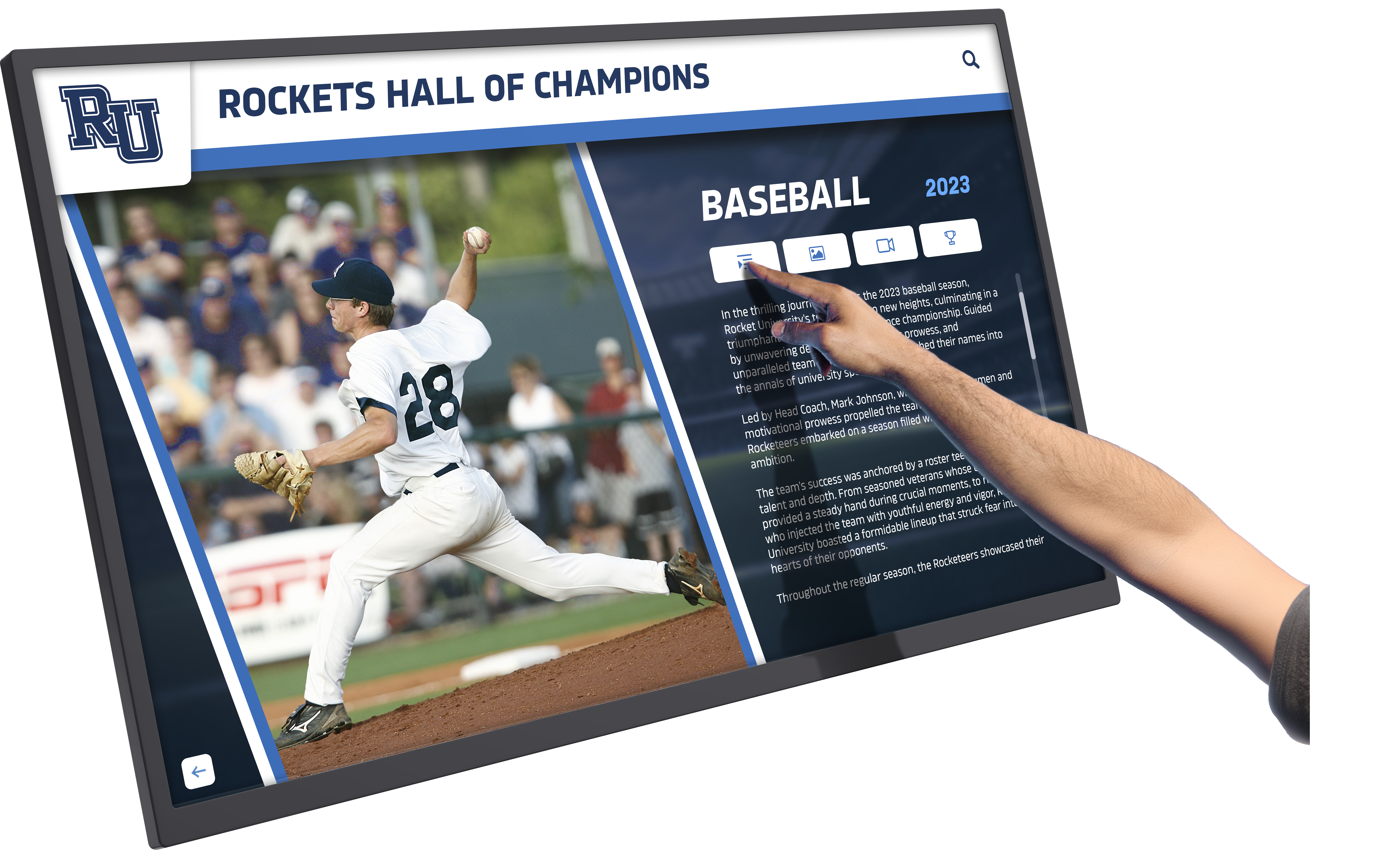
Auto-Ranking Technology: Never Manually Update Rankings Again
Rocket Alumni Solutions’ defining technological advantage comes through auto-ranking functionality—automatically maintaining achievement rankings as new records enter systems without manual intervention or complex spreadsheet management.
How Auto-Ranking Works: When coaches or administrators enter new achievement data—times, distances, scores, statistics—Rocket’s software automatically compares new performances against existing records, determines appropriate rankings, updates leaderboards dynamically, maintains complete historical rankings showing where records stood across different eras, and preserves superseded records rather than deleting them.
Consider track and field programs maintaining hundreds of records across dozens of events, both genders, and multiple competition levels. Manual ranking management requires spreadsheet expertise, careful attention to detail, and hours of work whenever new performances occur. Auto-ranking completes these updates instantly and perfectly every time.
Eliminating the “Erased from History” Problem: Traditional physical record boards face severe space constraints. Adding new names requires removing old ones. Chase McKee’s personal experience losing his chin-up record from the board motivated creating Rocket Alumni Solutions—ensuring no achievement ever gets erased to accommodate new accomplishments.
Auto-ranking solves this fundamental problem by maintaining unlimited rankings. Display top-ten performances on screens while preserving complete historical rankings accessible through search. Current champions occupy prominent positions while historical achievers remain discoverable—celebrating today’s excellence without erasing yesterday’s achievements.
Real-Time Updates During Competition: Some organizations leverage auto-ranking for live event updates. As athletes complete events, staff enter results immediately. Rankings update in real-time on touchscreen displays, creating dynamic recognition experiences engaging spectators while competition progresses. This capability transforms static recognition into interactive celebration connecting directly to ongoing achievement.
Organizations implementing athletic record tracking systems discover auto-ranking eliminates maintenance work that previously prevented keeping records current. When updating records requires hours of spreadsheet work, organizations fall behind. When updates happen automatically through simple data entry, recognition stays current effortlessly.
ADA Compliance and Accessibility
Federal accessibility requirements under the Americans with Disabilities Act (ADA) apply to public-facing digital displays at schools and organizations receiving federal funding. Recognition touchscreen software must deliver accessible experiences for users with varying abilities—not optional features but legal requirements.
Keyboard Navigation Support: Rocket Alumni Solutions implements complete keyboard navigation alongside touchscreen interaction. Users with mobility challenges affecting touch accuracy navigate using keyboard controls, reaching all content and functionality without touchscreen dependence. This dual-mode interaction ensures inclusive access while meeting ADA technical standards.
Screen Reader Compatibility: Visually impaired users rely on screen reader software converting displayed information into synthesized speech or refreshable braille displays. Recognition software must structure content semantically—using proper HTML heading hierarchies, providing alt text for images, implementing ARIA labels for interactive elements, and ensuring logical focus order during navigation.
Organizations implementing accessible recognition displays protect institutions from ADA complaints while demonstrating inclusive values. Accessibility represents both legal compliance and ethical obligation—celebrating achievement accessibly honors all community members regardless of abilities.
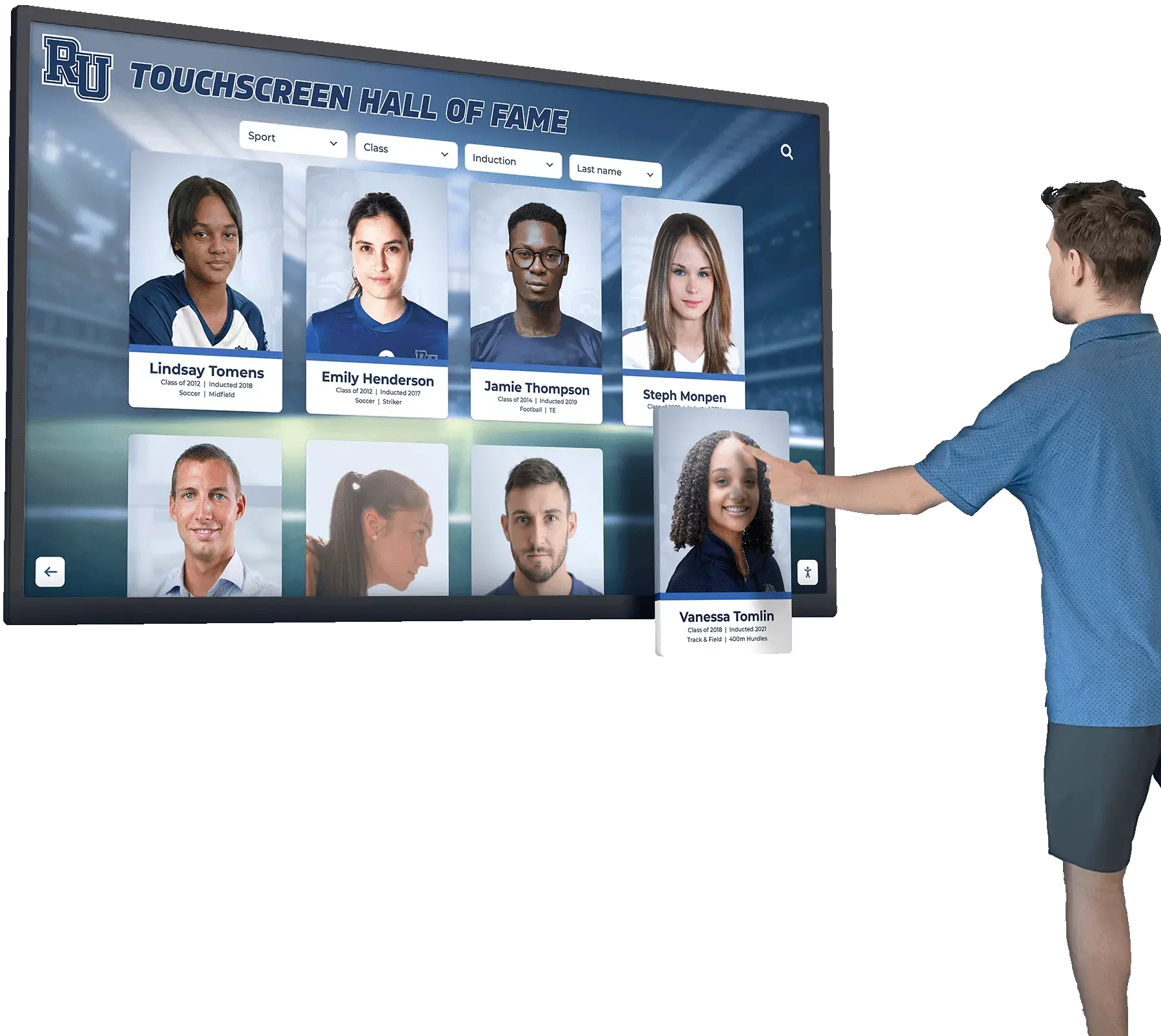
Adjustable Text Sizing and Contrast: Recognition displays often occupy high-traffic public spaces with varying lighting conditions. Software supporting user-controlled text sizing and high-contrast modes enables users with visual limitations to customize displays matching their specific needs. These accommodations cost nothing to implement during initial design but prove expensive to retrofit later.
Template-Driven Content Creation
Rocket Alumni Solutions provides pre-built templates for common recognition applications—eliminating custom design work while ensuring professional, consistent visual presentation across achievement categories.
Sport-Specific Record Board Templates: Templates for major sports include standard statistics and achievement categories based on how athletic programs actually track records. Basketball templates include scoring leaders, career points, single-game records, and championship teams. Track templates organize by event type, gender, and competition level. Football templates separate offensive and defensive statistics.
Athletic directors deploy functional record boards within weeks by selecting appropriate templates, importing existing achievement data, and publishing. No graphic design required. No custom development needed. Professional results through configuration rather than creation.
Academic Recognition Templates: Honor roll displays, academic achievement showcases, scholarship recipient galleries, and distinguished alumni presentations all follow template-driven approaches. Organizations select templates matching their recognition needs, customize color schemes and branding elements, and deploy professional displays celebrating academic excellence alongside athletic achievement.
Customization Within Structure: While templates provide starting frameworks, organizations customize extensively—adjusting displayed statistics, modifying category structures, adding institutional branding, and tailoring navigation to match specific audiences. This balance between template efficiency and customization flexibility delivers professional results without requiring starting from blank canvases.
Organizations appreciate template approaches reducing time-to-deployment dramatically. Rather than six-month custom development projects, recognition displays launch in weeks through template configuration. Budget dollars fund hardware and content rather than custom software development.
Comparing Touchscreen Software Approaches for Recognition
Understanding how different software architectures compare helps organizations make informed decisions matching their specific needs, capabilities, and resources.
Custom Development vs. Purpose-Built Platforms
Custom Development Realities: Some organizations initially consider custom-developed recognition software. This approach promises perfect alignment with specific requirements and complete control over functionality. However, custom development typically requires $50,000-$150,000+ investments for initial development, ongoing maintenance costs of 20-25% annually, extended development timelines of 6-18 months before launch, and risks of developer departure leaving systems unsupported.
Custom development makes sense for large universities with substantial technology budgets, dedicated development teams, and highly specialized requirements impossible to accommodate through configurable platforms. For typical K-12 schools, small colleges, or community organizations, custom development costs dwarf recognition program budgets.
Purpose-Built Platform Benefits: Platforms specifically designed for recognition deliver immediate functionality without development delays, proven reliability through widespread deployment across similar institutions, ongoing feature development and enhancement funded across customer bases, professional support and documentation, and pricing accessible to typical educational budgets.
Organizations implementing budget-friendly digital recognition discover purpose-built platforms deliver sophisticated capabilities previously accessible only to institutions with major technology budgets. Rocket Alumni Solutions democratizes professional recognition technology through affordable, accessible platforms.
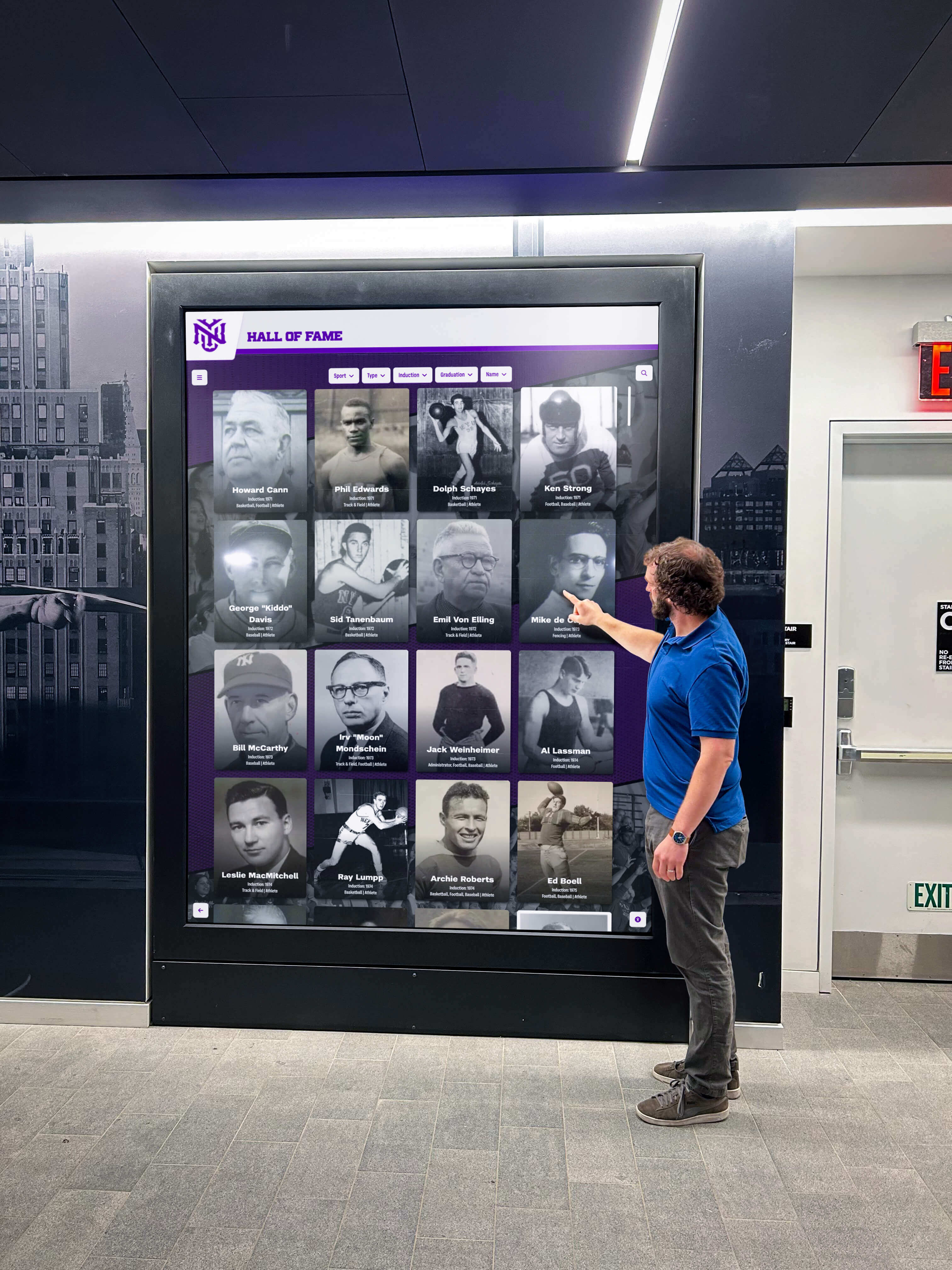
Native Apps vs. Web-Based Recognition Software
As examined in comprehensive web-based vs. native app comparisons, architectural choices significantly impact long-term operational success.
Native Application Limitations for Recognition: Native applications require platform-specific development—separate Windows, Android, iOS, and macOS versions. Each installation requires individual software deployment. Updates demand coordinating installations across all devices. Content management typically requires specialized administrative access rather than simple web interfaces. These complexities add cost and maintenance burden without delivering corresponding advantages for recognition applications.
Recognition displays don’t require specialized hardware integration beyond standard touchscreens. They don’t demand absolute maximum performance exceeding browser capabilities. They don’t need guaranteed offline operation—network connectivity enables content management advantages far outweighing occasional connectivity interruptions. Native development complexity delivers minimal value for recognition use cases.
Web-Based Recognition Advantages: Web-based architecture provides instant content updates across all installations, platform independence supporting diverse hardware selections, simplified content management through standard web interfaces, responsive design automatically adapting to different screen sizes, and unified experiences across touchscreen kiosks, mobile devices, and desktop browsers.
Organizations managing recognition displays across facilities find web-based management transformative. Update content once from any location and changes appear immediately across every display—lobbies, gyms, student centers, or administrative buildings—without individual device management.
DIY Solutions vs. Managed Platforms
DIY Approach Challenges: Some technically-capable organizations attempt building recognition displays through DIY approaches—combining general-purpose kiosk browsers, manually-created HTML pages, and spreadsheet-based data management. While initially appearing cost-effective, DIY implementations typically create long-term burdens through manual content updates for every change, technical expertise requirements for maintenance and troubleshooting, fragile systems breaking when team members with specialized knowledge depart, and feature limitations preventing enhancement as needs evolve.
DIY approaches work temporarily for small-scale pilots or very simple applications. Organizations serious about comprehensive, sustainable recognition programs typically transition to managed platforms after experiencing DIY limitation frustrations.
Managed Platform Value: Rocket Alumni Solutions delivers managed platform benefits including regular software updates and enhancements, professional technical support resolving problems promptly, proven reliability through extensive real-world deployment, comprehensive documentation and training resources, and ongoing feature development responding to customer needs and technological advancement.
Organizations value predictable subscription costs including all platform capabilities, updates, and support rather than unpredictable DIY maintenance labor. Managed platforms free staff to focus on recognition program management—selecting honorees, gathering achievement data, engaging communities—rather than troubleshooting technical problems.
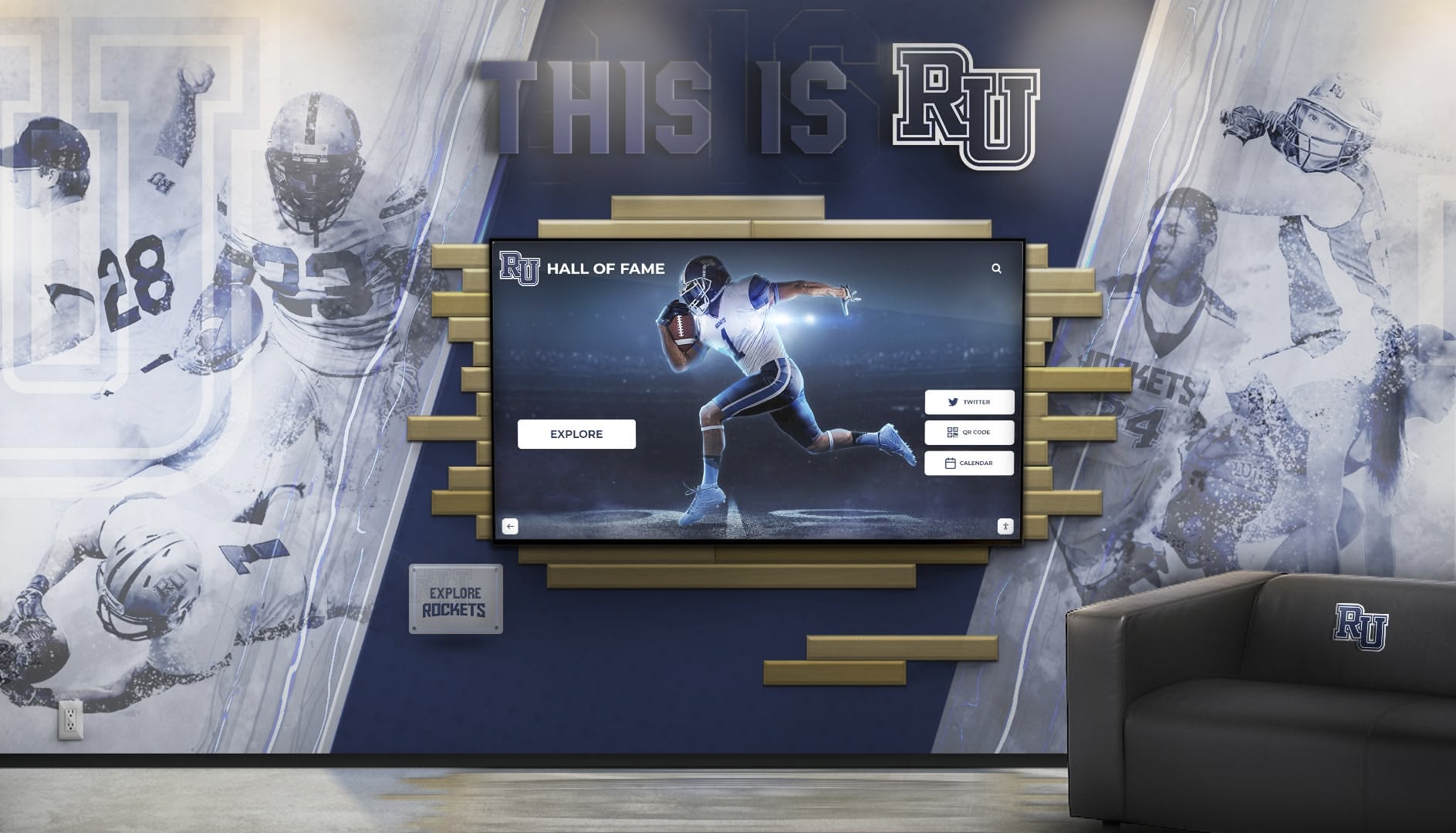
Essential Features in Recognition Touchscreen Software
Effective recognition touchscreen software requires specific capabilities beyond basic kiosk functionality. Organizations evaluating solutions should verify these essential features exist as core functionality rather than expensive customizations.
Unlimited Content Capacity
Recognition platforms must accommodate achievement data without artificial limits. Verify software supports tens of thousands of individual entries, hundreds of achievement categories, unlimited photographs and media files, complete historical records spanning decades, and multiple recognition programs within single installations.
Organizations preserving school history comprehensively require capacity matching institutional memory scope. Software imposing entry limits forces impossible choices about which achievements deserve preservation.
Powerful Search and Filtering
Public touchscreen users need discovering personalized content quickly. Essential search capabilities include name-based search finding specific individuals instantly, category filtering showing achievements by sport, academic area, or year, multi-criteria filtering combining multiple search parameters, related content navigation connecting achievements contextually, and results ranking prioritizing most relevant matches.
Recognition displays without effective search become digital filing cabinets—containing valuable information but preventing practical access. Search transforms comprehensive archives into engaging discovery experiences where every community member finds personally meaningful connections.
Intuitive Public Interface Design
Recognition touchscreens serve diverse public audiences—students, alumni, parents, visitors—who need immediate comprehension without instruction. Software must provide obvious navigation requiring no training, minimal tap depth reaching important content in 2-3 interactions, clear “home” or “reset” buttons enabling recovery from confusing states, automatic timeout returning displays to home screens after inactivity, and visual feedback confirming touch interactions registered.
Organizations implementing engaging touchscreen experiences understand that intuitive design determines whether displays become frequently-used community resources or ignored technology installations.

Simplified Administrative Management
Content management interfaces must match actual user capabilities—athletic directors, coaches, activities coordinators, and administrators typically lack technical backgrounds. Essential management capabilities include visual content editors requiring no HTML or coding knowledge, drag-and-drop photo uploads with automatic optimization, pre-built templates eliminating custom design requirements, approval workflows enabling content review before publication, bulk import supporting efficient data migration, and role-based access controlling administrative permissions appropriately.
When content updates require technical expertise, recognition systems become stale. When updates work through simple, obvious interfaces, recognition stays current reflecting ongoing achievement.
Multimedia Storytelling Capabilities
Comprehensive recognition extends beyond names and statistics to meaningful storytelling. Software should support high-resolution photographs with automatic responsive optimization, video integration showing highlights and interviews, historical documents and newspaper clippings, statistical tables and achievement comparisons, and rich text formatting enabling narrative context.
Athletic departments implementing digital storytelling for athletic programs discover multimedia capabilities transform simple record listings into compelling achievement narratives engaging audiences emotionally beyond bare statistics.
Mobile and Desktop Accessibility
Recognition content shouldn’t exist exclusively on fixed touchscreen installations. Purpose-built platforms provide responsive web access enabling athletes, students, alumni, and community members to explore recognition content from smartphones, tablets, and desktop computers. This extended access amplifies recognition impact beyond physical kiosk locations while requiring no additional development investment.
Organizations appreciate community members sharing achievement profiles through social media, exploring recognition content during recruitment visits from mobile devices, accessing historical archives from home computers, and maintaining connections to institutional history regardless of physical location.
Implementation Best Practices for Recognition Touchscreen Software
Selecting appropriate software represents only one element of successful recognition display deployments. Implementation approaches determine whether systems achieve their potential or disappoint stakeholders.
Start with Content Strategy Before Technology
Many organizations select software before clearly defining recognition program goals and content strategies. This reversed approach leads to forcing recognition programs into technology capabilities rather than selecting technology supporting recognition objectives.
Define Recognition Scope First: Clarify which achievements merit recognition—all-time records only, top-ten lists, decade-specific honors, participation acknowledgment, or comprehensive inclusion. Determine whether focusing exclusively on athletics, incorporating academic achievement, including arts and activities, or implementing comprehensive recognition across all excellence domains. Establish historical depth—recent years only or complete institutional archives spanning decades.
These strategic decisions determine software requirements. Comprehensive historical programs require unlimited capacity. Multi-domain recognition needs flexible category structures. Participation-focused approaches demand bulk content management. Technology follows strategy rather than dictating it.
Audit Existing Recognition Assets: Before software selection, inventory existing achievement data—physical trophy cases, record boards, historical plaques, file cabinets containing old programs and statistics, yearbooks and newspapers documenting achievements, and staff and community member memories. Understanding existing asset scope informs digitization planning and capacity requirements.
Organizations discover recognition programs often contain far more historical value than initially apparent. Complete asset audits reveal decades of preserved achievement worthy of digital presentation.

Plan for Ongoing Content Management
Launch represents beginnings rather than endings for recognition programs. Sustainable systems require ongoing content addition, updating existing records as performances improve, maintaining current rosters and team information, and preserving recent achievements alongside historical archives.
Assign Clear Responsibilities: Designate specific individuals responsible for content management within each recognition domain. Athletic directors or designees manage sports records. Activities coordinators handle club achievements. Academic administrators oversee scholastic recognition. Clear responsibility assignment prevents confusion about who maintains current content.
Establish Regular Update Schedules: Create predictable rhythms for content updates—weekly during competition seasons, monthly for ongoing programs, annually for historical digitization projects. Regular schedules prevent recognition systems from becoming stale through neglect.
Provide Adequate Training: Even intuitive software benefits from basic training helping administrators understand content management workflows, photo preparation and optimization, search functionality optimization, and approval processes. Initial training investments pay dividends through confident, capable content management throughout program lifecycles.
Organizations implementing year-round content management practices maintain engaging, current recognition displays rather than launching with enthusiasm before neglecting systems as other priorities compete for attention.
Integrate Recognition into Broader Communication
Recognition displays work best as integrated components within comprehensive communication and community engagement strategies rather than isolated technology installations.
Cross-Promote Recognition Content: Share achievement highlights through social media referencing touchscreen displays for complete information, email newsletters featuring recently-added recognition content, institutional websites linking to mobile-accessible recognition platforms, recruitment materials highlighting comprehensive achievement archives, and alumni communications celebrating historical accomplishments while encouraging in-person exploration.
Connect Physical and Digital Recognition: Touchscreen displays complement rather than replace physical recognition. Trophy cases display tangible awards while digital displays provide comprehensive context. Physical plaques honor distinguished achievers while touchscreen systems preserve complete historical depth. QR codes on physical displays connect to digital detail pages for extended information.
Leverage Recognition for Institutional Goals: Recognition programs advance broader objectives—student recruitment by demonstrating excellence traditions, alumni engagement by celebrating historical achievements, donor cultivation by showing institutional values, and community pride by honoring collective accomplishments. Frame recognition initiatives within these strategic contexts rather than presenting as isolated technology projects.
Plan for Technical Infrastructure
Successful touchscreen deployments require reliable technical foundations beyond software selection.
Network Connectivity: Web-based recognition software depends on reliable network connectivity. Hardwired Ethernet connections provide superior reliability compared to WiFi for permanent installations. Plan adequate bandwidth for media-rich content—high-resolution photos, videos, and simultaneous user interactions consume significant data compared to simple text displays.
Hardware Selection: Match hardware capabilities to software requirements and environmental contexts. Commercial-grade touchscreen displays built for continuous operation outlast consumer models designed for intermittent use. Consider screen sizes appropriate for viewing distances and location traffic patterns. Plan mounting solutions protecting hardware while enabling maintenance access. Budget for power backup preventing disruptions during brief outages.
Organizations deploying touchscreen kiosks in high-traffic locations should prioritize durable commercial hardware withstanding intensive daily use across years rather than budget consumer options requiring frequent replacement.
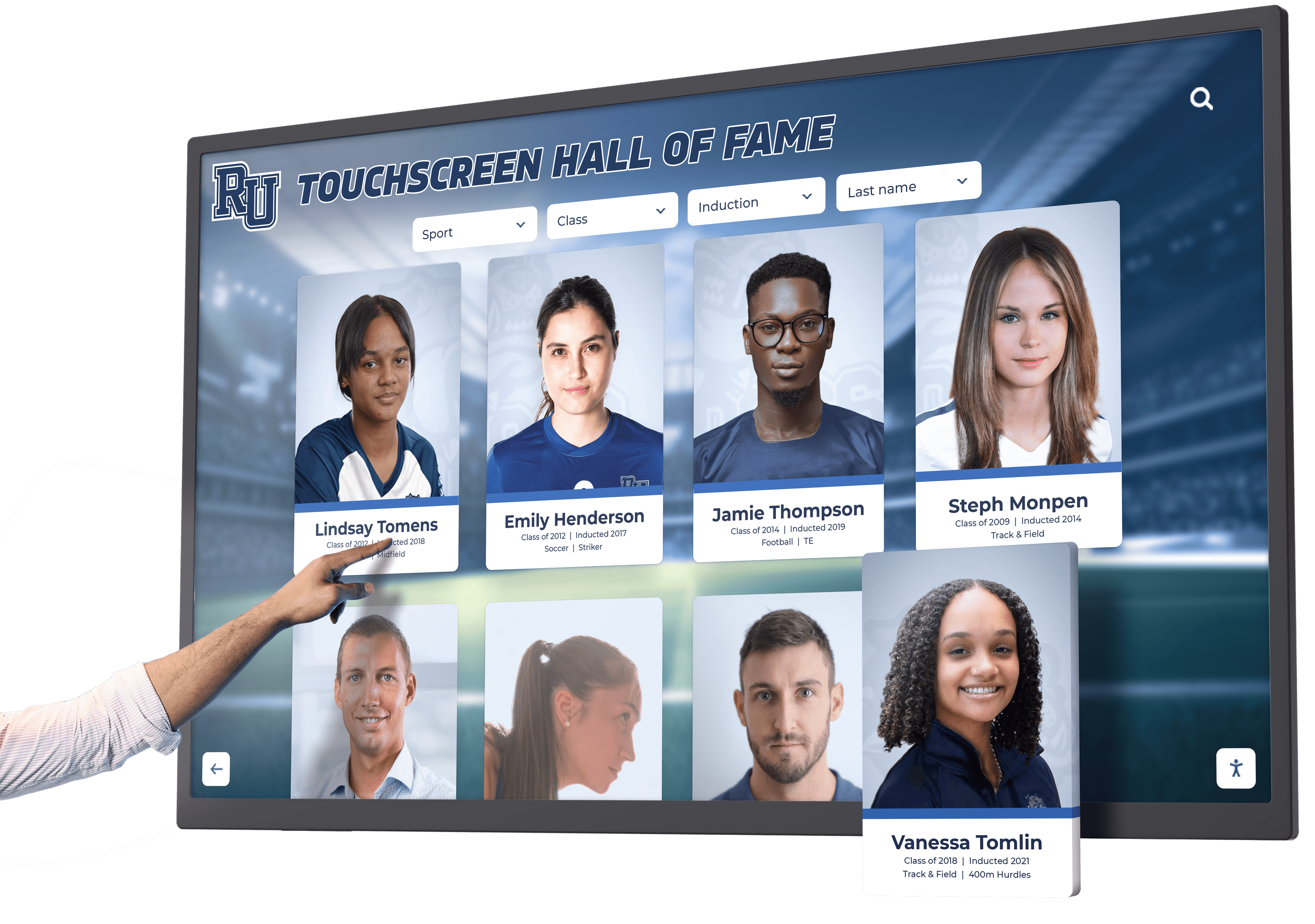
Security and Access Control: Public-facing touchscreens require security measures protecting systems and organizational networks. Implement network segmentation isolating kiosk systems from sensitive institutional networks, kiosk mode lockdown preventing users from accessing underlying operating systems, administrative authentication requiring passwords before accessing management functions, and physical security protecting hardware from theft or vandalism.
Real-World Recognition Applications
Understanding how organizations actually deploy recognition touchscreen software helps visualize implementation possibilities and operational realities.
Athletic Record Boards and Digital Trophy Cases
High school and college athletic departments represent primary recognition touchscreen software users. Digital record boards replace traditional vinyl boards with dynamic systems celebrating unlimited achievements across all sports, genders, and competition levels.
Comprehensive Multi-Sport Coverage: Rather than limiting recognition to major sports with highest visibility, digital systems cover every athletic program equally—major sports like football and basketball alongside volleyball, tennis, track and field, swimming, wrestling, and emerging programs. This comprehensive approach honors all athletes regardless of sport size or tradition, demonstrates institutional equity commitments, and preserves complete athletic history.
Detailed Statistical Archives: Beyond simple record listings, comprehensive systems preserve detailed statistical histories—career statistics for individual athletes, seasonal team records and championships, game-by-game results for championship seasons, tournament brackets and playoff progressions, and historical photographs documenting achievements visually.
Organizations implementing digital record board systems discover these comprehensive archives engage current athletes researching program history, support recruitment by demonstrating tradition depth, and connect alumni to institutional memory spanning their eras and beyond.
Live Event Integration: Some programs extend recognition systems into live event experiences. Display current game statistics updating in real-time during competition. Show historical context for records threatened during events. Celebrate new records immediately as performances qualify. This integration transforms static recognition into dynamic celebration connecting directly to ongoing achievement.
Academic Excellence Recognition
Schools increasingly implement recognition systems celebrating academic achievement alongside athletic accomplishments—demonstrating balanced excellence values while honoring often-overlooked scholarly achievement.
Honor Roll and Distinguished Scholar Programs: Digital displays showcase honor roll recipients by grading period and academic year, distinguished scholars achieving specific GPA thresholds, perfect attendance recognition, academic improvement celebrating growth regardless of absolute performance levels, and National Merit Scholars and AP Scholars earning national recognition.
Organizations implementing academic recognition programs appreciate software flexibility accommodating diverse achievement criteria and updating recognition regularly as each grading period concludes.
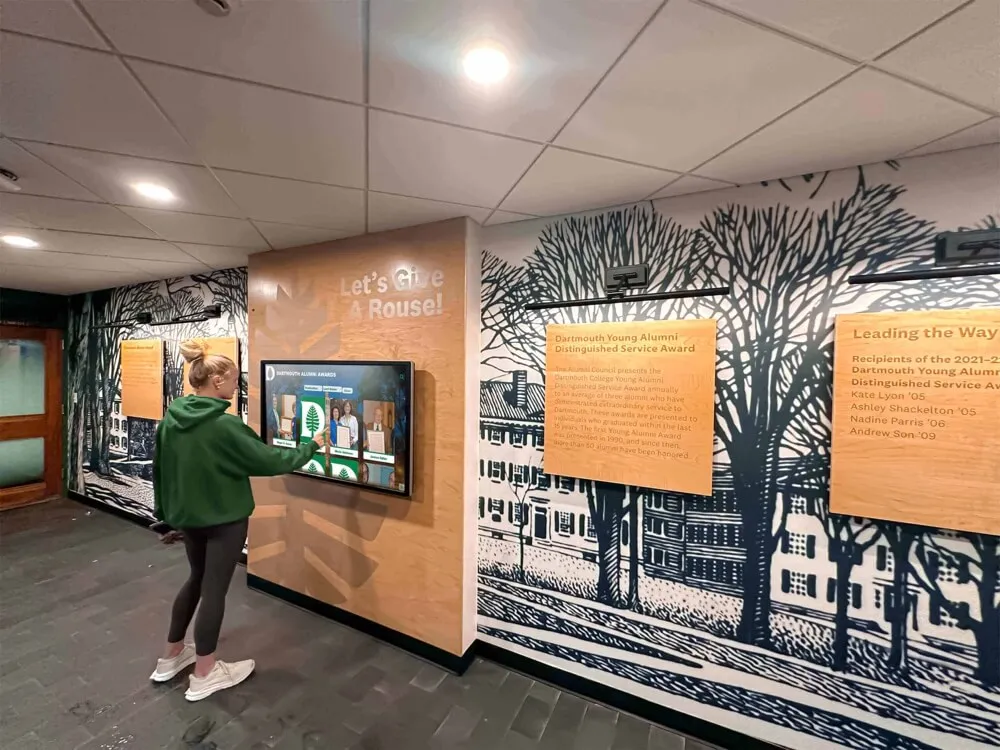
Subject-Area Excellence: Beyond overall academic performance, subject-specific recognition honors achievement within particular disciplines—science fair winners and STEM competition participants, mathematics competition achievers, writing contest winners and published student authors, foreign language proficiency recognition, and fine arts achievement in music, theater, and visual arts.
College Acceptance and Scholarship Recognition: High schools celebrate students’ post-secondary success through college commitment displays showing where graduates enroll, scholarship amounts awarded to graduating classes, distinguished college admissions to selective institutions, and alumni career pathway tracking connecting graduates to current students.
Historical Archives and Institutional Memory
Recognition software preserves institutional history beyond achievement records—documenting evolution, celebrating traditions, and maintaining memory across generations.
Historical Timeline Displays: Interactive timelines document institutional history chronologically—founding and early history, facility construction and major renovations, leadership transitions and distinguished administrators, significant events shaping institutional identity, and demographic evolution showing community changes across eras.
Schools implementing historical timeline displays discover these comprehensive narratives engage students in institutional identity while preserving memory that otherwise exists only in scattered archives or aging memories.
Distinguished Alumni Recognition: Hall of fame systems highlighting notable graduates celebrate professional achievements and career success, community service and civic leadership, military service and national recognition, entrepreneurial success and business leadership, and artistic, athletic, or academic achievement at highest levels.
Legacy Family Recognition: Some institutions celebrate multi-generational families whose members attended across decades—demonstrating loyalty depth, connecting current students to institutional tradition, and engaging alumni families through multi-generational recognition.
Future Directions in Recognition Touchscreen Software
Technology continuously evolves, and recognition software develops alongside emerging capabilities and user expectations.
Artificial Intelligence and Personalized Discovery
AI capabilities increasingly enhance recognition software through intelligent content recommendations, natural language search understanding conversational queries, automated content tagging and organization, and personalized user experiences adapting to demonstrated interests.
Organizations may eventually implement recognition systems that conversationally answer questions like “Show me all basketball players from the 1990s who scored over 1,000 career points” or “Find track records set by students whose last names start with M” without requiring users to understand complex search interfaces.
Extended Reality Experiences
Augmented reality and virtual reality technologies may eventually enhance recognition displays. Point smartphones at physical trophy cases to see extended digital content. Explore 3D virtual halls of fame remotely. View historical game footage overlaid on current facility views showing how spaces evolved.
While these technologies remain experimental today, recognition software architectures should accommodate future enhancement as extended reality becomes mainstream.
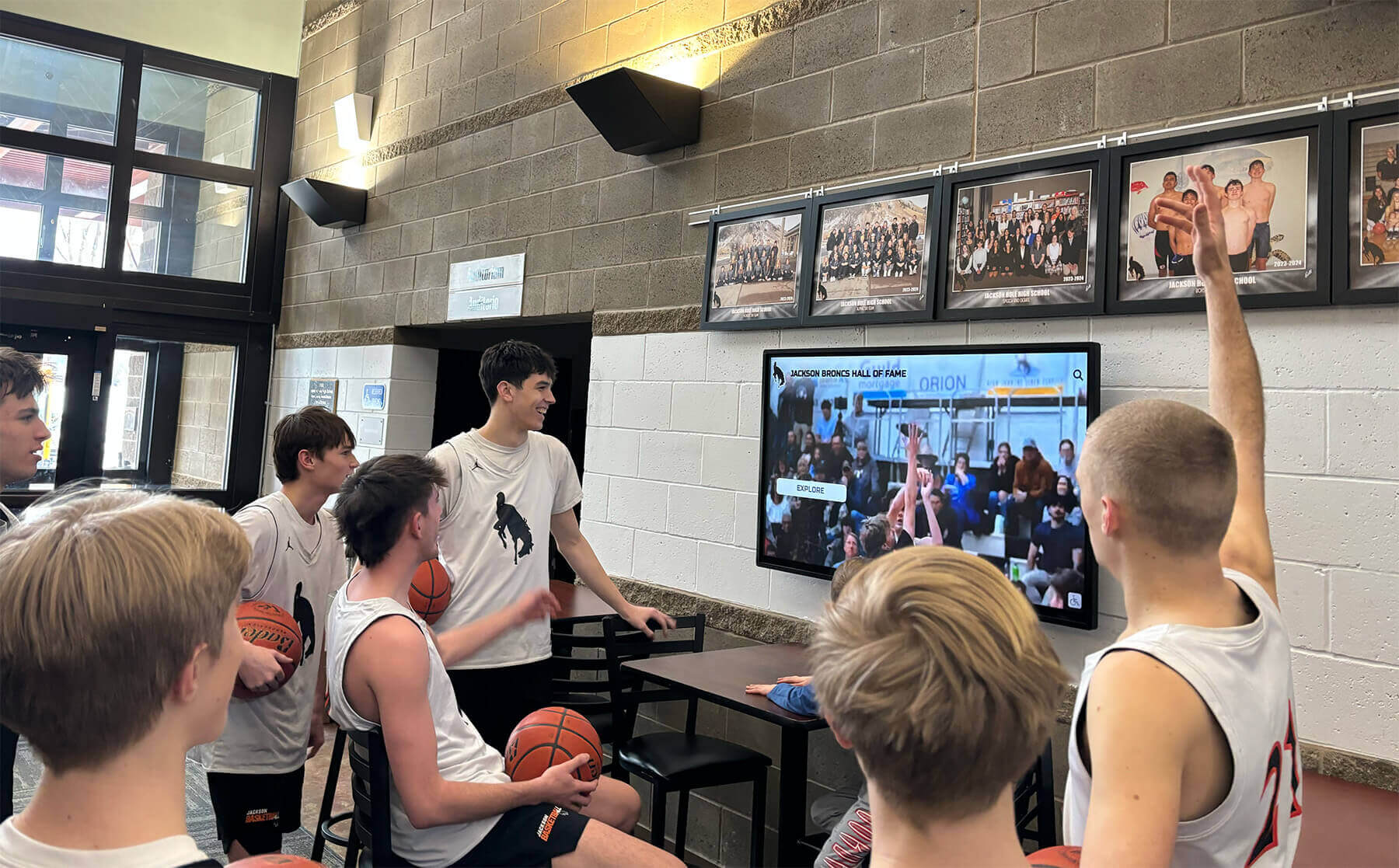
Enhanced Data Analytics and Insights
Recognition systems collect valuable usage data—which content receives most views, what search terms users employ, how visitors navigate through information, and which achievements generate strongest engagement. Advanced analytics transform this data into actionable insights informing communication strategies, recruitment messaging, and program development.
Organizations may eventually understand which historical achievements most resonate with current students, which recognition categories drive strongest alumni engagement, and how recognition content influences institutional perception among visitors.
Deeper Integration with Operational Systems
Recognition software increasingly integrates with existing institutional systems—athletic management platforms, student information systems, alumni databases, and fundraising CRM platforms. These integrations enable automatic data synchronization, reducing manual data entry while ensuring consistency across systems.
Making Your Recognition Software Decision
Organizations evaluating touchscreen software for recognition applications should assess options systematically against specific requirements, capabilities, and resources.
Essential Evaluation Criteria
Recognition-Specific Design: Does software specifically address recognition requirements or adapt general-purpose platforms to recognition use cases? Purpose-built recognition platforms deliver capabilities matching actual operational needs rather than forcing recognition programs into generic digital signage or kiosk software limitations.
Unlimited Capacity: Can software accommodate comprehensive achievement coverage without artificial limits forcing painful decisions about which accomplishments get deleted? Recognition programs preserving institutional memory require unlimited capacity as non-negotiable foundation capabilities.
Content Management Accessibility: Can non-technical staff confidently manage content without IT department involvement for routine updates? Simplified content management determines whether recognition stays current or becomes stale through update friction.
Auto-Ranking Capabilities: Does software automatically maintain achievement rankings as new records enter systems? Auto-ranking eliminates manual ranking maintenance that otherwise prevents organizations from keeping records current during busy seasons.
Search and Discovery: Do users easily find personally meaningful content through powerful search, intuitive filtering, and logical navigation? Recognition value comes through personalized discovery rather than passive viewing.
ADA Compliance: Does software meet federal accessibility requirements through keyboard navigation, screen reader support, and accommodating various abilities? Accessibility represents both legal obligation and ethical imperative.
Total Ownership Cost: What are complete costs including software licensing, implementation support, ongoing maintenance, content management labor, and hardware? Evaluate total cost rather than isolated software licensing fees.
Vendor Stability and Support: Does vendor demonstrate long-term commitment to recognition market with established customer base, regular product enhancements, and professional support resources? Recognition represents long-term investment requiring vendor partnership across years.
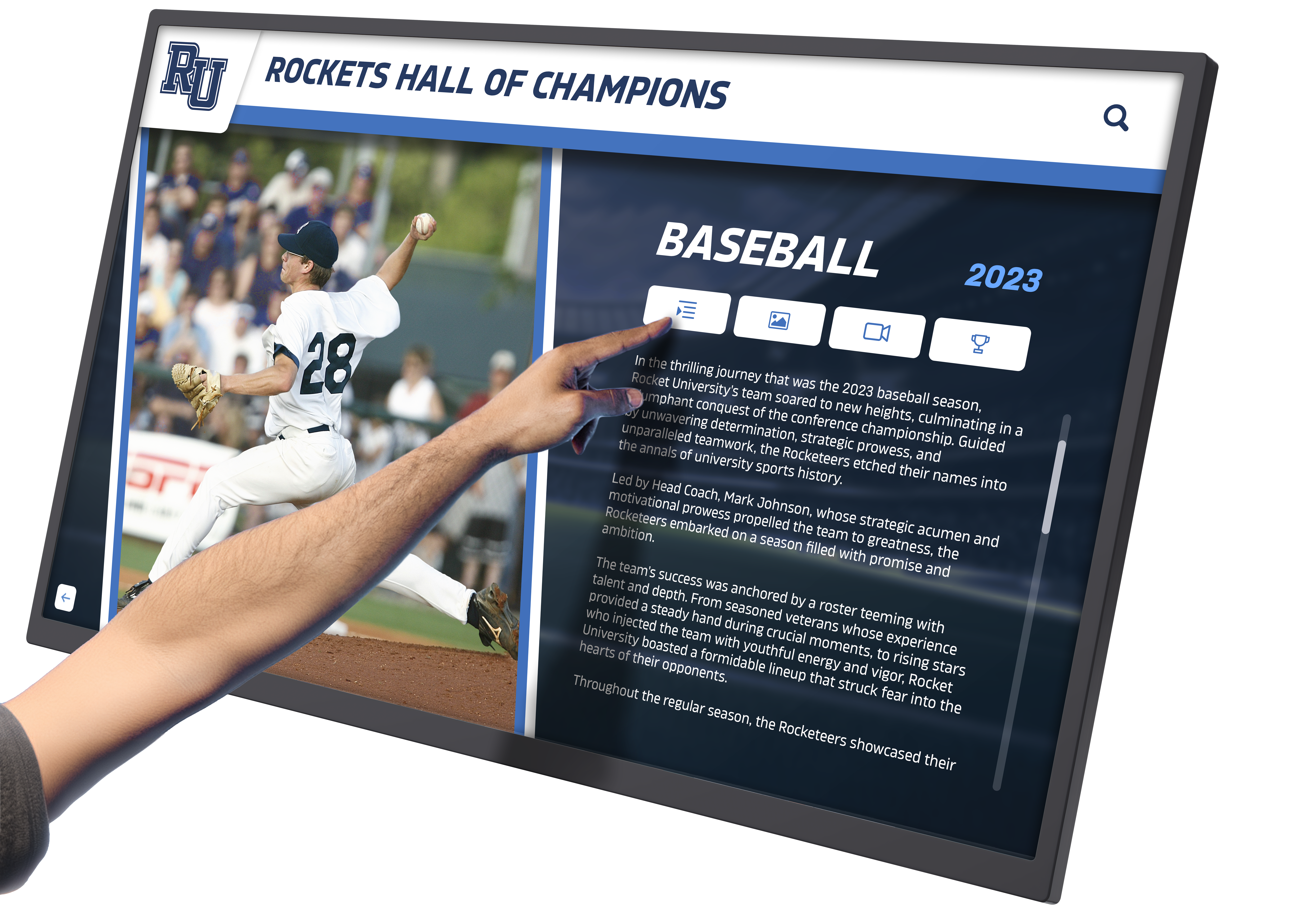
Why Organizations Choose Rocket Alumni Solutions
Athletic directors, activities coordinators, and administrators implementing recognition touchscreen software increasingly select Rocket Alumni Solutions for specific reasons aligning with successful recognition program requirements:
Purpose-Built Recognition Focus: Rocket specializes exclusively in recognition applications rather than offering generic digital signage adapted for achievement celebration. This focus delivers software architecture, feature sets, and operational workflows specifically matching how organizations actually manage recognition programs.
Auto-Ranking Technology: Rocket’s auto-ranking represents unique capability automatically maintaining achievement rankings as performances enter systems—eliminating manual ranking work preventing other platforms from staying current during busy seasons.
Web-Based Management Simplicity: Cloud-based content management enables non-technical staff to update recognition content instantly from any device—eliminating IT department involvement for routine updates while enabling distributed management across responsible individuals.
Proven Educational Deployment: Hundreds of schools and organizations deploy Rocket systems successfully—demonstrating reliability across diverse institutional contexts while providing reference examples for organizations evaluating solutions.
Comprehensive Support and Partnership: Rocket provides implementation support, ongoing technical assistance, regular product enhancements, and long-term partnership helping organizations maximize recognition program value continuously rather than abandoning customers after initial sales.
Transforming Recognition Through Appropriate Technology
Touchscreen software selection fundamentally determines whether digital recognition displays deliver transformative engagement or become expensive disappointments requiring constant maintenance. Generic digital signage platforms, DIY approaches, and custom development rarely deliver sustained recognition success because they address generic kiosk requirements rather than recognition-specific needs around unlimited capacity, simplified management, auto-ranking, powerful search, and historical preservation.
Purpose-built recognition software like Rocket Alumni Solutions succeeds by specifically addressing how athletic departments, activities coordinators, and administrators actually manage achievement celebration—delivering capabilities matching operational realities while eliminating complexity that generic platforms impose unnecessarily.
Organizations implementing comprehensive recognition systems discover appropriate software selection represents only one element within broader recognition strategies. Content quality, ongoing management commitment, physical installation design, and integration with existing communication all contribute equally to program success. However, without software specifically designed for recognition requirements, even excellent content and committed management face unnecessary obstacles preventing programs from achieving their potential.
The best touchscreen software for recognition applications balances sophisticated capability with operational simplicity—delivering unlimited capacity, auto-ranking technology, ADA compliance, powerful search, and multimedia storytelling through interfaces non-technical staff confidently manage without extensive training. This combination enables recognition programs that comprehensively honor achievement, preserve institutional memory permanently, and engage communities meaningfully through interactive exploration.
Ready to explore how purpose-built recognition touchscreen software can transform how your institution celebrates achievement while preserving history comprehensively? Schedule a Zoom demo to discover how Rocket Alumni Solutions delivers auto-ranking digital record boards specifically designed for the recognition requirements that generic platforms cannot address effectively.
Sources:
This comparison is based on publicly available information as of November 2025. All product names and trademarks belong to their respective owners. Comparative statements reflect Rocket Alumni Solutions’ interpretation of available data and may change over time.































