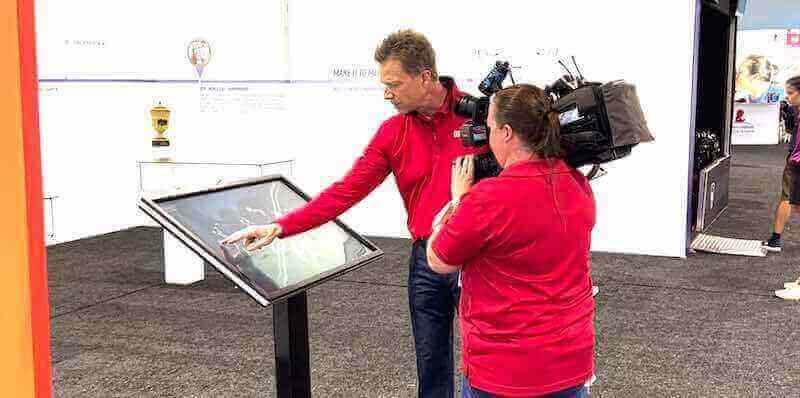




Equipment manufacturers face a persistent challenge at trade shows, conferences, and customer events: how do you effectively communicate complex product features when traditional brochures overwhelm visitors and verbal demonstrations reach limited audiences? Static displays sit ignored while competitors with engaging technology capture attention. Printed materials accumulate costs without demonstrating actual product capabilities. Sales teams repeat identical explanations dozens of times while prospective customers wait.
Interactive touchscreen kiosks solve these demonstration challenges by transforming passive information delivery into engaging self-directed exploration. Visitors interact directly with dynamic product presentations featuring high-resolution visuals, technical specifications, application videos, and contextual explanations. Equipment manufacturers control messaging consistency while enabling personalized discovery paths matching individual visitor interests and technical knowledge levels.
Modern Event Technology for Equipment Manufacturers
The technology sector established that interactive touchscreen displays create superior engagement at conferences and exhibitions. Equipment manufacturers across industries—from construction machinery to laboratory instrumentation to facility systems—adopt similar interactive demonstration approaches showcasing product features through self-service digital experiences. These displays function effectively at both temporary events and permanent showroom installations.
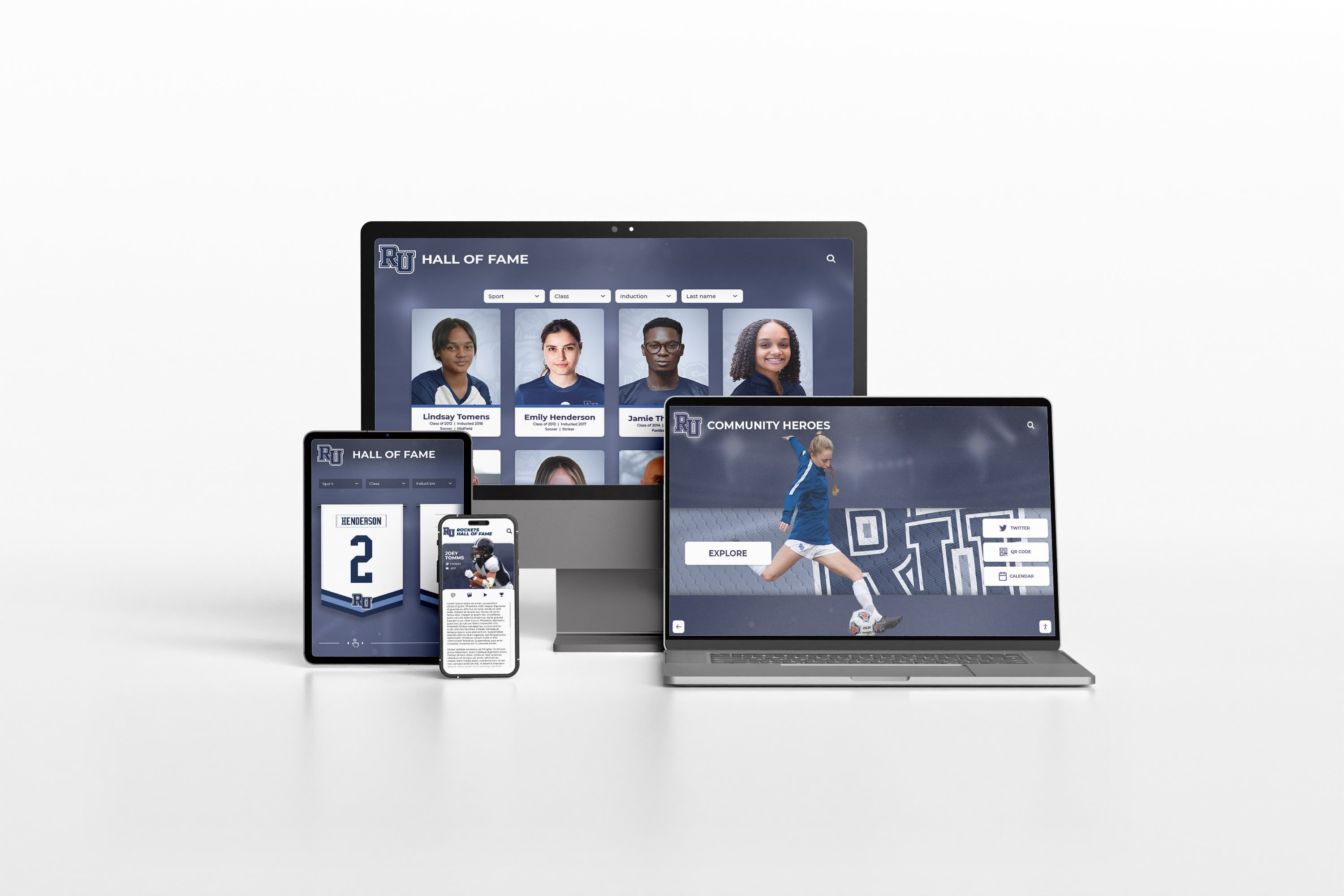
The most effective solutions prioritize compatibility across multiple display environments. Content developed for touchscreen kiosks at trade shows should adapt seamlessly to website presentation, enabling consistent product education regardless of how prospects discover information. Solutions like Rocket Alumni Solutions provide content management platforms designed for deployment across physical touchscreens and web environments simultaneously, ensuring manufacturers develop demonstration materials once while deploying them everywhere prospects engage.
Understanding Event Touchscreen Kiosk Technology
Interactive kiosk systems combine hardware components, software platforms, and content design creating self-service information experiences for event attendees and facility visitors.
Core Kiosk Hardware Components
Effective event kiosks require specific hardware configurations balancing performance, portability, and reliability:
Display Technology Specifications
Commercial-grade touchscreen displays form the visual foundation. Most event applications utilize 42-55 inch displays providing adequate information density while maintaining transportation feasibility. Display resolution should reach 4K (3840 x 2160 pixels) ensuring crisp text readability and detailed product imagery. Capacitive touch technology delivers responsive interaction matching smartphone and tablet experiences visitors expect. Anti-glare treatments reduce reflection problems common in brightly lit exhibition halls with inconsistent lighting conditions.
Brightness specifications matter significantly for event environments. Displays rated at 400-500 nits work adequately in controlled lighting conditions. Exhibition halls with large windows or outdoor demonstration areas require higher brightness ratings (700+ nits) maintaining visibility in challenging light conditions. Consider anticipated deployment environments when specifying brightness requirements.
Computing and Storage Requirements
Embedded computing systems power kiosk functionality. Modern solid-state mini PCs provide sufficient processing for multimedia presentations while occupying minimal space within kiosk enclosures. Minimum specifications should include Intel Core i5 processors (or equivalent AMD), 8GB RAM, and 256GB solid-state storage accommodating high-resolution video and image libraries.
Storage capacity planning depends on content volume and media types. Extensive video libraries demonstrating equipment operation require larger storage allocations. Text-heavy technical specifications and diagrams consume minimal space. Plan storage with 40-50% headroom accommodating content updates without hardware replacement.
Enclosure and Mounting Solutions
Physical kiosk enclosures serve both functional and branding purposes:
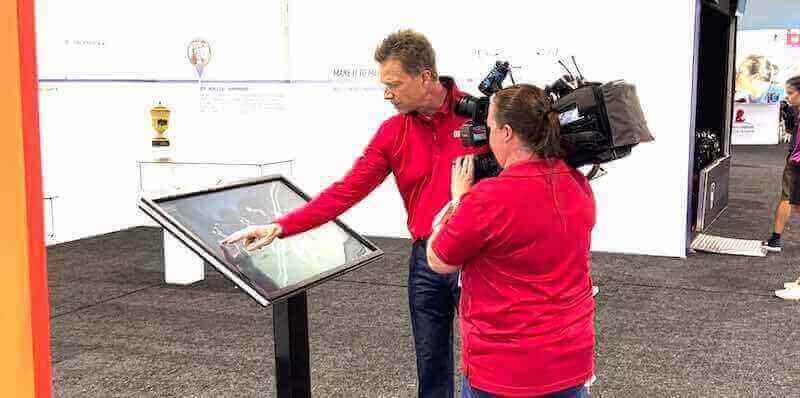
Freestanding Floor Kiosks provide complete mobility and placement flexibility. Floor units typically feature weighted bases ensuring stability despite repeated visitor interaction. Integrated equipment compartments secure computing components while maintaining clean aesthetics. Cable management systems hide power and networking connections. Many freestanding units incorporate adjustable height mechanisms accommodating both standing interaction and accessibility requirements.
Countertop and Table Units offer compact alternatives for space-constrained booth environments. These smaller form factors work effectively when positioned on existing furniture or demonstration tables. Countertop units provide adequate screen angles for comfortable viewing and interaction while consuming minimal booth real estate.
Wall-Mounted Installations suit permanent showroom environments where floor space preservation justifies fixed installation. Wall mounting requires sufficient structural support accommodating display weight plus interaction forces from visitor touch.
Software Platform Considerations
Kiosk software determines functionality, content management capabilities, and user experience quality:
Operating System Selection
Windows-based kiosks provide compatibility with standard business applications and broad software ecosystem support. Windows allows integration with existing product databases, CAD systems, and corporate content management platforms. Configuration flexibility enables custom applications when requirements exceed standard software capabilities.
Browser-based kiosk systems eliminate operating system dependencies by running web applications through full-screen browser interfaces. Browser approaches simplify content updates through standard web development tools. Cloud hosting enables remote content management without physical kiosk access. Browser-based systems work effectively when demonstration content already exists in web formats or when IT departments prefer minimizing operating system administration.
Kiosk Management and Lockdown
Event kiosks require complete system lockdown preventing visitor access to administrative functions, file systems, or unauthorized applications. Kiosk mode software restricts user actions to approved interactions while blocking exit mechanisms potentially exposing underlying operating systems.
Essential lockdown features include:
- Disabled Windows key combinations preventing system access
- Browser lockdown limiting navigation to approved domains
- Automatic session reset returning kiosks to home screens after inactivity periods
- Disabled right-click menus and keyboard shortcuts
- Blocked access to file explorer, task manager, and system settings
- Automatic launch configuration starting kiosk software at system boot
Remote monitoring capabilities enable event staff to confirm kiosk operation and resolve issues without leaving booth positions. Network-connected kiosks report operational status, user activity metrics, and error conditions to central monitoring dashboards accessible from tablets or smartphones.
Resources on touchscreen kiosk software configuration provide detailed implementation guidance for security-focused deployments.
Designing Effective Product Demonstration Content
Content quality determines whether touchscreen kiosks create engagement or become ignored booth decoration. Equipment manufacturers need systematic approaches developing demonstration materials highlighting key product features through intuitive interactive experiences.
Content Strategy and Information Architecture
Begin with clear objectives defining what visitors should understand after kiosk interaction. Equipment demonstrations might prioritize different outcomes:
Technical Specification Communication focuses on detailed product capabilities, performance data, dimensional specifications, and compatibility information serving engineering and procurement audiences researching specific technical requirements.
Application and Use Case Demonstration emphasizes how products solve customer problems through real-world application examples, before-and-after comparisons, and outcome documentation showing tangible benefits delivered.
Competitive Differentiation Presentation highlights unique features, performance advantages, and capability distinctions separating your equipment from alternatives prospects may consider.
Purchasing Process Orientation guides visitors through configuration options, pricing frameworks, delivery timelines, and service commitments helping prospects understand how to move from interest to ownership.
Most effective demonstrations combine multiple objectives through layered information architecture. Home screens present high-level product families and application categories. Subsequent navigation layers provide progressively detailed information matching increasing visitor knowledge and interest levels.
Visual Content Development Best Practices
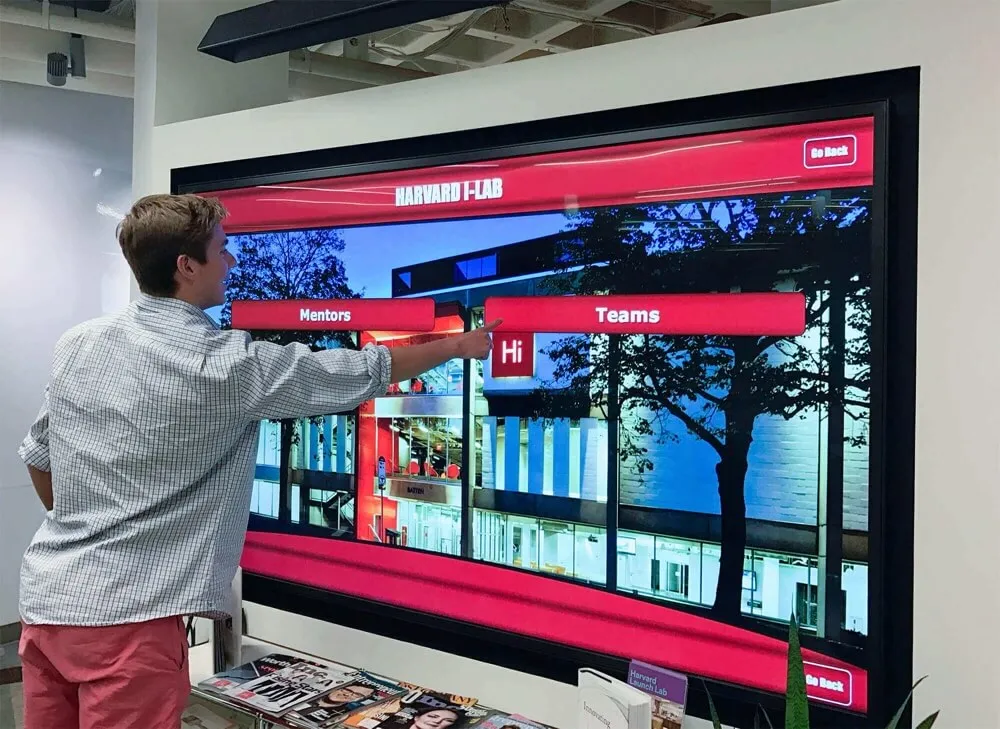
Interactive displays demand high-quality visual content capturing and maintaining visitor attention:
Product Photography and Imaging
Professional product photography forms demonstration content foundation. Images should feature:
- Multiple viewing angles showing equipment from front, sides, and rear perspectives
- Detail closeups highlighting specific features, controls, or construction quality
- Context shots depicting products in typical operating environments
- Scale references helping visitors understand actual product dimensions
- High resolution supporting zoom functionality enabling detailed feature examination
Many equipment manufacturers already possess extensive product photography for catalogs and marketing materials. Evaluate existing image libraries for kiosk suitability before commissioning new photography. Resolution requirements and aspect ratios may differ from print applications requiring image optimization or supplemental photography filling content gaps.
Technical Drawings and Schematics
Engineering audiences respond well to dimensional drawings, assembly diagrams, and system schematics complementing photographic content. Interactive features enable zooming into drawing details, toggling dimension callouts on and off, highlighting specific subsystems or components, and displaying assembly sequences animating product construction.
CAD systems provide source material for many technical visualizations. Export high-resolution renders from engineering models creating accurate product representations. Simplify complex assemblies for general audiences while maintaining detailed versions accessible through progressive disclosure for technical visitors.
Video Demonstrations and Operation Footage
Video content delivers engagement that static images cannot match. Equipment operation videos should showcase:
- Startup and shutdown procedures demonstrating operational simplicity
- Typical work processes highlighting productivity and efficiency
- Maintenance access showing serviceability and upkeep ease
- Safety features demonstrating protection mechanisms and compliance
- Application versatility displaying multiple use scenarios
Keep individual video segments brief (45-90 seconds) maintaining attention while communicating specific points. Provide user control over video playback enabling pausing, rewinding, and replaying segments of particular interest. Include captions ensuring comprehension in noisy exhibition environments where audio quality suffers.
Interactive Feature Implementation
Static content converted to touchscreen format delivers minimal value beyond traditional brochures. True interactivity requires deliberate feature design:
Configuration and Customization Tools
Many equipment products offer option packages, capacity variations, and configuration choices. Interactive configurators help prospects specify products matching their exact requirements while visualizing how selections affect final equipment appearance, capabilities, and pricing.
Configuration tools should display real-time visual updates showing how option selections change equipment appearance. Summarize selected features and resulting specifications in clear comparison formats. Provide export functionality sending configuration details to prospect email addresses or directly to sales team members for follow-up.
Comparison and Specification Matrices
Prospects often evaluate multiple products within your range or compare your offerings against competitor alternatives. Interactive comparison tools enable side-by-side specification review, feature presence indicators, and performance metric visualization helping prospects make informed decisions.
Comparison tools work effectively when they maintain objectivity even while highlighting your advantages. Acknowledge areas where alternatives may offer specific benefits while demonstrating overall value propositions. Honest balanced comparisons build credibility more effectively than one-sided presentations visitors recognize as biased marketing.
Searchable Content Databases
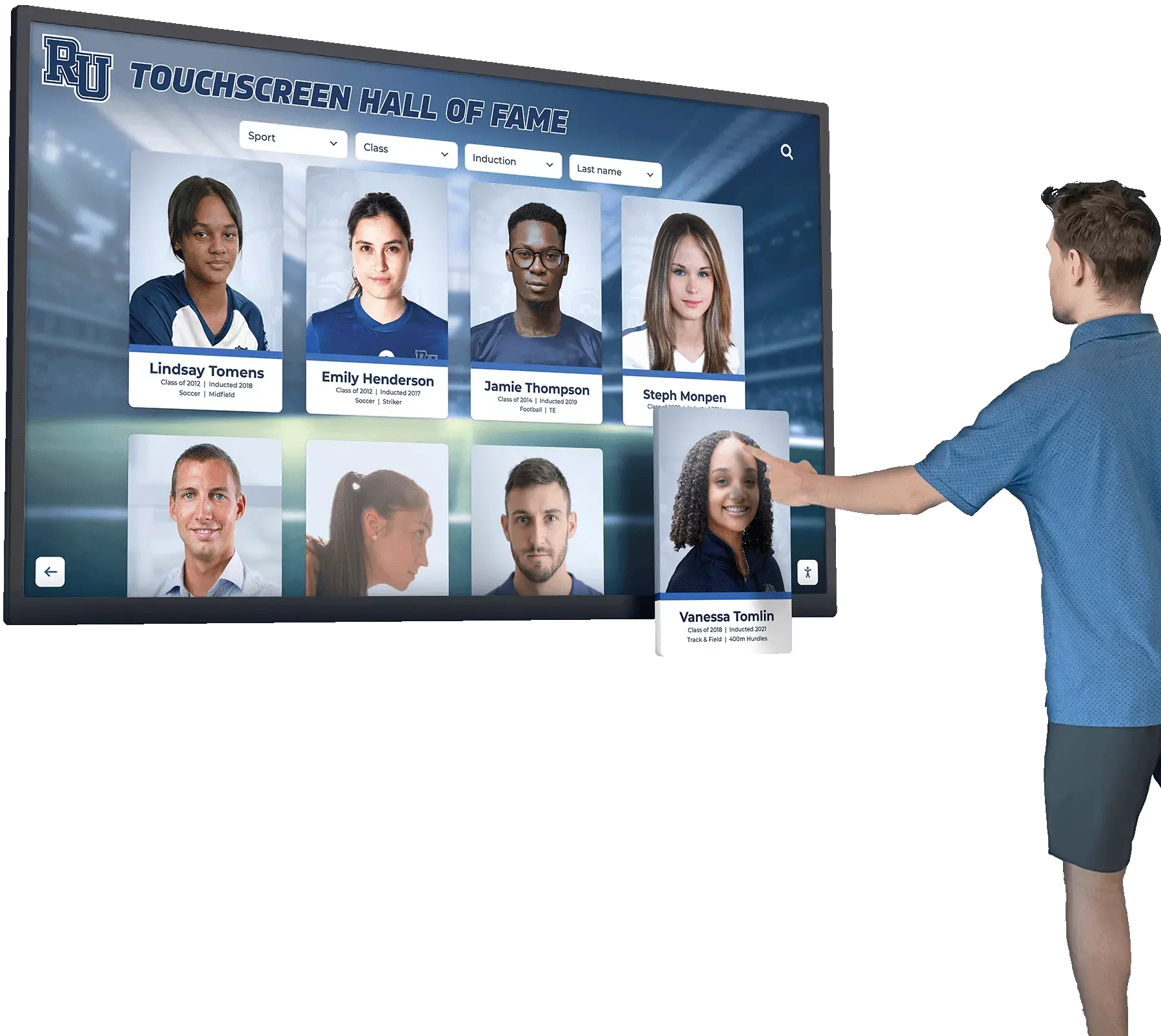
Equipment manufacturers with broad product ranges benefit from search functionality helping visitors locate specific models, applications, or features without navigating complex menu hierarchies. Search interfaces should support:
- Product name and model number queries
- Application keyword searches (e.g., “concrete cutting”, “sterile processing”)
- Capability-based searches (e.g., “capacity greater than 500 units/hour”)
- Feature presence filters (e.g., “includes automatic lubrication system”)
Search result presentation should prioritize visual recognition. Display product images alongside text results. Sort by relevance while offering manual refinement by specification parameters.
Resources on interactive digital signage content strategies demonstrate approaches applicable across multiple industries.
Event Deployment Strategies and Logistics
Successful kiosk deployment requires systematic approaches to transportation, setup, operation, and breakdown spanning trade show lifecycle phases.
Pre-Event Planning and Preparation
Thorough preparation prevents on-site problems consuming valuable event time:
Content Testing and Verification
Complete content loading and testing weeks before event departure. Operate kiosks continuously for extended periods identifying software issues, navigation problems, or content errors. Test every interactive element, video playback, and navigation pathway. Solicit feedback from colleagues unfamiliar with content assessing whether navigation proves intuitive to first-time users.
Create content backup strategies. Store complete content images enabling rapid recovery from corruption or accidental deletion. Bring backup storage devices containing current content to event sites supporting emergency restoration without returning to home facilities.
Network Connectivity Planning
Determine whether kiosks require internet connectivity for operation. Cloud-hosted content demands reliable network access. Locally stored content functions offline but loses remote monitoring and analytics capabilities.
Exhibition centers provide network services at significant cost with variable reliability. Evaluate whether functionality justifies connectivity expense. Consider cellular backup connectivity options providing redundancy when exhibition network services fail. Some kiosk deployments utilize cellular data plans as primary connectivity avoiding exhibition network complexity and costs entirely.
Power and Electrical Considerations
Map booth electrical layouts planning kiosk placement optimizing traffic flow while respecting power outlet locations. Order adequate electrical service from show management covering all devices. Include power strips and extension cords providing placement flexibility within permitted configurations.
Bring power protection equipment. Surge suppressors protect sensitive electronics from electrical anomalies common in large exhibition centers sharing power systems across hundreds of exhibitors. Battery backup systems (UPS units) prevent display shutdowns from momentary power interruptions.
On-Site Setup and Operation
Efficient setup procedures minimize booth preparation time while ensuring reliable operation:
Physical Installation Workflow
Follow systematic setup sequences:
- Position kiosk enclosures in planned locations before connecting power or networks
- Verify stable positioning and accessibility from traffic flow patterns
- Connect power cables routing wiring through booth structures maintaining clean appearance
- Establish network connections if required
- Power systems and verify boot sequences complete successfully
- Test touch responsiveness and navigation confirming operational readiness
- Clean displays removing shipping dust and fingerprints
- Observe full navigation workflow confirming all features operate correctly
Assign specific team members responsibility for kiosk setup and monitoring. Distributed accountability prevents assumptions that others are handling kiosk management leading to neglected non-functional displays.
Visitor Engagement and Assisted Discovery
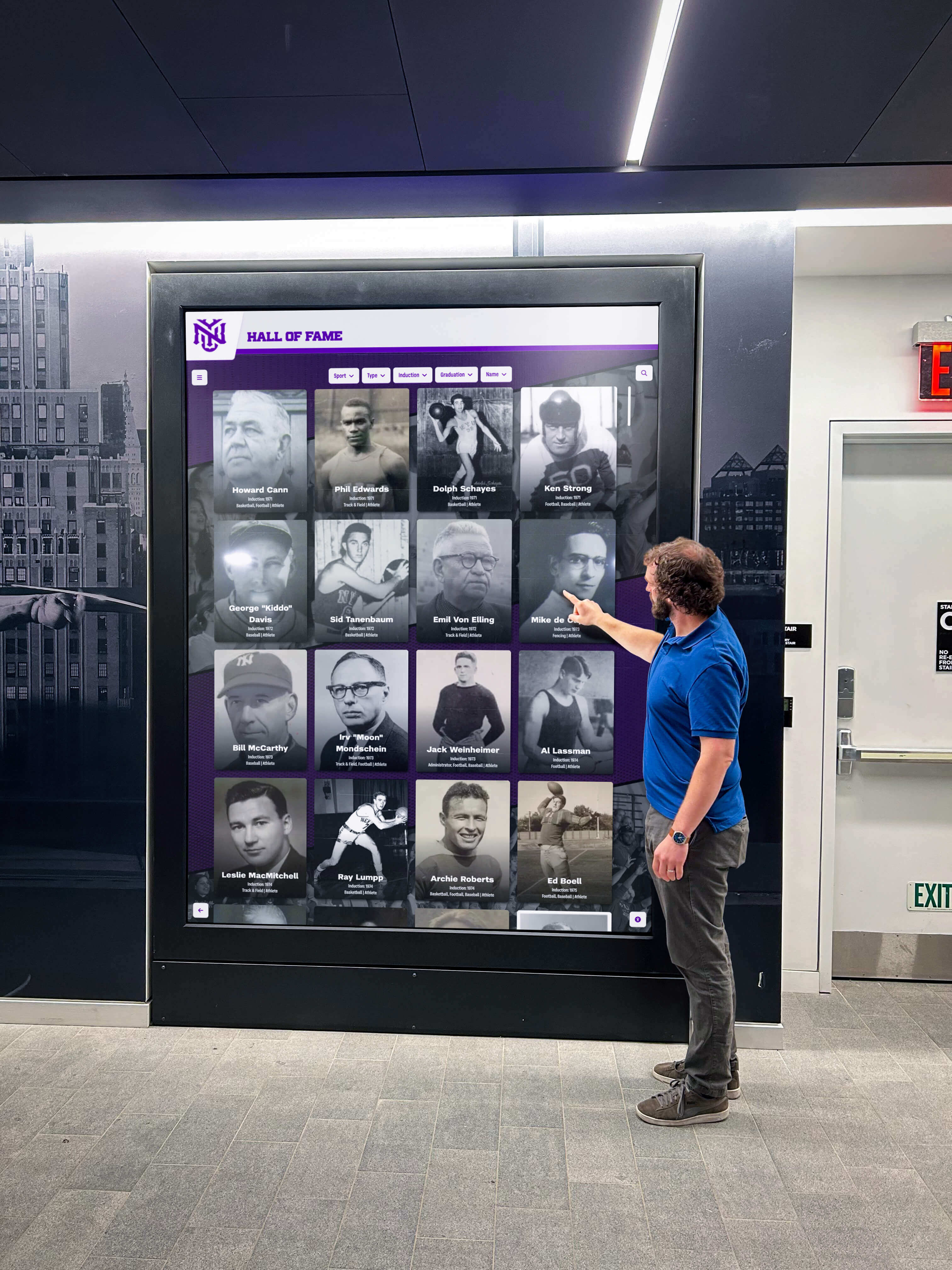
Touchscreen kiosks generate highest value when booth staff actively guide visitors toward relevant content matching their expressed interests. Train team members to transition conversations toward kiosk demonstrations rather than relying solely on verbal explanations.
Effective engagement approaches include:
- “Let me show you how that feature works on our interactive display”
- “Our touchscreen has detailed specifications on that model”
- “You can see application videos demonstrating exactly what you described”
- “The comparison tool helps you evaluate different configurations side-by-side”
Staff-initiated engagement drives higher kiosk utilization than passive availability expecting visitors to discover value independently. Demonstrations create opportunities for deeper qualification conversations while visitors interact with content.
Lead Capture and Follow-Up Integration
Event kiosks should integrate with lead generation strategies converting visitor interest into actionable sales opportunities:
Built-In Lead Capture Mechanisms
Interactive displays offer natural lead capture opportunities. Implement features enabling:
- Email capture for configuration exports sending specification summaries to prospect addresses
- Contact form submissions requesting sales follow-up, pricing quotes, or application consultations
- Content download offerings providing detailed technical documents, case studies, or application guides in exchange for contact information
- Demo or trial requests scheduling product evaluations or site visits
Lead capture interfaces must remain simple and fast. Prospects abandon forms requiring excessive information entry. Limit required fields to name, email, and company affiliation. Optional fields capture additional qualification data from prospects willing to provide more detail.
CRM and Sales System Integration
Captured leads should flow automatically into sales systems for prompt follow-up. Many kiosk platforms offer integration capabilities with major CRM systems including Salesforce, HubSpot, and Microsoft Dynamics. Cloud-hosted kiosk software typically provides easier integration pathways than locally-operated systems requiring custom development.
Establish lead routing rules matching captured contact information to responsible sales representatives based on geographic territories, industry verticals, or product interests. Automated routing eliminates manual lead distribution delays reducing time between capture and sales contact.
Website and Digital Compatibility Requirements
Equipment manufacturers investing in event kiosk content should ensure materials function effectively across multiple digital environments beyond physical touchscreen displays.
Responsive Design and Multi-Platform Deployment
Content developed exclusively for single-use event displays represents poor resource utilization. Modern web development frameworks enable content deployment across desktop computers, tablets, smartphones, and touchscreen kiosks through responsive design approaches adapting presentations to different screen sizes and interaction methods.
Technical Architecture Considerations
Web-based kiosk content provides inherent multi-platform compatibility. Develop demonstration experiences using standard web technologies (HTML5, CSS, JavaScript) ensuring broad compatibility and future-proofing against hardware obsolescence. Web-based approaches enable:
- Identical content serving physical kiosks and website visitors
- Centralized content management updating all deployment endpoints simultaneously
- Progressive enhancement adapting experiences based on device capabilities
- Analytics consolidation tracking engagement across all touchpoints
Native mobile applications offer advantages for some manufacturers particularly those requiring offline functionality or device-specific features. However, native development multiplies costs across iOS and Android platforms while creating ongoing maintenance obligations as operating systems evolve.
Interaction Model Translation
Touch gestures natural on kiosk touchscreens require mouse/trackpad equivalents for desktop website visitors. Design interaction patterns supporting multiple input methods:
- Touch/click targets sized adequately for finger interaction but precise enough for mouse cursors
- Swipe gestures for touch accompanied by arrow button alternatives for mouse users
- Pinch-to-zoom functionality mirrored by mouse wheel zoom or plus/minus controls
- Long-press actions supplemented by right-click alternatives or dedicated buttons
Avoid gestures requiring multi-finger interactions difficult to replicate with single-point mouse inputs. Most successful designs employ simple tap/click actions, single-finger swipes, and explicit control buttons functioning identically across interaction methods.
Content Management and Update Workflows
Equipment manufacturers frequently update product lines, specifications, and capabilities requiring content management systems supporting efficient revisions across all deployment environments.
Centralized Content Repositories
Cloud-based content management eliminates version control problems and deployment complexity. Master content resides in centralized repositories accessible to both website servers and remote kiosk installations. Content updates propagate automatically to all endpoints maintaining consistency across customer touchpoints.
Centralized approaches require reliable network connectivity for kiosks accessing remote content. Exhibition centers with unreliable networks may necessitate local content caching where kiosks download complete content sets during setup then operate from local storage during events.
Version Control and Review Processes
Implement content approval workflows preventing premature publication of incomplete or inaccurate information. Staging environments enable content development and testing separate from public-facing systems. Designated reviewers verify content accuracy, branding compliance, and messaging consistency before authorizing publication.
Track content revision history enabling rollback to previous versions when updates introduce problems. Document change rationale supporting future reference about why specific content decisions were made.
Resources on digital display content management provide operational frameworks applicable to multi-platform deployments.
Analytics and Effectiveness Measurement
Interactive displays generate valuable data revealing content performance, visitor interests, and demonstration effectiveness.
Key Performance Metrics
Track quantitative indicators measuring kiosk utilization and engagement:
Session and Interaction Metrics
- Total sessions: Complete interaction instances from initial touch to session timeout
- Average session duration: Time visitors spend actively exploring content
- Bounce rate: Percentage of sessions ending after viewing only home screen
- Navigation depth: Average number of screens viewed per session
- Completion rate: Percentage of visitors navigating to terminal actions (lead capture, downloads)
Compare metrics across events identifying venues and contexts generating highest engagement. Track metrics over time revealing whether content improvements increase effectiveness.
Content Popularity Analysis
Identify which products, features, and content types receive greatest visitor attention:
- Screen view counts ranking most-accessed content
- Video play-through rates showing which videos maintain attention
- Interactive feature utilization measuring configuration tools, comparisons, or search usage
- Document downloads indicating high-value content justifying contact information exchange
Content popularity data guides future development prioritization. Features receiving minimal interaction may require promotion, redesign, or removal. High-engagement content indicates successful approaches worth replicating across additional product lines.
Lead Generation Performance
Measure kiosk contribution to sales pipeline development:
- Lead capture volume from each event
- Capture rate (leads per total sessions)
- Lead qualification rate (percentage meeting ideal customer criteria)
- Sales conversion tracking leads from initial capture through purchase completion
- Revenue attribution calculating sales originating from kiosk interactions
Lead generation metrics justify continued kiosk investment and inform ROI analysis comparing interactive displays against alternative marketing expenditures.
Qualitative Feedback Collection
Quantitative metrics reveal what visitors do but not why behaviors occur. Supplement analytics with qualitative feedback:
Direct Observation
Station team members observing visitor interactions noting confusion points, navigation difficulties, or content gaps. Observers should note:
- Which home screen options visitors select first indicating immediate interest areas
- Where visitors hesitate or show confusion suggesting navigation or content clarity problems
- Which content sections visitors skip rapidly indicating low relevance or poor presentation
- Questions visitors ask staff after kiosk interaction revealing information gaps content should address
Post-Event Surveys
Collect structured feedback from booth visitors about kiosk experiences. Brief surveys (5-7 questions) balance response completion rates against information gathering goals. Useful questions include:
- “Did you use the interactive touchscreen display?” (measuring awareness and utilization)
- “How easy was the touchscreen to navigate?” (assessing usability)
- “Did you find the information you were looking for?” (evaluating content completeness)
- “What additional content would have been helpful?” (identifying gaps)
- “How did the touchscreen compare to traditional product brochures?” (gauging relative value)
Survey responses guide iterative content improvements preparing for subsequent events.
Permanent Facility Installation Considerations
Event kiosks designed for temporary trade show deployment require different specifications than permanent installations in showrooms, visitor centers, or facility lobbies serving ongoing demonstration needs.
Hardware Durability and Longevity
Permanent installations demand commercial-grade components rated for extended operational lifespans:
Display Longevity Specifications
Commercial displays specify operational lifespans measured in hours. Entry-level consumer displays typically rate for 30,000-40,000 hours continuous operation (approximately 3-4 years running 24/7). Commercial displays built for permanent installation offer 50,000-70,000 hour ratings (5-8 years continuous operation). Higher ratings justify premium pricing for installations operating daily across multiple years.
Consider daily operating hours when evaluating lifespan requirements. Facilities open during standard business hours (8-10 hours daily) extend effective display lifespan significantly compared to continuously-operated installations.
Maintenance and Serviceability
Plan maintenance access and service support:
- Displays should mount with sufficient clearance accessing rear panels for connections and adjustments
- Modular computing components enable replacement without complete system reinstallation
- Service contracts with guaranteed response times prevent extended downtimes
- Spare component inventory for critical items (computers, network equipment) enables quick self-service restoration
Establish regular maintenance schedules cleaning displays, updating software, verifying content currency, and testing all interactive features confirming operational readiness.
Environmental and Security Considerations
Permanent installations face environmental factors and security requirements absent from supervised event deployments:
Physical Security Measures
Unsupervised installations in semi-public spaces require protection against vandalism, theft, and unauthorized access:
- Tamper-resistant enclosures with concealed fasteners preventing casual disassembly
- Lockable rear access panels restricting equipment access to authorized personnel
- Mounting systems preventing entire unit removal
- Cable security protecting external connections from disconnection or damage
Environmental Protection
Control environmental factors affecting equipment longevity:
- Adequate ventilation preventing heat buildup in equipment compartments
- Climate-controlled spaces maintaining stable temperature and humidity
- Protection from direct sunlight causing screen glare and heat problems
- Dust filtration in manufacturing environments containing airborne particulates
Resources on permanent touchscreen installation planning address facility-specific requirements beyond temporary event needs.

Budget Planning and Investment Analysis
Interactive kiosk implementations require upfront capital investments and ongoing operational expenses warranting systematic cost analysis and ROI evaluation.
Initial Hardware and Development Costs
Comprehensive budgeting accounts for all implementation components:
Hardware Investment Components
- Touchscreen display: $1,500-$4,000 depending on size (42-55 inch typical range) and commercial rating
- Computing system: $500-$1,200 for mini PC with adequate specifications
- Kiosk enclosure: $1,000-$3,500 for freestanding floor unit; $400-$1,200 for countertop enclosure
- Mounting and installation hardware: $200-$800 depending on mounting type
- Networking equipment: $150-$400 for wireless access points or cellular modems if required
- Shipping and transportation cases: $300-$800 for protective cases supporting event transport
Total hardware costs typically range $3,500-$8,000 per kiosk depending on specifications and form factors selected.
Content Development Expenses
Content development represents substantial investment beyond hardware:
- Strategy and information architecture: $2,000-$5,000 for content planning and navigation design
- Graphic design and interface development: $3,000-$8,000 for visual design and user interface implementation
- Product photography: $1,500-$5,000 depending on product quantity and complexity
- Video production: $2,000-$10,000+ depending on video quantity, production quality, and complexity
- Software development: $5,000-$20,000+ for custom interactive features beyond template-based implementations
- Content management system setup: $1,000-$4,000 for configuration and administrator training
Content development costs vary dramatically based on project scope, existing asset availability, and customization requirements. Manufacturers with extensive photography, video, and technical documentation libraries reduce development costs substantially compared to those building content libraries from scratch.
Ongoing Operational Costs
Budget for recurring expenses sustaining kiosk programs:
- Software licensing or subscriptions: $500-$2,000 annually depending on platform
- Cloud hosting: $200-$600 annually for content hosting and content delivery
- Content updates and maintenance: $2,000-$6,000 annually for routine content revisions
- Network connectivity: $300-$1,200 annually for cellular data plans (if utilized)
- Hardware repairs and replacement: Budget 10-15% of initial hardware investment annually for repairs and component replacement
- Event logistics: $500-$1,500 per event for transportation, electrical service, and network connectivity
Return on Investment Considerations
Justify interactive kiosk investments through tangible business benefits:
Sales Efficiency Improvements
Kiosks multiply sales team effectiveness by handling repetitive information delivery enabling staff focus on high-value relationship building and qualification conversations. Calculate time savings from automated product education multiplied by sales representative labor costs.
Lead Generation Enhancement
Compare lead capture volumes and qualification rates from events with kiosks against events without interactive displays. Calculate incremental revenue from additional qualified leads generated through kiosk engagement.
Marketing Material Cost Reduction
Interactive displays reduce printed collateral production and distribution expenses. Calculate annual brochure and catalog printing costs eliminated through digital information delivery.
Competitive Differentiation Value
Interactive demonstrations create memorable booth experiences differentiating your presence from competitors relying on passive displays. While difficult to quantify directly, enhanced brand perception contributes to sales pipeline development and customer acquisition.
Most manufacturers implementing event kiosks report positive ROI within 12-18 months through combination of direct lead generation, sales efficiency gains, and marketing cost reductions.
Future Trends in Event Display Technology
Understanding emerging developments helps manufacturers make forward-looking technology investments avoiding premature obsolescence.
Artificial Intelligence and Personalization
AI capabilities enable adaptive presentations responding to individual visitor interests and knowledge levels:
- Intelligent recommendations: Machine learning algorithms suggesting relevant products or features based on browsing patterns
- Natural language interaction: Voice-based queries replacing touch navigation for hands-free exploration
- Automated content summarization: Dynamic generation of appropriate detail levels matching visitor technical sophistication
- Predictive lead qualification: AI assessment of engagement patterns identifying high-intent prospects
Early implementations of these capabilities already exist in consumer retail environments. Migration to B2B equipment demonstrations will accelerate as technologies mature and costs decline.
Augmented and Virtual Reality Integration
Immersive technologies create equipment experiences impossible through traditional displays:
- AR product visualization: Tablet or headset applications overlaying full-scale equipment models in physical spaces helping prospects visualize installations
- VR operator training: Virtual operation simulations enabling prospects to experience equipment controls and workflows before purchase
- Remote collaboration: AR-enabled remote guidance connecting event booth visitors with engineering teams at headquarters for technical consultations
- Interactive 3D models: Photorealistic equipment models enabling complete inspection and configuration from all angles
Equipment manufacturers in construction, medical, and laboratory sectors already implement AR/VR demonstrations for high-value capital equipment where purchase decisions justify enhanced presentation investments.
Resources on emerging touchscreen technologies track developments likely to affect event display strategies.
Cloud-Based Analytics and CRM Integration
Enhanced connectivity enables sophisticated data utilization:
- Real-time engagement monitoring: Event staff dashboards showing current kiosk activity, popular content, and lead capture rates
- Automated sales alerts: Instant notifications to account managers when existing customers or hot prospects interact with displays
- Unified visitor journey tracking: Integration connecting anonymous kiosk interactions to identified website visits and email engagement building complete prospect profiles
- Predictive analytics: Historical pattern analysis forecasting which products and features will generate highest engagement at upcoming events
Cloud platforms eliminate technical barriers implementing these capabilities, making sophisticated analytics accessible to small and mid-size manufacturers previously lacking resources for custom development.
Building Effective Equipment Demonstration Programs
Interactive touchscreen kiosks create engaging product demonstrations transforming how equipment manufacturers communicate complex features at events and in permanent facilities.
The most effective programs share common characteristics: clear content strategy prioritizing visitor interests over exhaustive feature listings, intuitive navigation requiring no instruction enabling self-directed exploration, high-quality visuals combining photography, technical drawings, and video demonstrations, compatibility across event kiosks and website deployments maximizing content investment value, and systematic analytics measuring effectiveness guiding continuous improvement.
When manufacturers invest systematically in interactive demonstration development, the benefits extend beyond individual events. Content developed for trade show kiosks serves website visitors researching products remotely. Analytics gathered from kiosk interactions reveal which features resonate most strongly with prospects informing broader marketing messaging. Lead capture mechanisms create direct sales pipeline contributions justifying technology investments through measurable revenue impact. Perhaps most importantly, interactive demonstrations create memorable experiences differentiating your presence from competitors relying on passive printed materials.
Ready to develop interactive touchscreen demonstrations for your equipment line? Modern platforms enable deployment across event kiosks and website environments through unified content management systems, intuitive interfaces requiring minimal technical expertise for content updates, analytics revealing visitor engagement and content effectiveness, and flexible scaling supporting growth from single units to comprehensive demonstration programs.
Your equipment represents sophisticated engineering solving real customer problems. Interactive touchscreen technology ensures prospects understand capabilities, appreciate innovations, and recognize value—whether they encounter your products at major trade shows, regional conferences, permanent showrooms, or through web-based exploration from their offices.
Effective product demonstration programs combine appropriate hardware, engaging content, and strategic deployment creating experiences where prospects discover information matching their specific interests and technical requirements. When manufacturers implement interactive displays supporting self-directed exploration while enabling sales team engagement at appropriate moments, they create optimal environments where technical excellence receives the comprehensive communication it deserves.
Book a demo to discover how interactive display platforms can enhance your product demonstrations, streamline event presence, and create engaging experiences serving prospects across all customer touchpoints.































