




Schools, museums, athletic facilities, and organizations deploying interactive touchscreen kiosks face a critical software decision that determines everything from initial deployment complexity to daily content management efficiency. Touch screen kiosk software transforms standard displays into powerful engagement tools—but only when the platform matches your operational capabilities, content management needs, and long-term maintenance realities.
The difference between kiosk software that serves communities effectively for years versus systems creating constant technical frustrations lies primarily in architecture choices, management capabilities, and content workflow design. Organizations succeeding with touchscreen kiosks select software balancing professional functionality with operational simplicity—avoiding both overly simplistic platforms lacking essential features and unnecessarily complex enterprise systems requiring dedicated IT teams for routine updates.
Understanding Touch Screen Kiosk Software Fundamentals
Touch screen kiosk software operates through specialized applications or web-based platforms controlling interactive displays, managing user interactions, delivering content, and preventing unauthorized access to underlying operating systems. Effective kiosk software locks devices into specific applications or websites while providing administrators centralized content management and remote system monitoring.
For organizations deploying digital recognition displays or information kiosks, selecting appropriate software architecture determines deployment speed, ongoing maintenance requirements, and whether content managers require IT expertise or can update displays independently. Solutions like Rocket Alumni Solutions leverage cloud-based management enabling instant content updates across distributed kiosks without specialized technical skills or physical access to hardware.
Core Components of Touch Screen Kiosk Software
Effective touch screen kiosk software integrates multiple functional layers working together to deliver secure, reliable, and manageable interactive experiences. Understanding these fundamental components helps organizations evaluate platforms systematically rather than comparing superficial features disconnected from operational requirements.
Kiosk Lockdown and Security
Operating System Lockdown: Professional kiosk software prevents users from exiting kiosk applications, accessing system settings, launching unauthorized programs, or manipulating device configurations. This lockdown functionality typically operates through specialized software restricting OS access or dedicated kiosk modes built into operating systems.
Windows offers Assigned Access and Shell Launcher kiosk configurations. Android provides dedicated kiosk modes and mobile device management (MDM) solutions. Chrome OS implements kiosk apps. iOS and iPadOS deliver Guided Access and Single App Mode. Linux supports various kiosk frameworks through X Window configurations or Wayland compositors.

Organizations must match lockdown approaches to hardware platforms and operational security requirements. Schools implementing athletic record boards in public spaces require robust lockdown preventing casual users from accessing anything beyond intended content while maintaining administrator access for legitimate maintenance.
Session Management: Kiosk software manages user sessions by automatically resetting displays to home screens after inactivity periods, clearing browsing history and cached data between sessions, disabling browser features like bookmarks or saved passwords, and preventing users from navigating to unauthorized websites or content.
Effective session management protects user privacy by ensuring subsequent visitors don’t see previous users’ searches or browsing history while maintaining consistent starting states for each interaction. For recognition displays showcasing sensitive achievement information, session management prevents accidental disclosure of personal searches.
Authentication and Administrative Access: While public-facing interfaces operate without authentication, kiosk software requires secure administrative access for content management, software updates, configuration changes, and troubleshooting. Multi-factor authentication, role-based access controls, and audit logging ensure only authorized personnel modify systems while maintaining accountability.
Cloud-based kiosk platforms separate administrative interfaces from public kiosk displays—administrators access management portals through authenticated web interfaces from any location while kiosk hardware remains locked into public-facing experiences without administrative access exposed to casual users.
Content Management and Delivery
Centralized Content Administration: Professional kiosk software provides web-based administrative interfaces enabling authorized users to upload photos, videos, and documents, organize content into categories and navigation structures, schedule content publication and expiration dates, preview changes before publishing, and deploy updates instantly across multiple distributed kiosks.
This centralized management eliminates requirements for physical access to kiosk hardware when updating content—critical advantages for organizations managing displays across multiple buildings or campus locations. Athletic directors can add championship results remotely. Museum curators can update exhibit information from offices. Activities coordinators can publish achievement recognition without involving IT departments.
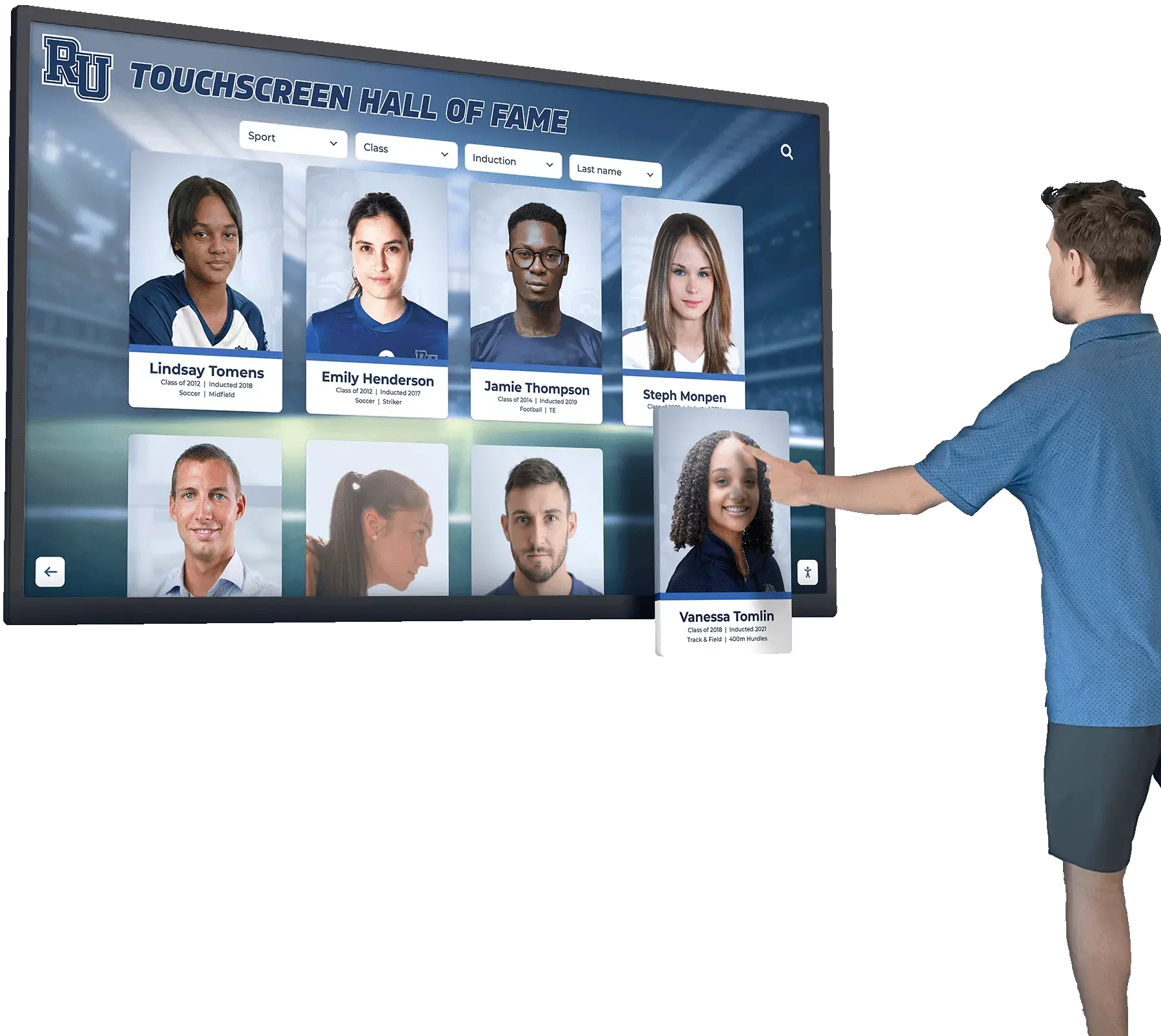
Organizations implementing interactive touchscreen software benefit dramatically from content management systems designed for non-technical users—simple upload workflows, intuitive organization tools, and instant publishing without technical knowledge barriers.
Media Management and Storage: Kiosk software handles digital asset management by storing photos and videos in cloud-based media libraries, automatically optimizing images for display resolutions, generating thumbnails for navigation interfaces, organizing media through tags and metadata, and providing search and filtering for large content collections.
Professional platforms implement version control, backup automation, and redundant storage ensuring content remains accessible even during hardware failures. As achievement archives grow over decades, scalable cloud storage eliminates local hardware capacity constraints while maintaining fast access to comprehensive historical content.
Content Delivery Networks (CDN): Advanced kiosk platforms leverage content delivery networks distributing media assets across geographically distributed servers, reducing latency for video streaming and high-resolution images, improving load times for content-heavy interfaces, and maintaining performance during peak usage periods.
For organizations deploying digital record displays showcasing extensive photo galleries or video highlights, CDN-backed delivery ensures smooth user experiences regardless of internet connection speeds or server load.
Offline Capabilities: Sophisticated kiosk software implements offline operation through local content caching, progressive web app (PWA) technologies enabling service workers, automatic synchronization when connectivity restores, and graceful degradation when network access unavailable.
While many kiosks operate with reliable internet connectivity, offline capabilities provide resilience during brief network interruptions—ensuring displays remain functional rather than showing error messages when connectivity temporarily drops.
User Interface and Interaction Design
Touch-Optimized Interfaces: Effective kiosk software provides interfaces specifically designed for touchscreen interaction rather than mouse-based navigation. Touch targets must meet minimum size requirements (typically 44-48 pixels) for reliable finger activation. Spacing between interactive elements prevents accidental activation. Visual feedback confirms touch registration. Gestures like swipe and pinch-to-zoom feel natural for mobile-familiar users.
Generic desktop websites repurposed for touchscreens often frustrate users through small buttons, hover-dependent navigation, or interaction patterns requiring precise cursor control impossible with finger touch. Purpose-built kiosk interfaces prioritize direct manipulation, obvious affordances, and forgiving interaction models accommodating varying user dexterity.
Navigation Architecture: Kiosk navigation must serve users unfamiliar with systems who need immediate comprehension without instruction. Clear visual hierarchies guide attention to important elements. Obvious navigation controls use familiar conventions from consumer technology. Minimal navigation depth places important content within 2-3 taps from home screens. Persistent “Home” buttons enable recovery from confusing navigation states.
Organizations deploying interactive displays for recognition benefit from navigation supporting multiple discovery patterns—browsing by category, searching by name, filtering by criteria, or exploring related content—accommodating different user preferences and search behaviors.
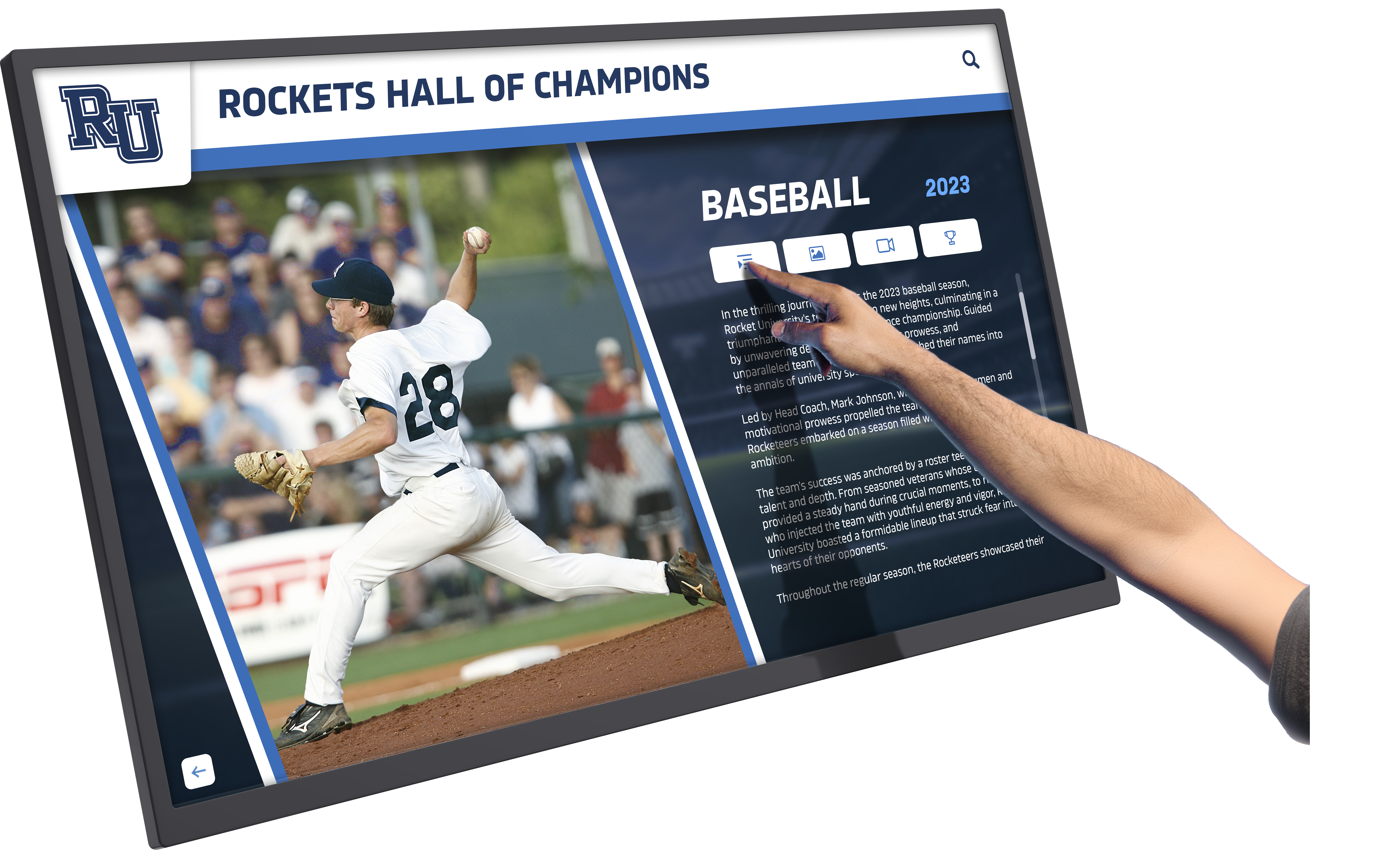
Accessibility Considerations: Professional kiosk software implements accessibility features ensuring all users can interact effectively regardless of abilities. Sufficient color contrast maintains readability in varying lighting conditions. Text sizing accommodates comfortable viewing distances. Touch targets exceed minimum size recommendations. Clear labeling provides context for screen reader users. Keyboard navigation supports users unable to interact through touch.
For schools implementing public-facing displays, accessibility compliance often represents legal requirements beyond ethical considerations—making accessibility features essential rather than optional.
Remote Monitoring and Management
Real-Time Status Monitoring: Enterprise kiosk software provides centralized dashboards displaying current operational status across distributed installations. Administrators see which kiosks are online and operational, identify connectivity problems or system errors, monitor resource utilization and performance metrics, and receive alerts when kiosks require attention.
This visibility enables proactive management—identifying and resolving problems before users notice issues rather than discovering failures through user complaints. For organizations managing touchscreens across multiple buildings or facilities, centralized monitoring scales management efficiently without requiring staff to physically visit each installation daily.
Remote Troubleshooting: Advanced platforms enable remote diagnostic access, allowing administrators to view kiosk screens remotely, restart applications or devices when necessary, modify configurations to resolve issues, and review system logs for error diagnosis—all without physical access to hardware.
Remote troubleshooting capabilities dramatically reduce support costs and response times compared to requiring IT staff to visit kiosk locations for routine issues. Simple problems resolve in minutes through remote access rather than hours or days coordinating physical visits.
Software Update Management: Professional kiosk platforms automate software updates by deploying application updates centrally without device-specific coordination, scheduling updates during low-usage periods, rolling back problematic updates when necessary, and maintaining update history for troubleshooting and compliance.
Organizations leveraging cloud-based recognition platforms benefit from automatic feature enhancements and security patches deploying seamlessly without requiring IT intervention or kiosk downtime—maintaining current functionality while eliminating manual update coordination.
Analytics and Usage Tracking: Data-driven organizations utilize kiosk software analytics measuring user engagement metrics, identifying popular content and unused features, tracking peak usage times for capacity planning, and understanding user behavior patterns for interface optimization.
Analytics demonstrate touchscreen value through quantifiable engagement metrics while informing content strategy—highlighting which achievements generate most interest, which navigation patterns users prefer, and where interface improvements would maximize impact.
Key Touch Screen Kiosk Software Deployment Models
Touch screen kiosk software deploys through fundamentally different architectural approaches affecting everything from initial setup complexity to ongoing management requirements. Understanding these deployment models helps organizations select platforms matching technical capabilities and operational contexts.
Web-Based Cloud Kiosk Software
Web-based kiosk software delivers functionality through web browsers configured in kiosk mode—full-screen operation with navigation controls disabled and system access restricted. Content, logic, and management systems operate on cloud servers accessed through internet connections.
Deployment Advantages: Web-based platforms deploy rapidly—configure browsers in kiosk mode and navigate to designated URLs without software installation, compilation, or platform-specific development. Updates occur centrally on servers, instantly appearing across all connected kiosks without updating individual devices. Single codebases serve all hardware platforms—Windows, Mac, Android, iOS, Chrome OS—eliminating platform-specific development.
Organizations implementing touchscreen information systems appreciate web-based deployment simplicity—new kiosks deploy in minutes rather than days, content updates publish instantly across distributed installations, and hardware flexibility enables selecting devices based on mounting requirements or budget constraints rather than software compatibility limitations.
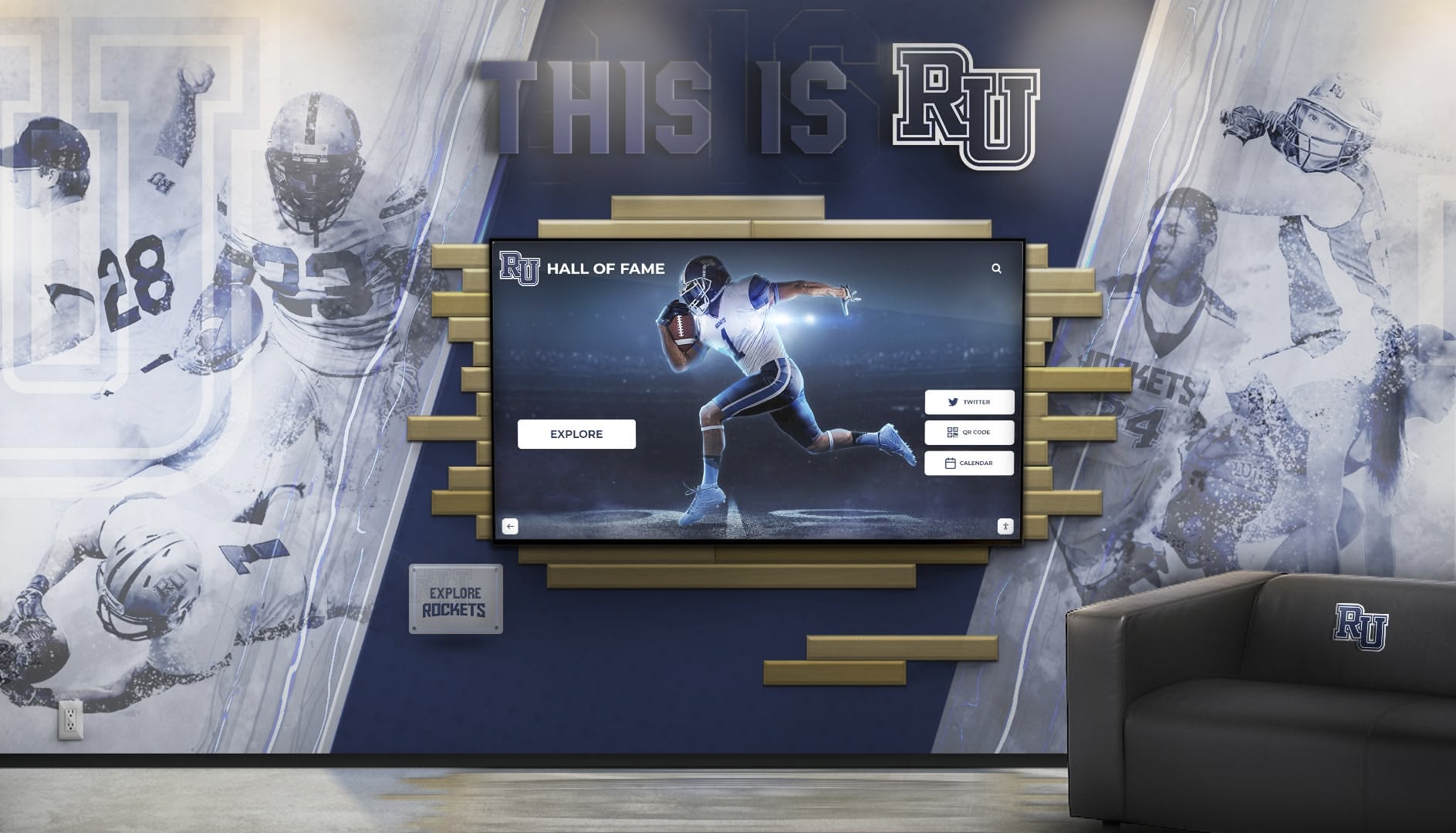
Management Efficiency: Cloud-based administration enables remote content management from any location with internet connectivity. Staff update displays from offices, homes, or mobile devices without physical access to kiosk hardware. Centralized content libraries serve multiple kiosks simultaneously—upload once, display everywhere. Cloud platforms automatically handle backup, redundancy, and scalability as content grows.
For schools managing digital athletic displays across multiple buildings, cloud management means athletic directors add achievements independently, administrators review content before publication, and archived records remain accessible indefinitely without local storage constraints.
Cost Considerations: Web-based platforms typically cost significantly less to develop and maintain than native applications. Web developers command broader availability and competitive rates compared to specialized native application developers. Subscription pricing often includes hosting, updates, and support—converting capital expenditures into predictable operational costs.
Limitations: Web-based systems require reliable internet connectivity for full functionality. While progressive web apps cache content for offline operation, complete features depend on server access. Hardware integration remains limited—standard webcams and microphones work through browser APIs, but specialized peripherals like payment terminals or biometric readers typically require native applications.
Native Application Kiosk Software
Native kiosk applications install directly on device operating systems as compiled software packages—.exe installers for Windows, .apk packages for Android, .ipa files for iOS. Applications access system resources directly and operate independently once installed.
Performance and Hardware Access: Native applications execute compiled code optimized for specific platforms, delivering maximum performance for demanding graphics or complex interactions. Direct hardware integration through device drivers enables reliable connection to barcode scanners, receipt printers, payment terminals, biometric readers, and proprietary peripherals.
Organizations requiring specialized hardware integration—point-of-sale kiosks processing payments, access control systems using biometric authentication, or data collection applications with custom sensors—typically mandate native development providing system-level hardware access web browsers cannot match.
Offline Operation: Native applications store data locally, enabling complete functionality without internet connectivity. After installation, systems operate independently—critical for remote facilities lacking broadband infrastructure or applications requiring guaranteed availability regardless of network conditions.
For recognition displays in facilities with intermittent connectivity, native applications provide offline reliability web-based solutions require significant architectural complexity to approach.
Development and Maintenance Complexity: Native applications require platform-specific development—separate codebases for Windows, Android, and iOS multiply development costs and complexity. Deployment involves installing software on each device through physical access or automated deployment systems. Updates similarly require coordinating installations across all kiosks rather than publishing once to central servers.
Native application developers typically command premium rates relative to web developers. Smaller talent pools limit hiring options. Supporting multiple platforms through separate development efforts significantly increases costs.
Long-Term Sustainability: Native applications risk obsolescence as platforms evolve unless organizations commit to ongoing development maintaining compatibility with OS updates, new device models, and changing hardware ecosystems. This maintenance burden grows over years as platforms diverge and original developers move on.
Hybrid Kiosk Software Approaches
Sophisticated platforms increasingly combine web and native architectures—native kiosk shells providing hardware access, system lockdown, and offline capabilities while embedding web browsers displaying cloud-managed content. This hybrid model balances native reliability with web-based management simplicity.
Combined Advantages: Hybrid approaches deliver native application benefits—robust lockdown, hardware integration, offline operation—while maintaining web-based content management enabling instant updates across distributed installations without coordinating native application deployments. Organizations gain both technical capabilities and operational efficiency rather than choosing between them.
Rocket Alumni Solutions implements hybrid architecture—specialized touchscreen software handles kiosk lockdown and touch optimization while web-based content management enables athletic directors and activities coordinators to update recognition displays instantly without technical expertise or physical hardware access.
Implementation Complexity: Hybrid approaches require developing both native kiosk shells and web-based content platforms—increasing initial development investment compared to pure web or native approaches. However, operational benefits often justify higher upfront costs through dramatically simplified long-term management and content workflow efficiency.
Evaluating Touch Screen Kiosk Software Requirements
Selecting appropriate kiosk software requires systematically evaluating organizational needs, technical capabilities, and operational contexts rather than comparing feature checklists disconnected from actual usage realities.
Define Primary Use Cases and Functional Requirements
Content Type and Volume: Consider what content types kiosks will display—static images and text, searchable databases, video content, live data feeds, or interactive applications. Content volume matters significantly—displaying 50 achievement entries requires different architecture than managing 10,000+ records accumulated over decades.
Organizations implementing comprehensive athletic achievement archives need kiosk software supporting unlimited content capacity, powerful search functionality, efficient media management for thousands of photos, and intuitive navigation through extensive historical records.
Interaction Complexity: Evaluate required interaction sophistication. Simple information displays with basic navigation require less sophisticated software than complex applications with advanced filtering, multi-step workflows, or user-generated content. Match software capabilities to actual interaction needs rather than overengineering simple use cases or selecting limited platforms inadequate for genuine requirements.
Hardware Integration Needs: List all hardware peripherals kiosks must support beyond standard touchscreens—webcams, printers, scanners, payment terminals, or specialized sensors. Hardware requirements often determine whether web-based or native software proves necessary. Most recognition and informational applications operate excellently with web-based solutions requiring only standard touchscreens, while specialized applications mandate native development.
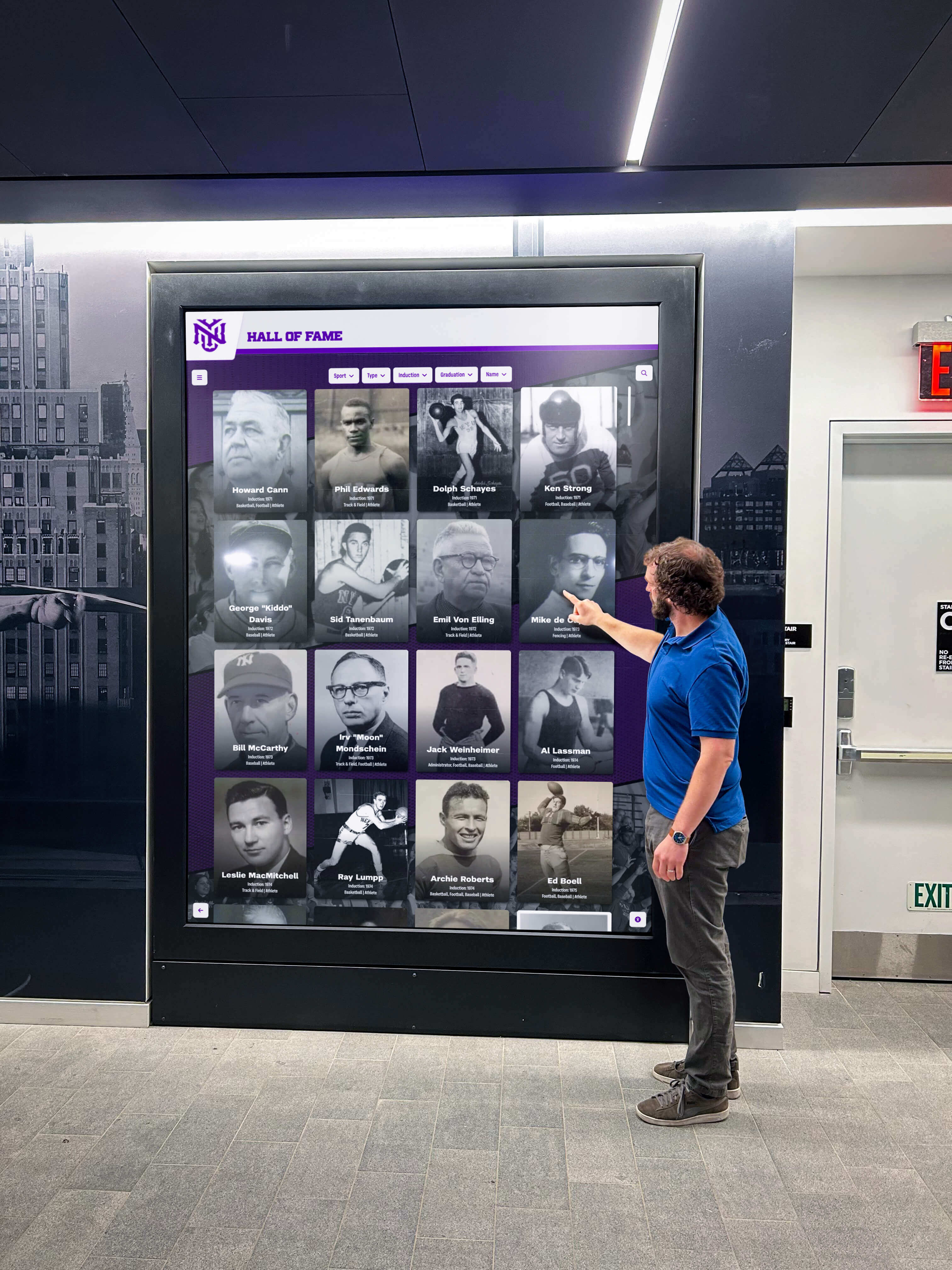
Assess Technical Capabilities and Resources
IT Department Capacity: Evaluate available technical expertise and capacity. Organizations with strong IT teams can consider platforms requiring significant technical involvement for deployment and maintenance. Institutions lacking dedicated IT resources should prioritize platforms enabling non-technical staff to manage content and perform routine maintenance independently.
Schools implementing digital recognition systems often lack IT resources for ongoing kiosk management—making self-service content management and minimal technical maintenance requirements essential selection criteria rather than nice-to-have features.
Network Infrastructure: Assess network reliability across kiosk deployment locations. Facilities with robust wired connections support web-based platforms effectively. Locations with unreliable connectivity, bandwidth limitations, or frequent outages require offline-capable solutions or hybrid architectures maintaining functionality during network interruptions.
Consider whether network infrastructure improvements prove more cost-effective than implementing complex offline-capable kiosk solutions. Installing reliable wired connections often costs less than developing and maintaining sophisticated offline synchronization systems.
Hardware Platform Standardization: Determine whether kiosk hardware will standardize on single platforms (all Windows PCs, all Android tablets) or support mixed ecosystems. Platform standardization enables considering native applications optimized for specific platforms. Mixed environments benefit from web-based platform-independent solutions avoiding separate development for each device type.
Organizations implementing touchscreens across facilities often inherit diverse hardware from different purchasing cycles or locations with varying requirements—making platform independence valuable for unified management despite hardware diversity.
Consider Content Management Workflows
Content Manager Technical Skills: Identify who will manage kiosk content daily—IT professionals, administrative staff, faculty members, or student workers. Match management interface complexity to actual user technical capabilities. Platforms requiring database queries, file transfers, or command-line operations prove impractical when non-technical staff handle content updates.
For athletic directors managing digital record displays, intuitive browser-based interfaces with simple upload forms, drag-and-drop organization, and instant preview capabilities prove essential—enabling independent content management without helpdesk tickets for routine updates.
Update Frequency and Urgency: Consider how frequently content changes and how quickly updates must publish. Frequently updated displays benefit dramatically from instant-publishing cloud platforms. Infrequently changed content may tolerate more complex update workflows involving IT coordination.
Recognition displays celebrating current achievements require near-real-time publishing capabilities—adding championship results immediately after competitions, publishing student accomplishments during recognition ceremonies, or updating displays for special events. This immediacy necessitates self-service content management rather than IT-mediated processes with multi-day lead times.
Content Approval Workflows: Determine whether content requires review and approval before publication or whether content managers publish directly. Enterprise kiosk platforms often support approval workflows where contributors draft content, supervisors review and approve, and only approved content publishes to public displays.
Schools may require administrative review before publishing student photos or achievement information—making built-in approval workflows valuable for maintaining appropriate oversight while enabling efficient content contribution from multiple staff members.
Evaluate Long-Term Operational Considerations
Scalability Requirements: Consider growth trajectories. Will kiosk deployments remain stable at current levels or expand significantly over coming years? Will content volumes grow substantially as achievement archives accumulate? Scalable platforms accommodate growth without architectural limitations forcing migrations to new platforms when expansion occurs.

Cloud-based platforms typically scale seamlessly—adding kiosks, expanding content libraries, and accommodating increased usage without infrastructure investments or performance degradation. Organizations should evaluate whether platforms support anticipated growth without requiring costly re-platforming projects years into deployments.
Vendor Sustainability and Support: Assess kiosk software vendor viability and support quality. Established vendors with substantial customer bases and proven track records reduce risks compared to new startups with uncertain futures. Evaluate support responsiveness, documentation quality, and user community health. Platforms with active development roadmaps continue improving over time while stagnant projects accumulate technical debt and compatibility problems.
Organizations selecting touchscreen recognition platforms invest in multi-year relationships with vendors—making vendor stability, support quality, and strategic alignment more important than superficial feature differences between otherwise comparable platforms.
Total Cost of Ownership: Calculate comprehensive costs beyond initial licensing—implementation services, custom development or integration, training for content managers, ongoing support and maintenance, hardware refresh cycles, and internal labor for content management and system administration.
Lower upfront costs sometimes correlate with higher long-term expenses through expensive change requests, limited self-service capabilities requiring vendor assistance for routine tasks, or platforms requiring extensive ongoing technical management. Evaluate total five-year costs rather than comparing only initial purchase prices.
Best Practices for Touch Screen Kiosk Software Implementation
Successful touchscreen deployments follow proven implementation approaches ensuring reliable operation, positive user experiences, and sustainable long-term management.
Infrastructure and Hardware Preparation
Network Infrastructure: Ensure reliable connectivity to deployment locations. Hardwired Ethernet provides optimal reliability compared to WiFi for permanent installations. Verify sufficient bandwidth for media-rich content—high-resolution photos, videos, and interactive elements consume significantly more data than text displays. Plan network capacity accounting for multiple simultaneous users accessing content.
Implement network security appropriate for public-facing systems—isolated VLANs separating kiosk traffic from sensitive institutional networks, firewall rules restricting kiosk access to only required services, and monitoring for unusual traffic patterns indicating security compromises or network abuse.
Hardware Selection: Choose commercial-grade hardware designed for continuous operation rather than consumer devices built for intermittent use. Commercial displays offer longer warranties, better reliability, and replacement part availability. Industrial computers or commercial tablets typically include fanless designs reducing failure points and maintenance requirements.
Match hardware specifications to software requirements—sufficient RAM preventing browser slowdowns during extended operation, adequate storage for local content caching if required, and processing power supporting smooth media playback and interface responsiveness.
Physical Installation: Consider physical security, ergonomics, and accessibility when installing touchscreen kiosks. Secure mounting prevents theft or vandalism. Appropriate height positioning accommodates standing adult users while remaining accessible for wheelchair users or children. Adequate lighting ensures screen visibility without excessive glare. Physical placement should provide sufficient space for small groups gathering around displays during collaborative browsing.
Organizations implementing public recognition displays benefit from prominent placement in high-traffic areas maximizing visibility and engagement while ensuring physical security and accessible positioning for all potential users.
Software Configuration and Security
Kiosk Mode Implementation: Configure robust kiosk lockdown preventing unauthorized access to operating systems or device settings. Disable keyboard shortcuts that might enable users to exit kiosk applications. Remove physical keyboards when unnecessary for intended interactions. Require authentication for any administrative access to kiosk systems—never leave configuration interfaces accessible to public users.
Test lockdown thoroughly by attempting to circumvent restrictions using common exploits—Alt+Tab window switching, Ctrl+Alt+Delete task manager access, browser URL manipulation, or file download exploits. Professional penetration testing identifies vulnerabilities before public deployment rather than discovering security gaps after unauthorized access incidents.
Session Management: Implement automatic session timeouts returning displays to home screens after inactivity periods—typically 30-60 seconds for public kiosks. Clear browser history, cookies, form data, and cached credentials between sessions protecting user privacy and ensuring consistent starting experiences. Design timeout periods balancing user convenience against privacy protection and energy efficiency.
For searchable achievement databases, session management ensures subsequent users don’t see previous visitors’ name searches or profile views—maintaining appropriate privacy for public displays while enabling personalized content discovery.
Software Update Management: Establish processes for deploying software updates, security patches, and configuration changes. Schedule updates during low-usage periods minimizing disruption. Maintain rollback capabilities enabling quick recovery if updates introduce problems. Test updates on staging systems before production deployment when possible.
Cloud-based platforms typically handle backend updates transparently without administrator intervention—maintaining current functionality while eliminating manual coordination. Even with cloud platforms, kiosk hardware operating systems require periodic security patching through automated update management.

Content Strategy and Organization
Information Architecture: Design content organization supporting multiple discovery patterns. Provide browsing by logical categories, searching by name or keyword, filtering by relevant attributes, and related content suggestions enabling serendipitous discovery. Avoid forcing users into single navigation paradigms—different users prefer different discovery approaches based on what they’re seeking and their familiarity with content.
Recognition displays should enable users searching for specific individuals by name while also supporting browsing by sport, year, achievement type, or other relevant dimensions. This navigation flexibility accommodates both targeted searches and exploratory browsing.
Content Quality Standards: Establish quality guidelines for photos, videos, and text content. High-resolution images display professionally on large touchscreens while requiring appropriate storage and bandwidth planning. Consistent photo composition, lighting, and framing create cohesive visual experiences. Professional copywriting celebrating achievements appropriately enhances recognition impact while maintaining consistent tone and style.
For comprehensive achievement archives, quality standards become increasingly important as content volume grows—ensuring professional presentation for historical content alongside recent additions while maintaining browsing and search efficiency across thousands of entries.
Regular Content Maintenance: Schedule periodic content reviews identifying outdated information, broken media links, or organizational improvements based on usage analytics. Archive obsolete content rather than deleting achievement history—maintaining comprehensive records while surfacing most relevant information prominently.
Dynamic recognition displays require ongoing content attention rather than “set and forget” approaches. Athletic directors should plan regular updates adding recent achievements, activities coordinators should review content relevance periodically, and technical administrators should monitor system health and performance metrics.
User Experience Optimization
Testing with Representative Users: Conduct usability testing with actual user populations before finalizing interfaces and navigation. Observe users completing common tasks, identify confusing interface elements or navigation patterns, and iterate based on genuine user behavior rather than designer assumptions about optimal approaches.
Students, alumni, parents, and community members interact with touchscreens differently based on technical familiarity, content knowledge, and usage contexts. Testing reveals whether navigation proves intuitive, content organization matches user mental models, and interface elements provide sufficient clarity without instruction.
Accessibility Implementation: Ensure touchscreen kiosks serve users with varying abilities effectively. Maintain sufficient color contrast for readability in ambient lighting conditions. Size text appropriately for comfortable viewing distances typical for standing touchscreen interaction. Ensure touch targets exceed minimum size recommendations for reliable activation by users with limited dexterity. Provide clear labeling and logical navigation supporting screen reader users.
Public kiosks serving educational institutions often face legal accessibility requirements beyond ethical considerations—making accessibility implementation essential for compliance as well as inclusive design.
Performance Monitoring: Track interface performance metrics including page load times, touch response latency, media playback smoothness, and search result delivery speed. Optimize performance bottlenecks degrading user experiences—compressing media assets, implementing lazy loading for large content collections, caching frequently accessed data, or upgrading hardware when necessary.
Poor performance frustrates users and reduces engagement. Touchscreen interfaces must feel responsive—acknowledging touches immediately, displaying content quickly, and transitioning smoothly between states without perceptible lag or stuttering.
Specialized Touch Screen Kiosk Software for Recognition Displays
Recognition applications showcasing student achievements, athletic records, or institutional history represent specialized use cases with distinct requirements differing from general-purpose information kiosks or wayfinding displays. Purpose-built recognition platforms deliver capabilities specifically addressing achievement celebration needs.
Recognition-Specific Software Requirements
Unlimited Achievement Capacity: Recognition platforms must accommodate comprehensive achievement documentation accumulating over decades without artificial limits on entry counts or storage capacity. Generic kiosk software often restricts content volume through database limitations, storage constraints, or performance degradation with large datasets.
Schools celebrating athletic achievement across dozens of sports over fifty-plus years accumulate thousands of individual records requiring searchable databases maintaining performance regardless of scale. Cloud-based platforms with unlimited storage and optimized search enable comprehensive recognition without compromises forced by technical limitations.
Multimedia Storytelling: Effective recognition extends beyond basic text listings to include high-quality photos showcasing individual achievers, video highlights capturing performance moments, biographical narratives providing achievement context, and related content linking achievements to teams, coaches, and institutional history.

Generic digital signage or slideshow platforms lack sophisticated content management for searchable biographical databases with relationships between people, achievements, teams, and historical contexts. Recognition-specific platforms implement data models and interfaces designed specifically for achievement celebration rather than adapting general tools to specialized needs.
Public Interaction Design: Recognition displays serve public audiences unfamiliar with systems who need immediate comprehension and engaging experiences without instruction or frustration. Interfaces must prioritize intuitive navigation, obvious affordances, and forgiving interaction models while delivering professional polish reflecting institutional identity.
Wayfinding kiosks or corporate digital signage platforms optimize for different interaction patterns and design priorities compared to recognition displays emphasizing exploration, discovery, and emotional connection to achievement stories.
Simplified Content Management: Athletic directors, activities coordinators, and administrative staff typically manage recognition content rather than IT professionals or technical specialists. Management interfaces must enable self-service updates through intuitive workflows accessible to non-technical users without extensive training or ongoing helpdesk support.
Generic content management systems designed for web developers or technical administrators often prove impractical for routine recognition updates when interfaces assume technical knowledge most content managers lack.
Rocket Alumni Solutions Recognition Platform
Rocket Alumni Solutions delivers purpose-built software specifically addressing recognition needs for schools, universities, athletic programs, and organizations celebrating achievement and preserving institutional history.
Cloud-Based Architecture: Web-based platform enables instant content updates across distributed touchscreen installations without physical hardware access. Athletic directors add achievements from offices, homes, or mobile devices. Updates publish immediately across all displays without coordinating device-specific deployments. Browser-based interfaces require no specialized software installation—content managers access administrative portals from any computer or tablet with internet connectivity.
This cloud foundation combines with specialized touchscreen software handling kiosk lockdown, touch optimization, and reliable continuous operation—delivering hybrid architecture advantages without implementation complexity organizations must manage directly.
Intuitive Content Management: Administrative interfaces emphasize simplicity for non-technical content managers. Simple upload workflows accept photos and biographical information without database knowledge. Drag-and-drop organization structures content intuitively. Instant preview shows exactly how content will appear on public displays before publishing. Built-in templates maintain professional design consistency without requiring graphic design expertise.
Athletic directors managing digital athletic displays update recognition content independently without helpdesk tickets, IT coordination, or multi-day approval processes—enabling timely achievement celebration matching recognition moments while maintaining quality and consistency.
Unlimited Achievement Archives: Platform accommodates comprehensive achievement documentation without artificial content limits or performance degradation. Schools can document every championship, record holder, award recipient, and significant achievement across all sports and activities over entire institutional histories—preserving comprehensive legacy rather than selectively highlighting recent achievements while forgetting historical contributions.
Sophisticated search and filtering maintain content discoverability despite extensive archives. Users find specific individuals, browse by sport or year, filter by achievement type, or explore related content without overwhelming navigation complexity typical of massive unstructured content collections.
Professional Recognition Experiences: Platform delivers polished touchscreen experiences reflecting institutional identity through customizable branding, professional interface design optimized for touch interaction, smooth transitions and animations, and responsive layouts adapting to various screen sizes and orientations.
Organizations implementing comprehensive recognition programs present achievement celebration professionally through cohesive visual experiences, consistent quality standards, and reliable technical operation—building community pride through sophisticated digital recognition matching traditional trophy case investment and importance.
Multi-Platform Access: Recognition content automatically adapts for display on public touchscreen kiosks, personal smartphones and tablets, desktop computers and laptops, and any device with modern web browsers—extending engagement beyond physical kiosk locations without additional development investment.
Students, alumni, parents, and community members can explore achievement archives through personal devices, share specific profiles through social media, or revisit recognition content from anywhere with internet access. This extended reach amplifies recognition impact beyond visitors physically present at kiosk installations.
Making the Right Touch Screen Kiosk Software Decision
Selecting appropriate kiosk software requires matching platforms to specific organizational needs, technical capabilities, and operational realities rather than chasing feature checklists or lowest upfront costs disconnected from long-term value.
Decision Framework
Prioritize Use Cases Over Features: Focus selection on specific use cases kiosks must serve rather than comparing abstract feature lists. Define content types, interaction patterns, management workflows, and user populations clearly before evaluating platforms. Match software capabilities directly to actual requirements rather than selecting platforms with impressive but irrelevant features or rejecting solutions lacking capabilities your use cases don’t require.
Recognition displays demand different capabilities than wayfinding directories, point-of-sale systems, or digital menu boards. Evaluate platforms addressing your specific use cases rather than general-purpose tools requiring extensive customization approaching actual needs.
Value Long-Term Manageability: Weigh long-term operational efficiency heavily in selection decisions. Lower upfront costs sometimes correlate with higher ongoing expenses through limited self-service requiring vendor assistance for routine updates, complex technical maintenance demanding IT resources, or platforms requiring expensive migrations as needs evolve.
Platforms enabling self-service content management, minimizing technical maintenance requirements, and scaling gracefully as deployments expand typically deliver superior value over five-year timespans despite potentially higher initial investments compared to superficially cheaper alternatives creating ongoing operational burdens.
Consider Total Ecosystem: Evaluate how kiosk software integrates with existing systems and workflows. Platforms compatible with current authentication systems, content management tools, or administrative platforms reduce implementation complexity and ongoing operational friction. Consider whether platforms provide APIs enabling future integrations as technical ecosystems evolve.
Organizations managing multiple recognition displays across facilities benefit from unified platforms managing all installations coherently rather than fragmented point solutions requiring separate administrative access, training, and support relationships for each deployment.
Assess Vendor Partnership Quality: Recognize kiosk software selection establishes multi-year vendor relationships significantly affecting long-term success. Evaluate vendor responsiveness, support quality, strategic alignment, and development roadmaps. Strong vendor relationships deliver ongoing value through continuous improvement, responsive support, and strategic guidance—while poor vendor partnerships frustrate through slow support, stagnant products, and adversarial interactions when problems arise.
Purpose-built recognition platforms like Rocket Alumni Solutions specialize in achievement celebration with deep understanding of school operational realities, recognition best practices, and community engagement strategies—providing strategic partnership value beyond generic technical support typical of general-purpose kiosk software vendors.
Implementing Touch Screen Kiosks Successfully
Touch screen kiosk software transforms standard displays into powerful engagement tools when platforms match organizational capabilities, content workflows support sustainable long-term management, and implementations follow proven best practices for reliability and user experience.
Organizations deploying touchscreen kiosks for recognition, information delivery, or interactive engagement should evaluate specific requirements systematically, prioritize operational simplicity alongside functional capabilities, and select platforms designed specifically for intended use cases rather than adapting general-purpose tools to specialized needs.
For schools and institutions implementing digital recognition systems celebrating achievement and preserving institutional history, purpose-built recognition platforms deliver superior value through interfaces optimized for achievement celebration, content management workflows matching non-technical administrator capabilities, and unlimited capacity accommodating comprehensive historical documentation.
Appropriate kiosk software choices create touchscreen deployments serving communities effectively today while remaining manageable and relevant for years to come—transforming how organizations celebrate achievement, engage communities, and preserve institutional memory through powerful interactive experiences.
Ready to discover how purpose-built touchscreen recognition software can transform achievement celebration while simplifying content management and eliminating technical complexity? Specialized platforms designed specifically for recognition deliver capabilities matching actual workflow needs without unnecessary complications. Schedule a consultation to explore how appropriate kiosk software creates engaging recognition experiences serving communities effectively without creating technical burdens.
Sources:
This guide is based on publicly available information as of November 2026. All product names and trademarks belong to their respective owners.































