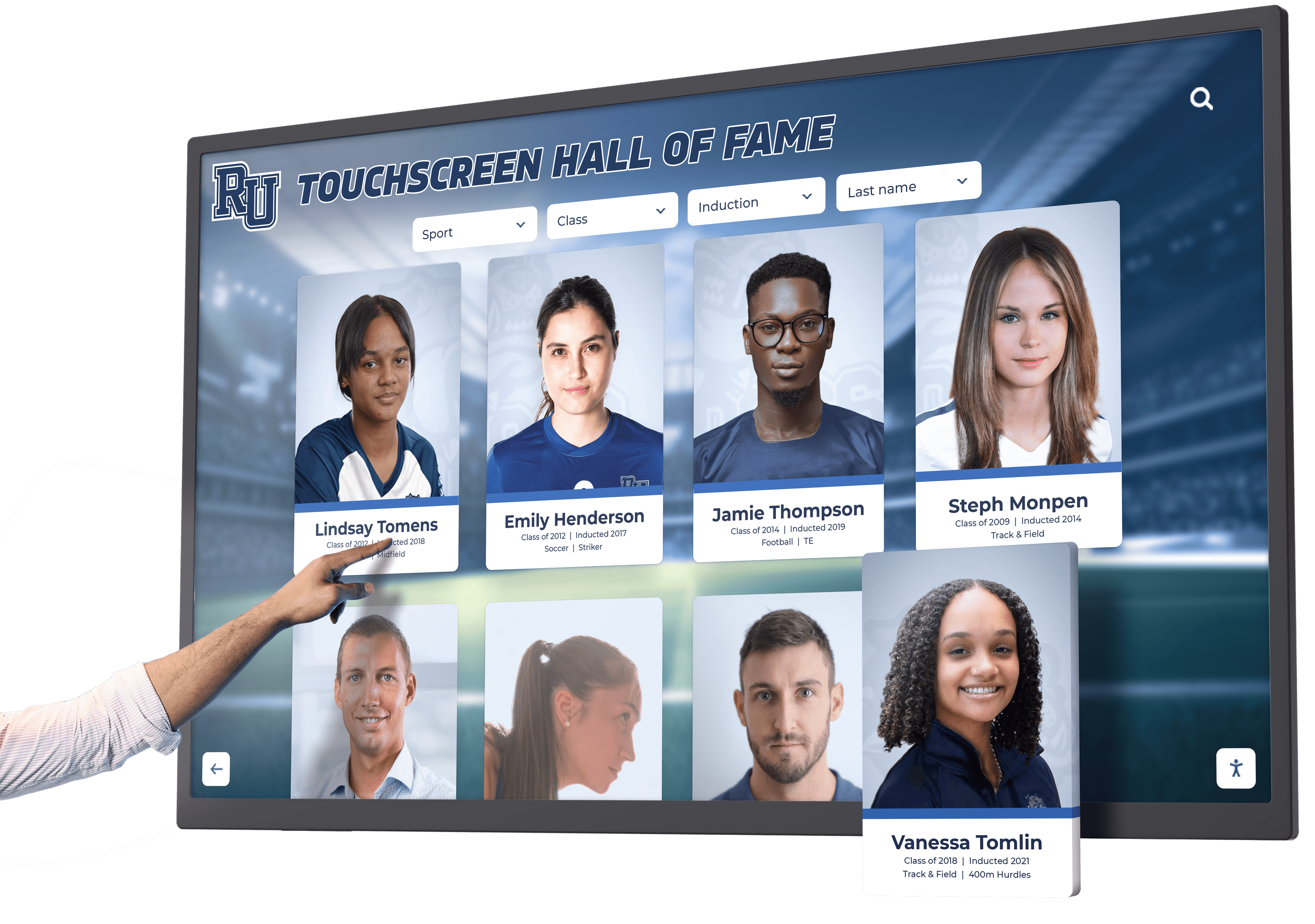




Touch screen digital signage transforms how schools and organizations communicate with visitors, celebrate achievements, and create engaging interactive experiences. Unlike traditional static signage that broadcasts information passively, touchscreen displays invite active exploration—enabling visitors to search for specific content, browse achievements at their own pace, and discover information relevant to their interests. This interactive capability turns ordinary lobbies and hallways into dynamic engagement spaces that inform, inspire, and connect communities.
Schools implementing touch screen digital signage solve multiple challenges simultaneously. Limited trophy case space no longer constrains recognition capacity. Outdated building directories requiring constant manual updates give way to instantly updated digital wayfinding. Static bulletin boards displaying week-old announcements transform into real-time information hubs. Athletic facilities gain powerful tools for showcasing records and championship history comprehensively. The result is a modern, professional environment that enhances visitor experiences while reducing administrative burden.
Modern Interactive Recognition for Schools
Touch screen digital signage represents more than upgraded bulletin boards—it creates comprehensive engagement platforms that celebrate achievement, preserve history, and build community pride. Schools implementing interactive displays gain unlimited recognition capacity honoring every student accomplishment without physical space constraints. Solutions like Rocket Alumni Solutions specialize in transforming touchscreens into powerful recognition systems featuring intuitive interfaces, comprehensive achievement databases, and engaging multimedia content that brings accomplishments to life. These purpose-built platforms ensure schools maximize interactive display investments while creating experiences that genuinely inspire students and connect communities.
Understanding Touch Screen Digital Signage
Touch screen digital signage combines large-format displays with interactive touch technology and specialized software, creating self-service information systems that serve multiple organizational communication needs.
What Makes Touchscreen Signage Different
Traditional digital signage operates on predetermined schedules, cycling through content whether viewers are present or interested. Touchscreen signage responds to user actions, delivering personalized experiences based on individual interests and queries. This fundamental difference transforms passive viewing into active engagement.
The interactive element changes how people relate to displayed information. Rather than hoping to see relevant content during brief exposure windows, users access precisely what they need when they need it. A parent visiting campus can search their student athlete’s records immediately. Alumni returning for reunions can explore their graduation class instantly. Prospective families can browse school achievements comprehensively without waiting for scheduled presentations.

Key Components of Touch Screen Digital Signage Systems
Complete systems integrate multiple technologies:
Display Hardware: Commercial-grade touchscreen displays built for continuous operation in public environments. These differ from consumer televisions through commercial backlighting supporting 16+ hour daily operation, anti-glare tempered glass withstanding heavy public interaction, and robust construction ensuring years of reliable service.
Touch Technology: Modern touchscreen systems use capacitive touch sensors providing smartphone-like responsiveness. Multi-touch capability supports gestures users understand intuitively—pinching to zoom, swiping to navigate, and tapping to select. This familiar interaction requires no instructions or training.
Computing Systems: Dedicated computers power content delivery and manage user interactions. These range from compact mini PCs integrated behind displays to more robust workstations when advanced capabilities are required. Computing specifications depend on content complexity, simultaneous user capacity, and multimedia requirements.
Content Management Software: Specialized platforms enable non-technical staff to create, organize, and update content remotely via web-based interfaces. The software handles content distribution, display scheduling, user analytics, and system monitoring ensuring reliable operation.
Network Infrastructure: Reliable connectivity enables remote content management, software updates, and system monitoring. Most installations require wired Ethernet connections ensuring consistent performance and eliminating wireless reliability concerns.
Applications Across School Environments
Touch screen digital signage serves diverse purposes throughout educational facilities:
Main Entrance and Lobby Recognition: Entry areas provide prime opportunities for comprehensive achievement celebration. Touchscreen displays welcome visitors while showcasing school excellence through interactive hall of fame displays featuring student accomplishments, championship teams, and distinguished alumni. These create powerful first impressions demonstrating institutional pride and celebrating community success.
Athletic Facilities and Field Houses: Sports venues benefit tremendously from interactive record boards displaying comprehensive athletic achievement. Current athletes gain inspiration viewing records they aspire to break. Families explore team histories during competitions. Recruits browse program excellence during facility tours. Unlike static record boards requiring manual updates whenever records fall, digital systems update instantly with automatic ranking features that maintain accuracy effortlessly.
Performing Arts Centers and Auditoriums: Arts facilities use touchscreen signage for program showcases, performer recognition, and production histories. Students and families explore performance achievements, browse show archives, and discover fine arts excellence spanning decades. Interactive displays honor musical achievements with the same prominence athletic displays provide sports.
Academic Buildings and STEM Centers: Academic spaces implement interactive displays celebrating scholarly achievement, research accomplishments, and academic competition success. Honor roll recognition displays highlight academic excellence, while project showcases demonstrate student innovation and creativity.
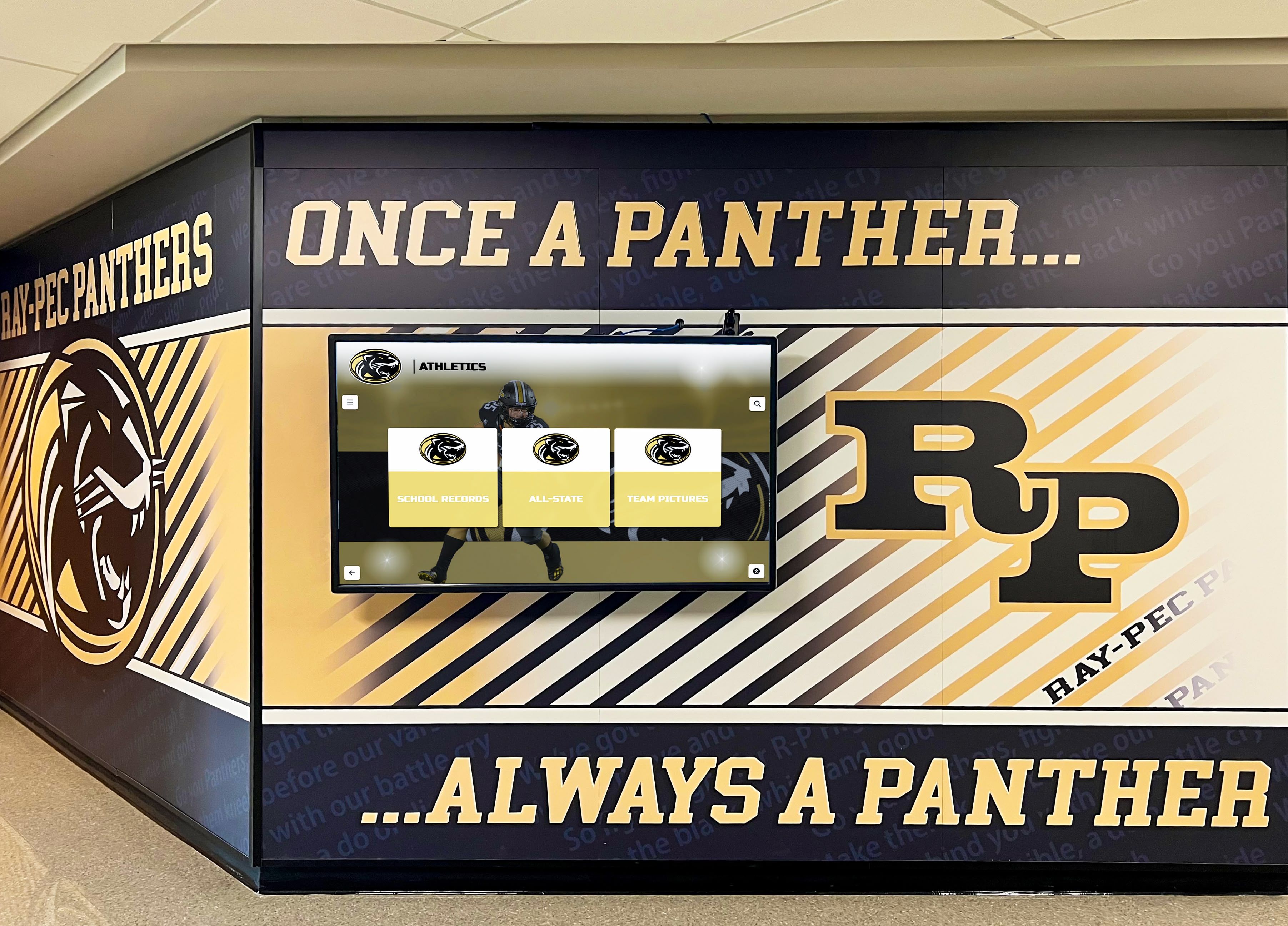
Administrative Areas and Visitor Centers: Reception areas deploy wayfinding applications helping visitors navigate campuses independently. Interactive building directories replace outdated static lists with searchable databases. Event calendars, campus maps, and departmental information provide comprehensive visitor services reducing reception desk demands while improving visitor experiences.
Alumni Centers and Development Offices: Advancement spaces utilize interactive displays for donor recognition walls celebrating philanthropic support, campaign progress visualization, and giving impact stories. These create engaging recognition experiences while supporting fundraising objectives through compelling donor acknowledgment.
Benefits of Touch Screen Digital Signage for Schools
Interactive displays deliver multiple advantages over traditional static signage and physical recognition systems.
Unlimited Recognition Capacity
Physical space represents the primary constraint limiting traditional recognition. Trophy cases fill. Wall space exhausts. Championship banners crowd gymnasiums until no more fit. Schools face impossible decisions about which achievements deserve visible recognition and which must be stored away providing zero inspirational value.
Touch screen digital signage eliminates these capacity limitations entirely. A single 55-inch display can showcase comprehensive profiles for thousands of athletes, scholars, teams, and distinguished alumni—content requiring dozens of physical trophy cases to present traditionally. This unlimited capacity ensures every student accomplishment receives the permanent celebration it deserves without forcing selective recognition based on space availability.
Comprehensive Historical Preservation: Digital systems accommodate complete institutional memory preservation. Championship teams from decades ago receive equal prominence alongside recent achievements. Individual records spanning entire program histories remain accessible. Historical archives preserve achievements that would otherwise be forgotten or relegated to storage.
Inclusive Recognition: Unlimited capacity enables recognition across all achievement dimensions—athletics, academics, arts, service, leadership, and special accomplishments. Rather than privileging highly visible activities like varsity athletics, digital displays honor diverse excellence reflecting complete student experience.
Dynamic Content Updates
Traditional signage requires physical labor for every change. Updating building directories means reprinting and reinstalling materials. Adding championship teams requires ordering new plaques and scheduling installation. Changing announcements involves printing and posting new materials manually. These friction points result in outdated information remaining displayed far longer than intended.
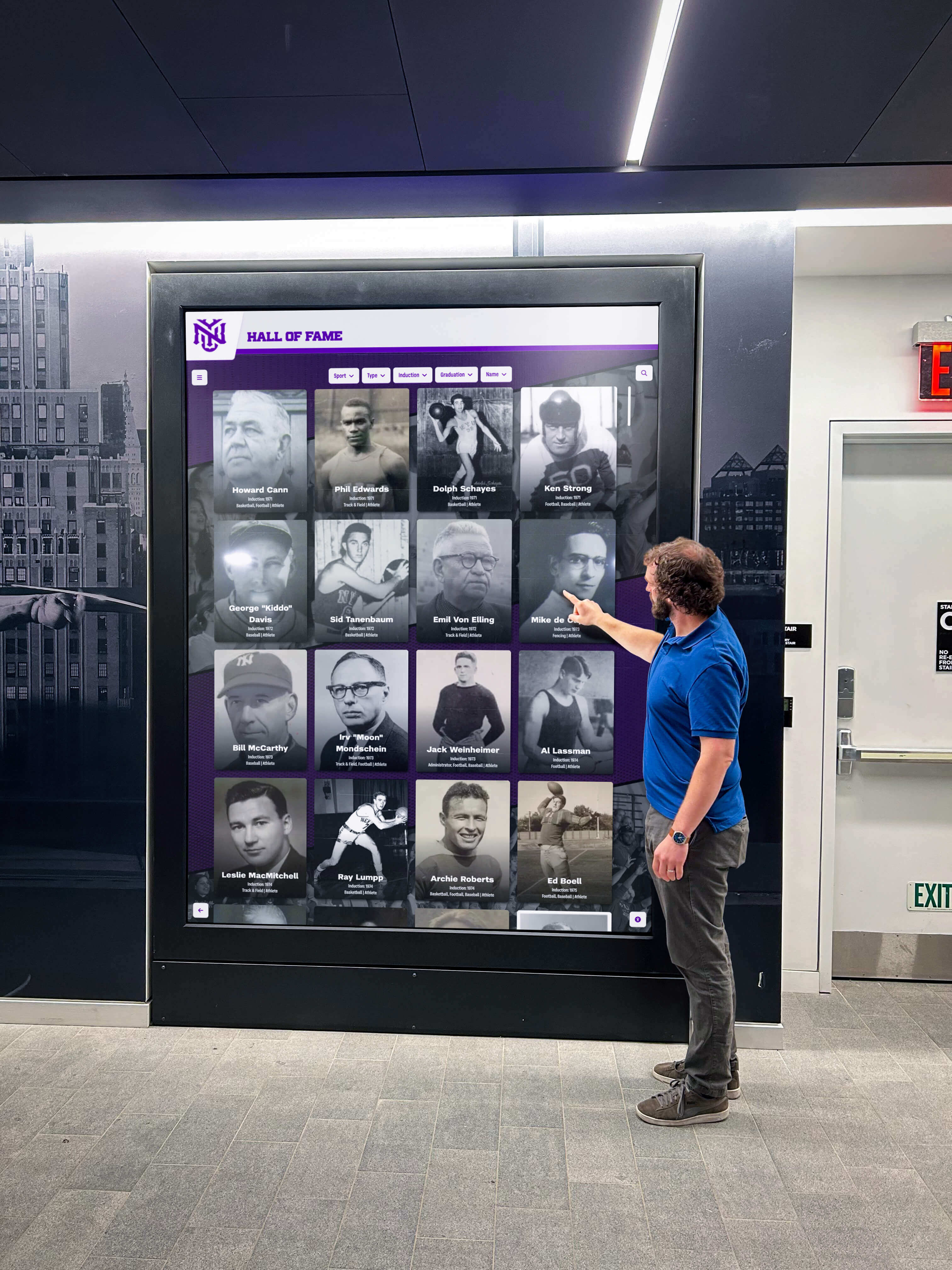
Touch screen digital signage enables instant remote updates from any internet-connected device. Administrative staff update content via web-based platforms requiring no technical expertise or physical access to displays. New achievements get added immediately rather than waiting for plaque production and installation scheduling. Outdated content disappears instantly rather than persisting until someone has time for manual removal.
Real-Time Recognition: Championships get celebrated the day they occur. Records broken during meets appear on displays that same evening. Academic achievements post immediately upon announcement. This timeliness maximizes recognition impact when enthusiasm remains highest rather than delaying celebration until quarterly update cycles.
Seasonal Content Adaptation: Displays adapt to school calendars automatically. Athletic content prominently features current season sports. Academic recognition aligns with grading periods. Performing arts achievements highlight upcoming productions. Content stays relevant without manual seasonal adjustments.
Enhanced Visitor Engagement
Passive signage competes with smartphones for attention. Touch screen digital signage leverages the interactive familiarity people know from mobile devices, creating engagement that captures attention naturally.
The self-directed exploration interactive displays enable creates deeper engagement than passive viewing. Visitors spend several minutes exploring content of personal interest rather than glancing briefly at static displays. Parents search their children’s achievements thoroughly. Alumni browse classmates from graduation years comprehensively. Prospective families investigate school excellence across all programs systematically.
Multimedia Storytelling: Interactive platforms enable rich content impossible with physical displays. Championship game video highlights. Performance recordings. Photo galleries documenting events comprehensively. Award ceremony footage. These multimedia elements bring achievements to life emotionally beyond what text and static images accomplish.
Searchable Discovery: Powerful search functionality enables visitors to find personally relevant content instantly within databases containing thousands of entries. Name search with auto-complete suggestions, year filtering, achievement type organization, and keyword search across complete databases ensure users discover what matters most to them efficiently.
Professional Modern Image
Facilities communicate organizational values through their appearance. Outdated bulletin boards, faded banners, and overcrowded trophy cases suggest institutions struggling to maintain standards. Modern touch screen digital signage projects professionalism, innovation, and institutional vitality.
This matters particularly during recruitment. Prospective students and families evaluate schools partially through facility quality and technological sophistication. Interactive displays demonstrate commitment to modern standards while showcasing achievements comprehensively. The professional presentation strengthens competitive positioning against other schools.

Cohesive Visual Identity: Digital signage platforms enable consistent branding across all displays. Templates automatically apply school colors, logos, and design standards ensuring professional cohesion. This unified visual identity strengthens institutional branding while eliminating the visual chaos created by mismatched physical plaques accumulated over decades.
Flexible Aesthetic Integration: Modern displays integrate cleanly into diverse architectural contexts. Wall-mounted installations create sleek profiles. Freestanding kiosks offer placement flexibility. Custom enclosures can match specific design requirements. This adaptability ensures displays enhance rather than detract from facility aesthetics.
Types of Touch Screen Digital Signage Applications
Schools and organizations deploy interactive displays for specific functional purposes, each requiring different features and content approaches.
Interactive Recognition Displays
Recognition-focused touchscreens celebrate achievement while preserving institutional memory comprehensively.
Athletic Hall of Fame Displays: Sports recognition represents the most common touchscreen application in schools. Interactive athletic displays showcase championship teams with complete rosters and season narratives, individual record holders with detailed statistics and achievement context, career milestones including 1,000-point scorers and multi-sport athletes, state championship recognition with tournament brackets and match results, and distinguished alumni who achieved professional or collegiate success.
These displays solve the fundamental challenge every athletic program faces—comprehensive record documentation that remains accessible as programs accumulate achievements across decades. Traditional record boards require difficult decisions about which records receive limited space. Digital displays accommodate every record across every sport with automatic ranking ensuring current accuracy.
Academic Excellence Recognition: Schools increasingly implement interactive displays celebrating scholarly achievement with equal prominence to athletic recognition. Academic displays feature honor roll recipients by semester and year, academic competition success including science fairs and math leagues, scholarship recipients with award details, National Merit and AP Scholars, and valedictorians and salutatorians throughout school history.
Arts and Activities Recognition: Performing arts, clubs, and special activities deserve celebration alongside athletics and academics. Interactive displays honor musical achievement through festival ratings and solo honors, theatrical productions with cast lists and performance photos, fine arts recognition for student artwork and exhibitions, robotics and STEM competition success, and leadership positions in student organizations.
Donor and Giving Recognition: Development offices utilize interactive touchscreens for comprehensive donor acknowledgment. Digital donor walls provide unlimited recognition capacity eliminating the challenging decisions required when physical wall space exhausts. Giving societies appear with member listings. Campaign progress visualizes fundraising success. Impact stories demonstrate gift utilization. This creates engaging donor recognition supporting continued philanthropic commitment.
Wayfinding and Building Directories
Large campuses and complex buildings challenge visitors attempting navigation independently. Interactive wayfinding systems provide self-service solutions reducing reception desk demands while improving visitor experiences.
Campus Maps and Navigation: Touchscreen wayfinding displays present interactive campus maps showing building locations, parking areas, outdoor spaces, and point-of-interest locations. Search functionality helps visitors locate specific destinations by name. Directional routing provides step-by-step navigation from kiosk locations to destinations.
Building Directories: Multi-floor buildings benefit from interactive directories replacing outdated static lists. Searchable databases enable visitors to find specific offices, classrooms, or staff members instantly. Floor plans show precise office locations. Department listings organize facilities by function. These directories update instantly whenever spaces change uses or personnel relocate—maintaining accuracy impossible with static alternatives.
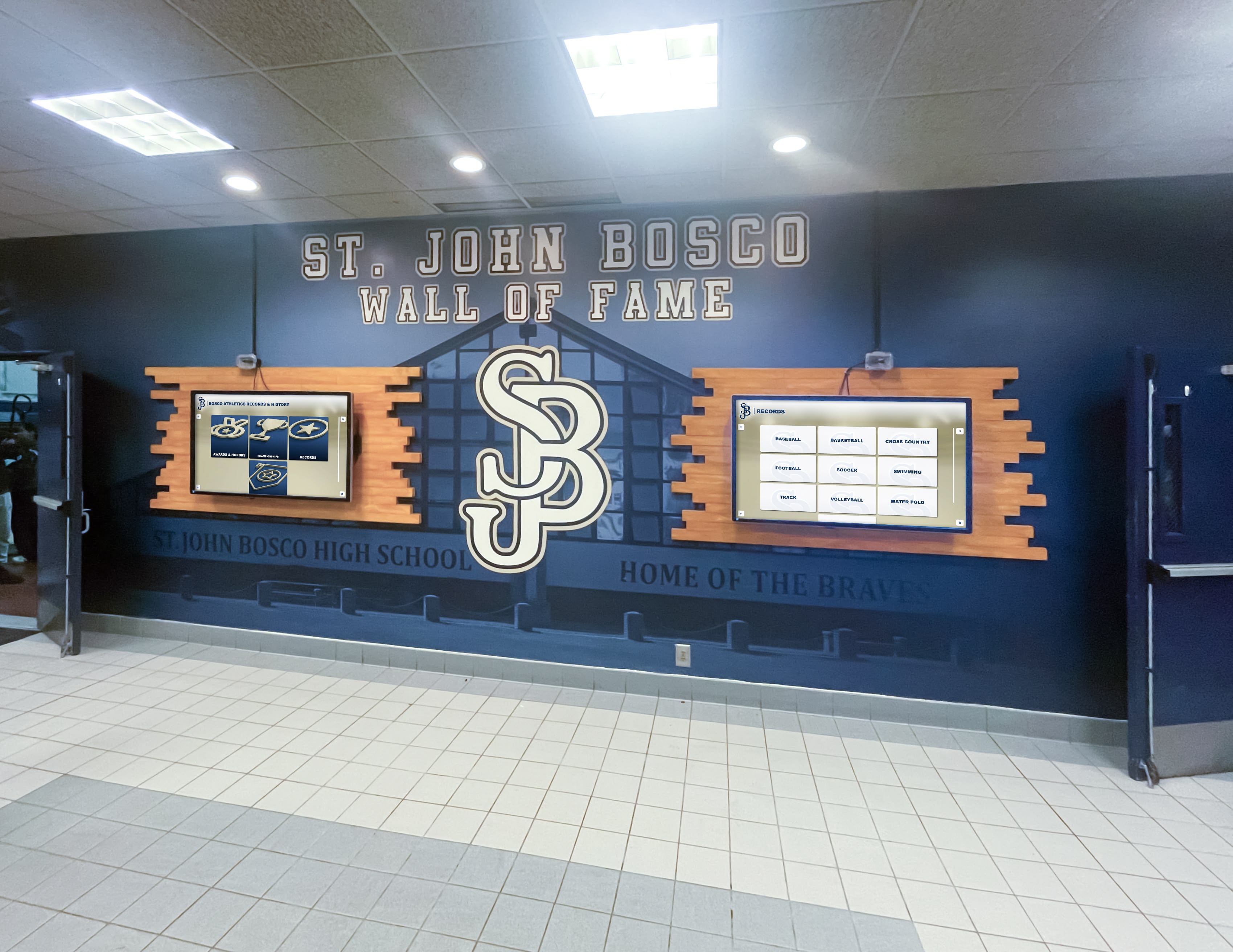
Event Wayfinding: During large events when campuses host numerous simultaneous activities, interactive displays provide critical navigation assistance. Athletic tournament schedules show game times and venue locations. Parent night programs list classroom locations and teacher schedules. Conference attendees locate session rooms and speaker schedules. This event-specific wayfinding reduces confusion while enhancing attendee experiences.
Information and Announcement Displays
Beyond recognition and wayfinding, interactive displays serve general communication needs throughout facilities.
Event Calendars: Searchable event calendars present comprehensive activity schedules. Visitors browse upcoming events by date, type, or venue. Detailed event information includes times, locations, descriptions, and registration requirements. Calendar integrations ensure displays automatically reflect current school calendar data without manual updates.
Emergency and Safety Information: During emergencies, touchscreen systems can switch to announcement modes displaying critical safety information, evacuation procedures, or shelter locations. Normal operation features emergency contact information, safety resources, and policy documentation accessible through dedicated menu sections.
Community Spotlights: Rotating spotlight features celebrate current student achievements, highlight upcoming events, showcase recent accomplishments, and profile community members. These create dynamic engaging content that changes regularly encouraging repeat viewing while celebrating ongoing school activities.
Technical Considerations for Touch Screen Digital Signage
Successful touchscreen implementations require careful attention to hardware selection, software capabilities, and infrastructure requirements.
Hardware Selection
Display hardware represents the most visible technology component requiring careful evaluation.
Screen Size and Resolution: Display size should match typical viewing distances and space constraints. Lobby installations with 6-10 foot viewing distances work well with 55-65 inch displays. Larger open spaces may benefit from 70-75 inch screens. All displays should feature 4K resolution (3840 x 2160) ensuring crisp text readability and image clarity.
Touch Technology: Capacitive touch technology provides the responsive smartphone-like interaction users expect. Multi-touch capability supporting 10+ simultaneous touch points enables smooth gesture navigation. Touch response time under 10ms ensures interactions feel immediate rather than laggy.
Commercial vs. Consumer Displays: Purpose-built commercial digital signage displays provide critical advantages over consumer televisions. Commercial displays feature backlighting systems designed for 16+ hour daily operation versus consumer displays built for several hours daily, tempered anti-glare glass withstanding repeated public interaction, landscape or portrait orientation capability, and commercial warranties with on-site service.
Mounting and Enclosure Options: Installation approaches vary based on space constraints and aesthetic preferences. Wall-mounted displays create clean modern appearances minimizing floor space requirements. Freestanding kiosks offer placement flexibility and accommodate accessibility requirements through adjustable heights. Some applications benefit from recessed installations integrating displays into walls for seamless architectural incorporation.
Software Platform Requirements
Hardware delivers no value without comprehensive software enabling content creation, management, and delivery.
Intuitive Content Management: Non-technical staff managing content require web-based platforms accessible from any device with simple interfaces requiring no programming knowledge. Drag-and-drop functionality, form-based content entry with templates, media libraries organizing photos and videos, and preview capabilities before publishing ensure quality content creation without technical expertise.
Flexible Content Organization: Recognition content requires organizational flexibility accommodating diverse achievement types. Hierarchical category structures allow logical grouping. Tagging enables multiple classification schemes. Cross-referencing connects related content. Search optimization ensures findability. This organizational flexibility ensures content remains discoverable as databases grow to thousands of entries.
Multimedia Support: Comprehensive platforms accommodate diverse media types including high-resolution photography with galleries and zoom capabilities, video integration for highlights and interviews, audio support for music and speeches, document display for programs and certificates, and social media embedding extending reach.
User Analytics: Understanding display usage patterns informs content strategies. Analytics should track popular content identifying what resonates with users, search queries revealing what people seek, session duration measuring engagement levels, peak usage times informing staffing and monitoring, and user journey patterns showing navigation behaviors.
Remote Management and Monitoring: Cloud-based platforms enable administrators to monitor display status, update content instantly, schedule content changes, troubleshoot issues, and manage multiple displays from any location through single unified dashboards.
Installation and Infrastructure
Proper installation ensures reliable long-term operation while infrastructure planning prevents performance issues.
Network Connectivity: Wired Ethernet connections provide optimal reliability for displays requiring frequent content updates and software updates. Wireless connections may prove adequate for displays with static content requiring infrequent changes. Network bandwidth requirements typically remain modest except when streaming high-resolution video.
Electrical Requirements: Displays require dedicated electrical circuits providing reliable power. Consider surge protection and uninterruptible power supplies for critical installations. Ensure electrical capacity exists at planned locations without overloading existing circuits.
Physical Security: Public-facing displays require protection from vandalism and unauthorized access. Tempered glass touchscreens resist breakage. Secure mounting prevents theft. Locked enclosures prevent tampering with connections and computing equipment. Kiosk lockdown software restricts system access to approved applications preventing unauthorized use.
Accessibility Compliance: Displays serving public spaces must meet Americans with Disabilities Act (ADA) requirements. Mounting heights should accommodate wheelchair users—typically 48 inches maximum for highest interactive elements. Audio capabilities assist visually impaired users. Text sizing and contrast ratios ensure readability. Placement allows clear approach paths without obstructions.
Environmental Considerations: Indoor displays typically operate reliably in climate-controlled environments. Specialized outdoor-rated displays handle temperature extremes, moisture, and direct sunlight when exterior installations are required. Consider ambient lighting conditions affecting screen visibility—bright spaces may require high-brightness displays while darker environments perform adequately with standard specifications.
Implementation Process for Touch Screen Digital Signage
Systematic approaches ensure successful deployments meeting organizational objectives while avoiding common pitfalls.
Planning and Needs Assessment
Begin with clear objective definition. What problems are you solving? What communications currently fail? What recognition goes unacknowledged? How will success be measured? Clear objectives focus technology selection and implementation planning.
Stakeholder Engagement: Involve diverse perspectives during planning. Administrators identify institutional priorities. Department heads specify content needs. IT staff assess technical requirements and infrastructure. Facilities managers evaluate installation considerations. End user input reveals usability requirements and content preferences.
Location Strategy: Strategic placement maximizes impact and utilization. High-traffic areas ensure visibility. Decision-making considerations include visitor patterns and flow, demographic mix of users, content purpose and target audiences, ambient lighting conditions, and infrastructure availability including power and networking.
Content Development Strategy
Technology succeeds only when populated with engaging content users value.
Initial Content Planning: Define what content will populate displays at launch. Recognition displays require systematic achievement documentation—perhaps comprehensive coverage of recent 5-10 years initially with plans for historical expansion. Wayfinding systems need complete building information and accurate maps. Information displays require current event calendars and announcement content.
Historical Digitization: Schools implementing recognition displays often possess historical materials requiring digitization. Yearbooks provide achievement documentation and photography. Physical plaques and trophies offer record information. Athletic department files contain statistics and rosters. Newspaper coverage documents major achievements. This historical research creates comprehensive content while preserving institutional memory.
Ongoing Content Processes: Sustainable operations require clear responsibility assignment. Who adds new achievements? How do updates get prioritized? What quality standards apply? When should content refresh occur? Documented processes ensure consistent high-quality content management without overwhelming responsible staff.
Photography Standards: Consistent high-quality photography creates professional displays. Establish standards for resolution requirements, composition guidelines, file format preferences, and naming conventions. Many schools engage student photography courses in content photography as authentic learning projects while building comprehensive media libraries.
Installation and Deployment
Professional installation ensures reliable operation while avoiding technical issues.
Hardware Installation: Commercial display installation typically requires professional integrators unless facilities staff possess necessary expertise. Proper installation includes secure mounting meeting manufacturer specifications, cable management for clean appearances, computing equipment installation and configuration, network connectivity testing, and touchscreen calibration for accurate response.
Software Configuration: Platform setup includes user account creation with appropriate permissions, content management system customization matching branding requirements, template development for consistent content presentation, initial content loading, and testing across all functionality ensuring proper operation before launch.
Training and Documentation: Successful deployments require comprehensive user training. Content managers need content management system training covering all common tasks. Reception staff require basic troubleshooting knowledge. IT personnel need administrative access and technical documentation. Training should include hands-on practice, written documentation for reference, and ongoing support access.
Launch and Ongoing Management
Successful launches require planning extending beyond technical deployment.
Soft Launch Testing: Before formal announcement, conduct testing periods with limited audiences. Observe actual usage patterns, gather feedback about usability and content, identify technical issues requiring resolution, and refine content based on real-world learning.
Formal Launch Communication: Publicize new displays through multiple channels. Email announcements to community members, social media posts showcasing features, press releases for local media coverage, and signage directing attention to new displays ensure awareness and initial utilization.
Performance Monitoring: Regular monitoring ensures continued success. Track usage analytics identifying popular content, review technical performance logs for system issues, gather user feedback through surveys or informal channels, and schedule content reviews ensuring currency and accuracy.
Content Refresh Cycles: Establish regular content review schedules. Recognition content requires ongoing additions as achievements occur. Information displays need frequent updates maintaining relevance. Featured content should rotate highlighting different aspects creating variety encouraging repeat engagement.
Maximizing Touch Screen Digital Signage Impact
Strategic approaches amplify effectiveness and return on investment.
Integration with Broader Communications
Touch screen displays function most effectively as components within comprehensive communication strategies rather than isolated technologies.
Social Media Integration: Extend display content reach through social media channels. Achievement highlights posted on displays can simultaneously appear on social platforms. Social media campaigns can direct audiences to explore comprehensive content on touchscreen displays. This integration creates multiple exposure points while reinforcing messaging across channels.
Mobile Accessibility: Modern platforms provide mobile-responsive web access enabling users to explore content from smartphones. Alumni browsing athletic records from touchscreen displays during visits can continue exploration from home via mobile devices. This extended access maximizes content value while strengthening ongoing engagement.
Print Material Coordination: QR codes on print materials can direct audiences to specific touchscreen content or mobile-accessible versions. Athletic programs might include QR codes linking to team histories. Donor acknowledgment letters could link to digital donor wall profiles. This bridges physical and digital experiences.
Community Engagement Opportunities
Interactive displays create engagement opportunities extending beyond simple information access.
Alumni Events: Recognition displays provide natural focal points during alumni gatherings. Reunion attendees explore classmate achievements and relive shared memories. Athletic alumni browse records they set or chased. These interactions create meaningful connections strengthening alumni relationships.
Prospective Family Tours: During recruitment, interactive displays demonstrate school excellence comprehensively while enabling prospective families to explore areas matching their interests independently. Athletic recruits browse sports achievements. Academically-focused families explore scholarly recognition. Arts-interested visitors discover performance traditions.
Student Inspiration: Recognition displays serve forward-looking purposes inspiring current students. Young athletes see records providing tangible goals. Academic achievers discover scholarship opportunities. Arts students explore performance traditions. This inspiration builds aspiration while connecting students to institutional legacy.
Celebration Events: Major achievements deserve celebration ceremonies incorporating recognition displays. Championship team acknowledgment events can showcase comprehensive team histories. Academic achievement ceremonies might feature honoree profiles on touchscreen displays. These create meaningful moments while demonstrating proper appreciation.
Measuring Touch Screen Digital Signage Success
Evaluation ensures investments deliver intended value while identifying improvement opportunities.
Quantitative Metrics
Data-driven assessment provides objective success measures.
Usage Analytics: Most platforms provide comprehensive usage data including session counts showing total interactions, average session duration indicating engagement depth, popular content revealing what resonates, search queries showing what users seek, and peak usage periods informing staffing and monitoring.
Content Performance: Analyze content effectiveness through view counts by entry or category, video completion rates measuring multimedia engagement, search success rates showing findability, and interaction patterns revealing navigation behaviors.
Technical Performance: Monitor system reliability through uptime percentages ensuring availability, response time measurements affecting user experience, error rates indicating technical issues, and system resource utilization informing capacity planning.
Qualitative Assessment
Numbers tell partial stories requiring complement through qualitative understanding.
User Feedback: Gather impressions through informal observation during usage, structured surveys with specific questions, comment collection via display interfaces, and stakeholder interviews including administrators, staff, and community members.
Observational Research: Watch actual usage noting whether users find content easily, how long typical sessions last, what content receives attention, where users experience confusion, and what questions arise during interaction.
Comparative Assessment: Evaluate displays against initial objectives and success criteria. Did implementations solve identified problems? Do results justify investments? Have unintended benefits emerged? What unexpected challenges arose?
Future Trends in Touch Screen Digital Signage
Touch screen technology continues evolving with emerging capabilities enhancing functionality and user experiences.
Artificial Intelligence and Personalization
AI capabilities enable sophisticated features including natural language search understanding conversational queries, automated content recommendations based on viewing patterns and user interests, personalized experiences adapting to individual preferences, and voice interaction supporting hands-free exploration benefiting accessibility.
Enhanced Multimedia Capabilities
Advancing technology enables richer content experiences. Higher resolution displays support 8K content providing exceptional detail. Improved video codecs enable higher quality streams with lower bandwidth. Augmented reality features overlay digital information on physical environments. Three-dimensional content creates immersive experiences.
Improved Accessibility Features
Advancing accessibility ensures technology serves all users effectively. Enhanced text-to-speech capabilities assist visually impaired users. Improved visual accommodation features benefit users with various vision needs. Better motor accommodation alternatives serve users with physical limitations. Universal design principles create inclusive experiences for diverse abilities.
Integration and Connectivity
Expanding connectivity creates unified systems across platforms. Mobile application integration enables seamless transitions between touchscreen displays and personal devices. Cloud platform connections aggregate data from multiple sources. API capabilities enable custom integrations with school information systems, advancement databases, and third-party applications creating comprehensive ecosystems.
Conclusion: Transforming Communication Through Interactive Displays
Touch screen digital signage represents fundamental evolution beyond traditional static communication—creating dynamic interactive experiences that engage communities, celebrate achievement comprehensively, and solve practical communication challenges schools and organizations face daily. The technology eliminates capacity constraints limiting traditional recognition, enables instant content updates maintaining relevance effortlessly, provides engaging self-directed exploration users prefer, and projects professional modern institutional images strengthening competitive positioning.
Successful implementations require strategic approaches addressing both technological and organizational dimensions. Careful hardware selection ensures reliable long-term operation. Specialized software platforms optimized for specific applications deliver superior experiences compared to generic alternatives. Professional installation and configuration prevent technical issues. Comprehensive training enables effective content management. Ongoing monitoring and refinement maximize impact and return on investment.
Schools and organizations ready to transform recognition while creating engaging visitor experiences should explore how purpose-built interactive touchscreen solutions specifically designed for achievement celebration deliver superior results compared to generic digital signage adapted for recognition purposes. Specialized platforms understand unique recognition requirements—unlimited capacity accommodating complete institutional histories, intuitive interfaces enabling effortless exploration, comprehensive content management requiring no technical expertise, and engaging presentations bringing achievements to life emotionally.
The question facing schools and organizations isn’t whether interactive displays provide value—their benefits are clear. The critical decision involves selecting appropriate solutions matching specific needs rather than adapting generic technologies for specialized purposes. Recognition applications require platforms purpose-built for achievement celebration. Wayfinding implementations need software optimized for navigation. Information displays benefit from content management emphasizing communication efficiency.
When schools invest strategically in touch screen digital signage tailored to specific applications, they create modern environments where every achievement receives proper celebration, visitors navigate confidently, information stays current effortlessly, and communities connect meaningfully with institutional excellence. These interactive systems transform ordinary lobbies and hallways into dynamic engagement spaces that inform, inspire, and strengthen communities—honoring past achievements while building pride that motivates future excellence.
Ready to discover how touch screen digital signage can transform recognition, engagement, and communication throughout your school or organization? Explore comprehensive touchscreen solutions specifically designed for educational institutions seeking to celebrate achievement while creating engaging interactive experiences that serve entire communities.































