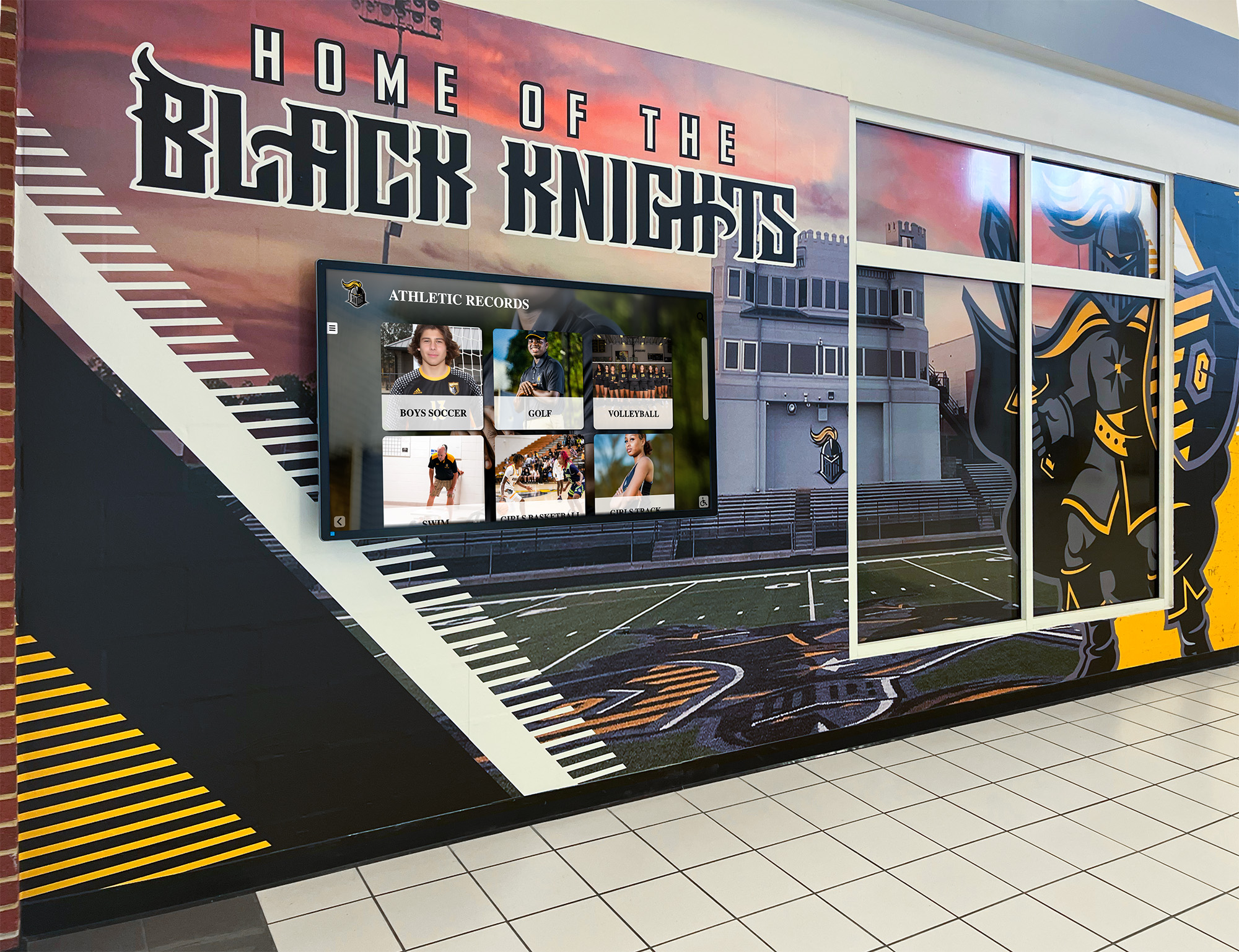




A team leaderboard is a ranked display that shows how school teams, athletes, or participant groups stack up against one another in real time — tracking wins, points, records, or standings across a season, challenge period, or program history. When mounted as a digital leaderboard display in a school hallway, gymnasium, or lobby, it becomes a living scoreboard that motivates current competitors, honors past achievers, and keeps the entire school community invested in the outcome.
Team Leaderboard Displays: Quick Setup Checklist
Before diving into design and technology options, here is the numbered checklist athletic directors and school administrators use to get a team leaderboard display up and running quickly.
- Define your categories — choose what you are ranking: season records, all-time wins, point totals, fundraising dollars, or grade-level challenges.
- Gather historical data — pull records from archives, coaching files, game programs, and state association databases.
- Choose a display format — static board, rotating digital screen, or interactive touchscreen kiosk.
- Select a location — main lobby, gymnasium entrance, hallway near the trophy case, or multi-screen across all three.
- Set an update schedule — decide who enters new data, when, and what approval process verifies a record before it goes live.
- Connect to recognition events — announce new record holders at pep rallies, senior nights, and awards banquets.
- Plan for growth — design the display to add new sports, new categories, or new school-wide challenges without a full redesign.
Schools that install team leaderboard displays consistently report the same outcome: athletes train harder when they can see exactly how far they are from a school record. Parents stay more engaged when standings are visible year-round, not just during the season. Alumni stay connected when historic achievements are displayed alongside current rankings rather than buried in storage.

What Makes a Team Leaderboard Different from a Scoreboard
A scoreboard shows one game’s result. A team leaderboard captures the arc of an entire program — season records, career milestones, all-time rankings, and the competitive context that gives those numbers meaning.
The distinction matters for schools because recognition programs that only acknowledge game-night outcomes miss the cumulative story that drives school culture. A record board leaderboard answers questions that no game clock can: Who holds the program’s all-time win record? Which class produced the most state qualifiers? Which homeroom won the school-wide fitness challenge in 2023? Where does this year’s team rank against every previous season?
Athletic Leaderboards
Athletic team leaderboards track competitive performance across one or more sports. Common formats include:
- Season win-loss standings ranked by winning percentage or total wins
- All-time win leaders showing the top programs or athletes in school history
- Consecutive wins tracking unbeaten streaks by team or individual
- Championship years organized chronologically or by sport
- State qualifier and placer counts showing program depth across seasons
For sport-specific programs — basketball, football, baseball, swimming, track — a dedicated record board leaderboard surfaces the statistics coaches and athletes already track, making them visible to the full school community instead of living only in coaching notebooks.
Academic and School-Wide Challenge Leaderboards
Team leaderboards extend naturally beyond athletics. Schools run grade-level reading challenges, STEM competitions, attendance contests, and community service drives — all of which benefit from a visible ranking that keeps participants engaged week after week.
The academic recognition programs guide at best-touchscreen.com documents how schools structure these programs so every discipline — not just athletics — gets a ranked recognition display. Grade-level challenges in particular benefit from a shared digital leaderboard because the competition is visible to every student every day.
Fundraising and Service Competitions
Schools use leaderboards to drive fundraising campaigns and community service competitions. Homeroom vs. homeroom, class vs. class, or team vs. team — a ranking display that updates in real time turns a passive donation drive into an active competition with a visible scoreboard.

Digital Leaderboard Display vs. Static Board: A Practical Comparison
| Feature | Static Wood or Vinyl Board | Digital Leaderboard Display |
|---|---|---|
| Update frequency | Requires engraving or reprinting | Instant, unlimited, no per-change cost |
| Depth of records | Limited by physical space | Unlimited — add sports, years, categories freely |
| Athlete photos | Not feasible | Full photo profiles with stats |
| Navigation | Fixed single view | Browsable by sport, year, category |
| Auto-ranking | Manual rearrangement required | Automatic when new data is entered |
| Long-term cost | Low upfront, recurring engraving fees | Higher upfront, near-zero ongoing update costs |
| Visitor engagement | Passive viewing | Interactive touchscreen exploration |
For schools tracking records across multiple sports and multiple decades, the static board’s physical limits become a genuine problem. A digital leaderboard display eliminates those constraints while adding the interactivity that keeps students, parents, and alumni engaged long after the season ends.
What to Display on a School Team Leaderboard
The most effective school team rankings displays combine current-season competition with long-term program history. Visitors should be able to see where this year’s team stands and how that compares to every previous season in a single glance.
Season Win-Loss Records
Season standing leaderboards rank every team in a sport by current win-loss record or winning percentage. Update frequency matters here — a display that shows last week’s standings instead of this week’s quickly loses credibility. Digital displays that sync with a coach’s update portal solve this problem because the data changes as fast as games are completed.
All-Time Program Records
All-time records are the foundation of any meaningful record board leaderboard. These are the standards current athletes are chasing and the achievements that define what a program is capable of. For each sport, consider tracking:
- Most wins in a single season (team)
- Best single-season winning percentage
- Most consecutive victories
- Most conference or league championships
- State championship years
- Individual career win leaders (for individual sports)
For programs recognizing multi-sport achievers, the academic letter jacket guide covers how schools handle recognition for athletes who excel across multiple disciplines — a useful framework for leaderboards that span sports rather than focusing on a single program.
Individual Stat Leaders
Individual leaderboards within a team context recognize the performances that drive team outcomes. Points per game, batting average, sprint times, swimming splits — the specific statistics vary by sport, but the display principle is consistent: show the top performers historically alongside the current-season leaders so athletes can see exactly who they are chasing.
All-State and Award Recognition
Schools that produce all-state athletes have a recognition obligation that goes beyond a single-sport record board. An all-state plaque digital display integrates naturally with a team leaderboard, surfacing the athletes who earned that level of recognition alongside the season records and standings that provide context for their achievement.
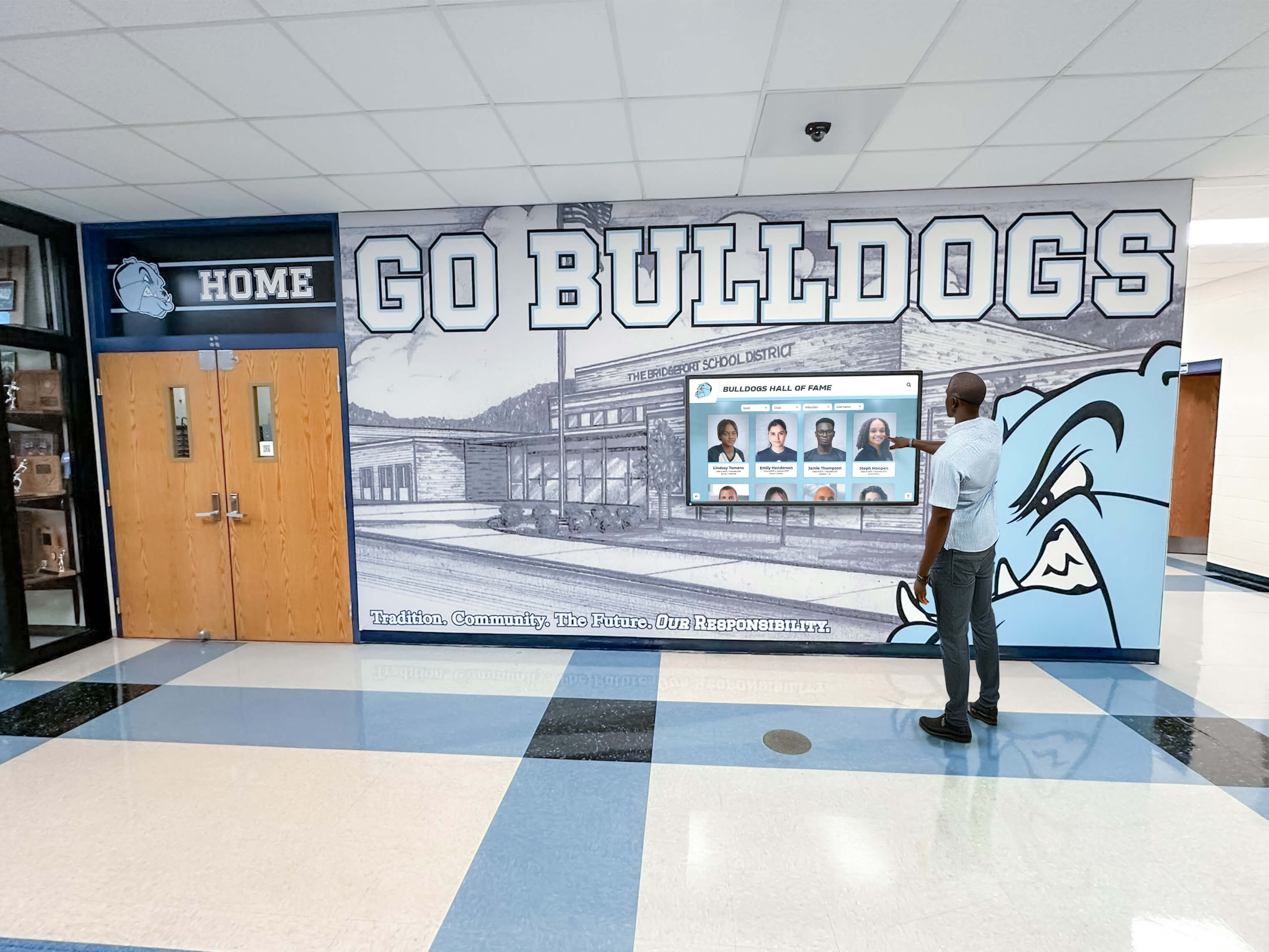
Design Tips for Team Leaderboard Displays
Lead with the Rankings, Support with the Story
The leaderboard itself — ranked standings or record holders — should be immediately visible without navigation. Supporting information like athlete photos, season summaries, and statistical context can sit one tap or click deeper. Visitors who want a quick check of standings get it immediately; visitors who want to explore get depth.
Use Color and Visual Hierarchy Deliberately
Color coding communicates achievement tier at a glance. Gold for all-time records, silver for top-five finishes, program colors for season leaders — this visual hierarchy lets a visitor read the board in seconds without scanning every line. Reserve bold typography for the record holder’s name; use lighter weight for the stat itself.
Keep Rankings Auto-Sorted
Manual sorting is the fastest way to let a leaderboard go stale. Digital displays that automatically re-rank entries when new data is entered mean a coach can update a win total from their phone and the board reflects the new order within minutes. This feature alone justifies the shift from static to digital for programs with active weekly competition.
Display “Records Within Reach”
One of the most motivating leaderboard sections shows current athletes’ progress toward existing records. “Jaylen Washington — 87 career wins, 25 from the all-time record” is visible, personal, and actionable in a way that a historical record alone is not. This section works only on digital displays that update frequently enough to reflect current stats.
Honor Faculty and Coaches
Team records reflect the athletes on the floor, but program-level records reflect the coaches who built the system. A section tracking coaching career wins, league titles, and state appearances contextualizes decades of program history. For schools recognizing educators more broadly, the best teacher award certificate guide covers recognition formats that pair well with coach leaderboards on a shared display.
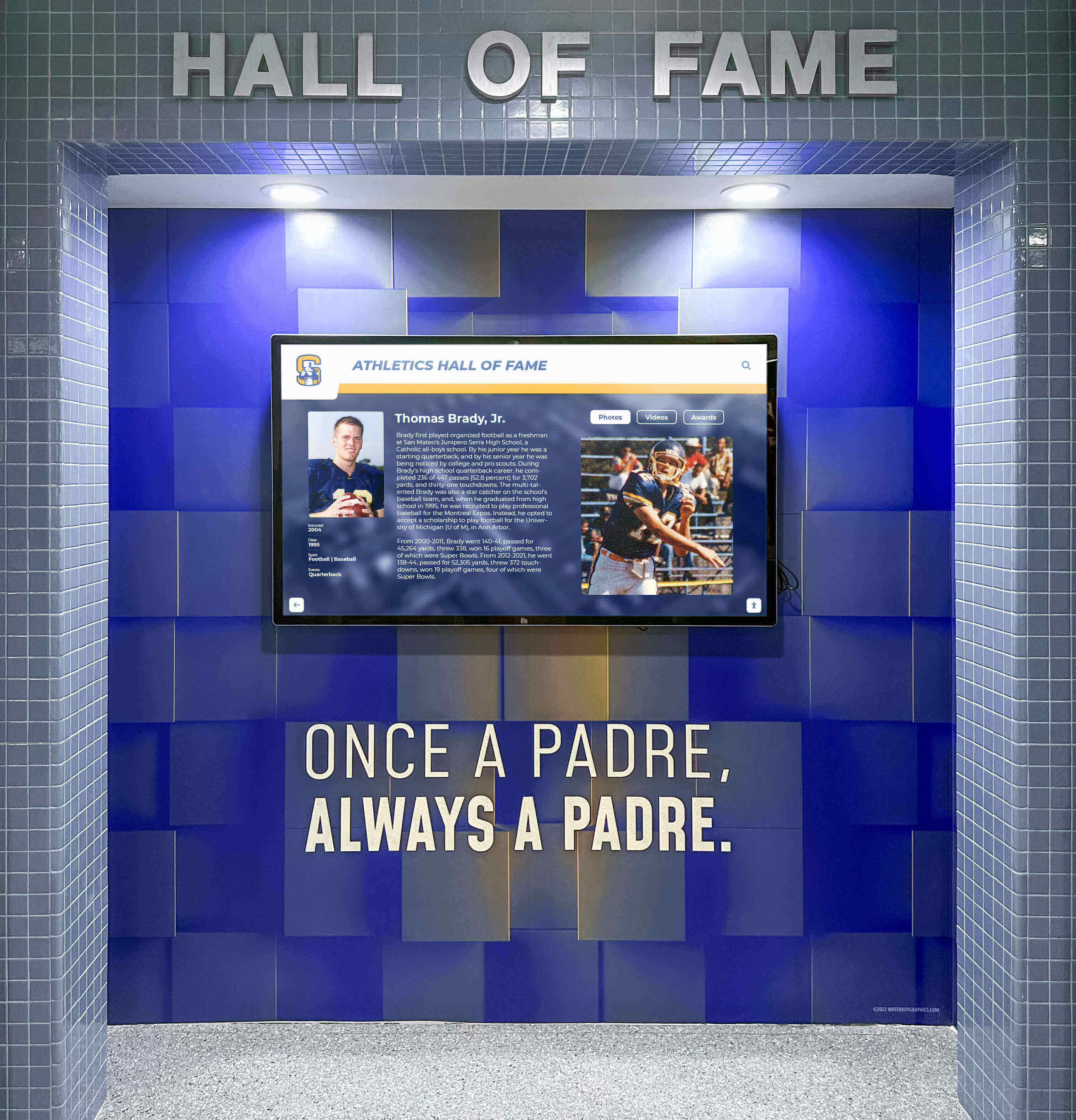
Where to Install a Digital Leaderboard in Your School
Location determines how many people actually see the display — and that determines whether it motivates anyone.
Main Lobby or Entrance
A digital leaderboard display in the school’s main entrance reaches every student, parent, and visitor who enters the building. This location signals that athletic achievement is part of the school’s core identity rather than something celebrated only inside the gym. Schools that move records displays from gym hallways to main lobbies typically see a measurable increase in student awareness of athletic milestones.
Gymnasium Corridor
The corridor outside the gymnasium is the traditional home for athletic record boards and remains effective for reaching the athletics community directly. Athletes, coaches, and parents pass this display before and after every practice and game. For programs with a long competitive history, this location can support a wall-length installation covering multiple sports simultaneously.
Trophy Case Integration
Integrating a digital display into or adjacent to the trophy case creates a complete recognition environment. Physical trophies establish visual history; the digital leaderboard contextualizes those trophies with the records and stats behind them. For guidance on designing permanent recognition installations, the building dedication plaque wording and materials guide covers the design and materials considerations that apply equally to trophy-case-adjacent displays.
Multi-Location Installations
Large schools sometimes install leaderboard displays across multiple locations — the main lobby, the gym corridor, and individual sport-specific hallways — each showing a curated subset of the full record system. A centralized content management system means all screens update simultaneously from a single data source, eliminating the risk of inconsistent records across locations.
Integrating a Team Leaderboard with School Recognition Programs
A team leaderboard display works best as part of a broader recognition ecosystem rather than a standalone installation.
Hall of Fame Connection
The relationship between a team leaderboard and a school hall of fame is complementary: the leaderboard is a living document that updates every season; the hall of fame is a historical record that recognizes career excellence after it is complete. A wrestler who appears on the season wins leaderboard for three years may be inducted into the hall of fame a decade after graduation. Both systems serve the same athletes at different points in time, and a unified digital platform can surface a connection between them.
Alumni Engagement
Team leaderboards create natural conversation starters for alumni outreach. When a current athlete breaks a record set by a graduate from twenty years ago, that achievement connects two generations — the record holder who set the standard and the athlete who surpassed it. Incorporating alumni-facing leaderboard content into homecoming events, reunion programming, and donor stewardship materials strengthens those connections. The alumni event ideas guide at touchscreenwebsite.com includes interactive leaderboard activities specifically designed for alumni gatherings.
Academic Achievement Leaderboards
Schools increasingly recognize that the same display infrastructure serving athletic leaderboards can serve academic recognition. GPA honor rolls, graduation honors, and academic letter recipients all benefit from visible, ranked displays that treat academic achievement with the same seriousness as athletic records. The graduation honors levels guide outlines the standard tiers schools use — summa cum laude, magna cum laude, cum laude — and how these fit into broader recognition displays alongside athletic rankings.
Historical Archives
Programs with long histories often have records stored in formats that predate digital systems — printed game programs, scanned yearbooks, hand-typed coaching logs. Digitizing those records is the prerequisite for displaying them accurately. The best DPI settings for scanning old yearbooks covers the technical process of converting printed archives into digital records accurate enough to build a display around.
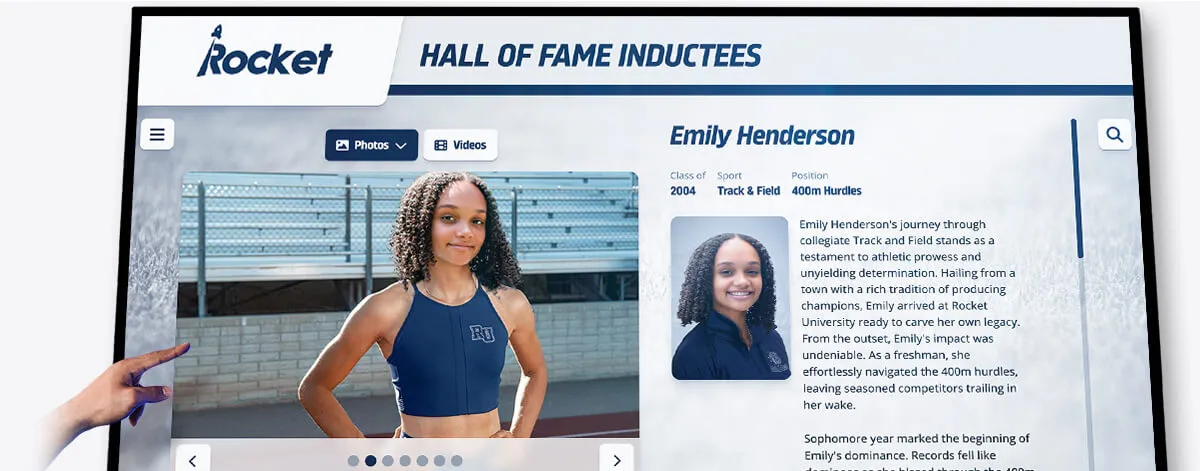
How Rocket Alumni Solutions Approaches Team Leaderboards
Platforms like Rocket Alumni Solutions are built specifically for the school recognition use case — tracking individual and team records across multiple sports, surfacing state-level achievement, and presenting program history in an interactive format that students, parents, and alumni can explore without staff assistance.
The key differentiator for schools with multi-sport programs is a unified data architecture: one system holds records for every sport, every season, and every category, and any screen in the building can display any slice of that data. Updating a basketball win total does not require contacting a vendor or waiting for a service appointment — an authorized staff member makes the change and every display reflects it within minutes.
For schools still using static boards for some sports and digital displays for others, a phased transition is common: start with the highest-profile sport, demonstrate the update frequency and engagement benefits, then expand to additional sports in subsequent school years.
Implementation Checklist for Athletic Directors
Before issuing an RFP or making a purchase decision, work through this checklist to define the project scope clearly:
Data and Records
- Identify which sports will have dedicated leaderboard sections
- Determine how many seasons of historical records exist in a documented form
- Assign staff responsibility for ongoing data entry and verification
- Define the record categories for each sport (season wins, career wins, all-time records, state qualifiers)
Display and Location
- Select installation locations and measure available wall space
- Confirm electrical and network access at each location
- Decide between wall-mounted screens, freestanding kiosks, or touchscreen panels
- Determine whether the installation integrates with an existing trophy case or mural
Technology and Content
- Evaluate whether a touchscreen interface is appropriate for your visitor traffic
- Determine update frequency requirements (daily, weekly, end of season)
- Decide whether to include athlete photos and require photo rights clearances
- Confirm whether the system needs to display non-athletic content (academic awards, faculty recognition)
Budget and Timeline
- Set a realistic budget range covering hardware, software, installation, and first-year content
- Identify any grant funding or booster club support for the project
- Target an installation date tied to a school milestone — homecoming, athletic banquet, or a season opener
Frequently Asked Questions
What is a team leaderboard display?
A team leaderboard display is a digital or physical board that ranks school teams, athletes, or participant groups by a defined metric — wins, points, records, or standings — making competitive status visible to the entire school community in real time or on a regular update cycle.
How is a digital leaderboard display different from a scoreboard?
A scoreboard shows one event’s result. A digital leaderboard display shows cumulative rankings across a full season, across multiple seasons, or across a program’s entire history. A leaderboard contextualizes each result within a longer competitive record, giving current performances historical meaning.
What categories should a school team leaderboard track?
Core categories for most schools: season win-loss records, all-time season win records, career win leaders (for individual sports), consecutive win streaks, championship years, and state qualifier counts. Schools with active academic or challenge programs often add grade-level competition standings and fundraising totals.
How often should a school leaderboard be updated?
Athletic season leaderboards benefit from weekly updates during active competition, with final updates at season’s end. All-time records update only when broken. Academic and challenge leaderboards typically update weekly to maintain engagement throughout the competition period.
Can a team leaderboard display include academic and non-athletic categories?
Yes, and many schools prefer unified displays that recognize athletic, academic, and community achievement on the same platform. This approach reinforces the message that excellence is valued across all dimensions of school life — not only in the gymnasium.
What is the typical cost of a digital leaderboard display for a school?
Costs vary widely depending on screen size, interactivity, number of locations, and content management software. Entry-level single-screen installations begin in the low thousands; multi-screen interactive systems with custom content management can reach five figures or more. Ongoing update costs for digital systems are typically near zero after installation, while static boards incur engraving or reprinting fees each time records change.
How do we archive historical records before building a leaderboard?
Start with coaching records, game programs, local newspaper archives, and state association databases. For older records stored in print formats, high-quality scanning is required before the data can be entered digitally. A systematic data collection effort before installation prevents gaps in the historical record that undermine the display’s credibility.
Does a team leaderboard display require ongoing IT support?
Modern purpose-built school recognition platforms are designed for non-technical staff to manage. Record updates, photo uploads, and category edits are typically handled through a web-based interface without IT involvement. Hardware maintenance (screen replacement, network connectivity) does require occasional technical support, which vendors usually provide through service agreements.
Conclusion: Building a Leaderboard That Lasts
A team leaderboard display is one of the highest-leverage investments a school recognition program can make. It motivates athletes by making competitive standards visible, honors achievers by preserving their records in a prominent location, and engages the broader school community — parents, students, and alumni — with the story of what a program has built over time.
Static boards accomplish part of that mission at lower cost but sacrifice the update frequency, depth, and interactivity that make digital leaderboard displays genuinely motivating rather than merely decorative. A board that shows last year’s final standings and stops updating reads as an afterthought. A display that reflects this week’s standings alongside decades of program history reads as a statement of institutional commitment.
The schools that get the most from their leaderboard investments share three practices: they track more categories than they think they need at launch, they update records faster than anyone expects them to, and they connect leaderboard milestones to in-person recognition events so that a broken record becomes a moment — not just a number change on a screen.
Ready to Build a Team Leaderboard That Updates Automatically?
Rocket Alumni Solutions builds interactive digital record boards and leaderboard displays for schools — tracking season records, all-time wins, state qualifiers, and school-wide challenge standings with automatic reranking and zero per-update costs.
Schedule a Demo






























