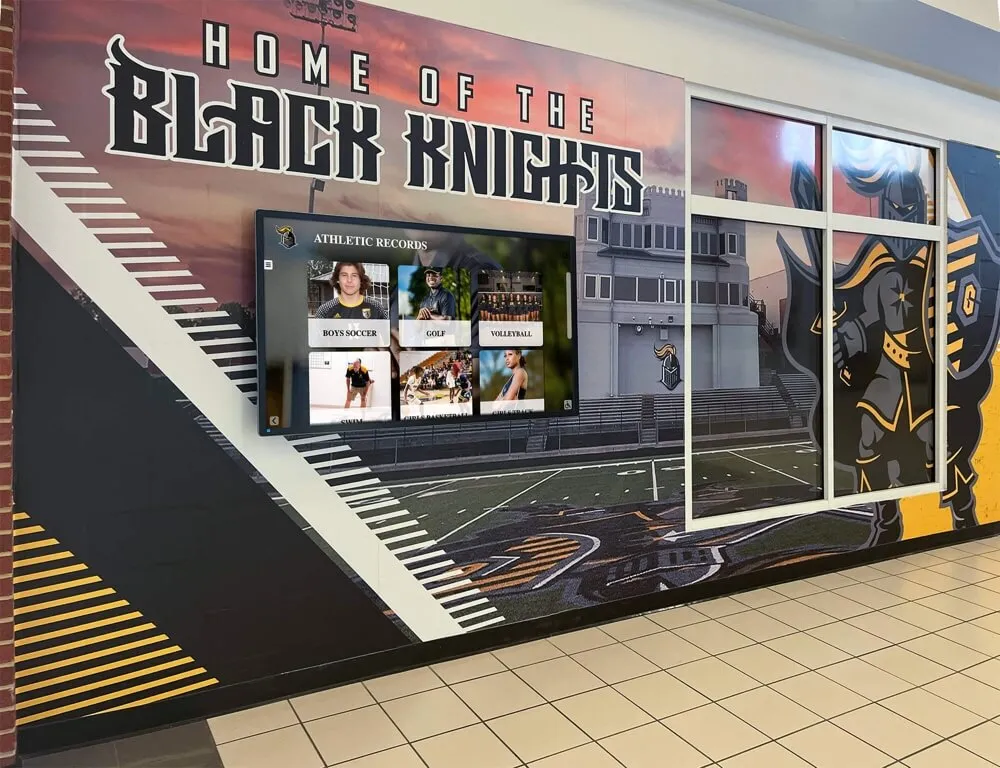




A student breaks the school’s 20-year-old 400-meter record at the district championship. The coach texts the athletic director. Everyone celebrates on the bus ride home. Then the record disappears into a spreadsheet, a handwritten note, or a sticky on the AD’s monitor—and six months later, nobody can confirm whether the vinyl board has been updated, who approved the new mark, or whether the old record holder was ever properly notified. School record holder recognition should be a moment of pride. Instead, the static board bottleneck turns it into a paperwork delay.
What This Guide Covers
This is a workflow guide for school record holder recognition—the full cycle from the moment a record falls to the moment the athlete’s name appears on a permanent display. You’ll find a quick definition of what counts as a school record, a step-by-step submission and approval process, a verification checklist, a comparison of display options, and guidance on digital systems that remove the bottleneck entirely. The goal: every record holder gets recognized accurately, promptly, and permanently.
Recognition programs that rely on a static painted or vinyl board create a structural delay. Someone has to notice the record, collect the paperwork, contact the sign shop, wait for production, schedule an installation, and hope nothing gets lost between steps. That process routinely takes weeks—sometimes months—and programs with tight budgets may defer updates indefinitely. The result is a board that celebrates athletes from 1998 while athletes from last spring are still waiting.

What “School Record Holder Recognition” Actually Covers
Before building a submission workflow, define the scope of your recognition program. “School records” means different things to different programs.
Athletic Performance Records
Performance records are the most common category: individual sport marks tied to a specific event or position. For track and field, these are time or distance records in each event. For swimming, they’re split-times by stroke and distance. For football, they span passing yards, rushing yards, receiving yards, sacks, and interceptions—across single-game, single-season, and career windows.
Creative ways to display athletic records at the school level typically begin with a defined category list so nothing falls through the cracks when a new mark is set.
Team and Program Records
Team records recognize collective achievements: most wins in a season, longest unbeaten streak, most consecutive conference championships, first state title. These belong on the recognition wall as prominently as individual records—they represent the program’s identity, not just an individual’s peak performance.
Academic and Non-Athletic Records
Many schools extend recognition programs beyond sports: valedictorian history, debate championship results, music performance awards, STEM competition placements. A fully realized recognition program acknowledges the whole institution, not just the gymnasium.
Hall of Fame and Legacy Recognition
Hall of fame inductees and retired jersey numbers are a distinct category from performance records but belong in the same recognition ecosystem. Athletes who cleared the induction threshold—typically five or more years post-graduation—deserve a display treatment different from an active season record. Designing a school recognition wall that inspires for decades addresses how to integrate active records, hall of fame plaques, and legacy displays without visual clutter.

The Static Board Bottleneck: Why It Fails
Static record boards—whether painted wood, laser-cut acrylic, or vinyl decals—have one fundamental flaw: every update requires a vendor. A new record means a new order, a new production run, a new installation appointment, and a new invoice. For a school fielding 15 or more sports, a competitive season can generate a dozen new records in a single month.
Static Board vs. Digital Record Board: The Update Gap
| Factor | Static Vinyl/Wood Board | Digital Record Board |
|---|---|---|
| Update time after record falls | 4–12 weeks (vendor cycle) | Same day or next day |
| Update cost per change | $50–$300+ per panel | Included in platform |
| History depth | Limited by physical space | Unlimited entries |
| Multi-sport scalability | One board per sport | All sports, one system |
| Verification before display | Manual, informal | Built-in approval queue |
| ADA accessibility | None | Screen reader and touch-accessible options |
The update gap is the core problem. A static board does not fail because it’s badly designed—it fails because the update process requires people, money, and time that most athletic programs cannot reliably provide every season. Athletes who set records in November may graduate in June without ever seeing their name on the wall.
Building a Record Submission and Approval Workflow
A structured workflow eliminates ambiguity and ensures every legitimate record gets recognized. Here is a five-step process athletic directors can implement regardless of their display type.
- 1Record Submission
The coach or athlete submits a record claim within 48 hours of the performance. The submission must include: sport, event or category, athlete's full name and graduation year, the new mark (time, distance, score, or count), the previous record and record holder, the date and meet or event name, and official results documentation (meet sheet, official scoring summary, or timing certificate).
- 2Documentation Collection
The athletic department collects and files source documents: official meet results, timing system printouts, referee or official signatures where applicable, and a photo of the scoreboard or results display if available. For records set at home events, the school's own officials should countersign the results sheet.
- 3Administrative Review
The athletic director or designee reviews the submission against the previous record and documentation. Cross-check the claim against the existing record archive to confirm the new mark is valid. Reject submissions with incomplete documentation—return them to the coach with a clear list of what is missing.
- 4Approval and Notification
Once the record is confirmed, officially approve it in the record archive and notify the coach, athlete, previous record holder, and school communications team. The previous record holder's name should remain in the historical archive under the new record—it should not be erased. Good recognition programs honor all champions, not just the current one.
- 5Display Update
Update the physical or digital display. For static boards, initiate the vendor order and set a display deadline. For digital systems, update the record directly in the platform—the display refreshes automatically. Send a final confirmation to the athlete and coach once the name appears publicly.
How to design, build, and display athletic records on a school record board covers the display design side of this process, including how to structure layouts that make navigation intuitive for visitors.
Record Verification Checklist
Before any new name goes on the board, run through this checklist. Skipping steps is how disputed records end up on permanent displays.
School Record Verification Checklist
- ✓Official documentation received — meet sheet, timing printout, or official results summary
- ✓Event conditions confirmed — competition was NFHS-compliant or equivalent governing body approved
- ✓Athlete eligibility verified — athlete was enrolled and eligible at the time of the performance
- ✓New mark compared to archived record — previous record confirmed in the school's official archive
- ✓No equipment or course anomalies — timing system was certified, course was measured and certified where applicable
- ✓Previous record holder notified — respectful communication sent acknowledging the previous mark's historical significance
- ✓Record approved in writing — athletic director signature or digital approval timestamp recorded
- ✓Archive updated — record entered in the master spreadsheet or digital platform with date, mark, and documentation reference
- ✓Display update initiated — vendor order placed (static) or digital platform updated
- ✓Athlete and coach notified — confirmation sent once the record appears on the public display
This checklist applies equally to static and digital display programs. The difference is in step nine: a static board requires a vendor order with a multi-week lead time, while a digital system lets the athletic director update the display the same day the approval is recorded.
Display Options: Matching the Format to the Program
The verification workflow is the same regardless of display type. What changes is how quickly and inexpensively the approved record reaches athletes, visitors, and alumni.
Traditional Static Record Boards
Painted wood panels, laser-cut acrylic plaques, and vinyl decal boards remain common in school hallways and gymnasiums. They are inexpensive to install initially and visually familiar. Their limitations are the update cycle and the physical space constraint—a static board can only show what fits on the wall, which means historical depth is sacrificed for current records.
Gymnasium wall display ideas including championship banners and record boards outlines how programs can combine static and digital elements in the same hallway space when budget limits a full digital conversion.
Wall-Mounted Digital Displays
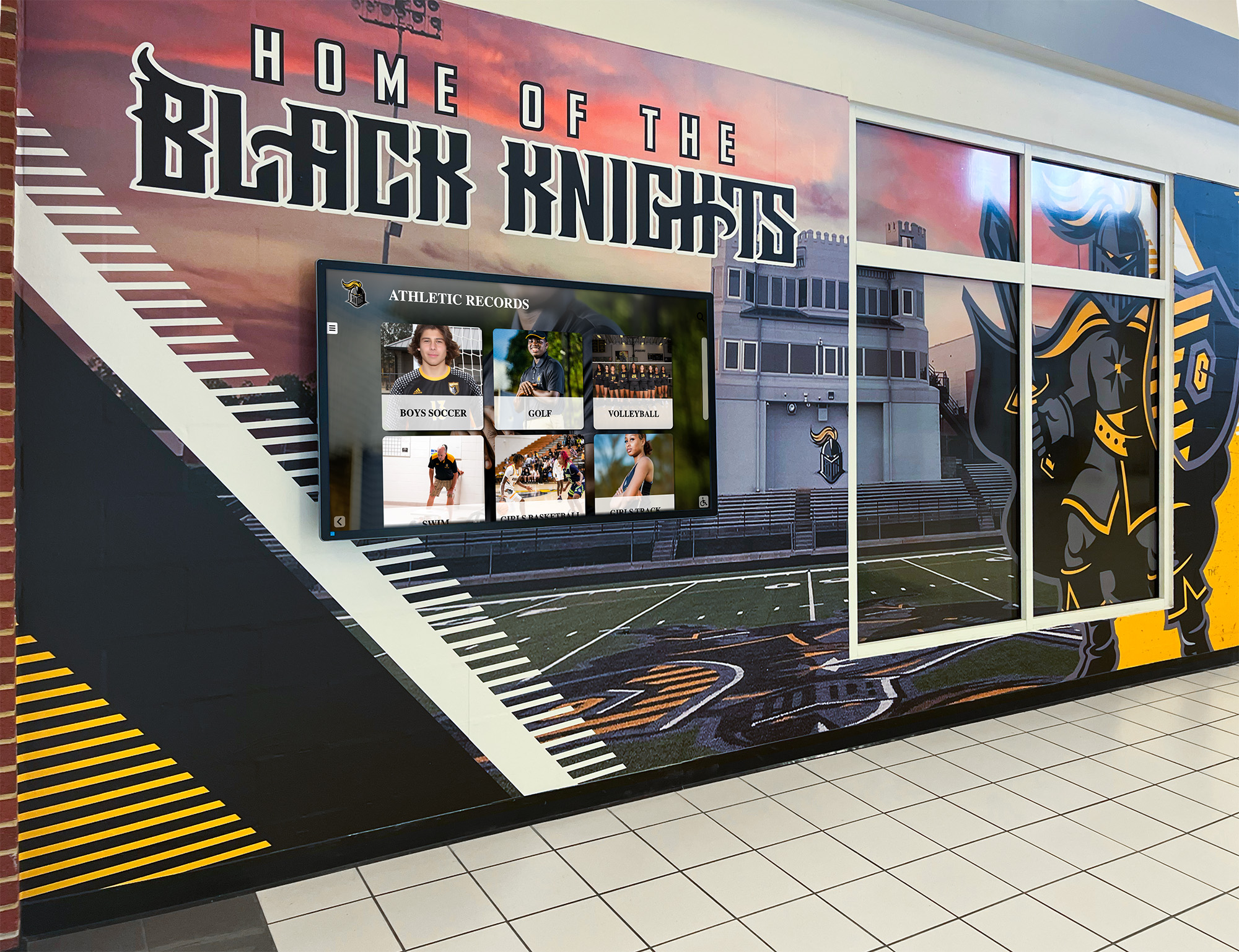
A wall-mounted screen running record board software can update instantly, store unlimited historical entries, and display multiple sports without requiring additional wall space. The display cycles through sports automatically or lets visitors navigate by touch. The gap between a record falling and the athlete’s name appearing publicly shrinks from weeks to hours.
Wall-mounted versus touchscreen recognition walls for schools provides a side-by-side comparison of passive display screens versus interactive touchscreen systems—a useful read for programs deciding between a simpler update-only display and a fully navigable recognition hub.
Interactive Touchscreen Systems

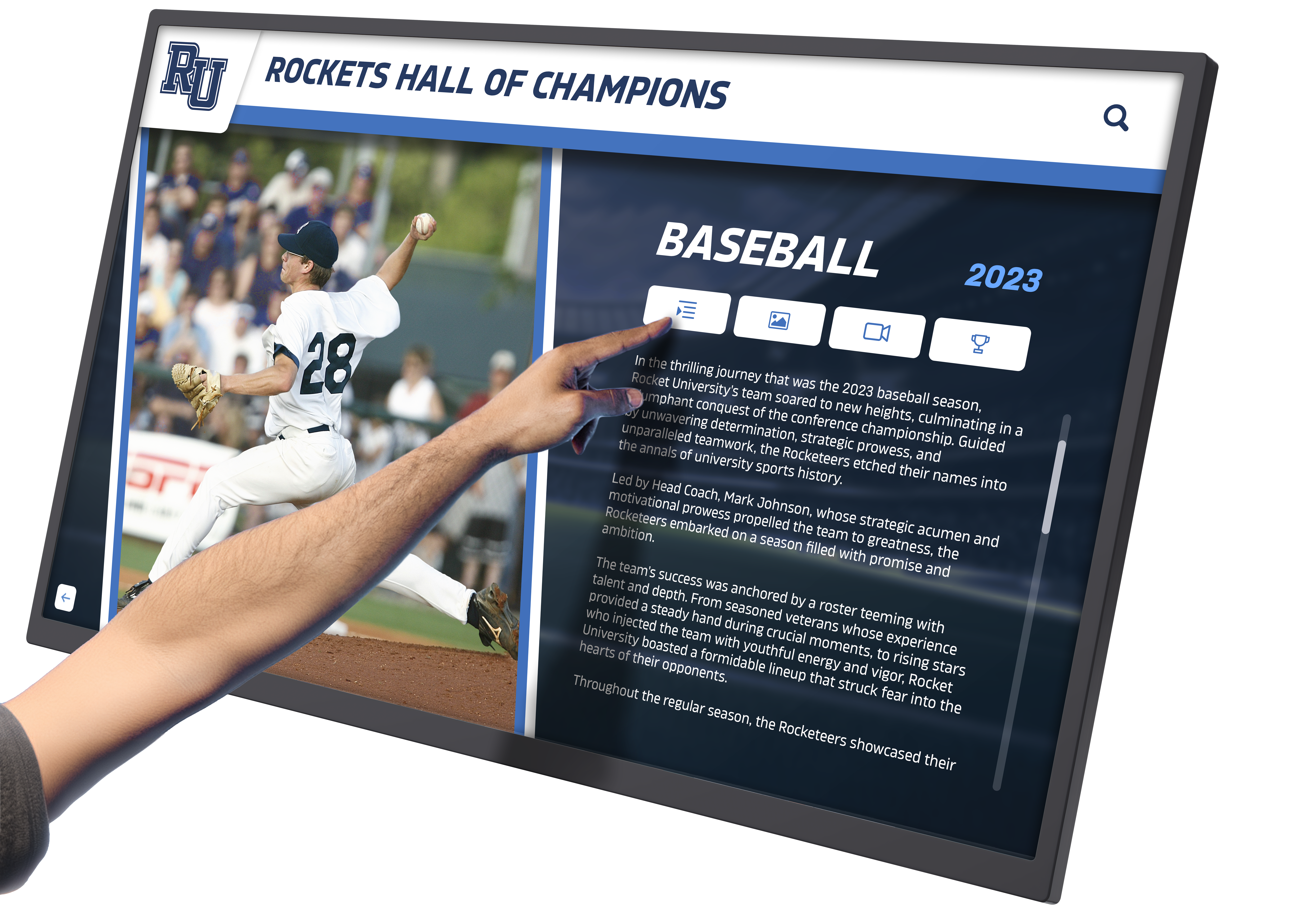
Touchscreen recognition walls go beyond displaying records. Visitors can tap a sport, navigate to an athlete’s full profile, and see the context behind the record—competition video, a photo from the meet, the athlete’s full career stats, and the previous record holder’s history. This format is particularly powerful for schools with long athletic traditions where a single vinyl panel cannot do justice to decades of achievement.

Interactive recognition beyond static displays for schools covers the specific capabilities multi-touch wall systems add to recognition programs that static boards simply cannot replicate.
Stop Managing Records on Sticky Notes
Rocket Alumni Solutions builds digital record boards that accept new entries the same day a record falls—no sign shop, no production delay, no lost paperwork. Athletic directors across 25+ sports use the platform to maintain accurate, complete recognition displays without the static board bottleneck.
How Digital Recognition Systems Remove the Bottleneck
Digital record board platforms—like the one Rocket Alumni Solutions deploys—are designed specifically around the update workflow problem. Instead of emailing a vendor and waiting for a production run, an athletic director logs in, enters the new record, and publishes it. The display updates immediately. The previous record holder’s name remains in the historical archive below the new mark—preserved, not erased.
Comparing six school recognition platforms for display quality and software support walks through what separates purpose-built athletic recognition software from generic digital signage solutions, including update workflows, content management depth, and long-term archive capabilities.
Key capabilities that eliminate the static board bottleneck:
- Instant Remote Updates Athletic directors or coaches with login access update records from any device—no on-site visit, no vendor coordination required.
- Unlimited Historical Depth Every previous record holder remains visible in the system. The board shows the current mark at the top and the full ranked history below—no one gets erased.
- Multi-Sport in One System All sports, all record categories, managed under one login. No separate boards, no separate vendor relationships, no separate update cycles per sport.
- Built-In Approval Workflow Submission, review, and approval can happen inside the platform—creating a built-in audit trail that documents when each record was verified and by whom.
- Auto-Ranking When a new record is entered, the system automatically reranks all entries in that category—no manual resorting, no risk of displaying an outdated list.
- ADA Compliance Touchscreen systems built for institutional settings include accessibility features that static boards cannot provide, meeting ADA display requirements without additional work.
Recognizing the Whole Athlete: Going Beyond the Record Line
A performance record is a number. Effective school record holder recognition surrounds that number with context: the athlete’s name, graduation year, sport, event, the date the record was set, and the previous mark. The best recognition programs go further—including a photo, a brief career summary, and a connection to current athletes who are chasing the same standard.
Recognizing students and staff on school recognition days in 2026 provides a calendar and framework for integrating record recognition events into the school year’s broader recognition calendar, so new record holders are celebrated publicly rather than added quietly to a board in an empty hallway.
This matters because recognition is most powerful when it’s witnessed. An athlete who sets a record in front of a crowd and then sees their name added to a visible, permanent display the following week understands that the institution values what they accomplished. An athlete who sets a record in the fall and finds out in March that someone finally updated the board has a very different experience of being recognized.
FAQ: School Record Holder Recognition
How long should the record approval process take?
A well-run program targets 48–72 hours from the record submission to administrative approval, assuming documentation is complete. The display update should follow within one business day for digital systems. Static board updates should be initiated within the same 72-hour window even if production takes longer.
Should the previous record holder’s name be removed from the board?
No. The previous record holder earned their recognition. The best practice is to display the current record prominently and preserve all prior record holders in ranked order below it—ranked by mark, not by date. This honors every athlete who held the standard and gives current athletes a visible leaderboard to climb rather than a single name to replace.
What documentation is required before a record is officially recognized?
At minimum: official competition results (meet sheet, official scoring summary, or timing printout) and confirmation that the competition met governing body standards. For timing-based sports, a certified timing system printout is strongly recommended. For field events, an official measurement with a certified measuring instrument. The specific documentation requirements should be written into the school’s athletic records policy before a record dispute arises.
How do programs handle records set outside of official competition?
Most school athletic records policies restrict recognition to marks set in official competition. Records set in practice, intra-squad scrimmages, or non-sanctioned events are typically not eligible for the official record board. Define this clearly in the policy to avoid disputes.
What’s the best way to notify the previous record holder when their record is broken?
Reach out directly—through the coach if the athlete has graduated, or personally if they are still enrolled. Acknowledge the previous record’s significance, explain that the record has been broken, and confirm that their name and mark will remain permanently in the historical archive. This communication is often overlooked, but it matters: the previous record holder was also a champion.
Can a digital record board replace a physical trophy case?
A digital record board handles dynamic records—time-stamped marks that change as athletes improve. A physical trophy case handles physical artifacts: trophies, plaques, championship hardware. The two serve different purposes. Many programs that upgrade to digital record boards keep their trophy cases for artifacts while using the digital system for performance records, historical rosters, and hall of fame profiles.
Build a Recognition Program That Works Every Season
Rocket Alumni Solutions builds digital record board systems for high schools, colleges, and community programs. The platform handles the update workflow, the historical archive, and the display—so athletic directors stop chasing sign shops and start focusing on the athletes who earn recognition.































