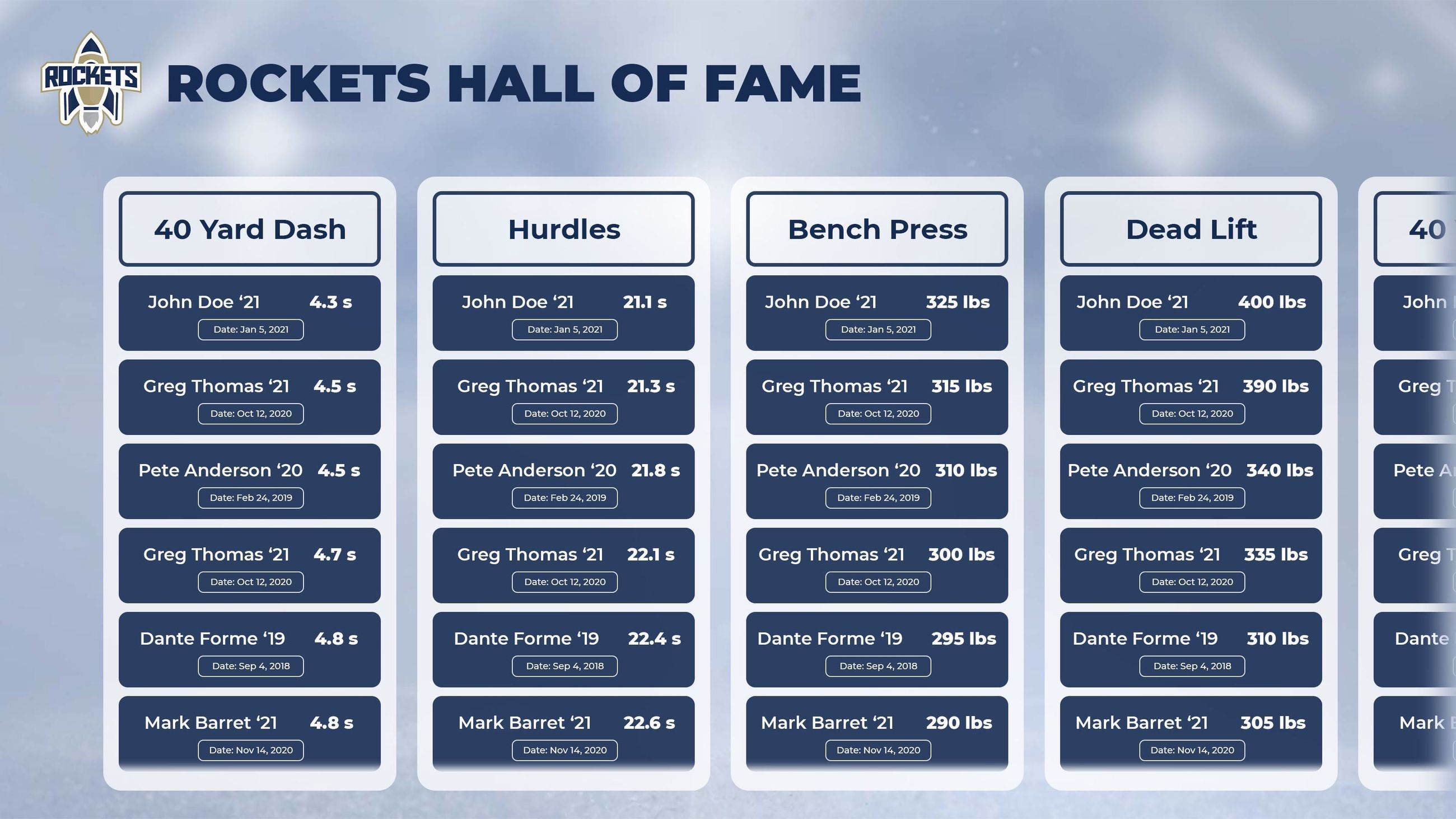




A record board template is a structured data collection form that defines every field a school must gather—athlete name, graduation year, performance mark, verification source, and approval date—before a record is published on any display. Schools that fill out this template completely before publishing avoid the two most common record board problems: inaccurate marks and missing context that makes records impossible to verify later.
This guide walks athletic directors, registrars, and communications teams through the exact fields to collect, the categories worth including, and a publish-ready checklist for going live—whether on a traditional display or an interactive digital board.

A well-organized record board starts with disciplined data collection long before anything appears on the display
Why a Template Matters Before You Publish
Record boards are permanent, public, and tied to institutional credibility. A misspelled name, a mark recorded from a non-qualifying heat, or a missing event context can embarrass a program for years. More practically, records that lack a verification trail become impossible to audit when athletes, parents, or conference officials question them.
A standardized template solves this upstream. When every record goes through the same data collection process before it reaches the display, your board stays accurate, your records stay defensible, and your update workflow stays fast.
The Core Record Board Template: Required Fields
The following table lists every field schools should capture before a record is published. These apply whether the final display is a painted board, a vinyl insert panel, or a digital touchscreen system.
| Field | Description | Example |
|---|---|---|
| Sport | Full sport name, no abbreviations | Women’s Cross Country |
| Event / Category | Specific event or stat category | 5,000m Run |
| Level | Varsity, JV, Freshman, or Program-wide | Varsity |
| Performance Mark | Time, distance, score, or stat with units | 17:42.3 |
| Athlete First Name | As it should appear on the display | Maria |
| Athlete Last Name | As it should appear on the display | Okonkwo |
| Graduation Year | Four-digit year, not class name | 2024 |
| Date of Performance | Full date (MM/DD/YYYY) | 10/14/2023 |
| Meet / Competition Name | Full official name of the event | Regional Invitational |
| Meet Location | City and state, or facility name | Westfield, OH |
| Verified By | Name and title of verifying official | Coach J. Harmon, Head Coach |
| Verification Source | Primary document used to confirm | Meet results PDF, NFHS database |
| Approval Date | Date the record was approved for publication | 10/19/2023 |
| Prior Record Holder | Name of athlete whose record was broken | Destiny Flores, ‘21 |
| Prior Mark | The mark that was beaten | 17:48.9 |
| Notes | Altitude, wind readings, electronic vs. hand timing | Hand-timed, regulation course |
Collecting all sixteen fields before publishing eliminates virtually every downstream dispute. Schools that skip verification source and approval date fields are the ones who get calls from parents years later questioning a mark they can no longer trace.
Step-by-Step: How to Populate a Record Board Template
Step 1 — Establish Your Sport and Category List
Before collecting any athlete data, decide exactly which sports and event categories your board will cover. This decision shapes everything downstream.
For most high schools, a complete list includes:
- Fall sports: Cross country (M/W), football, soccer (M/W), volleyball, field hockey, golf, swimming & diving (where fall-scheduled), tennis
- Winter sports: Basketball (M/W), wrestling, gymnastics, swimming & diving (where winter-scheduled), ice hockey, indoor track & field
- Spring sports: Baseball, softball, lacrosse (M/W), tennis, outdoor track & field, golf, rowing, sailing
Within each sport, list event categories explicitly. For track and field alone, a complete list typically covers 15–25 individual events plus relay categories. See how programs handle multiple sports on a single display.
Publish this sport-and-category list before you collect a single performance mark. It prevents scope creep mid-project and gives coaches clear guidance on what to submit.
Step 2 — Define Eligibility Rules in Writing
Not every performance qualifies as a school record. Document your eligibility criteria before publishing anything:
- Competition level: Do JV performances count? Do club sports? Do performances from outside the school’s sanctioned season count?
- Timing method: Does the record require electronic timing, or is hand timing acceptable? (Critical for swimming and track.)
- Course certification: For cross country and road events, is course certification required?
- Wind reading: For sprints and horizontal jumps, what is the legal wind threshold?
- Drug testing: Does your state require compliance with a clean-sport policy for records to stand?
Write these rules into a one-page document and share it with all coaches before you open submissions. Coaches who understand the rules at the start submit cleaner data, which means fewer corrections after records are posted.
Step 3 — Source Historical Records Systematically
Most schools publishing a record board for the first time discover their historical data is scattered: some records live in old yearbooks, some in coach notebooks, some in archived newspaper clippings, and some only in the memory of a long-retired assistant.
Work through sources in this order:
- State athletic association database — many associations maintain historical meet results going back 10–20 years
- Archived meet result sheets — paper results from championship meets are often kept in athletic offices
- School yearbooks — yearbooks frequently list sport-specific records as of the publication year
- Athletic department files — typed or handwritten record sheets from past decades
- Coach interviews — long-tenured coaches can fill gaps, but treat coach memory as a lead to investigate, not a source to cite directly
For any record where you cannot locate a primary source, mark it as Unverified in your template rather than publishing a number you cannot defend. A gap is more honest than an uncertain number.
Step 4 — Verify Every Mark Against a Primary Source
Verification is where many schools cut corners, and it is where record boards most frequently develop errors that are embarrassing to correct publicly.
For each performance in your template:
- Pull the original meet result sheet, timing printout, or official database entry
- Confirm that the athlete’s name matches the school’s enrollment records for that year
- Confirm the event matches exactly (400m and 400m hurdles are different events)
- Confirm the date falls within a sanctioned competition season
- Have the verifying coach or athletic director sign the template row
For digital display systems, this verification trail becomes your audit log. If a record is ever challenged, you can pull the original approval form immediately.
Step 5 — Capture Supporting Media While You Have It
If your school is moving to or considering a digital record board, gather supporting media at the same time you collect performance data. Tracking down photos and video footage years later is significantly harder.
For each record holder, try to collect:
- An action photo from the record-setting performance (or a portrait if action shots are unavailable)
- A brief bio note (hometown, other sports, current occupation for alumni)
- A video clip from the performance if archived footage exists
This media does not affect accuracy, but it dramatically increases engagement on digital displays. Schools that include athlete photos and bios see significantly longer visitor engagement than schools that publish marks-only data.
Step 6 — Assign an Update Cadence and Owner
A record board template is not a one-time project. Records are broken every season, and a board that goes stale quickly loses credibility.
Before publishing, document:
| Decision | Recommendation |
|---|---|
| Who submits new records? | Head coach of each sport |
| Who verifies submissions? | Athletic director or designee |
| Who approves publication? | Athletic director final approval |
| How quickly after a record is broken? | Within 10 business days of the competition |
| What triggers a full board audit? | Annual, before each new school year |
Build this workflow into your athletic department calendar. Maintenance and update cadence is one of the most overlooked aspects of record board management, but it determines whether your board stays an asset or becomes a liability over time.
Record Categories: A Complete Menu for Schools
Beyond the basic template fields, deciding which types of records to track shapes the character of the board. The following table covers the full range of categories schools commonly include, with notes on which are most valuable for each audience.
| Category Type | Examples | Best For |
|---|---|---|
| Individual performance records | Fastest 100m, highest single-game points | All programs |
| Team performance records | Fastest 4×400 relay, lowest team score | All programs |
| Season records | Most goals in a season, highest batting average | Programs with long histories |
| Career records | Career points, career wins (pitchers) | Schools wanting to honor multi-year contributors |
| Single-game records | Most rebounds in a single game | Basketball, baseball, softball, lacrosse |
| Championship records | State championships, conference titles by year | All programs |
| Academic-athletic records | Academic All-State selections, GPA milestones | Programs integrating academic recognition |
| Coaching records | All-time win totals by coach | Programs honoring long-tenured coaches |
| Milestone records | 1,000-point scorers, 100-win wrestlers | Programs with strong alumni engagement |
Not every category fits every program. A school with a 15-year-old athletic program may not have enough history for meaningful career records. A school with a 100-year football program may want a separate section just for championship seasons. Start with individual and team performance records, then add categories as your data inventory grows.
Pre-Publish Checklist
Before any record goes live—on a physical display or a digital system—run through this checklist for every entry:
- All sixteen core template fields are complete (no blank cells)
- Performance mark confirmed against a primary source document
- Athlete name confirmed against enrollment records for the year
- Verifying official has signed or approved the entry
- Event matches the school’s officially sanctioned sport and division
- Any disqualifying factors (wind-aided, non-certified course) are noted
- Prior record holder and mark are documented
- Supporting photo is attached (for digital displays)
- Athletic director final approval is recorded with date
- Entry has been added to the master record log
Running this checklist before publishing—rather than after a complaint—keeps your board clean and your staff confident in the data behind every name.
Frequently Asked Questions
How often should a school update its record board template?
Review the complete record list at least once per year, before the new school year begins. Individual updates should happen within 10 business days of a record-breaking performance. Digital systems simplify this significantly because updates can be made remotely without physical hardware changes.
What is the minimum data needed to publish a record?
At minimum: athlete name, graduation year, performance mark, sport and event, date, competition name, and a verified source. Any entry missing these seven fields should be held until the data is confirmed.
Should schools include records from before digital records existed?
Yes, with appropriate notation. Pre-digital records that can be sourced from yearbooks, newspaper archives, or championship result sheets are worth including. Mark them with their source so future administrators know what documentation exists. Records that cannot be sourced at all should be listed as historical estimates rather than verified records.
How should schools handle disputed records?
Create a formal dispute process before you go live. Typically: the challenger submits documentation to the athletic director, the AD reviews against the original verification file, and a decision is made within 30 days. Document the outcome in the master record log regardless of the result.
Does a template work for both traditional and digital record boards?
Yes. The template describes what data to collect, not how to display it. The same sixteen-field template feeds a traditional painted board just as effectively as it feeds a digital touchscreen system. Digital systems simply use more of the data—photos, bios, video—than traditional displays can accommodate.
From Template to Display: Making Records Visible
Completing the template is the preparation step. The display step—getting records in front of athletes, families, and alumni—is where the investment pays off.
Schools that use platforms like Rocket Alumni Solutions can take a completed record template and publish it directly to an interactive touchscreen display where visitors can search by sport, browse by year, and explore athlete profiles. The same data that validates a record also powers the display experience: the athlete’s name, graduation year, performance mark, and supporting photo become a profile that tells the story behind the number.
Traditional boards display the mark. Digital systems display the moment—and that difference is what keeps alumni coming back and current athletes aspiring forward.
For schools deciding between display options, the record board images gallery shows the range of approaches schools use, from vinyl panels to full interactive walls. The template process is the same regardless of which display you choose; only the final output format differs.
Summary
A complete record board template collects sixteen fields per entry, requires verification against a primary source document, and includes an approval workflow before anything is published. Schools that build this discipline into their athletic department processes produce record boards that stay accurate across coaching changes, administrative turnover, and decades of new record-setting performances.
Start with your sport and category list, document your eligibility rules, work through historical sources systematically, verify every mark, and assign a named owner to the update workflow. That groundwork—not the display hardware—is what makes a record board a lasting institutional asset.































