




Schools, museums, athletic facilities, and event organizers deploying interactive kiosks for public engagement face a critical software decision that shapes visitor experiences, operational efficiency, and long-term content management capabilities. Whether implementing photo-capture stations at events, interactive recognition displays in institutional hallways, or self-service information kiosks at public venues, selecting appropriate software determines whether installations deliver lasting engagement value or create technical maintenance burdens.
The landscape of kiosk software for public use and events extends far beyond simple photo capture. Modern interactive systems encompass comprehensive engagement platforms—from social media-enabled photo booths at fundraising galas to permanent touchscreen recognition displays celebrating achievements, from temporary event installations to year-round institutional showcases. Understanding software architecture, management requirements, and operational realities guides organizations toward solutions matching their specific engagement goals while fitting within technical capabilities and budget constraints.
Understanding Interactive Kiosk Software Applications
Interactive kiosk software serves diverse engagement purposes across event and institutional contexts. Temporary event photo booths capture and share memorable moments with branded overlays and instant social media integration. Permanent recognition displays showcase achievements through searchable databases and multimedia profiles. Information kiosks provide wayfinding, directories, and interactive content for visitors exploring facilities.
For organizations implementing kiosk systems celebrating achievements or engaging communities, software architecture fundamentally determines deployment complexity, content management workflows, and whether installations serve audiences effectively today while remaining manageable for years. Solutions like Rocket Alumni Solutions leverage web-based architecture to simplify content updates while delivering professional interactive experiences that engage communities without creating technical burdens.
Core Functions of Interactive Kiosk Software
Interactive kiosk software fundamentally coordinates four essential functions: user interface presentation managing touch interactions and visual displays, content management enabling updates and organization, data capture collecting user inputs and engagement metrics, and output distribution sharing captured content through various channels.
Event Photo Booth Capabilities
Event-focused kiosk software emphasizes immediate engagement and social sharing. Users capture photos or videos through integrated cameras, apply branded overlays or filters, add text or emoji annotations, preview results, and share instantly via email, SMS, or social media platforms. Advanced implementations include 360-degree video capture, augmented reality effects, and animated GIF creation—transforming simple photo capture into memorable interactive experiences.

Social media integration pre-populates posts with custom captions, event hashtags, and location tags—removing friction from sharing processes while amplifying event reach through attendees’ networks. Marketing teams capture email addresses and phone numbers for future engagement while providing immediate value through branded digital keepsakes attendees actually want to share.
Print capabilities enable on-site photo printing with custom borders and branding—tangible takeaways reinforcing event experiences and sponsor visibility. Payment integration monetizes printing services while maintaining free digital sharing, creating revenue streams from installations.
Recognition and Display Software
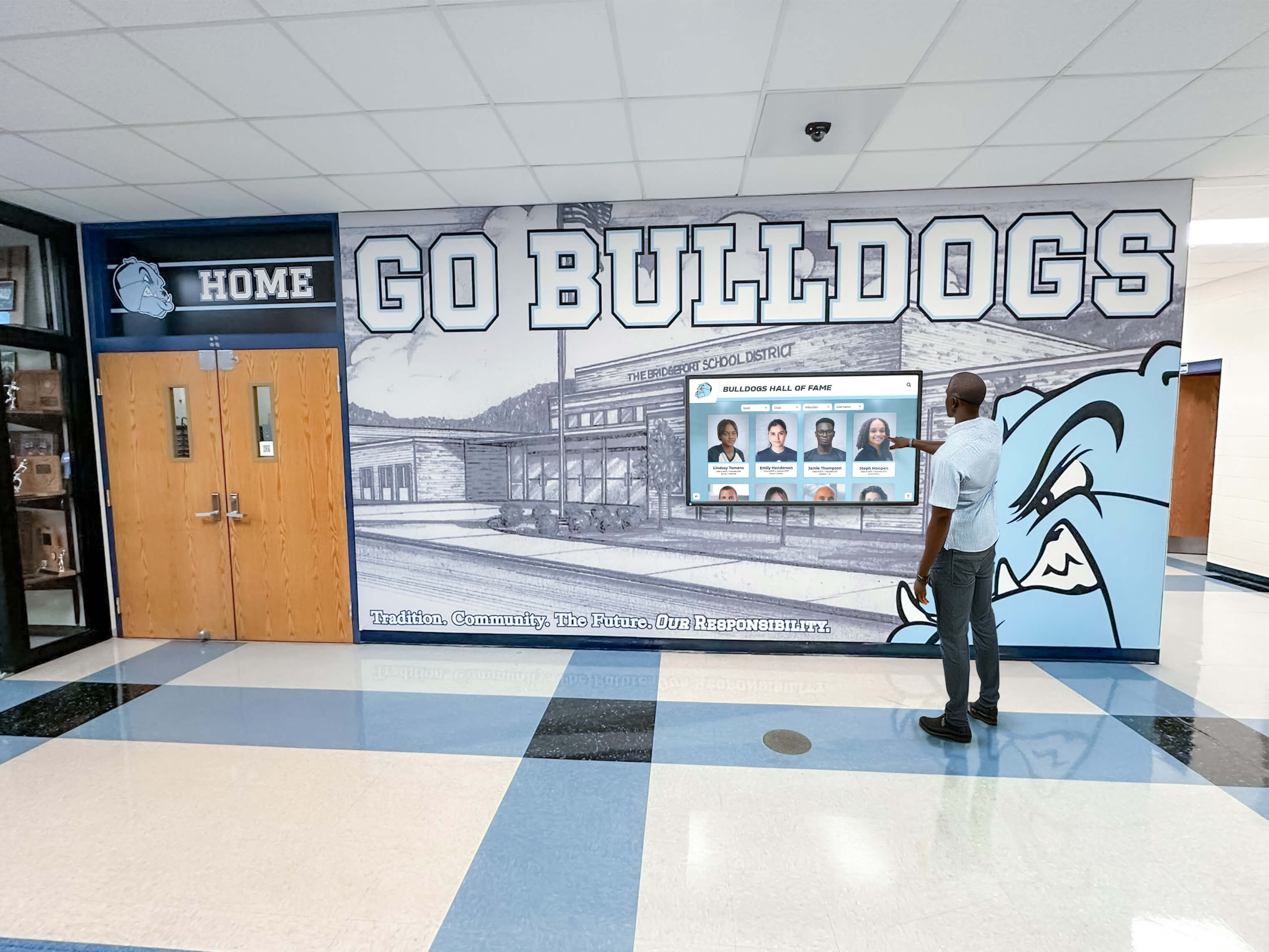
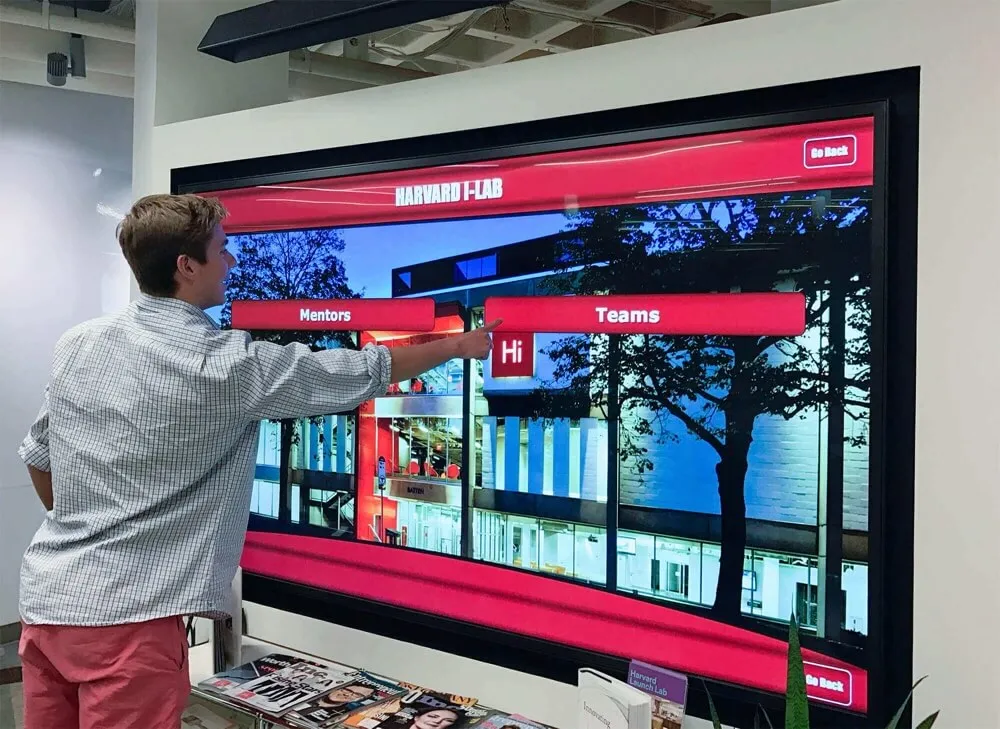
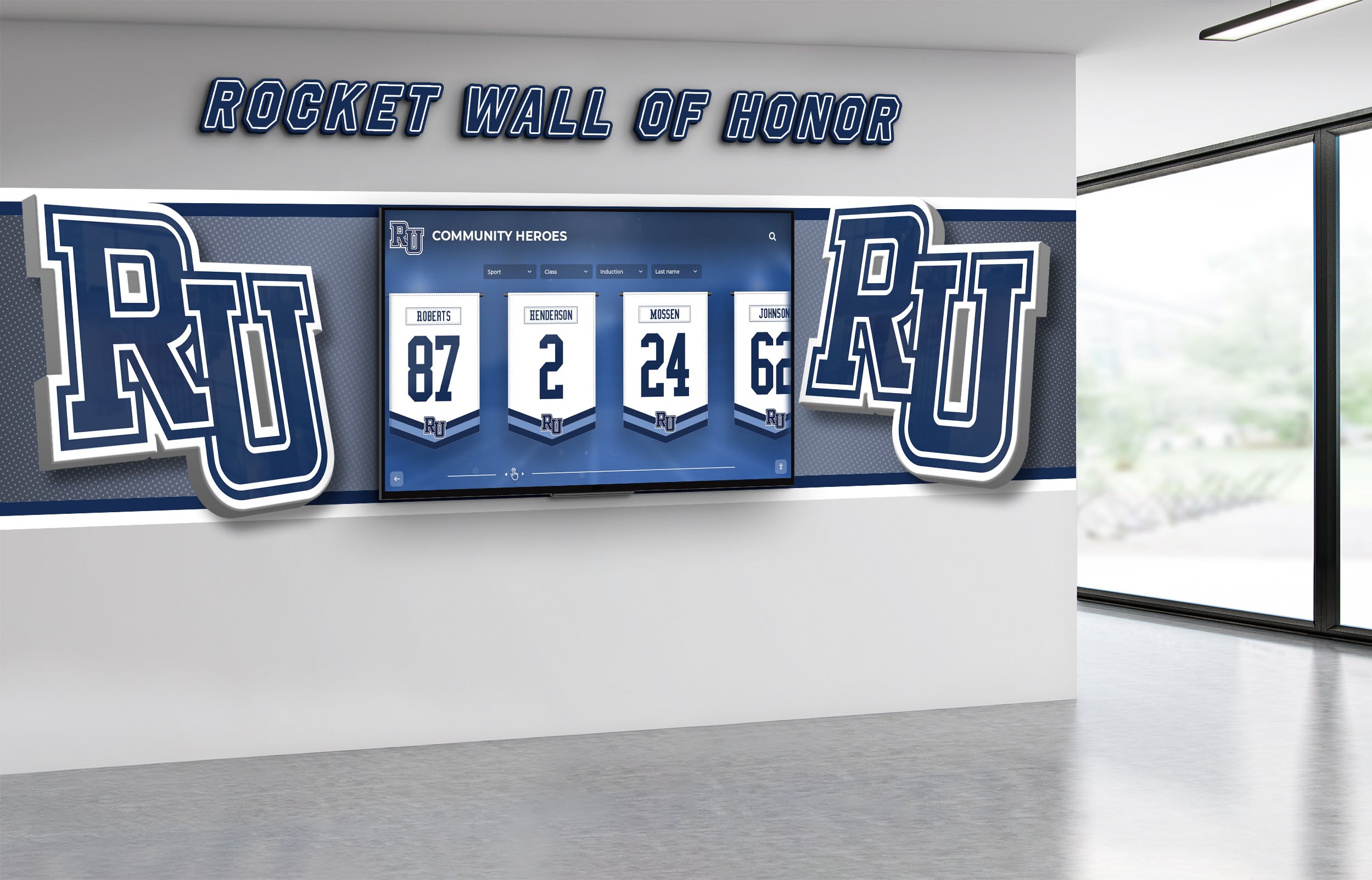
Institutional recognition kiosks serve fundamentally different purposes than event photo booths, though both leverage similar touchscreen hardware. Recognition software showcases achievements through searchable databases, multimedia profiles with photos and videos, filtering by sport or category, timeline visualizations of institutional history, and QR code access enabling personal content sharing.
Athletic directors implementing digital record board systems need software accommodating comprehensive record histories—unlimited entries per achievement category, automatic ranking updates when new records set, permanent archival preventing history erasure, and intuitive public browsing requiring no instruction. Generic photo booth software cannot address these specialized recognition requirements effectively.
Recognition installations operate continuously for years rather than hours at events. Software must handle content growth gracefully as achievement databases expand, deliver reliable unattended operation without constant monitoring, update remotely without physical hardware access, and maintain professional presentation quality through extended daily operation.
Self-Service Information Kiosks
Information kiosk software provides interactive content access—building directories with interactive maps, department information and contact details, event calendars and schedules, policy documents and resources, and customized content pathways for different visitor types.
Schools implementing touchscreen directory systems during admissions tours or campus visits need simplified navigation for first-time users unfamiliar with facilities, content management accessible to administrative staff without technical training, and offline operation capabilities ensuring reliability regardless of network conditions.

Software Architecture Considerations for Kiosk Deployments
Kiosk software operates through fundamentally different architectural approaches that cascade through every aspect of deployment, ongoing management, and long-term sustainability.
Web-Based Kiosk Software
Web-based kiosk implementations run through browsers configured in kiosk mode—full-screen operation with navigation controls, address bars, and system access disabled. All content, logic, and data reside on central servers accessible through internet connections. Administrative interfaces enable content updates from any device with browser access, deploying changes instantly across all connected installations.
Platform Independence: Web-based software runs on any device with modern browsers—Windows PCs, Mac computers, Android tablets, iPads, or Chromebooks. This hardware flexibility allows organizations to select devices based on budget, mounting requirements, or environmental needs rather than being locked into specific hardware ecosystems.
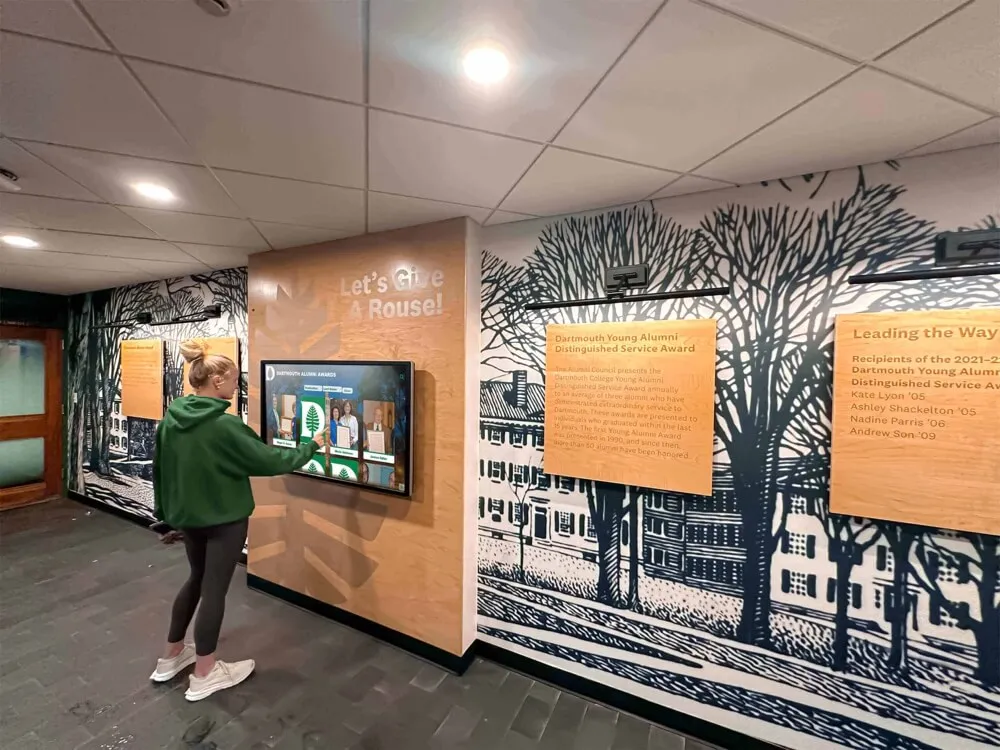
Organizations deploying interactive recognition displays across multiple campus buildings appreciate choosing commercial displays, budget-friendly tablets, or repurposed computers based on specific location requirements while running identical software across all installations.
Centralized Content Management: Cloud-based administration enables authorized staff to access management interfaces from anywhere with internet connectivity—updating displays remotely without physical access to kiosk hardware. Changes publish instantly across all connected touchscreens. Bug fixes and feature enhancements deploy centrally without coordinating individual device updates.
For schools implementing recognition systems or event organizers managing temporary installations, web-based instant publishing proves transformative compared to traditional processes requiring IT involvement or physical media transfers.
Lower Development and Maintenance Costs: Web developers command broader availability and lower rates than specialized native application developers. Organizations hire from larger talent pools or leverage existing web development capabilities within IT departments. Maintenance costs benefit from centralized architecture—updates deploy once rather than individually to each device.
Native Application Software
Native applications install directly on device operating systems, executing compiled code optimized for specific platforms. Applications access system resources directly, integrate seamlessly with specialized hardware peripherals, and operate independently of internet connectivity once installed.
Direct Hardware Integration: Native applications access hardware peripherals directly through device drivers—cameras, printers, payment terminals, barcode scanners, biometric readers, and proprietary sensors integrate reliably. This hardware access proves essential for event photo booths requiring professional cameras, receipt printers for photo printing, or payment processing for monetization.
Schools implementing interactive touchscreen displays without specialized hardware requirements beyond standard touchscreens benefit from web-based flexibility. Event installations requiring payment processing, professional camera integration, or thermal photo printing typically require native applications accessing hardware directly.
Offline Operation Capabilities: Native applications store data locally, enabling full functionality without internet connectivity. Event installations at venues with unreliable networks or remote facilities lacking broadband infrastructure benefit from native applications’ guaranteed availability regardless of network conditions.
Platform-Specific Development Requirements: Each operating system requires separate development—Windows applications don’t run on Android or iOS. Organizations supporting multiple device platforms must develop, test, and maintain separate codebases for each, multiplying development costs and complexity.
Hybrid Approaches
Many successful kiosk implementations leverage hybrid architectures combining advantages from both approaches. Native kiosk shells provide hardware integration, offline reliability, and system lockdown while embedding web browsers displaying cloud-managed content. This architecture combines native capabilities with web-based content management simplicity.
Rocket Alumni Solutions follows this hybrid philosophy—specialized touchscreen software handles kiosk lockdown and touch optimization while web-based content management enables instant updates across installations without individual device maintenance. Athletic directors add new achievements through web interfaces that immediately reflect across all connected displays without technical expertise or physical hardware access.
Essential Features for Event and Institutional Kiosk Software
Effective kiosk software balances engagement capabilities with operational simplicity. Organizations evaluating solutions should prioritize features aligned with specific deployment contexts and ongoing management realities.
User Interface and Interaction Design
Touch-Optimized Interfaces: Public touchscreen kiosks require interfaces designed specifically for touch input—appropriately sized touch targets preventing accidental activation, visual feedback confirming selections, simplified navigation minimizing instruction requirements, and automatic session timeout returning displays to home screens after inactivity.
Museums and schools implementing digital recognition touchscreens serve visitors unfamiliar with systems who need immediate comprehension without learning curves. Clear visual hierarchy, obvious navigation patterns, and predictable interactions create positive experiences encouraging extended engagement.
Customization and Branding: Event installations require comprehensive branding capabilities—custom color schemes matching organizational identity, logo placement and sizing control, branded overlays for photo capture, themed interface styling, and sponsor recognition integration.
Schools implementing permanent recognition displays need consistent visual alignment with institutional branding while maintaining professional presentation quality that reflects positively on programs being celebrated.
Content Management Capabilities
Accessible Administrative Interfaces: Non-technical staff managing content—athletic directors adding achievements, event coordinators updating photo booth branding, museum curators modifying exhibit information—need administrative interfaces prioritizing simplicity over technical sophistication.
Cloud-based management accessible through standard web browsers eliminates specialized software installation requirements. Visual editors enable content arrangement through drag-and-drop. Preview capabilities show changes before publication. Role-based permissions control who can modify content while enabling collaborative management.
Media Management: Kiosk installations showcase visual content requiring robust media handling—high-resolution image support, video playback capabilities, automatic image optimization, batch upload and organization, tagging and categorization systems, and cloud storage scaling as content libraries grow.
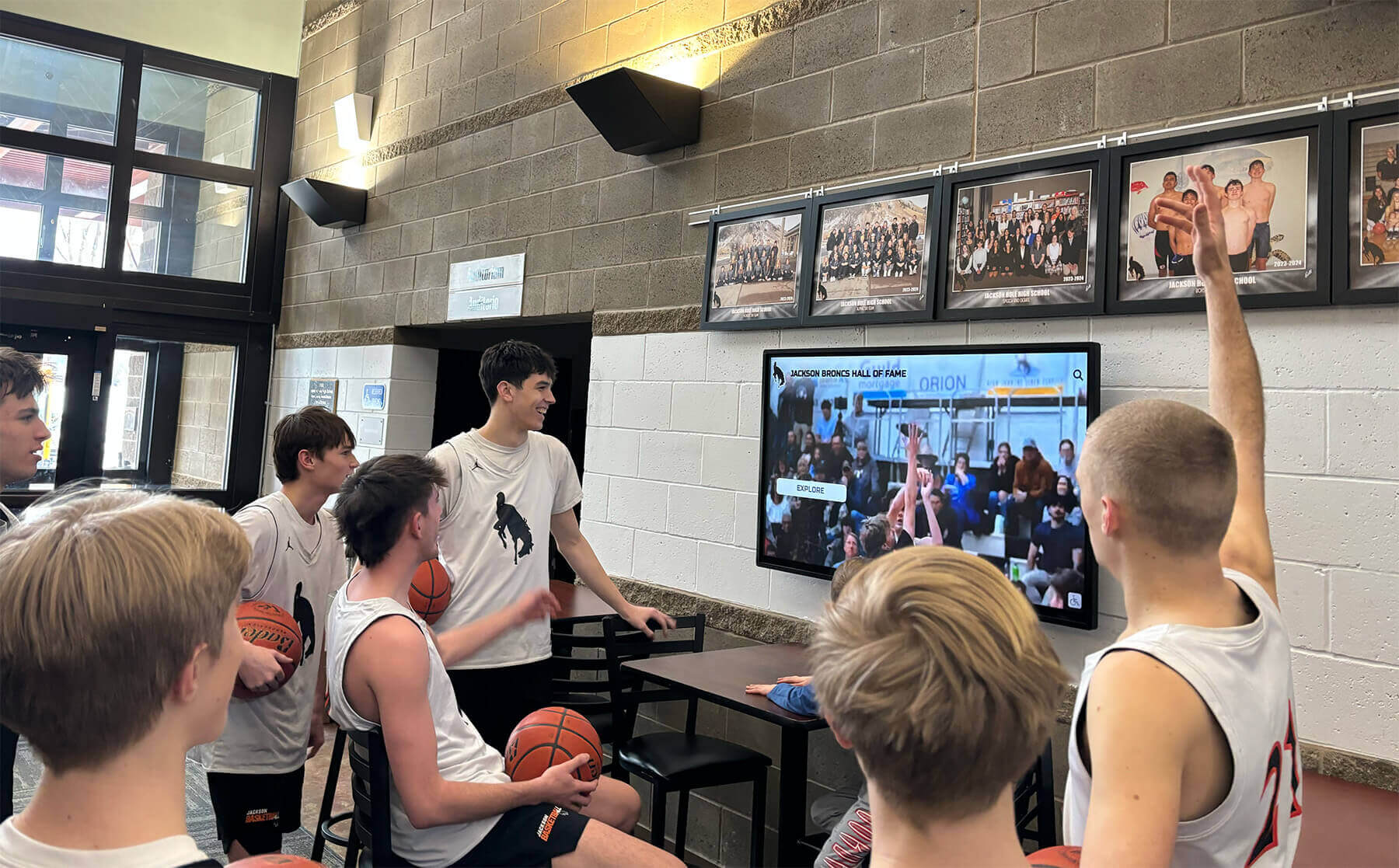
Athletic departments implementing digital trophy case displays accumulate photo libraries spanning decades. Software must handle comprehensive archives without performance degradation while enabling intuitive content discovery through multiple navigation approaches.
Data Collection and Analytics
Engagement Metrics: Organizations deploying interactive kiosks benefit from understanding usage patterns—tracking popular content, peak usage times, average session duration, search query analysis, and content interaction paths.
Event organizers measure ROI through photo capture counts, social sharing rates, email capture totals, and sponsor impression metrics. Schools implementing recognition displays understand which sports or achievement categories receive most engagement, informing future content development priorities.
Privacy Compliance: Kiosks collecting user data—email addresses, photos, or interaction patterns—must handle information responsibly. Software should provide clear privacy notices, obtain necessary consents, enable data deletion requests, comply with relevant regulations, and implement security measures protecting collected information.
Schools implementing systems must comply with student privacy regulations while event installations must respect attendee data rights and preferences.
Social Sharing and Distribution
Multi-Channel Distribution: Modern kiosk software enables content sharing through diverse channels—email delivery with customizable messaging, SMS and MMS transmission, QR code generation for mobile access, direct social media posting, and integration with event apps or platforms.
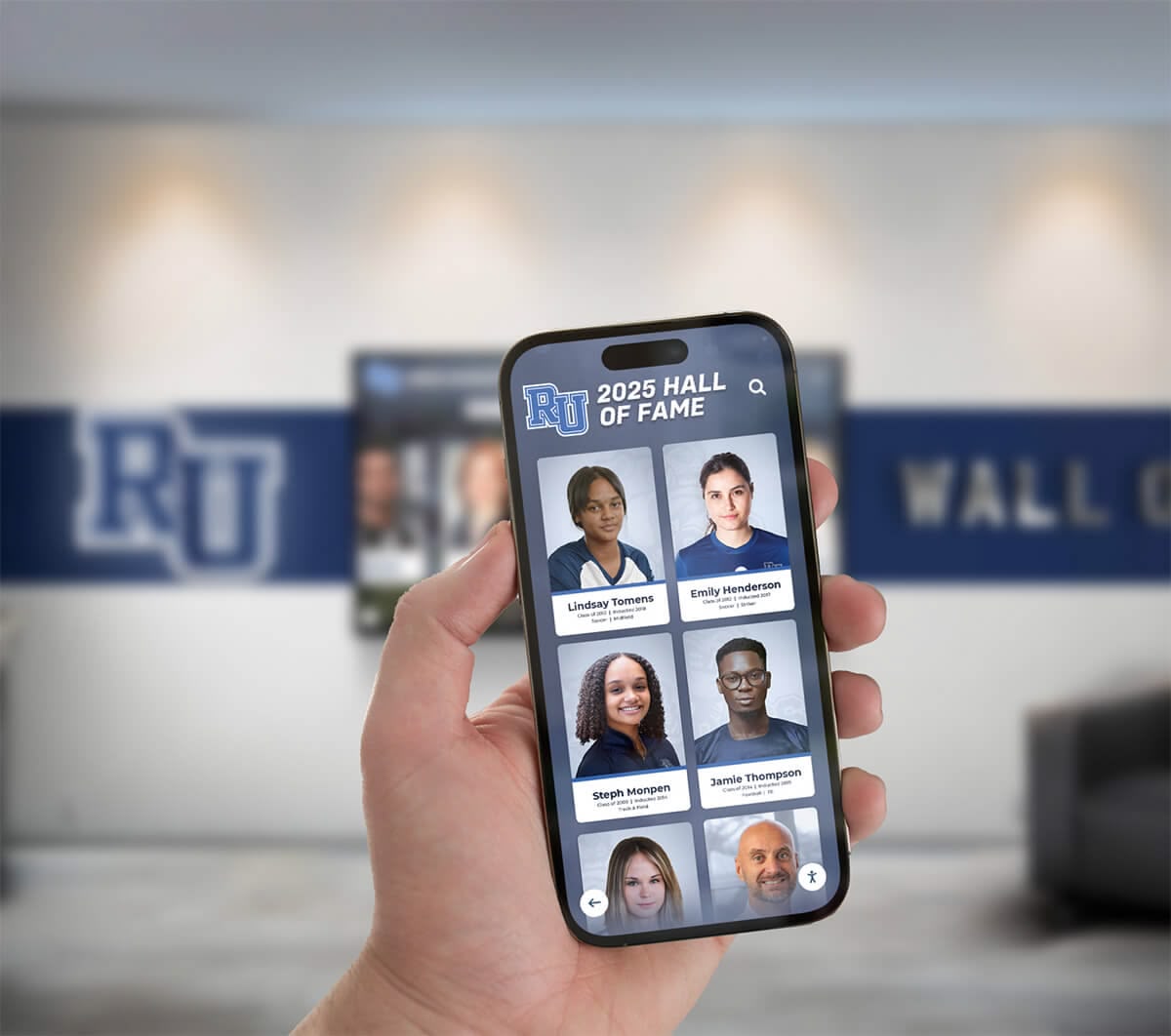
Digital recognition systems extend engagement beyond physical kiosk locations through mobile-friendly web access. Students, alumni, or community members access recognition content through personal devices—exploring achievements, sharing accomplishments, or revisiting memories without requiring physical presence at institutional touchscreens.
Viral Amplification Features: Event installations maximize reach through features encouraging organic sharing—pre-populated social posts with event hashtags, incentives for sharing like contest entries, branded visual elements encouraging reshares, aggregated display showing recent shares, and real-time social walls displaying event hashtag content.
Selecting Software for Different Kiosk Applications
Optimal software choices depend heavily on specific deployment contexts, operational requirements, and organizational capabilities.
Event Photo Booth Software Selection
Organizations deploying photo capture kiosks at fundraisers, galas, conferences, or community events should prioritize:
Rapid Setup and Teardown: Event installations operate for hours rather than permanently. Software must enable quick configuration, minimal technical setup requirements, intuitive operation for temporary staff, and simple equipment teardown. Cloud-based systems requiring only network connectivity and browser configuration deploy faster than native applications requiring software installation.
Social Integration Sophistication: Event ROI depends on social amplification. Prioritize seamless sharing features, custom branding capabilities, sponsor recognition integration, analytics dashboards measuring engagement, and lead capture functionality building marketing databases.
Hardware Compatibility: Event organizers managing equipment across multiple venues benefit from software supporting varied hardware configurations—different camera models, printer options, tablet or PC operation, and flexible mounting solutions.
Permanent Recognition Display Software
Schools, museums, athletic facilities, and institutions implementing permanent recognition kiosks should prioritize fundamentally different requirements:
Unlimited Content Capacity: Recognition installations accumulate content continuously as new achievements occur. Software must handle comprehensive databases—tracking athletic records across decades, accommodating thousands of individual profiles, organizing content by multiple dimensions, and maintaining performance as archives grow.
Generic event photo booth software designed for temporary installations cannot scale to institutional recognition requirements effectively.
Simplified Remote Management: Permanent installations in hallways, lobbies, or athletic facilities require content updates without physical hardware access. Cloud-based management enabling remote updates from administrative offices proves essential for practical ongoing operation.
Athletic directors scheduling content updates during evening administrative work or museum curators modifying exhibits from homes need web-based access from any device rather than requiring on-site hardware interaction.
Reliable Continuous Operation: Recognition kiosks operate daily for years rather than hours at events. Software must deliver reliable unattended operation, automatic recovery from minor issues, simple remote troubleshooting, and minimal maintenance requirements.
Institutional Information Kiosk Software
Organizations implementing wayfinding, directory, or information systems prioritize:
Content Organization Flexibility: Information kiosks serve diverse audiences with varying needs. Software must enable multiple navigation pathways, searchable directories and databases, filtered content by user type, and customized experiences for different visitor categories.
Schools implementing admissions tour touchscreens need prospective student content pathways, parent information tracks, and general visitor options—all accessible through intuitive navigation from home screens.
Offline Operation Reliability: Information kiosks must function reliably regardless of network conditions. Progressive web apps caching essential content or native applications storing information locally ensure continuous operation during network interruptions.
Administrative Accessibility: Information requiring frequent updates—event calendars, department directories, policy documents—demands administrative interfaces accessible to non-technical staff managing day-to-day content changes without IT department involvement.
Technical Infrastructure Requirements for Kiosk Deployments
Successful kiosk software implementation depends on supporting technical infrastructure delivering reliable operation and positive user experiences.
Network Connectivity and Bandwidth
Web-Based System Requirements: Cloud-managed kiosks require reliable network infrastructure. Hardwired Ethernet provides optimal reliability compared to WiFi for permanent installations. Plan network capacity accounting for media-rich content—high-resolution photos and videos consume significant bandwidth compared to text-based displays.
Event installations at venues may require mobile hotspots or cellular connectivity if reliable WiFi proves unavailable. Test network reliability before events rather than discovering connectivity problems when installations go live.
Bandwidth Planning: Estimate bandwidth requirements based on content types and expected usage patterns. Video-heavy content requires substantially more bandwidth than photo galleries. Multiple simultaneous users accessing content multiply requirements. Progressive image loading and video transcoding optimize bandwidth utilization while maintaining quality experiences.
Hardware Selection Considerations
Display Technology: Touchscreen displays vary in size, resolution, touch technology, brightness, and viewing angle characteristics. Public environments with ambient lighting require high-brightness commercial displays. Portrait or landscape orientation depends on content layout and space constraints.
Capacitive touchscreens (like smartphones) provide better responsiveness and multi-touch capability than resistive alternatives but cost more. For single-touch recognition applications, either technology proves adequate.
Processing and Memory: Web-based kiosk software runs on modest hardware but benefits from sufficient RAM preventing browser slowdowns during extended operation. Native applications may require more powerful processors for optimal performance. Both approaches benefit from commercial-grade hardware built for continuous operation rather than consumer devices designed for intermittent use.
Durability and Maintenance: Public installations endure heavier use than typical computers. Commercial kiosk hardware provides enhanced durability, vandal resistance, and reliable continuous operation. Consumer-grade tablets or computers may prove economical initially but require more frequent replacement in high-traffic environments.
Security and Access Control
Kiosk Lockdown: Public touchscreen installations require system lockdown preventing users from accessing operating systems, launching unauthorized applications, or modifying configurations. Web-based kiosks implement browser lockdown preventing navigation away from approved sites. Native applications configure OS-level kiosk modes restricting device functionality.
Physical Security: Protect hardware from theft or tampering through secure mounting, locked enclosures for computing equipment, cable management preventing disconnection, and physical access monitoring where appropriate.
Data Security: Kiosks collecting user information—photos, email addresses, interaction data—must protect information through encrypted transmission, secure server storage, regular security updates, and access controls limiting who can retrieve collected data.
Schools implementing systems must comply with student privacy regulations including FERPA requirements protecting educational records and student information.

Best Practices for Kiosk Software Implementation
Successful kiosk deployments follow proven practices ensuring reliable operation, positive user experiences, and sustainable long-term management.
User Experience Design Principles
Immediate Comprehension: Public touchscreens serve users unfamiliar with systems who need instant understanding without instruction. Design obvious navigation with clear visual hierarchy, use familiar interaction patterns from consumer technology, minimize navigation depth keeping important content within 2-3 taps, and provide clear home or reset options enabling recovery from navigation confusion.
Visual Feedback and Responsiveness: Every touch interaction should provide immediate visual response. Buttons visually respond when tapped. Loading indicators show when content retrieves from servers. Error messages communicate problems clearly without technical jargon confusing non-technical users.
Accessibility Considerations: Design interfaces accommodating users with varying abilities. Ensure touch targets meet minimum size recommendations for reliable activation. Provide sufficient color contrast for readability in varying lighting. Consider text size appropriate for viewing distances. Implement navigation conventions familiar from mainstream technology.
Content Strategy and Organization
Structured Information Architecture: Organize content systematically enabling intuitive discovery. Recognition applications should implement consistent categorization by sport, achievement type, year, or other relevant dimensions. Provide multiple navigation paths accommodating different user behaviors—browsing by category, searching by name, filtering by criteria, or exploring related content.
Media Quality Standards: Establish quality standards for photos, videos, and text content. High-resolution images display professionally on large touchscreens but require storage and bandwidth planning. Consistent photo composition, lighting, and framing create cohesive visual experiences. Professional copywriting celebrating achievements appropriately enhances recognition impact.
Content Freshness: Kiosk installations maintain relevance through regular content updates. Event systems require pre-event setup and configuration. Recognition displays need timely updates when new achievements occur. Information kiosks demand current calendars, accurate directories, and up-to-date policy information.
Operational Management
Session Management: Implement automatic timeout returning displays to home screens after inactivity periods. Clear browsing history, cached form data, and temporary files between sessions protecting user privacy while ensuring each visitor encounters clean starting states.
Remote Monitoring: Cloud-connected kiosks enable remote health monitoring—tracking uptime, identifying connectivity problems, monitoring storage capacity, detecting software errors, and enabling proactive maintenance before problems impact users.
Maintenance Schedules: Establish regular maintenance routines including software updates, content reviews, hardware cleaning, connection verification, and backup validation. Scheduled maintenance prevents minor issues from becoming major problems.
Future Trends in Kiosk Software and Interactive Displays
Interactive kiosk technology continues evolving with emerging capabilities enhancing engagement while simplifying deployment and management.
Artificial Intelligence Integration
AI capabilities enhance kiosk experiences through natural language search understanding conversational queries, content recommendations adapting to user interests, automated content organization and tagging, and personalized experiences responding to interaction patterns.
Schools implementing searchable achievement databases increasingly leverage AI improving content discovery beyond traditional keyword search. Visitors ask questions naturally rather than constructing precise search queries, and systems intelligently surface relevant achievements based on context and relationships.
Augmented Reality Features
AR capabilities create immersive experiences blending physical and digital content. Event photo booths implement virtual props, backgrounds, and effects through camera-based AR. Recognition displays animate historical photos or overlay additional context on physical artifacts. Information kiosks provide AR wayfinding showing directions overlaid on live camera views.
Progressive Web Application Advancement
Progressive web apps increasingly blur distinctions between web-based and native applications. PWAs install to device home screens like native apps, operate offline through service workers, send push notifications, and access hardware through expanding browser APIs—all while remaining fundamentally web applications manageable through central deployments.
As browser capabilities expand, PWAs compete with traditional native applications for broader use cases while retaining web-based management advantages. Organizations evaluating kiosk software should consider PWA architectures as mature alternatives to traditional web-versus-native dichotomies.
Implementing Recognition Systems with Purpose-Built Software
For schools and institutions implementing digital recognition displays celebrating achievements and preserving history, generic kiosk software designed for temporary event installations cannot address specialized requirements effectively.
Recognition-Specific Software Requirements
Recognition applications differ fundamentally from event photo booths through requirements including unlimited content capacity accommodating comprehensive achievement coverage, intuitive public interaction requiring no instruction, simplified content management accessible to non-technical staff, multimedia storytelling beyond basic photos, powerful search enabling personalized discovery, and permanent archival preventing history erasure.
Generic photo booth platforms emphasizing social sharing and temporary event operation lack architectural capabilities for institutional recognition’s long-term content accumulation, continuous operation requirements, and specialized achievement showcase features.
The Rocket Alumni Solutions Recognition Platform
Rocket Alumni Solutions specializes in recognition requirements rather than adapting general kiosk tools to achievement celebration. Web-based architecture delivers professional recognition experiences while eliminating native application complexity and event software limitations.
Cloud-based content management enables athletic directors, activities coordinators, and administrators to update displays instantly from any device without technical expertise. Digital record board systems automatically rank achievements, accommodate unlimited record holders, preserve complete histories, and enable intuitive public exploration through powerful search and filtering.
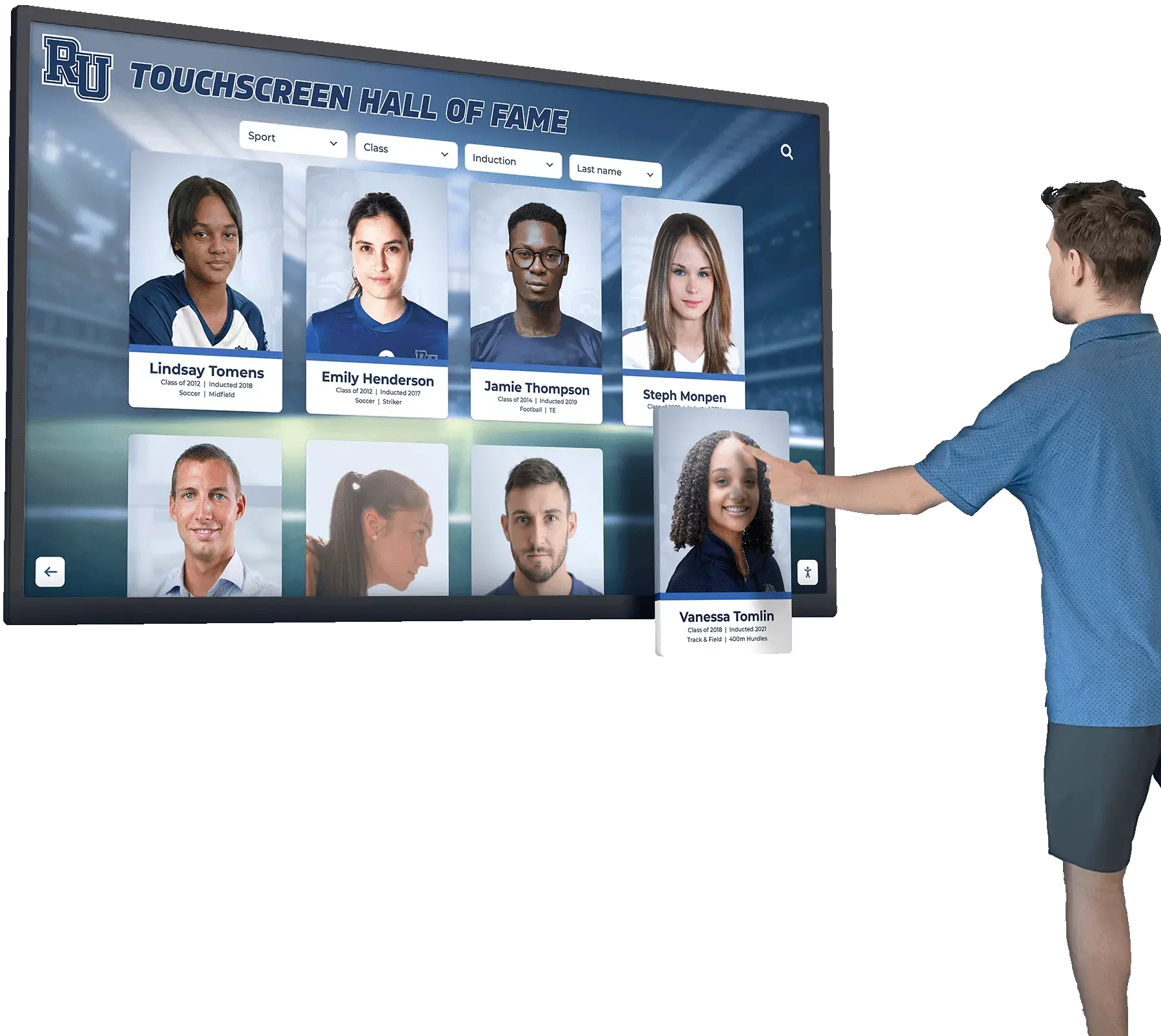
Responsive design adapts content automatically across touchscreen kiosks, mobile devices, and desktop browsers without separate development for each platform. Students exploring personal athletic achievements through school touchscreens can share accomplishments through mobile devices, extending engagement beyond physical kiosk locations without additional development investment.
The platform emphasizes recognition’s core purposes—celebrating achievement comprehensively, preserving institutional memory permanently, and engaging communities meaningfully through interactive exploration. By focusing specifically on recognition rather than general-purpose kiosk functionality or temporary event installations, the architecture delivers capabilities and workflows matching how schools actually manage achievement celebration over years and decades.
Making the Right Kiosk Software Choice
Selecting appropriate kiosk software requires evaluating specific requirements against architectural strengths, operational realities, and long-term management capabilities.
Critical Decision Factors
Deployment Duration and Context: Temporary event installations prioritize rapid setup, social sharing sophistication, and lead capture capabilities. Permanent institutional displays prioritize unlimited content capacity, simplified remote management, and reliable continuous operation. Software optimized for one context rarely serves the other effectively.
Content Management Requirements: Frequent updates by non-technical staff demand web-based cloud management accessible from any device. Infrequently updated content or applications managed by technical specialists may tolerate native update complexity or manual processes.
Hardware Integration Needs: Applications requiring professional cameras, photo printers, payment terminals, or specialized sensors typically mandate native applications accessing hardware directly. Recognition displays, information kiosks, or systems without specialized peripherals benefit from web-based platform independence.
Budget and Resource Constraints: Limited budgets favor web-based solutions’ lower development costs, reduced maintenance expenses, and hardware flexibility. Organizations with resources supporting native development can consider native applications when hardware integration or offline requirements justify additional investment.
Technical Expertise Availability: Organizations with strong technical teams comfortable developing and maintaining native applications can leverage native advantages when requirements justify complexity. Institutions without dedicated technical resources benefit from web-based simplicity and cloud management reducing technical demands.
Long-Term Sustainability Considerations
Think beyond initial deployment to long-term operational realities over years. Software architecture choices made today affect maintenance requirements, content management workflows, and system scalability indefinitely.
Web-based solutions typically age better through centralized updates maintaining functionality as technologies evolve. Native applications risk obsolescence as platforms change unless organizations commit to ongoing development maintaining compatibility. Event-focused photo booth software designed for temporary installations may lack scalability for institutional recognition’s comprehensive content accumulation.
For schools implementing digital recognition systems, permanent displays, or long-term interactive showcases, purpose-built recognition platforms deliver optimal combinations of capability, simplicity, cost-effectiveness, and sustainable operation. Organizations prioritizing these practical advantages over generic kiosk flexibility or temporary event features find specialized recognition software serves institutional needs more effectively while dramatically simplifying deployment and ongoing management.
Transforming Engagement Through Appropriate Software Selection
Interactive kiosk software selection fundamentally shapes deployment success, operational sustainability, and whether installations deliver lasting engagement value or create ongoing technical burdens. While photo booth systems excel at temporary event installations with social sharing emphasis and event photo booth platforms optimize for fundraiser engagement, schools and institutions implementing permanent recognition displays require fundamentally different software architectures addressing specialized requirements.
Understanding the distinctions between event-focused systems, general information kiosks, and purpose-built recognition platforms guides organizations toward solutions matching actual operational needs rather than forcing generic tools into specialized contexts. Web-based architecture delivers practical advantages through centralized management, instant updates, and platform independence—particularly valuable for recognition applications where non-technical staff manage content updates across distributed installations.
Organizations implementing interactive kiosks should evaluate specific deployment contexts, content management requirements, hardware integration needs, and long-term operational realities against each software approach’s strengths. The right choice balances immediate functional requirements with sustainable management over years—creating installations serving communities effectively today while remaining operationally practical indefinitely.
Ready to explore how purpose-built recognition software transforms achievement celebration while simplifying content management compared to adapting event photo booth or generic kiosk platforms? Platforms specifically designed for institutional recognition deliver capabilities matching actual workflow needs without unnecessary complexity. Schedule a Zoom demo to discover how appropriate software architecture choices create engaging recognition experiences serving schools and institutions effectively without creating technical or operational burdens.
Sources:
This article is based on publicly available information as of November 2026. All product names and trademarks belong to their respective owners.































