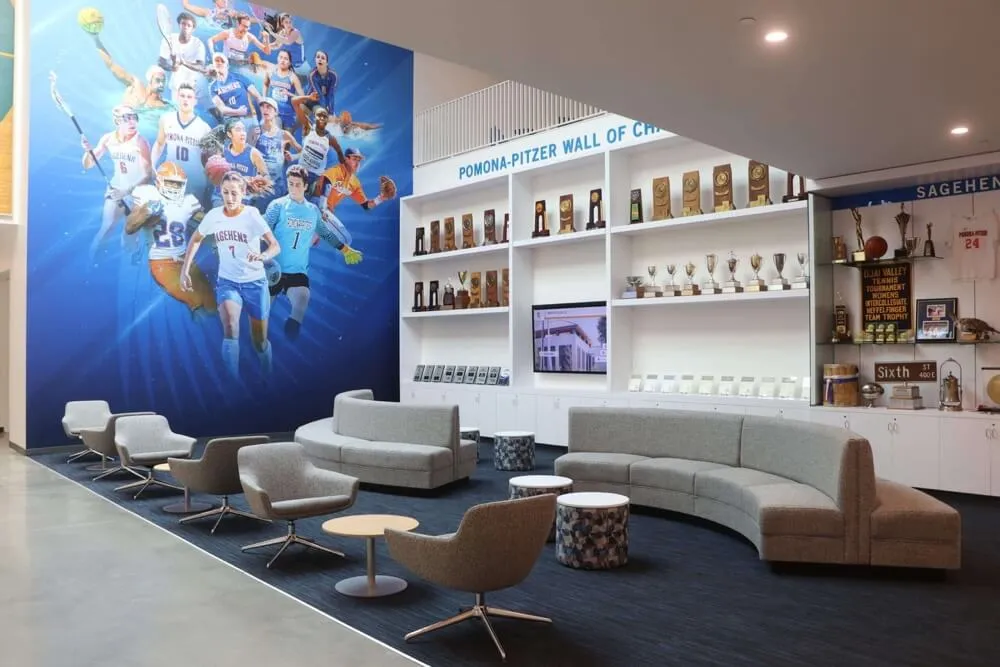




You’re building a new gymnasium, and the question comes up: should we include a touchscreen display for athletic recognition? The immediate answer is yes—but the more critical question is when exactly during construction you should plan for installation. Getting the timing right means the difference between an integrated professional system and an awkward retrofit that looks like an afterthought and costs significantly more.
Most schools discover this timing issue after walls are closed, electrical is finalized, and structural modifications become expensive change orders. Athletic directors who’ve been through construction projects consistently report the same regret: waiting too long to specify digital recognition displays in construction documents. This guide addresses exactly when to make decisions, coordinate installations, and complete work to maximize value while minimizing disruption and cost.
Why Timing Matters for Gymnasium Touchscreen Installations
New construction represents the single most cost-effective opportunity to install touchscreen recognition displays in athletic facilities. During active construction, structural modifications, electrical infrastructure, network connectivity, and wall integration all happen at standard construction costs. Post-occupancy installations require coordination around active programming, structural penetrations through finished walls, exposed conduit runs that compromise aesthetics, and premium pricing for retrofit work—often costing 40-60% more than proper planning during construction. Solutions like Rocket Alumni Solutions work with schools during facility planning phases, ensuring touchscreen recognition systems integrate professionally from the start rather than appearing tacked on afterward.
Understanding Touchscreen Display Requirements for Gymnasiums
Before addressing installation timing, schools need to understand what touchscreen recognition displays require from facility infrastructure. These requirements inform when various installation phases must happen during construction.
Physical Infrastructure Needs
Touchscreen displays designed for athletic recognition differ from simple televisions mounted on walls. Professional installations require several integrated systems working together.
Structural Support Requirements: Modern large-format touchscreens typically weigh 80-150 pounds depending on screen size. Wall mounting requires blocking or reinforcement installed during framing—long before drywall goes up. Freestanding kiosk installations need floor structure capable of supporting concentrated loads while anchoring securely preventing tipping.
Structural planning must happen during early design phases when architects and engineers establish framing plans. Adding blocking after drywall installation requires costly penetrations and patch work that never look as clean as proper planning from the start.

Electrical Infrastructure: Touchscreen systems require dedicated electrical circuits, not simply plugging into existing gymnasium outlets. Professional installations include in-wall conduit runs from electrical panels to display locations, dedicated 20-amp circuits preventing shared load issues, proper grounding meeting commercial equipment standards, and surge protection safeguarding expensive equipment.
Electrical rough-in must occur during the electrical phase before walls close. Post-construction electrical additions mean exposed conduit, wall penetrations, or significantly more expensive fishing wires through finished walls.
Network Connectivity: Modern touchscreen recognition systems require reliable network connectivity supporting content updates, cloud-based management, remote troubleshooting, and analytics. Wired Ethernet connections provide superior reliability compared to WiFi, particularly in gymnasiums where wireless signals face interference from structural elements and crowd density.
Network infrastructure installation aligns with electrical rough-in timing. Cat6 cable runs from IT distribution rooms to display locations, properly terminated jacks at both endpoints, testing confirming connectivity before walls close, and labeled documentation enabling future troubleshooting all happen during this critical phase.
Display Location Considerations
Where you place touchscreen displays dramatically affects both installation requirements and recognition impact. Optimal locations balance visibility, accessibility, traffic flow, and integration with broader facility design.
Main Entry Lobbies: Primary building entrances create immediate impact for all visitors—prospective athletes and families, opposing teams, alumni returning for events, and daily student traffic. Entry placements signal that athletic achievement matters prominently in your program’s identity while providing natural discovery opportunities during pre-event and post-event periods.
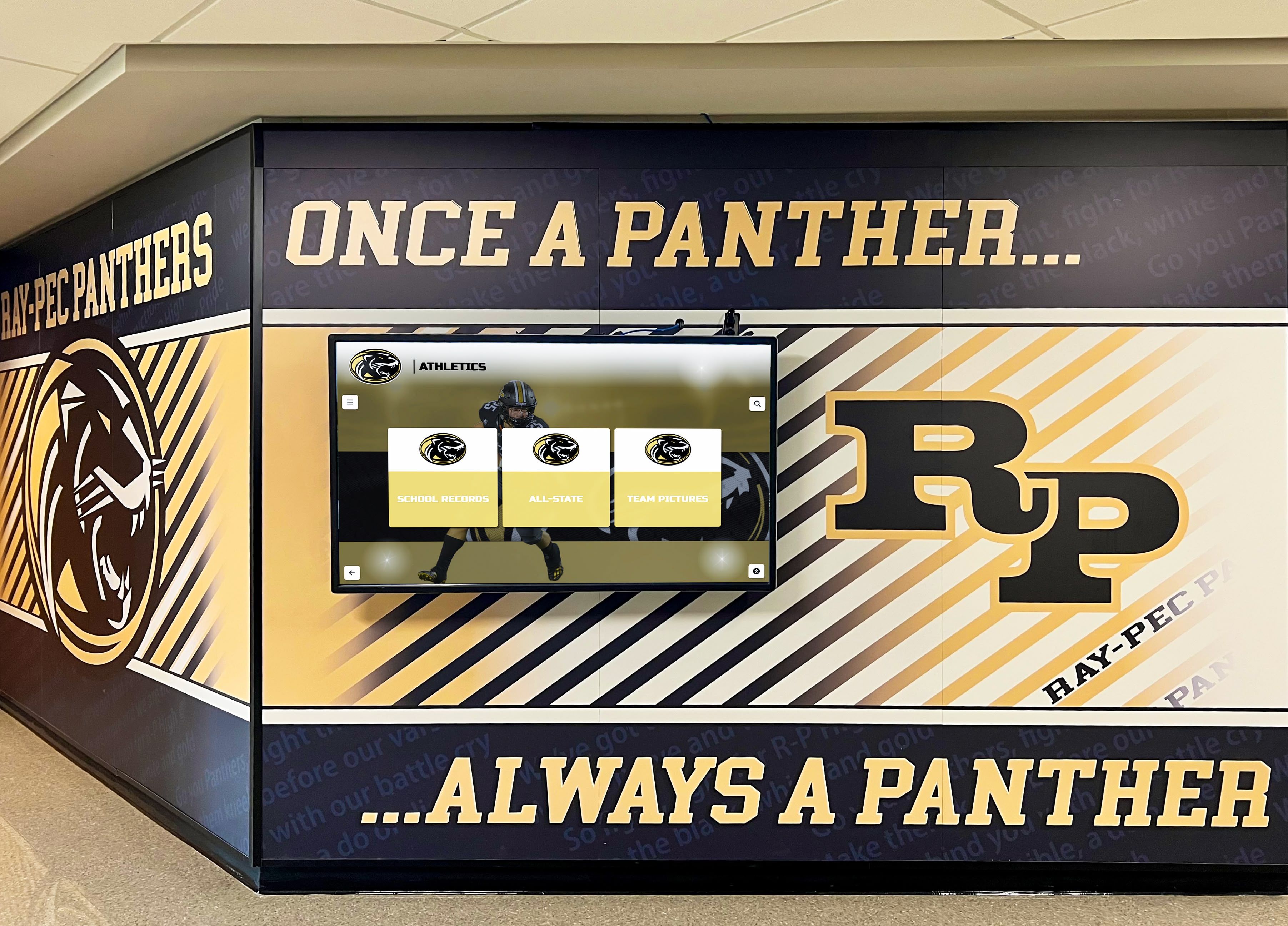
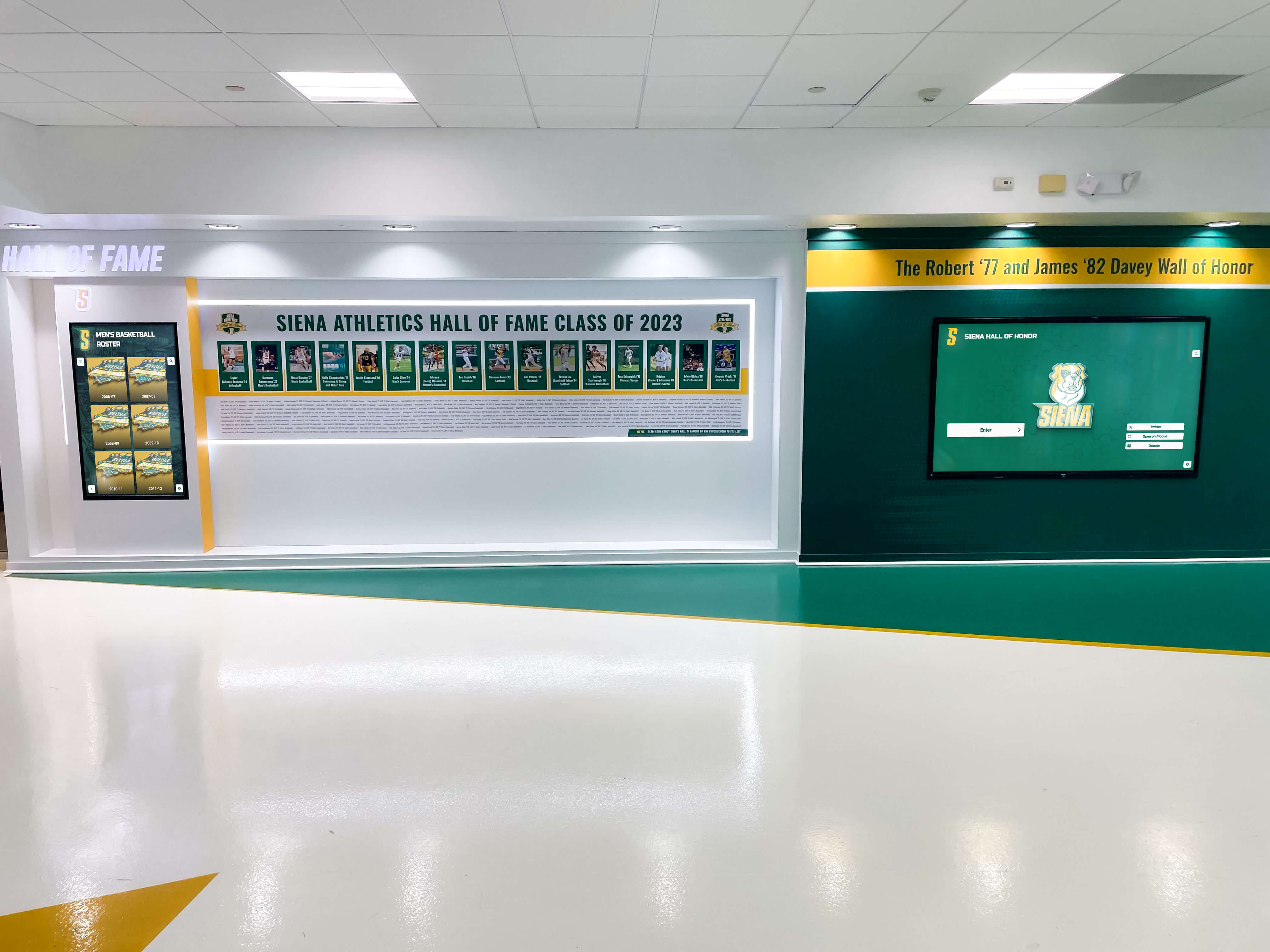
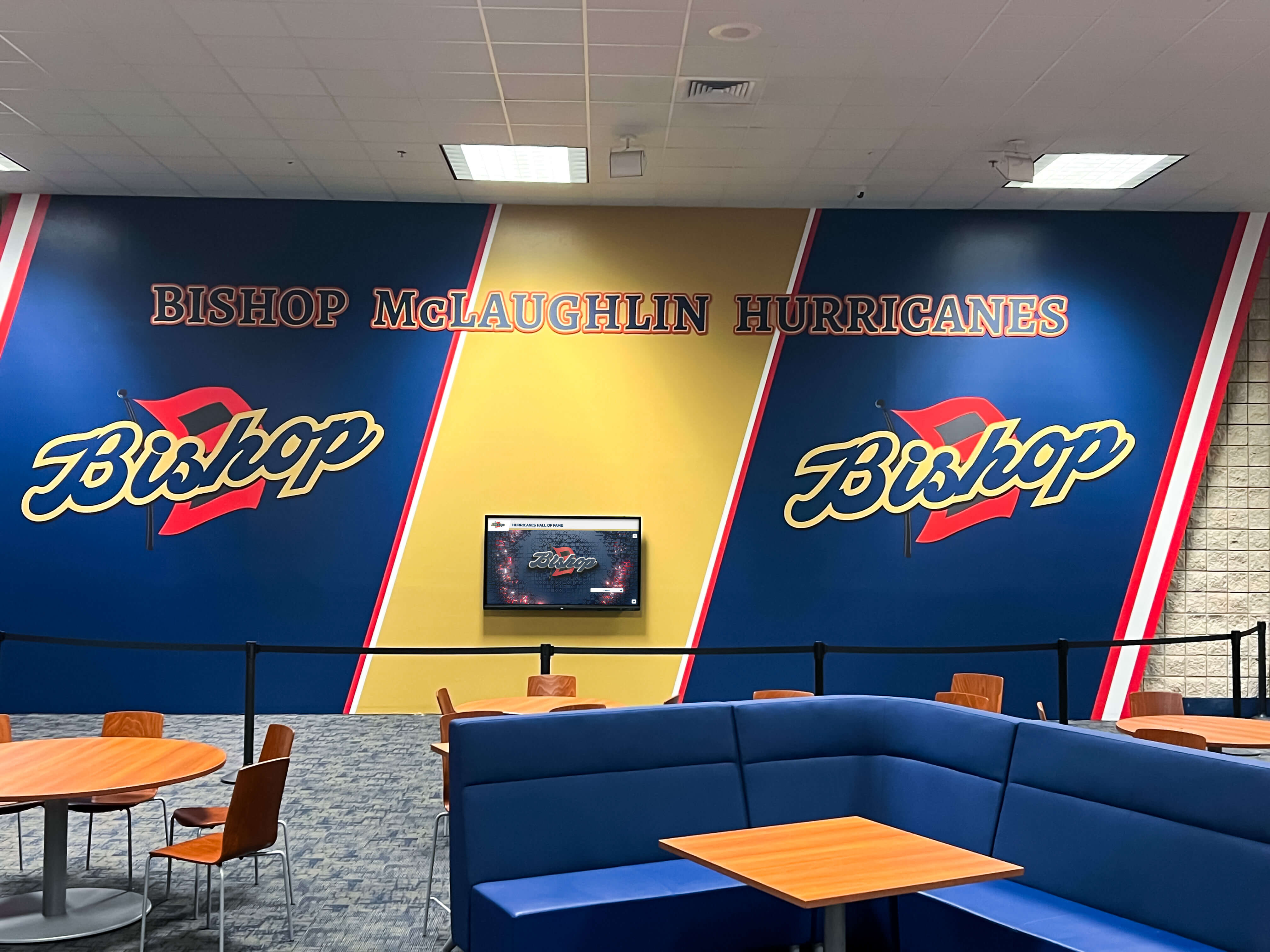
Entry locations typically offer straightforward installation since lobbies feature finished architectural treatment warranting quality electrical and network infrastructure anyway. Coordinate display placement with architectural finishes and school signage best practices, ensuring visual integration rather than afterthought appearance.
Hallway Corridors Adjacent to Competition Spaces: High-traffic pathways between locker rooms and competition areas ensure current athletes see displays regularly. Repeated exposure creates aspirational goals—seeing names of record holders who came before motivates current competitors while making excellence feel attainable rather than abstract.
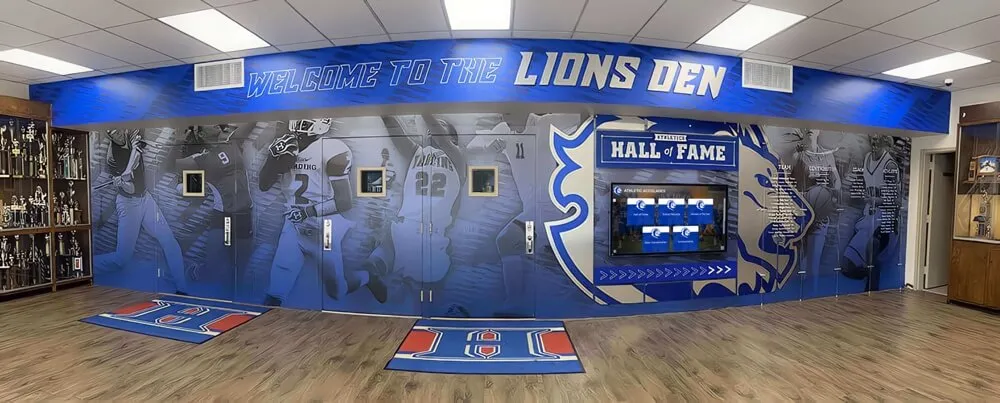
Hallway locations work well for wall-mounted displays integrated with school branding, team colors, and motivational graphics. Plan for adequate wall space avoiding conflicts with doorways, drinking fountains, fire equipment, and other required corridor elements.
Trophy Display Areas: Dedicated recognition spaces within or adjacent to gymnasiums provide focused environments for achievement celebration. Combined installations featuring physical trophies, championship banners, retired jerseys, and digital trophy case displays create comprehensive recognition experiences impossible with either approach alone.
Trophy areas benefit from dedicated architectural treatment justifying enhanced infrastructure investment. These spaces often receive prominent placement in facility tours for recruits and prospective families, maximizing recognition impact for program development objectives.
Weight Room and Training Facilities: Strength and conditioning areas create natural locations for performance-focused recognition. Displaying strength records and training milestones right where athletes work daily connects recognition directly to effort required for achievement.
Training facility displays face unique environmental challenges including elevated humidity, temperature swings, and potential impact from equipment. Specify displays rated for challenging environments and plan protection from potential physical contact.
Construction Phase Timeline for Touchscreen Installation
Successful integration requires coordinated decision-making and installation activities aligned with construction sequencing. Understanding when specific actions must occur prevents missed opportunities and costly corrections.
Design Development Phase: Months 12-18 Before Opening
Critical decisions happen before construction begins. During design development, architects and engineers establish detailed building plans, electrical systems, structural framing, finish schedules, and technical infrastructure. This represents the ideal phase for touchscreen display planning.
Specify Display Locations and Types: Review preliminary floor plans identifying optimal display locations based on traffic patterns, visibility, and program needs. Determine whether wall-mounted or freestanding interactive kiosk installations best suit each location. Establish screen sizes appropriate for viewing distances—55-65 inch displays for 8-12 foot viewing distances, 75-86 inch screens for larger lobbies with greater viewing distances.
Work with vendors like Rocket Alumni Solutions during this phase to understand display requirements, review architectural plans identifying potential conflicts, confirm electrical and network specifications, and establish preliminary cost estimates informing construction budgets.
Coordinate with Architects and Engineers: Provide display specifications to design professionals including required wall blocking locations and dimensions, electrical requirements specifying circuit counts and locations, network connectivity needs including cable types and termination points, and physical dimensions ensuring adequate space allocation.
Architecture and engineering teams incorporate these requirements into construction documents issued for bidding. Omitting specifications at this phase means costly change orders later or compromised installations working around existing construction.
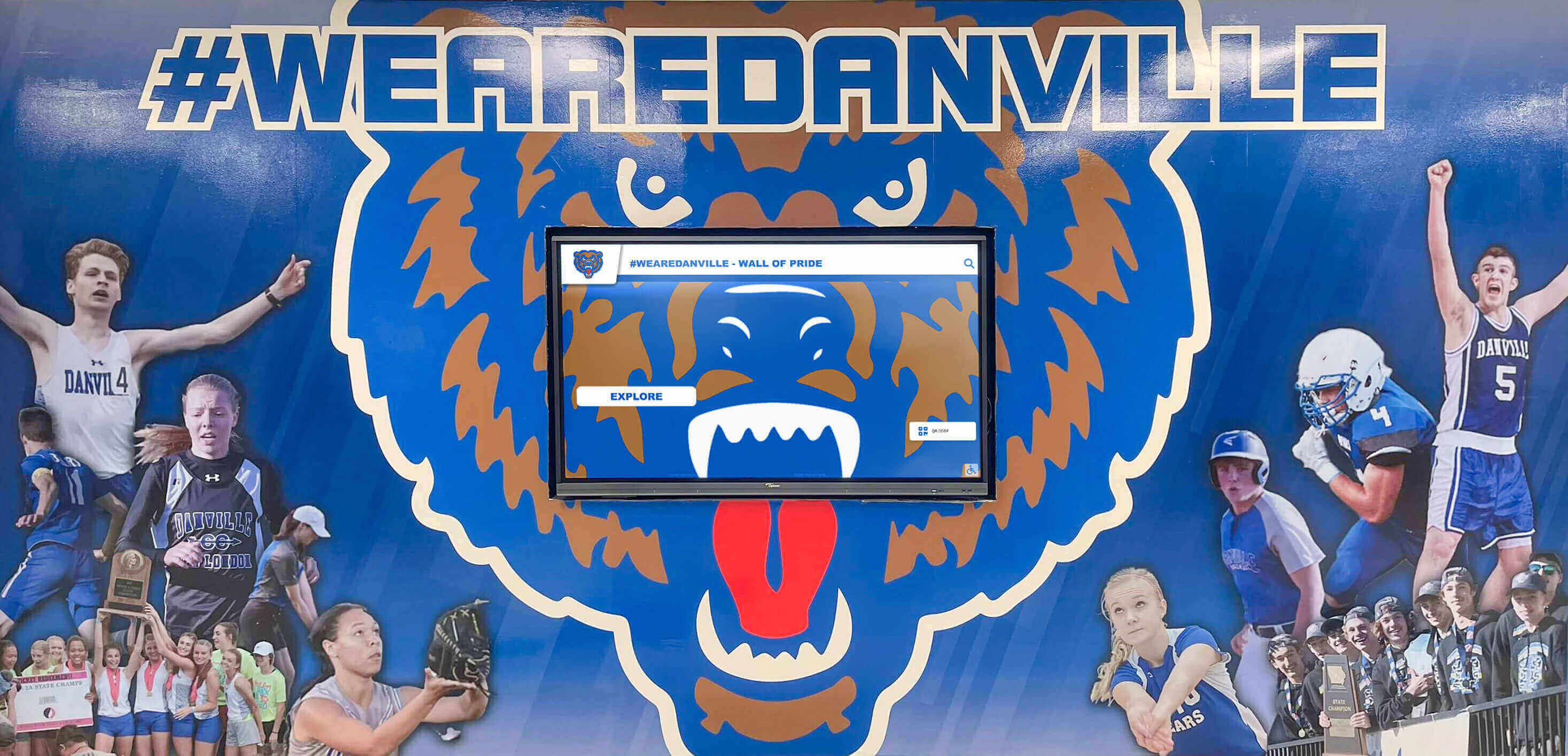
Budget Appropriately: Construction budgets established during design development must include all display-related costs. Comprehensive budgeting includes display hardware purchases, mounting systems or kiosk enclosures, electrical infrastructure installation, network connectivity installation, software licensing and setup, and contingency for unforeseen conditions.
Schools frequently underestimate complete costs, budgeting only for display hardware while overlooking infrastructure and installation. Comprehensive budgeting prevents mid-construction funding gaps forcing value engineering that compromises original vision.
Pre-Construction Phase: Months 10-12 Before Opening
After design completion but before construction begins, finalize detailed specifications and procurement approaches ensuring displays arrive when needed during construction.
Finalize Vendor Selection: Compare vendors offering touchscreen recognition solutions designed specifically for athletic applications. Evaluation criteria should include software capabilities for digital record board management, content management simplicity for non-technical athletic staff, ongoing support quality and responsiveness, installation experience with similar projects, and total cost of ownership including long-term licensing.
Selection at this phase allows vendors adequate time for manufacturing, customization if needed, and delivery coordination aligning with construction schedules.
Establish Detailed Technical Specifications: Work with selected vendors developing detailed specifications contractors need for proper installation. Documentation should include exact display dimensions and weights, electrical requirements specifying circuit types and locations, network requirements detailing cable types and quantities, mounting requirements showing blocking locations and dimensions, and clearance requirements ensuring adequate space for operation and maintenance.
These specifications become addenda to construction documents, ensuring all trades understand requirements and coordinate appropriately.
Construction Phase: Months 4-10 Before Opening
During active construction, multiple installation activities occur at specific times coordinating with overall construction sequencing.
Framing Phase - Months 8-10 Before Opening: When contractors frame walls and establish structural elements, install blocking for wall-mounted displays. Blocking consists of additional framing members providing solid mounting points for heavy displays.
Contractors need precise blocking locations before closing walls. Site visits during framing confirming proper blocking placement prevent discovering installation problems after drywall covers framing, when corrections become expensive.
Electrical and Network Rough-In - Months 6-8 Before Opening: Electricians and network contractors run all infrastructure before walls close. This phase includes dedicated circuits from electrical panels to each display location, properly sized conduit protecting wiring, network cable runs from IT distribution rooms to display locations, and properly installed junction boxes at precise display mounting heights.
Verify proper installation during rough-in inspections. Corrections before wall closure cost pennies compared to post-closure modifications requiring wall penetrations and expensive patch work.

Finish Phase - Months 4-6 Before Opening: After mechanical, electrical, and plumbing rough-in, contractors close walls and apply finishes. During this phase, verify outlet and network jack placement matches plans, test network connectivity confirming proper terminations and cable quality, confirm electrical circuits meet specifications and function properly, and document any deviations from plans.
Testing during finish phase provides time to correct issues before final building occupancy.
Display Installation - Months 2-3 Before Opening: After walls are finished and painted but before furniture installation and programming begins, install displays. This timing allows adequate space for installation work, avoids conflicts with other trades, provides time for troubleshooting before occupancy, and enables staff training before students arrive.
Professional installations include secure mounting using specified blocking, proper connections to electrical and network infrastructure, initial software configuration and content setup, testing all functions confirming operational readiness, and documentation including warranty information and operating instructions.
Post-Construction Phase: Months 0-2 Before Opening
Final preparation ensures displays operate properly when the building opens and staff understand content management.
Content Development: Building comprehensive athletic history content takes time. Begin systematic content development during final construction months including digitizing existing records and achievements, photographing current and archived trophies, conducting interviews with longtime coaches and distinguished athletes, organizing photos chronologically and by sport, and establishing processes for ongoing content additions.
Starting content development early means displays showcase substantial material from day one rather than looking sparse and incomplete during initial months.
Staff Training: Athletic directors, coaches, and administrative staff need training on content management systems before assuming building operations. Training should cover how to add new records and achievements, uploading and organizing photos properly, creating athlete and team profiles, troubleshooting common issues, and understanding support resources for complex problems.
Trained staff confidently maintain current, engaging content rather than letting displays stagnate due to update complexity.

System Testing and Optimization: Before students arrive, conduct thorough system testing including display responsiveness and touch accuracy, content display quality at various lighting conditions, network connectivity stability over extended periods, automatic timeout and reset functions, and accessibility features for users with disabilities.
Testing identifies and resolves issues in controlled conditions rather than discovering problems when students and families rely on systems during high-profile events.
Common Installation Mistakes and How to Avoid Them
Schools planning new athletic facilities repeatedly encounter the same installation challenges. Learning from others’ experiences prevents expensive mistakes.
Mistake 1: Waiting Until Construction Starts to Plan Displays
Some schools delay display planning thinking they can add them later once they see the finished facility. This represents the single most expensive mistake.
Why It’s Problematic: After construction begins, any additions require change orders commanding premium pricing. Adding blocking to closed walls requires cutting drywall, installing framing, and patching—work costing multiples of proper planning. Electrical and network additions mean exposed conduit runs compromising aesthetics or expensive fishing through finished walls. Contractors charge premium rates for work disrupting established schedules.
Better Approach: Include displays in initial design development. Architects and engineers incorporate requirements into base construction documents. Contractors bid work as part of base scope rather than premium change orders. Final installations look integrated rather than retrofitted because they were planned from the beginning.
Mistake 2: Underspecifying Infrastructure Requirements
Schools sometimes request displays without providing detailed infrastructure requirements, assuming contractors will figure it out. Contractors default to minimal code-compliant installations that prove inadequate for professional display operation.
Why It’s Problematic: Displays get standard 15-amp circuits shared with other loads, causing operational issues. Network connections use WiFi instead of wired Ethernet, creating reliability problems. Mounting hardware lacks proper blocking, requiring surface-mounted solutions that look unfinished.
Better Approach: Work with display vendors developing detailed specifications contractors need. Specify dedicated circuits, wired network connections, proper blocking, and all technical requirements explicitly. Include specifications in construction documents with equal detail applied to HVAC, lighting, and other building systems.
Mistake 3: Selecting Locations Based on Available Space Rather Than Function
Some schools place displays wherever wall space exists rather than optimizing for visibility and traffic patterns.
Why It’s Problematic: Displays located in low-traffic areas provide minimal recognition impact. Poor viewing angles create glare problems or require awkward viewing positions. Locations without adequate lighting make displays difficult to see. Placement too high or too low compromises accessibility and usability.
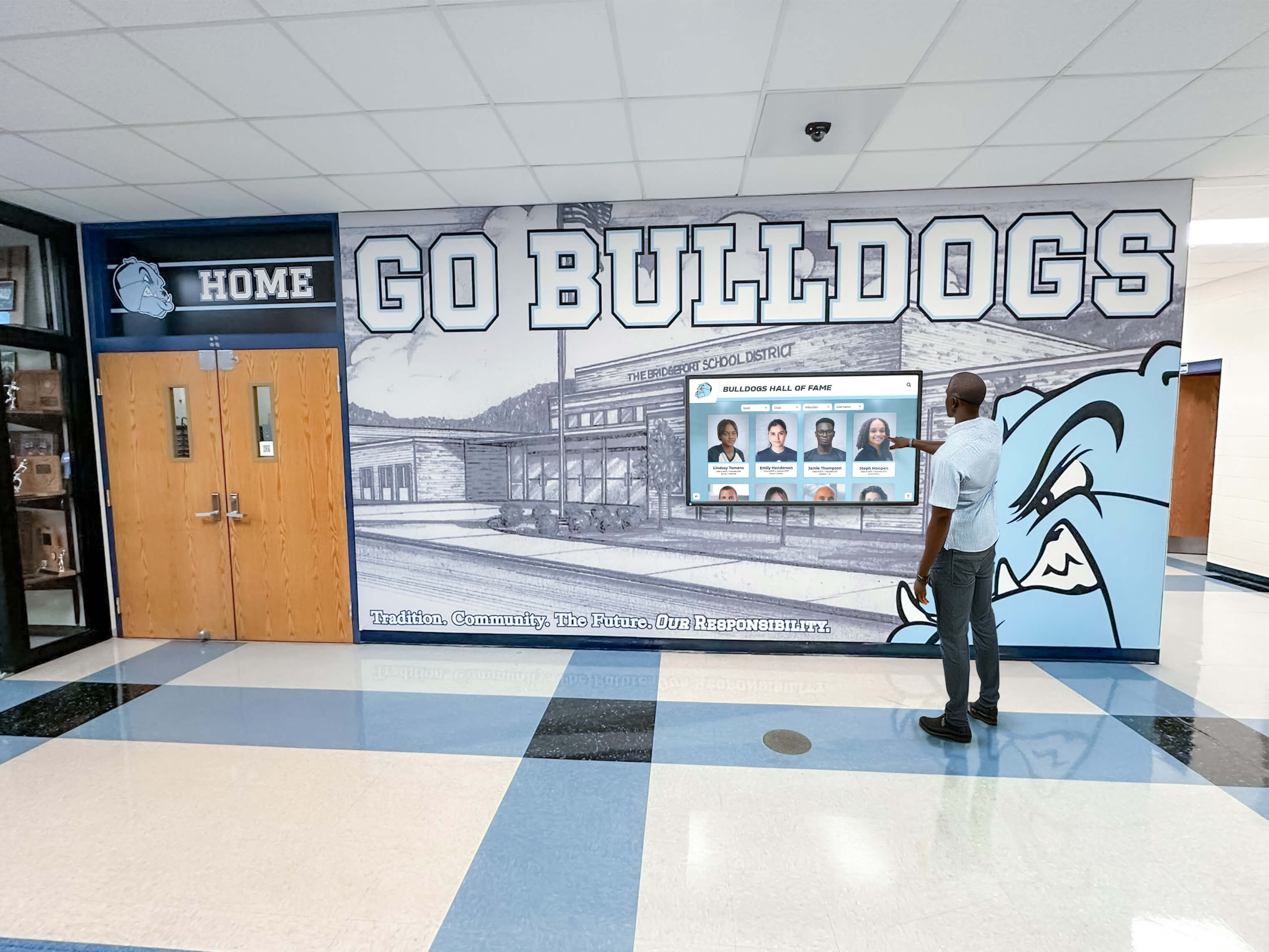
Better Approach: Prioritize locations based on traffic patterns and visibility. Place displays where people naturally gather or pass frequently. Ensure viewing angles work from primary approach directions. Verify adequate lighting without glare issues. Confirm heights accommodate diverse users including those using wheelchairs, following interactive display accessibility guidelines.
Mistake 4: Treating Displays Like Standard TVs
Consumer televisions and professional touchscreen displays serve different purposes and require different infrastructure. Schools sometimes purchase consumer TVs assuming they’ll work for interactive recognition purposes.
Why It’s Problematic: Consumer TVs lack touch capabilities essential for interactive exploration. They’re not rated for continuous operation required in public installations. They lack commercial-grade construction for reliability. And they don’t integrate with content management systems designed for athletic recognition.
Better Approach: Specify displays designed specifically for interactive recognition applications. Systems like those from Rocket Alumni Solutions include commercial displays built for continuous operation, touch technology supporting interactive exploration, content management designed for athletic records, and professional support for institutional applications.
Mistake 5: Overlooking Long-Term Content Management
Schools focus on hardware installation but overlook who manages content ongoing and how that workflow operates practically.
Why It’s Problematic: Displays require regular content updates celebrating new achievements and maintaining current information. Without clear responsibility and simplified processes, content stagnates. Displays showing outdated information undermine recognition objectives and look neglected.
Better Approach: Establish content management responsibilities and workflows before installation. Select systems with simple content management requiring minimal technical expertise. Train multiple staff members on content updates, preventing single points of failure. Build content development into regular athletic program workflows rather than treating it as separate additional work.
Budgeting for New Construction Touchscreen Installations
Comprehensive financial planning ensures adequate resources for complete installations delivering intended value.
Complete System Cost Components
Professional touchscreen recognition installations include several cost categories beyond display hardware.
Display Hardware: Commercial-grade touchscreen displays sized appropriately for gymnasiums typically cost $3,000-$8,000 depending on screen size and capabilities. Larger displays, higher resolutions, and enhanced durability command premium pricing but deliver superior performance and longevity.
Mounting Systems: Wall-mounted installations require commercial mounting brackets supporting display weight, costing $300-$800. Freestanding kiosk enclosures providing professional finished appearance and security range from $2,500-$5,000 depending on materials, size, and customization.
Infrastructure Installation: Electrical work including dedicated circuits, conduit, and proper terminations typically costs $800-$2,000 per display. Network installation including cable runs, terminations, and testing adds $500-$1,200 per location. Combined infrastructure work represents significant expense but proves far less costly during new construction than retrofit situations.

Computing Hardware: Interactive displays require computer systems driving content. Mini PCs adequate for recognition applications cost $600-$1,200 depending on processing requirements. Some integrated displays include computing modules, simplifying installations while reducing component count.
Software Licensing: Purpose-built recognition platforms charge licensing fees covering content management systems, cloud hosting, ongoing updates, and technical support. Annual licensing typically ranges from $2,000-$4,000 per display depending on features and vendor. While representing ongoing cost, professional software delivers content management simplicity and support quality that generic alternatives cannot match.
Content Development: Building initial content highlighting historical athletic achievements requires staff time or contracted services. Budget $3,000-$8,000 for comprehensive initial content development including record research and data entry, photo digitization and organization, historical information compilation, and initial profiles for teams and athletes. This investment creates substantial launch content rather than empty displays waiting for future additions.
Value Comparison: New Construction vs. Retrofit
Installation timing dramatically affects total project cost. Consider comparison between proper planning during construction and retrofit after occupancy:
New Construction Approach: During design development, displays get specified in construction documents. Contractors install proper blocking ($150), run dedicated electrical circuits ($1,200), and install network infrastructure ($800) as part of base construction work. After building completion, displays mount securely ($300 in mounting hardware), connect to prepared infrastructure, and operate professionally. Total infrastructure cost: approximately $2,450 per display location.
Retrofit Approach: After building occupancy, schools decide to add displays. Contractors charge change-order premium rates for retrofit work. Wall penetrations and blocking additions cost $600. Electrical additions requiring exposed conduit or expensive wall fishing cost $2,200. Network retrofits add $1,400. Additional mounting hardware accommodating retrofit limitations costs $500. Total infrastructure cost: approximately $4,700 per display location—nearly double the properly planned approach, plus aesthetic compromises from exposed conduit and surface-mounted components.
This comparison excludes soft costs including coordination complexity disrupting building operations, extended timelines from scheduling around active programming, and opportunity costs from delayed implementation. New construction represents the obviously superior approach from both cost and quality perspectives.
Funding Strategies
Schools use multiple approaches funding touchscreen display installations during new facility construction.
General Construction Budget: The simplest approach incorporates displays into overall facility construction budgets. Boards approving multi-million dollar gymnasium projects readily include $25,000-$50,000 for recognition technology as core facility components rather than add-on options.
Booster Club and Alumni Fundraising: Athletic support organizations frequently fund recognition displays as signature projects. Digital displays offer naming opportunities acknowledging major donors while serving practical recognition purposes aligning with booster club fundraising missions. Fundraising campaigns launched during design phases generate commitments before construction, enabling proper planning.
Technology and Capital Improvement Budgets: Districts with dedicated technology refresh or capital improvement allocations use these funds for recognition displays qualifying as educational technology or facility infrastructure. Coordinating funding approval with construction timelines ensures resources become available when needed.
Corporate Sponsorships and Partnerships: Local businesses sometimes sponsor recognition technology receiving acknowledgment through display content or lobby signage. These partnerships prove particularly attractive when businesses employ alumni or maintain community connections supporting school athletic programs.
Planning for Future Expansion and Updates
New construction offers opportunities planning for future needs beyond immediate installation scope.
Infrastructure Preparation for Future Displays
Even when budget constraints limit initial display installations, plan infrastructure for future additions during construction when work costs a fraction of post-occupancy retrofits.
Pre-Wire Additional Locations: Run electrical circuits and network cables to logical future display locations during construction. Capped circuits and terminated network jacks add minimal cost during construction but enable future display additions without expensive retrofit work. Schools commonly pre-wire main gymnasium entrances, additional hallway locations, team locker rooms, and training facilities even when not installing displays immediately.
Install Conduit for Future Expansion: Running empty conduit between likely display locations and electrical/network distribution points creates pathways for future infrastructure expansion without wall penetrations. Conduit installation during construction costs perhaps $200 per run but saves thousands compared to retrofit conduit installations through finished walls.
Document Infrastructure Thoroughly: Create detailed documentation showing electrical circuit numbers and panel locations, network jack locations and switch port assignments, blocking locations in walls, and conduit runs available for future use. This documentation proves invaluable when future installations occur years later, after construction details fade from memory.
Technology Evolution Considerations
Touchscreen technology continues evolving, and new facilities should accommodate future improvements without requiring major renovations.
Flexible Mounting Systems: Specify mounting systems accommodating displays within size ranges rather than single exact dimensions. This flexibility enables display upgrades to newer technologies without replacing mounting infrastructure. Wall mounts supporting 55-65 inch displays accommodate technology upgrades within that range regardless of specific models.
Adequate Power and Network Capacity: Oversize electrical circuits and network connections beyond minimum current requirements. Today’s 4K displays require more power and bandwidth than earlier HD displays. Future 8K displays may demand even more. Installing 20-amp circuits instead of 15-amp circuits, and Cat6a network cables instead of Cat6, provides headroom accommodating technology evolution.
Modular Approach: Plan recognition systems in modular components rather than integrated single-purpose installations. Separate computing modules, displays, mounting systems, and software platforms enable component upgrades without replacing entire installations. This modularity reduces long-term total cost of ownership while maintaining current technology capabilities.
Making the Decision: Is Now the Right Time?
For schools planning new gymnasiums, the decision about when to install touchscreen displays is straightforward: plan them during design development and install them during construction. This timing delivers the best results at the lowest cost with superior aesthetics compared to any post-construction alternative.
Decision Factors to Consider
Several factors help determine specific implementation approaches even when fundamental timing remains clear.
Program Size and Scope: Larger athletic programs with extensive history and multiple sports benefit more dramatically from digital recognition compared to smaller programs with limited histories. Schools fielding 15-25 sports across decades of competition have substantial content justifying premium recognition investments. Smaller programs with fewer sports or shorter histories start with more modest installations, planning expansion as programs develop and athletic achievements accumulate.
Budget Availability: While including displays in initial construction proves far more cost-effective than retrofitting, schools must balance recognition technology with other facility needs. Prioritize displays when budgets accommodate complete installations delivering intended recognition impact. Consider phased approaches when budget constraints require staged implementation—install critical infrastructure during construction even if display hardware comes later, reducing future retrofit costs substantially.
Facility Priorities: New gymnasiums serve multiple purposes including physical education, competitive athletics, community events, and sometimes performing arts. Recognition display placement should consider primary facility uses ensuring displays enhance rather than conflict with space functions. Competition-focused facilities warrant prominent recognition displays. Multi-purpose facilities require more careful placement avoiding interference with non-athletic uses.
Existing Recognition Infrastructure: Schools replacing old gymnasiums should evaluate existing recognition approaches. If physical trophy cases overflow and plaques cover every wall, digital displays solve pressing capacity problems while preserving historical content. Schools with adequate existing recognition capacity may have less urgency, though proactive digital implementation prevents future capacity crises while modernizing recognition approaches.
Questions to Ask During Planning
Use these questions focusing planning efforts on critical implementation factors:
- Where do students, families, and visitors naturally gather or pass in the new facility?
- What viewing distances will people experience displays from these locations?
- How do we want to balance recognition between current teams and historical achievements?
- Who will manage content updates, and what workflow simplicity do they require?
- What infrastructure investments now enable future expansion without expensive retrofits?
- How do recognition displays integrate with broader facility branding and aesthetics?
- What support requirements do we need from vendors for implementation and ongoing operation?
Answering these questions during design development creates clear specifications contractors need for proper installation while ensuring systems serve program needs effectively.
Working with the Right Partners
Successful touchscreen recognition installations require coordination among multiple professionals each contributing specialized expertise.
Architecture and Engineering Teams
Architects and engineers translate recognition display requirements into construction-ready specifications. Provide them detailed information early including display dimensions and weights, electrical requirements, network needs, mounting approaches, and aesthetic integration expectations. Request architectural renderings showing display locations within broader facility design, confirming visual integration looks professional and intentional.
Construction Contractors
General contractors coordinate subcontractors and ensure work proceeds on schedule. Maintain regular communication with construction managers about display installation timing. Conduct site visits during critical phases including framing inspection confirming blocking placement, rough-in inspection verifying electrical and network installation, and pre-installation walkthrough confirming readiness for display mounting.
Technology Vendors
Select vendors offering complete recognition solutions rather than simply selling hardware. Comprehensive vendor relationships include detailed specification development assistance, coordination with architects and contractors, installation services or supervision, content management training, and ongoing support for technical issues. Specialized recognition platforms designed specifically for athletic applications prove far more valuable than generic digital signage requiring extensive customization.
Look for vendors with proven experience in educational athletic facilities, simple content management systems non-technical staff can operate confidently, responsive support addressing issues quickly, and sustainable business models ensuring long-term platform availability and support.
Athletic Department Staff
Ultimate success depends on athletic directors, coaches, and administrative staff embracing recognition systems and maintaining engaging current content. Involve these stakeholders early in planning gathering input about recognition priorities, content organization approaches, and workflow simplicity requirements. Early involvement builds ownership and enthusiasm ensuring sustained engagement rather than viewing displays as imposed technology requiring burdensome maintenance.
Getting Started: Your Implementation Roadmap
Schools ready to incorporate touchscreen recognition displays in new gymnasium projects should follow systematic approaches aligning with construction timelines.
12-18 Months Before Opening: Include displays in design development. Review preliminary floor plans identifying optimal locations. Engage vendors understanding display requirements. Provide detailed specifications to architects and engineers. Include complete system costs in construction budgets.
10-12 Months Before Opening: Finalize vendor selection and detailed technical specifications. Issue addenda to construction documents ensuring contractors understand requirements. Establish project management processes tracking installation progress throughout construction.
8-10 Months Before Opening: Conduct framing inspection confirming proper blocking installation. Begin preliminary content development compiling historical records and achievements. Order display hardware ensuring delivery aligns with installation schedules.
6-8 Months Before Opening: Inspect electrical and network rough-in confirming proper installation before walls close. Test network connectivity verifying proper performance. Document any deviations requiring correction.
4-6 Months Before Opening: Verify outlet and jack placement after wall closure. Intensify content development efforts building substantial launch libraries. Begin staff training on content management systems.
2-3 Months Before Opening: Install displays, mounting hardware, and computing systems. Complete software configuration and initial content setup. Conduct comprehensive system testing. Complete staff training ensuring confident content management capability.
0-2 Months Before Opening: Load final content preparing for opening. Create operating procedures documenting common tasks and troubleshooting steps. Establish ongoing content development workflows integrated with regular athletic program operations.
Post-Opening: Monitor system performance and user engagement. Gather feedback from staff, students, and visitors. Optimize content based on what resonates most strongly. Plan future expansion phases if initial installations prove successful.
Conclusion: Installation Timing Determines Long-Term Success
The question of when to install touchscreen displays in new gymnasiums has a clear answer: plan them during design development and install them during construction. This timing delivers superior aesthetics, lower total costs, and professional integrated results impossible to achieve through post-construction retrofits.
Schools that get timing right benefit from recognition systems that look intentional and integrated from day one. Proper blocking supports secure mounting without surface-mounted compromises. Hidden electrical and network infrastructure creates clean professional appearances. Display locations optimize for visibility and traffic patterns rather than accommodating where retrofits prove least difficult. And total costs run 40-60% below retrofit alternatives while delivering superior results.
The schools that struggle are those waiting until construction completes, discovering retrofits cost far more while looking less integrated, facing disruption from installations during active building operations, and losing months or years of recognition impact while struggling with retrofit challenges.
Your new gymnasium represents a multi-million dollar investment serving your school community for decades. Recognition displays celebrating athletic excellence and building program pride deserve the same thoughtful planning given to competition courts, locker facilities, and training equipment. When properly planned during facility design and installed during construction, digital recognition systems become permanent architectural features honoring every athlete who competes in the space—creating inspiration for current students while preserving achievements for generations to come.
The decision is not whether to include recognition displays in new gymnasiums—it’s whether you’ll plan properly during construction or accept the compromises and premium costs of retrofit approaches. Schools that act proactively during design development make decisions that pay dividends in appearance, functionality, and cost efficiency throughout building lifespans.
Ready to explore how to integrate professional touchscreen recognition displays in your new gymnasium project? Contact Rocket Alumni Solutions to discuss display requirements, review preliminary plans, develop detailed specifications, and create implementation timelines aligning with your construction schedule—ensuring recognition technology that looks integrated, operates professionally, and celebrates athletic achievement from day one.































