




Schools and athletic facilities investing in touchscreen kiosk hardware face critical decisions about display specifications, software compatibility, and long-term integration capabilities. The MWE-QIXZOCV line of touchscreen kiosk interactive displays represents a cost-effective hardware option for institutions implementing digital recognition systems—but hardware selection means nothing without compatible, purpose-built software delivering the interactive experiences your community expects.
Understanding how Android-based kiosk hardware like the MWE-QIXZOCV models integrates with specialized recognition software determines whether your investment creates engaging interactive displays celebrating achievement or results in expensive hardware displaying basic slideshows that fail to inspire student engagement or alumni connection. Hardware provides the canvas; software creates the experience.
Understanding MWE-QIXZOCV Touchscreen Kiosk Hardware
The MWE-QIXZOCV product line encompasses floor-standing touchscreen kiosks ranging from 37 inches to 65 inches, powered by Android operating systems and designed for indoor commercial and institutional use. These displays feature FHD and 4K IPS panels with 178-degree viewing angles, capacitive touch functionality, and integrated media playback capabilities through USB and cloud connectivity.
For schools implementing digital record boards or athletic facilities deploying interactive recognition displays, the MWE-QIXZOCV hardware provides the physical infrastructure. However, transforming generic hardware into compelling recognition experiences requires specialized software platforms like Rocket Alumni Solutions specifically designed for celebrating achievement and preserving institutional memory rather than basic advertising or promotional content.
MWE-QIXZOCV Hardware Specifications and Capabilities
The MWE-QIXZOCV touchscreen kiosk line delivers several hardware specifications directly impacting suitability for educational and athletic recognition applications. Understanding these technical capabilities helps institutions evaluate whether this hardware aligns with recognition display requirements and content management expectations.
Display Technology and Visual Quality
MWE-QIXZOCV kiosks feature IPS (In-Plane Switching) LCD panels providing superior color reproduction and viewing angles compared to basic TN panels common in budget displays. The 178-degree viewing angle ensures consistent color and brightness regardless of viewing position—critical for kiosks in high-traffic areas where users approach from various angles.
According to product specifications from QIXZOCV documentation, display resolution varies by model size. Smaller 37-inch and 43-inch models typically offer FHD (1920x1080) resolution while larger 55-inch and 65-inch versions provide 4K (3840x2160) resolution. For recognition applications showcasing athlete photos, championship videos, and detailed achievement profiles, higher resolution displays present content more professionally—particularly when users examine detailed information up close through touch interaction.

Display brightness matters significantly for installations in challenging lighting environments. Most MWE-QIXZOCV models provide 350-450 cd/m² brightness—adequate for controlled indoor lighting but potentially insufficient for locations with direct sunlight exposure or extremely bright overhead lighting common in some gymnasiums and lobbies. Schools installing kiosks near windows or in naturally bright spaces should verify brightness specifications match environmental conditions or plan installation locations accordingly.
Touch Technology and User Interaction
The MWE-QIXZOCV line employs capacitive touch technology—the same responsive touch sensing used in smartphones and tablets. Capacitive touch delivers superior responsiveness compared to older resistive touch screens, registering light touches without requiring pressure. This sensitivity creates intuitive user experiences for students, alumni, and visitors accustomed to modern consumer electronics.
Ten-point multitouch support enables advanced gestures including pinch-to-zoom, two-finger scrolling, and simultaneous multi-user interaction. For recognition software implementing photo galleries, searchable databases, or interactive timelines, multitouch capabilities enable intuitive navigation matching interaction patterns users expect from personal devices.
Touch accuracy and response time directly impact user experience quality. High-quality capacitive systems register touches within 10-15 milliseconds—effectively instantaneous from user perspective. Schools implementing interactive touchscreen recognition systems require this responsiveness ensuring smooth navigation through athlete profiles, season records, or championship histories without frustrating delays between touches and visible responses.
Operating System and Software Environment
MWE-QIXZOCV kiosks run Android operating systems—typically Android 8.0 or newer depending on model and manufacturing date. Android provides several advantages for institutional kiosk deployments including broad software compatibility, familiar app ecosystems, straightforward content management, and lower hardware costs compared to Windows-based alternatives.
For Rocket Alumni Solutions integration, Android compatibility proves ideal. The platform’s web-based architecture delivers recognition content through modern web browsers—perfectly aligned with Android’s native Chrome browser capabilities. Organizations avoid native application development complexity while leveraging Android’s stability, automatic updates, and security features maintaining reliable operation over years of continuous deployment.

The Android environment enables kiosk lockdown configurations restricting devices to specific applications or browser sessions—essential security for public-facing installations where casual users shouldn’t access device settings, alternative apps, or unauthorized content. Rocket Alumni Solutions’ implementation approach leverages these Android lockdown capabilities creating secure, purpose-focused recognition displays that maintain professional operation without user confusion or security vulnerabilities.
Connectivity Options and Network Integration
Modern recognition displays require robust connectivity supporting cloud-based content management, real-time updates, and remote administration. MWE-QIXZOCV kiosks provide multiple connectivity options addressing different network infrastructure scenarios.
WiFi connectivity enables wireless network integration without requiring hardwired Ethernet infrastructure. For schools retrofitting recognition displays in existing buildings where running new network cables proves expensive or impractical, WiFi capability simplifies installation. However, athletic facilities should recognize that WiFi connections may experience interference, bandwidth limitations, or reliability challenges compared to hardwired alternatives—particularly in dense wireless environments with numerous competing devices.
Ethernet connectivity through RJ-45 ports provides hardwired network connections delivering superior reliability, lower latency, and better bandwidth consistency compared to wireless alternatives. According to digital signage best practices from SCnSoft, hardwired connections should be prioritized for permanent kiosk installations where network infrastructure supports direct connections. Schools implementing digital recognition systems benefit from Ethernet’s reliability ensuring uninterrupted operation and smooth content streaming regardless of wireless network congestion.
HDMI input ports enable connecting external media sources—computers, gaming consoles, or specialized hardware—directly to displays. While less relevant for cloud-managed recognition content, HDMI connectivity provides flexibility for special events, presentations, or temporary alternative content display without reconfiguring primary kiosk software.
USB ports support direct media playback from flash drives, external storage devices, or specialized peripherals. Basic USB playback capability enables simple content updates in environments lacking reliable network connectivity, though cloud-based management through Rocket Alumni Solutions provides far superior content administration efficiency for organizations with proper network infrastructure.
Rocket Alumni Solutions Software Architecture and Compatibility
Understanding how Rocket Alumni Solutions software operates clarifies why it integrates seamlessly with Android-based hardware like MWE-QIXZOCV kiosks while delivering superior recognition experiences compared to generic digital signage platforms.
Web-Based Software Architecture Advantages
Rocket Alumni Solutions implements web-based architecture delivering recognition content through modern web browsers rather than native applications requiring device-specific development, installation, and maintenance. This architectural decision creates multiple practical advantages for schools and athletic facilities managing recognition displays.
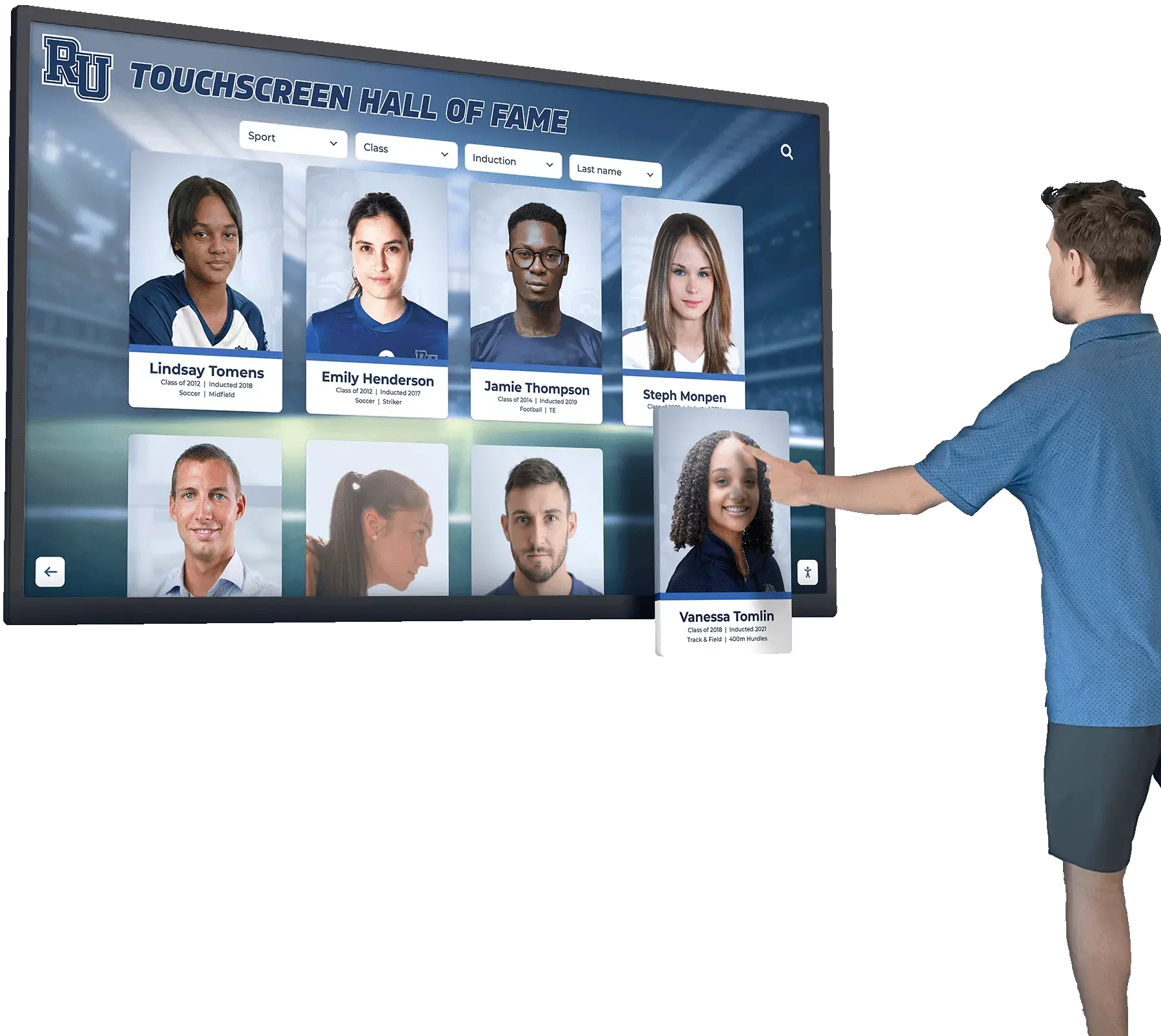
Platform Independence: Web-based software runs on any device with modern web browsers—Android tablets, Windows PCs, iPads, Chromebooks, or specialized kiosk hardware. This flexibility allows schools selecting MWE-QIXZOCV kiosks today while retaining options for different hardware in future installations without changing software platforms or losing content compatibility. Organizations avoid vendor lock-in where hardware choices constrain software options or vice versa.
Instant Content Updates: Web-based architecture enables content updates deploying instantly across all connected displays without visiting individual devices. Athletic directors adding new championship results, updating season records, or publishing achievement profiles modify content through central administrative interfaces—changes appear immediately on all kiosks without coordinating individual device updates, scheduling maintenance windows, or managing version compatibility across distributed installations.
For schools implementing athletic record board systems across multiple buildings or athletic facilities with kiosks in various locations, centralized web-based management transforms content administration from time-consuming device-by-device updates into simple cloud workflows accessible from any computer or tablet with internet connectivity.
Simplified Deployment: Web-based systems deploy as quickly as configuring browsers and pointing them to URLs. No installation packages required. No downloading software to individual devices. No managing application updates across distributed hardware. Schools connect MWE-QIXZOCV kiosks to networks, configure browsers in kiosk mode pointing to Rocket Alumni Solutions URLs, and recognition content immediately appears—deployment completing in minutes rather than hours or days required for native application installations across multiple devices.
Cross-Device Accessibility: Content created for touchscreen kiosks automatically works when students, alumni, or community members access systems through personal smartphones, tablets, or desktop computers. Responsive web design adapts interfaces for different screen sizes and orientations without separate development for each platform. Recognition celebrating achievement through kiosks extends naturally to mobile devices enabling alumni exploring content from home, students sharing achievements on social media, or parents accessing recognition displays remotely without additional development investment.
According to research from Pickcel’s interactive kiosk analysis, web-based digital signage and recognition platforms have grown to represent over 60% of new deployments in educational settings as institutions recognize cloud-based management advantages over traditional installed software requiring device-specific maintenance.
Kiosk Mode Configuration and Security
Web-based architecture doesn’t mean security vulnerabilities or user access to unauthorized functions. Professional kiosk implementations leverage browser lockdown capabilities restricting devices to specific websites or applications while preventing casual users from accessing device settings, alternative apps, or restricted content.
Browser Lockdown Implementation: Android kiosk configurations lock MWE-QIXZOCV devices into fullscreen browser sessions displaying only Rocket Alumni Solutions recognition content. Navigation controls, address bars, and system menus remain hidden. Hardware buttons except power disable. Attempts to exit kiosk mode require administrator authentication. These restrictions create secure, purpose-focused user experiences where visitors explore recognition content without accidentally or intentionally accessing device functions beyond intended interactive display purposes.
Schools implementing touchscreen recognition displays require lockdown preventing students from browsing unauthorized websites, accessing device settings, installing applications, or disrupting carefully designed recognition experiences. Rocket Alumni Solutions’ implementation approach includes technical guidance for configuring Android kiosk modes on MWE-QIXZOCV hardware ensuring reliable lockdown appropriate for unsupervised public environments.
Session Management and Privacy: Public touchscreens require automatic timeout and reset functionality clearing browsing history, cached data, and temporary information between sequential users. These privacy protections prevent subsequent visitors from accessing previous users’ search queries or browsing patterns while ensuring each person encounters fresh starting states rather than mid-session application states left by earlier visitors.
Kiosk browsers configured for Rocket Alumni Solutions automatically return displays to home screens after configurable inactivity periods—typically 30-60 seconds. Sessions reset completely, cached data clears, and recognition content returns to default starting views ready for next users. This automatic reset maintains user privacy while ensuring consistent experiences for all visitors regardless of previous users’ interaction patterns.
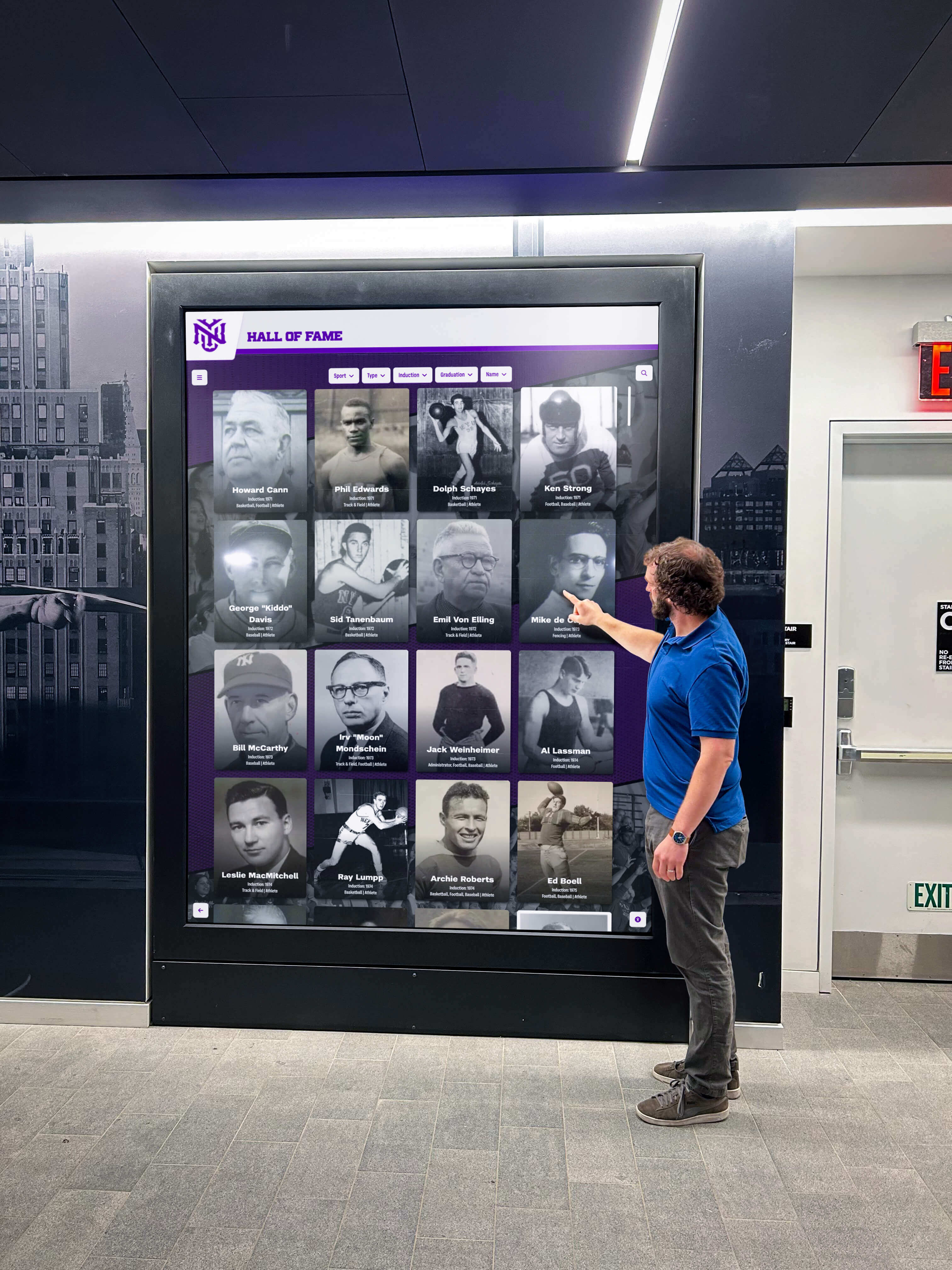
Remote Monitoring and Management: Cloud-based platforms enable administrators monitoring kiosk health remotely—tracking online status, verifying content displays correctly, identifying technical issues, and troubleshooting problems without physical visits to distributed installations. For schools managing recognition displays across multiple buildings or athletic facilities with kiosks in various locations, remote management dramatically reduces support burden compared to systems requiring on-site intervention for routine monitoring or troubleshooting.
Integrating MWE-QIXZOCV Hardware with Rocket Alumni Solutions Software
Successfully deploying MWE-QIXZOCV kiosks running Rocket Alumni Solutions requires systematic integration addressing network configuration, browser setup, content loading, and ongoing management establishing reliable recognition displays serving communities effectively.
Initial Hardware Setup and Network Configuration
Physical Installation: Position MWE-QIXZOCV kiosks in high-visibility locations where students, alumni, and visitors naturally congregate—school lobbies, athletic facility entrances, trophy case areas, or main hallways. Ensure adequate clearance for ADA compliance, comfortable viewing angles, and safe pedestrian flow around touchscreen areas.
Connect kiosks to power sources through integrated power cables. Most MWE-QIXZOCV models draw 150-250 watts during operation—well within standard electrical circuit capacity. Schools installing multiple kiosks on single circuits should verify total power draw doesn’t exceed circuit ratings, though typical 15-amp circuits handle 3-4 kiosks comfortably.
Network Connectivity: Connect kiosks to institutional networks through Ethernet or WiFi depending on available infrastructure. Hardwired Ethernet connections provide optimal reliability for permanent installations. Network connections require internet access enabling cloud-managed content delivery from Rocket Alumni Solutions servers—displays cannot function in completely isolated networks without external connectivity.
Configure network settings through Android system menus assigning static IP addresses for easier remote management or using DHCP automatic configuration for simpler deployment. Verify network firewalls allow outbound HTTPS connections to Rocket Alumni Solutions domains—most networks permit standard web traffic without special configuration, but organizations with restrictive firewall policies may require whitelisting specific domains supporting cloud content delivery.
Android System Configuration: Complete initial Android setup including language selection, date/time configuration, and basic system settings. Skip Google account setup unless required for specific app installations—cloud-managed recognition content doesn’t require Google account association. Disable automatic system updates if organizational policies mandate controlled update windows rather than automatic installations potentially disrupting operation during school hours.
Install system updates before final deployment ensuring current Android versions, security patches, and system stability. While automatic updates should generally remain disabled for production kiosks preventing unexpected changes, intentional updates during planned maintenance windows keep systems secure and functioning optimally.
Browser Configuration for Recognition Content Display
Chrome Browser Setup: Launch Chrome browser included with Android systems. Navigate to Rocket Alumni Solutions URLs provided during platform onboarding—typically custom subdomain addresses like recognition.yourschool.org configured specifically for your institution’s recognition content.
Verify content loads properly, touch interaction responds correctly, and navigation functions as expected. Test athlete profile browsing, search functionality, photo galleries, and video playback ensuring all recognition features operate smoothly before implementing lockdown configurations that restrict access to browser settings after deployment.

Kiosk Mode Implementation: Configure Chrome for kiosk mode operation restricting displays to Rocket Alumni Solutions recognition content while preventing unauthorized access to browser controls or device functions. Android provides several kiosk mode implementation options varying in security level, configuration complexity, and management capabilities.
Basic approaches use third-party kiosk browser applications from Google Play Store specialized in lockdown functionality. According to guidance from OptiSigns’ kiosk software recommendations, applications like Fully Kiosk Browser, KioSKare, or similar solutions provide straightforward configuration interfaces enabling administrators defining allowed URLs, disabling navigation controls, hiding system UI elements, and preventing users exiting kiosk mode without authentication.
Advanced implementations leverage Android Enterprise or mobile device management (MDM) platforms for enterprise-grade lockdown and remote management capabilities. Schools with existing MDM infrastructure can configure MWE-QIXZOCV kiosks through central management consoles alongside other institutional devices—applying consistent security policies, monitoring device health, and troubleshooting issues remotely through unified administrative interfaces.
Organizations implementing digital recognition systems should evaluate kiosk mode requirements against available technical resources and existing device management infrastructure. Simple installations benefit from straightforward kiosk browser applications. Larger deployments or schools with established MDM platforms justify more sophisticated enterprise approaches providing centralized management across distributed kiosk fleets.
Display Settings Optimization: Configure display brightness, screen timeout behavior, and sleep settings appropriate for continuous operation. Disable Android’s automatic screen dimming and sleep features—recognition kiosks should remain active continuously during operational hours rather than sleeping after short inactivity periods like consumer devices.
Set brightness levels balancing visibility in ambient lighting conditions against energy consumption and panel longevity. Maximum brightness provides best visibility but consumes more power and potentially reduces display lifespan through increased backlight operation. Most installations find 60-80% brightness adequate for indoor environments while moderating energy use and extending hardware life.
Content Management and Ongoing Administration
Cloud Administrative Interface: Athletic directors, activities coordinators, and administrators manage recognition content through Rocket Alumni Solutions’ cloud-based administrative platform accessible from any computer or device with web browsers—no special software installation required on management computers.
Content administration follows intuitive workflows designed for non-technical users. Upload athlete photos in bulk. Write achievement descriptions and biographical information. Organize content by sport, year, achievement type, or custom categories matching institutional recognition structures. Assign athletes to multiple categories simultaneously—a four-sport athlete appears in each relevant sport category without duplicating profile information.
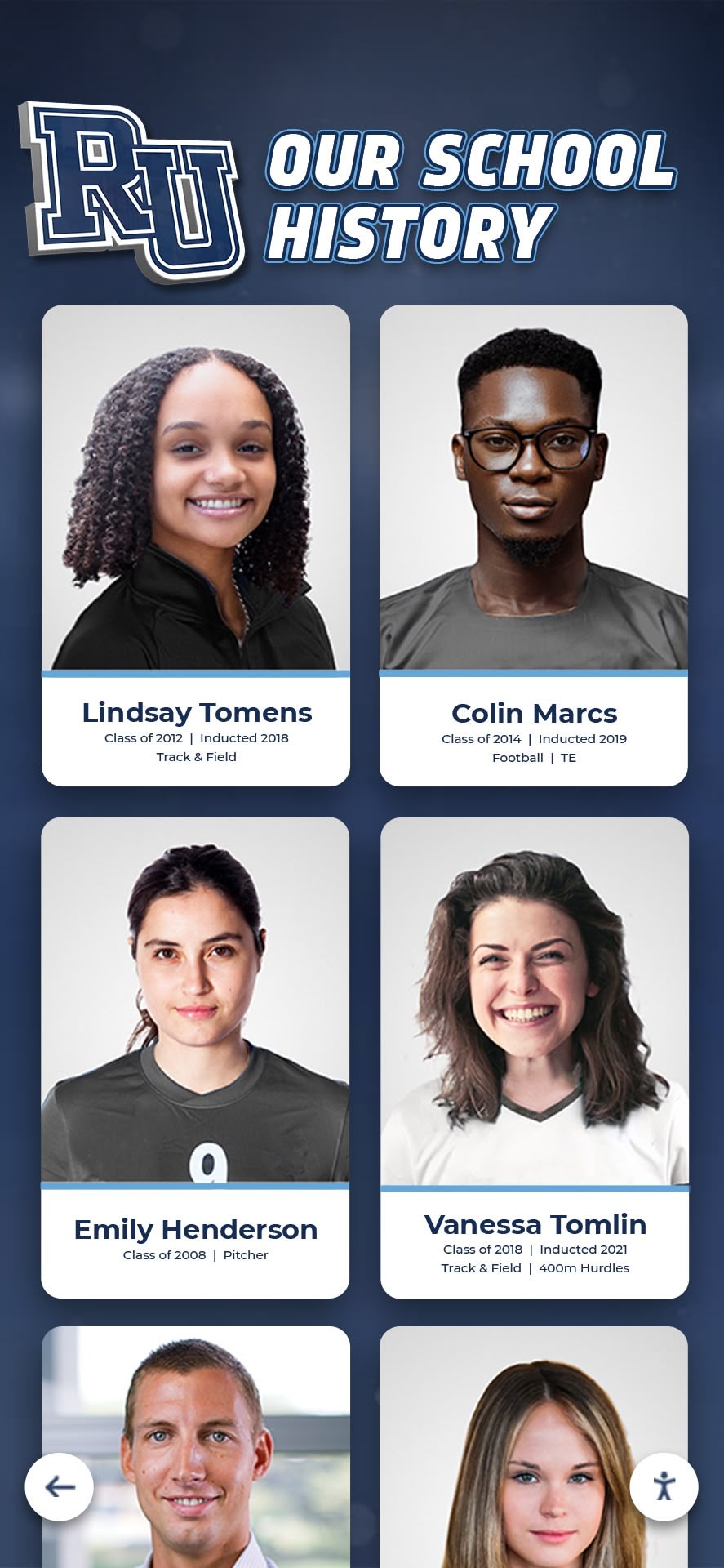
Publish content instantly appearing across all connected kiosks without visiting hardware installations. Updates deploy within seconds—add championship results Friday night and recognition displays reflect updated achievements before Saturday morning community viewing. This immediate publishing eliminates delays between achievements occurring and recognition appearing, maintaining timely relevance motivating current students while celebrating recent accomplishments alongside historical achievements.
For schools implementing comprehensive athletic recognition programs, cloud management transforms recognition from static displays requiring physical updates into dynamic, continuously evolving celebrations reflecting achievements as they occur—building student pride through immediate acknowledgment rather than delayed recognition occurring months later when static displays finally update.
Template-Driven Content Organization: Rocket Alumni Solutions provides pre-built content templates specifically designed for common recognition scenarios—individual sports record boards, multi-sport achievement galleries, championship team showcases, Hall of Fame inductees, academic honors recognition, or comprehensive institutional history timelines.
Templates establish consistent visual presentation, logical content organization, and intuitive navigation patterns appropriate for public touchscreen interaction. Athletic directors focus on content itself—photos, names, statistics, achievements—while templates handle professional presentation design without requiring graphic design expertise or custom layout development for each recognition category.
Custom template modifications accommodate unique institutional needs beyond standard recognition patterns. Schools with specialized programs, unusual achievement categories, or distinctive recognition traditions work with implementation specialists adapting templates matching specific requirements while maintaining usability and visual consistency across comprehensive recognition systems.
Search Functionality and Content Discovery: Recognition value diminishes dramatically if visitors cannot easily find specific athletes, teams, or achievements among potentially thousands of individual profiles and records. Powerful search capabilities distinguish professional recognition platforms from basic digital signage systems cycling through content without enabling personalized discovery.
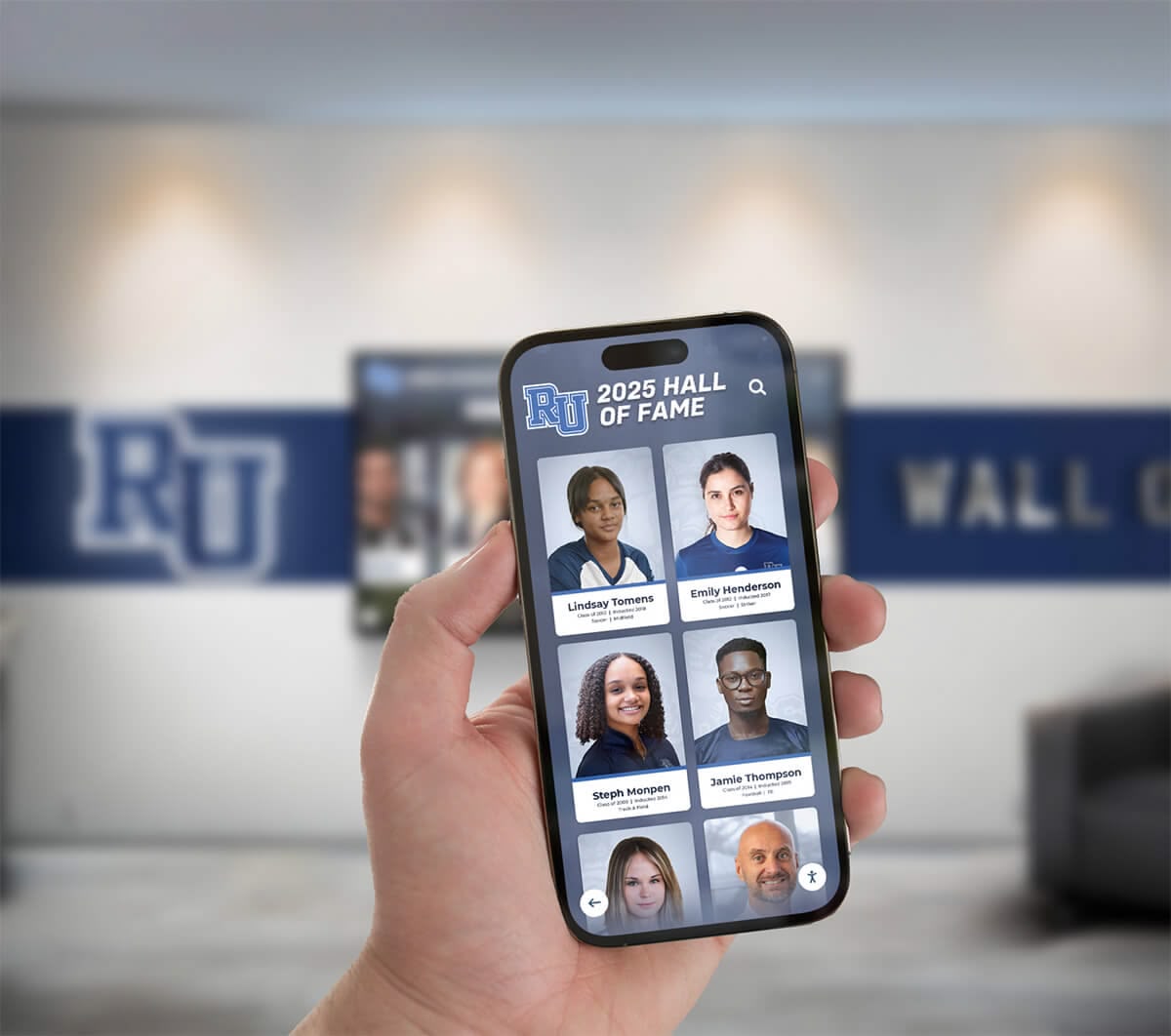
Rocket Alumni Solutions implements comprehensive search across all recognition content—names, sports, years, achievement types, or keywords within profile descriptions. Students searching their own names immediately find personal achievements. Alumni visiting campus decades after graduation locate teammates, review season records, or explore how current teams compare to historical performances. Parents discover their students’ accomplishments without browsing through hundreds of unrelated profiles.
According to Rocket Alumni Solutions deployment data, searchable recognition systems achieve 5-7x higher engagement compared to simple slideshow presentations—visitors interact for several minutes exploring personalized content rather than glancing briefly at random cycling images. This extended engagement creates more meaningful recognition experiences celebrating individual achievement rather than generic team displays where most athletes never see personal acknowledgment during typical brief viewing sessions.
Hardware Alternatives and MWE-QIXZOCV Competitive Positioning
Understanding how MWE-QIXZOCV kiosks compare to alternative hardware options helps schools make informed purchasing decisions balancing capabilities, costs, and long-term value for recognition display investments.
Commercial-Grade Display Alternatives
Professional Digital Signage Displays: Commercial display manufacturers including Samsung, LG, NEC, and Sharp produce professional-grade digital signage displays with superior brightness (500-700 cd/m²), extended operating hour ratings, commercial warranty coverage, and advanced thermal management enabling 16-24 hour daily operation over 5-7 year product lifespans.
Professional displays cost significantly more than MWE-QIXZOCV models—typically 2-3x price premiums for comparable screen sizes. Schools and athletic facilities must evaluate whether enhanced specifications justify substantially higher hardware investments. Installations in demanding environments—extremely bright lighting, outdoor/semi-outdoor conditions, or continuous 24/7 operation requirements—benefit from professional display capabilities. Controlled indoor environments with moderate operating hours successfully deploy consumer-oriented hardware like MWE-QIXZOCV kiosks at fraction of professional display costs.

Organizations implementing high-traffic recognition displays should calculate total cost of ownership including hardware purchase, expected replacement cycles, energy consumption, and support requirements. Professional displays’ higher upfront costs partially offset through extended lifespans, better reliability reducing support calls, and comprehensive warranty coverage minimizing unexpected replacement expenses. Budget-focused schools find MWE-QIXZOCV models deliver acceptable performance at significantly lower initial investments—prioritizing content quality and software capabilities over maximum hardware specifications.
All-in-One Touchscreen PCs: Windows-based all-in-one touchscreen computers from Dell, HP, or Lenovo provide alternative hardware approaches combining displays, touch capability, and full PC functionality in single units. These systems cost similarly to professional digital signage but run Windows operating systems rather than Android—different software ecosystem with corresponding advantages and limitations.
Windows compatibility matters primarily for organizations requiring native Windows applications, specialized software beyond web browsers, or integration with existing Windows-centric IT infrastructure. For cloud-based recognition platforms like Rocket Alumni Solutions operating through web browsers, Windows versus Android distinction becomes largely irrelevant—both platforms run modern browsers delivering identical recognition content and user experiences.
Schools with existing Windows device management infrastructure, technical staff experienced with Windows administration, or specific Windows software requirements may prefer Windows-based hardware. Institutions without strong Windows preferences find Android-based MWE-QIXZOCV models simpler, more cost-effective, and perfectly adequate for browser-based recognition content delivery.
iPad and iOS Devices: Apple’s iPad line provides premium touchscreen hardware with exceptional displays, responsive touch sensing, reliable operation, and familiar interfaces for users already comfortable with iOS devices. iPads excel at consumer experiences but face limitations for institutional kiosk deployments.
Kiosk lockdown on iOS requires more complex configuration compared to Android solutions. Content management often mandates Apple Business Manager accounts and mobile device management platforms—adding administrative complexity beyond standalone kiosk applications sufficient for Android devices. Hardware costs run higher than comparable Android alternatives while providing limited advantage for browser-based recognition content appearing identically on both platforms.
Organizations heavily invested in Apple ecosystems, managing many iPads already, or prioritizing absolute maximum touch responsiveness may justify iOS hardware. Most schools implementing recognition displays find Android-based solutions like MWE-QIXZOCV deliver equivalent recognition experiences at lower hardware costs with simpler kiosk configuration—practical advantages outweighing iOS platform prestige for public-facing recognition applications.
Budget-Conscious Hardware Selection Strategies
Prioritizing Screen Size and Resolution: Recognition content showcasing high-resolution athlete photos, detailed achievement statistics, and video highlights benefits from larger displays with higher resolution. However, hardware costs escalate quickly with screen size increases—65-inch 4K displays cost double or triple comparable 43-inch FHD models.
Schools should evaluate viewing distances and content density determining optimal screen size balancing visibility against budgets. Kiosks in spacious lobbies viewed from 10-15 feet away warrant 55-inch or larger displays. Installations in narrower hallways with closer viewing distances achieve comparable user experiences with 43-inch displays at substantially lower costs. According to guidance from digital display sizing recommendations, optimal viewing distance approximates 1.5-2x screen diagonal measurement—43-inch displays serve 6-8 foot viewing distances effectively while 65-inch screens accommodate 12-15 foot viewing ranges.
Content complexity similarly impacts resolution requirements. Simple presentations with large text and basic graphics display acceptably on FHD resolution regardless of screen size. Photo-intensive recognition showcasing detailed athlete portraits and championship team images benefit from 4K resolution presenting crisp visual detail—particularly on larger screens where lower resolution becomes visibly pixelated during close examination common with interactive touchscreen content.
Budget-conscious institutions might deploy mixture of screen sizes and resolutions based on specific location requirements rather than standardizing on single hardware model across all installations. Premium locations—main lobbies, athletic facility showcases, or primary recognition areas—receive larger 4K displays justifying higher costs through visibility and impact. Secondary locations utilize smaller FHD models delivering functional recognition experiences at constrained budgets.
Balancing Initial Investment Against Long-Term Value: Schools sometimes prioritize absolute minimum hardware costs selecting cheapest available displays without evaluating long-term value, reliability, or support implications. MWE-QIXZOCV kiosks position in moderate price range—more expensive than absolute budget options but significantly cheaper than commercial-grade professional displays.
This mid-market positioning typically delivers optimal value balancing acceptable initial investment against reasonable reliability expectations and adequate specifications for recognition applications. Extremely cheap alternatives often suffer poor build quality, inadequate brightness, unresponsive touch sensing, or short operational lifespans requiring premature replacement negating initial savings through repeated replacement cycles and ongoing technical support burdens.
Schools implementing recognition systems should evaluate hardware as long-term investments expected to operate reliably for 4-6 years minimum. Modest incremental investments in reasonable quality hardware like MWE-QIXZOCV models often prove more cost-effective over complete deployment lifecycles compared to absolute cheapest options requiring frequent replacement or generating excessive support calls consuming limited IT staff time.
Real-World Deployment Considerations and Best Practices
Successfully implementing MWE-QIXZOCV kiosks running Rocket Alumni Solutions software requires addressing practical operational considerations beyond basic technical specifications and software compatibility.
Physical Installation and Mounting
Structural Requirements: MWE-QIXZOCV floor-standing kiosks include integrated bases providing structural stability without requiring wall mounting or specialized installation hardware. However, organizations should verify floor surfaces provide level, stable foundations supporting kiosk weight and resisting tipping from user interaction.
Free-standing kiosks typically weigh 100-150 pounds depending on screen size—sufficient mass resisting casual tipping but potentially vulnerable to deliberate abuse in unsupervised environments or locations with inappropriate user behavior. Schools installing kiosks in areas with younger students, rough housing, or security concerns should consider floor anchoring hardware securing kiosk bases to floors through concealed fasteners preventing deliberate tipping while maintaining professional appearance.
ADA Compliance Considerations: Touchscreen kiosks in public spaces must accommodate users with varying physical abilities including wheelchair users requiring lower screen positioning and adequate approach clearances. According to ADA accessibility guidelines for interactive displays, reach ranges should not exceed 48 inches from floor for side approaches or 54 inches for front approaches, and knee and toe clearance beneath kiosks must provide minimum 27-inch height, 30-inch width, and 8-inch toe depth.
MWE-QIXZOCV floor-standing models position screens at approximately 40-60 inches centerline height depending on model size—generally acceptable for standing users but potentially challenging for wheelchair users if interactive elements appear exclusively near screen tops. Organizations should review content layouts ensuring important interactive elements—search fields, primary navigation buttons, frequently accessed categories—position within lower portions of displays accessible to all users regardless of physical position or limitations.
Environmental Protection: While MWE-QIXZOCV kiosks design for indoor use in controlled environments, schools should protect displays from potential damage through vandalism, accidental impact, or environmental exposure. Consider locations avoiding direct sunlight causing screen glare or excessive heat exposure, protecting kiosks from water exposure near drinking fountains or during floor cleaning, and positioning displays away from high-impact areas where errant sports equipment or roughhousing students might damage screens or cabinets.
Optional protective measures including tempered glass overlays, impact-resistant screen protectors, or physical barriers surrounding kiosk perimeters provide additional protection in challenging environments. Evaluate whether environmental risks in specific installation locations justify protective accessories’ additional costs and potential impacts on touch sensitivity or visual quality.
Content Strategy for Maximum Recognition Impact
Comprehensive Coverage Principles: Recognition displays achieve maximum impact celebrating achievement comprehensively rather than highlighting only highest achievements or most prominent athletes. Rocket Alumni Solutions’ unlimited content capacity enables showcasing all varsity letter recipients, championship team members, record holders, academic honors recipients, or participation milestones—not just Hall of Fame inductees or exceptional standouts.
Comprehensive coverage builds broader community engagement. Elite athletes appear alongside teammates. Record holders share recognition with consistent contributors. Recent graduates explore alongside alumni from previous generations. This inclusive approach creates personal connections for more community members—students find themselves or family members regardless of achievement level, increasing recognition system value and community investment in athletic programs.
Schools implementing multi-sport recognition systems should establish consistent content standards across all sports ensuring equitable representation. Define achievement categories uniformly—varsity letters, championships, individual records, honors recognition—applying identical standards to high-profile sports like football and basketball and lower-profile programs like golf or tennis. Equitable content distribution demonstrates institutional commitment to all athletic programs rather than favoring traditional revenue sports over participation-focused programs.
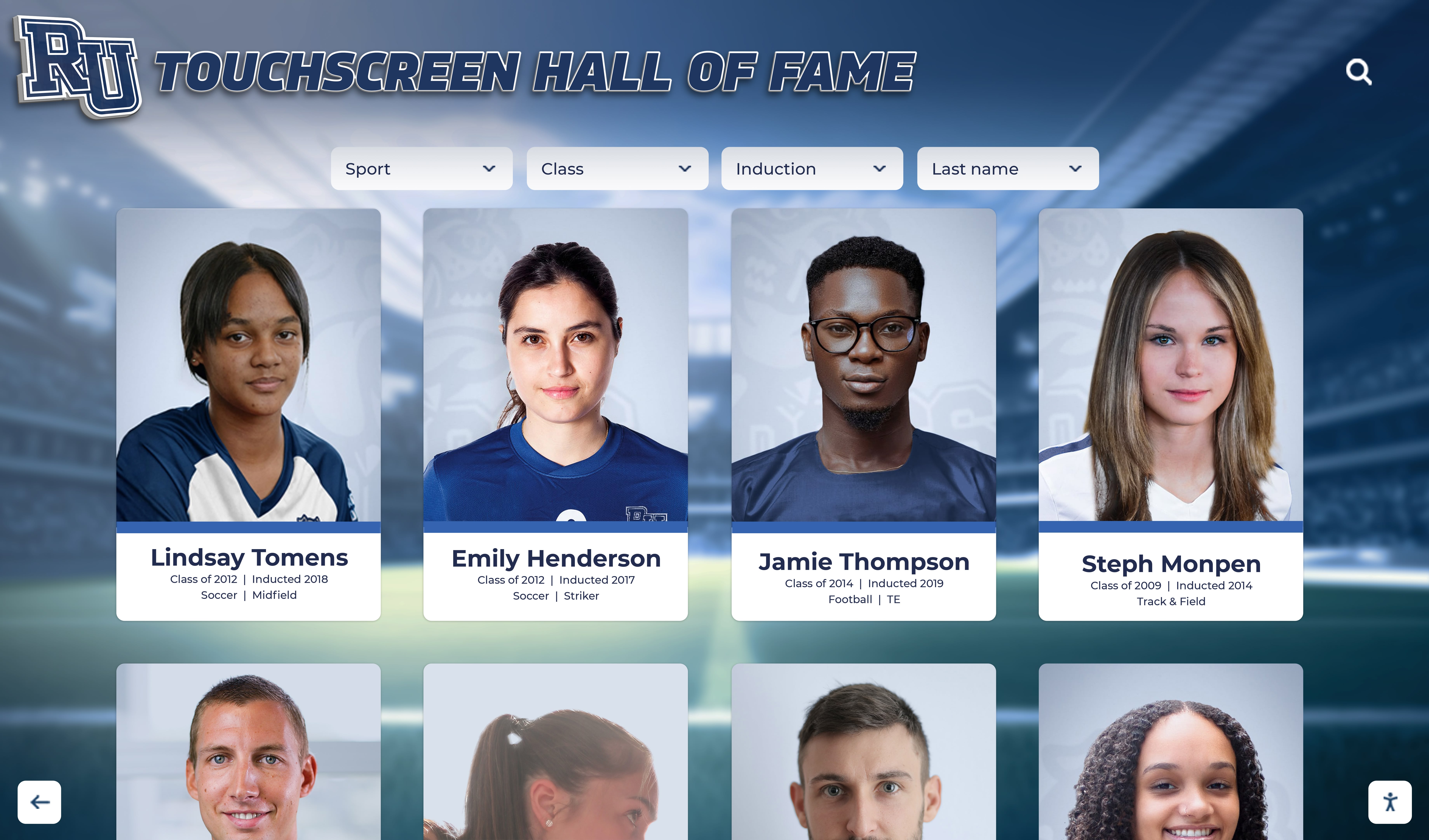
Visual Consistency and Professional Presentation: Recognition content quality dramatically impacts perceived value and community engagement. Professional-quality athlete photos presented consistently create cohesive visual experiences celebrating achievement appropriately. Inconsistent photo quality, varying background treatments, or unprofessional imagery diminishes recognition impact regardless of software capabilities or hardware specifications.
Establish photo standards before content collection including consistent backgrounds, similar lighting and composition, standardized cropping and framing, and adequate resolution for large-display presentation. Coordinate photo sessions capturing team and individual photos meeting established standards rather than accepting whatever images become available. According to Rocket Alumni Solutions implementation experience, schools investing in professional photography report significantly higher community satisfaction with recognition displays compared to institutions using inconsistent snapshots or casual images varying wildly in quality and presentation.
Regular Content Updates and Maintenance: Recognition displays delivering ongoing value require regular content updates adding recent achievements, updating current rosters, correcting discovered errors, and continuously expanding historical coverage. Stagnant displays showing years-old information without recent additions lose relevance quickly—current students stop engaging when displays ignore recent accomplishments, alumni lose interest when historical coverage remains incomplete, and communities perceive recognition systems as abandoned rather than actively maintained institutional priorities.
Athletic directors should establish regular content update schedules adding new achievements quarterly, updating seasonal information annually, and continuously expanding historical content filling gaps in comprehensive coverage. Cloud-based content management through Rocket Alumni Solutions enables these regular updates completing in minutes rather than requiring IT support, professional design services, or expensive physical display modifications consuming time and resources discouraging frequent updates with traditional static recognition approaches.
Technical Support and Long-Term System Maintenance
Sustaining recognition displays over years of continuous operation requires addressing ongoing technical support, troubleshooting inevitable issues, and maintaining hardware and software performance as technologies evolve.
Preventive Maintenance and System Health
Hardware Cleaning and Physical Maintenance: Touchscreen displays require regular cleaning maintaining visual quality and touch responsiveness. Fingerprints, smudges, and dust accumulate on capacitive touch surfaces degrading appearance and potentially interfering with touch sensing if excessive buildup occurs.
Clean touchscreens weekly using microfiber cloths slightly dampened with water or specialized screen cleaning solutions designed for capacitive touch displays. Avoid harsh chemicals, abrasive materials, or excessive moisture potentially damaging screen coatings or penetrating display assemblies. According to MWE-QIXZOCV maintenance guidance, displays should power off during cleaning and dry completely before resuming operation preventing electrical issues from moisture exposure.
Inspect physical hardware quarterly checking power cable connections, network cable security, structural stability, and cabinet condition identifying developing issues before they cause operational failures. Tighten loose connections, resecure shifted cables, and address minor physical damage promptly preventing small problems escalating into major failures requiring expensive repairs or complete hardware replacement.
Software Updates and Security Patches: Android systems require periodic updates installing security patches, system improvements, and compatibility updates maintaining reliable operation as underlying technologies evolve. While automatic updates should generally remain disabled for production kiosks preventing unexpected changes during operational hours, intentional updates during planned maintenance windows keep systems secure and functioning optimally.
Schedule quarterly maintenance windows—weekend mornings, school breaks, or summer periods—for installing Android system updates, updating kiosk browser applications, and verifying continued proper operation after updates complete. Test recognition content loading, touch interaction, search functionality, and overall system responsiveness following updates ensuring changes don’t inadvertently break configurations or degrade user experiences.
Browser updates particularly critical maintaining security and compatibility as web standards evolve. Chrome browser updates several times yearly introducing security improvements, performance enhancements, and support for emerging web technologies. Rocket Alumni Solutions’ web-based architecture leverages modern browser capabilities—maintaining current browser versions ensures optimal recognition content display and interaction quality.
Troubleshooting Common Operational Issues
Network Connectivity Problems: Recognition displays depending on cloud-managed content require reliable network connectivity. Connectivity issues manifest as content failing to load, displays showing error messages, or kiosks reverting to cached offline content becoming increasingly outdated as network outages persist.
Troubleshoot network problems systematically verifying physical connections secure, network settings configured correctly, institutional firewalls not blocking required traffic, and broader network infrastructure functioning properly beyond individual kiosk issues. Test connectivity using Android network diagnostic tools confirming internet access, DNS resolution, and specific connectivity to Rocket Alumni Solutions domains.
Schools experiencing persistent connectivity issues should evaluate whether network infrastructure adequately supports kiosk deployments or if hardwired Ethernet connections should replace problematic WiFi configurations. Consult IT departments addressing firewall rules, VLAN configurations, or bandwidth allocation potentially interfering with recognition display operation.
Touch Responsiveness Degradation: Capacitive touch displays occasionally experience reduced sensitivity or inaccurate touch registration. Common causes include excessive screen contamination interfering with touch sensing, software problems requiring browser restart or system reboot, or hardware issues indicating failing touch digitizers requiring professional repair.
Address touch problems through systematic troubleshooting beginning with thorough screen cleaning removing all fingerprints, smudges, and contamination. Restart browser applications clearing temporary software issues. Reboot entire kiosk systems resolving deeper software conflicts. If problems persist after cleaning and restarts, contact hardware support evaluating whether touch digitizer replacement or professional service required.
Content Display Problems: Occasionally recognition content may fail loading properly, display incorrectly, or show outdated information despite recent updates. These problems typically trace to browser caching issues, network connectivity interruptions during content updates, or configuration problems requiring technical review.
Clear browser cache and reload recognition content forcing fresh downloads from Rocket Alumni Solutions servers. Verify network connectivity allows completing content downloads without interruption. Review kiosk browser configurations ensuring settings don’t inadvertently interfere with proper content loading. Contact Rocket Alumni Solutions support if problems persist despite troubleshooting—technical teams can review server-side configurations and content delivery ensuring proper system operation.
Cost Analysis and Return on Investment
Schools evaluating MWE-QIXZOCV kiosk investments with Rocket Alumni Solutions software should analyze complete costs and anticipated value returns informing budget decisions and administrative approvals.
Total Cost of Ownership Calculation
Hardware Investment: MWE-QIXZOCV kiosk pricing varies by screen size and specific model configurations. As of 2026, pricing typically ranges from approximately $800-1,200 for 43-inch FHD models to $2,500-3,500 for 65-inch 4K versions based on Amazon marketplace pricing. Schools implementing multiple kiosks benefit from bulk purchasing opportunities negotiating volume discounts reducing per-unit costs.
Compare MWE-QIXZOCV pricing against professional commercial display alternatives costing 2-3x more for comparable sizes or Windows-based all-in-one computers commanding similar premiums. Budget-conscious schools find MWE-QIXZOCV models deliver acceptable quality at significantly lower hardware costs enabling broader deployment coverage within constrained budgets.
Software Platform Costs: Rocket Alumni Solutions pricing varies based on specific implementation scope, content management requirements, and ongoing support needs. Schools should contact Rocket directly requesting customized quotes reflecting institutional size, recognition content volume, and specific feature requirements rather than assuming standardized pricing.
Cloud-based software platforms typically structure pricing as annual subscriptions or multi-year agreements rather than perpetual licenses common with older installed software models. Subscription pricing includes ongoing platform improvements, continuous feature enhancements, regular security updates, and technical support—value components beyond initial software access often requiring separate maintenance agreements with traditional licensed software.
Installation and Implementation Services: Professional installation services completing physical kiosk placement, network configuration, browser setup, content loading, and staff training typically cost $500-1,500 per location depending on complexity and geographic factors. Schools with capable technical staff may complete installations internally eliminating external service costs while organizations lacking technical resources benefit from professional installation ensuring proper configuration and reliable operation from initial deployment.
Ongoing Operational Costs: Annual operational expenses include network connectivity supporting content delivery, electricity consumption running displays continuously during operational hours, periodic cleaning supplies and maintenance materials, and occasional hardware repairs or component replacement as systems age. These ongoing costs typically total $100-300 annually per kiosk—modest expenses compared to initial investment but requiring budget allocation for sustainable long-term operation.
Quantifying Recognition Value and Benefits
Engagement Metrics and Community Impact: While difficult quantifying precisely, recognition displays generate measurable community engagement translating into institutional value. Schools implementing interactive recognition systems report significantly increased student pride, stronger alumni connections, enhanced parent engagement, and improved prospective family impressions during campus visits and enrollment decisions.
According to Rocket Alumni Solutions deployment analysis, searchable interactive recognition displays achieve 5-7x longer average interaction times compared to simple slideshow presentations—visitors exploring personalized content for several minutes rather than glancing briefly at random cycling images. This extended engagement creates more meaningful recognition experiences celebrating individual achievement and strengthening community connections to athletic programs and broader institutional identity.
Alternative Cost Comparisons: Compare digital recognition investment against traditional static recognition alternatives. Physical trophy cases cost $3,000-8,000 installed accommodating limited achievements. Engraved plaques run $50-200 each covering single achievements. Vinyl record board installations cost $2,000-5,000 per sport requiring expensive updates adding new records.
Digital recognition systems delivering unlimited capacity, instant updates, and comprehensive achievement coverage often cost less than traditional alternatives while providing superior functionality and flexibility. Schools replacing static trophy cases or vinyl record boards with digital displays achieve cost savings while dramatically expanding recognition capacity and simplifying content management.
Student Recruitment and Retention Impact: Recognition celebrating achievement contributes measurably to student recruitment and retention—prospective families evaluating schools observe how institutions honor student accomplishment, current students remain engaged through visible achievement acknowledgment, and alumni maintain connections through accessible institutional memory preservation.
While impossible isolating recognition displays’ specific contributions to enrollment decisions or student retention rates, comprehensive achievement celebration represents visible commitment to student value creating positive impressions influencing these critical institutional metrics. Schools implementing comprehensive athletic recognition programs position themselves advantageously in competitive enrollment environments where family perceptions of institutional culture and student experience influence school selection decisions.
Future Technology Trends and Platform Evolution
Recognition display technology continues evolving with emerging capabilities shaping future deployments and informing current investment decisions.
Artificial Intelligence and Personalization
AI capabilities increasingly enhance recognition experiences through natural language search understanding conversational queries, automated content organization and tagging reducing manual administration burden, intelligent content recommendations suggesting related achievements matching user interests, and personalized experiences adapting displays to interaction patterns.
These AI enhancements typically implement server-side regardless of kiosk hardware selection—both MWE-QIXZOCV displays and professional alternatives benefit equally from cloud-based AI capabilities. Organizations implementing recognition systems should evaluate software platforms’ AI roadmaps and innovation trajectories rather than focusing exclusively on current feature sets when making long-term platform commitments.
Rocket Alumni Solutions continues investing in AI capabilities enhancing recognition experiences while maintaining intuitive user interaction appropriate for public touchscreen environments where visitors require immediate comprehension without instruction or learning curves.
Enhanced Multimedia and Interactive Capabilities
Recognition content evolves beyond static photos and text toward rich multimedia storytelling including video highlights, audio narratives, interactive timelines, 3D visual elements, and immersive experiences leveraging advancing web technologies. Modern web browsers supporting hardware-accelerated graphics, high-performance video playback, and sophisticated interactive capabilities enable these enhanced experiences without requiring native application development or specialized hardware beyond capable touchscreen displays with sufficient processing power.
MWE-QIXZOCV kiosks’ Android-based architecture and modern Chrome browser support current web standards enabling these emerging capabilities as Rocket Alumni Solutions implements enhanced multimedia features. Organizations selecting hardware should verify specifications support current and anticipated future content complexity rather than assuming minimal requirements adequate throughout expected hardware lifespans.
Mobile Integration and Extended Engagement
Recognition increasingly extends beyond physical kiosks toward mobile-first experiences accessible anywhere through smartphones and tablets. QR codes link physical recognition displays to mobile content, personal achievement profiles share through social media, alumni explore historical content remotely from home, and prospective families preview institutional recognition culture during initial research phases before campus visits.
Rocket Alumni Solutions’ web-based architecture naturally supports this mobile extension—content created for touchscreen kiosks automatically adapts to mobile device screens through responsive design without requiring separate mobile development. Schools implementing recognition displays gain automatic mobile presence extending engagement beyond physical kiosk locations toward broader community reach amplifying recognition impact and institutional connection.
Making Your MWE-QIXZOCV and Rocket Alumni Solutions Decision
Schools and athletic facilities evaluating touchscreen kiosk recognition displays should approach hardware and software selection systematically balancing capabilities, costs, and long-term value against specific institutional requirements and operational contexts.
Decision Framework for Hardware Selection
Requirements Assessment: Define specific needs including optimal screen size based on viewing distances and installation locations, resolution requirements matching content visual complexity, environmental considerations affecting brightness and durability specifications, and budget constraints establishing acceptable investment ranges.
MWE-QIXZOCV kiosks position appropriately for most educational recognition applications—adequate specifications for browser-based interactive content, reasonable pricing enabling broader deployment coverage, and straightforward operation suitable for non-technical content administrators. Organizations requiring maximum brightness for challenging lighting environments, demanding continuous 24/7 operation, or prioritizing absolute maximum hardware lifespan should evaluate professional commercial displays despite higher costs.
Integration Planning: Verify hardware compatibility with chosen software platforms, confirm network infrastructure supports cloud-managed content delivery, evaluate kiosk lockdown configuration options appropriate for public environments, and assess technical support resources available for ongoing system maintenance.
Rocket Alumni Solutions’ web-based architecture integrates seamlessly with Android-based MWE-QIXZOCV hardware through standard Chrome browsers—no specialized software installation, driver configuration, or complex technical integration required. This compatibility simplicity enables schools focusing on content strategy and recognition program development rather than managing technical integration challenges consuming limited IT resources.
Long-Term Sustainability: Consider total cost of ownership including initial hardware investment, software subscription costs, installation and implementation services, and ongoing operational expenses over anticipated 4-6 year hardware lifecycles. Evaluate vendor stability and platform evolution trajectories ensuring chosen solutions receive continuing development and support rather than representing dead-end technologies abandoned as vendors shift strategic focus.
MWE-QIXZOCV hardware represents reasonable mid-market quality balancing initial investment against expected reliability. Rocket Alumni Solutions maintains active development continuously enhancing platform capabilities based on educational customer feedback—ensuring long-term viability and relevance rather than static software platforms stagnating after initial release.
Moving Forward with Recognition Display Implementation
Schools ready implementing digital recognition displays should begin with clear vision defining recognition goals, identifying priority content areas, establishing content quality standards, and securing administrative support ensuring sustainable long-term commitment rather than initial enthusiasm fading after deployment novelty passes.
Partner with experienced recognition platform providers like Rocket Alumni Solutions offering specialized expertise beyond generic digital signage vendors lacking educational recognition understanding. Purpose-built platforms specifically designed for achievement celebration deliver workflow efficiencies, feature capabilities, and community engagement optimization generic alternatives cannot match regardless of hardware specifications or technical sophistication.
For athletic facilities implementing digital record board systems, recognition displays transform static vinyl boards or overcrowded trophy cases into dynamic, continuously evolving celebrations showcasing comprehensive achievement without space limitations or expensive manual update requirements. Hardware selection matters less than software capabilities enabling efficient content management, engaging user experiences, and meaningful recognition celebrating every achievement across complete institutional history.
Ready to explore how MWE-QIXZOCV hardware combined with Rocket Alumni Solutions software creates engaging recognition displays celebrating achievement comprehensively while simplifying content management and building community pride? Purpose-built recognition platforms designed specifically for educational institutions deliver capabilities matching actual workflow needs while eliminating unnecessary complexity. Schedule a Zoom demo discovering how appropriate hardware and specialized software combine creating recognition systems serving communities effectively without creating technical burdens or operational challenges.
Sources:































