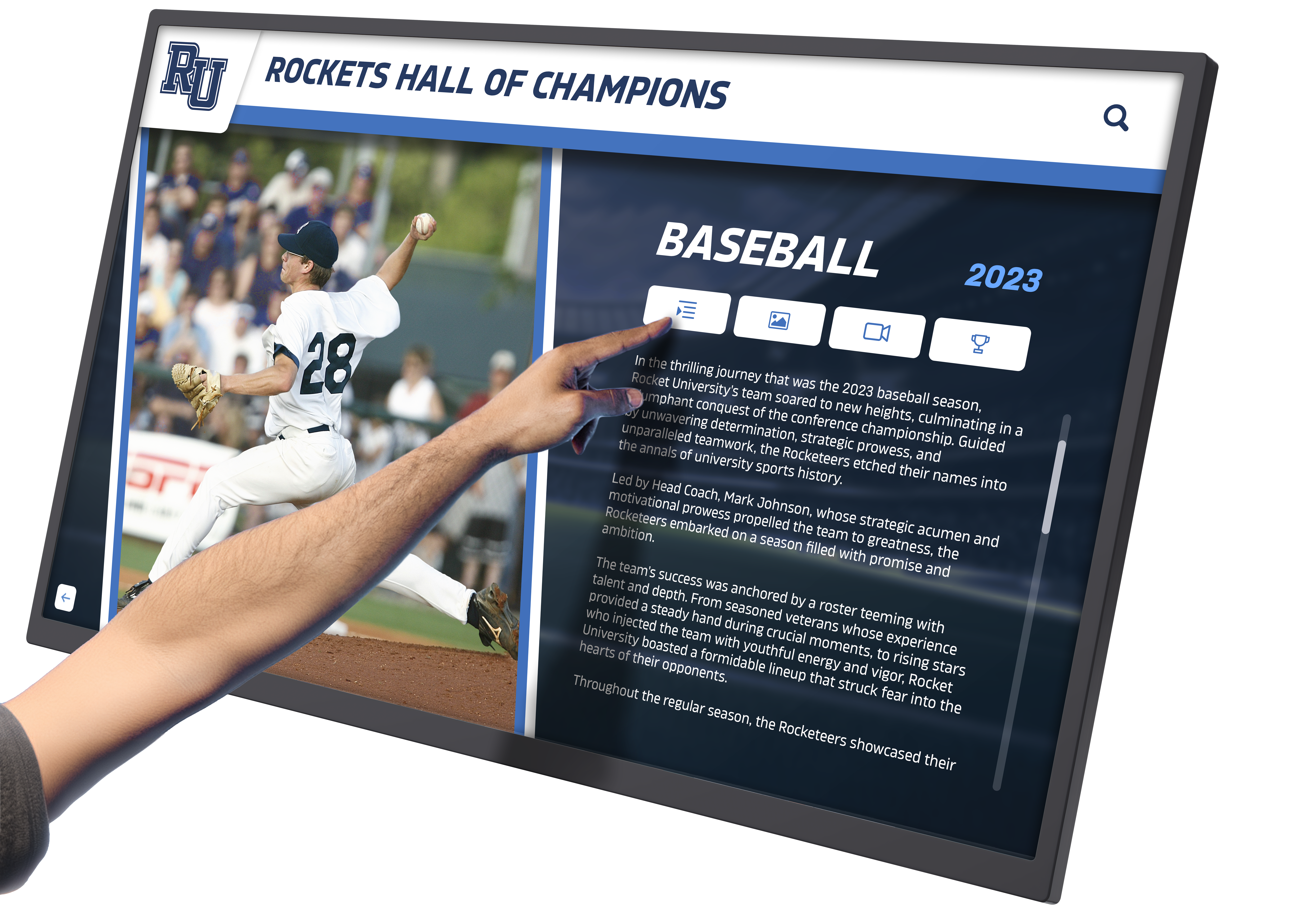




School administrators evaluating large touchscreen display solutions face a marketplace crowded with technical specifications, competing brands, and conflicting advice. Yet the most critical question isn’t about screen resolution, touch points, or processing power—it’s about purpose. Large touchscreen displays serve fundamentally different functions depending on placement and application, and selecting the right solution requires understanding these distinctions before comparing product specifications.
In classrooms, large touchscreen displays function as collaborative learning tools where teachers deliver lessons and students interact with educational content. In hallways, athletic facilities, and entrance areas, these same technologies transform into powerful recognition platforms celebrating student achievement, preserving institutional history, and building school pride. The hardware may appear similar, but the software, content strategies, and success metrics differ dramatically between these applications.
Why Schools Need Purpose-Built Touchscreen Solutions
Generic digital signage displays running slideshow software fail to deliver the interactive engagement modern schools require. Effective touchscreen solutions must match application requirements—classroom systems need educational software ecosystems and multi-user collaboration features, while recognition displays demand intuitive public interfaces, unlimited content capacity, and sophisticated search capabilities. Solutions like Rocket Alumni Solutions specialize in transforming large touchscreen hardware into comprehensive recognition systems that honor unlimited student achievements through engaging interactive experiences impossible with traditional static displays.
Understanding Large Touchscreen Display Technology for Schools
Before evaluating specific products or vendors, understanding the fundamental technologies underlying large touchscreen displays helps schools make informed decisions aligned with actual needs rather than marketing claims.
Commercial vs. Consumer Display Technology
Schools often consider consumer televisions with touchscreen overlays as cost-effective alternatives to commercial displays. This approach creates long-term problems that offset initial savings.
Commercial-Grade Construction: Purpose-built commercial displays feature components rated for continuous 16-24 hour daily operation, tempered anti-glare glass resistant to impacts and scratches, sealed electronics preventing dust infiltration that degrades performance, and commercial backlighting maintaining consistent brightness across years of heavy use. Consumer displays operating continuously fail within months because components aren’t rated for commercial duty cycles.
Warranty and Support Differences: Consumer television warranties exclude commercial applications and void coverage when displays operate in non-residential settings. Commercial display warranties specifically cover institutional use with multi-year terms, advance replacement programs minimizing downtime, and commercial support infrastructure providing technical assistance.
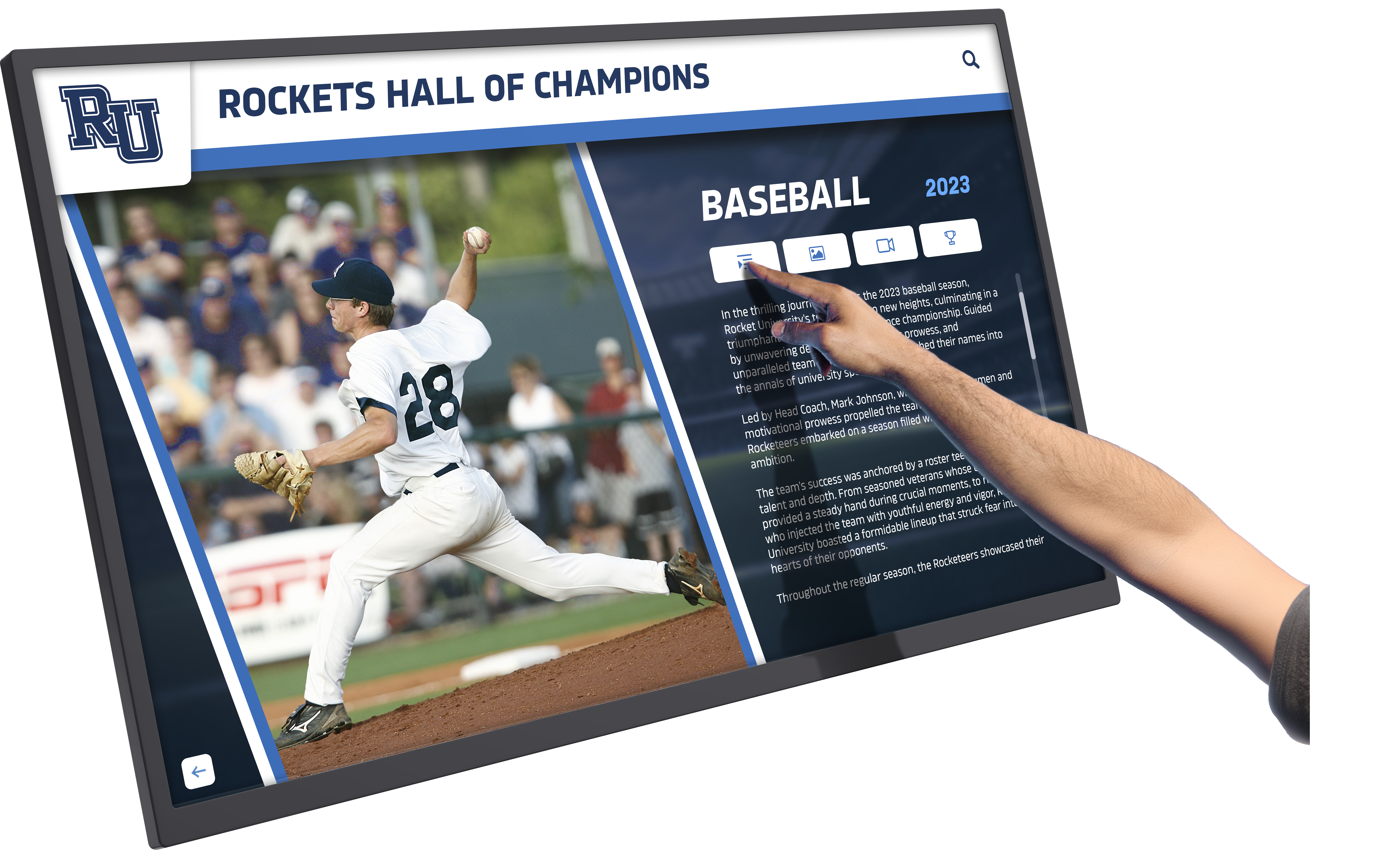
Brightness and Visibility: Commercial displays deliver 350-700 nits brightness maintaining visibility in well-lit hallways and athletic facilities. Consumer televisions optimize for controlled living room lighting and appear washed out in bright institutional environments. Public-facing recognition displays require commercial brightness ensuring content remains readable under all lighting conditions.
Touch Technology Fundamentals
Large touchscreen displays employ different touch sensing technologies with distinct advantages and limitations.
Capacitive Multi-Touch: Most modern touchscreens use projected capacitive technology sensing electrical properties of human fingers. This approach supports multi-touch interaction enabling multiple simultaneous users, delivers smartphone-like responsiveness users expect intuitively, works through protective glass maintaining durability, and enables gesture controls like pinch-to-zoom and multi-finger swipes. Capacitive technology proves ideal for both classroom collaboration and public recognition applications.
Infrared Touch Technology: Some large format displays use infrared sensing detecting touch through interrupted light beams across screen surfaces. Benefits include large screen scalability to 100+ inch displays, stylus and gloved hand compatibility, and lower cost for very large installations. Drawbacks include lower touch resolution compared to capacitive screens, potential sunlight interference in bright environments, and bezels slightly raised around screen edges housing sensors.
Optical Imaging: Advanced optical systems use cameras imaging touch points on screen surfaces. This technology enables very large interactive surfaces, supports any touch input including fingers, stylus, and objects, and scales cost-effectively to large installations. Limitations include sensitivity to ambient lighting conditions and slightly lower touch precision than capacitive approaches.
Size Considerations and Viewing Distance Guidelines
Large touchscreen displays range from 55 inches to 100+ inches measured diagonally. Optimal sizing depends on viewing distance and use case.
Viewing Distance Formula: General guidance suggests maximum comfortable viewing distance equals approximately 2× diagonal screen size for detailed content. A 65-inch display works well for viewing distances up to 10-11 feet. A 75-inch display extends comfortable viewing to 12-13 feet. An 86-inch display supports 14-15 foot viewing distances.
Interactive Reach Considerations: For touchscreen interactions, consider that users need physical access to screen surfaces. Very large displays mounted at comfortable viewing heights may place upper portions beyond reach without step stools. Most installations balance viewing optimization with interactive accessibility through 55-75 inch displays enabling full-screen interaction by average height users.

Wall-Mounted vs. Kiosk Configurations: Wall-mounted installations save floor space and create clean modern aesthetics. Freestanding kiosk enclosures offer placement flexibility, built-in computing integration, cable management solutions, and sometimes accessibility compliance features accommodating wheelchair users. School facilities should evaluate whether wall mounting or kiosk configurations better serve specific locations and accessibility requirements.
Large Touchscreen Displays for Classroom Instruction
Classroom applications require specific features supporting collaborative learning, educational software integration, and teacher-friendly operation.
Interactive Flat Panel Display Requirements
Educational interactive flat panels combine large touchscreen displays with integrated computing and educational software specifically designed for classroom instruction.
Essential Classroom Features: Simultaneous multi-touch supporting 20+ touch points enabling multiple students to collaborate directly on displays, integrated computing eliminating separate computer requirements, pre-loaded educational software including lesson creation and delivery tools, wireless screen sharing allowing teachers and students to display from personal devices, and split-screen capabilities showing multiple content sources simultaneously.
Educational Software Ecosystems: The most valuable classroom displays include comprehensive software platforms featuring interactive whiteboarding applications, lesson template libraries aligned with curriculum standards, formative assessment tools enabling quick comprehension checks, cloud storage allowing lesson access from anywhere, and compatibility with popular learning management systems including Google Classroom and Microsoft Teams.
Leading Classroom Display Brands: SMART Technologies, Promethean, ViewSonic, BenQ, and Newline Interactive produce purpose-built educational displays with features specifically supporting instruction. These manufacturers understand classroom workflows, provide educational-focused training, and offer support structures aligned with school technology lifecycles.
Classroom Display Pricing and Investment Considerations
Quality classroom interactive flat panels represent significant investments requiring multi-year planning and budget allocation.
Typical Investment Ranges: 65-inch classroom interactive displays typically cost $4,000-$6,000 including educational software bundles. 75-inch displays range $6,000-$8,000 with similar software packages. 86-inch displays for large classrooms or multi-purpose spaces run $8,000-$12,000. Installation, mounting hardware, and teacher training add $500-$1,500 per display.
Total Cost of Ownership: Beyond initial purchase prices, consider ongoing software licensing fees if applicable, periodic hardware refresh cycles every 5-7 years, technical support and warranty costs, and professional development ensuring effective adoption. Schools should calculate complete lifecycle costs rather than comparing only initial purchase prices.
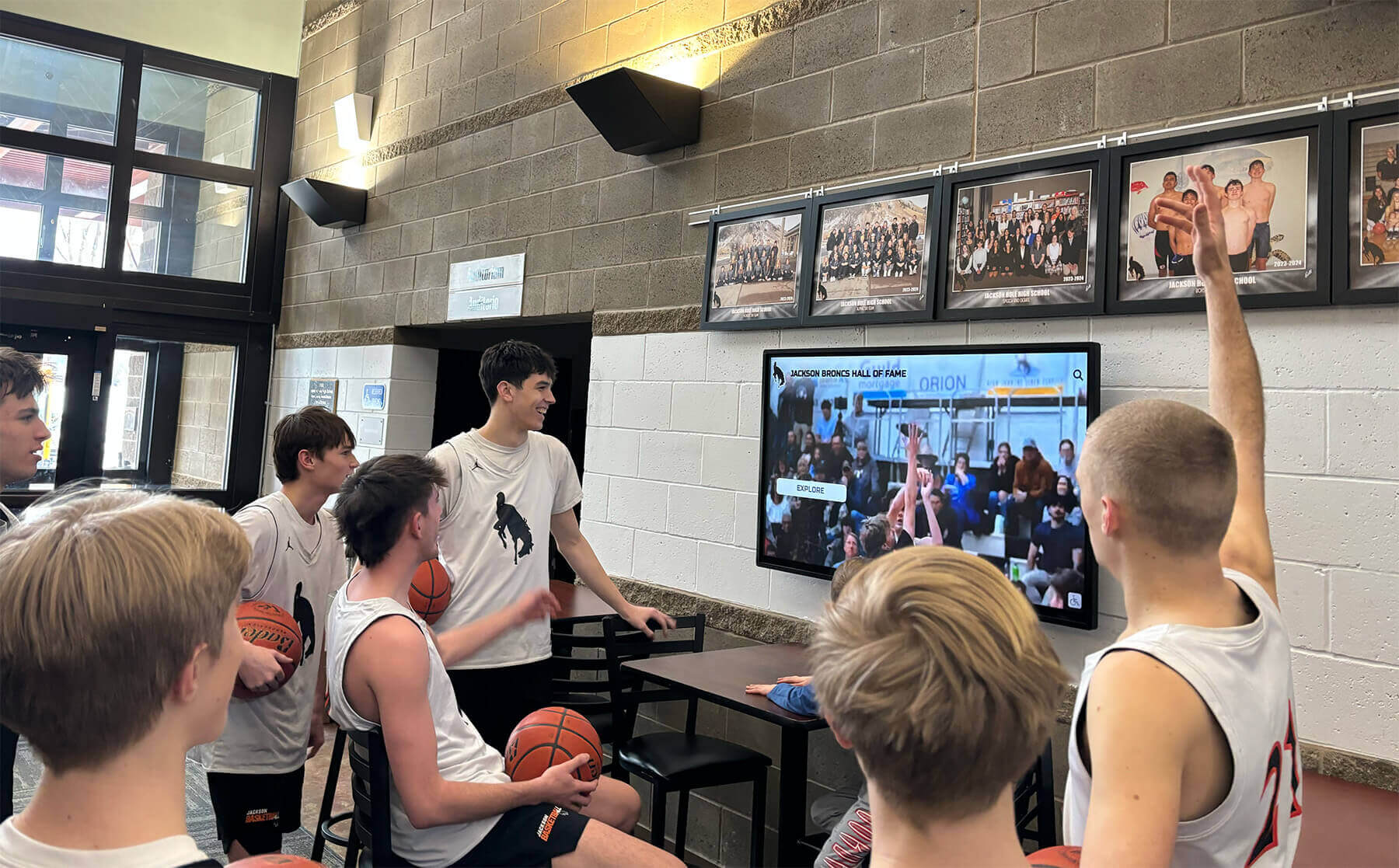
Deployment Strategies: Most schools implement phased classroom technology rollouts prioritizing high-use spaces including core academic classrooms first, STEM laboratories benefiting from interactive visualization, collaborative learning spaces supporting project-based instruction, and special education classrooms leveraging accessibility features. Phased approaches distribute costs across multiple budget cycles while enabling pilot testing before full commitment.
Large Touchscreen Displays for School Recognition and Engagement
Outside classrooms, large touchscreen displays serve fundamentally different purposes requiring distinct capabilities optimized for public interaction rather than instructional delivery.
The Recognition Display Challenge Schools Face
Traditional recognition approaches create impossible constraints. Physical trophy cases fill within years. Wall space for championship banners exhausts completely. Plaques commemorating achievements cover every available surface yet still fail to recognize most deserving students, teams, and accomplishments.
These capacity limitations force schools into heartbreaking decisions about which achievements warrant visible recognition and which must be stored away where they provide zero inspirational value. A state championship from ten years ago gets removed to make room for recent accomplishments. Individual athletic records remain unknown to current students because no space exists to display them. Academic achievements beyond valedictorian go uncelebrated because recognition systems can’t scale.
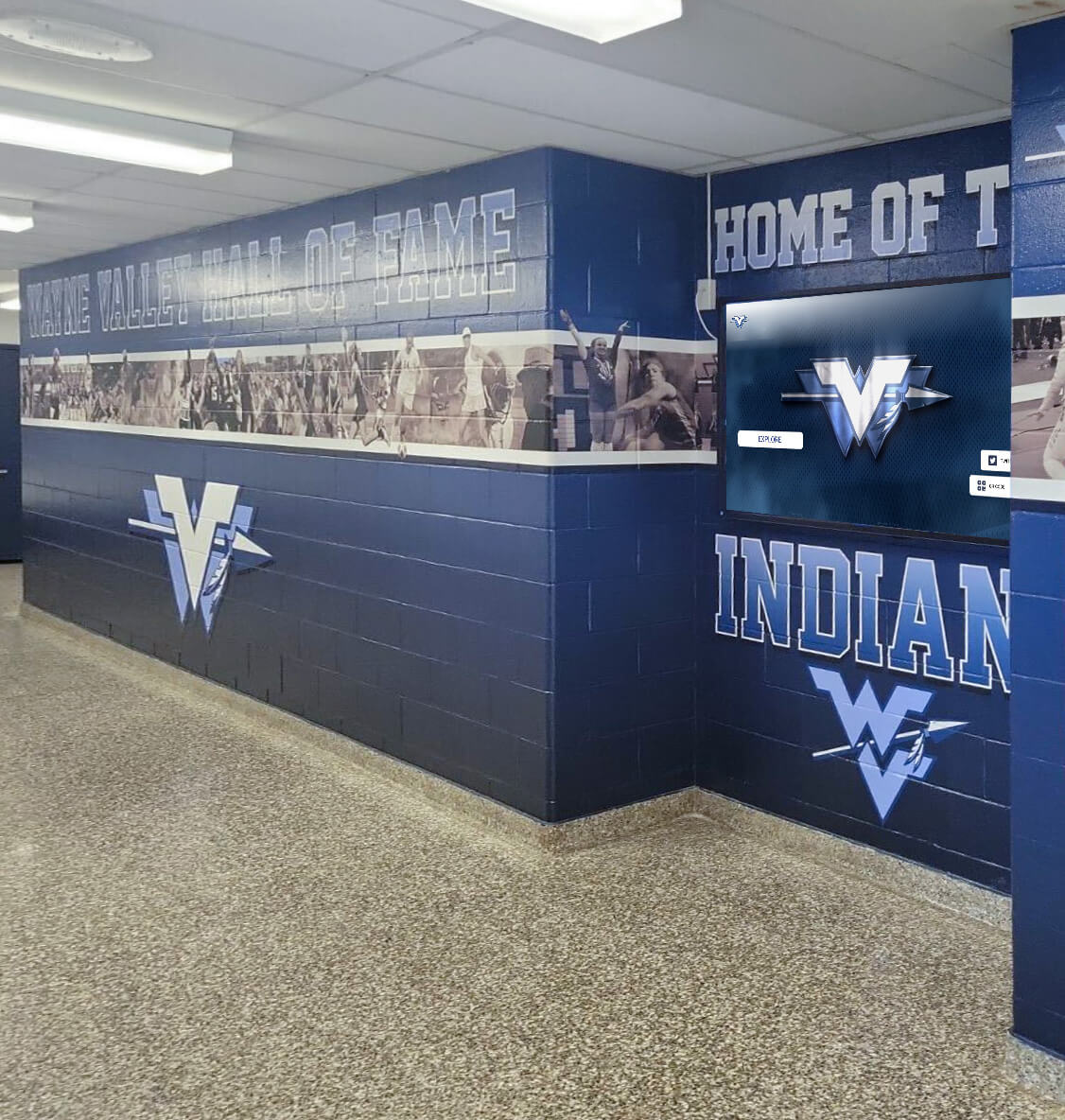
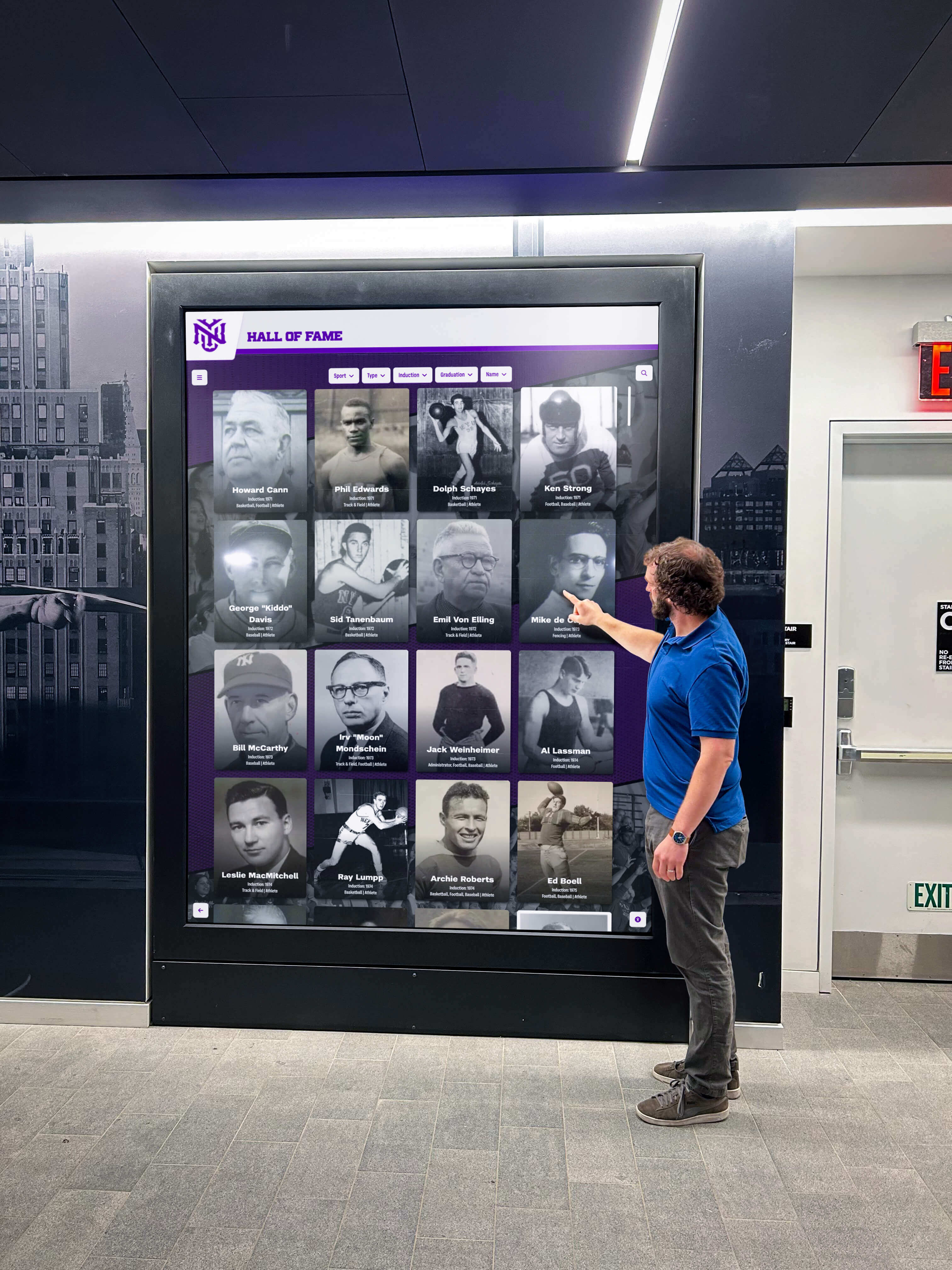
Modern digital recognition displays eliminate these constraints entirely through large touchscreen technology showcasing unlimited achievements. A single 65-inch interactive display can present comprehensive profiles for thousands of athletes, scholars, teams, and distinguished alumni—content requiring hundreds of physical plaques and dozens of trophy cases to display traditionally.
Recognition Display Requirements Differ from Classroom Displays
Schools shopping for recognition displays often assume classroom interactive panels serve both purposes equally. This assumption wastes money on unnecessary educational features while missing critical recognition capabilities.
Intuitive Public Interface Design: Recognition displays serve visitors unfamiliar with your school who need interfaces requiring zero instruction. Large navigation buttons, obvious search functionality, and automatic timeout features ensuring displays reset between users prove essential. Classroom displays optimize for teacher-led control with features that confuse public users attempting independent exploration.
Content Management Simplicity: Athletic directors, activities coordinators, and administrative staff managing recognition content typically lack technical expertise. Cloud-based content management systems accessible through simple web interfaces enable non-technical staff to add achievements, upload photos, and update information without IT department involvement. Understanding how to modernize recognition walls helps schools transition from traditional to digital approaches.
Unlimited Content Capacity: Recognition value depends entirely on comprehensive inclusion—honoring every championship team, individual record holder, academic achievement, and noteworthy accomplishment regardless of when they occurred. This unlimited digital capacity enables complete institutional memory preservation impossible with physical displays constrained by finite wall space.
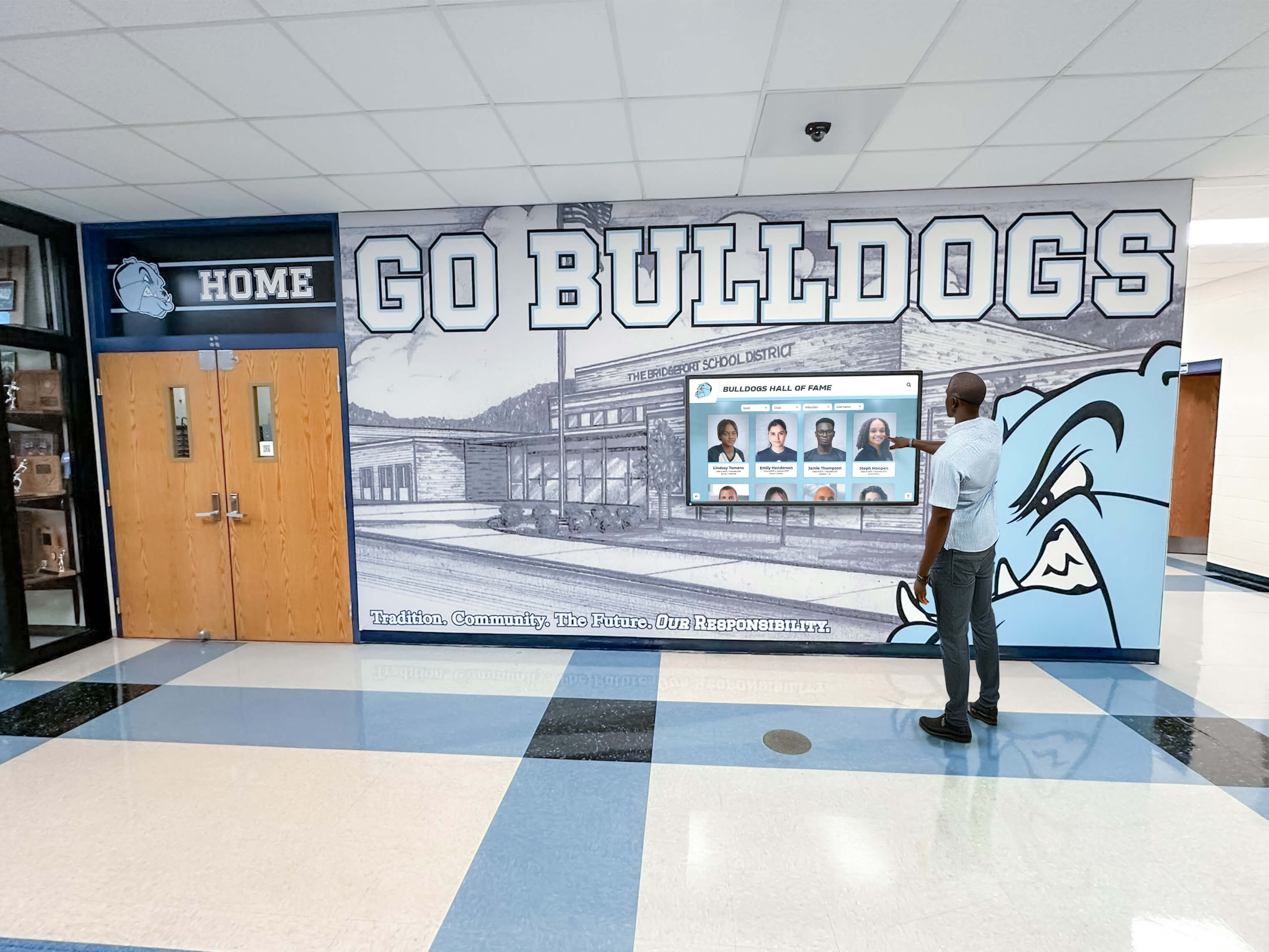

Multimedia Storytelling Capabilities: Physical plaques display names, dates, and minimal statistics. Interactive recognition displays support high-resolution photography showing athletes in action, detailed achievement narratives explaining significance and context, video highlights of championship moments, career progression timelines, and searchable databases enabling personalized discovery. This rich multimedia content transforms recognition from simple acknowledgment into engaging storytelling.
Search and Discovery Features: Unlike classroom displays where teachers control content flow, recognition displays require powerful search enabling visitors to find personally relevant content quickly. Name search with auto-complete, year filtering, sport or activity organization, and keyword search across complete databases ensure users discover content connecting to their interests, relationships, and aspirations.
Rocket Alumni Solutions: Purpose-Built Large Touchscreen Recognition Software
Hardware alone creates digital displays. Purpose-built software transforms displays into comprehensive recognition systems delivering engagement and impact that justify investment.
Specialized Recognition Platform Architecture
Generic digital signage software can display content on touchscreens, but effective recognition requires specialized platforms designed specifically for achievement celebration and interactive exploration.
Rocket Alumni Solutions provides comprehensive software specifically designed to work with large touchscreen hardware, transforming generic displays into powerful recognition systems. Unlike classroom software optimized for lesson delivery or generic digital signage focused on advertising, Rocket’s platform emphasizes celebration, preservation, and engagement—core recognition purposes requiring different capabilities.
Cloud-Based Content Management: Web-based administrative dashboards enable authorized staff to manage content from any internet-connected device—office computers, home laptops, tablets, or smartphones. No software installation or technical configuration required. Role-based permissions control who can add, edit, or remove content ensuring appropriate oversight while distributing content creation responsibilities across multiple staff members.
Intuitive interfaces require no programming knowledge. Drag-and-drop media uploading simplifies photo and video addition. Form-based profile creation with templates guides content development ensuring consistency. Preview capabilities allow content review before publishing ensuring quality standards.

Comprehensive Profile Capabilities: Recognition impact depends entirely on content richness. Rocket supports high-resolution photography with multiple images per achievement, detailed text narratives celebrating accomplishments appropriately, complete statistics and achievement data organized clearly, video integration for highlights and interviews, historical documentation preserving context, and social sharing features extending recognition reach beyond physical displays.
Profile templates ensure consistent presentation quality while accommodating various recognition types. Athletes, teams, alumni, donors, staff, and special achievements all receive professional presentation following school branding guidelines automatically.
Advanced Search and Discovery: Users visiting recognition displays should find relevant content efficiently without frustration or confusion. Rocket provides name search with auto-complete suggestions appearing as users type, year or class-based browsing enabling exploration by decade or graduation year, achievement type filtering by category, sport-specific organization, keyword search across all content fields, and related content recommendations encouraging progressive exploration beyond initial queries.
This sophisticated search enables students to discover connections and role models aligned with their interests—finding alumni who pursued similar careers, athletes who played the same positions, or individuals from their hometowns creates personal relevance that generic chronological browsing cannot achieve.
Professional Presentation Templates: Consistent, attractive presentation requires professional design expertise most schools lack. Rocket provides customizable templates matching school branding automatically, responsive layouts adapting to content volume and display orientations, accessibility compliance ensuring readability for diverse audiences, media galleries showcasing images effectively, and navigation conventions users understand intuitively from consumer technology experiences.
These professional templates ensure recognition quality reflects institutional standards regardless of which staff members create content or when updates occur.
Recognition Display Strategic Placement for Maximum Impact
Large touchscreen displays require strategic placement considerations maximizing visibility, engagement, and recognition value.
Building Main Entrances: Entry locations capture all visitors including prospective families evaluating schools, daily student traffic entering and exiting buildings, event attendees for athletics and performances, and community members accessing facilities. Entry placement establishes recognition prominence, signals institutional pride, and exposes diverse audiences to excellence documentation. Exploring donor wall ideas provides insights into effective entrance recognition strategies.
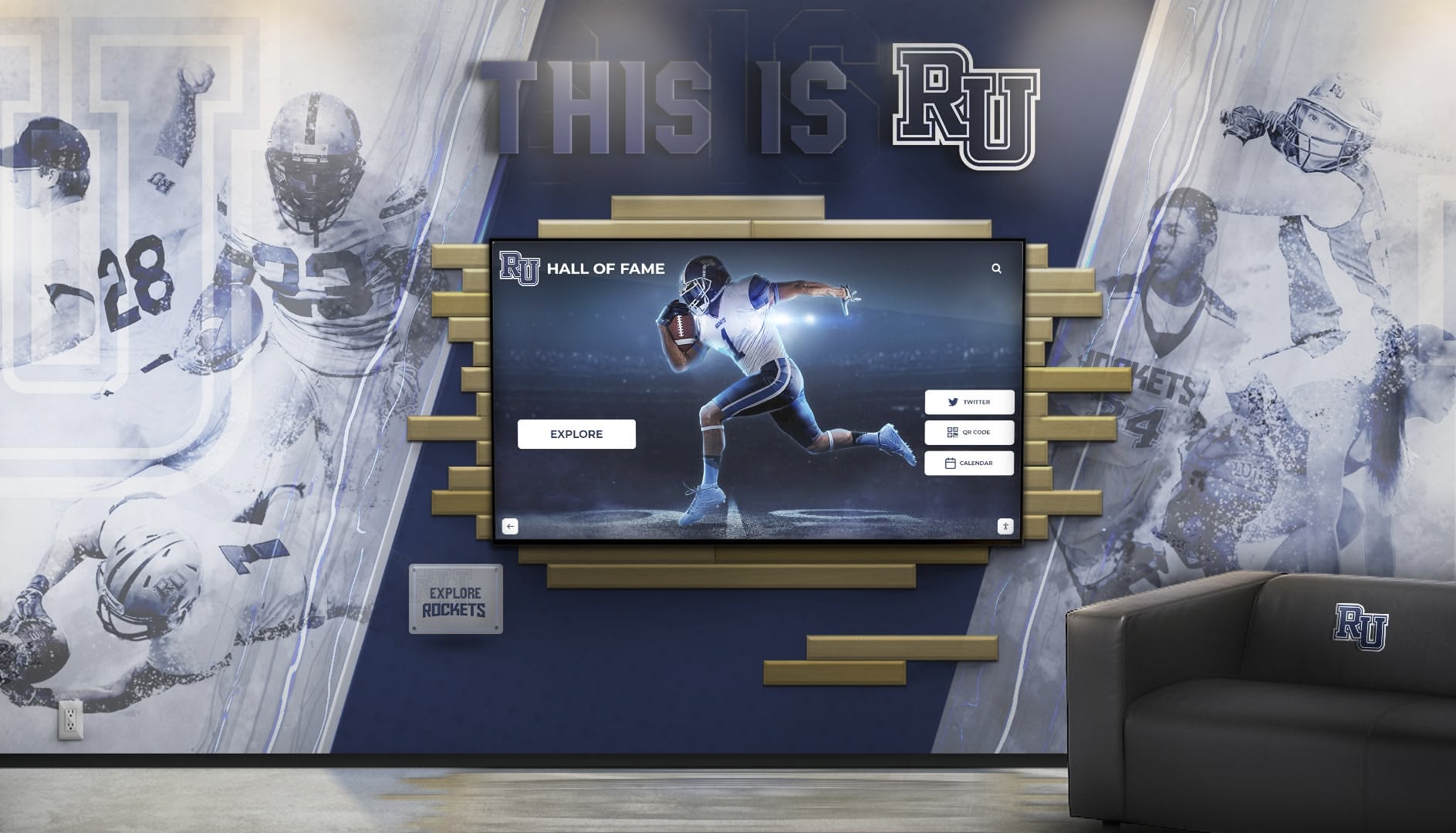
Athletic Facilities: Gymnasiums, field houses, training rooms, and locker room areas serve as natural locations for athletic recognition. Current athletes see displays during daily practice creating aspirational goals. Families view displays during competitions understanding program excellence. Recruits explore achievements during facility tours evaluating program quality. Alumni visiting for events reconnect with their own accomplishments and teammates.
Commons Areas and Primary Hallways: Locations where students gather—cafeterias, student centers, main hallways—provide extended viewing time as students spend significant periods in these spaces daily. Casual exploration during lunch, between classes, or while waiting creates repeated exposure building familiarity with recognition content and encouraging progressive discovery across time. These locations integrate recognition into normal daily experience rather than making it special-occasion viewing.
Administrative and Alumni Centers: Spaces frequented by visitors, alumni, and community members create recognition engagement opportunities supporting advancement objectives and strengthening institutional relationships. Recognition becomes natural conversation starters for development staff working with donors and supporters.
Hardware Selection: Commercial Displays for Recognition Applications
Recognition displays don’t require all the educational features built into classroom interactive panels, enabling cost optimization through purpose-appropriate hardware selection.
Commercial Digital Signage Displays with Touch Capability
Purpose-built commercial digital signage displays with integrated or overlay touch capability often provide better value for recognition applications than education-focused interactive panels.
Advantages for Recognition Use: Commercial signage displays offer similar touchscreen capabilities without educational software schools won’t use for recognition, lower price points reflecting appropriate feature sets, commercial-grade construction rated for continuous public operation, extended warranty terms covering commercial applications, and compatibility with specialized recognition software platforms.
Recommended Specifications: 65-75 inch screen sizes serving most hallway and entrance locations, 4K resolution (3840 x 2160) ensuring text readability and image quality, commercial-grade brightness (350-500 nits) maintaining visibility in well-lit spaces, capacitive multi-touch technology supporting intuitive interaction, and commercial warranties covering 3-5 year terms with advance replacement options minimizing downtime.

Computing Requirements: Recognition displays need sufficient computing power for smooth content delivery but don’t require the processing capabilities educational software demands. Compact PCs with Intel Core i5 processors, 8GB RAM, and 256GB solid state drives provide adequate performance for recognition applications. Cloud-based recognition platforms like Rocket Alumni Solutions run efficiently on modest hardware specifications, keeping system costs manageable while delivering excellent performance.
Mounting and Installation Considerations
Proper installation ensures displays remain secure, accessible, and aesthetically integrated into school environments.
Wall-Mounted Installations: Direct wall mounting creates clean modern appearances saving valuable floor space in crowded hallways. Commercial mounting brackets support heavy large-format displays safely while enabling access for maintenance. Consider reinforced mounting to structural studs or blocking, appropriate viewing heights balancing visibility with interactive reach, cable management solutions creating clean appearances, and electrical access requiring coordination with facilities management.
Freestanding Kiosk Solutions: Freestanding enclosures offer placement flexibility moving displays if traffic patterns change, integrated computing and cable management simplifying installation, ADA-compliant accessibility accommodating wheelchair users, and locked enclosures protecting equipment in high-traffic environments. Custom powder-coated finishes match school colors creating cohesive branding. Understanding museum kiosk design principles provides insights applicable to school recognition installations.
Network Connectivity: Recognition displays require reliable network connections supporting content updates, cloud platform communication, and video streaming. Hardwired Ethernet connections provide superior reliability compared to wireless networking. WiFi networks may suffice where Ethernet proves impractical, provided signal strength and bandwidth support smooth operation. Work with IT departments early ensuring adequate connectivity exists or can be installed before hardware mounting.
Recognition Content Strategy and Development
Hardware and software provide capability. Compelling content delivers recognition value justifying investment while engaging audiences effectively.
Initial Content Development Approaches
Launching recognition displays requires systematic content creation strategies balancing comprehensive coverage with realistic timeframes and resource availability.
Phased Implementation Strategy: Most successful schools implement recognition content through phased approaches beginning with recent well-documented achievements from past 5-10 years where photos, statistics, and information exist in accessible digital formats. Systematically expand backward through decades as time permits, engaging alumni requesting historical photos and memories. Establish sustainable processes for ongoing additions ensuring current achievements receive immediate recognition.
This phasing delivers quick wins providing immediate value while distributing extensive content development workload across manageable timeframes rather than delaying recognition program launch until decades of historical content creation completes.
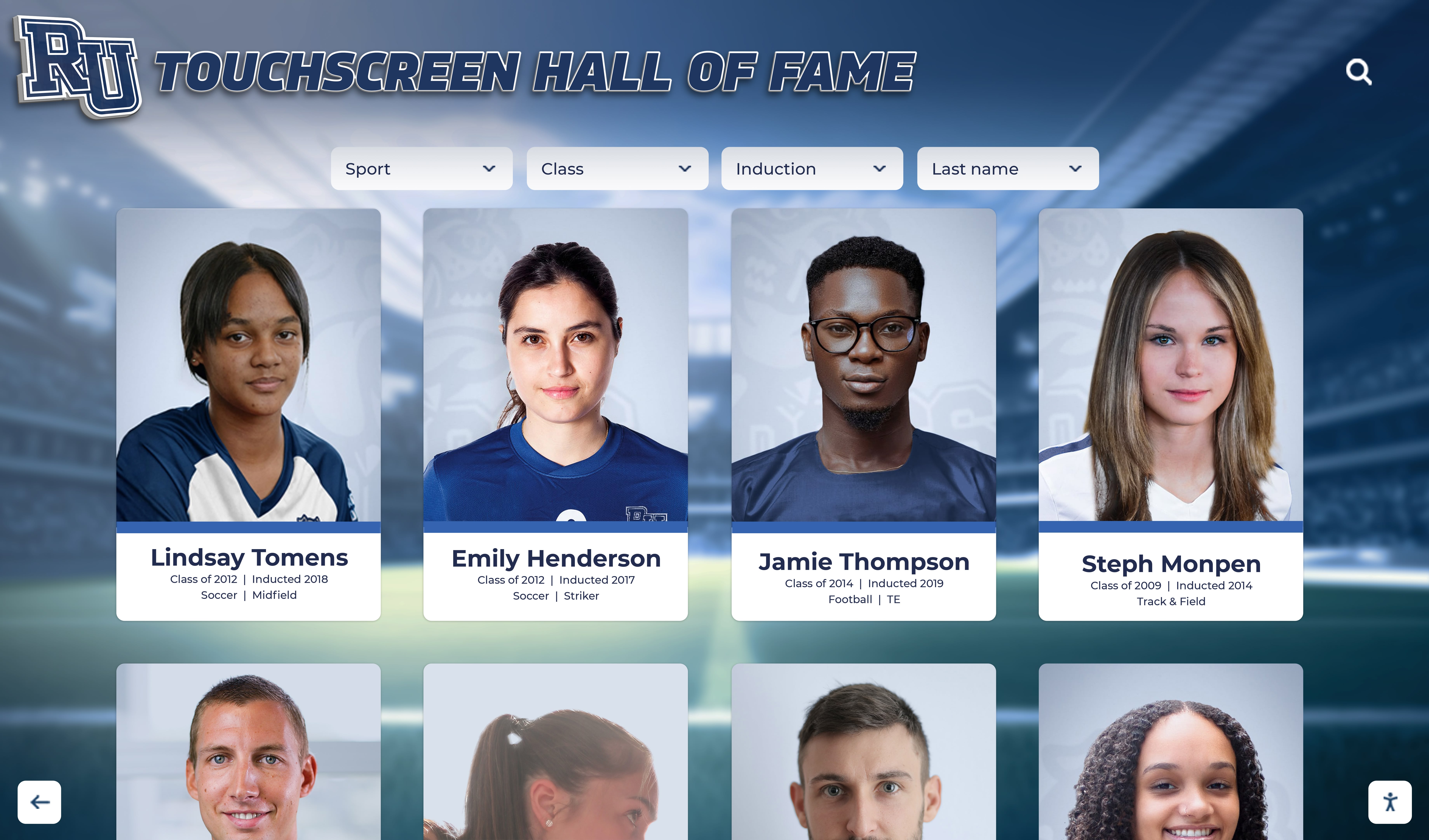
Content Development Workflows: Systematic workflows ensure consistent quality and efficient content creation. Designate responsible parties including athletic directors managing sports achievement content, activities coordinators handling academic and extracurricular recognition, alumni coordinators gathering historical content and engaging former students, and communications staff ensuring professional writing and photography standards.
Establish content standards specifying required information for each recognition type, photo resolution and composition requirements, writing style guidelines maintaining appropriate tone, and approval processes ensuring accuracy before publication. Document workflows in written procedures enabling smooth transitions when staff responsibilities change.
Student Involvement Opportunities: Many schools engage students in content development as authentic learning experiences reducing staff burden while providing valuable educational opportunities. Journalism students write achievement profiles developing interviewing and writing skills. Photography students create portraits and action photos building professional portfolios. History students research historical achievements learning research methodologies. Digital media students produce video content developing multimedia production capabilities.
This approach transforms recognition display development from administrative burden into educational opportunity creating authentic learning experiences while developing comprehensive content more quickly than administrators working alone could achieve.
Ongoing Content Maintenance and Updates
Recognition displays remain valuable only when content stays current and systems operate reliably, requiring sustainable maintenance approaches.
Routine Update Schedules: Establish rhythms for regular content additions including immediate updates after championships and major achievements, end-of-season recognition additions for each sport and activity, annual induction ceremonies for selective halls of fame, and periodic historical content expansions gradually increasing depth. Regular rhythms create accountability ensuring recognition doesn’t stagnate between occasional major updates.
Content Quality Standards: Maintain consistent presentation quality through required photo standards specifying resolution and composition, writing guidelines ensuring appropriate tone and grammar, fact-checking processes verifying accuracy before publication, and periodic content audits identifying outdated information requiring updates.
Technical Maintenance Requirements: Digital displays require modest but essential maintenance including monthly screen cleaning preventing dust accumulation, quarterly display functionality checks ensuring proper operation, annual software updates maintaining security and adding features, and hardware monitoring detecting potential component failures before complete breakdowns. Establishing clear maintenance responsibilities with facilities or IT departments prevents neglected systems degrading into unusable states.
Implementation Process: From Planning to Launch
Successful large touchscreen recognition display deployment requires systematic approaches addressing technical, content, and community dimensions.
Phase 1: Assessment and Planning
Define Objectives and Success Criteria: Establish clear goals specifying what recognition programs aim to accomplish including specific achievements to recognize, audiences to engage, locations requiring displays, and success metrics measuring program effectiveness. Different objectives suggest different implementation approaches—programs emphasizing alumni engagement require different content strategies than those focusing primarily on current student inspiration.
Budget Development and Funding: Develop comprehensive budgets covering hardware costs including displays, mounting, and computing, software licensing for recognition platforms, professional installation services, initial content development expenses, and ongoing operational costs. Identify funding sources including facility improvement budgets, booster club fundraising, alumni giving campaigns, or technology refresh allocations.
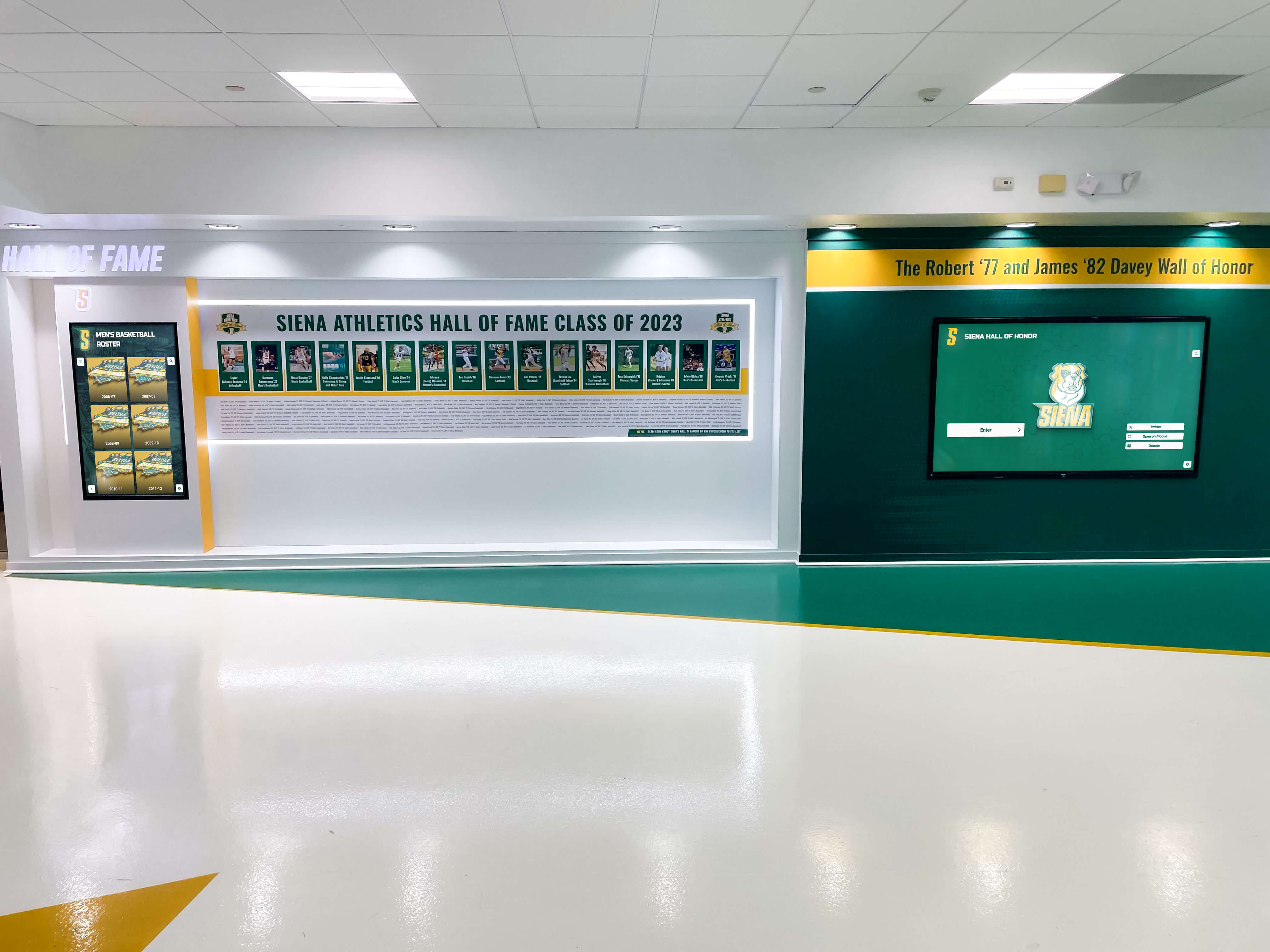
Stakeholder Engagement: Involve key stakeholders throughout planning ensuring broad support and input including school administrators providing approval and oversight, athletic directors managing sports content, activities coordinators handling academic recognition, IT departments ensuring technical feasibility, facilities management coordinating installation, and community members representing alumni perspectives. Early engagement prevents resistance while gathering insights improving implementation quality.
Phase 2: Vendor Selection and System Design
Platform Evaluation Criteria: When evaluating recognition software platforms, prioritize ease of use for non-technical staff, content management flexibility accommodating diverse recognition types, professional presentation quality reflecting institutional standards, robust search and discovery features, mobile and web accessibility extending reach beyond physical displays, integration capabilities with existing school systems, vendor support quality and responsiveness, and total cost of ownership including all licensing and support fees.
Request demonstrations showing complete workflows from content creation through public viewing. Reference checks with current school customers reveal implementation support quality, ongoing technical reliability, and vendor responsiveness addressing issues and enhancement requests. Learning about academic recognition programs helps schools plan comprehensive multi-category recognition approaches.
Hardware Specification Development: Work with IT departments and facilities management developing hardware specifications including display sizes appropriate for viewing distances and locations, mounting approaches balancing aesthetics with accessibility, network connectivity requirements and installation logistics, electrical requirements and circuit availability, and environmental considerations including lighting, temperature, and security.
Phase 3: Content Development and System Configuration
Initial Content Creation: Following phased content strategies, develop launch content sufficient to demonstrate system capabilities and engage initial users. Quality matters more than quantity—comprehensive profiles for 50-100 recognition recipients create stronger impressions than bare-bones information for thousands. Additional content develops progressively after launch maintaining fresh interest and encouraging repeated visits.
System Configuration and Branding: Configure recognition platforms matching institutional branding including school colors, logos, and visual identity. Customize navigation and organization reflecting how audiences naturally think about content. Set up user accounts and permissions for staff managing content. Test complete workflows ensuring smooth operation before launch.
Staff Training: Comprehensive training ensures confident content management and system operation including platform administrator training for content creation and management, technical support training for IT staff troubleshooting issues, promotional strategy development for communications staff, and stakeholder briefings ensuring broad awareness and understanding.
Phase 4: Launch and Promotion
Formal Unveiling Event: Create memorable launches through formal programs with school leadership, recognition of inaugural honorees with families present, media coverage extending awareness beyond attendees, guided tours demonstrating interactive features, and celebration formats bringing together school communities. Effective launches generate excitement and awareness critical for sustained engagement.
Ongoing Promotion Strategy: Sustained success requires continuous promotion maintaining visibility including social media highlighting featured achievements, email communications to alumni and families, integration into athletic events and ceremonies, website features promoting web-based access, and student announcements encouraging exploration. Recognition displays risk becoming invisible without consistent promotional effort maintaining awareness.
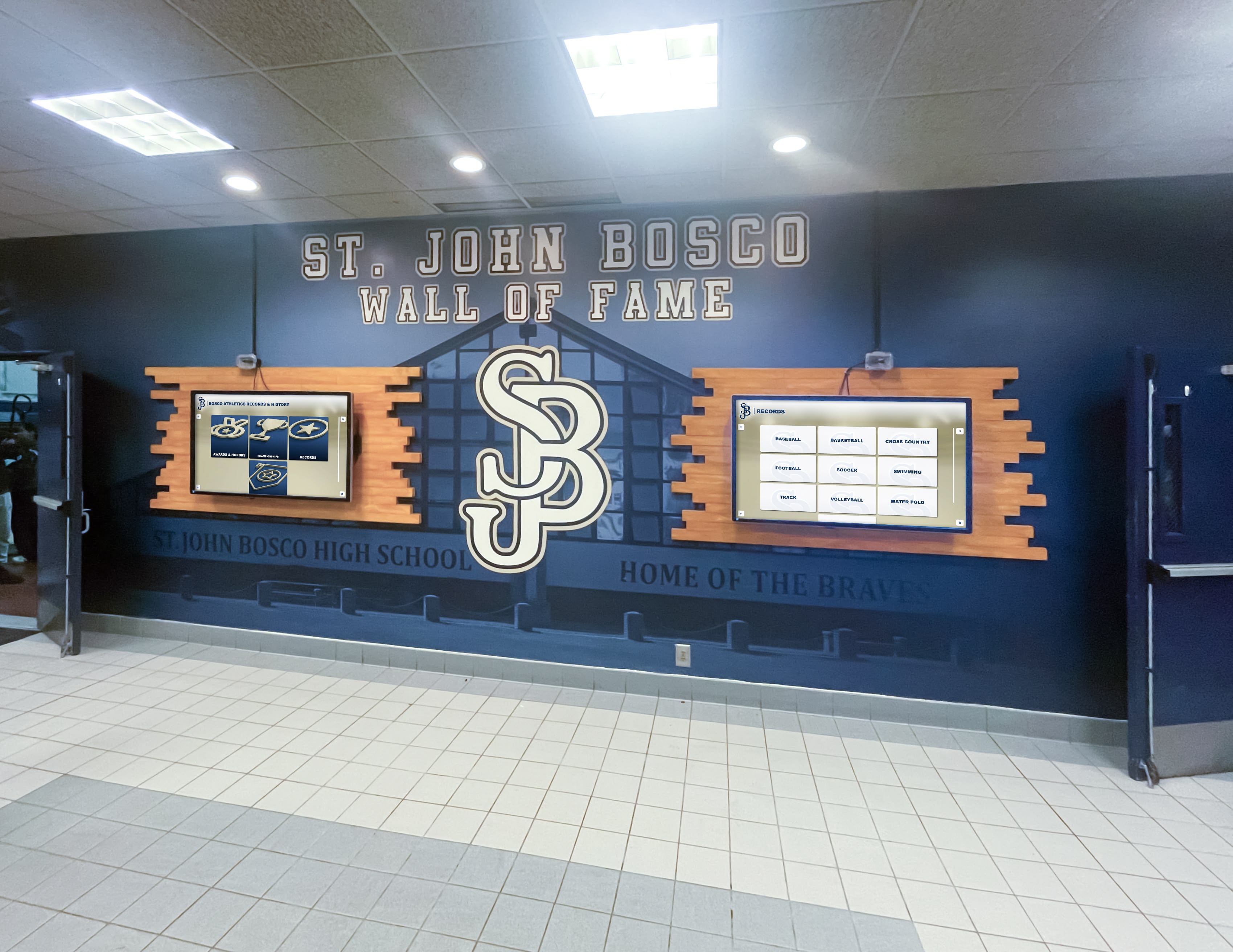
Measuring Recognition Program Success
Well-implemented recognition systems deliver measurable benefits beyond aesthetics and sentiment, requiring evaluation demonstrating value and informing continuous improvement.
Engagement Analytics and Usage Metrics
Digital recognition platforms provide detailed analytics impossible with traditional displays including total interactions and viewing sessions revealing usage levels, average time spent exploring content indicating engagement depth, most-viewed profiles showing content resonating strongest, popular search terms revealing audience interests, and usage patterns over time tracking sustained interest versus declining engagement.
These metrics demonstrate recognition generates genuine engagement rather than passive viewing while identifying content performing well and areas requiring enhancement. Schools can compare usage across locations informing future display placement decisions.
Community Feedback and Satisfaction Assessment
Quantitative analytics provide incomplete pictures without qualitative feedback revealing stakeholder perceptions including student surveys assessing awareness and inspiration impact, alumni input during reunions or through outreach, parent feedback about recognition visibility and quality, coach observations about athlete engagement and motivation, and staff perspectives about community pride and institutional impact.
Systematic feedback collection identifies improvement opportunities while validating program value to stakeholders who may question resource allocation absent evidence of meaningful impact.
Institutional Impact Assessment
Beyond direct recognition measures, assess whether programs contribute to broader institutional objectives including enhanced student recruitment and enrollment, strengthened alumni engagement and giving patterns, improved community perception of school quality, positive media coverage and public relations value, and increased internal pride and institutional commitment. Examining building school pride strategies reveals how recognition contributes to broader school culture development.
While attribution challenges exist, many schools observe enhanced engagement coinciding with recognition display implementation suggesting these systems successfully strengthen relationships and institutional connections beyond pure recognition purposes.
Cost Analysis: Investment and Return Considerations
Large touchscreen recognition systems represent significant investments requiring careful financial analysis comparing costs against benefits and alternative approaches.
Complete System Investment Breakdown
Hardware Costs: Commercial-grade 65-inch touchscreen displays cost $3,000-$6,000 depending on specifications. 75-inch displays range $5,000-$8,000. Professional mounting hardware adds $300-$800. Compact computing systems cost $600-$1,200. Freestanding kiosk enclosures if selected add $2,000-$4,000 including powder-coating and branding.
Software and Platform Costs: Recognition platform licensing varies by vendor and feature sets. Cloud-based platforms typically charge annual subscription fees ranging $3,000-$8,000 annually depending on content volume, number of displays, and features included. Some vendors offer perpetual licenses with lower ongoing costs but higher initial investments. Evaluate total cost over expected system lifespan rather than comparing only first-year expenses.
Installation and Content Development: Professional installation including mounting, electrical work, and network connectivity costs $1,500-$3,500 per display depending on complexity. Initial content development requires significant effort—schools handling internally should budget 100-200 staff hours. Professional content development services cost $5,000-$15,000 depending on volume and depth.
Complete System Investment: Single display installations typically cost $15,000-$35,000 including all components, installation, platform licensing, initial content, and training. Additional displays connecting to same platforms add $8,000-$15,000 each. Multi-display implementations across multiple locations create economies of scale reducing per-display costs.
Return on Investment Analysis
Avoided Traditional Recognition Costs: Physical plaques cost $75-$250 each plus professional installation. Schools recognizing 20-30 athletes annually spend $2,000-$7,500 yearly on traditional recognition that digital systems eliminate. Trophy case expansion costs $5,000-$20,000 per case. Custom championship banners cost $300-$800 each. Digital recognition systems reach cost neutrality compared to traditional approaches within 3-5 years while offering dramatically superior capacity and engagement.
Alumni Engagement Value: Enhanced alumni engagement generates measurable value through increased giving participation, volunteer support reducing staffing costs, event attendance generating revenue, and positive word-of-mouth supporting enrollment. While attribution proves difficult, schools consistently report strengthened alumni relationships following recognition display implementation. Modest increases in alumni giving quickly offset recognition system costs.
Recruitment and Enrollment Impact: Prospective families evaluating schools notice recognition displays demonstrating program quality and institutional pride. Impressive recognition systems contribute to enrollment decisions worth tens of thousands in tuition revenue. This value proves difficult to isolate but remains real—schools competing for students benefit from every distinguishing feature including comprehensive achievement recognition.
Future Trends: Emerging Technologies and Capabilities
Large touchscreen display technology continues evolving with emerging capabilities enhancing both functionality and impact.
Artificial Intelligence Integration
AI technologies enable sophisticated features including natural language search understanding conversational queries beyond exact keyword matching, automated content suggestions based on viewing patterns helping administrators identify popular content types, image recognition for photo organization and tagging reducing manual content management burden, personalized recommendations adapting to individual interests encouraging deeper exploration, and voice interaction supporting hands-free exploration improving accessibility.
These capabilities will make touchscreen systems more intuitive and powerful across coming years, reducing barriers to exploration while increasing content discoverability.
Enhanced Mobile and Social Integration
Improved integration between physical displays and mobile devices will enable seamless transitions where users start exploration on physical displays and continue on personal devices, QR code scanning providing instant access to specific content viewed on displays, social media sharing integrated into recognition platforms extending reach organically, mobile applications providing anywhere access to complete recognition databases, and two-way interaction enabling alumni to contribute content and memories enriching recognition narratives.
These integrations extend recognition impact beyond physical campus visitors creating global engagement with institutional heritage and contemporary achievement.
Improved Accessibility Features
Advancing accessibility ensures touchscreen technology serves all community members effectively including enhanced text-to-speech capabilities, improved visual accommodation features supporting low vision users, better motor accommodation alternatives for users with limited mobility, multilingual interfaces supporting diverse communities, and universal design principles baked into core functionality rather than added as afterthoughts.
Schools implementing recognition systems should prioritize platforms demonstrating accessibility commitments ensuring inclusive experiences for all stakeholders regardless of abilities.
Best Practices for Sustained Success
Long-term recognition program success requires approaches ensuring systems remain vibrant and relevant across years and leadership transitions.
Establishing Sustainable Content Management
Clear Ownership and Responsibilities: Designate specific staff positions responsible for recognition content management including primary content managers with update authority, backup administrators ensuring continuity during absences, approval workflows for quality control, and technical coordinators handling system maintenance. Written role definitions prevent confusion when personnel change.
Documented Procedures and Standards: Create written documentation specifying content creation workflows, photo and writing standards, approval processes, update schedules, and troubleshooting procedures. Documentation enables smooth transitions when staff responsibilities shift while maintaining consistent quality standards across different content managers.
Regular Content Audits: Schedule periodic reviews identifying outdated information requiring updates, missing content where gaps exist, quality inconsistencies requiring correction, and new recognition categories deserving addition. Systematic audits prevent gradual degradation where nobody notices incremental quality declines until systems become embarrassingly outdated.
Maintaining Equitable Recognition
Cross-Sport and Cross-Category Balance: Monitor recognition distribution ensuring equitable representation across all sports, activities, and recognition categories. Track additions by sport relative to participation levels. If certain programs receive disproportionate recognition, examine whether selection criteria inadvertently favor specific sports or whether nomination patterns reflect unequal engagement from different coaches and coordinators.
Gender Equity: Ensure recognition fairly represents male and female achievements proportional to participation. Title IX compliance extends beyond athletic opportunity to recognition—schools should audit recognition distribution confirming equitable acknowledgment regardless of gender.
Academic and Extracurricular Inclusion: Athletic recognition often dominates large touchscreen displays in schools. Ensure academic recognition receives appropriate emphasis celebrating scholar-athletes, academic competition achievements, arts accomplishments, and service contributions. Comprehensive recognition demonstrates that schools value diverse forms of excellence beyond athletic competition alone.
Leveraging Recognition for Community Engagement
Alumni Relations Integration: Coordinate recognition programs with alumni relations offices leveraging displays for engagement including alumni notification about recognition, reunion integration featuring recognized individuals, homecoming celebrations highlighting historic achievements, and giving campaigns connecting philanthropy with recognition opportunities. Recognition displays create natural touchpoints maintaining alumni relationships.
Student Inspiration Programs: Integrate recognition into current student experiences including freshman orientation introducing new students to institutional traditions, team meetings highlighting relevant predecessors, academic advising showing college and career paths, and mentorship programs connecting current students with recognized alumni. Active integration transforms static recognition into dynamic inspiration. Resources on student of the month programs demonstrate ongoing recognition program integration.
Community Event Integration: Feature recognition displays during school events including athletic competitions with pre-game recognition features, academic ceremonies highlighting relevant achievements, parent nights showcasing student accomplishments, and community open houses demonstrating institutional excellence. Event integration maximizes exposure while demonstrating recognition value to broader stakeholder groups.
Conclusion: Transforming Recognition Through Large Touchscreen Technology
Large touchscreen display solutions enable schools to honor achievement comprehensively without capacity constraints that plagued traditional recognition approaches for generations. These systems transform static acknowledgment into engaging interactive experiences where students discover role models, alumni reconnect with accomplishments, and entire school communities explore institutional heritage through intuitive interfaces requiring no technical expertise.
Success requires understanding that hardware alone creates digital displays—purpose-built software transforms displays into recognition systems delivering meaningful impact. Schools should evaluate recognition platforms on content management simplicity for non-technical staff, unlimited capacity accommodating complete achievement documentation, sophisticated search enabling personalized discovery, multimedia capabilities telling compelling stories, and professional presentation reflecting institutional standards.
Strategic placement, systematic content development, sustainable management structures, and active community integration determine whether recognition displays become transformative centerpieces of school culture or expensive slideshow replacements that generate initial excitement before fading into background visibility.
The question isn’t whether large touchscreen displays can improve school recognition—evidence from hundreds of implementations confirms dramatic improvements in capacity, engagement, and alumni connection. The question is whether schools will implement comprehensive recognition strategies maximizing technology value or simply digitize existing limitations through poorly planned deployments lacking clear objectives, inadequate content, and absent ongoing management.
Schools ready to transform recognition while honoring every achievement without space limitations should explore how specialized touchscreen recognition platforms create engaging displays celebrating student success comprehensively. When recognition receives appropriate strategic attention supported by purpose-built technology and sustainable management, these systems preserve institutional memory, inspire excellence, and strengthen communities in ways traditional approaches never could.
Ready to discover how the right large touchscreen display solution can transform your school’s recognition program? Contact Rocket Alumni Solutions to explore purpose-built platforms specifically designed for schools seeking comprehensive recognition systems that honor achievement, preserve history, and inspire current students through engaging interactive experiences serving entire school communities for generations to come.































