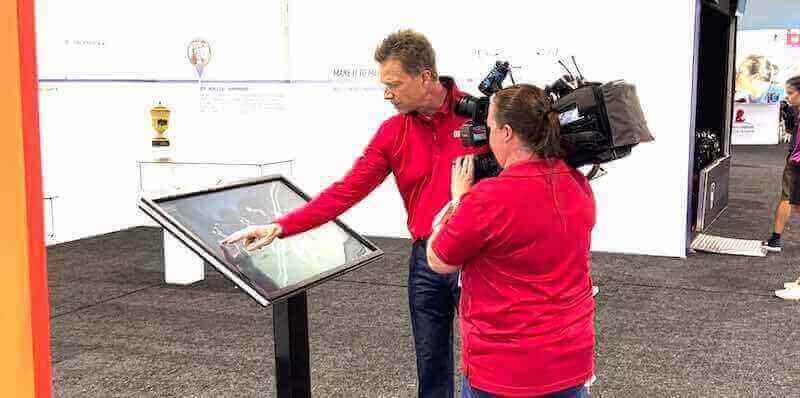




Museums and galleries face a fundamental challenge: how do you preserve and present centuries of cultural heritage, historical artifacts, and artistic achievements in ways that engage modern visitors who expect interactive, personalized experiences? Static displays and printed labels that served institutions well for generations now compete with smartphones, streaming video, and on-demand information access that visitors carry in their pockets.
Interactive touchscreen technology transforms this challenge into opportunity. Digital displays allow museums to showcase entire collections without physical space constraints, provide multilingual access serving diverse audiences, offer detailed contextual information that labels cannot accommodate, and create engaging experiences where visitors actively explore rather than passively observe. As cultural institutions modernize to remain relevant and accessible, interactive touchscreens have emerged as essential infrastructure supporting educational missions while meeting contemporary visitor expectations.
The transition to interactive displays represents more than technology adoption. Purpose-built systems designed for cultural heritage presentation enable institutions to digitally preserve fragile documents and artifacts, create searchable archives connecting visitors to specific topics of interest, accommodate accessibility requirements serving all community members, and measure engagement patterns informing exhibit optimization. Museums implementing interactive technology position themselves to serve broader audiences more effectively while fulfilling core preservation and education mandates.
Why Interactive Touchscreens Matter for Cultural Institutions
Museums, galleries, historical societies, and archives share a common mandate: preserve cultural heritage and make it accessible to present and future generations. Interactive touchscreen displays support this mission through capabilities that traditional exhibits cannot match.
The Limitations of Traditional Museum Displays
Traditional museum exhibits rely on physical artifact displays, printed labels, wall text, and linear visitor paths through curated galleries. These approaches create meaningful experiences but face inherent constraints affecting accessibility, engagement, and operational efficiency.
Physical Space Constraints: Exhibition halls accommodate only small fractions of institutional collections. Museums typically display 5-10% of holdings while keeping 90-95% in storage where public access remains impossible. Curators face difficult decisions about which artifacts deserve exhibition space versus remaining unseen by visitors.
Static Content Limitations: Once fabricated and installed, traditional labels and text panels cannot be updated without expensive modifications. Historical interpretation evolves as scholarship advances, yet physical exhibits remain frozen reflecting outdated perspectives unless institutions invest substantial resources in redesign and reinstallation.
Minimal Information Depth: Label text constrained by physical space provides only condensed summaries. Visitors seeking detailed information about artifacts, artists, historical context, or related topics cannot access depth that would enhance understanding and engagement.

Limited Accessibility: Traditional displays create barriers for visitors with mobility limitations who cannot reach cases requiring standing, bending, or leaning. Small text accommodates space constraints but proves unreadable for visitors with visual impairments. Single-language labels exclude non-English speakers from full exhibit understanding.
No Visitor Interaction: Passive displays provide identical experiences to all visitors regardless of interests, knowledge levels, or preferred learning styles. Everyone receives the same information presentation without accommodation for individual needs or preferences.
Zero Engagement Analytics: Traditional exhibits provide no insight into which content generates visitor interest, how long people engage, what information proves most valuable, or where confusion occurs. Institutions operate without data essential for optimizing visitor experiences.
How Interactive Touchscreens Transform Museum Experiences
Purpose-built interactive museum displays address traditional limitations while creating new engagement possibilities that enhance cultural heritage presentation.
Unlimited Digital Exhibition Space: Interactive systems showcase comprehensive institutional collections without physical constraints. Every artifact in holdings can receive detailed cataloging accessible to visitors rather than remaining unseen in storage. Digital capacity accommodates complete documentation impossible in space-limited physical galleries.
Searchable Content Discovery: Visitors search by artist name, time period, subject matter, medium, or keyword, instantly locating content matching specific interests. Researchers investigating particular topics, students completing assignments, and curious visitors exploring personal interests can each find relevant information efficiently rather than hoping predetermined exhibit paths address their specific needs.
Multilingual Access: Digital systems provide translations in multiple languages, making cultural heritage accessible to diverse audiences without requiring separate physical labels for each language. International visitors, immigrant communities, and non-English speakers access full exhibit information in their preferred languages, expanding institutional reach and fulfilling inclusive service mandates.
Rich Multimedia Integration: Interactive displays combine high-resolution artifact imagery, video demonstrations, audio descriptions, historical photographs, archival documents, and interpretive content creating comprehensive educational experiences that static displays cannot approach. Complex topics receive thorough explanation through multimedia presentations more effective than text alone.
Personalized Learning Paths: Visitors choose exploration routes matching their interests, knowledge levels, and available time. Casual visitors access overview information providing context, while serious students pursue detailed research through comprehensive documentation. Multiple simultaneous users explore different content independently without interfering with each other’s experiences.
Accessibility Compliance: Digital displays meet ADA requirements through adjustable text sizing, screen reader compatibility, high-contrast display modes, audio alternatives for visual content, and wheelchair-accessible installation configurations. Universal design ensures all community members can engage with cultural heritage regardless of physical abilities.
Valuable Engagement Analytics: Systems track which content receives most interaction, how long visitors engage, what search terms people use, and where navigation confusion occurs. This data informs content development priorities, identifies interpretation gaps, and enables continuous improvement based on actual visitor behavior rather than assumptions.
Solutions like Rocket Alumni Solutions provide purpose-built platforms designed specifically for recognition and historical presentation contexts rather than adapted from generic digital signage systems. These specialized tools offer features cultural institutions need including comprehensive archival databases, intuitive content management, unlimited storage capacity, and interfaces optimized for public exploration rather than advertising or corporate communication.
Core Interactive Touchscreen Applications for Museums and Galleries
Cultural institutions implement interactive displays across diverse applications, each addressing specific institutional needs and visitor engagement objectives.
Collection Databases and Digital Catalogs
Comprehensive digital catalogs transform how visitors access institutional holdings by making entire collections searchable and explorable through intuitive interfaces.
Complete Collection Documentation: Museums digitize artifacts, artwork, documents, and specimens with detailed metadata including accession numbers, provenance documentation, conservation history, dimensions, materials, creation dates, and interpretive content. Visitors access thorough documentation for every item in collections rather than viewing limited selections determined by physical exhibition space availability.
Advanced Search and Filtering: Multi-field search enables finding content by artist or creator name, time period or date range, geographic origin or cultural group, medium or material type, subject matter or thematic category, and custom tags reflecting institutional priorities. Researchers, students, and curious visitors quickly locate specific items matching investigation needs.
High-Resolution Imagery: Digital displays show artifact details impossible to observe in physical cases. Zoom capabilities reveal fine details, craftsmanship techniques, inscriptions, or deterioration patterns. Multiple viewing angles document three-dimensional objects comprehensively. X-ray or infrared imaging reveals hidden layers or structural details invisible to naked eyes.
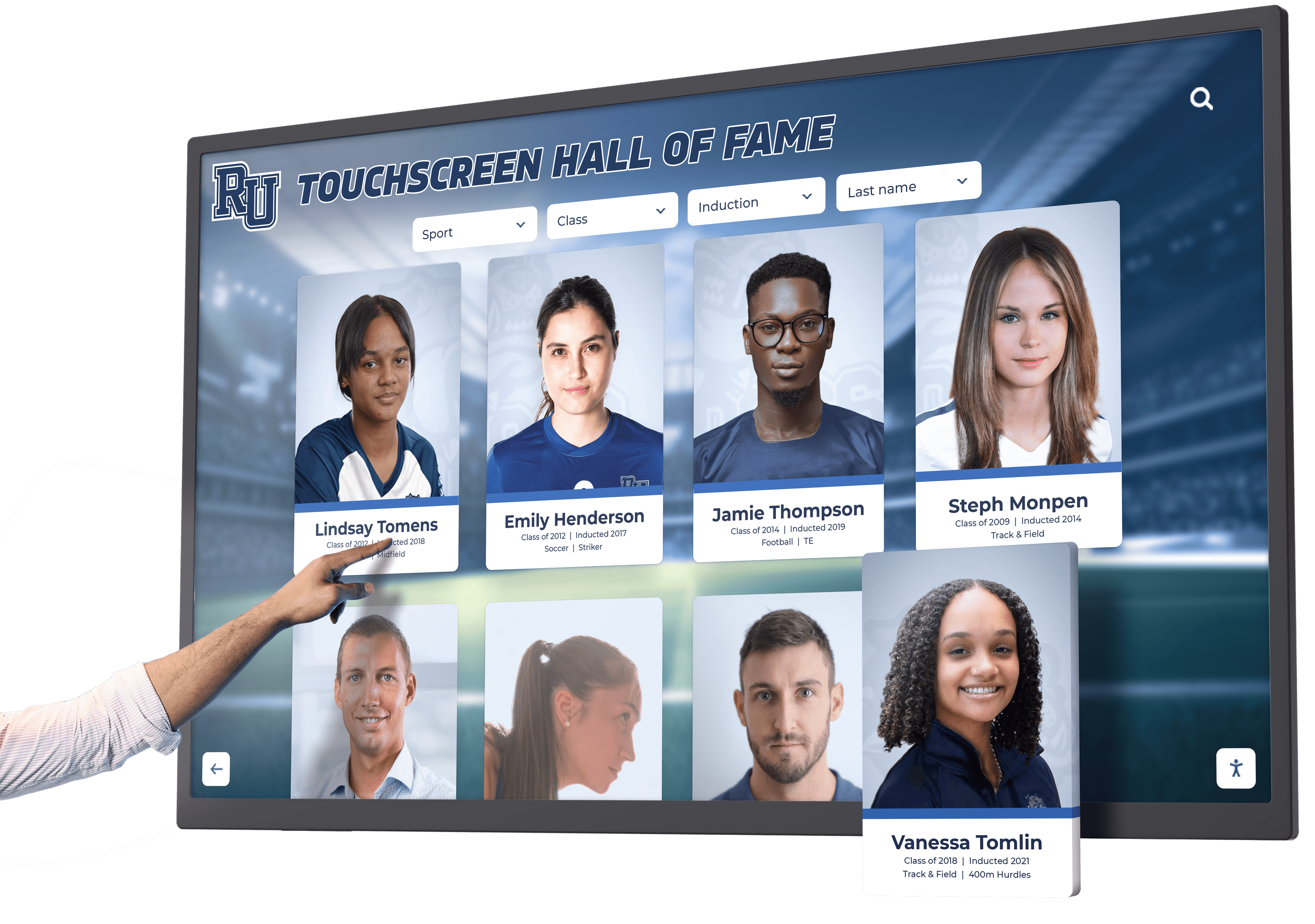
Related Content Connections: Hyperlinked relationships connect artifacts to related items in collections, biographical information about creators, historical context about creation periods, similar works for comparative analysis, and primary source documents providing additional context. These connections enable deep exploration through associated content rather than viewing items in isolation.
Virtual Exhibition Access: Digital systems provide remote access to collections through web interfaces, extending institutional reach beyond physical visitors to global audiences. Students researching assignments, genealogists investigating family history, collectors studying comparable objects, and curious individuals worldwide explore collections from any internet-connected device.
Many institutions discover their digital archives become valuable research resources serving academic, genealogical, and public history communities while fulfilling educational mandates beyond physical visitation.
Interactive Timelines and Historical Narratives
Chronological organization provides clear frameworks for understanding historical development, cultural evolution, and artistic movements. Interactive timelines allow visitors to explore complex historical narratives through engaging visual interfaces.
Visual Timeline Navigation: Graphical representations spanning decades or centuries enable browsing historical periods visually. Visitors select specific years, decades, or eras for detailed examination rather than reading linear narratives from beginning to end. This flexibility accommodates varying interests and available time, allowing quick overviews or deep investigations as visitors prefer.
Event and Achievement Documentation: Timelines document significant developments including founding dates and institutional milestones, artistic movements and stylistic evolution, historical events affecting communities, biographical information about significant figures, archaeological discoveries and research breakthroughs, and conservation projects preserving cultural heritage. Comprehensive documentation creates complete historical records accessible to visitors investigating specific periods or topics.
Multimedia Historical Presentation: Timeline entries incorporate historical photographs showing how locations appeared during different eras, archival documents providing primary source evidence, audio recordings of historical speeches or music, video footage documenting events or demonstrating practices, and oral history interviews capturing first-person memories and perspectives. Rich multimedia makes history tangible and engaging beyond text descriptions alone.
Comparative Analysis: Interactive systems display multiple timelines simultaneously showing concurrent developments in different geographic regions, parallel evolution across various artistic traditions, relationships between political events and cultural production, or connections between technological advances and artistic innovation. These comparisons help visitors understand complex historical relationships and recognize patterns across time and place.
Historical institutions implementing timeline touchscreen displays create engaging educational experiences that make chronological complexity accessible and comprehensible to diverse audiences.
Artist and Historical Figure Biographies
Personal stories humanize cultural heritage by connecting abstract historical developments, artistic movements, and institutional histories to individual human experiences. Comprehensive biographical databases serve both educational and research functions.
Detailed Personal Profiles: Interactive systems accommodate thorough biographical documentation including birth and death dates, family background and early life, education and training, career development and achievements, artistic evolution or professional contributions, personal relationships and influences, and contemporary recognition versus posthumous reputation. Depth impossible in physical labels makes figures fully human rather than reducing lives to brief summaries.
Portfolio and Work Documentation: Artist profiles link to comprehensive portfolios showing all institutional holdings by specific creators, chronological presentations showing stylistic evolution, comparative views showing influences and inspired successors, and contextual information about creation circumstances, patron relationships, or historical significance. Visitors understand individual works within complete career contexts.
Primary Source Materials: Biographical entries incorporate historical documents including letters, diaries, and personal correspondence, contemporary newspaper articles and reviews, gallery receipts and sales records, photographs from various life stages, and audio or video interviews when available for 20th-century figures. Primary sources provide authentic historical voices beyond interpretive text written by curators.
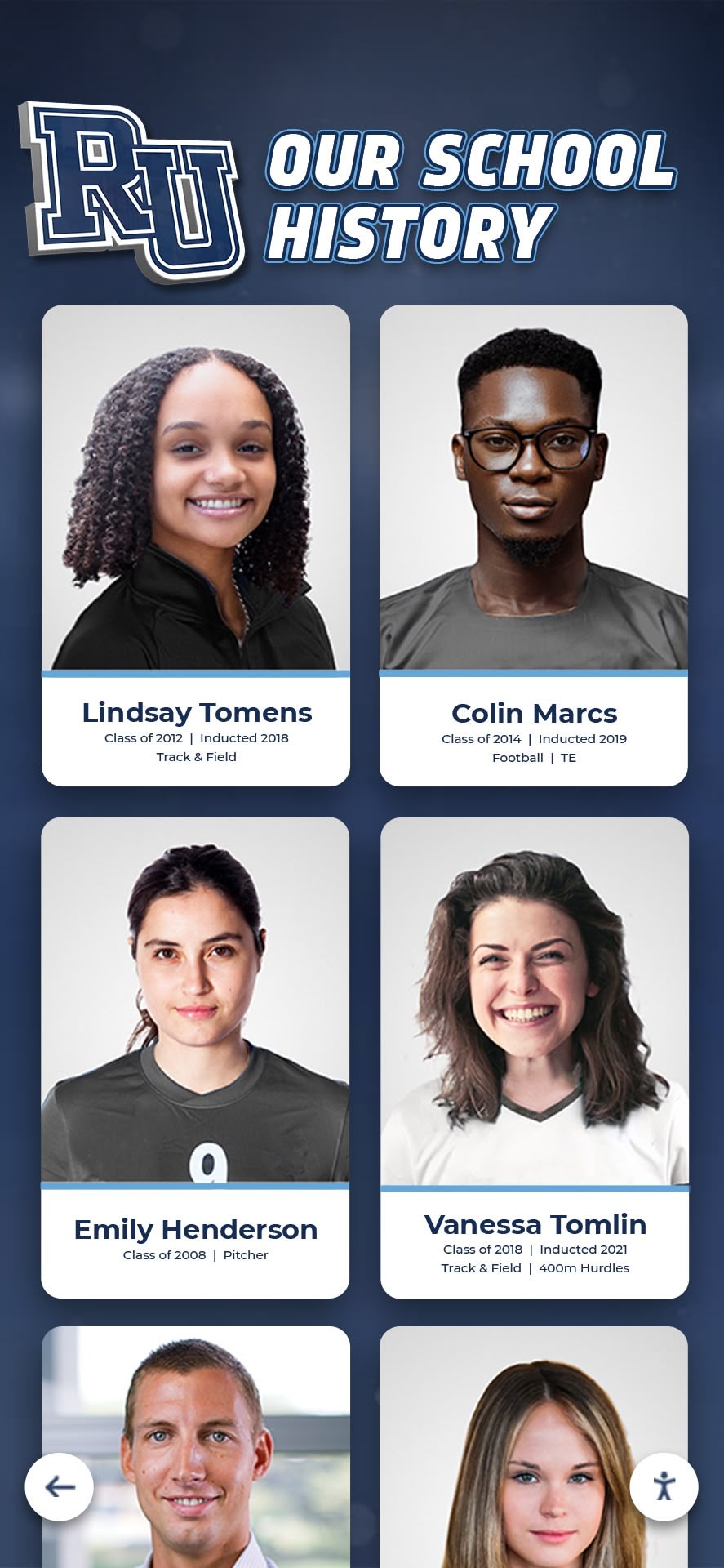
Network Relationship Mapping: Advanced systems visualize relationships between artists, patrons, critics, collectors, and institutions, showing professional networks, mentor-student connections, collaborative projects, and influence patterns. These network visualizations help visitors understand how artistic communities functioned and how ideas spread across individuals and institutions.
Cultural institutions creating biographical recognition displays honor significant figures comprehensively while serving educational functions through thorough life documentation.
Interpretive Content and Educational Programming
Interactive displays excel at providing layered interpretation accommodating diverse knowledge levels, learning styles, and engagement depths ranging from brief overviews to comprehensive scholarly detail.
Multi-Level Content Depth: Well-designed systems offer introductory summaries providing essential context for casual visitors, intermediate explanations for visitors with moderate background knowledge, and comprehensive scholarly content including academic references, theoretical frameworks, and detailed technical information for serious students or researchers. Visitors choose appropriate depth rather than receiving single-level interpretation unsuited to their needs.
Thematic Exploration Paths: Rather than requiring linear progression through predetermined exhibit sequences, interactive systems enable thematic investigations. Visitors explore topics like women artists across collections, artifacts from specific cultural traditions, objects related to particular historical events, items using specific materials or techniques, or works addressing common subjects. These thematic paths create personalized experiences reflecting individual interests.
Educational Activity Integration: Interactive displays support structured learning through guided investigation activities for school groups, scavenger hunts encouraging family engagement, quiz functions testing knowledge retention, comparative analysis exercises teaching critical thinking, and research worksheets directing student investigations. Educational programming transforms visits from passive observation to active learning aligned with curriculum objectives.
Behind-the-Scenes Content: Museums leverage interactive displays to share conservation processes showing artifact restoration, curatorial decision-making explaining exhibit development, acquisition stories documenting how items entered collections, authentication research revealing how attributions are confirmed, and institutional history explaining how museums evolved. This transparency demystifies museum operations while educating visitors about cultural heritage stewardship.
Institutions developing comprehensive educational display content serve diverse learning needs while fulfilling core educational missions more effectively than traditional interpretation allows.
Donor Recognition and Institutional Support
Museums depend on donor contributions supporting operations, acquisitions, conservation, and programming. Interactive displays provide recognition that honors supporters while encouraging future giving through permanent, dynamic acknowledgment impossible with traditional donor walls.
Comprehensive Donor Documentation: Recognition systems accommodate complete institutional giving history including founding benefactors who established museums, major donors funding specific galleries or acquisitions, endowment contributors supporting operations, annual fund supporters with cumulative giving recognition, and in-kind donors contributing expertise, artifacts, or services. Comprehensive acknowledgment demonstrates institutional gratitude while encouraging continued support.
Dynamic Giving Level Display: Digital systems automatically update recognition as donors advance through giving levels, ensuring acknowledgment remains current without manual plaque replacement. New donors appear immediately upon gift processing, and cumulative giving totals adjust automatically as additional contributions occur. This currency ensures recognition accuracy while eliminating administrative burden of maintaining static donor walls.
Impact Storytelling: Effective donor recognition connects contributions to tangible outcomes by showing specific acquisitions funded by gifts, conservation projects restoring endangered artifacts, educational programs serving school groups, exhibition development making collections accessible, and facility improvements enhancing visitor experiences. These connections demonstrate how philanthropy directly supports institutional missions, encouraging future giving by illustrating meaningful impact.
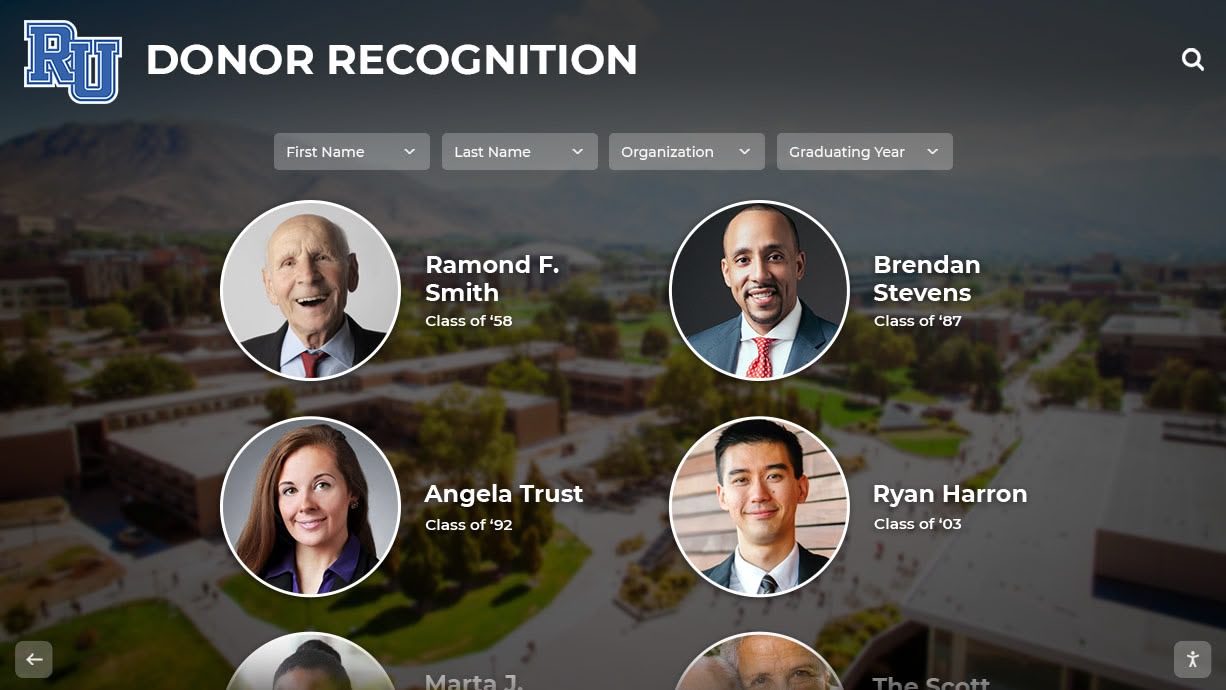
Memorial and Honor Recognition: Many gifts honor deceased family members or recognize living individuals. Interactive displays accommodate memorial tributes with biographical information, photographic memorials, and statements from families alongside donation acknowledgment. These meaningful personal tributes extend recognition beyond transactional gift acknowledgment.
Cultural institutions implementing digital donor recognition honor supporters appropriately while maintaining focus on mission-driven programming rather than creating separated acknowledgment that disconnects philanthropy from institutional purpose.
Essential Features and Technical Considerations
Effective museum touchscreen implementations require attention to technical specifications, content management capabilities, and user experience design ensuring reliable long-term operation and meaningful visitor engagement.
Hardware Selection for Cultural Heritage Environments
Museums operate in diverse physical environments with specific requirements affecting hardware selection and installation approaches.
Commercial-Grade Display Quality: Consumer televisions designed for home use fail quickly under continuous museum operation. Commercial displays rated for 16-24 hour daily operation provide reliability required for public installations. Key specifications include:
- Screen brightness (500-700 nits minimum) maintains visibility in gallery lighting conditions including areas with natural light or intentionally dramatic illumination
- Touch response accuracy supports reliable interaction without constant recalibration frustrating visitors
- Anti-glare coatings reduce reflections that interfere with content visibility in varied lighting environments
- Rugged construction withstands heavy public use from diverse visitors including children who may touch screens more aggressively than adult users
- Commercial warranties provide appropriate service terms for institutional deployments rather than limited residential coverage
Appropriate Screen Sizing: Display dimensions depend on installation context and intended use patterns. Individual research kiosks typically use 43-55 inch displays accommodating single users or small family groups. Communal exploration walls serving school groups or multiple simultaneous users require 65-86 inch screens providing visibility from greater distances without crowding.
Environmental Adaptation: Museum environments present specific challenges including temperature and humidity fluctuations in historic buildings lacking modern climate control, ambient lighting variations from natural windows and intentional gallery illumination, physical security concerns in publicly accessible locations, and power and network infrastructure limitations in older facilities. Professional installation accounts for these contextual factors when specifying appropriate hardware configurations.
Mounting and Accessibility: ADA-compliant installations position touchable screen areas between 15 and 48 inches from floor level, ensuring wheelchair users can interact comfortably. Mounting systems provide adequate stability preventing wobbling during interaction while protecting displays from accidental impacts. Consideration of visitor circulation patterns prevents touchscreens from blocking gallery pathways or creating congestion bottlenecks.
Software Architecture and Content Management
Backend software determines content management ease, long-term operational sustainability, and staff capacity to maintain current exhibitions without constant technical assistance.
Intuitive Content Management Interfaces: Museum staff managing touchscreen content require straightforward administrative platforms enabling regular updates without programming knowledge or IT department intervention. Essential capabilities include visual interfaces for adding and editing content with preview functions showing public appearance before publishing, batch operations for processing large digitization projects efficiently, granular permissions controlling which staff members can edit specific content areas, version control tracking changes and enabling rollback if errors occur, and comprehensive metadata management supporting searchability and categorization.
Cloud-Based Architecture: Cloud platforms provide accessibility from any internet-connected device, eliminating requirements for on-site servers, specialized software installations, or physical presence at display locations for content updates. Automated cloud backup prevents data loss, and regular security updates address emerging vulnerabilities without requiring manual intervention.
Unlimited Content Capacity: Generic digital signage platforms often impose artificial limits on content volume requiring costly upgrades as collections grow. Purpose-built cultural heritage systems provide unlimited capacity for artifact records, historical documents, biographical profiles, photographs, and multimedia content. Whether institutions catalog 1,000 or 100,000 items, systems accommodate growth without hitting storage caps.
Multimedia Support: Comprehensive platforms handle diverse content types including high-resolution still images with zoom capabilities, video files in multiple formats, audio recordings with synchronized transcripts, PDF documents preserving archival materials, and interactive maps or diagrams. Flexible multimedia handling ensures institutions can present content in most effective formats rather than constraining creativity to single media types.
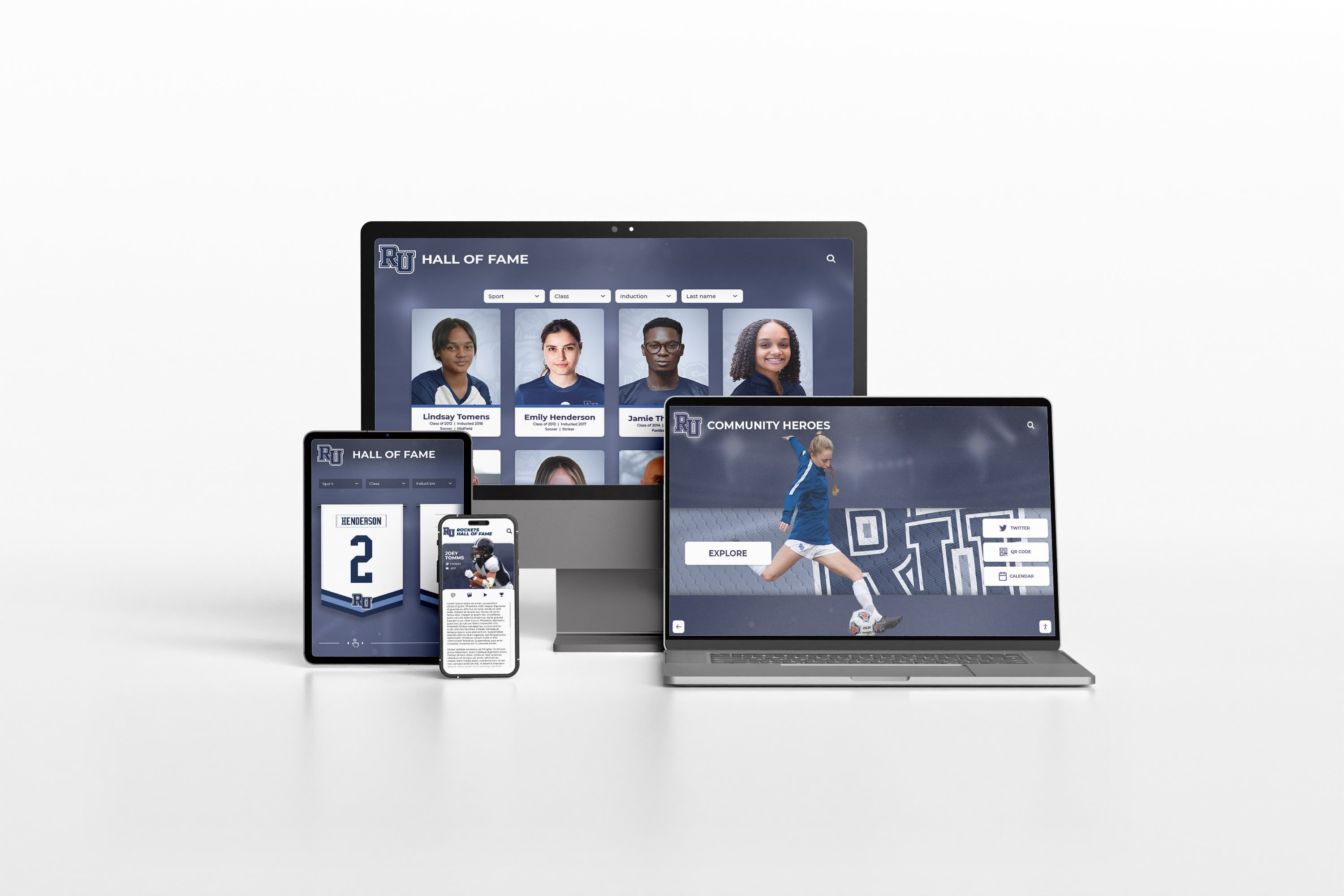
Mobile and Remote Access: Modern museum systems extend beyond physical kiosk installations to provide web-based access enabling remote exploration from any device. Responsive design adapts content for smartphones, tablets, laptops, and desktop computers. This extended reach serves visitors before and after museum visits while making collections accessible to global audiences unable to travel to physical locations.
User Experience Design and Accessibility
Visitor-centered design ensures interactive displays serve diverse audiences effectively rather than creating frustrating experiences that undermine engagement objectives.
Intuitive Navigation: Museum touchscreens must accommodate first-time users without training, tutorials, or extensive instructions. Clear visual hierarchies indicating content organization, familiar interaction patterns consistent with common mobile device conventions, logical information architecture reflecting how visitors think about content, responsive touch feedback confirming system recognition of interactions, and persistent orientation elements helping users understand location within content structures all contribute to effortless exploration requiring no technical expertise.
Universal Accessibility: Comprehensive accessibility features ensure all community members can engage with cultural heritage including screen reader compatibility for visually impaired visitors, adjustable text sizing for users with vision limitations, high-contrast display modes improving readability for various visual needs, audio descriptions of visual content serving blind visitors, closed captioning for video materials assisting deaf visitors, and alternative input methods beyond touchscreen interaction for users with limited dexterity or mobility restrictions.
The Web Content Accessibility Guidelines (WCAG) established by the World Wide Web Consortium provide technical standards ensuring digital content remains accessible to people with disabilities. Museums implementing interactive systems should require vendor compliance with WCAG Level AA standards at minimum, with Level AAA compliance preferred for maximum accessibility.
Multilingual Capabilities: Cultural institutions serve diverse communities including international visitors, immigrant populations, and non-English speaking residents. Effective multilingual implementation provides complete content translation rather than abbreviated summaries, maintains consistent navigation across language versions, accommodates text expansion as translations often require more characters than English source text, supports various character sets for non-Latin alphabets, and enables easy language switching without losing navigation context.
Mobile Integration: QR codes linking physical artifacts to expanded digital content, companion mobile applications providing audio tours synchronized with physical locations, personal device pairing enabling visitors to transfer selected content to smartphones for later review, and social media sharing facilitating organic promotion through authentic visitor enthusiasm all extend interactive experiences beyond fixed kiosk installations.
Museums implementing comprehensive visitor accessibility features serve broader audiences while fulfilling legal requirements and ethical obligations ensuring cultural heritage access for all community members.
Implementation Process and Best Practices
Successful museum touchscreen deployments follow systematic implementation processes ensuring exhibits meet visitor needs while supporting sustainable long-term operations.
Phase 1: Strategic Planning and Needs Assessment
Begin interactive display projects with comprehensive planning establishing clear objectives, assessing existing resources, and defining desired outcomes aligned with institutional missions.
Stakeholder Engagement: Form planning committees including curators contributing content expertise and interpretive direction, educators providing learning objective insights and school program perspectives, technology staff addressing infrastructure requirements and support capabilities, accessibility advocates ensuring inclusive design, visitor services representatives expressing front-line observations about audience needs, development professionals identifying fundraising connections, and community representatives providing visitor perspectives often missing from internal institutional viewpoints.
Collection Assessment: Evaluate existing holdings identifying materials suitable for digitization, assess physical condition determining preservation urgency, catalog existing digital assets from previous projects, identify content gaps where programming requires new material development, prioritize digitization based on visitor interest, research value, and preservation needs, and estimate resource requirements for comprehensive collection documentation.
Visitor Experience Goals: Define desired outcomes including educational objectives aligned with institutional missions, engagement targets specifying intended interaction duration and depth, accessibility commitments ensuring universal access, wayfinding and orientation support helping visitors navigate physical spaces, and revenue generation goals if touchscreens support membership, donations, or museum store promotion.
Success Metrics: Establish measurable indicators enabling program evaluation including visitor interaction rates and duration, content popularity revealing which topics generate most interest, accessibility usage demonstrating inclusive design effectiveness, search query analysis showing what information visitors seek, survey feedback providing qualitative visitor perspectives, educational outcome assessment measuring learning achievement, and website traffic comparing physical and virtual visitor engagement.
Phase 2: Technology Platform Selection
Choose systems meeting institutional needs while providing sustainable operations and future expandability as programs evolve and collections grow.
Purpose-Built vs. Generic Solutions: Generic digital signage platforms designed for corporate lobbies or retail environments lack features museums need including comprehensive artifact cataloging with detailed metadata, powerful search capabilities enabling content discovery, multimedia handling for diverse content types, educational content layering accommodating various knowledge levels, and archival-quality documentation preservation. Purpose-built cultural heritage platforms like Rocket Alumni Solutions provide specialized features supporting museum-specific requirements.
Vendor Evaluation Criteria: Assess potential providers based on cultural heritage sector experience and client references, content management ease for non-technical museum staff, unlimited storage capacity accommodating growing collections, comprehensive search and filtering capabilities, multimedia support beyond simple image displays, ADA compliance documentation and testing, analytics revealing visitor engagement patterns, integration capabilities with existing collection management systems, and long-term support commitments ensuring sustained operations as technology evolves.
Total Cost Assessment: Evaluate complete financial commitment including platform licensing or subscription fees, hardware costs for displays and mounting systems, installation and configuration professional services, content development expenses for digitization and metadata creation, staff training ensuring confident independent operation, annual hosting and maintenance fees, and future scalability costs as programs inevitably expand. Some vendors provide all-inclusive pricing covering comprehensive services while others itemize components requiring careful comparison for accurate evaluation.
Pilot Installation Approach: Consider initial pilot deployments testing technology with single kiosk or limited content before committing to comprehensive buildout. Pilot programs demonstrate capabilities, identify unforeseen challenges, gather visitor feedback informing subsequent deployments, and provide evidence supporting additional funding requests. Successful pilots create momentum and community enthusiasm facilitating expanded implementation.
Phase 3: Content Development and Digitization
Content creation represents the most time-intensive and costly aspect of interactive display implementation, determining ultimate value visitors receive from systems regardless of hardware quality or software sophistication.
Digitization Standards: Establish consistent technical specifications ensuring quality and sustainability including image resolution appropriate for zoom viewing and long-term preservation, file format standards balancing quality and storage efficiency, color management ensuring accurate reproduction, metadata schema providing comprehensive documentation supporting searchability and archival functions, and backup protocols preventing irreplaceable digital asset loss.
Comprehensive Metadata Creation: Thorough cataloging supports effective visitor discovery and institutional archival functions. Essential metadata includes accession numbers linking digital records to physical objects, creator attribution and biographical information, creation dates and historical periods, materials and production techniques, dimensions and physical characteristics, provenance documenting ownership history, conservation history and condition reports, interpretive content providing context and significance, subject headings and thematic categories enabling filtering, and related artifact connections supporting exploration across holdings.
Interpretive Content Writing: Effective interpretation serves diverse audiences through layered depth. Create brief labels providing essential information for casual visitors, intermediate explanations offering greater context for moderately interested viewers, comprehensive scholarly content including academic references and theoretical frameworks for serious students and researchers, thematic connections linking objects to broader cultural movements or historical developments, and educational activities supporting structured learning for school groups.
Multimedia Production: Audio and video content enhances interpretation beyond text alone. Consider curator talks explaining significance and context, conservation demonstrations showing preservation processes, expert interviews providing scholarly perspectives, artist statements when available for contemporary work, and historical footage or photographs documenting context. Professional production quality matters—poor audio or low-resolution video undermines rather than enhances visitor experiences.
Quality Control and Fact-Checking: Implement review processes ensuring accuracy, consistency, and appropriateness. Verify historical facts against primary sources and current scholarship, confirm object attribution and dating, ensure interpretive content reflects current academic understanding, check metadata accuracy and completeness, review multimedia transcripts and captions, and test content across devices confirming proper display and functionality.
Phase 4: Installation and Launch
Professional implementation ensures touchscreen systems operate reliably while meeting accessibility, security, and aesthetic requirements appropriate for cultural institutions.
Physical Installation: Work with experienced professionals understanding museum environments rather than general contractors lacking specialized knowledge. Key considerations include optimal placement in high-traffic areas with adequate space for simultaneous users, ADA-compliant mounting heights and approach clearances, environmental protection from temperature extremes, humidity, and light exposure, electrical infrastructure providing stable power and network connectivity, physical security preventing theft or vandalism through secure mounting and protection systems, and aesthetic integration respecting gallery design and avoiding visual disruption of physical exhibits.
Testing and Quality Assurance: Conduct comprehensive testing before public launch including functionality verification across all features, content accuracy review in displayed context, navigation testing identifying confusion points, accessibility evaluation by users with various abilities, stress testing with multiple simultaneous users, network connectivity and system stability confirmation, and backup and recovery process validation ensuring continuity if technical problems occur.
Staff Training: Ensure museum personnel can operate and maintain systems confidently including content management platform training for staff responsible for updates, basic troubleshooting for front-line visitor services staff, visitor assistance techniques helping guests use touchscreens effectively, and escalation procedures for technical issues requiring IT support. Comprehensive training enables smooth operations without constant vendor assistance for routine tasks.
Soft Launch and Iteration: Consider soft launch periods collecting feedback before major promotional efforts. Observe visitors using systems identifying navigation confusion or technical problems, conduct brief visitor interviews gathering qualitative reactions and suggestions, analyze early usage data revealing popular content and underutilized features, and make rapid adjustments based on findings. Early iteration creates polished experiences before broad audiences form first impressions that prove difficult to change if initial deployments prove problematic.
Measuring Success and Optimizing Engagement
Effective museum touchscreen programs include ongoing assessment and continuous improvement based on data and feedback rather than assuming initial deployments remain optimal indefinitely.
Key Performance Indicators
Track multiple metrics revealing how visitors use systems and whether programs achieve intended objectives:
Quantitative Usage Metrics: Measure total interactions counting touchscreen sessions, duration of engagement revealing how long visitors explore content, content views tracking which artifacts or topics receive most attention, search queries indicating what information visitors seek, navigation paths showing how users move through content, repeat user identification revealing whether visitors return for multiple sessions, and peak usage times informing staffing and program scheduling.
Accessibility and Inclusion Measures: Track accessibility feature usage including font size adjustment frequency, audio description activation rates, multilingual content selection patterns, and assistive technology compatibility. These metrics demonstrate whether inclusive design features receive actual use versus remaining theoretical capabilities.
Educational Impact Assessment: Evaluate learning outcomes through pre- and post-visit surveys measuring knowledge gains, teacher feedback on school group experiences, student assignment quality using touchscreen research features, and test score improvements in partnership schools integrating museum content with curriculum. Educational impact justifies continued investment by demonstrating tangible learning value.
Visitor Satisfaction Indicators: Collect qualitative feedback through exit surveys assessing touchscreen satisfaction, suggestion box comments identifying problems or desired features, social media monitoring revealing public responses and sentiment, and informal staff observation noting visitor reactions and questions. Qualitative data provides context explaining quantitative patterns while identifying specific improvement opportunities.
Institutional Outcome Measures: Connect touchscreen implementations to broader institutional goals including overall visitation comparing periods before and after interactive display installation, membership growth potentially stimulated by enhanced visitor experiences, donation increases among visitors using recognition displays, educational program participation showing school group engagement, website traffic increases driven by virtual collection access, and media coverage generating publicity and awareness.
Continuous Improvement Processes
Use data and feedback for ongoing refinement rather than treating initial installations as final products:
Content Expansion and Refresh: Add requested topics identified through search query analysis, develop underutilized content areas receiving low engagement, create featured content highlighting seasonal themes or special exhibitions, update existing entries incorporating new scholarship or recently acquired materials, and retire dated content no longer serving visitor needs. Regular content refresh encourages repeat visitation and demonstrates ongoing institutional commitment to digital programming.
Interface Optimization: Simplify confusing navigation revealed through observation or analytics, enhance popular features receiving heavy use, address accessibility barriers identified by users with disabilities, improve search result relevance when queries fail to surface expected content, and streamline common task flows reducing steps required for frequent operations. Interface refinement increases usability and visitor satisfaction over time.
Technical Maintenance: Maintain hardware reliability through regular cleaning and inspection, apply software updates addressing bugs and security vulnerabilities, monitor system performance identifying slowdowns or failures, refresh aging hardware approaching end of service life, and upgrade network infrastructure supporting increased bandwidth demands as multimedia content expands.
Staff Development: Provide ongoing training incorporating new features or updated content, share visitor feedback and success stories building staff enthusiasm and understanding, recognize excellent staff support creating positive reinforcement, and solicit staff suggestions for improvements based on front-line observations visitor services teams make daily.
Addressing Common Challenges and Concerns
Museums considering interactive touchscreen implementations often express legitimate concerns that deserve thoughtful responses based on institutional experience across cultural sector deployments.
“Won’t Technology Distract From Physical Objects?”
Well-designed implementations complement rather than replace physical exhibits. Interactive displays work best when positioned to enhance physical viewing through providing contextual information deepening understanding of visible objects, offering exploration opportunities for artifacts kept in storage due to space limitations or conservation concerns, enabling comparative analysis impossible with physical displays alone, and directing visitors to physical locations of related objects elsewhere in galleries.
The most successful museums integrate digital and physical elements strategically, using touchscreens to answer questions physical displays raise, satisfy curiosity about topics physical exhibits introduce, and extend engagement beyond what limited gallery space permits. Technology serves institutional missions and visitor needs rather than being deployed for its own sake.
“Our Collection Management System Already Has This Information”
Collection management systems serve internal institutional functions including provenance tracking, loan management, conservation documentation, and insurance records. These specialized databases prove unsuitable for public access due to technical vocabulary requiring professional training, internal accession numbers meaningless to visitors, incomplete interpretive content written for curatorial use, and interfaces designed for staff workflows rather than public exploration.
Public-facing interactive displays require purpose-built interfaces, visitor-appropriate language, curated content selections emphasizing educational value, and intuitive navigation serving users with no specialized knowledge. While content may originate in collection management systems, effective public interfaces transform internal documentation into accessible educational resources.
“What If Technology Becomes Outdated?”
Technology evolution represents reality requiring planning rather than reason to avoid digital implementation. Hardware refreshes every 5-7 years maintain current capabilities and reliability—comparable to periodic gallery renovations traditional exhibits require. Cloud-based software platforms receive continuous updates without requiring institutional action or capital investment.

Purpose-built platforms designed for long-term institutional use provide easier future transitions than custom-developed systems requiring complete rebuilds. Reputable vendors commit to sustained platform support and smooth migration paths to future technologies. The alternative—avoiding digital technology—means falling further behind visitor expectations while competing institutions implement interactive capabilities that attract audiences seeking engaging contemporary experiences.
“How Do We Justify This Investment?”
Interactive displays provide measurable value justifying initial and ongoing costs through expanded capacity showcasing complete collections rather than small fractions, educational programming serving school groups more effectively, accessibility features serving broader audiences inclusively, research support attracting scholars and increasing institutional prominence, extended digital reach serving global audiences remotely, donor recognition supporting philanthropy and development goals, operational efficiency reducing routine maintenance compared to static displays, and visitor satisfaction increasing likelihood of repeat visits, membership, and recommendations.
Many museums discover interactive systems pay for themselves through increased admission, memberships, donations, and educational program revenue while simultaneously improving service delivery and fulfilling core missions more effectively. Total cost of ownership spread across expected service life typically proves comparable to traditional exhibit development when accounting for static display fabrication, installation, and periodic renovation costs.
Future Trends in Museum Interactive Technology
Current touchscreen implementations represent foundations for ongoing evolution as emerging technologies mature and become practical for cultural heritage applications.
Artificial Intelligence and Personalization
AI-powered systems learn individual visitor preferences and recommend content matching specific interests, creating customized museum experiences for different audience segments. Conversational interfaces enable natural language queries allowing visitors to ask questions conversationally rather than navigating structured menus. Automated metadata generation assists digitization projects by suggesting categorization and tagging based on image analysis and text recognition.
Augmented and Virtual Reality Integration
Mobile AR applications overlay additional information when visitors view physical exhibits through smartphones, creating seamless integration of digital and physical museum experiences. Virtual reality enables immersive experiences transporting visitors to historical periods, archaeological sites, or artistic studios. Mixed reality installations blend physical artifacts with virtual reconstructions showing original contexts or demonstrating usage.
Internet of Things and Smart Museum Environments
Connected sensors track visitor flow patterns informing gallery layout optimization, monitor environmental conditions protecting sensitive artifacts, and detect maintenance needs before failures occur. Smart lighting adjusts automatically based on occupancy and time of day. Interactive displays integrate with environmental systems creating coordinated experiences throughout museum spaces.
Biometric and Emotion Recognition
Systems may eventually detect visitor engagement levels through gaze tracking and emotional responses, automatically adjusting content complexity based on demonstrated comprehension, recommending alternative content when confusion is detected, and alerting staff when visitors require assistance. Ethical implementation requires transparent opt-in consent and privacy protection, but personalization possibilities prove compelling for improving visitor experiences.
Museums implementing current interactive technology position themselves to adopt emerging capabilities as they mature without requiring complete system replacements. Cloud-based platforms enable feature additions and capability expansions through software updates rather than hardware replacement. Future-ready architectures protect investments while enabling participation in ongoing technological evolution.
Selecting the Right Interactive Display Partner
Museums choosing technology vendors should evaluate providers carefully, as partnership quality significantly affects long-term program success and institutional satisfaction.
Essential Vendor Qualifications
Cultural Heritage Experience: Vendors with museum and gallery clients understand institutional contexts including preservation priorities, educational missions, accessibility requirements, and aesthetic sensibilities. Providers experienced only in corporate or retail contexts may suggest approaches inappropriate for cultural institutions despite technical competence.
Purpose-Built Platform Design: Systems designed specifically for recognition and heritage presentation offer advantages over generic digital signage platforms adapted for museum use. Purpose-built solutions include features museums need without requiring custom development, provide interfaces optimized for historical and artistic content rather than advertising, and reflect deep understanding of cultural institution requirements.
Content Management Simplicity: Museum staff managing touchscreen content require straightforward platforms enabling independent operation without constant technical assistance or vendor intervention. Evaluate vendor platforms through hands-on demonstrations confirming ease of use rather than relying on marketing materials potentially overstating intuitiveness.

Unlimited Growth Capacity: Avoid platforms imposing artificial content limits requiring expensive upgrades as collections and programs expand. Unlimited capacity ensures systems accommodate institutional growth without forcing difficult decisions about what content to retain versus eliminate due to storage constraints.
Comprehensive Support Services: Full-service vendors provide white-glove implementation including hardware procurement, professional installation, content migration assistance, staff training, ongoing technical support, and regular platform updates. All-inclusive service relationships simplify institutional operations versus coordinating multiple vendors for hardware, software, installation, and maintenance.
Implementation Approaches
Turnkey Solutions: Comprehensive packages including all hardware, software, installation, training, and support from single vendors simplify budgeting, reduce coordination complexity, ensure component compatibility, and provide single points of contact for all issues. Turnkey approaches work well for institutions without internal technical expertise or those preferring external management of technology infrastructure.
Phased Deployment Options: Organizations unable to secure complete funding for comprehensive installations can implement phased approaches beginning with pilot installations in single locations, initial content focusing on highest priority materials, basic functionality expanding through subsequent phases, and progressive digitization as resources permit. Successful pilot installations demonstrate value supporting subsequent funding requests for expanded implementation.
Collaborative Partnerships: Some museums engage technology partners as collaborators contributing expertise, resources, or services in exchange for recognition, learning opportunities, or demonstration projects showcasing capabilities. Strategic partnerships can reduce institutional costs while providing valuable real-world implementation experience for technology providers.
Solutions like Rocket Alumni Solutions provide purpose-built platforms designed specifically for recognition and historical presentation rather than adapted from other contexts. These specialized systems offer unlimited content capacity, intuitive content management requiring no technical expertise, comprehensive multimedia support, powerful search capabilities, ADA-compliant accessibility features, and commercial-grade reliability appropriate for high-traffic public installations. Museums benefit from working with partners who understand cultural heritage contexts and offer proven platforms serving similar institutions successfully.
Case Studies: Interactive Displays Transforming Cultural Institutions
Real-world implementations demonstrate how museums leverage interactive touchscreen technology to enhance visitor experiences, expand educational programming, and fulfill institutional missions more effectively.
Historical Society Digital Archives
A regional historical society facing severe storage constraints implemented comprehensive digital archives making entire photographic and document collections accessible through interactive kiosks. Previously, only 3% of holdings appeared in physical exhibits while 97% remained inaccessible to public. Digital implementation provided searchable access to complete collections while preserving fragile originals by eliminating physical handling.
Genealogy researchers who previously submitted written requests and waited weeks for staff to locate relevant materials now independently search archives during visits, dramatically improving research experiences. School groups investigating local history access primary sources previously unavailable. Remote web access extends service to researchers nationwide unable to travel to physical locations.
The society reports 300% increased research usage, significant growth in educational programming, and enhanced fundraising as donors see comprehensive recognition and impact of preservation efforts. Digital archives transformed operations while fulfilling expanded service mandates with existing staff capacity.
University Art Museum Collection Database
A university art museum implemented interactive touchscreen displays providing searchable access to complete permanent collections. Physical galleries accommodate approximately 150 artworks simultaneously due to space constraints, while permanent collections contain over 12,000 objects accumulated across institutional history.
Interactive kiosks allow art history students to locate all works by specific artists, compare similar pieces from different periods, examine high-resolution details impossible to observe in framed displays, and access scholarly cataloging supporting academic research. Faculty integrate touchscreen research into course assignments, strengthening connections between academic programming and museum resources.

Museum reports indicate touchscreen implementations increased student engagement, strengthened faculty partnerships, attracted more class visits, and improved institutional prominence by making collections comprehensively accessible rather than showing small selections in physical galleries.
Children’s Museum Interactive Learning Stations
A children’s museum replaced static exhibit labels with age-appropriate interactive displays providing multimedia content including video demonstrations, audio instructions, hands-on activity suggestions, and skill-building challenges. Touch interfaces accommodate young users with limited reading ability through visual navigation and audio support.
Parents report children spend more time at exhibits and demonstrate better comprehension compared to previous text-heavy interpretation. Museum staff modify content regularly based on visitor feedback and emerging educational priorities—flexibility impossible with permanent fabricated exhibits requiring expensive modifications for any changes.
Educational outcome assessments show improved learning achievement in visiting school groups. Parent surveys indicate increased satisfaction with museum experiences and higher likelihood of return visits. The museum’s success with interactive implementation has informed regional museums considering similar approaches.
Conclusion: The Future of Cultural Heritage Presentation
Interactive touchscreen technology has fundamentally transformed how museums, galleries, and cultural institutions present collections, engage visitors, and fulfill educational missions. Digital displays provide unlimited exhibition capacity showcasing complete holdings rather than small fractions, accommodate comprehensive interpretation impossible in physical label spaces, serve diverse audiences through multilingual access and accessibility features, enable personalized exploration matching individual interests and knowledge levels, extend institutional reach to remote audiences through web access, and create measurable engagement data informing continuous improvement.
The most successful cultural institutions recognize interactive technology enhances rather than replaces traditional exhibits. Physical artifacts retain irreplaceable authenticity and emotional impact, while digital systems provide depth, accessibility, and engagement capabilities traditional displays cannot match. Strategic integration leverages each format’s strengths, creating comprehensive visitor experiences serving diverse needs and preferences.
As visitor expectations continue evolving shaped by ubiquitous smartphone and tablet use, museums must provide interactive experiences meeting contemporary standards while respecting cultural heritage preservation mandates. Interactive touchscreens deliver this balance—honoring tradition through comprehensive documentation while embracing modern technology serving present and future audiences effectively.
Cultural institutions exploring interactive display implementation should begin with strategic planning establishing clear objectives, assess collections and content development requirements, evaluate technology platforms designed specifically for heritage contexts, plan phased implementations matching resource availability, and partner with experienced vendors understanding museum environments and requirements.
Purpose-built platforms like Rocket Alumni Solutions provide systems specifically designed for recognition and historical presentation rather than adapted from corporate or retail contexts. These specialized solutions offer features cultural institutions need including unlimited content capacity, intuitive management interfaces, comprehensive search capabilities, multimedia integration, accessibility compliance, and reliable support services ensuring successful long-term operations.
Museums serve essential functions preserving cultural heritage and making it accessible to present and future generations. Interactive touchscreen technology enables institutions to fulfill these missions more effectively than ever before—showcasing complete collections, serving diverse audiences inclusively, providing rich educational experiences, and creating engaging visits that inspire curiosity, support learning, and strengthen community connections to shared heritage.
Whether implementing first interactive displays, expanding existing digital programs, or reimagining how cultural institutions engage 21st-century audiences, touchscreen technology provides essential capabilities that modern museums require. The institutions thriving in coming decades will be those embracing thoughtful technology integration that respects tradition while meeting contemporary visitor expectations and delivering on core institutional missions with renewed effectiveness.
Ready to Transform Your Museum or Gallery Experience?
Discover how purpose-built interactive touchscreen systems can help your cultural institution engage visitors, preserve heritage, and expand access to collections.
Book a DemoYour museum or gallery deserves technology that honors cultural heritage while engaging modern audiences effectively.































