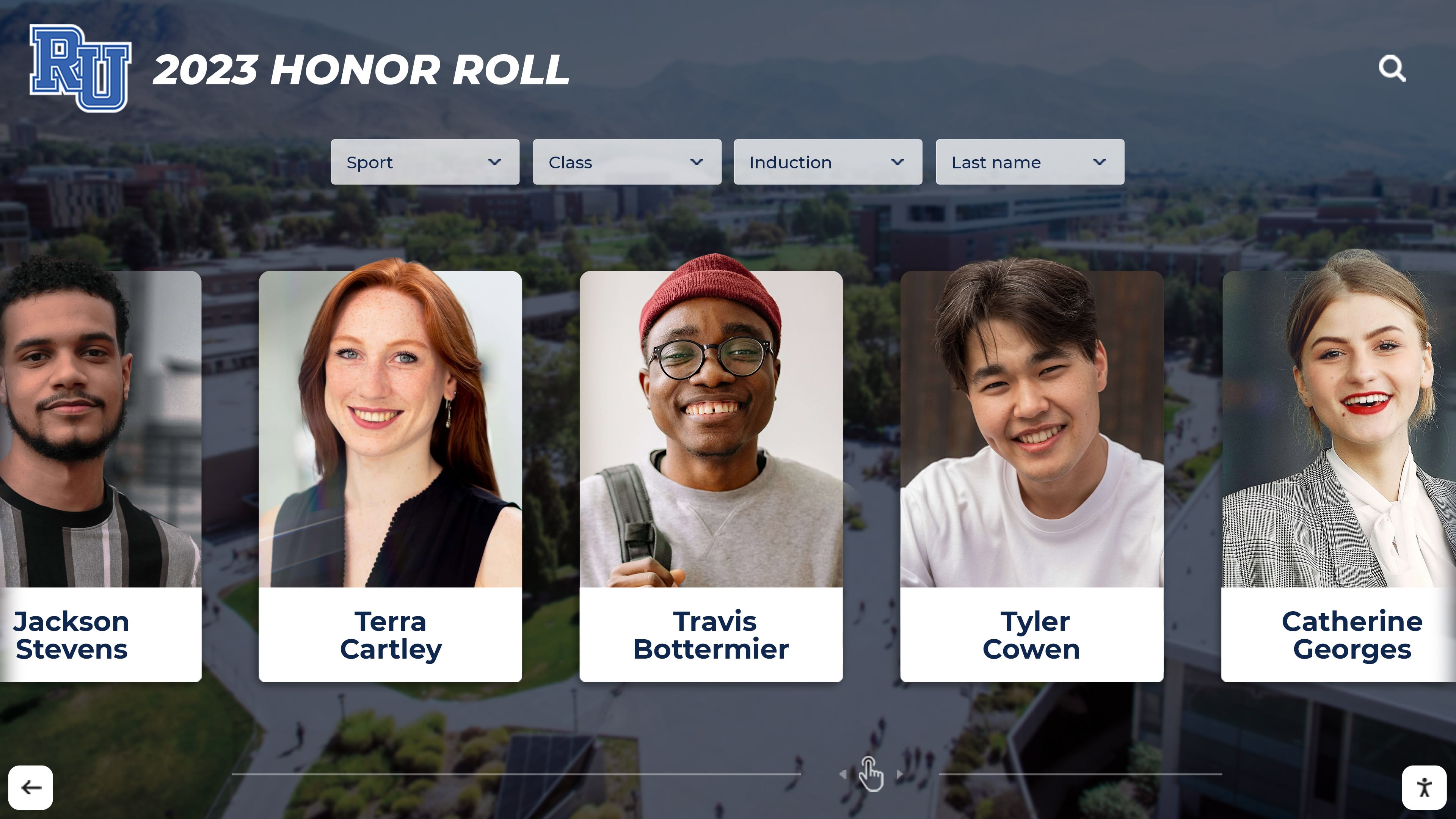




Perfect attendance represents sustained commitment—students showing up every single day, rain or snow, motivated or tired, facing obstacles yet choosing to be present. This achievement deserves more than a paper certificate filed in a drawer or a name on a bulletin board that gets taken down at year-end. High schools need permanent recognition systems that preserve every perfect attendance streak, auto-rank across years, update in real-time, comply with ADA requirements, and make every student’s dedication permanently visible to peers, families, and future graduating classes.
Traditional attendance recognition through printed certificates, temporary bulletin board lists, or outdated plaques creates predictable problems: space constraints force schools to remove old names when adding new ones, manual updates take weeks creating recognition delays, historical perfect attendance records get lost when vinyl comes off walls, and static displays bore digital-native students who expect interactive experiences. Modern digital showcase walls eliminate every one of these limitations.
Intent: Demonstrate
This guide demonstrates exactly how high schools implement auto-ranking perfect attendance displays that preserve complete historical records while recognizing current students. You'll see deployment steps, feature requirements, real operational workflows, and the specific buying triggers that separate always-on recognition platforms from temporary slideshow solutions. Every detail points toward one outcome: scheduling a Zoom demo to see how Rocket Alumni Solutions' Digital Record Board handles perfect attendance recognition at scale.
Why Perfect Attendance Recognition Fails at Most High Schools
Walk through any high school hallway and notice what gets permanent display space—athletic trophies, championship banners, varsity letters. Now try finding where perfect attendance gets acknowledged. Most schools offer paper certificates handed out at assembly, a temporary bulletin board list that stays up for two weeks, or nothing at all beyond a line in the student information system that nobody except counselors ever sees.
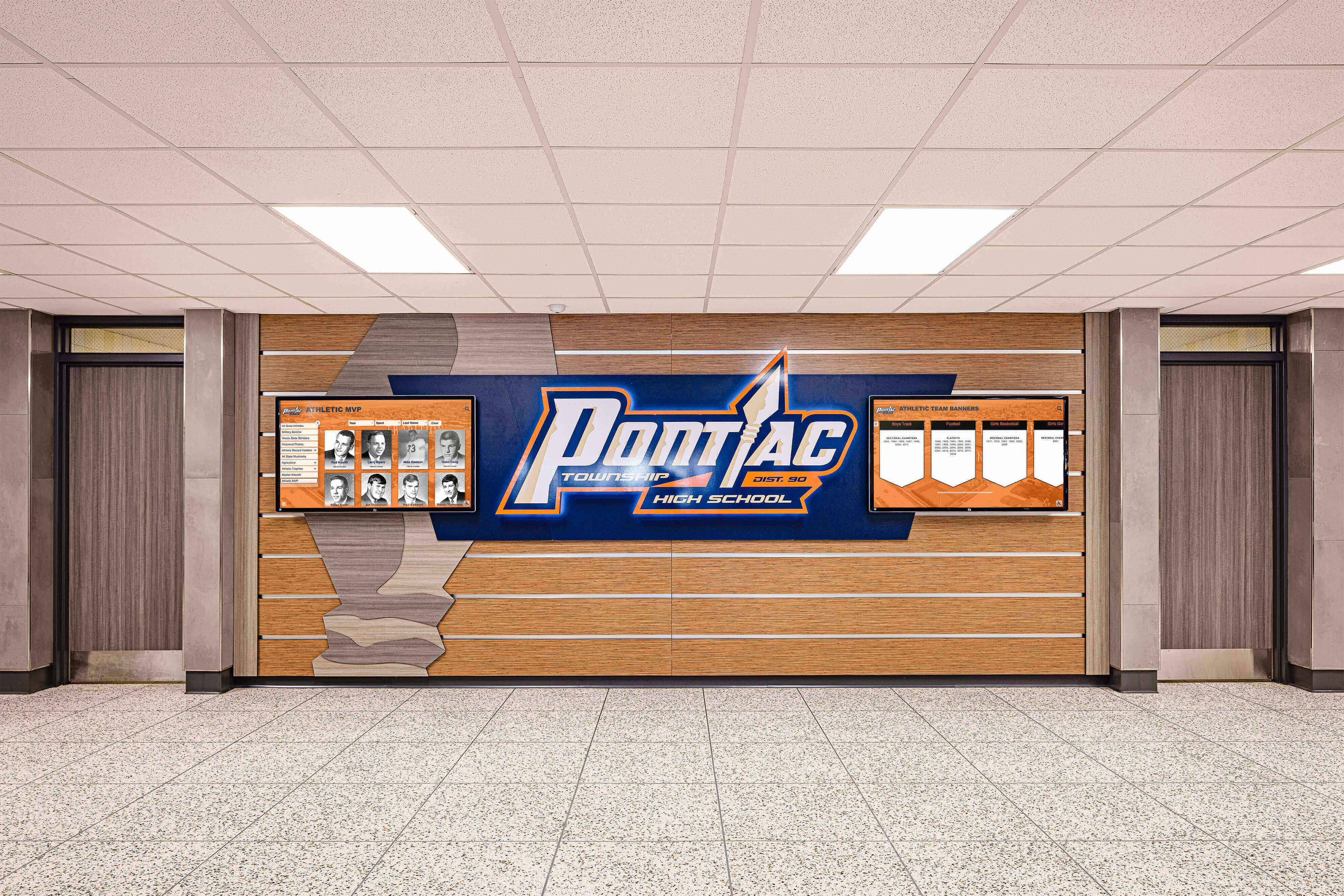
This recognition gap sends a clear message about what schools value—even when administrators insist attendance matters. Students notice. When athletic achievements consume visible recognition while daily attendance commitment receives minimal acknowledgment, students draw obvious conclusions about which accomplishments truly count. This perception affects behavior: why prioritize showing up every day when the school doesn’t prioritize recognizing that effort?
Space Limitations Erase History
Traditional physical displays for perfect attendance face hard capacity constraints. A single plaque wall might hold 100 names before running out of space. When capacity fills, schools face an impossible choice: stop adding new perfect attendance achievers, remove older names to make room, or abandon the recognition display entirely. All three options fail students—current achievers lose recognition opportunities while past achievers watch their names disappear.
The founder of Rocket Alumni Solutions lost his high school chin-up record when new records replaced old vinyl on the gym wall. That same erasure happens with attendance recognition: schools take down last year’s perfect attendance list to make room for this year’s names, permanently deleting historical achievement from institutional memory. Five years later, nobody remembers who maintained perfect attendance during those forgotten years.
Digital recognition walls eliminate space constraints completely. A single 55-inch touchscreen holds unlimited perfect attendance records—every student from every graduating class since the school opened. No erasure required. No capacity limits. No forced choices between honoring history and celebrating current achievement.
Manual Updates Create Recognition Delays
Printed perfect attendance lists and physical plaques require manual production: someone designs the layout, submits artwork for printing, waits weeks for production, schedules installation, and finally mounts the display. By the time recognition appears on the wall, the semester has already ended and students have moved on. Delayed recognition loses motivational impact—acknowledgment that arrives months after achievement feels like an afterthought rather than genuine celebration.
Auto-updating digital displays push recognition live within minutes of data confirmation. Athletic directors or counselors log into the content management system, upload the attendance verification file, and new names appear immediately on the recognition wall with proper ranking relative to historical achievers. Students see themselves recognized while achievement still feels fresh and relevant.
Static Displays Bore Contemporary Students
Students who grew up with TikTok, Instagram, and interactive gaming expect engaging visual experiences. Static printed lists showing just names and years feel outdated and dismissive—minimal effort recognition that communicates minimal value for the achievement. When recognition feels boring, students don’t engage with it, defeating the entire motivational purpose of public acknowledgment.
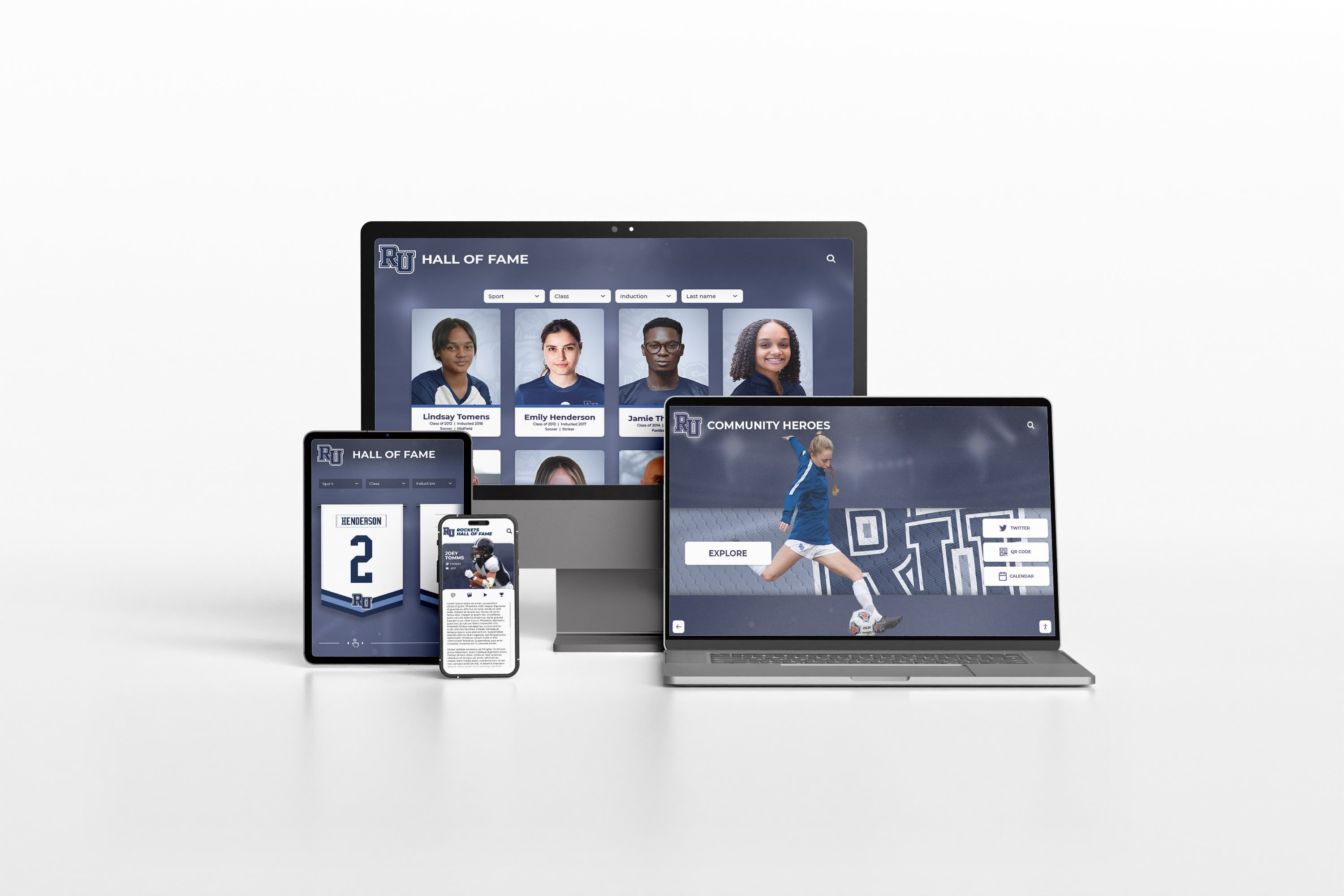
Interactive touchscreen displays create exploration: students can search for their own names, filter by graduating class, sort by consecutive years of perfect attendance, view high-resolution photos, read achievement details, and share recognition through QR codes. This engagement transforms passive viewing into active discovery that generates genuine pride and peer-to-peer recognition conversations.
Research on schools implementing comprehensive student recognition programs shows that visible acknowledgment drives behavioral change—schools with prominent recognition displays commonly report improved attendance rates compared to schools with minimal recognition systems.
Core Features Every Perfect Attendance Showcase Needs
Schools shopping for digital attendance recognition displays should evaluate specific capabilities that separate always-on institutional platforms from basic digital signage that functions as glorified PowerPoint.
Auto-Ranking Across All Historical Records
Perfect attendance recognition gains meaning through context: is this student’s three-year streak the longest in school history? How many students maintained perfect attendance for four consecutive years? Where does this year’s cohort rank compared to graduating classes from the past decade?

Auto-ranking systems ingest every perfect attendance record—current and historical—then calculate rankings automatically: longest consecutive years, most perfect semesters, grade-level leaders, and year-over-year comparisons. When a new student achieves four consecutive perfect attendance years, the system immediately recalculates rankings and updates the leaderboard without manual intervention.
Schools should insist on seeing auto-ranking demonstrated during vendor demos. Upload a sample attendance file with mixed records (some breaking existing records, some not) and watch whether the system correctly reranks the entire dataset or requires manual position assignment. Manual ranking creates unsustainable maintenance burden that leads to abandoned displays within two years.
Unlimited Capacity for Complete Historical Preservation
Perfect attendance displays must accommodate every achiever from every graduating class without artificial limits or per-profile pricing that incentivizes schools to limit recognition scope. Digital platforms promising “up to 500 profiles” or charging per-student-per-year create the same capacity problem that physical displays suffer from—forced prioritization that excludes worthy recognition.
Rocket Alumni Solutions’ Digital Record Board provides unlimited capacity: add 5,000 perfect attendance records from 50 graduating classes without hitting artificial caps or triggering per-profile charges. This unlimited model ensures schools preserve complete institutional attendance legacy rather than selecting highlights that erase most student achievement.
ADA Compliance and Universal Accessibility
Federal regulations require that school recognition be accessible to students with disabilities. Traditional bulletin boards and printed lists create accessibility barriers for students with visual impairments, mobility limitations, or reading challenges. Digital displays must meet Web Content Accessibility Guidelines (WCAG) 2.1 Level AA standards ensuring all students can access recognition regardless of disability.
Required ADA Features:
- Screen reader compatibility allowing visually impaired students to hear recognition content
- High-contrast display modes for students with low vision
- Adjustable text sizing enabling readability customization
- Keyboard navigation for touchscreen alternatives
- Alt-text descriptions for all visual content
- Closed captioning for video recognition elements
Schools should ask vendors for documentation proving WCAG compliance rather than accepting verbal assurances. Non-compliant displays create legal liability and fail students with disabilities who deserve equal access to recognition.
QR Code Unlocks for Personal Sharing
Students want to share their perfect attendance recognition with families who supported their commitment and friends who celebrate their achievement. Static displays prevent sharing—parents must physically visit the school to see their student’s name, limiting recognition reach to occasional on-campus visitors.
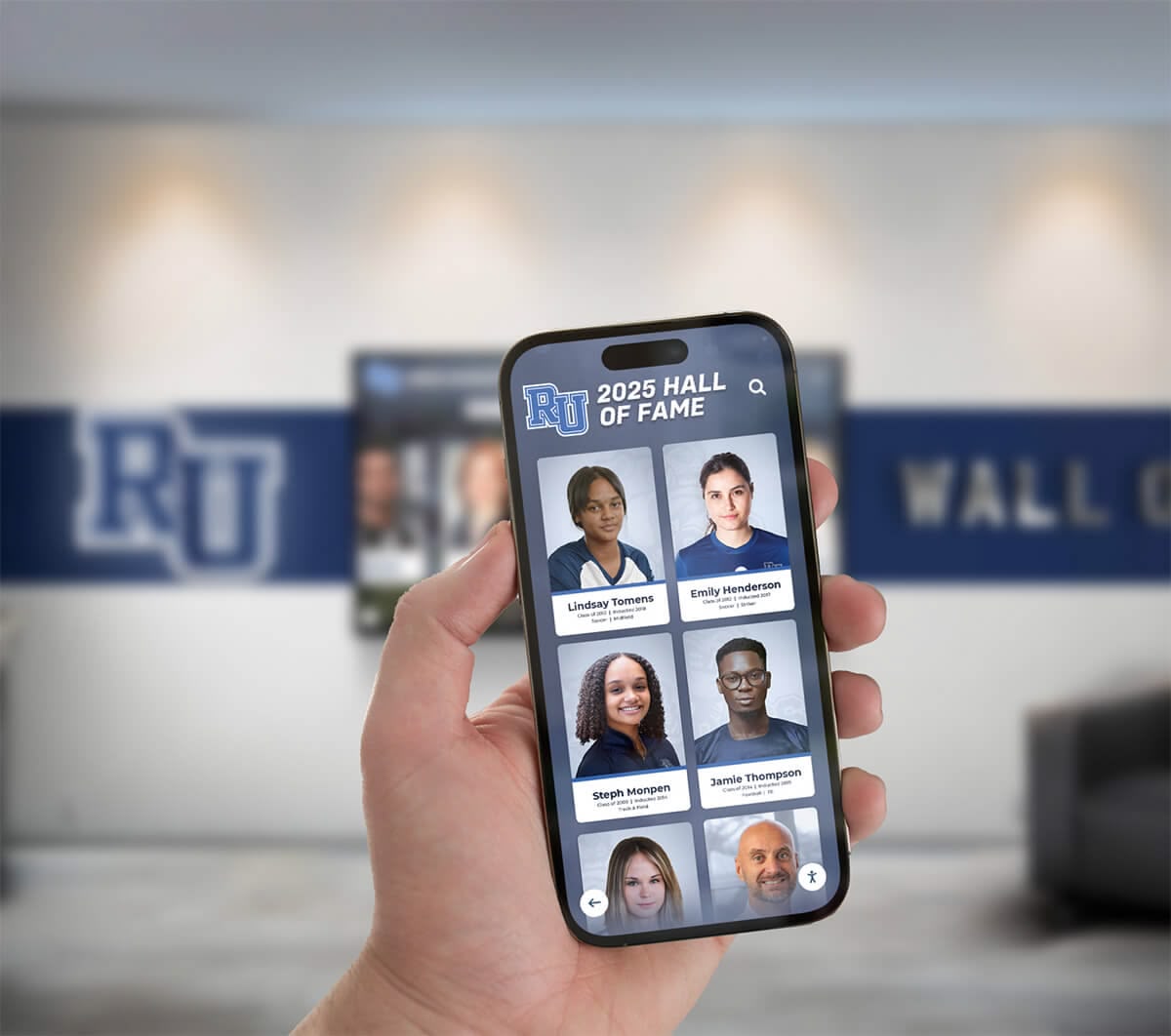
QR code unlocks transform static recognition into shareable content: students scan the code next to their name, unlock their full recognition profile on their smartphone, and share directly to Instagram, Facebook, Twitter, or text message. This social amplification extends recognition reach exponentially—hundreds of people see the achievement instead of just students walking past the display.
The vast majority of teens own smartphones and spend significant time online daily. Recognition systems that ignore mobile sharing miss the platform where students actually consume and distribute content.
Real-Time Updates Without IT Dependency
Athletic directors, counselors, and administrative staff need to update perfect attendance recognition without submitting IT tickets, waiting days for technical support, or learning complex design software. Purpose-built recognition platforms provide intuitive content management interfaces designed for non-technical educators.
Essential Content Management Capabilities:
- Template-driven profile creation requiring only data entry, not design knowledge
- Drag-and-drop photo upload with automatic optimization
- CSV bulk import for adding multiple students from attendance system exports
- Preview mode showing exactly how content appears before publishing
- Role-based permissions allowing multiple staff members to manage content
- Mobile-responsive admin interface enabling updates from tablets or smartphones
When updates feel quick and simple, staff actually maintain recognition currency. When content management requires technical expertise or takes hours to complete basic changes, displays become outdated, undermining credibility and student engagement.
Deployment Workflow: From Purchase to Live Recognition
Understanding the complete implementation process helps schools evaluate realistic timelines, resource requirements, and internal preparation necessary for successful digital attendance recognition launches.
Phase 1: Planning and Data Preparation (Weeks 1-3)
Start by assembling the internal stakeholders responsible for attendance tracking, student recognition, and facility management. This typically includes the principal, assistant principal for student services, attendance coordinator, IT director, and facilities manager.
Planning Deliverables:
- Confirmed display location providing high visibility without creating hallway bottlenecks
- Historical perfect attendance data gathered from student information systems, old yearbooks, and archived records
- Photo collection process for current students (school photos, submitted images, or generic placeholders)
- Definition of what qualifies as “perfect attendance” (zero absences, excused absences allowed, tardies counted or excluded)
- Agreement on recognition tiers (perfect year, multi-year streaks, lifetime achievement levels)
Data preparation often takes longer than anticipated—plan for systematic yearbook research if complete attendance records aren’t digitally accessible. Some schools discover that perfect attendance documentation only exists from the past five years, requiring historical reconstruction through manual yearbook review.
Phase 2: Hardware Installation and Network Configuration (Weeks 3-4)
Once data preparation begins, coordinate physical installation of touchscreen displays in selected high-traffic locations. Most schools install one primary 55-inch touchscreen in the main entrance or student commons, with optional secondary displays in counseling office areas or cafeteria locations.
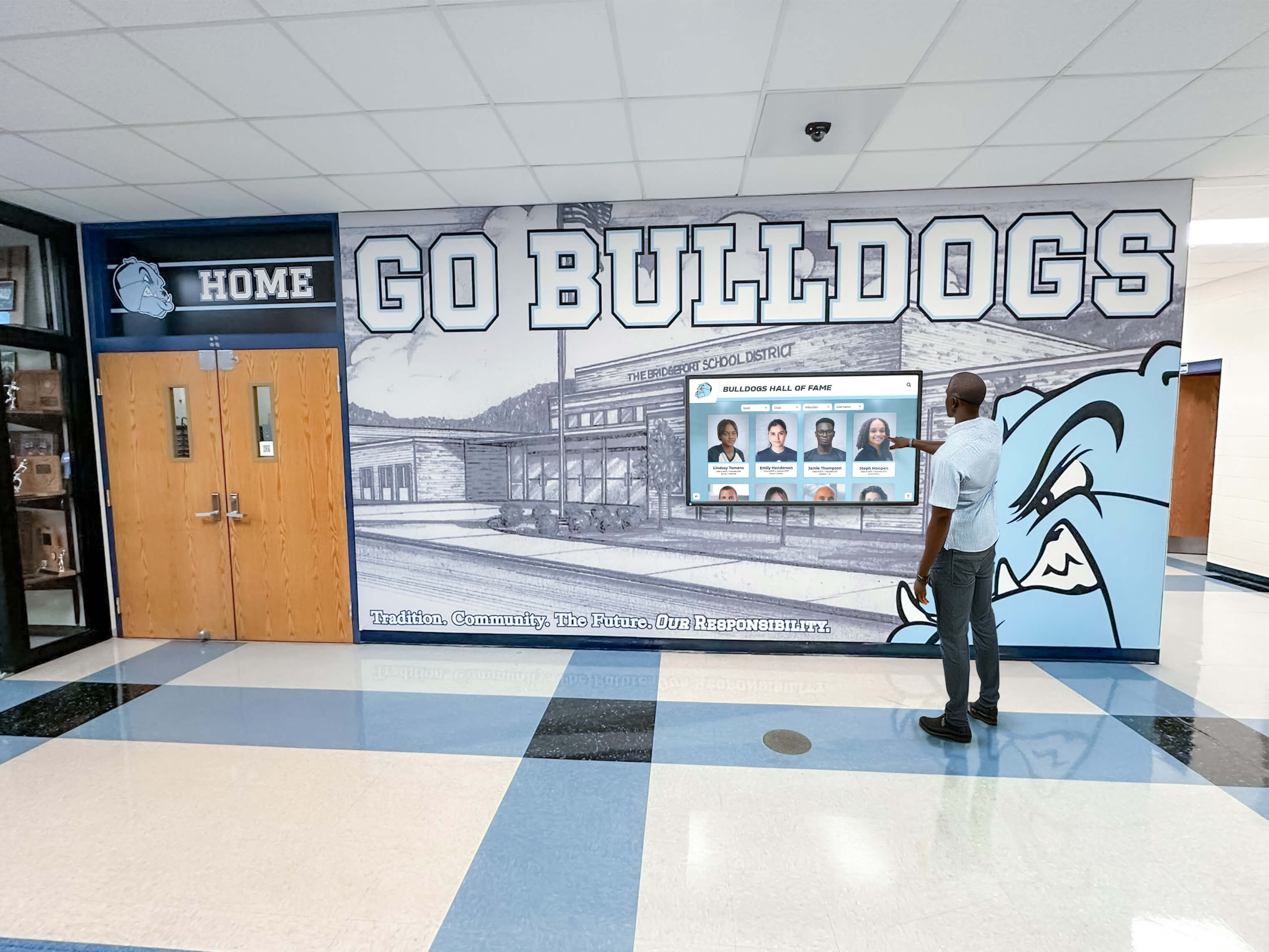
Installation Requirements:
- Electrical outlet for continuous power (displays run 24/7 during school year)
- Network connection (hardwired ethernet preferred over WiFi for reliability)
- Wall mounting at ADA-compliant heights (touchscreen center 48 inches from floor)
- Protective enclosures for high-traffic areas where accidental damage risks exist
- Proper lighting avoiding screen glare or washout from windows
Coordinate installation during weekend or evening hours to avoid disrupting school operations. Most installations complete within 4-6 hours including mounting, cabling, network configuration, and initial system testing.
Phase 3: Content Population and Template Customization (Weeks 4-6)
With hardware operational, begin loading historical perfect attendance records into the content management system. Start with recent graduating classes (past 3-5 years) before adding older historical data—this ensures current students see themselves recognized immediately while historical additions continue in background.
Content Elements Per Student:
- Full name and graduating class year
- High-resolution photo (minimum 800x800 pixels)
- Perfect attendance span (single year, consecutive years, total semesters)
- Brief achievement description (“Four consecutive years without absence or tardy”)
- Ranking context (“Tied for 3rd longest streak in school history”)
- Optional teacher nomination quote highlighting commitment or obstacle overcome
Bulk import tools allow efficient data entry: export attendance records from your student information system as CSV files, format according to the template specifications, and upload entire graduating class cohorts simultaneously rather than creating individual profiles manually.
Phase 4: Staff Training and Launch Preparation (Week 6)
Before launching publicly, conduct comprehensive staff training ensuring attendance coordinators, counselors, and administrators understand how to manage the recognition system independently without ongoing vendor dependency.
Training Coverage:
- Logging into the content management dashboard
- Creating individual student profiles using templates
- Uploading and optimizing photos for proper display
- Bulk importing CSV attendance data exports
- Editing existing profiles for corrections or updates
- Previewing content before publishing changes
- Generating engagement reports showing student interaction
- Troubleshooting common issues and accessing vendor support
Record training sessions for future reference and new staff onboarding. Create quick-reference guides summarizing the most common tasks (adding new students, updating photos, fixing typos) that staff can consult without reviewing full training materials.
Phase 5: Public Launch and Communication (Week 7+)
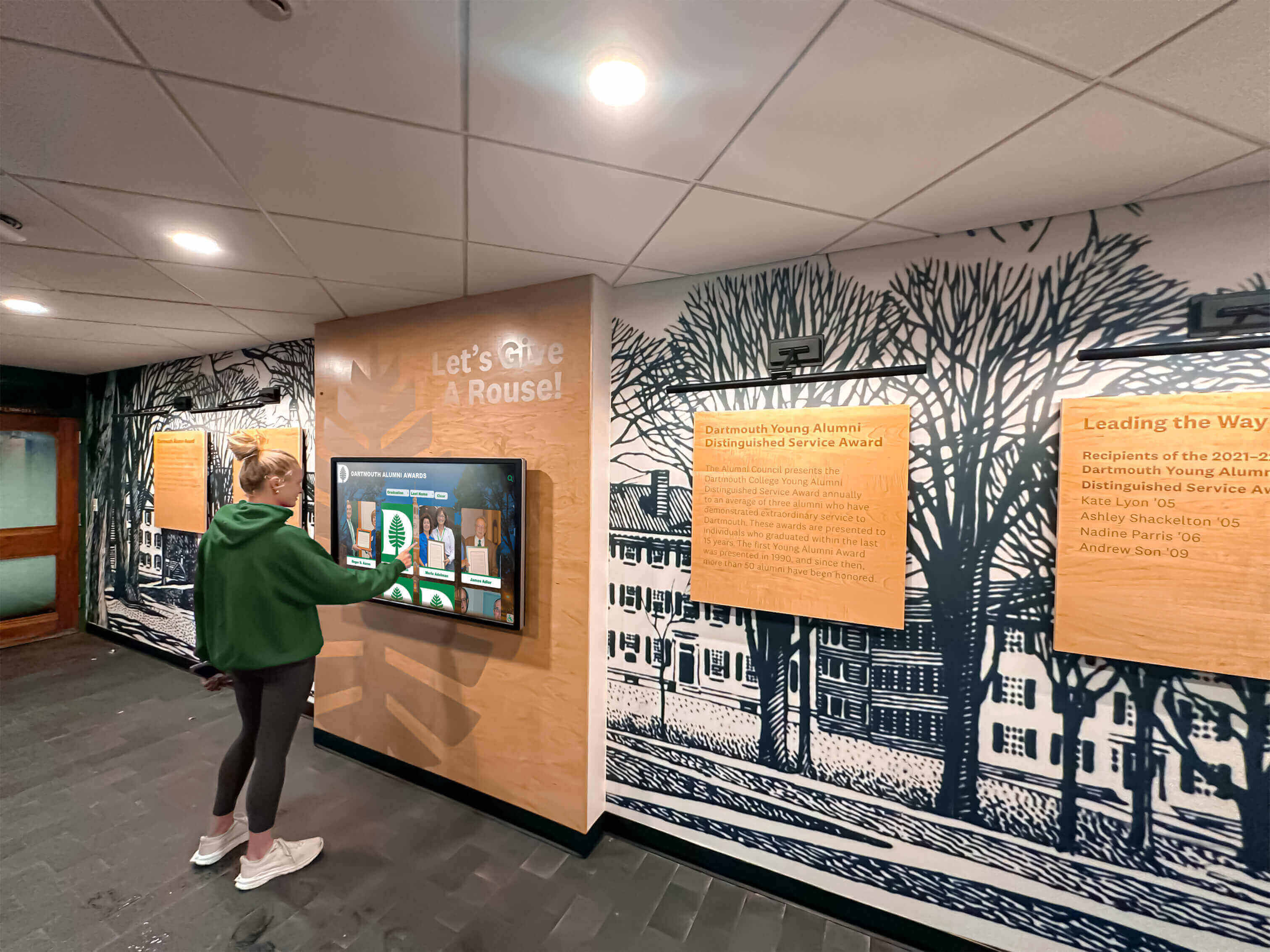
Announce the new perfect attendance showcase wall through multiple communication channels ensuring students, families, and community members know recognition now exists and where to find it.
Launch Communication Channels:
- Principal’s email or newsletter announcement to all families
- Social media posts with photos of students engaging with the display
- Morning announcements directing students to the showcase location
- Posters near the display explaining how to search for names and use QR codes
- Student newspaper or yearbook feature highlighting recognized achievers
- School board presentation demonstrating the new recognition capability
Consider hosting a formal ribbon-cutting or recognition ceremony where students with longest perfect attendance streaks are invited to demonstrate the touchscreen to assembled students and families. This event generates additional publicity while creating shared pride in the new institutional recognition capability.
Integration with School Information Systems and Attendance Tracking
Modern perfect attendance displays shouldn’t require manual data entry every semester—they should ingest data directly from existing student information systems through automated workflows that push updates without staff intervention.
Direct SIS Integration Options
Major student information systems like PowerSchool, Infinite Campus, Skyward, and Aspen provide API access allowing third-party applications to read attendance data programmatically. Schools should ask potential vendors whether they offer native integrations with their specific SIS platform.
Integration Workflow:
- IT administrator grants read-only API access to the recognition platform
- School defines the attendance criteria triggering recognition (zero absences, excused absences excluded, etc.)
- Recognition system queries SIS nightly during school year checking for students meeting perfect attendance criteria
- When new perfect attendance achievements occur, the system automatically creates profiles and publishes recognition
- Auto-ranking recalculates based on the new data, updating historical leaderboards accordingly
Direct integration eliminates manual data export, reduces errors from transcription mistakes, and delivers near-real-time recognition as students achieve milestones rather than months later after manual processing.
CSV Export Alternative for Non-Integrated Systems
Schools using SIS platforms without API support or districts prohibiting third-party API access can still automate most of the workflow through scheduled CSV exports.
The attendance coordinator exports perfect attendance reports from the SIS on a defined schedule (weekly, monthly, or quarterly), saves the file following the prescribed format template, and uploads to the recognition platform through the content management interface. The bulk import tool processes the file, identifies new achievers, creates profiles using the standard template, and publishes recognition automatically.
While CSV workflows require more manual intervention than direct API integration, they still deliver 90% automation compared to individual profile creation—reducing a 4-hour manual update process to a 10-minute file upload and review.
Privacy Compliance and FERPA Considerations
Perfect attendance recognition involves displaying student names and photos publicly, raising questions about Family Educational Rights and Privacy Act (FERPA) compliance. Schools should understand that FERPA explicitly allows disclosure of “directory information” including honors and awards without prior consent—perfect attendance qualifies as an honor.
However, best practices include:
- Obtaining annual photo release forms covering recognition display usage
- Providing opt-out mechanisms for families preferring privacy
- Limiting displayed information to names, photos, graduating classes, and achievement details (no addresses, birth dates, or sensitive personal data)
- Securing the content management system with role-based access preventing unauthorized editing
Digital platforms make privacy management more granular than physical displays—families requesting opt-out can have specific profiles hidden from public display while maintaining internal records, impossible with vinyl names permanently mounted on walls.
Measuring Perfect Attendance Recognition Impact
Schools investing in digital attendance displays should track engagement metrics and behavioral outcomes demonstrating whether recognition generates intended results: improved attendance, increased student pride, and stronger culture around commitment.
Digital Engagement Analytics
Modern recognition platforms provide comprehensive analytics revealing how students, families, and visitors interact with perfect attendance displays—data impossible to gather from paper certificates or static bulletin boards.

Key Engagement Metrics:
- Total unique visitors interacting with the touchscreen monthly
- Average session duration showing how long people explore recognition content
- Search behavior revealing which names, graduating classes, or filters students use most
- QR code scans indicating how many students share recognition on personal devices
- Return visit frequency showing whether recognition generates sustained interest beyond initial curiosity
- Peak engagement times identifying when students interact most (lunch periods, before/after school)
Schools implementing digital recognition displays across multiple domains report average session durations of 3-4 minutes compared to 10-second glances at printed lists—demonstrating substantially deeper engagement with interactive content.
Attendance Trend Analysis
The ultimate success metric for perfect attendance recognition is whether visible acknowledgment correlates with improved attendance rates across the broader student population.
Track these attendance indicators before and after launching digital recognition:
- Overall school average daily attendance percentage
- Number of students achieving perfect attendance annually
- Chronic absenteeism rates (students missing 10%+ of school days)
- Attendance rates specifically among students with historically poor attendance
- Semester-over-semester improvement in attendance patterns
Schools should compare multiple years of pre-implementation data against post-implementation trends, accounting for external factors like flu seasons or community disruptions that affect attendance regardless of recognition programs.
Schools implementing comprehensive attendance recognition systems commonly experience measurable attendance rate improvements within two years—modest but significant gains that correlate with academic achievement improvements across student populations.
Student and Family Feedback
Beyond quantitative metrics, gather qualitative feedback revealing whether students and families perceive perfect attendance recognition as meaningful and motivating.
Feedback Collection Methods:
- Brief student surveys asking whether they’ve noticed the recognition display, searched for their name, felt motivated to maintain perfect attendance, or shared recognition with family
- Focus groups with students who achieved perfect attendance discussing what recognition means to them
- Parent surveys at conferences asking whether they’ve viewed their student’s recognition and perceived its importance
- Exit interviews with graduating seniors asking which recognition programs felt most meaningful during their high school experience
This qualitative data identifies improvement opportunities: students might request additional recognition tiers (most consecutive days, first-semester streaks), suggest better display locations, or provide feedback on content presentation that quantitative analytics miss.
Budget Considerations and Total Cost Analysis
Schools evaluating digital perfect attendance displays should analyze complete five-year total cost of ownership rather than just initial hardware investment—comparing digital platforms against the ongoing costs of traditional recognition methods that seem cheaper initially but compound annually.
Digital Recognition System Costs
Initial Investment:
- 55-inch commercial touchscreen display: $2,500-4,000 per unit
- Wall mounting and installation: $500-800
- Software platform annual subscription: $2,000-4,000 (varies by student population and feature set)
- Initial content population and training: $1,000-2,000 (one-time implementation support)
Total First-Year Investment: $6,000-10,800
Ongoing Annual Costs:
- Software platform subscription renewal: $2,000-4,000
- Electricity for 24/7 operation: ~$150 annually
- Occasional content updates (staff time, minimal with trained personnel)
Total Year 2-5 Annual Costs: $2,150-4,150
Five-Year Total Cost of Ownership: $14,600-27,400
Traditional Recognition Comparison
Annual Paper Certificate Costs:
- Certificates for 100 students annually: $200 (printing)
- Staff time designing, printing, distributing: 8 hours @ $30/hour = $240
- Total annual cost: $440
- Five-year total: $2,200
Physical Plaque Display Costs:
- Initial plaque installation: $5,000-8,000
- Annual plaques for new students: $800-1,200
- Removal and storage of old plaques when space fills: $500 every 3 years
- Five-year total: $9,500-14,600
Traditional recognition appears cheaper initially but delivers vastly inferior outcomes: limited capacity requiring erasure of history, no auto-ranking capability, minimal student engagement, no ADA compliance, impossible social sharing, and complete absence of analytics. The price differential narrows when factoring in actual delivered value rather than just line-item costs.
According to independent analysis by digital hall of fame comparison guides, schools that switch from physical plaques to digital displays report the total cost of ownership breaks even within 3-4 years while delivering 10x higher student engagement and preserving 100% of historical records that physical systems erase.
Common Implementation Mistakes to Avoid
Schools regularly make predictable mistakes when implementing digital attendance recognition—learning from others’ failures prevents wasting time, money, and staff goodwill on approaches that don’t deliver results.
Mistake #1: Treating Digital Displays as Passive Signage
Some schools purchase generic digital signage platforms designed for retail advertising or corporate communications, then attempt to repurpose them for student recognition. These platforms lack education-specific features: no auto-ranking, limited search capabilities, no ADA compliance, complex content management requiring graphic design knowledge, and per-slide limits that constrain recognition capacity.
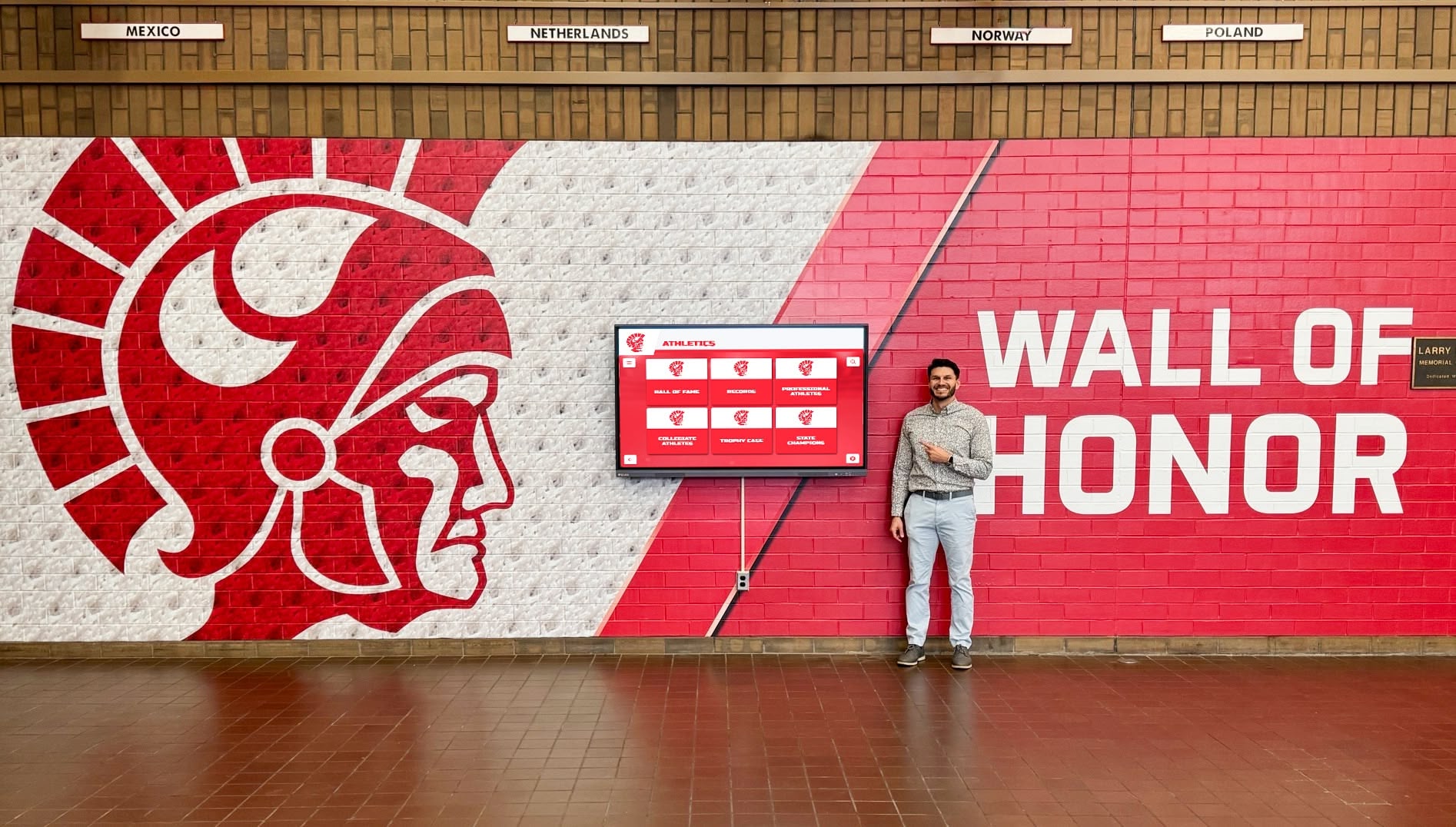
Solution: Only evaluate platforms purpose-built for educational recognition with proven deployments at similar schools. Request reference calls with other high schools using the platform for perfect attendance displays specifically—not just athletic recognition or general halls of fame. Ask those references directly: “Can your staff update the display independently, or do you need IT support every time?” and “Have you maintained content currency, or has the display become outdated?”
Mistake #2: Installing Displays in Low-Traffic Locations
Recognition impact correlates directly with visibility—displays hidden in counseling offices, administrative wings, or remote hallways generate minimal engagement because students never encounter them during normal school movement patterns.
High-visibility locations include:
- Main entrance vestibules where every student passes daily
- Student commons or cafeteria areas with extended dwell time
- Main hallway intersections with converging traffic flows
- Athletics building lobbies where students arrive for practices and games
Ask facilities staff to map student traffic flow during passing periods, identifying the single highest-traffic intersection—that’s where the primary recognition display belongs. Secondary displays can fill counseling areas, but the anchor installation must capture daily student traffic without requiring deliberate detours.
Mistake #3: Launching Without Historical Data
Schools sometimes implement digital displays intending to “start fresh” with current students while planning to “add historical data later.” This approach fails because the historical research never happens—staff face daily operational urgencies that push historical content development perpetually into “next quarter.”
Students notice incomplete historical records. When the display shows perfect attendance from 2023-2026 but nothing from the school’s 50-year history, it communicates that only recent achievement matters—undermining the permanent legacy preservation message that makes digital recognition meaningful.
Solution: Delay public launch until historical content reaches reasonable completeness. Define “reasonable” based on realistic data availability: if complete attendance records exist digitally from 2015 forward, commit to populating 2015-2026 before launching. If manual yearbook research is required for older years, phase the launch—start with digitally available data, launch publicly, then systematically add historical decades using student workers or parent volunteers over the following year.
According to comprehensive guides on school history preservation, schools that launch with at least 10 years of historical content report 60% higher student engagement compared to displays showing only 1-2 recent years—historical depth creates context making current achievement feel more meaningful.
Mistake #4: Neglecting Staff Training and Documentation
Principals sometimes assume that “user-friendly” platforms require no training—staff will figure it out. This assumption leads to displays that never get updated because nobody feels confident managing content, creating the same outdated recognition problem that physical displays suffer from.
Solution: Require comprehensive vendor training for all staff who will manage content, recorded for future reference. Create written quick-reference guides for common tasks. Schedule quarterly refresher sessions during the first year to address questions and reinforce correct workflows. Budget for annual training sessions ensuring new staff members learn the system rather than relying on knowledge transfer from departing employees.
When content management feels intuitive and well-supported, staff actually maintain recognition currency—displays stay updated, students stay engaged, and the investment delivers sustained value rather than becoming abandoned technology gathering dust.
Perfect Attendance Recognition and Broader School Culture
High-impact perfect attendance displays don’t exist in isolation—they connect to comprehensive recognition ecosystems celebrating diverse student achievement across academics, athletics, activities, and character.
Integrating Academic and Athletic Recognition
Schools should resist the false choice between athletic recognition and academic/attendance recognition—modern digital platforms accommodate both through unified systems creating cohesive institutional recognition cultures.
Comprehensive digital recognition programs include:
- Athletic record boards tracking performance achievements across all sports
- Academic excellence displays for honor roll, AP scholars, and scholarship recipients
- Perfect attendance recognition celebrating commitment and consistency
- Activity achievements highlighting debate, robotics, theater, and other competitive programs
- Character awards acknowledging citizenship, leadership, and service
- Alumni spotlights connecting current students to successful graduates
Unified platforms enable cross-referencing: students can explore whether perfect attendance correlates with athletic success, discover that their favorite teacher also achieved perfect attendance as a student, or find alumni who combined perfect attendance with specific career paths.
Creating Recognition Conversations and Social Proof
The power of public recognition extends beyond the individual student receiving acknowledgment—visible recognition creates social proof that shapes peer group norms and acceptable behavior standards.
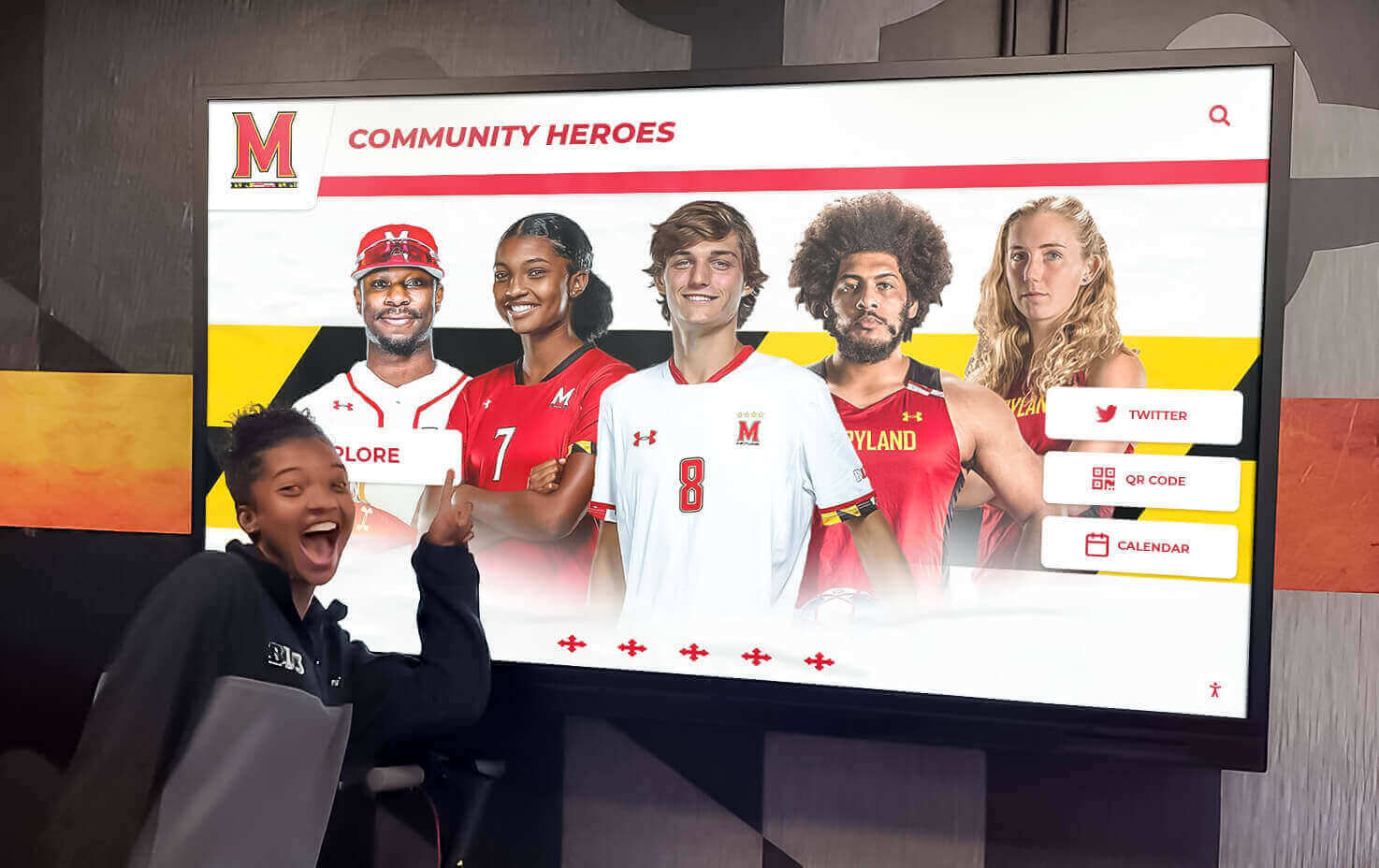
When students see dozens of classmates recognized for perfect attendance, they internalize that showing up consistently is valued, achievable, and socially rewarded—not something only a handful of outliers accomplish. This social proof effect proves particularly powerful during middle school years when peer influence peaks and students decide whether to adopt achievement-oriented or disengagement behaviors.
Digital displays amplify social proof through:
- Visual density showing how many students achieve perfect attendance (not just listing names but showing photos that communicate scale)
- Search functionality allowing students to find friends and classmates easily
- Social sharing enabling recognized students to broadcast achievement to peer networks
- Multi-year tracking showing that the same students maintain perfect attendance repeatedly (establishing consistency norms)
According to social psychology research from Stanford University, public recognition generates 3.2x stronger behavioral influence on peer groups compared to private acknowledgment that only the recipient experiences—proving that visible displays serve strategic cultural purposes beyond individual motivation.
Addressing Equity Concerns in Attendance Recognition
Perfect attendance recognition raises legitimate equity questions: students facing chronic illness, family caregiving responsibilities, lack of reliable transportation, housing instability, or mental health challenges may face barriers to perfect attendance that more privileged peers don’t experience. Recognition systems must acknowledge this reality without abandoning attendance recognition entirely.
Equitable Recognition Approaches:
Create multiple recognition tiers beyond all-or-nothing perfect attendance: recognize students with 95%+ attendance, most improved attendance, longest consecutive attendance streaks (even if interrupted), and overcoming specific obstacles to maintain strong attendance. These tiers create accessible pathways for students with legitimate barriers while preserving celebration of perfect achievement.
Implement excused absence categories thoughtfully: allow students to maintain “perfect attendance” recognition if absences result from school-sanctioned activities (academic competitions, college visits, religious observances), documented medical procedures, or other non-discretionary circumstances. Define these categories clearly in published criteria so students understand exactly what qualifies.
Pair attendance recognition with support systems: when displays reveal chronic absenteeism patterns, trigger proactive counselor outreach identifying underlying barriers and connecting families with resources (transportation assistance, mental health services, academic support) rather than treating recognition purely as motivation without addressing systemic obstacles.
Document attendance recognition policies clearly, publish them in student handbooks, and ensure recognition committee composition includes diverse perspectives understanding varied student circumstances rather than making criteria decisions through narrow administrative lenses that overlook real barriers.
Technical Specifications for RFP Development
Schools preparing formal requests for proposals (RFPs) for digital perfect attendance displays should include specific technical requirements ensuring vendor responses address all operational necessities rather than leaving critical capabilities ambiguous.
Required Hardware Specifications
Display Requirements:
- Commercial-grade touchscreen (not consumer TV repurposed)
- Minimum 55-inch diagonal display size (65-inch preferred for large lobbies)
- 1920x1080 resolution minimum (4K preferred for visual clarity)
- 500-nit brightness minimum for visibility in high-ambient-light environments
- 10-point multi-touch capability supporting simultaneous user interaction
- Tempered glass screen protector with anti-glare coating
- Landscape orientation (portrait acceptable for narrow hallways)
- 50,000-hour minimum panel lifetime (approximately 11 years of 12-hour daily operation)
Mounting and Enclosure:
- VESA-compliant wall mounting bracket rated for display weight
- ADA-compliant installation height (touchscreen center 48 inches from floor)
- Optional protective enclosure for high-impact areas
- Cable management system concealing power and network connections
- Tamper-resistant hardware preventing unauthorized display removal
Connectivity Requirements:
- 10/100/1000 Ethernet port for hardwired network connection
- Dual-band WiFi (2.4GHz and 5GHz) for locations where hardwire isn’t feasible
- USB ports for local content updates (emergency fallback if network fails)
- HDMI input for potential external device connection
- Built-in media player (no external computer required for operation)
Required Software Platform Capabilities
Content Management Requirements:
- Web-based admin interface accessible from any modern browser
- Template-driven profile creation for consistent formatting
- Bulk CSV import supporting 500+ records simultaneously
- Drag-and-drop photo upload with automatic size optimization
- WYSIWYG preview showing exact public display appearance before publishing
- Role-based permissions (admin, editor, viewer) with activity logging
- Mobile-responsive admin interface supporting tablet and smartphone management
- Scheduled publishing allowing content preparation in advance of automatic go-live dates
Recognition Display Features:
- Unlimited capacity for student profiles (no per-profile charges)
- Auto-ranking across all historical and current records
- Real-time search by name, graduating class, achievement type, or keyword
- High-resolution photo display (minimum 800x800 pixels)
- Configurable display layouts matching school branding (colors, logos, fonts)
- Attract loop showing highlighted profiles when display sits idle
- QR code generation for individual profile sharing
- Deep-linking creating unique URLs for each student’s recognition profile
Accessibility and Compliance:
- WCAG 2.1 Level AA compliance documentation
- Screen reader compatibility for visually impaired students
- Keyboard navigation alternative to touchscreen interaction
- High-contrast display mode meeting accessibility standards
- Adjustable text sizing (minimum 200% enlargement)
- Alt-text support for all images
- Compliance documentation for Section 508 and IDEA requirements
Analytics and Reporting:
- Comprehensive engagement tracking (unique visitors, session duration, search terms)
- Export capabilities for analysis in Excel or Google Sheets
- Scheduled automated reports delivered via email
- Real-time dashboard showing current interaction metrics
- Historical trend analysis comparing engagement over time
- QR code scan tracking measuring social sharing adoption
Support and Training Requirements
Vendor Support Obligations:
- Comprehensive initial training for designated staff (minimum 4 hours)
- Recorded training sessions for future reference and new staff onboarding
- Written documentation including user guides and troubleshooting resources
- Ongoing technical support via phone, email, and live chat during business hours
- Maximum 24-hour response time for support requests
- Remote screen-sharing capability for troubleshooting complex issues
- Annual refresher training sessions included in subscription pricing
- Access to vendor knowledge base and video tutorial library
Implementation Services:
- Project management coordinating hardware installation and software configuration
- On-site installation supervision ensuring proper mounting and network connection
- Initial content population assistance (bulk import setup and template configuration)
- Go-live support during first week of public operation
- 30-day post-launch review addressing issues and optimization opportunities
- Quarterly check-ins during first year ensuring successful adoption and addressing questions
Include these specifications in RFP documents to establish clear expectations and enable meaningful vendor comparison based on complete capability alignment rather than just lowest price—low-bid vendors often lack critical features discovered only after purchase when contractual leverage disappears.
Scheduling Your Perfect Attendance Display Demo
Schools ready to move beyond paper certificates and outdated bulletin boards toward permanent, auto-ranking, ADA-compliant perfect attendance recognition should start by seeing exactly how modern platforms work in live operation.
Schedule a Zoom demonstration where you’ll see:
- Real attendance data imported via CSV bulk upload
- Auto-ranking recalculating when new records break historical achievements
- The exact content management interface your staff will use (not a simplified sales demo)
- Touchscreen interaction from student perspective including search, filtering, and QR code sharing
- Admin dashboard showing engagement analytics tracking who interacts with recognition
- Integration workflows connecting to your specific student information system
Prepare questions focusing on operational reality rather than marketing promises:
- “Show me the CSV template we’d use for bulk imports and walk through an actual upload.”
- “If we need to correct a misspelled name after publishing, show me exactly how we’d make that edit.”
- “Pull up your analytics for another school and show me what engagement data we’d actually receive.”
- “What happens if our WiFi goes down—does the display continue operating on cached content?”
- “Walk me through your support process when our attendance coordinator runs into an issue.”
Request references from high schools demographically similar to yours (comparable student populations, similar technology infrastructure, comparable demographics). Ask those references specific questions: “Has your display stayed updated, or has it become outdated?” “Can your staff manage content independently, or do you need IT support?” “Do students actually interact with it, or does it just sit there?”
Your students achieve remarkable consistency showing up every single day despite obstacles, fatigue, competing priorities, and a thousand valid excuses to stay home. That commitment deserves recognition that matches its significance—permanent preservation, auto-ranked context, accessible exploration, and social sharing that extends acknowledgment beyond your building walls to students’ broader communities.
Book a Digital Record Board demo to see exactly how auto-ranking perfect attendance displays preserve complete achievement history while recognizing current students—never erasing names to make room, always maintaining proper ranking context, continuously accessible through interactive exploration that static bulletin boards will never match.
Perfect attendance represents sustained commitment that deserves more than temporary acknowledgment—it deserves permanent recognition ensuring every student’s dedication remains visible to future graduating classes who will draw inspiration from those who came before. Modern digital showcase walls finally make that permanent preservation achievable at scale, eliminating space constraints while delivering engagement levels that paper certificates never could, all with ADA compliance ensuring every student can access the recognition their commitment earned. Schedule your demo today and see exactly how it works in operation—because your students’ consistency deserves recognition technology that never stops showing up.































