




A Friday night game ends, a senior running back just broke the program’s all-time rushing record, and someone has to update the board. If your school is still working with a painted vinyl panel and a commercial sign shop, that update won’t happen for weeks—if it happens at all. Records fall through the cracks, athletes graduate before their names appear on the wall, and decades of program history slowly disappear each time someone fresh-coats the background. A well-designed football record board solves all of this: it establishes what stats matter, creates a clear update workflow, and turns your fieldhouse or gymnasium lobby into a living archive of every achievement the program has earned.
What This Guide Covers
This is a practical ideas guide for athletic directors, coaches, and school administrators who want to build or upgrade a football record board. You’ll find a complete list of record categories worth tracking, design ideas for traditional and digital displays, a side-by-side comparison of static boards versus interactive systems, and a seasonal digital update workflow checklist. Where relevant, the guide points toward digital platforms—including Rocket Alumni Solutions—that automate the update process and eliminate the vinyl-and-sign-shop bottleneck entirely.
What Stats Belong on a Football Record Board
Before designing the display, decide what you’re displaying. Football has more trackable categories than most sports, and schools differ in which achievements they choose to celebrate. The lists below cover the categories most programs prioritize.
Offensive Individual Records
Individual offensive records document the peak performances of skill-position athletes across single games, single seasons, and entire careers.
Passing records to track:
- Single-game completions, attempts, and passing yards
- Single-season passing yards and touchdown passes
- Career passing yards, touchdowns, and completion percentage
- Consecutive completions (single game)
- Single-game passing yards (separate from season leaders)
Rushing records to track:
- Single-game rushing yards and touchdowns
- Single-season rushing yards and touchdowns
- Career rushing yards and touchdowns
- Longest run from scrimmage
Receiving records to track:
- Single-game receptions and receiving yards
- Single-season receptions, receiving yards, and touchdown catches
- Career receptions, receiving yards, and touchdown catches
- Longest reception
Guidance on football record board ideas that display a team’s greatest achievements provides additional category frameworks that help programs avoid gaps in their record documentation.
Defensive Individual Records
Defensive stat tracking requires commitment—most schools rely on coaches’ game charts rather than official statistics services—but the records motivate linemen, linebackers, and defensive backs just as much as offensive stats motivate skill players.
Defensive records worth tracking:
- Single-game and single-season tackles (solo and assisted)
- Career tackles
- Single-game and single-season sacks
- Career sacks
- Single-season and career interceptions
- Interception return yards and touchdowns
- Single-season forced fumbles and fumble recoveries
- Blocked kicks (career and single season)
Special Teams Records
Special teams records are often the last category added to a football record board, which means some program legends—the kicker with a 50-yard field goal, the punt returner who averaged 20 yards a return—never appear on the wall at all.
Special teams records to include:
- Longest field goal (by distance)
- Single-season and career field goals made
- Single-season and career extra points made
- Longest punt
- Single-season and career punting average
- Punt return average (season and career)
- Kick return average (season and career)
Team Season Records
Beyond individual performers, football record boards gain depth from team-level season benchmarks.
Team records that matter:
- Most wins in a season
- Fewest points allowed in a season
- Most points scored in a season
- Largest margin of victory
- Longest winning streak
- Longest unbeaten streak
- Conference championship years
- State playoff appearances and state championship years
Comprehensive strategies for showcasing athletic stats and player records at schools explore how programs display both individual and team-level achievements in integrated layouts that make sense to visitors unfamiliar with the sport.

Football Record Board Design Ideas for Schools
The physical or digital format you choose shapes what records you can realistically maintain, how often you can update them, and how compelling the display looks to athletes walking past it daily.
Traditional Vinyl and Painted Boards
Traditional football record boards use routed wood panels, painted metal, or vinyl-lettered boards mounted in gymnasiums or field house corridors. They work—programs have used them for decades—but they carry well-known maintenance burdens.
Common formats:
- Wall-mounted painted panels with removable vinyl name strips
- Engraved aluminum or brass plaques in trophy case surrounds
- Dry-erase magnetic boards with printed record headers
- Framed printed sheets updated each season
The core limitation is update friction. Every record change requires either a sign shop order (days to weeks), a staff member with vinyl cutting skills, or live with an outdated board until the schedule permits a refresh. Programs that can’t keep up with updates simply stop updating, and within a few years the board no longer reflects reality.
A detailed look at how to design, build, and display school record boards walks through the physical construction process for programs that need an affordable static board as a starting point.
Digital Touchscreen Record Boards
A digital football record board replaces the vinyl panel with a commercial-grade touchscreen or large-format display connected to a cloud-based content management system. Athletic directors or coaches log in from any browser, enter the new record, and the display updates—no sign shop, no installation appointment, no delay.
What digital systems add beyond static boards:
- Auto-ranking that re-sorts leaders when a new record is entered
- Player photo and brief profile alongside each record
- Separate leaderboards for career, season, and single-game bests
- Video highlight clips attached to signature performances
- QR codes visitors scan to pull up extended stats on their phones
- ADA-compliant viewing modes and accessible interface options
- Remote access so coaches can update from phones after Friday night games
Ideas for athletic record board displays that showcase school sports achievements illustrate how digital systems expand the storytelling capacity of a record board well beyond a list of names and numbers.
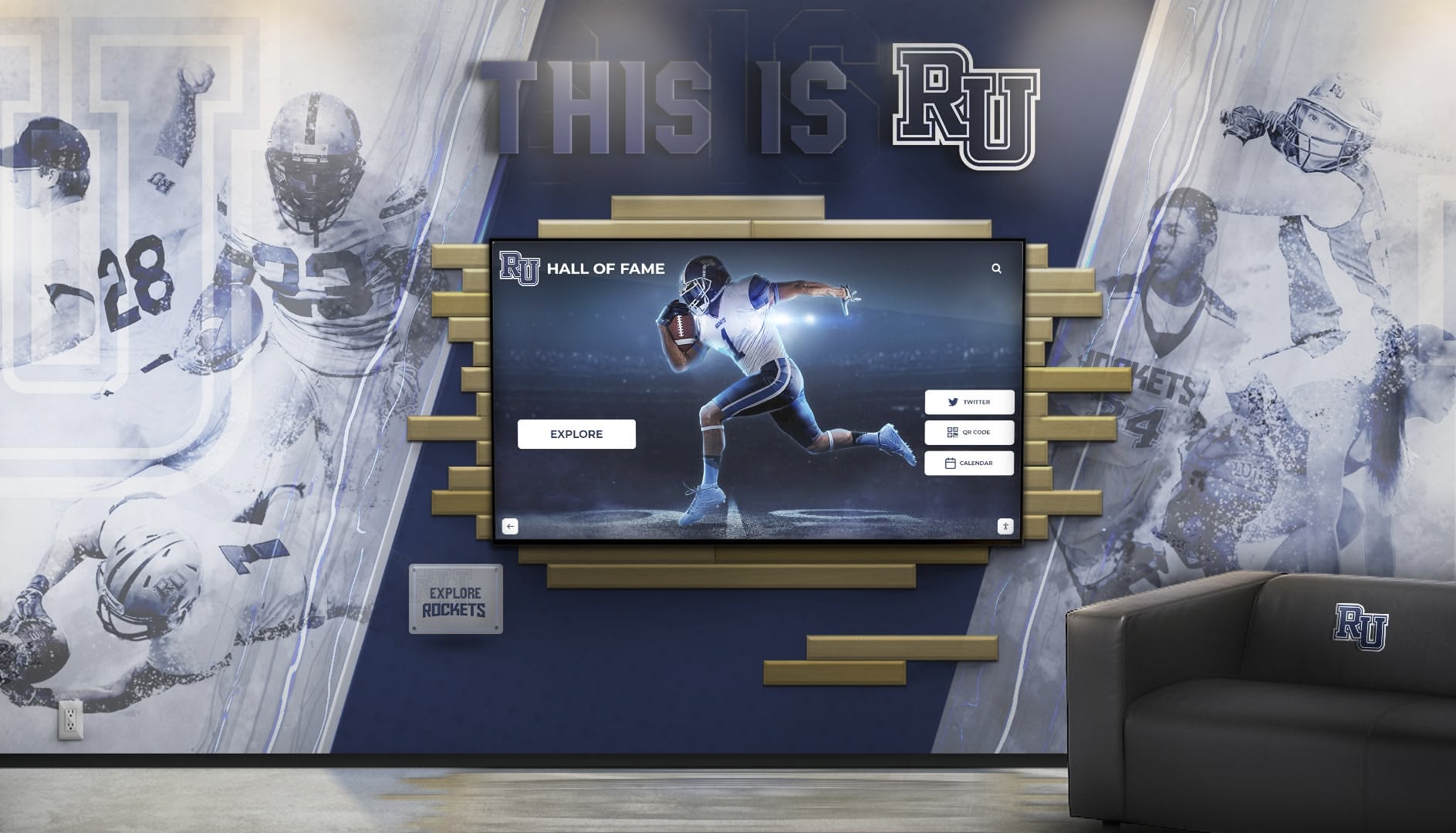
Combination Displays: Mural Plus Screen
Many schools combine a permanent graphic element—a painted or printed mural featuring the mascot, program colors, and championship years—with one or more mounted touchscreens that carry the live record data. The mural provides visual identity and physical permanence; the screens handle the data that changes.
This hybrid approach is common in field house lobbies and gymnasium entrances because it creates a visually bold statement without requiring every record detail to be silkscreened or engraved. New records go into the software; the mural stays permanent.
Use Case: Season Rushing Leaderboard for a High School Program
Consider how a mid-sized high school football program manages its season rushing leaderboard. Under a traditional setup, the board shows all-time career leaders only, updated once a year after the season ends—usually in late November or early December, assuming the sign shop turnaround holds.
Under a digital record board workflow, the same program builds two leaderboards side by side: all-time career rushing leaders (updated each off-season) and a live season rushing leaderboard (updated weekly during the season). Coaches enter game stats after Friday’s contest. By Saturday morning, the display in the main hallway shows the current season leaders ranked by yards. Current athletes see their names move up and down in real time throughout the fall. The board motivates weekly performance rather than serving only as a historical archive.
At season’s end, when a senior’s final game pushes her career total above the all-time record, the career board updates in minutes. The player’s name, photo, and the record-breaking game appear on the screen before the trophy presentation at the end-of-season banquet. No one has to wait six weeks for the sign shop.
Resources on school record board ideas and creative display approaches document how this kind of real-time leaderboard model changes athlete motivation compared to static all-time boards updated once annually.
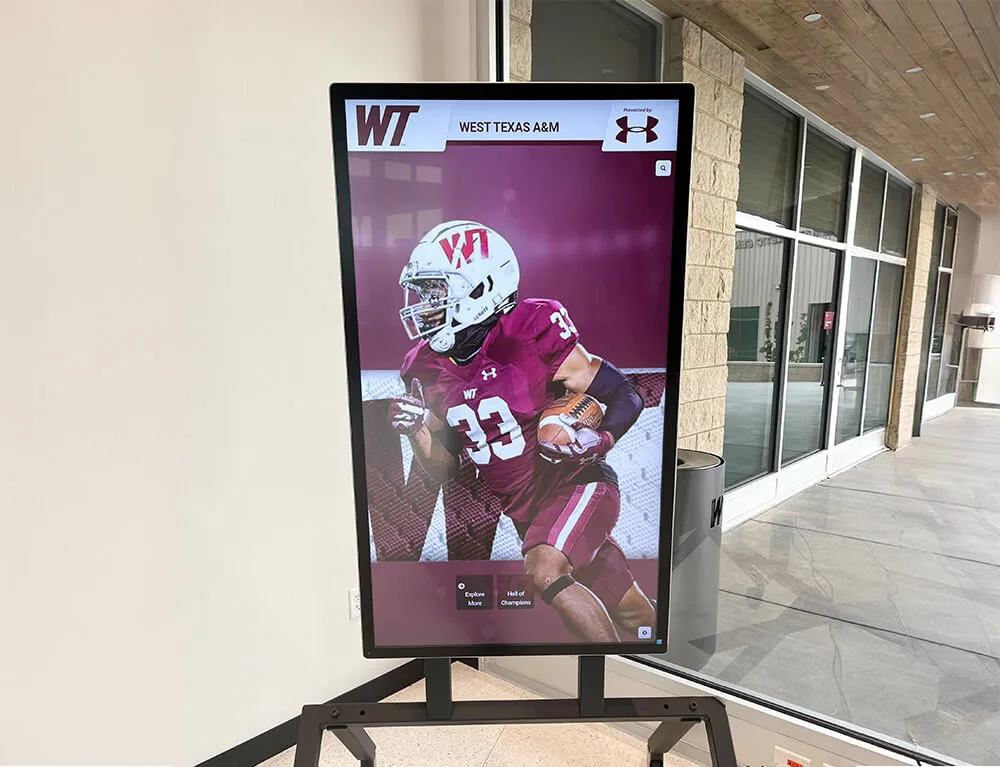
Legacy Board vs. Digital Record Board: Side-by-Side Comparison
| Feature | Legacy Vinyl Board | Digital Record Board |
|---|---|---|
| Update time after record falls | Days to weeks (sign shop) | Under 5 minutes |
| Update cost | Per-change fabrication fee | Included in platform subscription |
| Record capacity | Limited by physical panel space | Unlimited entries per sport |
| Multimedia (photos, video) | Not supported | Native support |
| Season vs. career leaderboards | Typically one or the other | Both, side by side |
| Auto-ranking when records change | Manual reorder required | Automatic |
| ADA compliance | Depends on installation | Built into platform |
| Remote update (mobile/browser) | Not possible | Standard feature |
| Alumni access (web/QR) | None | Web portal and QR unlock |
| Long-term cost over 10 years | Cumulative fabrication + labor | Predictable annual subscription |
Digital Update Workflow Checklist
Keeping a football record board accurate requires a repeatable process, not heroic effort at the end of each season. This checklist organizes the work by phase.
Pre-Season Setup
- Audit all current records against original scorebooks, timing sheets, or archived stat reports
- Confirm every record has a correct year and athlete name (maiden names, transferred athletes)
- Add any new record categories for events or stats the program recently began tracking
- Assign one staff member per sport as the record entry owner
- Set calendar reminders for weekly stat entry during the season
- Verify display hardware is powered on and software is updated before the first home game
In-Season Weekly Updates
- Enter game statistics within 48 hours of each contest
- Flag any record-breaking performances immediately for potential profile page creation
- Confirm season leaderboards re-rank correctly after each entry
- Attach game photos to record-breaking performances when available
- Review all-time records after significant games to catch any that fell
End-of-Season Finalization
- Cross-check final season stats against official game reports
- Update career totals for all seniors who finished their eligibility
- Mark new all-time records with appropriate visual treatment on the display
- Archive the season’s final leaderboard snapshot for historical reference
- Begin preparing record-holder profile content for any new all-time record holders
Off-Season Archiving and Hall of Fame Integration
- Compile complete season record data into the program’s historical archive
- Nominate eligible record holders for consideration in hall of fame or end-of-year recognition programs
- Update display with confirmed new all-time records before the following pre-season
- Review display hardware—screen brightness, touch calibration, software updates
- Plan any display additions or layout changes for the coming year
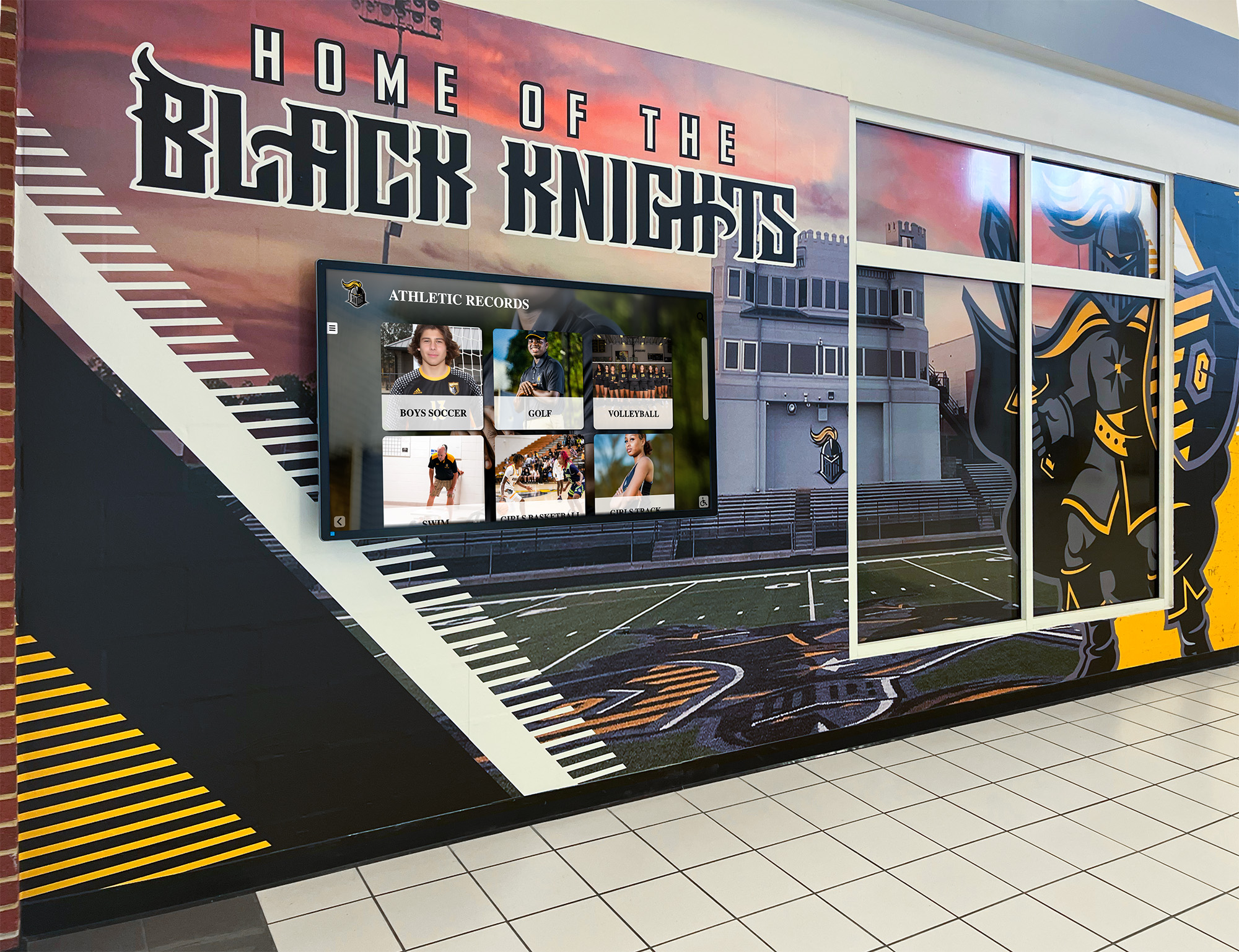
Frameworks for structuring digital record board systems around campus engagement explore how recognition displays extend their reach when connected to alumni portals, donor walls, and school-wide digital signage networks.
Display Location Ideas for Football Record Boards
Where you mount a football record board shapes who sees it and how often. High-traffic athletic facilities offer multiple strong placement options, each with different audiences and purposes.
Gymnasium or field house lobby: The entrance lobby captures every visitor—students, families, recruits, alumni attending games. A large-format display here gets the most impressions. Championship years and all-time individual leaders belong here for maximum visibility.
Weight room or team room: A secondary display in the weight room or team meeting room puts records directly in front of athletes during training. A seasonal rushing leaderboard updated weekly in the weight room creates daily motivation without requiring athletes to walk to the main lobby.
Athletic hallway corridor: Hallways connecting the main building to gyms and field houses see constant student traffic. Record board displays mounted at walking height in these corridors turn daily foot traffic into sustained program awareness.
Trophy case integration: A screen mounted alongside or above existing trophy cases ties digital records to physical artifacts—championship trophies, game balls, retired jerseys—in a single coherent recognition zone.
Near the entrance to the stadium or outdoor field: Programs with dedicated stadiums can mount weatherproof or interior-lobby displays near stadium entrances, creating a recognition moment for fans entering the facility on game nights.
Ideas for creative ways to showcase school sports achievements on athletic record boards document specific installation contexts where different display formats perform best.

Campus Engagement Beyond the Field House
Football record boards don’t have to stop at the athletics building. Schools running digital recognition platforms can extend record board content across campus in ways that static boards never could.
Donor walls and advancement offices: Connecting athletic record data to donor recognition creates a compelling case for athletic giving—donors who funded facility upgrades can see the records broken in those facilities over time.
Alumni portals: Web-accessible record boards let alumni check where their high school records stand from anywhere in the country. A former quarterback who threw for 2,200 yards in 2004 can pull up the current career passing leaderboard and see exactly where his name ranks today.
QR code access from print materials: Programs include QR codes on game programs, banners, and recruitment materials that link directly to the live record board. Families touring campus for recruiting visits scan the code and explore the full record history on their phones.
Perspectives on digital record board ideas for campus engagement document how athletic record systems integrate with alumni relations and advancement operations at the institutional level.
Research into digital record boards and campus engagement strategies explores how donor recognition programs and athletic records reinforce each other when built on the same display infrastructure.
Archiving Football Program History
Every football record board is also an archive. Done right, a digital system doesn’t just show who holds the records today—it preserves the full ranked history of every athlete who ever held a spot in the top ten, going back to the founding of the program.
That historical depth matters most when:
- A program celebrates a 50-year or 100-year anniversary
- The school produces a hall of fame induction ceremony and needs to pull accurate career statistics for nominees
- A retiring coach’s legacy needs to be documented across decades of service
- A local reporter covers the breaking of a long-standing record and needs context on who originally set it
Frameworks for digital record board archiving on campus address specifically how schools structure their historical data so it remains accessible and accurate through staff transitions, software migrations, and facility renovations.
Tools for digital record board implementation across campus walk through the technical infrastructure—cloud storage, data export formats, backup schedules—that keeps program history secure over the long term.
How Rocket Alumni Solutions Powers Football Record Boards
Rocket Alumni Solutions builds interactive record board platforms specifically for school athletic departments. The system is built around the update workflow problem: records fall, coaches are busy, and vinyl boards age. Rocket’s platform solves this with a browser-based content management system that any coach or administrator can operate without technical training.
Core platform features for football programs:
- Auto-ranking: Enter a new record and the leaderboard re-sorts automatically. No manual reordering.
- Unlimited record holders: Career leaders, season leaders, and game leaders each maintain full ranked histories without space constraints.
- Player profiles: Each record entry links to a player profile page with photo, biography, career statistics, and optional video.
- ADA-compliant displays: Hardware and software meet accessibility standards for public school facilities.
- Remote updates: Coaches update records from a phone browser immediately after games—no waiting for Monday.
- QR unlock: Visitors scan codes on display hardware or print materials to access extended record histories on personal devices.
- Multi-sport scalability: Football records live alongside basketball, track, wrestling, baseball, and every other sport in one unified platform.
- Template-driven layouts: Pre-built display templates designed for athletic facilities require no graphic design work to deploy.
Rocket deployments typically cut manual update time from hours per season to under five minutes per record entry—a meaningful reduction for athletic directors managing recognition across ten or more sports simultaneously.
Ready to replace your vinyl board with a record board that updates in minutes? Schedule a live demonstration to see how Rocket Alumni Solutions handles football records, player profiles, and seasonal leaderboards in a school athletic deployment.
Frequently Asked Questions
What football statistics should every school track on a record board?
At minimum: single-season and career rushing yards, passing yards, and receiving yards; single-game records in each category; career touchdowns by position; team wins in a season; and championship years. Add defensive records—career sacks, interceptions, tackles—once your stat-tracking infrastructure supports accurate data collection.
How often should a football record board be updated?
Season leaderboards should update weekly during the fall season—within 48 hours of each game. All-time career records should update immediately when broken. End-of-season finalization should happen before the following pre-season, not months later.
Can a digital record board include photos and video?
Yes. Modern digital record board platforms support player profile photos alongside each record entry, and most allow video clips linked to signature performances. This multimedia capacity is the primary advantage over traditional vinyl boards that display text only.
How do schools manage records when athletes transfer in or out?
The standard approach is to credit records to the school where the performance occurred. Transfer athletes who set records at a previous school are not credited on the new school’s board. Clear policies documented in the athletic department handbook prevent disputes when questions arise.
What is the typical lifespan of a digital record board installation?
Commercial-grade touchscreen hardware deployed in school athletic facilities typically runs 7–10 years before requiring replacement. Software platforms update continuously throughout that hardware lifecycle, so the feature set improves over time without hardware replacement.
Football record boards are most valuable when they’re accurate, current, and visible enough to actually shape how athletes train and compete. Whether you’re working with a traditional vinyl panel or evaluating a digital platform, the underlying discipline is the same: decide what stats matter, assign update ownership, and stick to a seasonal workflow that keeps the board reflecting real program history. The display format determines how easy that workflow is to maintain—and how compelling the result looks to the athletes who walk past it every day.































