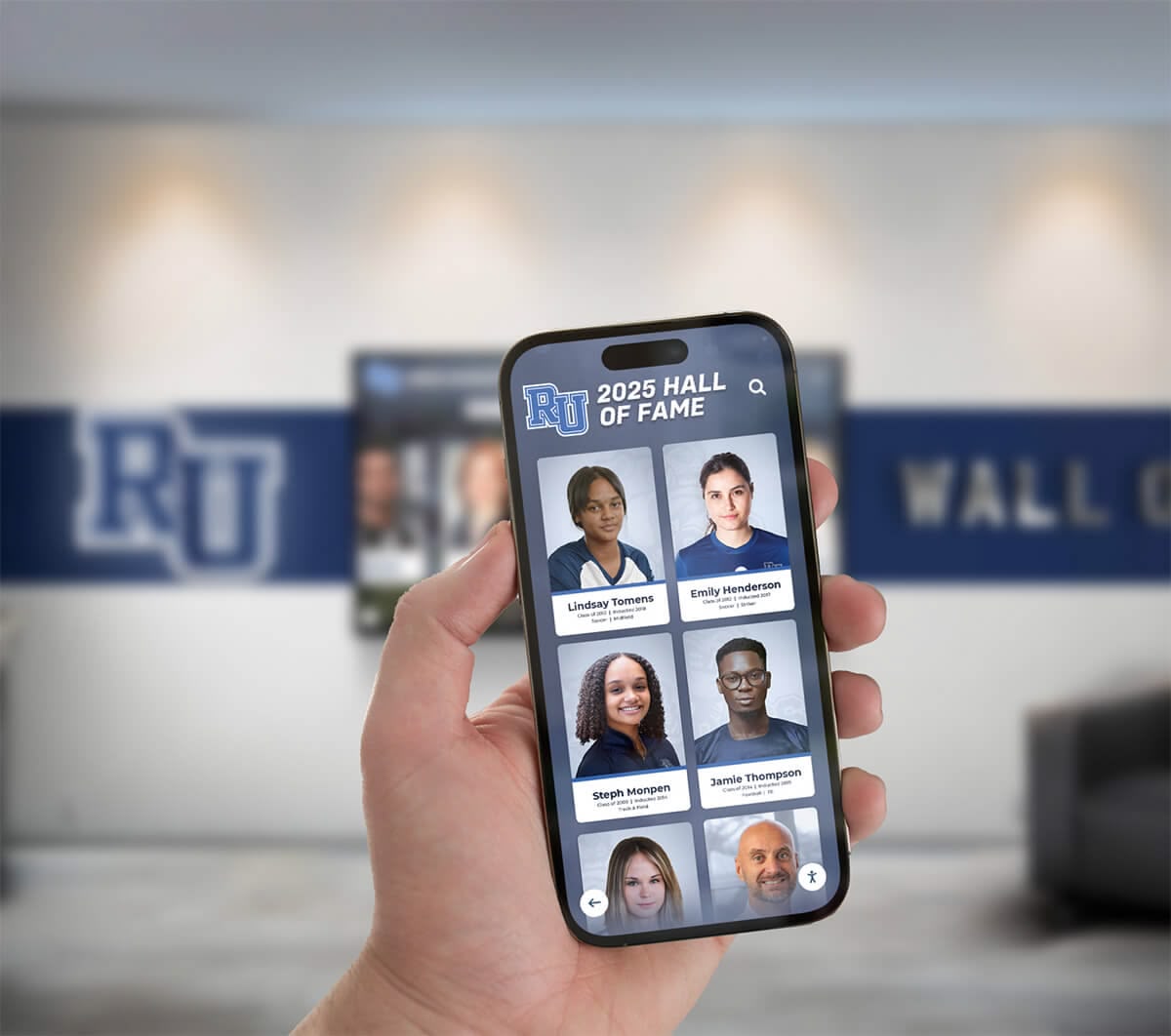




Caring for family members with dementia presents unique challenges, particularly when it comes to maintaining emotional connections and stimulating positive memories. Digital touchscreen displays designed for easy photo access can provide therapeutic benefits while giving caregivers a practical tool for engagement and reminiscence therapy.
When you’re managing care for two family members with dementia on your own, finding economical solutions that reduce daily management burden becomes essential. The right touchscreen memory display can offer hours of independent engagement while preserving family history in an accessible format that accommodates cognitive changes.
This guide explains how to create an affordable, low-maintenance touchscreen memory display specifically suited to dementia care environments, focusing on practical implementation that one caregiver can manage while caring for multiple family members.
Understanding the Therapeutic Value of Photo-Based Memory Displays
Research consistently demonstrates that familiar photographs stimulate cognitive function, reduce anxiety, and trigger positive emotional responses in individuals with dementia. Visual recognition often remains intact longer than other memory functions, making photo-based activities particularly effective for engagement.
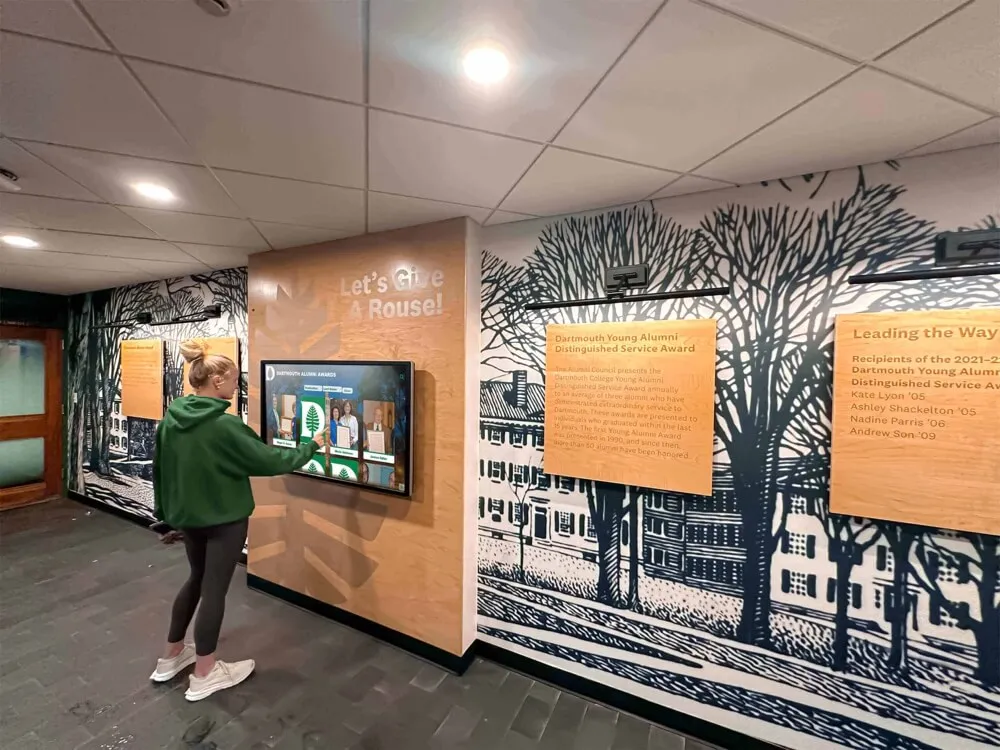
Key Therapeutic Benefits
Memory stimulation and recall: Viewing familiar faces, places, and events activates long-term memory pathways that may still function despite short-term memory loss. Even when individuals cannot verbally identify people in photos, the emotional recognition triggers positive responses.
Reduced agitation and anxiety: Familiar imagery provides comfort and security during moments of confusion or distress. Having immediate access to family photos can redirect attention during challenging moments.
Independent engagement opportunity: Unlike many activities requiring caregiver facilitation, touchscreen photo displays enable self-directed exploration, giving individuals autonomy and reducing caregiver demands during high-stress periods.
Conversation prompts for caregivers: Photos provide natural conversation starters that don’t rely on short-term memory, allowing meaningful interactions even during cognitive decline progression.
The interactive nature of touchscreen displays offers advantages over static picture frames. Individuals can control what they view, how long they engage, and which memories to revisit, creating a sense of agency often lost in other aspects of dementia care.
Essential Hardware Considerations for Dementia Care Displays
Creating an effective memory display requires hardware that balances affordability, durability, and ease of use for individuals with cognitive impairments. The wrong choices lead to frustration, disengagement, or constant technical support needs.
Display Size and Placement Strategy
Screen size recommendations: For seated viewing in residential care settings, 24-32 inch displays provide optimal visibility without overwhelming small living spaces. Larger displays (42-55 inches) work well in shared family rooms where multiple people might view simultaneously or where viewing distances exceed six feet.
Position displays at seated eye level, considering that individuals with mobility limitations may primarily view from wheelchairs or recliners. Wall-mounting at 40-48 inches from floor to screen center accommodates most seating arrangements.
Touchscreen technology selection: Capacitive touchscreens respond to light finger pressure, making them easier to use than resistive screens requiring firm pressing. This matters significantly for elderly users who may have reduced hand strength or arthritis affecting grip and pressure application.

Computer and Processing Requirements
Budget-conscious setups can utilize repurposed tablets, compact computers, or even smart TVs with built-in processors rather than expensive dedicated kiosk hardware. The processing demands for photo display remain minimal compared to video editing or gaming applications.
Tablet-based solutions (starting around $200-400): Large-format tablets (10-13 inches) mounted to walls or placed on secure stands provide all-in-one solutions requiring no separate computer. iPads, Samsung Galaxy Tabs, or Amazon Fire tablets all support photo management applications suitable for dementia care environments.
All-in-one touchscreen monitors (starting around $400-800): Combining display and computer in single units, all-in-one touchscreens eliminate cable clutter and simplify installation. Models from Dell, HP, or Lenovo designed for point-of-sale environments offer durability beyond consumer-grade devices.
Separate monitor and computer combinations (starting around $300-600): Pairing touchscreen monitors with compact computers (Mac Mini, Intel NUC, or small Windows PCs) provides flexibility for future upgrades and typically offers better performance per dollar than all-in-one units.
Durability and Maintenance Factors
Dementia care environments require equipment that withstands repeated touching, occasional impacts, and extended operating hours. Commercial-grade displays rated for continuous operation outlast consumer displays designed for intermittent home use.
Look for displays with protective glass (not plastic) surfaces that resist scratching and clean easily without specialized solutions. Oleophobic coatings reduce fingerprint visibility, decreasing how often cleaning becomes necessary.
Ensure any mounting solution prevents tipping or falling if grabbed or leaned against. Wall mounts secured to studs provide the most stability, while floor stands require weighted bases preventing tip-over incidents.
Content Management Systems for Maximum Simplicity
The content management system determines whether your memory display becomes a valuable tool or an abandoned project after the initial setup enthusiasm fades. Systems requiring constant hands-on updates create unsustainable maintenance burdens for solo caregivers managing multiple care recipients.
Cloud-Based vs. Local Photo Management
Cloud-based photo systems: Services like Google Photos, Amazon Photos, or iCloud Photos allow remote content management from your phone or computer without touching the display device. Upload new photos from anywhere, organize albums remotely, and changes appear automatically on the display.
This remote management capability proves invaluable when you need to add recent photos from family gatherings, medical appointments, or daily activities without interrupting your care recipients’ routine to physically access the display.
Local storage systems: Storing photos directly on the display device (tablet, computer, or USB drive) eliminates internet dependencies and ongoing cloud subscription costs. However, local systems require physical access for updates, making remote content management impossible.
For dementia care displays, cloud-based systems typically justify their minimal costs ($2-10 monthly) through the reduced management burden they provide busy caregivers. When you’re managing two family members’ needs alone, eliminating trips to physically update displays saves significant time and energy.
Interface Design for Cognitive Accessibility
Standard photo applications designed for general users often prove too complex for individuals with dementia. Navigation menus, search functions, and multi-level folder structures create confusion and frustration rather than enjoyment.
Simplified navigation requirements: The display interface should open directly to photos without requiring login, password entry, or menu navigation. Automatic slideshow modes that continuously cycle through photos work well for passive viewing, while large, obvious buttons enable active selection for users who want control.
Category organization strategies: Organize photos by themes familiar to your care recipients rather than chronological dates they may not remember. Create albums like “Family Gatherings,” “Wedding Photos,” “Children Growing Up,” “Favorite Places,” or “Holiday Memories” with terminology they recognize.
Avoid creating too many albums or categories. Five to eight major categories prevent overwhelming choice while providing enough variety to maintain interest over repeated viewing sessions.
Touch target sizing: All selectable elements (album covers, navigation buttons, individual photos) should measure at least 80-100 pixels across to accommodate reduced motor control and visual acuity common in elderly populations. Small touch targets cause repeated selection errors and resulting frustration.
Automated Content Rotation and Updates
Set up automatic content rotation preventing the display from showing identical content sequences every day. Randomized slideshow modes keep viewing experiences fresh even when photo libraries remain static for extended periods.
Consider establishing a regular update schedule where you add 10-20 new or different photos monthly. This ongoing curation prevents stagnation without creating overwhelming management demands. Photos from recent family visits, seasonal activities, or even relevant historical images keep content feeling current and connected to present experiences.
Budget-Friendly Implementation Approaches
Creating an effective dementia memory display doesn’t require expensive commercial kiosks or custom software development. Strategic hardware selection and free or low-cost software solutions keep total investment under $500-1000 per display.
Entry-Level Setup ($200-400)
The most economical approach utilizes a large-format tablet (10-13 inch iPad or Android tablet) mounted securely to a wall or placed on a stable stand. Configure the device to open directly to a simplified photo viewing application on startup, preventing accidental closure or navigation away from intended functionality.
Recommended tablets: Amazon Fire HD 10 ($140-180), Samsung Galaxy Tab A7 ($180-230), or iPad 9th generation ($280-330). All include sufficient screen size and processing power for smooth photo display while remaining budget-friendly.
Mounting solutions: Wall mounts ($30-60) or secure desktop stands ($25-50) keep devices safe from drops while positioning screens at optimal viewing angles. Look for mounts with enclosures that hide home buttons and prevent accidental exits from photo applications.
Software options: Google Photos (free), Amazon Photos (free with Prime membership), or Skylight Frame app (free basic version) all provide simplified interfaces suitable for dementia care use without monthly subscription costs beyond cloud storage.
Mid-Range Setup ($400-800)
Mid-range budgets allow larger displays providing better visibility from greater distances and accommodating multiple simultaneous viewers in shared living spaces.
All-in-one touchscreen computers (24-27 inches) offer desktop-class performance in touchscreen formats without requiring separate components. Models like the HP Pavilion All-in-One 24 ($550-700) or Dell Inspirio 24 ($600-750) include built-in cameras potentially useful for video calling with distant family members.
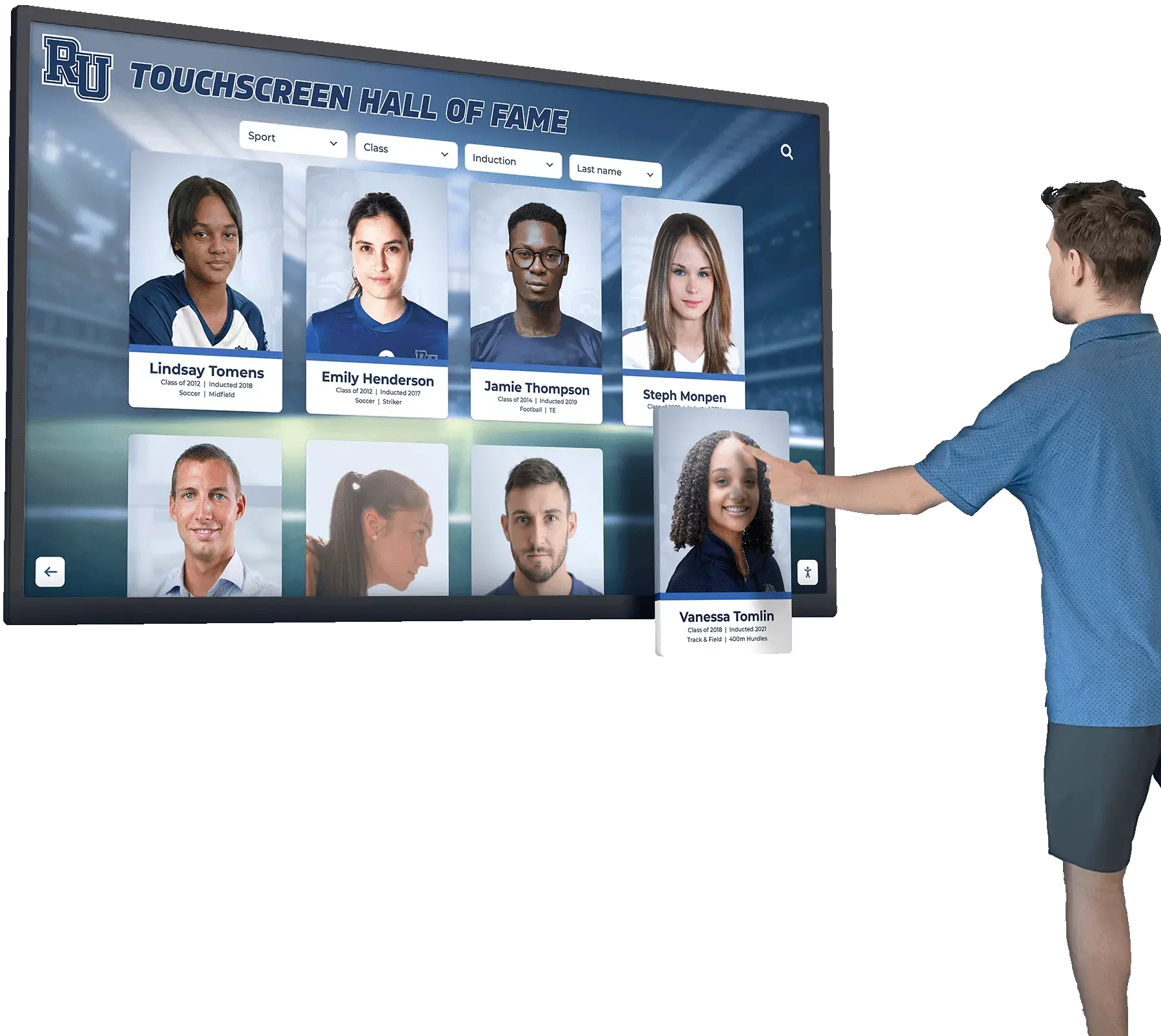
Configure these systems to boot directly into kiosk mode, restricting access to only the photo viewing application and preventing accidental system changes or exits to operating system desktops.
Software considerations: At this price point, consider purpose-built digital signage platforms that offer enhanced features like automatic updates, remote management, and more sophisticated content scheduling. Free versions of software like Screenly OSE or Yodeck provide substantial functionality without subscription costs.
Professional Setup ($800-1500)
Larger budgets enable commercial-grade touchscreen displays designed for continuous operation in high-traffic environments. These displays include superior brightness, contrast, and touch sensitivity compared to consumer devices, plus multi-year warranties covering parts and labor.
Commercial touchscreen monitors (32-43 inches) from manufacturers like ViewSonic, Elo Touch, or NEC provide 50,000+ hour rated lifespans compared to 20,000-30,000 hours typical of consumer displays. For devices operating 12-16 hours daily in care environments, this extended lifespan prevents premature failures.
Pair commercial displays with compact computers (Intel NUC, Mac Mini, or small-form-factor Windows PCs) providing upgrade flexibility and better performance than all-in-one units at similar price points. This separation also simplifies repairs—if the computer fails, you replace only that component rather than the entire display system.

Professional software platforms: Solutions like Rocket Alumni Solutions provide purpose-built content management designed for easy updates, unlimited photo capacity, and intuitive organization systems. While originally designed for educational institutions and athletic programs, these platforms’ core functionality—displaying photos, profiles, and historical information through intuitive touchscreen interfaces—translates effectively to family memory preservation applications.
Setting Up Content for Two Family Members
Managing memory displays for multiple care recipients requires organizational strategies that keep content relevant to each individual while minimizing your management workload.
Shared vs. Individual Content Libraries
Shared family content: Photos showing both family members together, shared experiences, common relatives, and household history work well for displays in shared living spaces like living rooms or dining areas. This overlapping content provides common ground for reminiscence conversations and reduces the total content volume you need to manage.
Individual content separation: When cognitive abilities or personal histories differ significantly between care recipients, consider creating personalized content libraries for displays in individual bedrooms or private spaces. This allows tailoring photo selection to each person’s specific memory patterns, life experiences, and emotional responses.
One caregiver managing two displays can maintain this separation through cloud-based systems by creating separate user accounts or albums for each person. Update both libraries simultaneously during content management sessions rather than handling them as separate projects on different schedules.
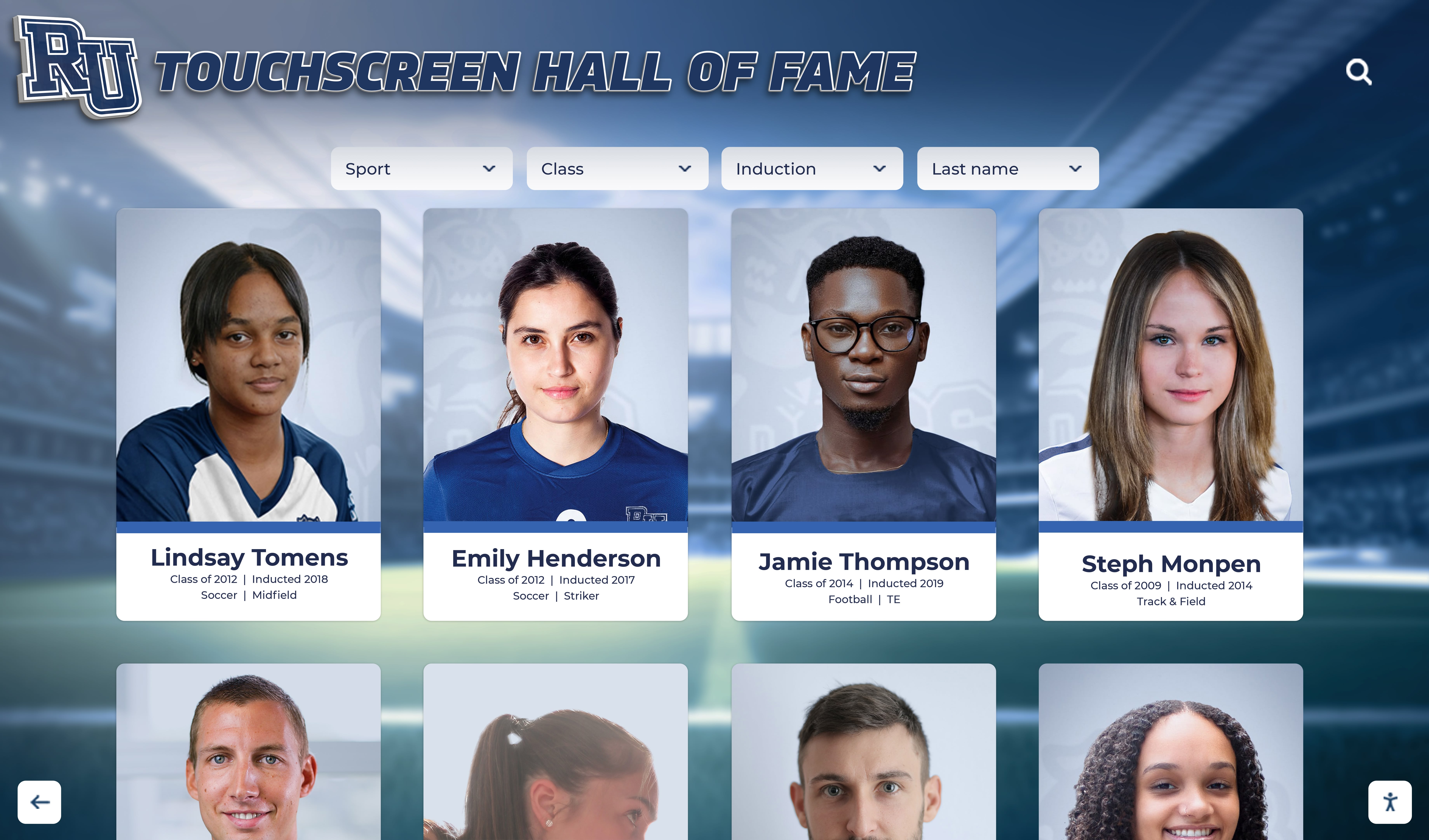
Photo Selection and Organization Guidelines
Prioritize emotional recognition over factual accuracy: Choose photos that generate positive emotional responses even if individuals cannot accurately identify who appears in images or when events occurred. The goal is comfort and engagement, not testing memory accuracy.
Include repetitive favorites: Unlike typical photo displays where variety matters most, dementia care displays benefit from intentional repetition of favorite images. Seeing the same beloved wedding photo or grandchild picture repeatedly provides comfort through familiarity rather than boredom.
Avoid potentially distressing content: Exclude photos of deceased individuals if those losses cause recurring grief, images from difficult life periods that trigger negative emotions, or confusing recent photos that don’t match current cognitive understanding of family members’ ages and appearances.
Balance different life eras: Include photos from childhood, young adulthood, middle age, and more recent decades. Dementia often affects recent memory more severely than distant memories, so childhood and young adult photos may generate stronger recognition and more detailed recollections.
Regular Content Refresh Schedules
Establish sustainable content update routines preventing displays from becoming static and ignored. Even simple updates maintain interest and give your family members new conversation topics during care interactions.
Monthly themed updates: Each month, add 15-20 photos following a specific theme—summer vacations, holiday celebrations, pets throughout the years, or favorite locations. Themed additions create anticipation and conversation opportunities around new content.
Event-based updates: After family gatherings, holidays, or special occasions, add photos from those events within a few days. This connects recent experiences to the memory display, reinforcing those newer memories before they fade completely.
Seasonal content rotation: Create seasonal albums that become active during appropriate times of year—spring gardening photos in March-May, summer vacation images June-August, fall foliage in September-November, holiday celebrations November-January. This seasonal rotation keeps content feeling timely and connected to current experiences.
Positioning Rocket Alumni Solutions Technology for Family Memory Care
While Rocket Alumni Solutions platforms were originally designed for schools, universities, and organizations to preserve institutional history and recognize achievements, the core technology addresses identical challenges faced by families preserving personal history for loved ones with dementia.
Technology Advantages for Family Caregivers
The same auto-updating capabilities that let athletic directors instantly update record boards across multiple display locations enable family caregivers to remotely update memory displays without physically accessing devices in care facilities or separate residences.
Unlimited content capacity designed to handle decades of athletic records and thousands of student profiles easily accommodates comprehensive family photo libraries spanning multiple generations without storage limits or performance degradation.
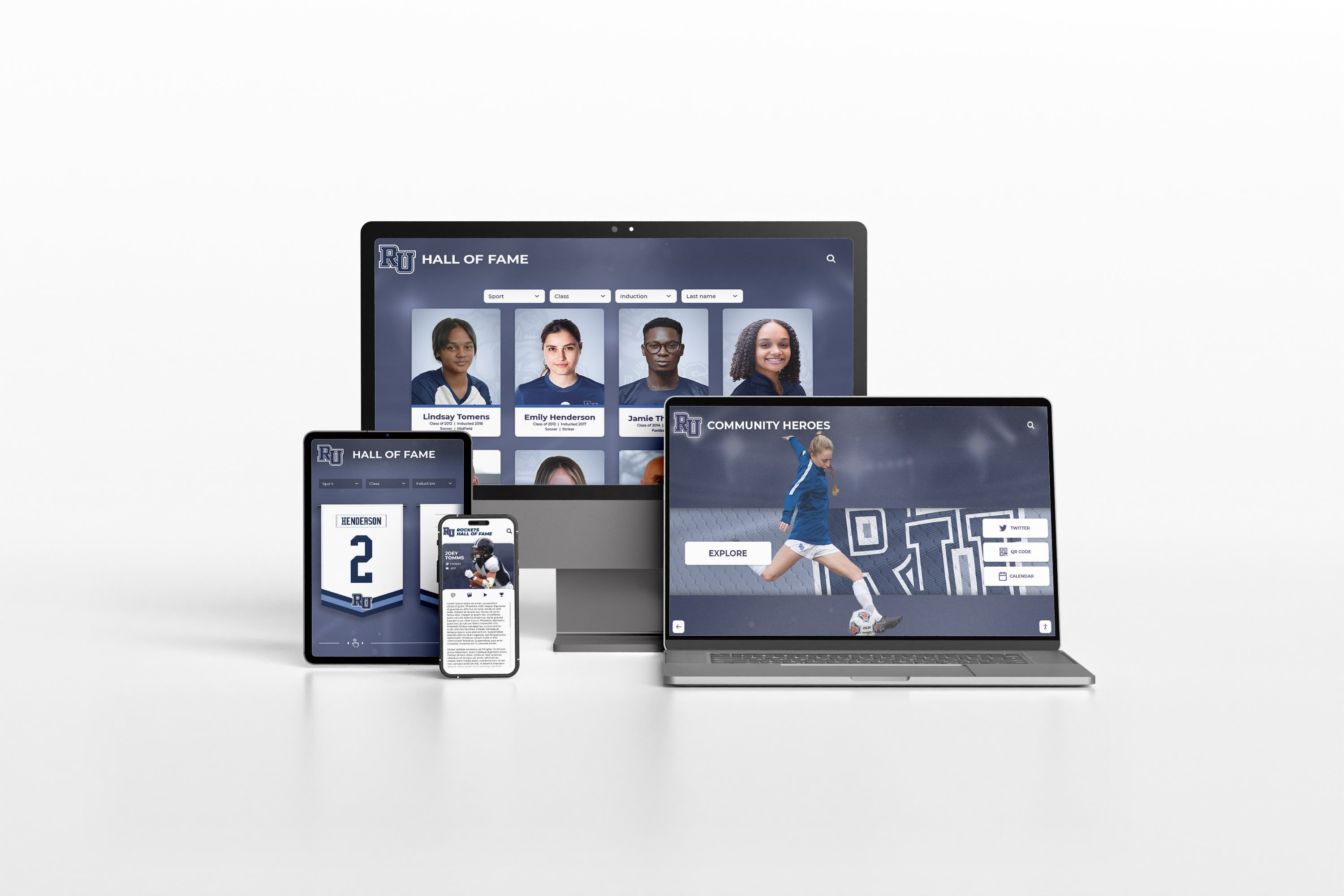
Intuitive touchscreen interfaces developed for visitors of all ages and technical abilities—from young children to elderly alumni—work equally well for individuals with cognitive impairments who need simplified navigation and large touch targets.
Centralized content management that synchronizes updates across multiple displays serves families with care recipients in different locations, ensuring consistent content without managing separate systems for each person.
Adapting Educational Recognition Platforms
Educational recognition platforms focus on photo-based profiles, achievement timelines, and historical preservation—the exact elements that make effective dementia memory displays. Schools use these systems to honor alumni, display team rosters, and preserve institutional history; families need identical functionality for personal history preservation.
The organizational structures built for categorizing athletes by sport, year, or achievement type adapt seamlessly to organizing family photos by decade, family branch, or life event. The profile format showing individual photos with biographical information translates directly to family member profiles highlighting personal history, relationships, and significant life moments.
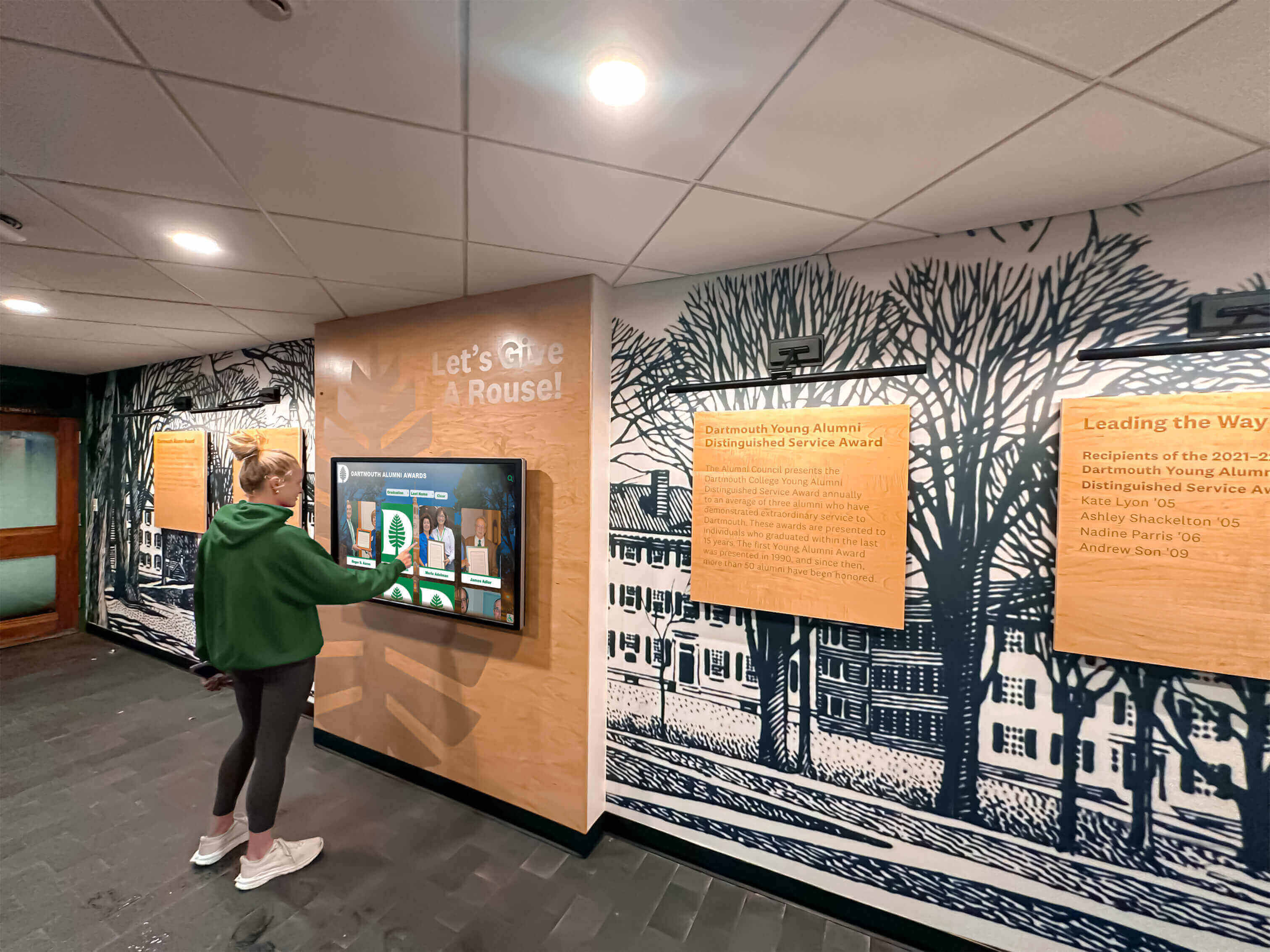
Interactive exploration features that let school visitors search for specific athletes, years, or teams give dementia patients control over which family members, time periods, or events they want to view, supporting the autonomy and self-direction important for maintaining dignity during cognitive decline.
For more information on how interactive touchscreen displays support memory preservation and photo access in various environments, explore these senior living touchscreen awards and recognition strategies.
Technical Setup and Configuration Steps
Once you’ve selected hardware and content management approaches, proper configuration ensures the display remains accessible and functional without constant troubleshooting or technical support needs.
Kiosk Mode Configuration
Configure devices to operate in kiosk mode, restricting functionality to only the photo viewing application and preventing accidental exits, system changes, or access to unintended features.
iOS kiosk setup: Use Guided Access (Settings > Accessibility > Guided Access) to lock iPads to a single application. This free built-in feature prevents exiting the photo app without entering a passcode you control.
Android kiosk setup: Enable pinning (Settings > Security > Screen Pinning) to lock Android tablets to one application. Some Android devices also support third-party kiosk software providing enhanced lockdown features.
Windows kiosk setup: Configure Windows devices using Assigned Access (Settings > Accounts > Other Users > Set up assigned access) to create a restricted user account that automatically launches only the photo application on startup.
macOS kiosk setup: Use Guided Access on macOS or third-party solutions like Kiosk Pro to restrict Mac-based displays to single applications.
Network and Connectivity Requirements
Cloud-based photo management systems require reliable internet connectivity for initial content loading and periodic syncing. However, most photo applications cache content locally, allowing offline operation during network outages once photos initially download.
WiFi considerations: Position displays within strong WiFi signal range or use WiFi extenders to ensure reliable connectivity. Weak signals cause slow photo loading, sync failures, and frustrating delays during use.
Bandwidth requirements: Photo display applications consume minimal bandwidth compared to video streaming. Even modest internet connections (10+ Mbps) handle multiple simultaneous photo displays without performance issues.
Offline contingencies: Configure applications to cache all photos locally so the display continues functioning during internet outages. Regular connectivity enables updates and new content, but shouldn’t be required for basic viewing of existing photo libraries.
Automatic Startup and Sleep Scheduling
Configure displays to automatically power on at appropriate times (morning wake-up) and enter sleep mode during periods when care recipients typically sleep. This automation eliminates manual power management while conserving energy and extending display lifespan.
Power scheduling: Many displays include built-in scheduling features (check on-screen menus under “Power Settings” or “Schedule”). For displays lacking native scheduling, use smart plugs with scheduling capabilities to control power automatically.
Sleep mode vs. power off: Sleep mode provides faster wake-up times and reduces thermal cycling stress on electronic components compared to complete power cycling. For displays used daily, sleep mode during overnight hours balances energy savings with equipment longevity better than full shutdowns.
Accessibility Adjustments
Optimize display settings for elderly users with common vision and hearing impairments affecting dementia populations.
Brightness adjustments: Set brightness to comfortable levels for the viewing environment. Excessive brightness causes eye strain and glare, while insufficient brightness makes photos hard to see. 50-70% brightness typically provides good balance in residential settings.
Text sizing: When interfaces include text labels or descriptions, maximize text size. Choose font sizes of at least 18-24 points for readability by users with vision impairments.
Audio considerations: If displays include audio components (music from time periods, recorded family messages, or audio descriptions), ensure volume levels allow hearing without being jarring. Consider adding external speakers positioned closer to listening positions for better audio clarity.
Color contrast: Select application themes with high contrast between text and backgrounds. Dark text on light backgrounds or light text on dark backgrounds provides better readability than low-contrast color combinations.
Addressing Common Implementation Challenges
Even well-planned memory displays encounter practical challenges during long-term operation. Anticipating these issues and preparing solutions prevents abandonment when minor problems arise.
User Confusion and Navigation Difficulties
Problem: Care recipients cannot remember how to navigate the interface or repeatedly ask how to find specific photos despite previous explanations.
Solution: Create simple visual instruction cards placed near the display showing the three or four most common actions: “Touch any photo to see it larger,” “Swipe left or right to see more photos,” “Touch this button to return home.” Use large text and simple language. Laminated cards resist damage and clean easily.
Consider adding a physical printed photo album containing the same images displayed digitally. Some individuals respond better to physical books than screens, and having both options accommodates changing preferences during disease progression.
Technical Problems and Troubleshooting
Problem: Displays freeze, stop responding to touch, or fail to update with new content.
Solution: Implement weekly restart schedules even if problems haven’t occurred. Many technical issues resolve through simple restarts that clear temporary files and refresh connections. Use scheduling features or smart plugs to automatically cycle power weekly during low-use periods (like 3 AM).
Maintain a simple troubleshooting checklist including restart procedures, WiFi reconnection steps, and your setup professional’s contact information. When issues arise, having written procedures prevents panic and enables faster resolution.

Content Management Overwhelm
Problem: Managing photo libraries feels overwhelming and updates fall behind, leaving displays showing outdated or repetitive content.
Solution: Reduce self-imposed pressure for perfection or constant novelty. Even static photo libraries provide value when the same photos remain enjoyable through repeated viewing. Schedule modest update sessions (30 minutes monthly) rather than attempting comprehensive reorganizations requiring hours of work.
Recruit family members to contribute content remotely. Share cloud photo library access with siblings, children, or grandchildren who can upload their favorite family photos directly, distributing the content curation workload across multiple people rather than managing everything yourself.
Declining Engagement Over Time
Problem: Family members initially enjoyed the displays but now seem disinterested or ignore them completely.
Solution: Try moving displays to different locations. Novelty of placement can rekindle interest even with familiar content. Test moving a bedroom display to a common living area or vice versa.
Change the content mix significantly rather than making incremental additions. If the display primarily showed recent decades, switch to childhood and young adult photos for a month. This dramatic shift may recapture attention better than gradual updates.
Accept that engagement naturally fluctuates with disease progression and overall health status. Reduced display interaction doesn’t necessarily mean it’s no longer valuable—the display might provide comfort through ambient presence even when active viewing decreases.
Measuring Success and Adjusting Implementation
Success for dementia memory displays looks different than traditional technology metrics. Engagement duration or tap counts matter less than qualitative impacts on emotional well-being, conversation quality, and caregiver burden reduction.
Observation-Based Assessment
Emotional responses: Notice whether viewing sessions generate positive emotions—smiling, laughter, peaceful contentment—or trigger negative reactions like confusion, agitation, or sadness. Adjust content removing images that consistently cause distress while expanding categories that generate positive responses.
Spontaneous engagement: Observe whether family members voluntarily approach displays without prompting or reminders versus requiring encouragement to interact. Spontaneous engagement indicates the display successfully attracts attention and provides inherent reward.
Conversation quality: Assess whether photos spark meaningful conversations, storytelling, or reminiscence sharing. Even when individuals cannot correctly identify people or events, elaborating stories and sharing emotions during viewing indicates valuable cognitive and social engagement.
Functional Impact Tracking
Caregiver burden: Evaluate whether the display provides meaningful periods of independent engagement reducing demands on your time and attention. If the display occupies your family members for 30-60 minutes daily while you complete other tasks, it delivers tangible practical value beyond therapeutic benefits.
Agitation reduction: Note whether offering display access during anxious or agitated periods helps calm and redirect attention. If the display becomes a reliable tool for managing challenging moments, it provides crisis intervention value justifying the implementation investment.
Sleep pattern effects: Some caregivers report that evening viewing sessions of calming family photos before bedtime improve sleep onset and reduce nighttime wakings. Track whether display use correlates with better or worse sleep patterns to determine optimal timing.
Adaptive Content Strategies
Regularly revisit your content mix based on observed responses and engagement patterns. If certain albums rarely get viewed, consider removing or reorganizing them. If specific photos generate exceptional engagement, create expanded albums around similar themes or time periods.
Don’t hesitate to experiment with non-traditional content. Some individuals respond well to historical photos from their youth depicting period-appropriate cars, fashions, or cultural events even without personal connections to specific images. These contextual photos can trigger era-specific memories and conversations.
As disease progression occurs, simplify navigation and reduce content volume if needed. What worked effectively in early dementia stages may overwhelm during moderate or advanced stages. Adaptability keeps displays useful throughout disease trajectories rather than becoming obsolete as conditions change.
Cost-Benefit Analysis for Family Caregivers
Investing in memory display technology requires evaluating costs against potential benefits within the specific realities of your caregiving situation and financial constraints.
Direct Cost Components
Initial hardware investment: $200-1500 depending on size, quality, and features selected.
Monthly software/cloud storage: $0-15 for cloud photo storage and application subscriptions if choosing commercial platforms over free alternatives.
Setup assistance: $0-300 if hiring technical help for installation, configuration, and training versus self-implementation.
Ongoing content management: 1-4 hours monthly for photo selection, uploading, organization, and system maintenance.
Total first-year cost: Ranges from approximately $250 (budget DIY approach with free software) to $2000 (professional hardware with commercial platforms and setup assistance).
Benefit Considerations
Alternative activity costs: Compare memory display costs to alternatives like adult day programs ($50-100/day), home care assistants ($20-35/hour), or specialized dementia care activities and outings. Even modest reductions in paid care hours or program attendance can offset display costs within months.
Caregiver respite value: Independent engagement periods that give you uninterrupted time for household tasks, personal care, or rest carry significant value even when difficult to quantify financially. Reduced caregiver burnout prevents more costly crisis interventions and health problems.
Emotional quality of life: Positive emotional experiences, maintained family connections, and dignity through autonomous choice justify investment beyond pure financial calculations. Quality of remaining life together matters independent of dollar values.
Long-term utility: Unlike one-time activities or consumable products, properly maintained displays provide benefits for years across disease progression stages. Multi-year utility spreads costs across extended time periods, improving cost-effectiveness ratios.
For most family caregiving situations, memory display benefits exceed costs when systems get regularly used and properly maintained. However, success depends on realistic implementation matching your technical comfort level, available time for ongoing management, and care recipients’ responsiveness to digital technology.
Alternative and Complementary Approaches
Memory displays work best as part of comprehensive engagement strategies rather than standalone solutions. Understanding complementary approaches helps optimize overall dementia care quality.
Physical Photo Albums and Memory Books
Traditional printed photo albums provide tactile experiences and eliminate dependency on electricity, internet connectivity, or technical functionality. Many individuals with dementia respond well to physically turning pages and touching photographs even as digital device use becomes challenging.
Consider maintaining both digital displays and physical albums as complementary tools. Physical albums work well for bedtime routines, moments when technical problems affect displays, or situations where direct caregiver participation enhances the activity’s social value.
Life Story Projects and Biographical Materials
Compiled life story documents organizing biographical information, significant events, relationships, and personal history in narrative formats support both dementia patients and professional caregivers who need background context for person-centered care approaches.
These written materials integrate naturally with photo displays by providing stories and context to accompany images. QR codes linking from physical books to digital display sections create connections between formats, letting individuals explore topics across mediums.
Music-Based Memory Engagement
Familiar music provides powerful memory stimulation comparable to photos in effectiveness. Consider combining visual memory displays with music streaming services playing era-appropriate songs, favorite artists, or personally significant music from different life periods.
Synchronized photo displays showing images from specific decades while playing music from those same periods can enhance reminiscence experiences beyond what either element provides independently. For guidance on related interactive display content strategies across different environments, explore how museums and cultural institutions implement similar multi-sensory approaches.
Social Video Calling Integration
Many display systems also support video calling applications enabling face-to-face conversations with distant family members. Regular video calls supplement in-person interactions and maintain relationships with relatives who cannot visit frequently.
Some families schedule regular video call times that become routines individuals with dementia anticipate and enjoy. Combining photo viewing sessions with brief video calls to relatives creates extended engagement periods mixing independent and social interaction modes.
Privacy and Dignity Considerations
Implementing memory displays requires balancing therapeutic benefits against privacy, dignity, and autonomy concerns that matter even when individuals cannot fully express preferences due to cognitive impairment.
Consent and Autonomy
When possible, involve care recipients in decisions about display implementation, photo selection, and placement locations. Even individuals with moderate dementia often retain preferences about which photos they enjoy versus dislike and where displays should be positioned.
Respect decisions to not use displays if individuals show consistent disinterest or negative responses. Technology should enhance quality of life, not become imposed requirements that generate stress or resistance.
Image Selection Ethics
Exercise caution with potentially embarrassing or undignified photos even if they’re technically family history. Photos showing individuals in hospital settings, obviously confused states, or situations they might have found embarrassing before disease onset deserve careful consideration before inclusion.
When displays are in semi-public locations like shared living rooms in care facilities, consider which images might be too personal for display where non-family members might view them. Balance comprehensiveness against appropriate privacy boundaries.
Data Security for Cloud-Based Systems
If using cloud storage for photo management, understand the privacy implications of uploading family photos to commercial platforms. Review privacy policies, understand how platforms might use data, and choose services with strong privacy protections and limited data usage rights.
Consider whether photos include sensitive information visible in backgrounds—financial documents, addresses, phone numbers, or other details that shouldn’t be widely accessible. Crop or edit photos removing inadvertent information disclosure before uploading to cloud services.
Enable two-factor authentication on cloud accounts to prevent unauthorized access to family photo libraries. Use strong, unique passwords and store account credentials securely so you can maintain access if needed but prevent unauthorized viewing.
Resources and Next Steps for Implementation
Successfully implementing memory displays requires accessing appropriate resources, support systems, and information sources to overcome technical and practical challenges.
Technical Support Resources
Family and friends: Before hiring professional help, ask technically-inclined relatives or friends if they can assist with setup, configuration, or troubleshooting. Many tech-savvy younger family members welcome opportunities to contribute to elder care in concrete, defined ways.
Local senior services: Area agencies on aging, senior centers, and Alzheimer’s organizations often provide technology assistance programs helping older adults and caregivers implement beneficial technologies. These services may be free or low-cost compared to commercial technical support.
Online communities: Caregiver forums and dementia care communities include members who implemented similar solutions and can offer practical advice, troubleshooting tips, and emotional support during challenging moments. Facebook groups, Reddit communities, and dedicated caregiver forums provide peer support access.
Content Development Assistance
Photo scanning services: If significant portions of family history exist only in print form, professional photo scanning services digitize collections more quickly and efficiently than DIY scanning. Services like ScanMyPhotos, Legacybox, or local photo shops offer bulk scanning at reasonable rates.
Family contribution systems: Establish shared cloud photo libraries where multiple family members can upload contributions directly rather than funneling everything through you. Distributed content development reduces individual burden and incorporates diverse perspectives on significant family memories.
Memory preservation services: Some professional services help families organize, digitize, and curate life story materials creating structured content suitable for memory displays. While more expensive than DIY approaches, these services provide comprehensive solutions for families lacking time or technical capabilities for self-implementation.
Ongoing Education and Adaptation
Stay informed about dementia care best practices, emerging research on reminiscence therapy, and evolving technology options through reputable sources like the Alzheimer’s Association, dementia care journals, and caregiver education programs.
As your family members’ conditions evolve, reassess whether current approaches remain appropriate or need modification. What works during early-stage dementia may require adjustments during moderate or advanced stages. Flexibility and willingness to adapt implementation details ensures long-term success.
Consider joining caregiver support groups where sharing experiences, challenges, and solutions with others in similar situations provides both practical knowledge and emotional support. Other caregivers become valuable information sources about what actually works versus what sounds good but proves impractical.
Making the Decision That’s Right for Your Family
Not every caregiving situation benefits equally from memory display implementation. Honest assessment of your specific circumstances, technical comfort, available time, and care recipients’ likely responses helps determine whether this approach suits your family’s needs.
Consider implementation if: You have basic technical comfort with tablets or computers, your care recipients show interest in photos and reminiscing about the past, you need tools providing independent engagement opportunities, you can dedicate initial setup time and minimal ongoing maintenance, and you have reliable internet access if choosing cloud-based systems.
Consider alternatives if: Your family members show disinterest in photos or become agitated by memory-related activities, you have very limited technical skills and no access to setup assistance, you cannot dedicate even minimal ongoing maintenance time, or you face severe budget constraints making even modest investment challenging.
Test before full commitment: Consider starting with a borrowed tablet or repurposed device using free software to evaluate whether your family members actually engage with digital photo displays before investing in permanent installations. This low-risk testing reveals real-world responses rather than theoretical assumptions about what might work.
The right decision depends entirely on your unique situation. Technology should serve your needs, not create additional burdens or stress during already challenging caregiving circumstances.
Explore Professional Recognition Display Solutions
Discover how purpose-built platforms designed for educational institutions can adapt to family memory preservation needs with professional-grade features and intuitive management.
Explore SolutionsMemory displays represent one tool in a comprehensive dementia care approach. When implemented thoughtfully with realistic expectations and sustainable management plans, they can provide therapeutic benefits, caregiver respite, and preserved family connections during difficult disease progression journeys.































