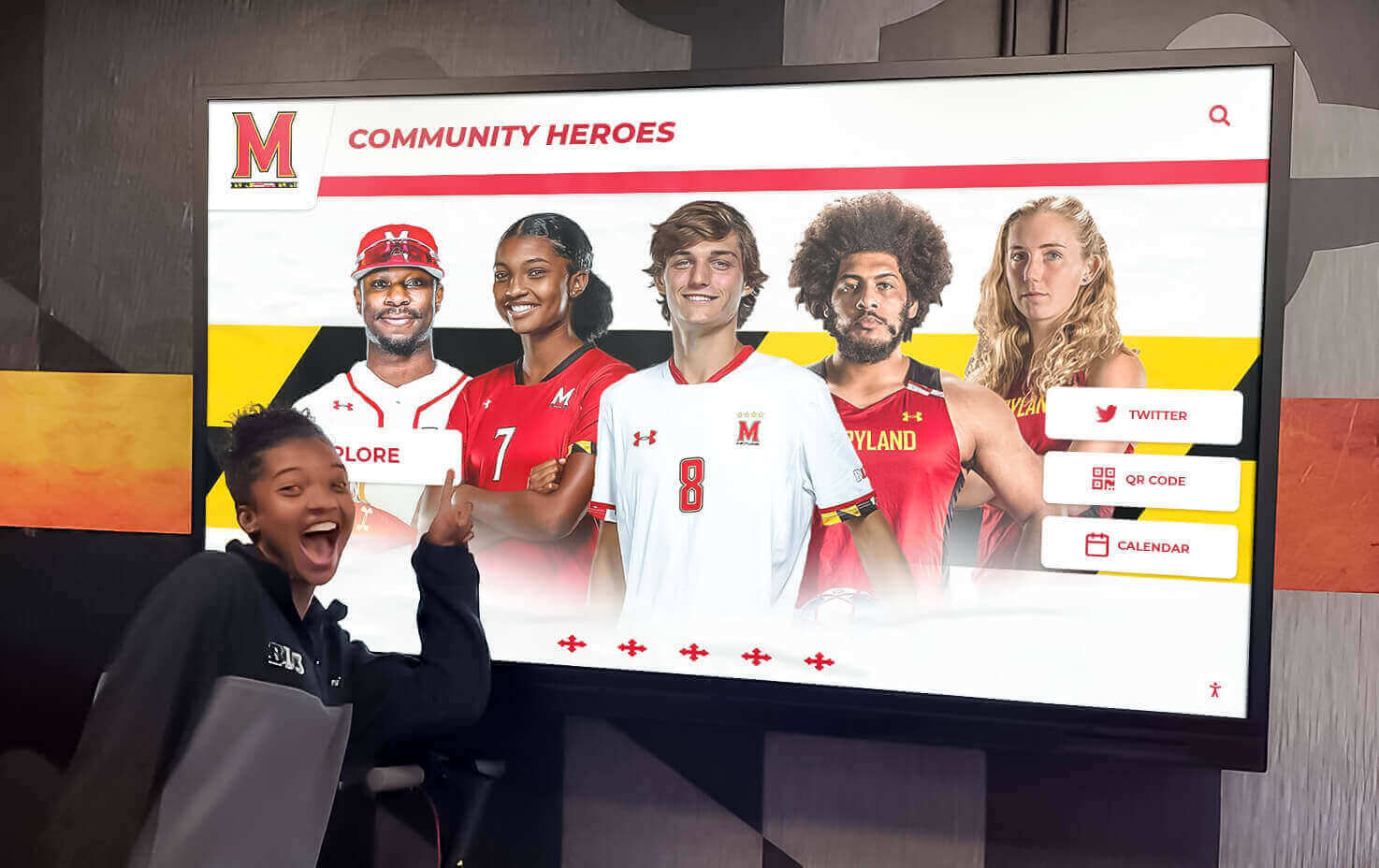




Nonprofit organizations build community impact through partnerships, volunteer service, donor support, and program delivery. Yet many nonprofits struggle to communicate these relationships and achievements visually—relying on static bulletin boards, outdated plaques, or paper flyers that fail to capture organizational vitality and collaborative networks effectively.
When a local nonprofit seeks affordable ways to highlight community partnerships, honor veterans, showcase upcoming events, and recognize supporters using a wall-mounted television-style screen that can be modified as needs evolve, they’re describing a practical digital recognition challenge facing thousands of community organizations. Traditional static displays offer limited flexibility and aging presentation quality, while expensive professional digital signage systems often exceed nonprofit budgets and technical capacities.
Why Nonprofits Need Flexible Digital Display Solutions
Modern digital wall mount displays enable small and midsize nonprofits to create visual communication systems that recognize partnerships, acknowledge contributors, promote events, and celebrate mission impact without requiring graphic design expertise or ongoing vendor relationships. When nonprofits implement purpose-built recognition displays combining intuitive content management with engaging presentation formats, they strengthen community connections, improve volunteer and donor retention, increase event awareness, and demonstrate organizational professionalism on modest budgets.
Solutions like Rocket Alumni Solutions provide nonprofit-friendly platforms designed specifically for community organizations, delivering web-based content management requiring no technical background, touchscreen or traditional screen display options, pre-designed templates accelerating content creation, and transparent pricing suitable for limited budgets.
Understanding Digital Display Options for Nonprofits
Nonprofits evaluating wall-mounted display systems face choices balancing functionality, budget, ease of use, and content flexibility.
Screen Hardware: Choosing the Right Display
The foundation of any digital wall mount system starts with selecting appropriate display hardware matching space, viewing distance, and budget constraints.
Display Size Considerations
For typical nonprofit applications in community centers, lobbies, or meeting spaces, screen sizing depends on viewing distance and available wall space:
32-43 inch displays: Appropriate for small reception areas or intimate viewing spaces where viewers stand within 4-8 feet. Common in nonprofits with limited wall space or tight budgets. Entry-level consumer displays in this range typically cost $250-500.
50-55 inch displays: The sweet spot for most nonprofit community spaces where viewers pass at moderate distances (6-12 feet) while providing sufficient visibility for group viewing. Quality consumer or commercial displays range from $400-800.
65-75 inch displays: Best for large open spaces, multi-purpose rooms, or high-traffic corridors where excellent visibility matters for audiences at varied distances. Commercial-grade displays typically cost $800-1,500.
Most nonprofits implementing community partnership and veteran recognition displays find that 50-55 inch screens provide optimal balance between visibility, cost, and space requirements.
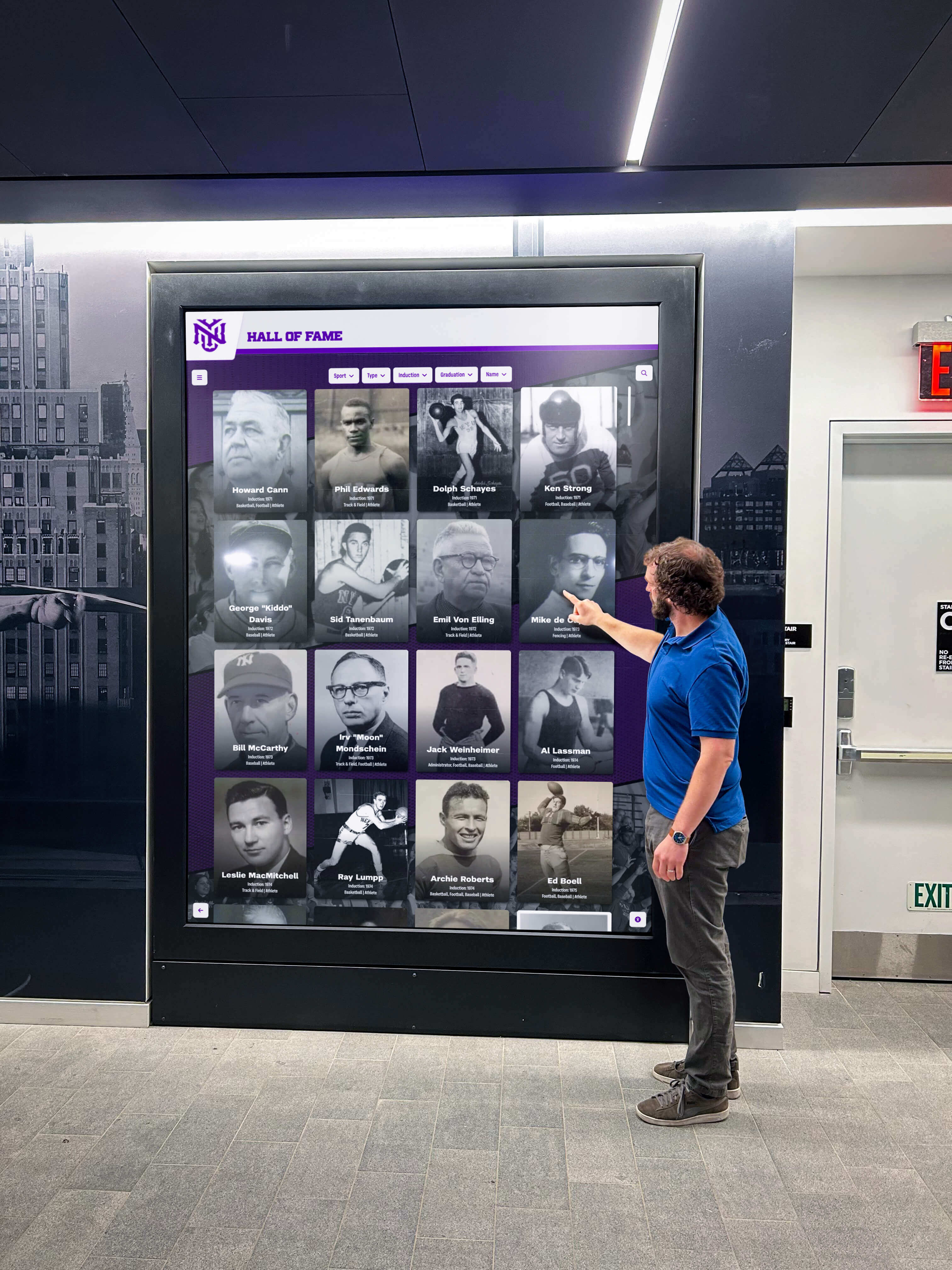
Commercial vs. Consumer Displays
Nonprofits must decide between consumer televisions and commercial-grade displays:
Consumer TVs offer significant cost advantages, readily available retail purchasing, familiar interfaces, and adequate performance for organizations operating 8-12 hours daily. However, they typically include shorter warranties (1-2 years), lack mounting flexibility, display retail “smart TV” interfaces that can confuse viewers, and may not support extended daily operation common in nonprofit settings.
Commercial Displays provide extended warranties (3-5 years), portrait or landscape orientation options, built-in mounting systems, cleaner appearance without consumer branding, better ambient light performance, and certification for continuous 16-24 hour daily operation. Premium commercial displays cost 50-100% more than comparable consumer screens but deliver better long-term value for intensive nonprofit use.
For budget-conscious nonprofits, quality consumer displays suffice initially, while organizations planning continuous all-day operation or professional presentation standards should invest in commercial-grade hardware.
Touchscreen vs. Non-Interactive Displays
Nonprofits must determine whether interactive touchscreen capability adds sufficient value to justify additional cost:
Non-Interactive Screens (standard displays showing rotating content) work well for awareness applications like event calendars, partnership acknowledgment, or rotating donor recognition where passive viewing suffices. These require only display hardware and content management systems without specialized touchscreen technology.
Interactive Touchscreens enable viewers to explore detailed information, search databases, access specific profiles, or navigate organizational history actively. Touchscreen displays typically cost 2-3x more than standard screens but create substantially higher engagement for applications like searchable donor recognition, volunteer spotlights with detailed profiles, or historical timelines inviting exploration.
Most small nonprofits implementing basic partnership and event displays succeed with standard non-interactive screens, while organizations emphasizing donor stewardship or comprehensive historical recognition benefit from touchscreen investment. Resources on interactive donor recognition systems explain when touch capability justifies additional expense.
Content Management Systems: From Simple to Sophisticated
Display hardware represents only half the solution—nonprofits need accessible systems for creating, managing, and updating displayed content.
Consumer Smart TV Built-In Apps
The simplest approach uses smart TV native capabilities displaying photo slideshows or web browsers:
Advantages: No additional software costs, works with free services like Google Slides or Canva, minimal learning curve for basic slideshows, and leverages familiar consumer technology.
Limitations: Manual updating requires physical access to display settings, no remote management from office computers, limited design capabilities creating amateur appearances, difficult scheduling of different content at specific times, and inability to create interactive touchscreen experiences.
Smart TV apps work acceptably for very small nonprofits with single displays updated infrequently, but most organizations quickly outgrow these limitations seeking more capable systems.

Commercial Digital Signage Platforms
Professional digital signage software provides robust content management designed for business applications:
Capabilities: Remote content updates from any internet-connected device, content scheduling showing different displays at specified times, multi-display management controlling numerous screens from single dashboards, template libraries accelerating design, and analytics tracking viewer engagement.
Considerations: Monthly or annual subscription costs typically ranging $10-30 per screen monthly, learning curves requiring training time, potential features nonprofits don’t need driving unnecessary complexity, and ongoing technical support needs.
Popular platforms like Rise Vision, ScreenCloud, or Yodeck offer nonprofit discounts and free tiers for qualifying organizations. For nonprofits managing 2-5+ displays or requiring sophisticated scheduling, commercial digital signage platforms justify their costs through time savings and professional capabilities.
Purpose-Built Nonprofit Recognition Systems
Specialized platforms designed specifically for nonprofit and educational recognition combine content management with engagement features supporting donor stewardship and community celebration:
Distinctive Features: Pre-designed templates for common nonprofit content types (donor walls, volunteer recognition, event calendars, partnership showcases), intuitive interfaces requiring no design or technical expertise, searchable databases enabling interactive exploration of supporters or honorees, social media integration promoting content beyond physical displays, and analytics demonstrating recognition program impact to boards and funders.
Implementation: These systems typically operate through cloud-based web interfaces where staff create and manage content using forms and media uploads, then displays automatically sync new content. No local software installation or IT infrastructure required beyond internet connectivity.
Solutions like digital donor walls demonstrate how purpose-built nonprofit platforms simplify recognition while creating professional presentation quality matching donor expectations.
Typical Nonprofit Digital Display Pricing: Budget Planning
Understanding total costs enables nonprofits to budget appropriately and evaluate vendor proposals accurately.
Initial Setup Investment
Hardware Components (one-time purchase):
- Display screen (50-55 inch): $400-800 (consumer) or $800-1,200 (commercial)
- Wall mount (articulating or fixed): $50-150
- Media player/computer (if needed): $150-400
- Cabling and installation: $50-200
Total Initial Hardware: $650-1,950 depending on quality level and installation complexity
For nonprofits installing single displays in accessible locations using consumer-grade equipment, initial investment typically ranges $750-1,000. Organizations choosing commercial displays, professional installation, or multiple locations should budget $1,500-2,500 per location.
Software and Setup (varies by solution):
- DIY using free tools: $0 setup, $0 ongoing
- Commercial digital signage: $0-500 setup, ongoing subscription
- Purpose-built recognition system: $500-2,000 setup depending on features and content volume
Ongoing Operational Costs
Recurring Software Fees:
- Free consumer solutions: $0 monthly
- Commercial digital signage: $10-30 per screen monthly ($120-360 annually)
- Recognition platforms: $25-100 monthly depending on features ($300-1,200 annually)
- Cloud hosting/infrastructure: $0-50 monthly if applicable
Maintenance and Support:
- Content updates (staff time): Budgeted internally
- Electricity consumption: $3-8 monthly per display
- Software support agreements: $0-500 annually
- Hardware warranty extensions: $50-200 annually (optional)
For budget planning, nonprofits should estimate total year-one costs of $1,000-3,500 (including hardware, software setup, and first year operation) and ongoing annual costs of $200-1,500 for software subscriptions, electricity, and content management time.
Finding Affordable Solutions
Budget-conscious nonprofits can implement effective displays through strategic approaches:
Start with Single Display: Rather than attempting comprehensive coverage immediately, implement one well-executed display in the highest-traffic location, validate effectiveness and usage patterns, and expand systematically as budget allows.
Use Nonprofit Discounts: Many commercial software vendors offer 50-80% discounts for registered 501(c)(3) organizations. Always inquire about nonprofit pricing before purchasing subscriptions or services.
Consider Grant Funding: Community technology grants, donor-advised fund requests, or specific foundation programs often support nonprofit communication infrastructure. Frame display systems as donor stewardship tools, volunteer recognition investments, or community engagement platforms aligning with funder priorities.
Implement in Phases: Purchase hardware immediately while using free interim content solutions, then migrate to paid software platforms as budget permits. This phased approach spreads costs while establishing immediate presence.
Accept In-Kind Donations: Local technology companies, corporate giving programs, or community foundations may donate or substantially discount display hardware, installation services, or software subscriptions as in-kind contributions. These donations provide donors with recognition opportunities while enabling nonprofits to implement systems otherwise unaffordable.
Essential Content Types for Nonprofit Displays
Effective nonprofit displays balance recognition, information, inspiration, and organizational storytelling across diverse content categories.
Community Partnership Recognition
For nonprofits emphasizing collaborative relationships, partnership showcases create visibility for organizational alliances:
Content Elements: Partner organization logos and names, brief descriptions explaining collaboration nature and impact, photographs showing partnership activities, joint program highlights demonstrating collaborative outcomes, and calls-to-action directing interested parties to partnership opportunities.
Design Considerations: Ensure adequate logo sizing maintaining partner brand recognition, rotate featured partnerships preventing permanent “premier partner” hierarchies unless justified by contribution levels, and update regularly reflecting current rather than historical relationships.
Partnership displays demonstrate organizational ecosystem while signaling community integration to potential funders evaluating collaboration capacity. Guidance on showcasing community partnerships provides frameworks for recognizing collaborative relationships effectively.
Veteran and Service Member Honors
Nonprofits serving veterans or emphasizing patriotic programs benefit from dedicated military service recognition:
Content Elements: Veteran names with service branch and years, ranks achieved and notable assignments, photographs in uniform or service contexts, brief service narratives or memorable experiences, and transition to civilian community involvement.
Sensitive Considerations: Obtain explicit permission before displaying veteran information as some service members prefer privacy regarding military backgrounds. Avoid glorifying combat or creating hierarchies suggesting certain service periods or assignments possess greater value. Focus on honoring commitment and sacrifice across all service types.
Veteran recognition displays create meaningful acknowledgment for military service members while demonstrating organizational appreciation for those who served. These showcases particularly resonate in communities with military installations, veteran service organizations, or significant veteran populations.
Upcoming Events and Program Calendars
Event promotion ensures community awareness of upcoming opportunities while demonstrating organizational activity:
Content Elements: Event dates, times, and locations with clear visual hierarchy, brief descriptions explaining event purpose and target audiences, registration information or contact details, compelling photography from previous similar events, and countdown timers creating urgency for registration deadlines.
Update Requirements: Event calendars require regular updating maintaining current information. Outdated event listings damage credibility and confuse community members. Implement systematic update processes ensuring staff review calendars weekly, remove past events promptly, and add new programming as scheduled.
Many nonprofits implement monthly event highlight rotations featuring 3-5 upcoming activities rather than attempting to list every program—focusing attention on highest-priority opportunities rather than overwhelming viewers with comprehensive calendars better suited to websites.
Donor Recognition and Stewardship
Acknowledging financial supporters strengthens retention while inspiring additional giving:
Content Elements: Donor names organized by giving levels, recognition for various contribution types (financial, in-kind, volunteer time), tribute and memorial gift acknowledgments, impact statements connecting donations to specific outcomes, and calls-to-action inviting others to contribute.
Privacy Considerations: Many donors prefer anonymous giving. Implement opt-in systems requiring explicit permission before public recognition rather than opt-out approaches that may inadvertently display names against donor wishes.
Effective nonprofit donor recognition balances appropriate stewardship with tasteful presentation avoiding excessive commercialization that might overshadow mission focus.
Volunteer Spotlights and Appreciation
Celebrating volunteer contributions motivates continued service while recruiting additional supporters:
Content Elements: Individual volunteer profiles with photographs, volunteer roles and contribution descriptions, hours served or longevity recognition, impact statements explaining difference made, personal testimonials about volunteer experiences, and opportunities inviting others to volunteer.
Implementation Approaches: Rotate featured volunteers monthly or quarterly ensuring all active supporters receive recognition over time. Include “Volunteer of the Month” features highlighting exceptional contributions while maintaining inclusive recognition for all participants.
Volunteer recognition proves particularly impactful when combined with impact metrics—for example, highlighting that featured volunteers contributed 200 hours enabling the nonprofit to serve 50 additional families creates compelling narratives connecting service to outcomes.
Implementation Best Practices for Nonprofit Success
Strategic planning and execution separate effective displays from wasted investments collecting dust while displaying outdated content.
Placement and Visibility Strategy
Display location significantly impacts effectiveness regardless of content quality:
High-Traffic Locations: Position displays where people naturally gather or pass including main entrances and reception areas, waiting rooms and registration spaces, corridors connecting primary facilities, community gathering areas, and event spaces used for programs.
Viewing Angles: Install displays perpendicular to primary traffic flow rather than parallel so viewers naturally face screens while passing. Ensure sufficient clearance preventing people from blocking views while examining displays.

Lighting Considerations: Avoid placement where windows or lights create screen glare during certain times. Test visibility during various times of day before permanent installation. Commercial displays with higher brightness ratings perform better in challenging ambient light conditions.
Accessibility: Install displays at appropriate heights (40-50 inches from floor to display center) ensuring visibility for seated wheelchair users while remaining comfortable for standing viewers. For interactive touchscreens, mount slightly lower (36-42 inches to screen center) enabling comfortable touch interaction.
Content Management Workflow
Sustainable displays require systematic processes preventing neglect:
Assign Clear Responsibility: Designate specific staff members with authority and accountability for content updates. Avoid diffused “everyone’s responsibility” approaches that result in no one maintaining displays.
Establish Update Schedules: Create calendar-based review cycles—weekly for event calendars, monthly for volunteer spotlights, quarterly for partnership displays, annually for donor recognition. Scheduled reviews prevent displays from becoming outdated.
Develop Content Templates: Create standardized formats for common content types (event promotions, volunteer features, donor acknowledgment) enabling faster content production while maintaining visual consistency.
Simplify Approval Processes: For nonprofits requiring supervisory approval before content publication, establish clear workflows with defined turnaround times preventing bottlenecks that delay updates until information becomes irrelevant.
Archive and Reuse Content: Maintain organized content libraries enabling efficient reuse of evergreen material, historical information, or seasonal content. Well-organized archives prevent recreating content unnecessarily while ensuring consistency across time.
Creating Engaging Visual Content
Professional presentation quality matters for organizational credibility:
Use High-Quality Photography: Grainy smartphone photos undermine professionalism. Invest in basic photography equipment or engage volunteer photographers ensuring sharp, well-lit images. Many nonprofits establish relationships with photography students or hobbyists willing to donate services.
Maintain Brand Consistency: Apply organizational color schemes, logos, and typography consistently across all content. Visual consistency strengthens brand recognition while creating cohesive professional appearance.
Embrace Whitespace: Avoid cramming excessive text or imagery into designs. Generous whitespace improves readability while creating sophisticated appearance. Remember viewers often glance briefly rather than studying displays intensively.
Maximize Text Legibility: Use large font sizes (minimum 24-30 point for body text, 48-72 point for headlines) ensuring readability from expected viewing distances. Avoid decorative fonts that sacrifice clarity for style.
Balance Information Density: Displays showing too much information simultaneously overwhelm viewers. Feature 3-5 key items per screen rather than comprehensive lists. Rotate content ensuring all information receives visibility over time without cluttering individual screens.
Resources on digital signage content ideas provide inspiration for creating compelling nonprofit display content.
Addressing Common Nonprofit Concerns
Organizations considering digital displays frequently raise similar implementation questions.
“We Don’t Have Staff with Technical or Design Skills”
This concern affects nearly every small nonprofit—few possess dedicated IT or creative staff. Purpose-built recognition platforms solve this challenge through intuitive interfaces requiring no technical expertise, pre-designed templates eliminating need for graphic design skills, drag-and-drop content creation mimicking familiar consumer applications, comprehensive support and training resources, and cloud-based operation requiring no local software installation or server management.
Many nonprofits discover that basic displays require 2-4 hours monthly for content updates once systems are established—comparable to maintaining bulletin boards but creating substantially more professional results.
“How Do We Keep Content Current Without It Becoming Another Burden”
Display neglect represents legitimate risk when implementations lack systematic management. Prevent outdated content through simplified update workflows using templates and libraries, calendar-based reminders triggering scheduled reviews, designated responsibility preventing diffused accountability, integration with existing communication processes, and starting conservatively with manageable content scope expanding as capacity develops.
Some nonprofits begin with partially static content requiring infrequent updates (donor recognition, partnership acknowledgment) while dedicating limited dynamic space to event promotion requiring regular attention. This balanced approach maintains currency without overwhelming limited staff capacity.
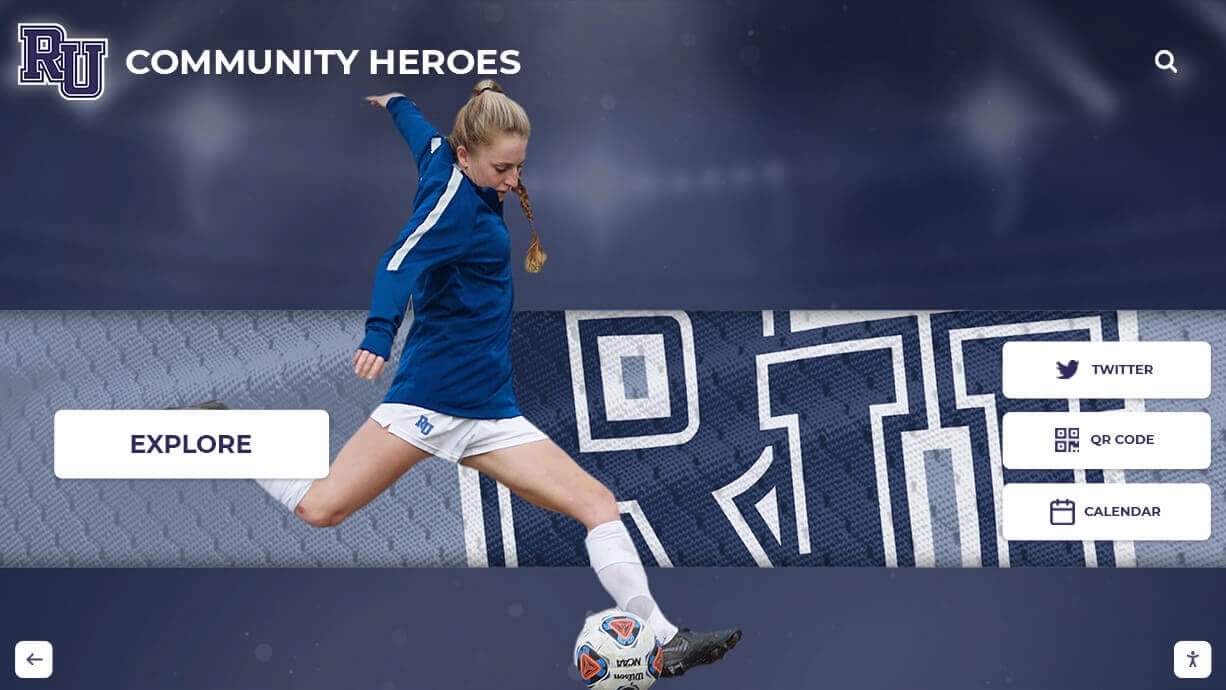
“What If Our Needs Change or We Want to Display Different Content”
Unlike static plaques or printed materials requiring complete replacement when priorities shift, digital displays offer complete flexibility. Content modifications, priority adjustments, new recognition categories, different event focus, or seasonal programming changes implement through simple content updates rather than physical reinstallation or reprinting.
This adaptability represents primary digital display advantage—nonprofits evolve continuously, and recognition systems should accommodate changing priorities without requiring new capital investment.
“Can We Start Small and Expand Later”
Phased implementation proves ideal for budget-conscious nonprofits. Begin with single display in highest-impact location, validate effectiveness and community response, refine content and management workflows, and expand systematically to additional locations as budget and capacity permit.
Most recognition platforms scale seamlessly from single displays to multiple locations, enabling organic growth without technology replacement. This scalability enables small nonprofits to implement meaningful recognition immediately while creating foundations supporting future expansion.
Alternative and Complementary Approaches
While wall-mounted displays provide excellent visibility, nonprofits should consider complementary recognition strategies maximizing impact.
Web-Based Recognition Portals
Many digital display platforms include companion websites enabling global access to recognition content. Alumni, distant donors, and community members unable to visit physical facilities regularly can explore complete recognition databases remotely. Web portals extend display reach infinitely while providing searchability impossible with physical or passive displays.
Comprehensive guides to donor recognition strategies explore how nonprofits combine physical displays with digital platforms creating comprehensive stewardship systems.
Mobile and Tablet Recognition
For nonprofits hosting events, conducting off-site programs, or wanting portable recognition capabilities, tablet-based displays provide flexibility. Staff can showcase donor walls, veteran recognition, or partnership information at fundraising events, community gatherings, or outreach activities using mobile devices.
Social Media Integration
Digital displays needn’t exist in isolation—many nonprofits repurpose display content for social media platforms extending recognition reach. Volunteer spotlights, partnership acknowledgments, or donor thanks featured on displays can simultaneously post to Facebook, Instagram, or LinkedIn amplifying visibility and engagement.
Printed Collateral from Digital Content
Recognition platforms frequently enable export functionality producing printed directories, reports, or commemorative materials from digital databases. This versatility enables nonprofits to provide donors, volunteers, or board members with tangible recognition documentation while maintaining efficient digital content management.
Building Recognition Systems That Strengthen Community
Digital wall mount displays serve community nonprofits as more than simple bulletin board replacements. When implemented thoughtfully, these systems strengthen organizational culture, improve stakeholder retention, increase community awareness, and demonstrate professionalism that builds confidence among donors, partners, and service recipients.
For nonprofits exploring options, the path forward involves defining primary recognition and communication priorities, establishing realistic budgets accounting for both initial and ongoing costs, evaluating solutions balancing ease of use with required capabilities, starting with focused implementations building toward comprehensive systems, and treating displays as active tools requiring regular attention rather than set-and-forget installations.
The specific nonprofit scenario requesting information about mounted TV-type screens for highlighting community partnerships, veterans, and upcoming events represents common needs facing thousands of organizations. These requirements suit digital recognition platforms offering flexible content management, professional presentation quality, touchscreen or standard display options, and nonprofit-appropriate pricing.
Whether acknowledging the local businesses that donate services, honoring the veterans who shaped community character, promoting the programs that fulfill organizational missions, or celebrating the volunteers and donors who make it all possible, digital displays provide practical, affordable, and sustainable solutions for community nonprofits committed to recognition, celebration, and communication excellence.
Modern nonprofit recognition extends beyond simple nameplates or annual event programs—it creates visible culture demonstrating that contributions matter, achievements deserve celebration, and community bonds transcend individual participation. When nonprofits invest systematically in recognition infrastructure combining accessible technology with genuine appreciation, they create environments where engagement flourishes and every contributor receives acknowledgment they genuinely deserve.
Ready to explore how digital recognition can strengthen your nonprofit’s community connections? Purpose-built platforms designed for community organizations provide intuitive content management requiring no technical expertise, professional presentation quality suitable for donor stewardship, flexible systems adapting as organizational priorities evolve, and transparent pricing respecting nonprofit budget constraints. Your community partnerships, veteran service members, active volunteers, and generous donors deserve recognition systems that honor their significance while supporting your mission to build stronger communities.
Book a demo to discover how modern recognition platforms can help your nonprofit celebrate community contributions, strengthen stakeholder engagement, and create effective displays that evolve alongside your organization’s changing needs and growing impact.































