




Organizations managing multiple screens or digital signage clients face a persistent challenge: delivering professional, dynamic content across displays without maintaining programming teams or spending hours creating custom layouts. Empty screens, static slideshows, and outdated information undermine institutional credibility and waste technology investments.
The demand for widget-based digital signage that supports split-screen layouts, embedded weather information, news feeds, social media streams, and data visualization without requiring coding skills has driven significant platform evolution. Organizations need systems where communications staff, athletic directors, or facility managers can configure professional multi-zone displays through visual interfaces rather than developer consoles.
This guide examines how modern digital signage services deliver these capabilities, what features distinguish platforms suitable for non-technical users, and how institutions deploy touchscreen kiosks and multi-screen systems that maintain fresh, relevant content without ongoing programming costs.
Understanding Widget-Based Digital Signage Architecture
Traditional digital signage required graphic designers to create static images or videos for every content update, then manually upload files to display systems. This approach collapsed when organizations needed frequent updates, multiple content zones, or live data integration.
Widget-based platforms changed this paradigm by treating displays as configurable containers holding independent content modules. Each widget manages specific content types—weather forecasts, social media feeds, calendars, recognition databases, news tickers—and updates automatically without requiring new graphics for each change.
How Split-Screen Configurations Work
Modern platforms divide displays into customizable zones where different widgets operate independently. A typical configuration might allocate the left two-thirds of a screen to recognition content while the right third splits into three widgets showing weather, upcoming events, and a news feed.

Organizations define zone layouts through visual editors rather than code. Administrators drag boundaries to adjust proportions, drop widgets into zones, configure data sources through forms, and preview results before publishing. Changes appear instantly across all connected displays without requiring files to be created, exported, or manually transferred.
This architecture solves the fundamental scalability problem plaguing older systems: content management time stays constant regardless of how many displays you operate. Updating a weather widget once changes every display using that widget simultaneously, whether you manage three screens or three hundred.
The No-Programming Requirement
Organizations without programming resources should verify that platforms genuinely require no coding rather than simply claiming ease of use. Truly no-code platforms provide:
Visual layout editors where administrators design screen configurations by clicking, dragging, and resizing zones without touching HTML, CSS, or JavaScript. Previews show exactly how configurations appear on displays before publishing.
Pre-built widget libraries covering common needs like weather, social media, calendars, RSS feeds, image galleries, video players, PDFs, web pages, and data integrations. Organizations select widgets from menus and configure options through forms rather than writing integration code.
Template galleries providing starting-point configurations for common use cases—lobby displays, wayfinding kiosks, recognition walls, emergency alert systems—that organizations customize rather than building from scratch.
Form-based configuration where all settings, data sources, styling options, and behaviors are controlled through dropdown menus, checkboxes, text fields, and color pickers rather than configuration files or code editors.
Organizations should request demonstrations showing actual content updates performed by non-technical users rather than accepting vendor assurances about ease of use. If demonstrations require explaining conditional logic, API endpoints, or CSS selectors, the platform fails the no-programming test regardless of marketing claims.
Essential Widget Types for Multi-Screen Deployments
Effective digital signage deployments balance dynamic external content with institutional information, creating displays that stay current without constant attention while remaining relevant to local audiences.
Weather and Environmental Data
Weather widgets provide immediate value to audiences planning their days while filling screen space with constantly updating content requiring zero maintenance after initial configuration. Modern weather widgets display current conditions, hourly forecasts, extended outlooks, radar maps, severe weather alerts, and historical comparisons.
Organizations configure weather widgets by entering location information—ZIP codes, coordinates, or city names—and selecting display preferences like temperature units, forecast duration, and refresh intervals. The widget automatically pulls updated information from weather services without requiring any action from staff managing displays.
Beyond basic weather, environmental widgets can display air quality indices, pollen counts, UV indices, sunrise and sunset times, or moon phases depending on audience needs. Athletic facilities might emphasize outdoor conditions affecting practice schedules, while academic buildings focus on daily planning information.
News Feeds and Content Aggregation
RSS feed widgets pull content from news sources, blogs, institutional websites, or any publisher providing RSS/Atom feeds. Organizations configure feeds by entering URLs and selecting display options like article counts, refresh rates, scrolling speeds, and thumbnail images.
This capability keeps displays current with breaking news, institutional announcements, emergency alerts, or industry information relevant to specific audiences. Schools display district announcements alongside local news. Athletic departments show sports headlines from major outlets. Healthcare facilities surface health news and facility updates.
Content aggregation goes beyond simple RSS by combining multiple sources into unified displays. A single widget might rotate through institutional social media posts, blog articles, press releases, and external news mentioning the organization, creating comprehensive information streams without managing each source separately.

Social Media Integration
Social media widgets display live feeds from institutional accounts on platforms including Facebook, Instagram, Twitter/X, LinkedIn, and YouTube. Organizations authenticate accounts, select which content types appear, and define filtering rules controlling what displays publicly.
Common configurations include showing recent posts from verified institutional accounts, displaying content tagged with specific hashtags, or featuring posts mentioning the organization. This connects digital signage with broader communications strategies while keeping displays current with minimal staff intervention.
For more on maximizing social media content across digital displays, review strategies in this digital signage content ideas guide.
Social widgets require careful content moderation strategies. Organizations should review platform filtering options, approval workflows, and emergency override capabilities ensuring inappropriate content never reaches public displays regardless of what appears on social platforms.
Calendar and Event Management
Calendar widgets display upcoming events, schedules, countdowns, and timeline information pulled from calendar systems like Google Calendar, Microsoft Outlook, or specialized scheduling platforms. Athletic departments show game schedules across sports. Academic institutions display exam calendars and semester timelines. Event venues present daily room assignments and reservations.
Effective calendar widgets support multiple calendar sources combined into unified displays, filtering rules showing only relevant events for specific locations, countdown timers building anticipation for major events, and automatic schedule updates when events change without requiring manual display adjustments.
Integration with institutional calendar systems eliminates duplicate data entry. When staff update schedules in central calendars, digital displays reflect changes automatically. This synchronization prevents the disconnected information that damages credibility when displays show different schedules than official sources.
Data Visualization and Dashboard Widgets
Data widgets display real-time or near-real-time information from operational systems, creating transparency around institutional metrics, campaign progress, or performance indicators. Fundraising campaigns show donation progress toward goals. Athletic programs display season statistics. Energy management systems present building performance metrics.
Organizations connect data widgets to sources including spreadsheets, databases, APIs, or web services that publish data feeds. Configuration involves mapping data fields to display elements, selecting visualization types like progress bars, charts, or numeric displays, and defining refresh schedules keeping information current.
This capability transforms static signs into living dashboards that build momentum around campaigns, celebrate progress toward goals, and demonstrate transparency around institutional priorities. The immediate visibility motivates participation while recognizing contributions as they occur rather than weeks later.
Touchscreen Interactivity vs. Display-Only Systems
Organizations must decide whether displays operate in passive broadcast mode showing scheduled content or active interactive mode responding to touch input enabling self-directed navigation.
When Interactive Touch Capabilities Matter
Touchscreen kiosks excel when audiences need access to information depth that exceeds what passive displays can show. A display-only system showing rotating inductee profiles might take twenty minutes to cycle through an entire hall of fame. Visitors interested in specific athletes, years, or teams won’t wait through full rotation cycles hoping their content appears.
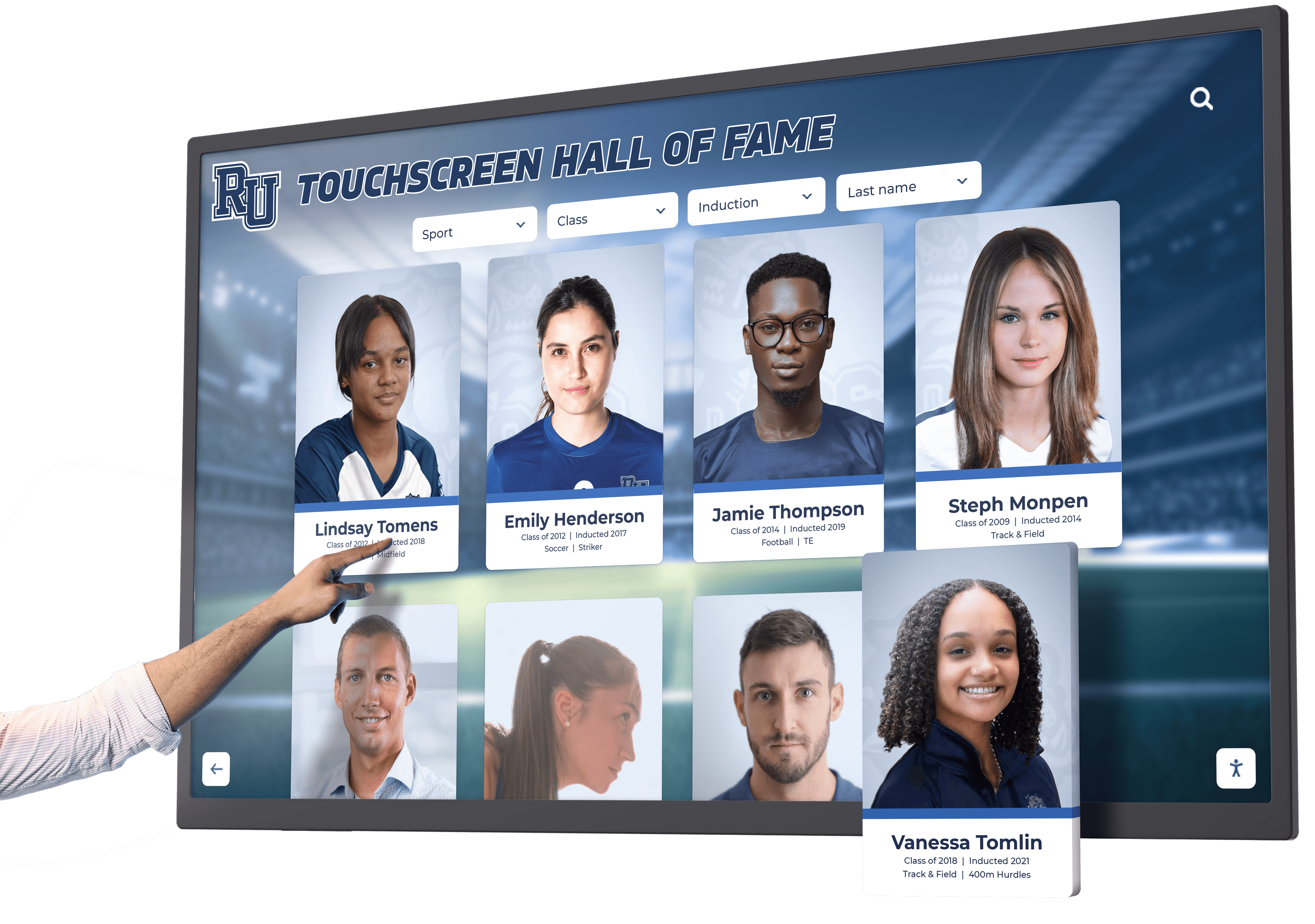
Interactive systems let visitors search by name, browse by year, filter by sport, and directly access specific content they care about most. This self-directed exploration increases engagement time from seconds spent glancing at rotating content to minutes spent actively exploring institutional history.
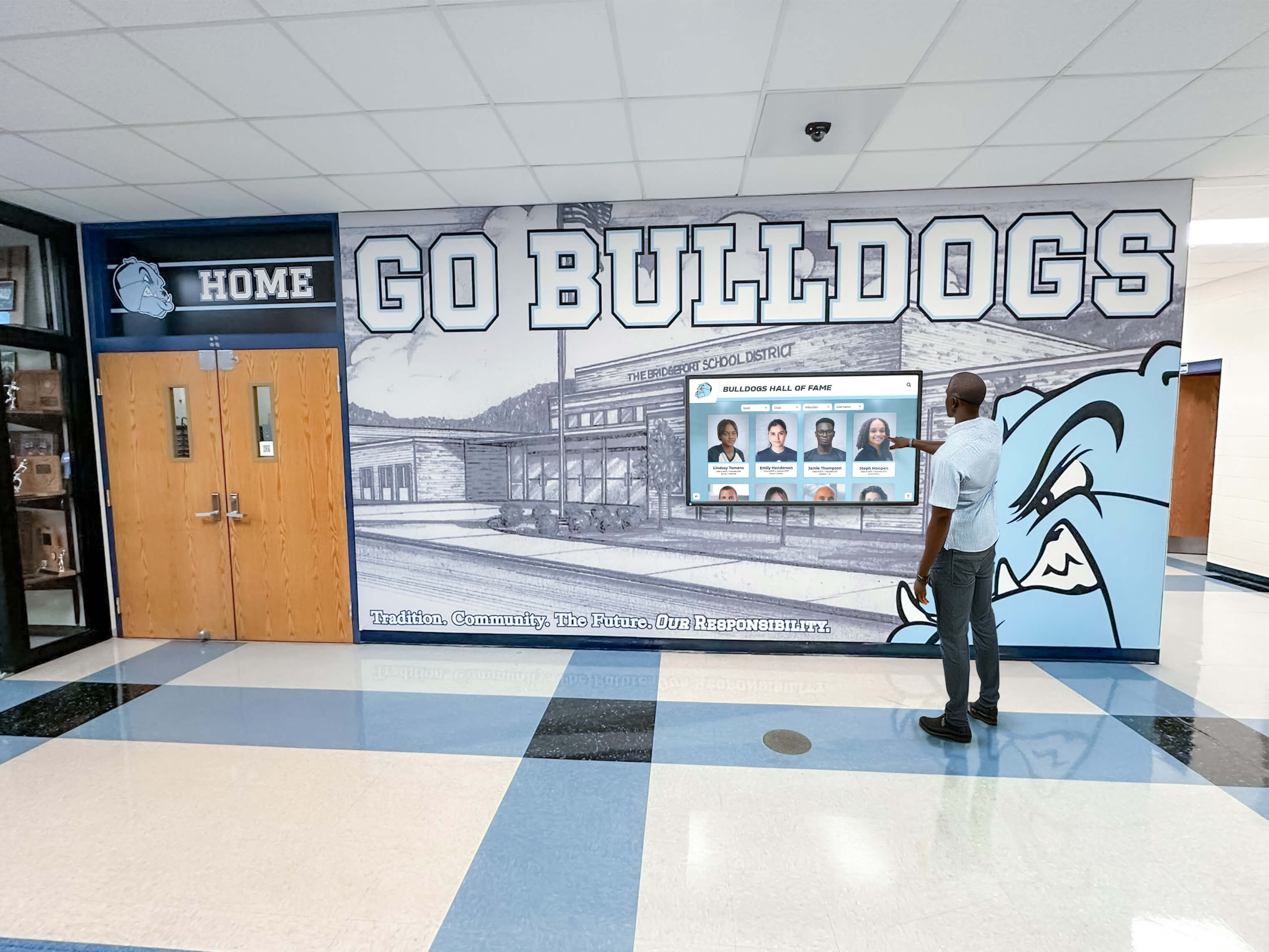
Wayfinding applications require touch interaction for searching destinations, viewing detailed maps, and accessing directions. Directory kiosks need interactive capability for browsing staff lists and finding specific offices. Recognition databases displaying thousands of achievements become useful only when visitors can search and filter rather than watching endless slideshows.
The touchscreen kiosk solutions guide examines specific scenarios where interactive capabilities justify additional costs compared to display-only alternatives.
Display-Only Systems: When Passive Content Suffices
Many digital signage applications work effectively without touch interaction. Announcements, weather, news feeds, event calendars, and emergency alerts serve audiences through passive viewing without requiring navigation controls.
Displays positioned where audiences pass briefly—hallway displays, elevator lobbies, entrance areas—benefit less from interactivity than displays in locations where people naturally pause and engage. Organizations should match interaction capabilities to actual usage patterns rather than adding touch features simply because they’re available.
Display-only systems cost less, require simpler hardware, avoid touch-related maintenance issues like fingerprints and calibration drift, and eliminate accessibility concerns around reach heights for interactive elements. When passive content meets objectives, simpler display-only configurations prove more practical.
Hybrid Approaches: Scheduled Content with Touch Override
Some platforms support hybrid modes where displays normally show scheduled content rotation but switch to interactive mode when touched. This balances passive content delivery with on-demand exploration for interested visitors.
Hybrid systems detect touch input and transition to navigation interfaces enabling content exploration. After periods without interaction, displays automatically return to scheduled rotation modes. This approach maximizes visibility for priority content through passive display while supporting deeper engagement for motivated visitors.
Multi-Screen Management: Controlling Distributed Display Networks
Organizations operating displays across multiple locations face content management challenges that exceed single-screen scenarios. Centralized control systems become necessary when managing more than a handful of displays.
Centralized Content Management Platforms
Professional digital signage platforms provide cloud-based management consoles where administrators control all connected displays from single interfaces. These systems organize displays into groups receiving common content while supporting location-specific variations when needed.
Common organizational structures include:
Building-based grouping where all displays in specific facilities receive consistent content with occasional building-specific additions for local events or information.
Audience-based segmentation where displays serving different populations—students, staff, visitors, donors—show content tailored to those audiences regardless of physical location.
Function-based categorization where displays serving particular purposes—recognition, wayfinding, emergency alerts, information—share content types while differing in specific details.
Centralized platforms enable administrators to update information once and simultaneously push changes to dozens or hundreds of displays. During schedule changes, emergency situations, or urgent announcements, this synchronized control proves critical.
Content Scheduling and Dayparting
Multi-screen management requires sophisticated scheduling enabling different content at different times. Schools show different information during class periods, lunch, before/after school, and weekends. Athletic facilities vary content between practice sessions, games, events, and facility down periods.
Scheduling systems support time-based rules controlling widget visibility, content priority, and display layouts. Organizations create schedules defining what appears Monday through Friday from 8 AM to 3 PM versus weekday evenings, weekends, or holidays. Emergency override capabilities ensure critical alerts immediately replace scheduled content when necessary.
Dayparting enables single display configurations serving multiple purposes throughout days and weeks. Lobby displays might emphasize visitor information during business hours, switch to recognition content during evening events, and display emergency contact information overnight. This flexibility maximizes hardware utilization across varied use cases.
User Permissions and Workflow Management
Organizations with distributed content creation need permission systems controlling who can modify which content and which displays. Athletic directors manage sports content without accessing academic displays. Communications teams control facility-wide announcements. Development staff maintain donor recognition independent of operational signage.
Permission systems define user roles, assign display management rights, specify content categories each role can modify, and optionally implement approval workflows requiring reviews before content publishes publicly. This distributed responsibility prevents bottlenecks where all updates require single administrators while maintaining quality standards through appropriate oversight.
Audit trails tracking who made which changes when provide accountability and troubleshooting capabilities when questions arise about display content or configuration changes. Organizations can review change histories, revert unintended modifications, and identify patterns informing training needs or process improvements.
Widget Customization: Balancing Flexibility with Simplicity
The most effective platforms balance comprehensive customization options with appropriate defaults preventing analysis paralysis for non-technical users.
Pre-Configured Templates Accelerate Deployment
Starting with blank screens overwhelms organizations exploring what’s possible with widget-based signage. Template galleries showing pre-configured layouts for common scenarios accelerate initial deployments while demonstrating platform capabilities.
Effective templates address specific use cases:
Lobby welcome displays combining institutional branding, daily schedules, weather, and featured recognition content create professional first impressions for visitors.
Athletic facility displays emphasizing records, current season performance, upcoming schedules, and athlete spotlights serve sports programs.
Wayfinding kiosks providing interactive maps, building directories, and event information guide visitors through complex facilities.
Donor recognition walls showcasing giving campaigns, recognition levels, and donor spotlights encourage continued philanthropic support. Comprehensive donor recognition strategies appear in this donor wall ideas guide.
Organizations select templates matching their needs, then customize content, branding, colors, and widget configurations to match institutional requirements. This approach delivers professional results in hours rather than weeks while teaching platform capabilities through concrete examples.
Styling and Brand Consistency
Widget-based systems must support institutional branding across all content zones without requiring design expertise or custom CSS. Visual styling controls enable organizations to select brand colors, fonts, logo placement, and layout preferences through form interfaces.
Brand kits or style presets store institutional design standards including color palettes, typography, spacing preferences, and logo treatments. Once configured, these presets apply automatically to new widgets and content, ensuring consistency across displays and over time as different staff members manage content.
Organizations should verify that styling controls operate independently across widgets, allowing visual differentiation between zones while maintaining overall coherence. Weather widgets might use lighter backgrounds while recognition content emphasizes institutional colors, creating visual hierarchy guiding attention appropriately.
Data Source Configuration
Widgets connect to external data sources through configuration forms rather than API integration code. Organizations enter URLs for RSS feeds, authenticate social media accounts, provide calendar system credentials, or connect spreadsheets containing data to visualize.
The platform handles technical integration complexity internally. Organizations specify what data to display and how to present it, while underlying systems manage authentication, API calls, data parsing, error handling, and refresh scheduling. This abstraction enables non-technical staff to configure sophisticated integrations without understanding technical implementation details.
Troubleshooting tools help diagnose connection issues when data fails to appear. Organizations can test connections, view recent data fetches, check authentication status, and review error logs through administrative interfaces without contacting technical support for routine troubleshooting.
Platform Selection Criteria for No-Code Digital Signage
Organizations evaluating digital signage platforms should verify capabilities against specific requirements rather than accepting marketing claims about ease of use or feature completeness.
Demonstration Requirements
Request demonstrations where vendors show non-technical users performing common tasks: creating new screen layouts, adding widgets, configuring data sources, publishing content updates, and scheduling content variations. If demonstrations require explaining technical concepts or show only vendor staff manipulating systems, the platform may not deliver promised accessibility for typical users.
Organizations should specify their actual use cases during demonstrations—“show me how a communications director would add a new event calendar” or “demonstrate how an athletic director updates season records”—rather than accepting generic feature tours disconnected from real workflows.
Trial Evaluation Framework
Free trials enable hands-on evaluation before purchasing decisions. Organizations should define evaluation criteria including:
Setup time to first published content: How long does it take to configure a working display after initial login? True no-code platforms enable simple configurations within hours, while complex systems require days of training and setup.
Widget library comprehensiveness: Does the platform include pre-built widgets covering your specific needs, or will you require custom development for basic functionality?
Content update efficiency: Time how long content updates take—adding calendar events, updating recognition information, changing displayed RSS feeds—and verify these tasks require minutes not hours.
Mobile administration capability: Can staff update content from tablets and smartphones, or does management require desktop computers with specific software?
Support resource quality: Evaluate documentation comprehensiveness, video tutorial availability, and technical support responsiveness during trials when establishing systems.

Total Cost of Ownership Analysis
Pricing models vary significantly across platforms. Organizations should calculate total ownership costs including:
Software licensing: Monthly or annual subscription fees, typically scaling with screen counts or feature tiers.
Hardware costs: Display screens, mounting hardware, media players, touchscreen overlays when applicable, and protective enclosures for high-traffic areas.
Implementation services: Setup assistance, training, content migration, and custom configuration if needed beyond platform defaults.
Ongoing support: Technical support contracts, software update costs, and maintenance agreements covering hardware repairs or replacement.
Internal labor: Staff time for content management, system administration, and troubleshooting even when using no-code platforms.
Free or low-cost platforms may incur hidden costs through limited features requiring workarounds, inadequate support forcing organizations to solve problems independently, or poor usability demanding excessive staff time for routine tasks. Premium platforms justify higher prices through efficiency gains, included services, and features eliminating costs that arise elsewhere.
Implementation Best Practices for Multi-Screen Deployments
Successful digital signage implementations follow systematic approaches addressing content strategy, hardware selection, network infrastructure, and ongoing governance.
Start with Content Strategy
Technology decisions should follow content strategy rather than determining it. Organizations should define:
Primary audience groups for each display location and what information serves those audiences best.
Content categories the system must support—recognition, announcements, wayfinding, safety, entertainment, etc.
Update frequencies for different content types, identifying what changes daily, weekly, seasonally, or annually.
Content ownership specifying which staff members or departments contribute which content types and manage which displays.
Clear content strategy prevents purchasing platforms that lack capabilities for planned content or selecting displays insufficient for intended purposes. Strategy also guides implementation priorities, focusing initial efforts on highest-value content before expanding to secondary use cases.
Hardware Specifications Matter
Display hardware significantly impacts viewer experience and long-term ownership costs. Organizations should consider:
Commercial-grade displays designed for continuous operation withstand constant use better than consumer televisions. Commercial displays typically include better warranties, replaceable components, and support for longer lifecycles.
Screen brightness and positioning must account for ambient lighting. Displays near windows need high brightness ratings preventing washout from sunlight. Indoor locations away from windows require less brightness, reducing costs and power consumption.
Touchscreen technology differs across capacitive, resistive, and infrared approaches with varying responsiveness, durability, and cost implications. Organizations deploying interactive kiosks should test actual touch performance under conditions matching intended environments.
Network connectivity requires either wired Ethernet connections or robust WiFi coverage at every display location. Connectivity reliability directly affects content update performance and system monitoring capabilities.
Physical security for displays in accessible locations requires protective enclosures, mounting systems preventing theft, and designs minimizing vandalism risk. Proper installation prevents damage while maintaining professional appearances.
Organizations should specify hardware requirements based on actual deployment environments rather than accepting vendor default recommendations designed for different contexts. The interactive kiosk solutions guide examines hardware considerations for public-facing touchscreen deployments.
Pilot Before Scaling
Multi-screen deployments benefit from phased approaches starting with pilot installations validating technology, content, and processes before expanding across facilities. Pilot projects should:
Deploy representative use cases testing different content types, display locations, and audience segments rather than installing all pilots in similar contexts.
Run long enough to assess sustainability of content management processes, reliability of hardware and connectivity, and actual usage patterns rather than initial novelty.
Gather stakeholder feedback from content creators, display viewers, and technical administrators identifying issues and opportunities before scaling.
Document operational procedures for content updates, troubleshooting common issues, and routine maintenance tasks, capturing institutional knowledge while participation remains small.
Successful pilots demonstrate value, refine implementation approaches, and build organizational confidence supporting broader deployments. Failed pilots cost less than organization-wide implementations of unsuitable systems, making measured rollouts prudent risk management.
Purpose-Built Recognition Platforms vs. General Digital Signage
Organizations specifically deploying digital signage for recognition purposes—athletic achievements, donor acknowledgment, academic honors, institutional history—should evaluate whether purpose-built recognition platforms better serve objectives than general digital signage systems.
Recognition-Specific Capabilities
Purpose-built platforms like Rocket Alumni Solutions provide features designed explicitly for recognition contexts that general digital signage platforms lack:
Auto-ranking algorithms automatically order athletic records chronologically and by performance without manual sorting each time records change.
Searchable databases enable interactive exploration of thousands of inductees, achievements, or donors through name search, filtering, and category browsing.
QR code unlocking transfers recognition content to personal devices, enabling visitors to share achievements on social media or save information for later reference.
Recognition-specific templates provide layouts designed for inductee profiles, record boards, donor walls, and achievement showcases rather than generic announcements or advertisements.
Unlimited content capacity accommodates complete institutional histories rather than imposing limits on athlete profiles, achievement records, or donor entries.
When recognition represents primary or substantial display purposes, specialized platforms often deliver better outcomes than adapting general signage systems to recognition contexts through extensive customization.
Integration Considerations
Organizations operating both recognition displays and general informational signage must decide whether deploying single unified platforms or separate specialized systems better serves operational needs.
Unified platforms simplify vendor management, administrative training, and technical support while requiring either general systems robust enough for recognition or recognition systems flexible enough for broader signage. Split approaches add management complexity but optimize each system for specific purposes.
The decision depends on relative priorities. Organizations where recognition represents occasional content alongside extensive informational signage lean toward unified general platforms. Institutions where recognition stands as primary mission with supplementary operational signage benefit from purpose-built recognition systems potentially supplemented by separate simple signage for basic announcements.

Future-Proofing Digital Signage Investments
Digital signage represents multi-year technology investments requiring consideration of platform longevity, content portability, and adaptation to evolving needs.
Vendor Stability and Platform Longevity
Organizations should evaluate vendor financial stability, customer base size, platform development activity, and market positioning. Platforms from established vendors with substantial user bases and consistent development track records present lower abandonment risks than products from startups or vendors without clear business models.
Review product roadmaps understanding planned enhancements, vendor participation in industry standards organizations, and customer advisory board structures indicating whether vendor development priorities align with customer needs. Platforms showing consistent improvement based on user feedback demonstrate vendor commitment to long-term platform success.
Content Portability and Platform Migration
Organizations should understand content export capabilities enabling migration to alternative platforms if necessary. Platforms locking content into proprietary formats create vendor dependency preventing competitive switching even when better alternatives emerge.
Standard export formats for text content, metadata, images, and videos enable preservation of institutional content independent of specific platforms. Organizations can archive exported content regularly, maintaining backup repositories accessible regardless of display platform changes.
Scalability for Growth
Digital signage needs typically expand after successful initial deployments. Organizations should verify that platforms scale efficiently without hitting hard limits or requiring expensive upgrades when adding displays, users, or content volume.
Cloud-based platforms generally scale more effectively than on-premise systems requiring server upgrades as demands grow. Subscription pricing should scale linearly with usage rather than jumping dramatically at arbitrary thresholds. Organizations planning growth should understand cost structures at anticipated future scales, not just initial deployment costs.
Measuring Digital Signage Success and ROI
Effective digital signage programs define success metrics beyond deployment completion and track outcomes demonstrating value.
Engagement Metrics
Interactive touchscreen systems provide usage analytics including:
Session counts and duration showing how many visitors engage with displays and how long interactions last.
Navigation patterns revealing which content categories attract most interest and which screens within applications receive least attention.
Search queries identifying what information visitors seek most frequently, informing content priorities and organizational decisions.
Peak usage periods guiding content scheduling and informing hardware placement decisions for additional displays.
Analytics help organizations optimize content, identify gaps requiring attention, and demonstrate system utilization justifying continued investment.
Operational Efficiency Improvements
Digital signage reduces operational costs compared to alternative communication methods:
Eliminated print costs for posters, banners, and temporary signage replaced by digital displays.
Reduced staff time for creating, distributing, and removing physical signage versus updating digital content remotely.
Faster information distribution enabling urgent updates reaching all displays within minutes versus hours or days for physical signage.
Reduced errors from centralized content management versus distributed creation of physical signs where inconsistencies and mistakes occur more frequently.
Organizations can calculate cost savings by comparing digital signage operational costs against previous print-based communication expenses or the projected costs of achieving similar coverage through physical signage.
Stakeholder Satisfaction and Institutional Impact
Broader organizational benefits include:
Improved visitor experiences through better wayfinding, more accessible information, and engaging interactive content.
Enhanced institutional image from professional, current, well-maintained displays compared to dated bulletin boards or empty screens.
Increased engagement with recognized individuals, donors, or alumni seeing themselves featured on prominent displays.
Stronger community connections through visible celebration of achievements, transparent communication, and accessible information.
Periodic surveys measuring stakeholder perceptions, combined with anecdotal feedback from recognized individuals and visitors, provide qualitative evidence complementing quantitative analytics.
Moving Forward with Your Digital Signage Implementation
Organizations seeking digital signage solutions with split-screen capabilities, embedded widgets, and no-programming requirements have more practical options today than ever before. The platforms examined in this guide represent diverse approaches balancing customization, ease of use, feature breadth, and cost structures.
The right solution depends entirely on your specific context—organizational size, technical resources, content complexity, interaction requirements, budget parameters, and long-term growth plans. Purpose-built recognition platforms excel when celebrating achievements represents primary purposes, while general digital signage platforms serve organizations balancing recognition with broader informational content across extensive display networks.
Organizations achieve best outcomes by starting with clear content strategy, piloting technologies in representative scenarios, measuring results against defined success metrics, and scaling thoughtfully based on demonstrated value rather than rushing into organization-wide deployments of unproven systems.
The widget-based, no-code platforms available today enable communications professionals, athletic directors, facility managers, and administrators to maintain sophisticated digital signage without programming teams or ongoing custom development costs. This accessibility democratizes professional communications capabilities, enabling organizations of all sizes to deploy displays that were previously practical only for institutions with substantial technical resources.
Ready to Deploy Professional Digital Signage?
Discover how purpose-built recognition platforms deliver split-screen displays, auto-updating content, and touchscreen interactivity without programming requirements.
Whether implementing your first digital signage system or replacing underperforming technology, investing time in thorough evaluation prevents expensive mistakes while increasing the likelihood that chosen solutions genuinely serve communication and recognition objectives across multi-year lifecycles. Digital signage technology has matured to the point where organizations without programming resources can deploy professional systems delivering ongoing value without creating new operational burdens.































