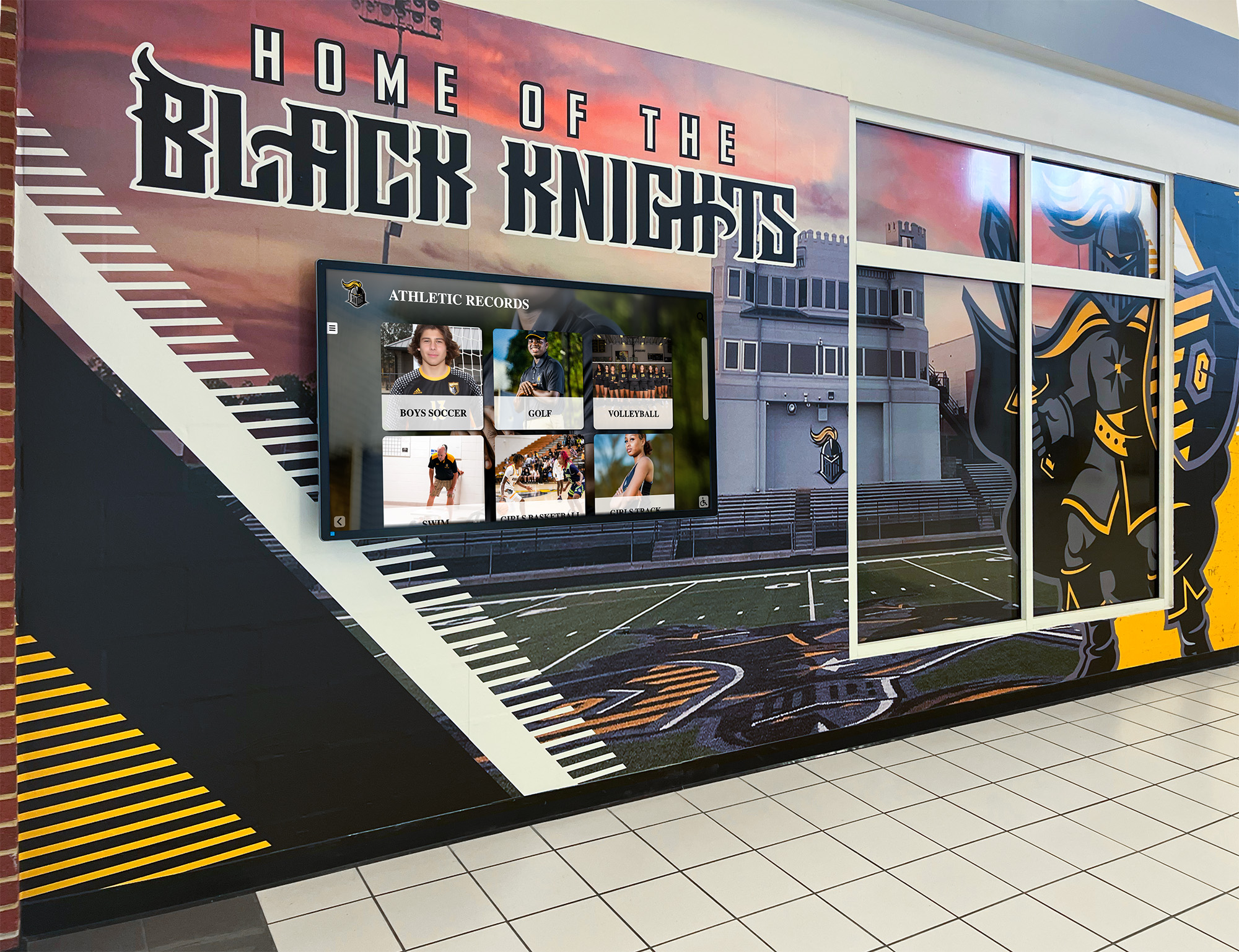




Every school athletic program has records it can’t locate, names that came off the wall years ago, and coaches who spend hours every spring touching up vinyl lettering. The planning decisions made before installing any recognition display—which fields to capture, who owns the update workflow, and what display format actually fits the facility—determine whether a record board stays current for a decade or becomes another maintenance headache within two seasons. Getting those decisions right the first time is the point of this guide.
What This Planning Guide Covers
Intent: decide. This is a planning guide for athletic directors, coaches, and administrators who are scoping a digital record board project—either as a new installation or an upgrade from vinyl. By the end, you will know exactly which data fields to structure, how to assign and streamline update ownership, and which display format best fits your facility type and budget range. The comparison table in section four gives you a side-by-side reference you can share with your administration or procurement team.
Why Planning Beats Purchasing First
Most record board regrets trace back to a single skipped step: defining requirements before selecting hardware. A school that buys a 55-inch screen and a generic media player discovers six months later that the software can’t auto-rank new entries, the update process requires a vendor ticket, and three sports weren’t scoped into the original layout. A school that maps fields, workflow, and display constraints first ends up with a system that coaches actually maintain—and one that still reflects accurate records five years from the install date.

The founder of Rocket Alumni Solutions experienced this problem personally when his high school removed his name from a pull-up record board to make room for a newer mark. That single act of erasure—common with vinyl boards that run out of space—was the catalyst for building a platform where no record is ever overwritten. Planning your fields and workflow correctly means you never face that choice.
Section 1: Choosing Your Data Fields
Data fields are the columns in your record board database. Choosing them carefully upfront avoids costly migrations later and ensures your display is complete from day one.
Core Fields Every School Needs
Regardless of sport, a well-structured digital record board captures the same essential data points:
- Athlete name — full legal name plus preferred display name if different
- Graduation year — used to sort historical records and connect to alumni data
- Sport — enables multi-sport filtering on a single display
- Event or category — the specific record type (e.g., 100m dash, career rebounds, season batting average)
- Performance value — the record itself, stored as a typed number (time, distance, score, percentage) rather than free text
- Unit of measure — seconds, feet-inches, points, etc. Storing this separately allows consistent sorting
- Season/year set — when the record was established, not just who holds it
- Gender/division — boys, girls, JV, varsity, or unified where applicable
- Record type — single-game, season, or career (some platforms handle this as a filter layer)
Extended Fields Worth Adding
These fields cost nothing to include during initial setup and create significant display flexibility later:
- Photo or headshot — drives engagement on touchscreen displays; collect via school photographer or athlete submission
- Team record at the time — useful context for team-stat records
- Previous record holder — preserves the chain of history rather than a single current champion
- Verified by — the coach or administrator who confirmed the mark, important for data integrity
- Source document — a link or filename pointing to the meet sheet, box score, or scorebook that substantiates the record

Sport-Specific Field Considerations
Track and field programs typically need the most granular event taxonomy—separate records for indoor and outdoor seasons, wind-legal versus wind-aided marks, relay splits alongside relay totals. Swimming programs benefit from stroke-specific categories and pool length distinctions. Team sports like basketball and baseball often carry both individual and team records in the same display, so the “event or category” field needs enough specificity to handle both without ambiguity.
Creative approaches to showcasing school sports achievements often surface field structures that schools hadn’t considered—weight room maximums by weight class, consecutive-game streaks, or academic eligibility streaks that blend athletic and academic data into a single recognition system.
Section 2: Designing Your Update Workflow
The most carefully planned field structure fails if no one owns the update process. Schools that treat record board updates as an informal task—whoever remembers to do it—end up with stale data within one season.
Assigning Update Ownership
Every record board needs a designated record keeper: typically the head coach for their sport, but sometimes an athletic secretary or a designated assistant coach. The key is documented responsibility, not just informal assumption. A simple responsibility matrix looks like this:
| Sport | Primary Record Keeper | Secondary (backup) | Review Cycle |
|---|---|---|---|
| Track & Field | Head Track Coach | Athletic Director | After each meet |
| Swimming | Head Swim Coach | Aquatics Director | After each meet |
| Basketball | Head Coach (M/W) | JV Coach | End of season |
| Baseball / Softball | Head Coach | Scorekeeper | End of season |
| Football | Head Coach | Offensive Coordinator | End of season |
A backup owner matters. Coaches leave. Seasons overlap. Without a named secondary, records go unupdated when the primary owner is unavailable at the end of a busy season.
Trigger-Based vs. Calendar-Based Updates
Two update cadences exist, and the right choice depends on how performance data is collected:
Trigger-based updates happen immediately when a record is broken. A swimmer sets a new school record in the 200 IM at a Wednesday dual meet; the coach updates the board that evening or the next morning. This approach delivers recognition immediately—high motivational value—but requires coaches to build the update step into their post-competition routine.
Calendar-based updates happen on a fixed schedule: end of regular season, after postseason, or at the start of the next academic year. Lower maintenance friction but slower recognition. Records may sit unacknowledged for weeks.
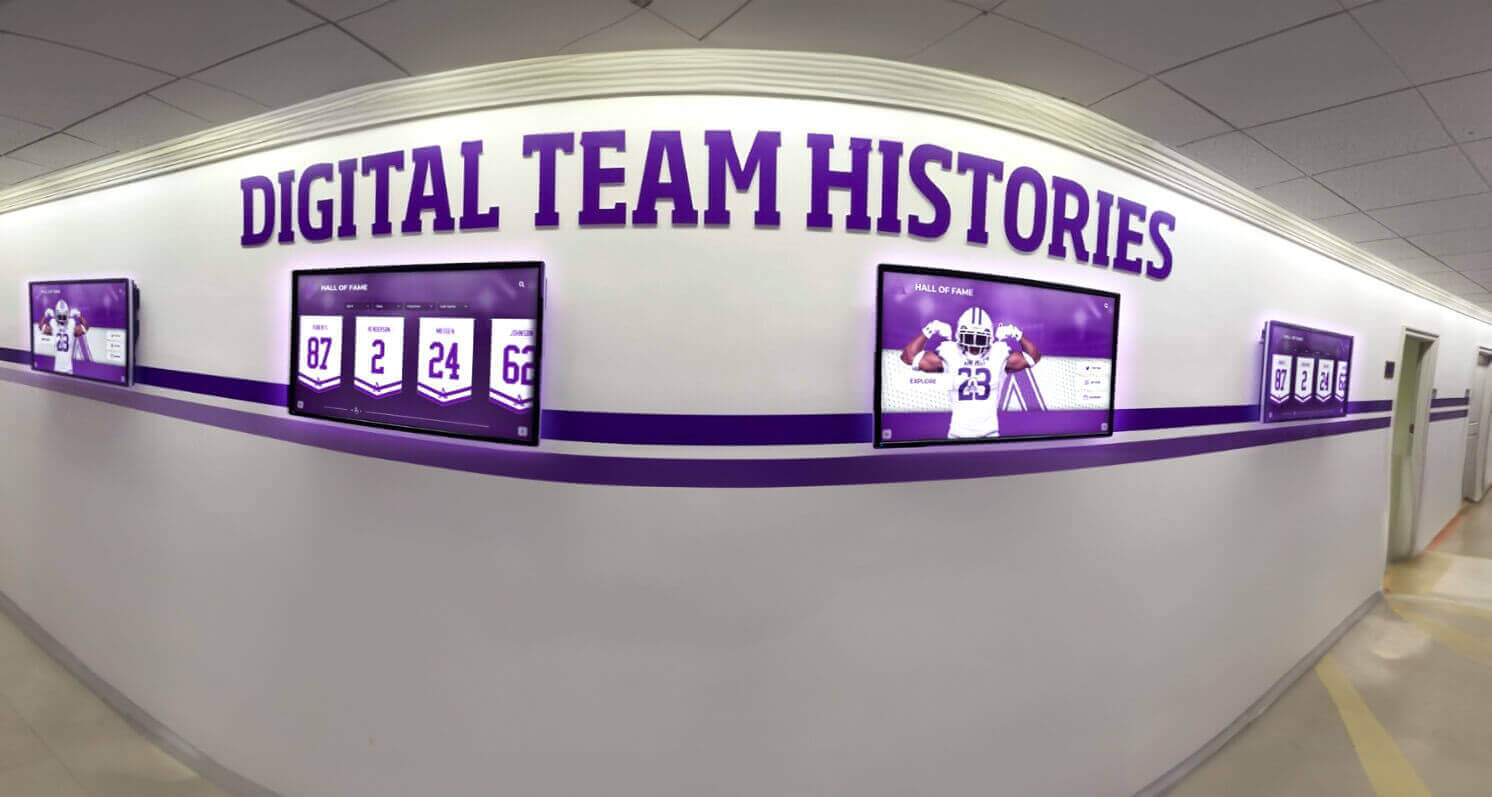
Digital systems that include auto-ranking eliminate much of this friction. When a coach simply enters a new mark and the system automatically re-sorts all-time lists, updates existing record holders into historical positions rather than erasing them, and pushes changes live to every connected display—the administrative burden drops to minutes per event. Rocket’s platform cuts what traditionally took hours of vinyl management to under five minutes per sport, per season.
Verification and Data Integrity
Record boards carry institutional credibility. A mark that turns out to be wrong—an incorrectly entered time, a miscalculated statistic—damages trust in the entire display. Build one verification step into your workflow:
- Coach enters new record with source document attached
- Athletic director or designated reviewer confirms against official results within 48 hours
- Record goes live on the display after confirmation
For digital systems with role-based permissions, this is a simple two-step approval queue. For manual systems, a shared spreadsheet with a “pending” and “approved” tab accomplishes the same thing at zero cost.
Digital record board campus engagement ideas often include student ambassador programs where a student worker manages initial data entry from official results sheets—reducing coach workload while giving students meaningful involvement in athletic recognition.
Section 3: Mapping Your Display Options
Display format is the most visible planning decision and the one most commonly driven by price alone. Budget matters, but matching format to facility context matters more.
Option 1 — Vinyl Lettering Boards
The traditional approach. Individual vinyl letters applied to painted MDF or aluminum panels display records until someone manually updates them.
Best for: Small programs with fewer than three sports, limited budgets, and a facilities manager comfortable with vinyl application.
Constraints: Physical space is finite—records get removed when the board fills. Update time runs 30 minutes to several hours per board depending on changes. No historical depth; only current record holders are visible. No remote update capability.
Hidden costs: Vinyl letter inventory, replacement panels when boards age, staff time for updates, occasional professional refinishing.
Option 2 — Printed Display Panels
Graphic panels professionally printed and mounted to walls or display cases. Updated by printing new panels when records change.
Best for: Programs that want a polished aesthetic without touchscreen hardware costs, and where records change infrequently (once per year or less).
Constraints: Reprint costs accumulate over time. Turnaround depends on vendor availability. Still no historical depth or interactive capability.
Option 3 — Static Digital Signage
A commercial display running a slideshow or static image, updated by replacing image files on a USB drive or via a cloud dashboard.
Best for: Programs that want the visual presence of a screen without full record-board software, or as a bridge solution before a full system purchase.
Constraints: No auto-ranking. No searchable history. Update requires creating new slide artwork each time. Engagement is low—visitors can’t interact to explore historical records.
Option 4 — Touchscreen Digital Record Board
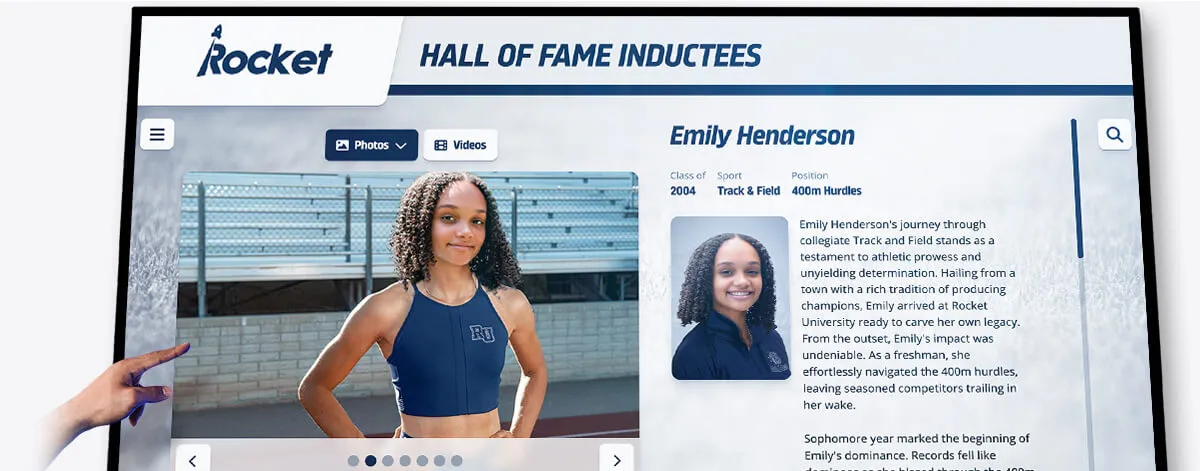
A purpose-built interactive display with record board software, auto-ranking algorithms, and multi-device access. Athletes, students, and visitors can tap to explore records by sport, year, athlete, or event. Coaches update records remotely from any device.
Best for: Programs with multiple sports (typically five or more), facilities that host recruiting visits or alumni events, and schools where record history preservation is a priority.
Strengths: Unlimited record holders—no names removed when new records are set. Remote updates in minutes. QR code access extends the display to mobile devices. ADA-compliant when properly configured. Pre-built templates reduce setup time significantly.
Section 4: Comparison Table — Legacy Board vs. Digital Record Board
| Criteria | Vinyl / Printed Board | Static Digital Signage | Digital Record Board (Touchscreen) |
|---|---|---|---|
| Update time per record | 30 min – 3 hrs | 15–60 min (design + upload) | Under 5 min (remote entry) |
| Historical record depth | Current holder only | Current holder only | Unlimited, auto-ranked |
| Space capacity | Fixed by panel size | Fixed by slide count | Unlimited |
| Interactivity | None | None | Full touchscreen exploration |
| Remote update | No | Sometimes | Yes |
| Auto-ranking | No | No | Yes |
| Multi-sport on one display | Requires separate boards | Possible with rotation | Yes, filterable |
| QR / mobile access | No | Rarely | Yes |
| ADA compliance | N/A | Limited | Configurable |
| Upfront cost | Low | Low–Medium | Medium–High |
| Long-term maintenance cost | Moderate (materials + time) | Moderate (design time) | Low (software handles it) |
| Record erasure risk | High | High | None |
The cost comparison shifts significantly over a five-year horizon. Vinyl boards require ongoing material costs, professional refinishing every few years, and substantial staff time. Digital record boards carry a higher initial investment but dramatically lower operational burden—and they never force a coach to choose which athlete’s name to remove from the wall.
Ready to see how Rocket Alumni Solutions structures a digital record board for your sport roster? Book a live demo and walk through a working system configured for schools at your level.
Section 5: Display Placement and Facility Context
Where a record board lives shapes which format makes the most sense—and which technical specifications matter.
Gymnasium and Field House Installations
High-ceiling gyms with ambient light variation need displays sized for visibility at distance—typically 55 to 75 inches for single-screen installations, or multi-screen arrays for large facilities. Anti-glare glass matters in gyms with skylights or large window banks. Placement near the main entrance or above locker room exits maximizes daily athlete exposure.
Weight Room Leaderboards
Weight room installations are among the highest-engagement record board contexts because athletes are present daily and directly motivated by visible performance rankings. Smaller screens (32–43 inches) work well in most weight room footprints. The key is live or near-live data—manual update cycles defeat the motivational purpose. Auto-ranking systems that update immediately when coaches enter a new lift max create visible accountability in real time.
Lobby and Main Hallway Displays
Lobby installations serve a different audience: visitors, recruits, parents, and alumni who encounter the display briefly. Touchscreen interactivity adds significant value here because it allows curious visitors to explore without a staff guide. Displays in main hallways should have content visible at a glance (current records) plus depth for those who stop to explore (historical holders, athlete profiles).
Campus engagement ideas built around digital record boards frequently highlight lobby installations as the highest-return placement for driving alumni engagement during open houses, reunion weekends, and championship banquets—moments when visitors naturally want to connect with school achievement history.
Multi-Building or District-Wide Deployments
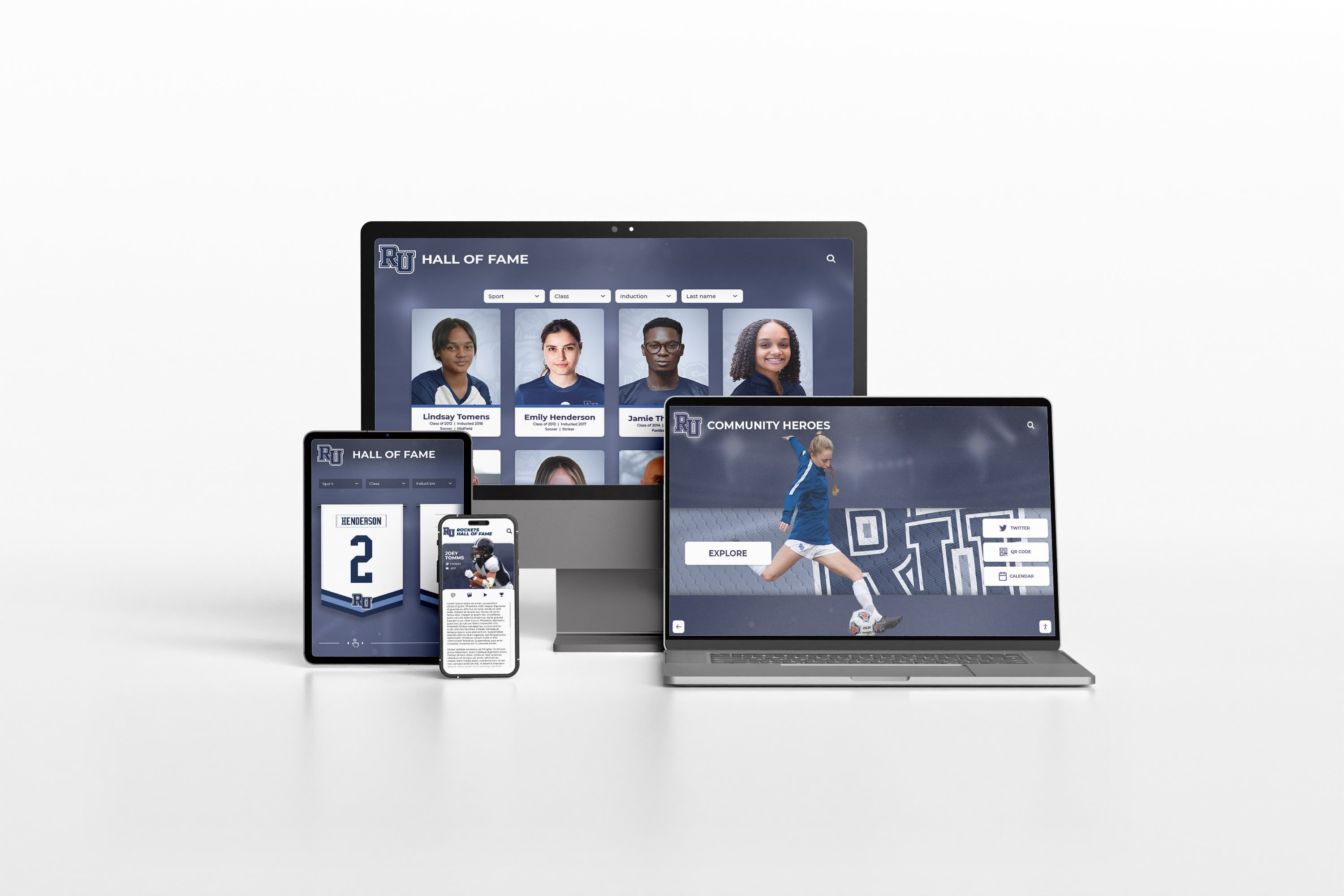
Districts managing multiple campuses benefit from cloud-based platforms where a single administrative dashboard controls record boards across all buildings. A district athletic director can verify and publish records from any school, maintain consistent field structures across all programs, and pull aggregate reports during end-of-year reviews. Cloud architecture also simplifies hardware replacement—when a display is upgraded, the data migrates instantly rather than requiring re-entry.
Digital trophy case display ideas often incorporate record boards as one component of a broader digital recognition ecosystem that includes hall of fame walls, championship banners, and donor recognition in a single connected platform.
Section 6: When Digital Beats Manual — The Decision Checklist
Use this checklist to assess whether your program’s needs justify a full digital record board investment versus a simpler display approach:
Strongly favors a digital record board:
- Your program tracks records across five or more sports
- Records are updated more than twice per academic year
- Your facility hosts recruiting visits, alumni events, or open houses
- You have experienced name erasure from a physical board in the past decade
- Your coaching staff has significant turnover (makes update continuity harder with manual systems)
- You want historical depth beyond the current record holder
- Mobile access or QR engagement is a goal
- Your facilities include multiple buildings requiring consistent recognition displays
A simpler solution may suffice:
- Fewer than three active sports with records to track
- Records change once per year or less
- No touchscreen interactivity needed
- Budget constraints make software subscription costs impractical in the near term
- A dedicated staff member is available to manage manual updates consistently
Most programs with five or more sports, annual recruiting activity, or any history of record erasure land clearly in the digital column—not because the hardware is impressive, but because manual systems fail them in concrete, recurring ways.
Best touchscreen display options for school recognition programs provide useful hardware comparison context once you’ve confirmed the software and workflow requirements—hardware selection should follow platform selection, not precede it.
Section 7: Platform Evaluation Criteria
When evaluating digital record board vendors, go beyond feature lists. Ask these questions directly:
Data ownership: If you cancel the subscription, can you export all records in a standard format (CSV, JSON)? Who owns the data?
Update process: Does auto-ranking work natively, or does it require manual re-sorting after each new entry? Can coaches update from a mobile device?
Capacity limits: Is there a per-sport, per-record, or per-athlete limit? What happens when you exceed it?
Historical preservation: Does the platform preserve all historical record holders, or does a new record overwrite the previous one?
Hardware flexibility: Does the software require proprietary hardware, or does it run on standard commercial displays?
Support model: What is the response time for technical issues? Is there a dedicated account manager or a general support queue?
ADA compliance: Is the display interface screen-reader compatible? Does it meet WCAG 2.1 AA standards?
Platforms built specifically for school athletic recognition—like Rocket Alumni Solutions—handle these requirements by design. Generic digital signage platforms often require significant custom configuration to meet the same standard, which increases both implementation time and long-term maintenance cost.
Interactive archive solutions for school programs address how some schools combine record boards with broader digital archive initiatives—connecting athletic achievements to yearbooks, historical photographs, and alumni profiles in a single searchable system.
Frequently Asked Questions
How many sports should a school have before a digital record board makes financial sense?
Most vendors cite five or more sports as the threshold where digital systems clearly outperform vinyl in total cost of ownership over a five-year period. Programs with three to four sports often fall in a gray zone where the motivational and engagement benefits drive the decision more than pure cost math.
Can a digital record board replace our existing trophy case?
Not directly—trophies and physical hardware have their own recognition value. Digital record boards complement trophy cases by adding depth (historical records, athlete profiles, team histories) that physical cases can’t provide. Many schools install a touchscreen kiosk adjacent to an existing trophy case rather than replacing it.
How long does it take to enter existing records into a new system?
For a program with ten sports at JV and varsity level, initial data entry typically takes eight to fifteen hours if records are already documented in spreadsheets. If records exist only on physical boards or in coaches’ memories, discovery and verification adds significant time. Platforms with bulk import (CSV upload) reduce entry time substantially.
What happens to old records when we switch to a digital system?
A properly configured digital platform imports all historical records and preserves them with the same visibility as current records. No names are removed; the system auto-ranks all entries from most recent to oldest so historical context is visible at a glance.
Does a digital record board require a full-time staff member to maintain?
No. With auto-ranking and remote update capability, most programs manage ongoing maintenance in under an hour per week across all sports during active seasons, and under five minutes per week in the offseason. The initial data entry and setup require more time, but ongoing operations are minimal compared to vinyl systems.
Planning Checklist — Before You Purchase
Use this checklist to confirm your planning is complete before contacting vendors:
- Field list documented for each sport (core fields + any sport-specific extensions)
- Update ownership assigned by sport with primary and backup named
- Update cadence defined (trigger-based vs. calendar-based) per sport
- Verification workflow documented (who reviews, turnaround time)
- Installation locations identified with physical dimensions
- Lighting conditions assessed for each location
- Existing records inventoried and digitized (or digitization plan in place)
- Budget range established for hardware, software, and installation
- IT infrastructure confirmed (network access at installation locations)
- Decision-maker authority confirmed for vendor selection
Digital recognition display ideas for campus communities include planning frameworks that extend this checklist to cover alumni notification strategies, launch event planning, and long-term content governance—useful if your program wants to maximize engagement from day one.
Getting Started
A well-planned digital record board does three things a vinyl board cannot: it preserves every record holder without ever erasing history, it updates in minutes from any device, and it creates an interactive experience that turns a hallway display into a genuine program asset for athletes, alumni, and recruits.
The planning decisions documented here—fields, workflow, display format—are the difference between a system that serves your program for a decade and one that becomes a maintenance burden by year two.
Book a live demo with Rocket Alumni Solutions to walk through a working digital record board configured for schools at your size and sport mix. The demo covers field structure, update workflow, and display options so you can see exactly how the planning decisions above translate into a real system. Schedule your demo here.
Digital record board engagement strategies for campus programs provide additional ideas for maximizing the impact of your investment once your system is live—from QR code campaigns to alumni outreach tied to historical record milestones.































