




Building visitors arrive with one immediate need: finding their destination quickly without asking for directions. Whether it’s a prospective student searching for the admissions office, a parent locating their child’s classroom, or an alumni visitor trying to reach the athletic hall of fame, navigation confusion creates frustration that undermines first impressions and wastes valuable time.
Organizations addressing this universal challenge typically consider two primary solutions: digital kiosks and touchscreen directories. While both involve interactive displays, they serve fundamentally different purposes, deliver distinct capabilities, and require separate evaluation criteria. Understanding these differences determines whether your facility receives a navigation tool that simply points people in the right direction or a comprehensive engagement platform that showcases institutional excellence while helping visitors navigate.
This comprehensive guide clarifies the digital kiosk versus touchscreen directory decision by examining each solution’s core capabilities, comparing implementation requirements, analyzing real-world applications across different facility types, and providing specific selection criteria matching your organization’s actual needs and priorities.
Understanding the Core Distinction
Digital kiosks function as multi-purpose interactive platforms capable of delivering various applications including wayfinding, information browsing, form completion, payment processing, and multimedia content. Touchscreen directories specialize specifically in building navigation and occupant information, optimizing every interface element for the single task of helping visitors find locations quickly. The right choice depends entirely on whether your facility needs general-purpose computing capability or purpose-built navigation efficiency.
What Defines a Digital Kiosk?
Digital kiosks represent flexible computing platforms deployed in public spaces for visitor self-service. Think of kiosks as specialized computers designed for standing interaction in high-traffic areas rather than desktop use in private offices.
Digital Kiosk Core Capabilities
Multi-Application Platform Architecture: Kiosks typically run multiple applications on single hardware installations. A school entrance kiosk might provide building navigation during regular hours, visitor check-in functionality for guest management, event information during evening programs, and emergency communication displays during crisis situations. This versatility maximizes hardware investment by serving various needs through one physical installation.
Transaction and Data Collection Capabilities: Unlike simple information displays, kiosks often process transactions and capture user input. Common kiosk applications include payment processing for fees or purchases, form submission for registrations or applications, survey completion capturing visitor feedback, appointment scheduling for services or meetings, and check-in systems managing visitor access or attendance.

Customizable Software Environments: Organizations deploy various software platforms on kiosk hardware depending on specific requirements. Schools might run custom web applications accessing student information systems, third-party visitor management software, content management platforms displaying recognition content, or specialized applications designed for specific institutional processes.
Robust Hardware Specifications: Because kiosks support diverse applications with varying technical requirements, they typically feature more powerful computing specifications than single-purpose devices. Kiosks commonly include higher-end processors supporting simultaneous applications, additional RAM enabling complex software operations, larger storage capacities accommodating multiple software installations, various peripheral support including printers, scanners, and payment devices, and enhanced security features protecting sensitive data and transactions.
Common Digital Kiosk Applications
Educational institutions, corporate facilities, government buildings, and public spaces deploy kiosks for numerous purposes beyond simple navigation:
Visitor Management Systems: Organizations prioritizing security and access control implement visitor check-in kiosks capturing guest information, printing visitor badges, notifying hosts of arrivals, and maintaining visitor logs meeting security or compliance requirements. Schools particularly benefit from visitor management integrations tracking all non-student building access.
Wayfinding with Extended Information: While touchscreen directories focus exclusively on navigation, kiosks often combine wayfinding with broader facility information including building maps and room locations, occupant directories and contact information, event schedules and room assignments, facility services and amenities locations, and parking information and campus transit options.
Self-Service Information Access: Many facilities implement kiosks enabling visitors to access information independently without staff assistance. Universities might provide course catalogs, program information, and admissions materials. Corporate offices could offer employee directories, company news, and human resources information. Government buildings may display permit information, application requirements, and procedural guidance.
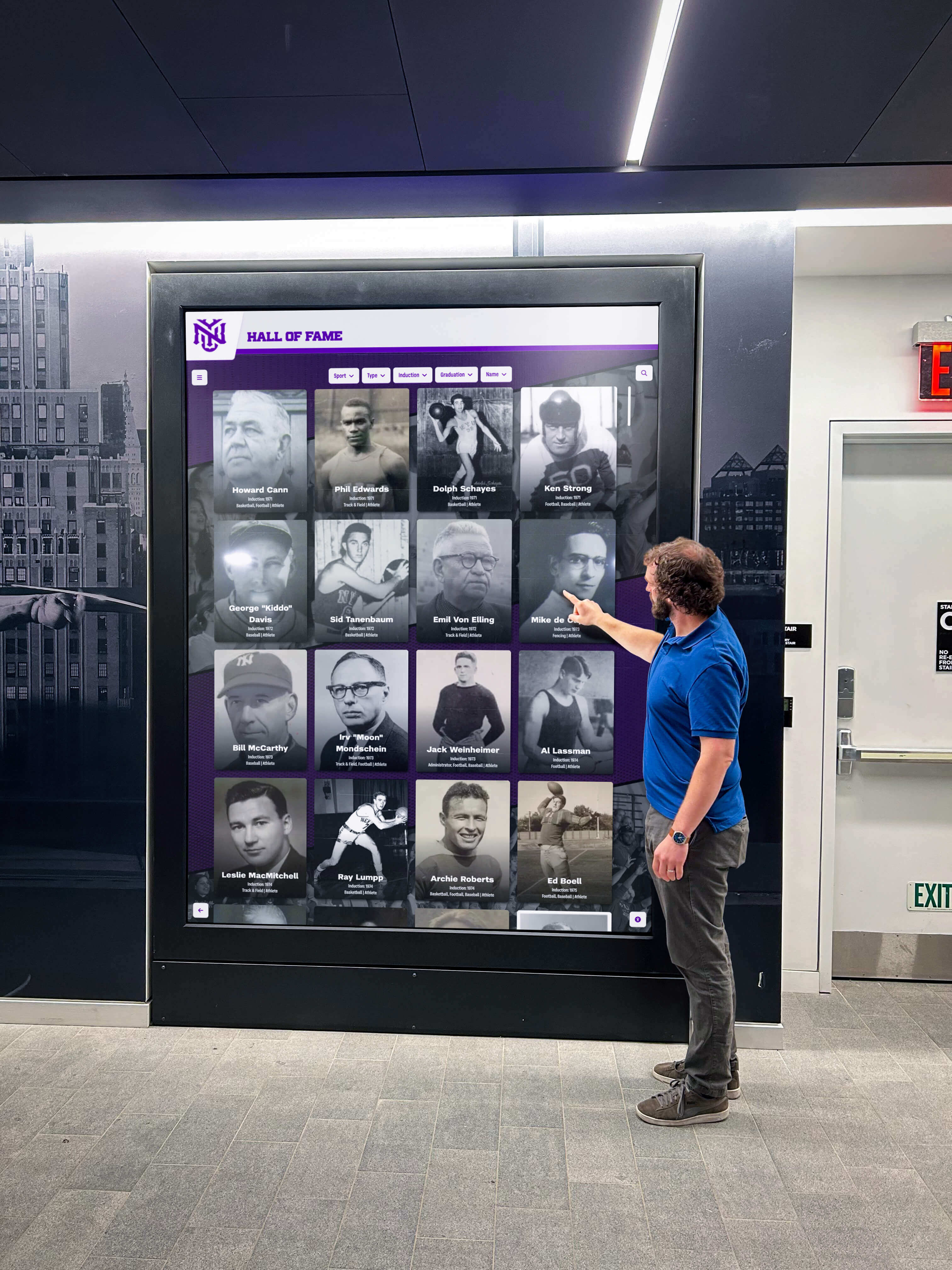

Recognition and Engagement Platforms: Schools and universities increasingly leverage kiosks for community engagement beyond navigation. Interactive hall of fame displays showcase athletic achievements, academic honors, distinguished alumni, and institutional history while occupying the same physical footprint navigation-only directories would require.
Event Check-In and Registration: Organizations hosting frequent events benefit from kiosks managing attendee check-in, printing name badges, distributing materials or information packets, and collecting attendance data without requiring dedicated staff at registration tables.
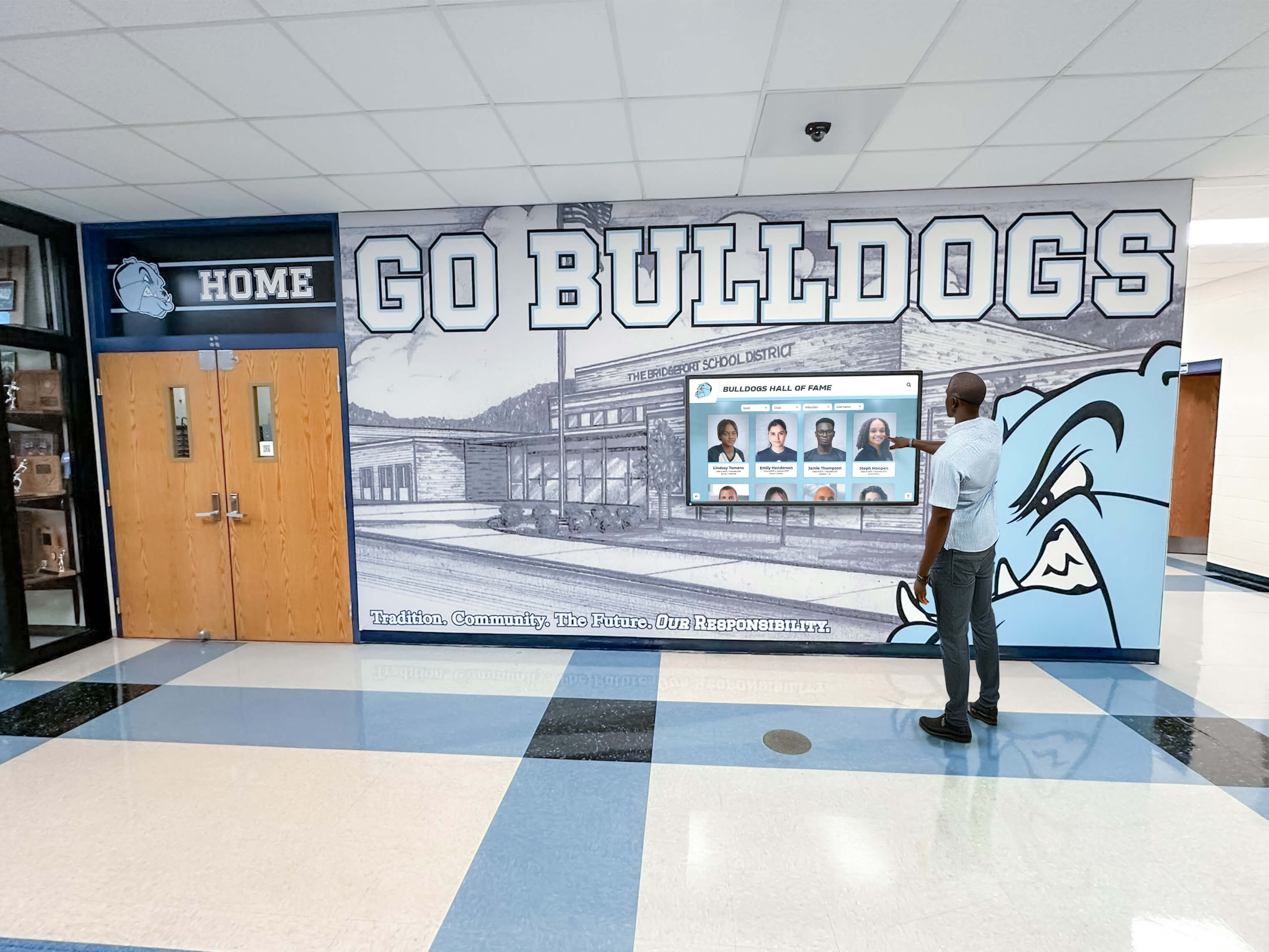
What Defines a Touchscreen Directory?
Touchscreen directories deliver focused solutions optimizing every aspect of hardware and software specifically for building navigation and occupant information. Unlike multi-purpose kiosks supporting various applications, directories concentrate entirely on helping visitors find destinations efficiently.
Touchscreen Directory Core Characteristics
Single-Purpose Optimization: Everything about touchscreen directories—interface design, search capabilities, content organization, navigation flow—focuses exclusively on getting visitors from “Where is X?” to understanding exactly how to reach their destination. This laser focus enables superior navigation experiences compared to wayfinding features added to general-purpose kiosk platforms.
Simplified Interface Design: Directories eliminate every interface element not directly supporting navigation. Large, obvious search fields dominate home screens. Department and occupant listings display prominently with clear organizational hierarchies. Floor maps render with maximum clarity and minimal decorative elements. Navigation instructions communicate through unambiguous visual wayfinding rather than detailed text descriptions.
Occupant Database Integration: The distinguishing feature separating touchscreen directories from simple building maps involves comprehensive occupant information. Quality directories maintain searchable databases including staff names and titles, department affiliations and organizational structures, room numbers and building locations, phone extensions and email addresses when appropriate, and office hours for visitor planning.
Minimal Hardware Requirements: Because directories serve single specialized functions without transaction processing, form completion, or peripheral device integration, they operate successfully on less powerful hardware than general-purpose kiosks require. This often translates to lower initial costs and simpler installations.
Common Touchscreen Directory Applications
Organizations implement dedicated directories when building navigation represents the primary challenge requiring solution rather than one application among many diverse needs:
Corporate Office Buildings: Multi-tenant buildings, corporate headquarters, and professional office complexes implement directories helping visitors locate specific companies, departments, or individuals across complex floor plans. Directories prove essential in buildings where tenant turnover requires frequent updates traditional signage can’t accommodate efficiently.
Educational Campus Navigation: School buildings—particularly large high schools, college academic buildings, and university facilities—benefit from directories helping students find classrooms, parents locate teachers during open houses, and visitors navigate to offices, athletic facilities, auditoriums, or specialized learning spaces during tours or events.
Hospital and Healthcare Facility Wayfinding: Medical facilities face particularly acute navigation challenges given the anxiety visitors experience seeking patient rooms, diagnostic departments, or specialist offices. Dedicated touchscreen directories for healthcare facilities address these needs with healthcare-specific features including patient room lookup, department locations organized by medical specialty, physician directories searchable by name or practice area, and accessibility information for mobility-impaired visitors.
Government Building Public Access: Government facilities serving public constituents implement directories guiding visitors to appropriate departments for permits, licenses, applications, or public services. Directories reduce confusion in complex buildings where organizational structures and departmental responsibilities may be unclear to occasional visitors.
Mixed-Use Community Facilities: Recreation centers, community centers, libraries, and public facilities hosting multiple organizations or programs use directories helping visitors identify which organizations occupy which spaces, locate specific program meeting rooms, find staff offices, and understand building layouts during initial visits.
Critical Differences: Digital Kiosk vs Touchscreen Directory
Understanding specific distinctions between these solutions enables appropriate technology selection matching actual facility requirements rather than assumptions about what buildings need.
Purpose and Application Scope
Digital Kiosks: Serve as platforms for multiple applications beyond navigation. Organizations choose kiosks when requiring flexibility for various current and future uses beyond wayfinding—visitor management, transaction processing, information access, or recognition displays.
Touchscreen Directories: Optimize exclusively for building navigation and occupant information. Organizations select directories when wayfinding represents the primary challenge requiring solution without need for additional kiosk applications.
Software Complexity and Management
Digital Kiosks: Require more complex software environments supporting multiple applications, user permissions, security protocols, and often integration with various institutional systems. Organizations typically need IT support for kiosk management, software updates, security maintenance, and troubleshooting technical issues.
Touchscreen Directories: Feature simpler software focused entirely on navigation functionality. Content management typically involves basic occupant database maintenance rather than complex application administration. Non-technical facilities management staff often handle directory updates independently without IT department involvement.
Hardware and Installation Considerations
Digital Kiosks: Generally require higher-specification hardware supporting diverse applications, additional power requirements for peripheral devices, specialized enclosures with hardware security, and potentially complex installations involving network connections, power supplies, and space accommodating various peripherals.
Touchscreen Directories: Operate on simpler hardware specifications adequate for navigation applications, mount with straightforward installations similar to digital signage, require basic network connectivity for content updates, and need minimal power infrastructure compared to full kiosk systems.
Cost Implications
Digital Kiosks: Typically involve higher initial investments due to robust hardware specifications, complex software platforms, professional installation requirements, and ongoing maintenance costs including software licensing, security updates, and technical support.
Touchscreen Directories: Generally cost less to implement given simpler hardware requirements, streamlined software platforms, straightforward installations, and lower ongoing maintenance needs with basic content management.
User Experience Focus
Digital Kiosks: Balance navigation functionality with other applications, potentially requiring users to select wayfinding from application menus before accessing directory features. This additional navigation step slows immediate wayfinding access.
Touchscreen Directories: Present navigation functionality immediately without application selection or menu navigation. Users find destinations faster through purpose-built interfaces requiring no learning curve or instruction.
Content Management Complexity
Digital Kiosks: Content updates often involve technical procedures, scheduled maintenance windows, IT coordination, and testing protocols ensuring changes don’t affect other applications sharing the platform.
Touchscreen Directories: Content management focuses primarily on maintaining occupant databases—adding, removing, or updating staff information, room assignments, and department structures through straightforward administrative interfaces facilities managers handle independently.
When Digital Kiosks Represent the Better Choice
Certain organizational circumstances and facility requirements clearly favor general-purpose kiosk platforms over specialized navigation directories.
Multiple Application Requirements
Organizations needing interactive platforms for various purposes beyond navigation should implement kiosks supporting comprehensive functionality rather than deploying separate specialized systems for each application.
Ideal Kiosk Scenarios:
- Schools requiring visitor management check-in alongside building navigation
- Facilities needing event registration and check-in capabilities with permanent installations
- Buildings requiring transaction processing for payments, applications, or service requests
- Organizations wanting recognition displays showcasing achievements alongside wayfinding
- Campuses needing information access for forms, applications, or institutional materials
High Technical Support Capacity
Organizations with dedicated IT departments capable of managing complex software platforms, maintaining security protocols, integrating with institutional systems, and troubleshooting technical issues can fully leverage kiosk capabilities without operational challenges.
Budget for Comprehensive Solutions
When budgets support robust hardware, professional installation, ongoing software licensing, and continuous technical support, kiosks deliver maximum versatility and long-term value through multi-application capability.
Future Application Flexibility
Organizations anticipating evolving needs benefit from kiosk platforms accommodating new applications as requirements emerge without replacing hardware. This future-proofing justifies higher initial investments for facilities expecting changing needs.
When Touchscreen Directories Represent the Better Choice
Different circumstances make specialized navigation directories more appropriate than general-purpose kiosks despite seemingly greater kiosk versatility.
Navigation as Primary Challenge
When visitor wayfinding represents the fundamental problem requiring solution without additional application needs, purpose-built directories deliver superior navigation experiences at lower implementation costs than multi-application kiosks.
Ideal Directory Scenarios:
- Buildings where visitors frequently struggle finding specific rooms or occupants
- Multi-tenant facilities with regularly changing occupant assignments
- Facilities receiving numerous first-time visitors unfamiliar with building layouts
- Organizations lacking physical signage infrastructure for comprehensive wayfinding
- Campuses where outdated printed directories cause navigation confusion
Limited Technical Support Resources
Smaller organizations without dedicated IT staff or schools with lean technology departments benefit from simplified directory platforms non-technical administrators manage independently without ongoing technical support requirements.
Budget-Conscious Implementations
When budgets prioritize solving immediate navigation challenges efficiently rather than building comprehensive multi-application platforms, directories deliver focused solutions at fraction of kiosk implementation costs.
Rapid Deployment Requirements
Organizations needing quick solutions for immediate navigation problems implement directories faster than comprehensive kiosk platforms requiring extensive configuration, integration, and testing before deployment.
Simple Content Management Needs
Facilities where content primarily involves occupant databases benefit from directory simplicity rather than kiosk complexity. When maintenance primarily means updating staff assignments and contact information, directory platforms prove more appropriate than general-purpose kiosk software.
Hybrid Approach: Recognition-Enhanced Directories
Progressive organizations increasingly implement hybrid solutions combining navigation functionality with recognition and engagement content, delivering both practical wayfinding and inspirational institutional storytelling through single installations.
Purpose-Built Recognition Platforms with Wayfinding
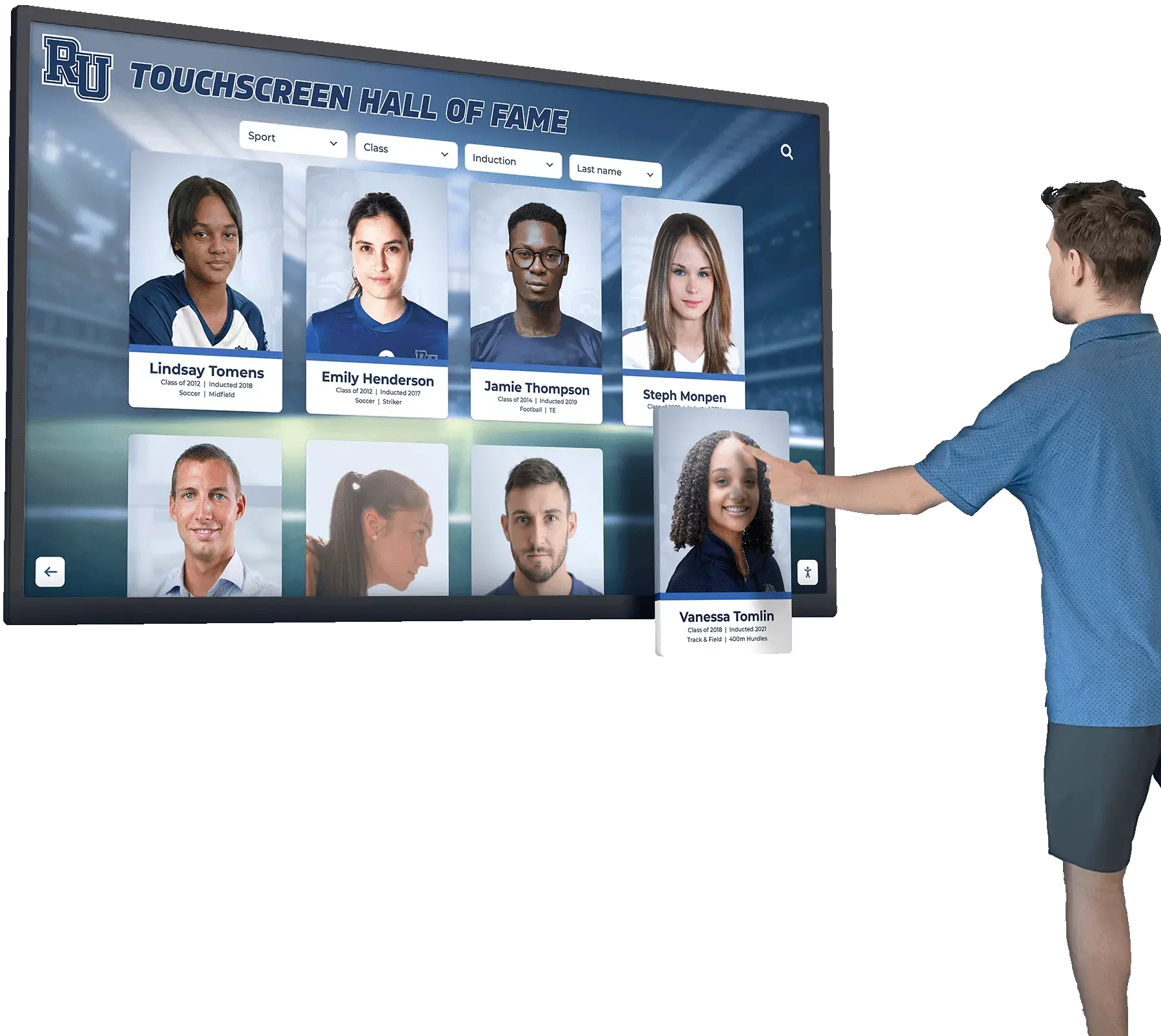
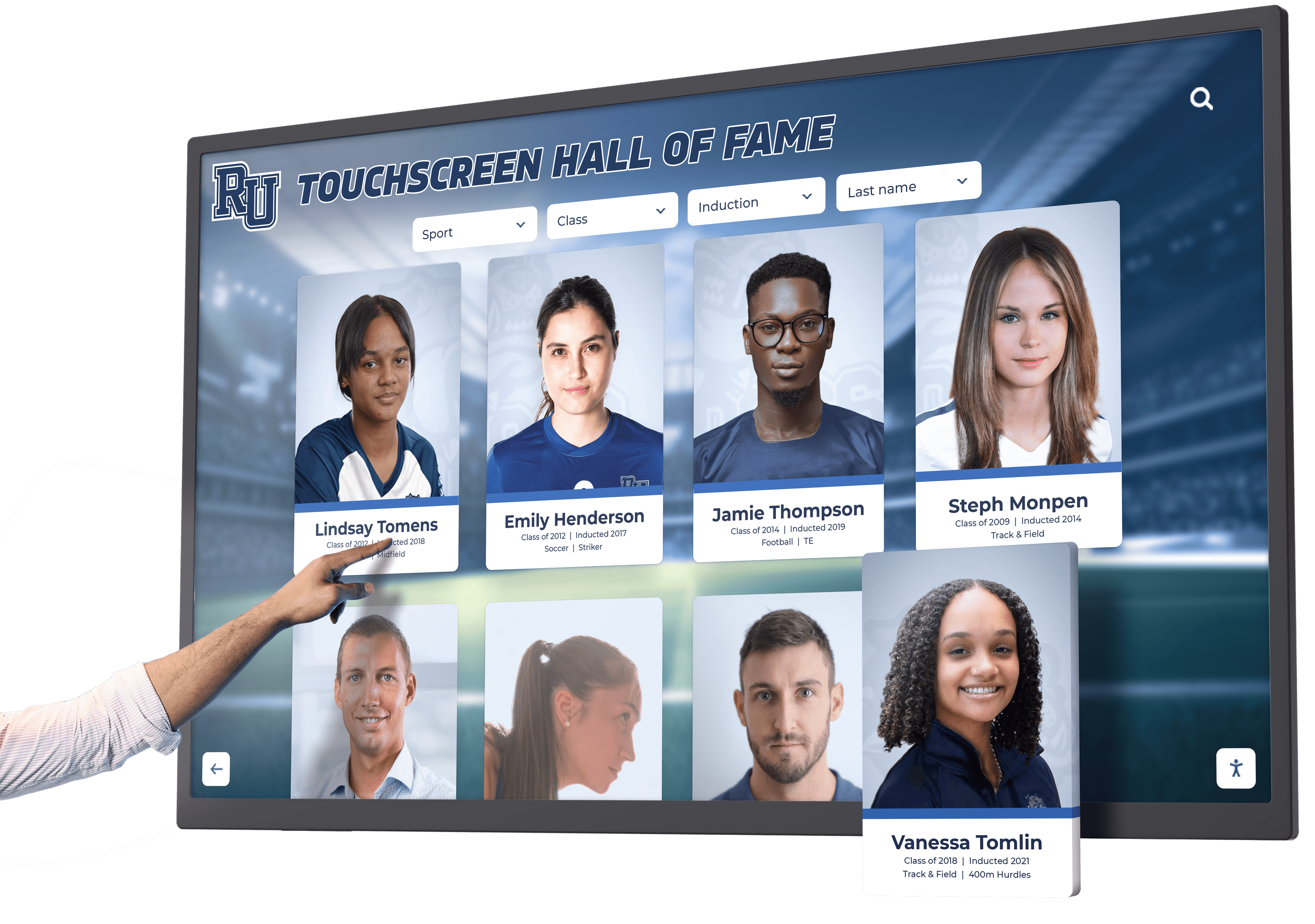
Specialized platforms like Rocket Alumni Solutions enable organizations to showcase comprehensive achievement content, institutional history, and community recognition while maintaining clear navigation pathways for visitors seeking specific locations.

This hybrid approach delivers distinct advantages over both traditional directories and general-purpose kiosks:
Recognition-First Design: Unlike kiosks where wayfinding competes with multiple applications, recognition platforms place institutional achievement, community celebration, and historical preservation at center focus while incorporating practical navigation features visitors need.
Simplified Content Management: Purpose-built recognition platforms provide intuitive content management simpler than general kiosk software yet more sophisticated than basic directories. Non-technical staff manage comprehensive achievement profiles, multimedia content, and organizational information through web-based dashboards requiring no programming knowledge.
Unlimited Content Capacity: Recognition platforms accommodate complete institutional histories without artificial profile limits common in generic directory or kiosk systems. Schools showcase thousands of student achievements, championship teams, distinguished alumni, and historical milestones alongside practical navigation content.
Engagement-Optimized Interfaces: Where basic directories efficiently answer “Where is this?” questions, recognition platforms invite exploration through compelling visual presentations, powerful search capabilities, multimedia storytelling, and connection-building content transforming navigation tools into engagement opportunities.
Cost-Effective Implementation: Recognition platforms typically cost less than full kiosk systems while delivering dramatically more capability than simple navigation directories, providing middle-ground solutions maximizing value without unnecessary complexity or expense.
Implementation Considerations for Either Solution
Regardless of which technology direction your organization selects, several universal implementation factors determine long-term success or eventual disappointment.
Hardware Selection and Specifications
Display Size and Resolution: Choose screen sizes appropriate for typical viewing distances and user populations. Lobby installations with 6-10 foot approach distances work well with 43-55 inch displays. Closer installations or applications with dense information benefit from 32-43 inch screens. Always select 4K resolution ensuring text clarity regardless of screen size.
Touchscreen Technology Choice: Infrared touch overlays provide reliable interaction without requiring specific touch pressure, supporting gloves and various input methods suitable for public environments. Capacitive touchscreens offer smartphone-like responsiveness but may frustrate users expecting lighter touch. For most public installations, infrared proves more appropriate.
Commercial-Grade Reliability: Consumer displays lack durability for continuous operation in public settings. Commercial displays include components designed for extended daily operation, robust construction withstanding public use, and commercial warranties supporting institutional deployments. Organizations should select commercial-grade touchscreen hardware designed specifically for high-traffic public environments.
Environmental Considerations: Consider installation location conditions when selecting hardware. High-traffic areas need robust protective enclosures. Well-lit spaces require high-brightness displays. Climate-controlled environments enable standard specifications while extreme temperature locations need specialized equipment.
Content Development and Organization
Initial Database Population: Whether implementing directories or kiosks, launching with comprehensive, accurate content matters significantly. Incomplete occupant databases, outdated information, or gaps in coverage undermine user confidence and reduce technology adoption. Schools implementing digital recognition systems should ensure complete data migration from legacy systems before launch.
Organizational Structure Clarity: Design information hierarchies matching how visitors think about finding destinations rather than internal organizational charts. Visitors search by department function (“admissions”), person names, or room numbers—not internal reporting structures or bureaucratic divisions.
Visual Wayfinding Elements: Text directions alone prove insufficient for many visitors. Include floor plan maps with clear orientation markers, you-are-here indicators, destination highlighting, and visual route guidance when appropriate for building complexity.
Ongoing Maintenance Workflows: Establish clear processes for keeping information current including staff responsible for content updates, schedules for regular database audits, protocols for communicating changes affecting directories, and escalation paths when technical issues emerge.
Strategic Placement Decisions
High-Traffic Location Priority: Install primary navigation tools where visitors naturally enter buildings or encounter decision points about which direction to proceed. Main entrances, elevator lobbies, building intersections, and parking structure entries represent optimal locations.
Quantity Balancing: While budget constraints limit installations, multiple strategically placed displays prove dramatically more effective than single centralized locations. Visitors need navigation assistance at decision points throughout buildings, not just main entrances.
Visibility and Accessibility: Ensure installations feature clear sightlines from natural approach paths, appropriate mounting heights accommodating wheelchair users, adequate lighting without screen glare, and sufficient surrounding space for comfortable interaction without blocking circulation paths.
User Experience Testing and Refinement
Pre-Launch Usability Validation: Test navigation interfaces with actual visitors before official launch. Observe where users struggle, what search patterns they employ, which organizational structures prove intuitive versus confusing, and how quickly typical users find common destinations.
Analytics Implementation: Implement usage tracking measuring which content receives most views, which search terms users employ, where users abandon searches without finding destinations, and how long typical interactions take. This data guides interface refinement and content optimization. Organizations can leverage interactive display analytics to continuously improve user experiences.
Continuous Improvement Cycles: Treat directory and kiosk installations as evolving platforms requiring regular refinement based on usage data and user feedback rather than set-and-forget technology deployments.
Cost Analysis: Digital Kiosk vs Touchscreen Directory
Understanding realistic costs for each solution enables appropriate budget planning and technology selection matching financial constraints.
Digital Kiosk Implementation Costs
Hardware Investment: Full-featured kiosks with robust specifications, peripheral support, security enclosures, and professional mounting typically cost $3,000-$8,000 per installation depending on display size, enclosure type, computing specifications, and included peripherals.
Software Licensing: Kiosk software platforms generally charge annual licensing fees ranging from $500-$2,500 per display depending on included applications, support levels, and platform capabilities. Some vendors charge per-device fees while others price based on functionality enabled.
Installation and Configuration: Professional kiosk installation including electrical work, network connections, mounting, and initial software configuration typically costs $1,000-$3,000 per location depending on installation complexity and electrical requirements.
Ongoing Maintenance and Support: Annual costs for software updates, technical support, content management, and hardware maintenance typically range $800-$2,000 per kiosk depending on support agreements and in-house versus vendor-provided management.
Total First-Year Cost: Comprehensive digital kiosk implementations typically require $5,300-$15,500 per installation including hardware, software, professional installation, and first-year support.
Touchscreen Directory Implementation Costs
Hardware Investment: Purpose-built directory displays with commercial-grade touchscreens, basic computing modules, and straightforward mounting typically cost $1,500-$4,000 per installation depending on screen size and mounting complexity.
Software Licensing: Directory software platforms generally charge $200-$800 annually per display for content management, cloud hosting, and basic support. Many providers offer multi-year discounts reducing per-year costs.
Installation and Configuration: Directory installation requiring basic mounting and network connection typically costs $500-$1,500 per location. Less complex requirements reduce professional installation costs compared to full kiosks.
Ongoing Maintenance and Support: Annual directory maintenance including content updates, software hosting, and basic support typically costs $300-$1,000 per installation depending on vendor support models and internal versus external content management.
Total First-Year Cost: Touchscreen directory implementations typically require $2,500-$7,300 per installation including hardware, software, installation, and first-year support—substantially less than comprehensive kiosk solutions.
Recognition Platform Implementation Costs
Hardware Investment: Recognition platform hardware requirements similar to directory specifications result in comparable $1,500-$4,000 per-installation costs depending on display size and mounting complexity.
Software Licensing: Recognition platforms like Rocket Alumni Solutions typically charge annual subscription fees based on content volume and included features rather than per-display licensing. Schools and organizations often implement multiple displays under unified subscriptions, reducing effective per-display costs compared to traditional directory or kiosk per-unit pricing.
Installation and Configuration: Recognition platform installation costs align with directory specifications at $500-$1,500 per location for professional mounting and network setup.
Content Development Investment: Recognition platforms require additional upfront investment in content creation—photographing achievements, gathering historical information, creating profiles, and building comprehensive recognition databases. This content development often represents the largest implementation cost but occurs once with ongoing updates requiring minimal resources.
Total First-Year Cost: Recognition platform implementations typically require $3,000-$8,000 per physical display plus content development investment, positioning between basic directories and full kiosks while delivering substantially greater engagement value than either alternative.

Making Your Selection: Decision Framework
Organizations selecting between digital kiosks, touchscreen directories, or recognition platforms should systematically evaluate requirements against solution capabilities rather than making assumptions about which technology best serves their needs.
Assessment Questions Guiding Technology Selection
Primary Purpose Identification:
- Does your facility primarily need navigation assistance for visitors finding rooms and occupants?
- Do you require multiple applications including visitor management, transactions, or information access beyond wayfinding?
- Would you benefit from recognition displays celebrating achievements while providing practical navigation?
Technical Capacity Evaluation:
- Do you have dedicated IT staff capable of managing complex kiosk software and troubleshooting technical issues?
- Can non-technical facilities or administrative staff handle content management independently?
- What level of ongoing technical support can your organization realistically provide?
Budget Reality Check:
- What funding exists for initial hardware, software, and installation?
- Can you sustain annual software licensing, maintenance, and support costs?
- Does budget support single installations or multiple strategically placed displays?
Content Management Assessment:
- Who will maintain directory databases, content updates, and information accuracy?
- How frequently do occupant assignments, room numbers, or organizational structures change?
- Can content managers dedicate time to comprehensive recognition content versus basic directory maintenance?
Application Scope Projection:
- Beyond navigation, what other applications would benefit from interactive display platforms?
- Are future needs likely to evolve requiring additional applications?
- Does your organization prioritize single-purpose efficiency or multi-application flexibility?
User Experience Priorities:
- Should visitors encounter navigation functionality immediately or select wayfinding from application menus?
- Does your facility benefit more from efficient directory interfaces or engaging recognition experiences?
- What balance between practical utility and community engagement best serves organizational goals?
Selection Matrix: Matching Solutions to Organizational Profiles
Choose Digital Kiosks When:
- Requiring multiple applications beyond navigation (visitor management, transactions, forms)
- Possessing dedicated IT support for ongoing management and maintenance
- Budget supports comprehensive implementations with annual licensing and support costs
- Anticipating evolving needs requiring application flexibility
- Prioritizing platform versatility over specialized optimization
Choose Touchscreen Directories When:
- Solving primarily navigation challenges without additional application requirements
- Limited technical support availability necessitates simplified management
- Budget constraints require efficient solutions addressing immediate wayfinding needs
- Rapid deployment schedules demand straightforward implementation
- Content primarily involves basic occupant database maintenance
Choose Recognition Platforms When:
- Valuing community engagement and achievement celebration alongside practical navigation
- Seeking balance between directory utility and inspirational institutional storytelling
- Requiring simplified content management more sophisticated than directories but less complex than kiosks
- Wanting unlimited content capacity showcasing comprehensive institutional histories
- Prioritizing visitor engagement through compelling content inviting exploration
- Needing cost-effective solutions delivering more value than basic directories without full kiosk complexity
Real-World Application Scenarios
Understanding how different organizations successfully implement various solutions provides practical context for technology selection decisions.
K-12 School Campus Navigation and Recognition
Challenge: Large high school with multiple buildings, frequent room reassignments, championship athletic programs, and numerous distinguished alumni struggling to help visitors navigate while celebrating institutional excellence.
Solution: Recognition platform combining comprehensive achievement showcases with practical campus navigation.
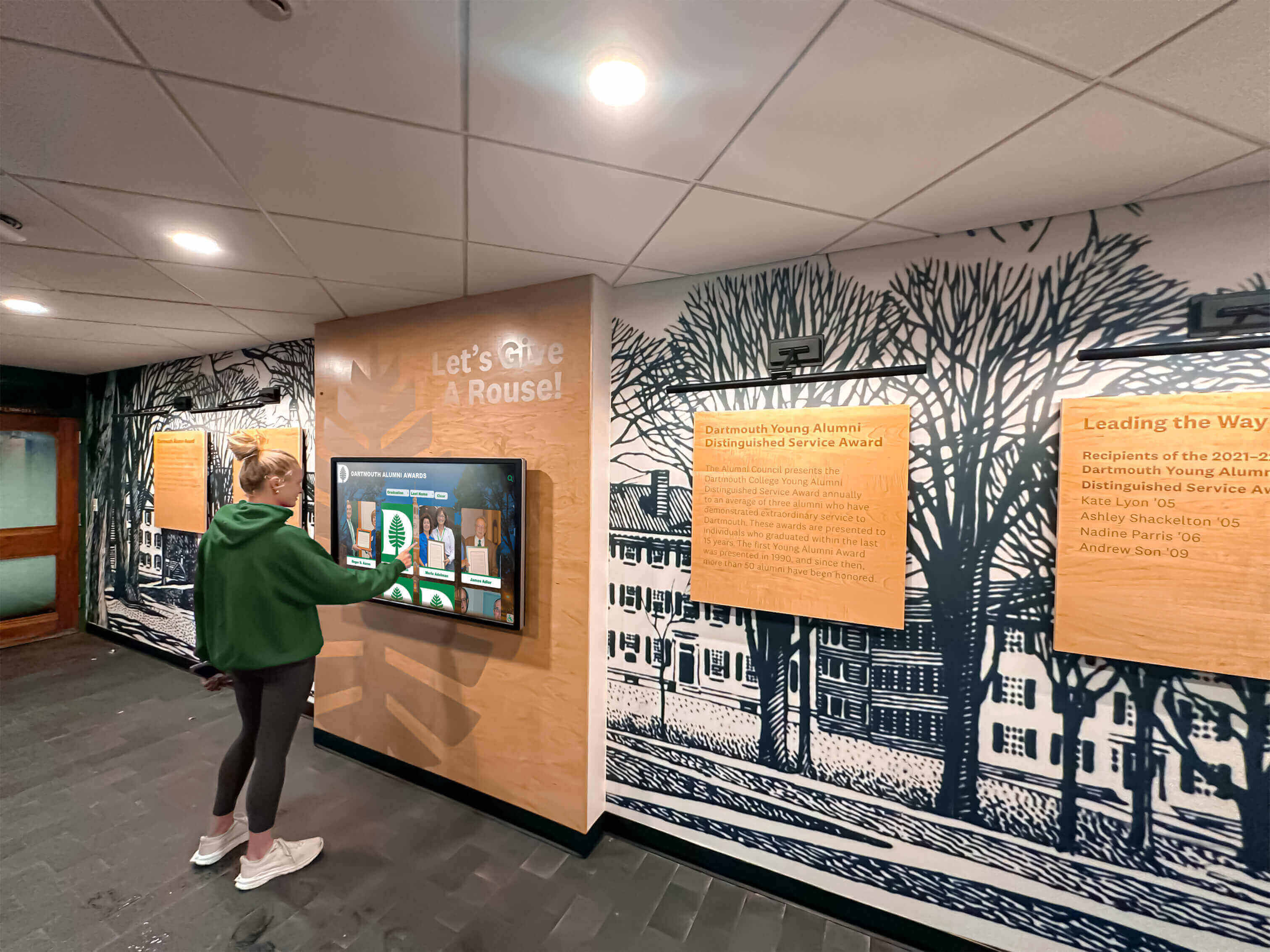
Implementation: Multiple touchscreen displays in main building entrance, athletic facility lobby, and performing arts center entrance showcasing athletic championships, academic honors, distinguished alumni profiles, and complete institutional history while providing searchable staff directories, room locations, department information, and event schedules.
Result: Visitors easily navigate while discovering inspiring achievement stories. Parents attending events explore school history. Prospective families touring campus engage with recognition content demonstrating program excellence. Alumni return for reunions and find their achievements preserved digitally.
Corporate Office Multi-Tenant Building
Challenge: Professional office building with frequent tenant turnover, visitors seeking various companies, and minimal reception desk staffing.
Solution: Touchscreen directory optimized specifically for building navigation.
Implementation: Lobby directory with searchable tenant database organized by company name, suite number, and floor. Simple interface enables visitors to quickly locate destinations without staff assistance.
Result: Visitors find tenants independently. Reception staff handles fewer navigation questions. Tenant database updates accommodate turnover without reprinting building directories.
University Academic Building
Challenge: Complex academic facility with hundreds of faculty offices, multiple departments, classroom wings, and specialized labs receiving prospective students, visiting scholars, and community members unfamiliar with building layout.
Solution: Hybrid approach with comprehensive directory functionality enhanced with department highlights and faculty research showcases.
Implementation: Main entrance display combining searchable faculty and staff directory with department introductions, research highlights, and academic program information. Interface prioritizes practical navigation while showcasing academic excellence.
Result: Visitors navigate efficiently to faculty offices or classrooms while discovering department research initiatives and academic offerings enhancing institutional reputation.
Hospital Visitor Wayfinding
Challenge: Medical facility where anxious visitors struggle finding patient rooms, diagnostic departments, physician offices, and various services across multiple connected buildings.
Solution: Healthcare-optimized touchscreen directory with patient privacy protection and medical facility-specific navigation features.
Implementation: Directories at main entrance, parking structure entry, and elevator lobby intersections. Searchable department database organized by medical specialty. Floor maps with clear visual wayfinding. Accessibility information for mobility-impaired visitors.
Result: Reduced visitor anxiety through confident navigation. Fewer navigation questions for already-busy medical staff. Improved patient family experience during stressful hospital visits.
Future Technology Trends: What’s Coming for Building Navigation
Building navigation technology continues evolving with emerging capabilities enhancing both digital kiosks and touchscreen directories.
Smartphone Integration and Continuity
Next-generation navigation solutions bridge physical displays and personal mobile devices. Visitors start navigation searches on building touchscreens then transfer directions to smartphones for continuous guidance while walking. QR codes at physical displays enable instant mobile access without requiring app downloads.
Voice-Activated Navigation
Accessibility improvements include voice interaction capabilities allowing visitors to speak navigation queries rather than typing search terms. Voice guidance proves particularly valuable for vision-impaired visitors and situations where touch interaction proves difficult.
Artificial Intelligence and Predictive Routing
AI-powered navigation systems learn building traffic patterns and provide optimized routing considering typical congestion, event schedules affecting normal circulation, accessibility requirements for mobility-impaired visitors, and real-time conditions like temporary closures or construction.
Augmented Reality Wayfinding
Emerging AR capabilities overlay navigation arrows and destination markers onto real-world views through smartphone cameras. Visitors point phones down hallways and see virtual wayfinding overlays guiding them to destinations with unprecedented clarity.
Integration with Building Systems
Advanced implementations connect navigation displays with facility management platforms providing real-time information about room occupancy and availability, meeting schedules and room assignments, environmental conditions and comfort information, and maintenance status affecting space accessibility.
Conclusion: Selecting the Right Building Navigation Solution
The digital kiosk versus touchscreen directory decision isn’t about which technology demonstrates superior capability in absolute terms—it’s about which solution best matches your organization’s specific needs, technical capacity, budget reality, and strategic priorities.
Organizations requiring versatile platforms supporting multiple current and future applications beyond navigation benefit from comprehensive digital kiosk implementations despite higher costs and increased complexity. Facilities primarily solving wayfinding challenges without additional application requirements achieve more efficient results through purpose-built touchscreen directories optimizing specifically for navigation at lower implementation costs.
Progressive organizations increasingly discover that recognition-enhanced platforms deliver optimal balance—practical navigation functionality visitors need combined with engaging achievement content showcasing institutional excellence, simplified content management non-technical staff handle confidently, unlimited capacity preserving complete organizational histories, and cost-effective implementations positioned between basic directories and comprehensive kiosks while delivering dramatically greater value than either traditional alternative.
Regardless of technology direction, successful implementations share common characteristics: strategic placement where visitors actually need navigation assistance, comprehensive accurate content maintained through clear responsibility and workflow, intuitive interfaces requiring no instruction for diverse user populations, and ongoing refinement based on usage analytics and visitor feedback rather than set-and-forget deployment mentality.
Your facility’s visitors deserve confident navigation reducing frustration and improving first impressions. The right technology selection—whether digital kiosk, touchscreen directory, or recognition platform—transforms navigation challenges into opportunities for efficient wayfinding and meaningful institutional engagement.
Ready to implement interactive navigation and recognition displays that help visitors find their way while celebrating your organization’s achievements? Book a demo with Rocket Alumni Solutions to explore purpose-built platforms optimizing both practical wayfinding and community engagement through unified solutions.































