




Museums face constant pressure to engage visitors accustomed to interactive digital experiences. Traditional static displays struggle to capture attention spans shaped by smartphones, tablets, and rich multimedia. Visitors expect participation rather than passive observation. Information density requirements exceed what physical labels accommodate. Accessibility demands from diverse audiences require multiple presentation formats. Collection preservation needs conflict with desires for hands-on interaction with artifacts.
Digital interactive museum displays address these challenges by delivering rich multimedia content, accommodating accessibility requirements through adjustable text and audio options, enabling hands-on exploration without risking artifact damage, providing depth beyond physical space constraints, and capturing engagement data informing exhibit optimization. Museums implementing interactive technology report increased visitor satisfaction, extended dwell times, improved learning outcomes, enhanced accessibility, and measurable engagement metrics previously impossible with traditional displays.
Why Interactive Displays Transform Museum Experiences
Museum directors manage collections containing thousands of artifacts with fascinating stories, yet physical display space accommodates only small percentages of holdings. Traditional exhibits provide limited context—a brief label describing an artifact's origin, date, and basic significance. Visitors seeking deeper understanding must consult reference materials or attend guided tours at scheduled times. Digital interactive displays eliminate these constraints by providing unlimited informational depth, on-demand access to curator expertise, multimedia presentations combining images, videos, and audio, multiple language options serving diverse audiences, and flexible content scaling from children to researchers. This technology represents more than modernization—it fundamentally changes how museums educate, engage, and inspire visitors while preserving irreplaceable collections.
Understanding Interactive Display Technology for Museums
Museums implement various interactive display technologies, each offering distinct capabilities for different exhibit requirements and visitor engagement goals. Successful implementations typically combine multiple technologies creating comprehensive interactive experiences throughout facilities.
Touchscreen Kiosk Systems
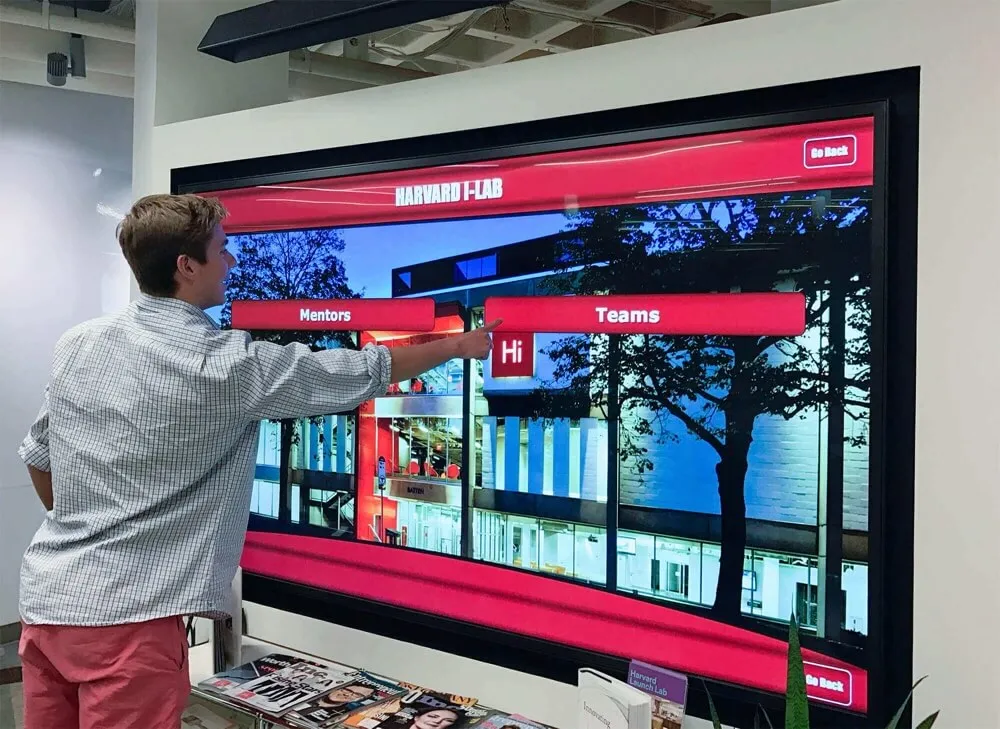
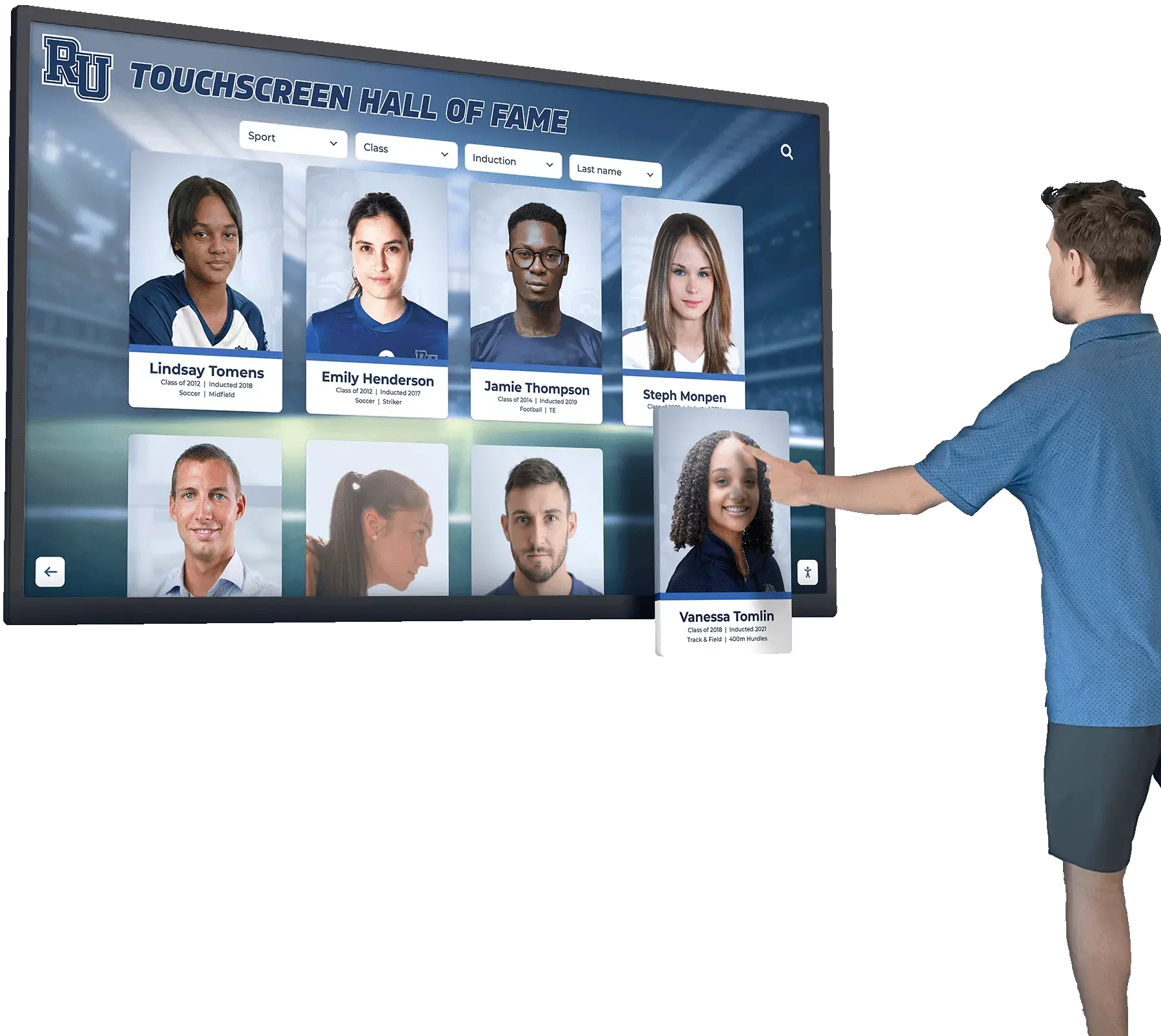
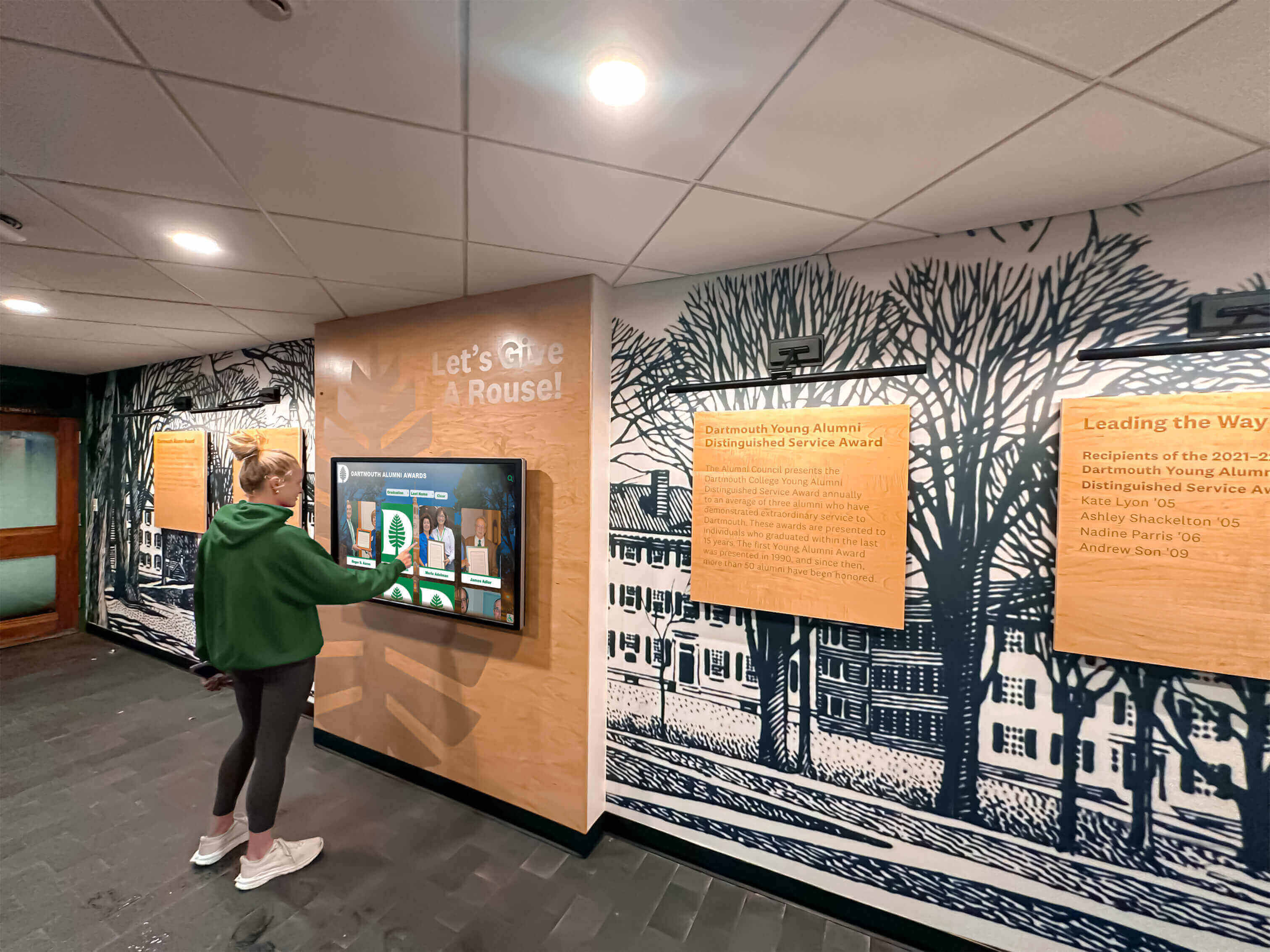
Large-format touchscreen kiosks represent the most common interactive museum technology. These systems feature commercial-grade displays ranging from 43 to 75 inches, responsive capacitive touch interfaces supporting multi-user interaction, industrial reliability for continuous operation in public environments, and durable content management platforms enabling remote updates.
Touchscreen kiosks excel in museum contexts including exhibit introductions providing thematic overviews and navigation, artifact deep dives delivering detailed information beyond label space, collection browsers enabling visitor exploration of holdings not currently displayed, interactive timelines showing historical context and relationships, and multimedia presentations combining curator interviews, documentary footage, and archival materials.
The technology enables engagement patterns impossible with static displays. Visitors control information depth—browsing quickly or diving into detailed content based on personal interest. Families interact together, with parents and children exploring content collaboratively. Researchers access scholarly information while general visitors view simplified explanations of the same artifacts. Multiple simultaneous users browse different content on single displays without conflict.
Museums implementing touchscreen systems report average interaction times of five to eight minutes compared to less than 30 seconds for traditional label reading. The extended engagement indicates genuine interest rather than obligatory viewing, suggesting interactive content resonates more effectively than passive displays.
Solutions like Rocket Alumni Solutions provide museum-quality touchscreen systems specifically designed for institutional recognition and educational applications, offering the same commercial reliability museums require with content management tools optimized for historical archives and multimedia storytelling.
Interactive Projection Systems
Projection-based interactive displays transform physical surfaces into responsive interfaces using infrared sensors, cameras, or laser systems detecting user gestures and movements. These systems create engaging experiences where floor projections respond to visitors walking across them, wall projections react to touch and gesture, tabletop surfaces become interactive workspaces, and artifact cases overlay information on physical objects.
Interactive projection works particularly well for exhibits emphasizing spatial relationships, maps showing historical changes over time, architectural visualizations enabling virtual building exploration, natural history displays depicting ecosystems and habitats, and art installations creating participatory experiences.
The technology’s flexibility enables creative implementations impossible with fixed screens. A floor projection might display a historical city map where visitors reveal buildings, streets, and landmarks by walking across it. Wall projections can show life-size historical photographs where touching subjects triggers biographical information. Tabletop projections enable collaborative puzzle-solving or artifact reassembly activities.
Implementation requires careful consideration of ambient lighting, projection surface quality, and sensor placement ensuring consistent interaction detection. Museums with existing exhibits can add interactive projection enhancing displays without replacing physical installations.
Digital Signage Networks
Digital signage displays provide changing content throughout museum spaces, serving wayfinding, exhibit promotion, and supplementary information functions. These systems typically include displays distributed across lobbies, hallways, and transition spaces, centralized content management controlling all screens, scheduled programming rotating content throughout operating hours, and integration capabilities connecting with event calendars and collection databases.
Digital signage complements primary interactive exhibits by featuring upcoming special exhibitions and events, providing facility navigation and wayfinding, displaying real-time visitor information like wait times, presenting rotating collection highlights, and sharing curator insights and behind-the-scenes content.
Modern digital signage platforms offer cloud-based management enabling updates from any location, split-screen capabilities showing multiple content types simultaneously, emergency notification systems for facility-wide communication, and analytics tracking which content generates most attention.
The technology has become increasingly affordable, with basic systems costing under $2,000 per display including hardware and software. Museums commonly implement digital signage before more complex interactive systems, gaining experience with digital content management while improving visitor communication.

Mobile Integration and App Experiences
Smartphone applications extend interactive experiences beyond fixed displays, enabling visitors to use personal devices as exhibit guides throughout museums. Mobile strategies include dedicated museum apps providing audio tours, artifact information, and navigation, QR code labels linking physical exhibits to digital content, augmented reality experiences overlaying information on real-world views, and collection exploration tools enabling continued engagement after visits.
Mobile integration advantages include eliminating hardware costs and maintenance for each exhibit location, accommodating visitor language and accessibility preferences, enabling content updates without physical label replacement, and maintaining engagement after visitors leave facilities.
QR codes represent particularly cost-effective mobile integration. Museums create comprehensive digital content for artifacts and exhibits, generate unique QR codes linking to each content piece, and affix codes to existing labels or mount them nearby. Visitors scan codes with smartphones, accessing unlimited information depth without museums investing in dedicated display hardware at every location.
QR adoption has increased substantially in recent years, with visitors increasingly comfortable scanning codes for additional information. The approach works particularly well for smaller museums with limited technology budgets seeking interactive enhancement without major capital investment.
Augmented Reality Display Integration
Augmented reality technology overlays digital information on physical exhibits when viewed through smartphones or AR glasses. Applications include historical reconstructions showing artifacts in original contexts, X-ray visualizations revealing internal structures of objects, animation bringing static exhibits to life, comparative displays showing objects alongside similar artifacts held elsewhere, and restoration previews showing damaged artifacts in original condition.
AR provides unique value by maintaining focus on physical artifacts while adding informational layers enhancing understanding. Unlike purely digital displays replacing physical viewing, AR technology augments real-world exhibits with contextual enhancement.
Implementation typically involves marker-based AR where smartphones recognize artifact locations triggering appropriate content, or location-based AR using GPS and indoor positioning determining what visitors view. Museums can implement AR through custom applications or platforms like Google ARCore and Apple ARKit offering development frameworks.
While AR represents newer technology still maturing, decreasing implementation costs and improving smartphone capabilities make it increasingly practical for museum applications. Early adopters report strong visitor enthusiasm, particularly among younger audiences who embrace mobile-first experiences.
Resources on touchscreen augmented reality displays provide comprehensive guidance for institutions implementing AR-enhanced exhibits.
Content Strategy for Museum Interactive Displays
Technology enables interactivity, but content strategy determines whether implementations engage visitors or disappoint. The most sophisticated displays fail without compelling, accessible, and well-organized content.
Information Architecture Principles
Effective interactive museum content requires systematic organization ensuring visitors discover information intuitively. Core architectural principles include clear hierarchy progressing from overview to detail, consistent navigation patterns across all interactive displays, logical grouping organizing related content together, multiple access paths accommodating different discovery preferences, and contextual linking connecting related artifacts and themes.
Museums should develop content templates standardizing information included for artifact types. Fine art pieces might always receive artist biographies, technique descriptions, historical context, and conservation details. Historical artifacts could consistently include origin stories, usage explanations, preservation information, and connection to broader historical narratives.
Standardized approaches ensure comprehensiveness while simplifying content creation as staff know exactly what information each interactive exhibit requires. Templates also enable efficient updates when new information becomes available or interpretation approaches evolve.
Layered Information Delivery
Museum visitors arrive with vastly different knowledge levels and interest depths. Effective interactive content accommodates this diversity through layered information delivery providing appropriate depth for each visitor segment.
A three-tier approach works well for most museum content. First-level content provides essential information suitable for general visitors spending 30-60 seconds, including basic artifact identification, date and origin, primary significance, and high-quality imagery. Second-level content serves engaged visitors willing to spend 2-4 minutes, offering detailed historical context, usage or creation processes, cultural significance, and connections to related artifacts. Third-level content targets enthusiasts, students, and researchers investing 5+ minutes, providing scholarly research, conservation details, provenance documentation, and access to archival materials.
This layering enables single interactive displays serving diverse audiences without overwhelming casual visitors or disappointing those seeking depth. Navigation should clearly indicate available detail levels, allowing each visitor to choose appropriate engagement depth.
Multimedia Integration Best Practices
Digital platforms accommodate text, images, video, audio, and interactive elements. Effective museum displays combine multiple media types creating engaging experiences appealing to different learning styles.
Photography guidelines include using high-resolution images minimum 1920x1080 pixels, capturing multiple angles showing construction details and features, providing context shots showing artifacts in use or original environments, ensuring consistent lighting and color balance across collections, and including scale references helping visitors understand sizes.
Video content strategies include 30-60 second artifact overviews suitable for casual viewing, 2-3 minute curator explanations providing expert insight, documentary clips offering historical context, and conservation process documentation showing preservation work. Technical quality matters significantly—videos should use 1080p minimum resolution, include captions for accessibility, and use efficient file sizes ensuring smooth playback.
Audio integration enhances accessibility and accommodates visitors who prefer listening to reading. Effective audio includes narrator descriptions suitable for visually impaired visitors, curator commentary providing expert perspectives, historical audio when available for relevant artifacts, and ambient soundscapes creating engaging environments.
Interactive elements extend beyond simple navigation, incorporating comparison tools enabling side-by-side artifact viewing, zoom functionality revealing fine details, 360-degree rotation showing complete object views, timeline scrubbers navigating chronological information, and quiz elements testing visitor knowledge.

Accessibility and Universal Design
Museums serve diverse audiences including visitors with visual, hearing, mobility, and cognitive disabilities. Interactive displays must accommodate accessibility requirements through multiple content access methods.
Essential accessibility features include adjustable text sizes enabling vision-impaired visitors to read comfortably, high-contrast display modes improving visibility for low-vision users, audio descriptions providing content for blind visitors, caption and transcript availability for deaf and hard-of-hearing visitors, simple language options serving cognitive disabilities and non-native speakers, and physical access ensuring wheelchair users can reach and operate displays.
Touch interface design affects accessibility substantially. Buttons and interactive elements should meet minimum size requirements, typically 44x44 pixels, ensuring visitors with limited dexterity can operate displays reliably. Clear visual feedback confirming touch registration prevents confusion. Placement should accommodate wheelchair users and children, avoiding heights requiring reaching or bending.
Web Content Accessibility Guidelines provide comprehensive frameworks for accessible digital content. Museums should reference WCAG 2.1 Level AA standards when developing interactive exhibits, ensuring compliance with disability accommodation requirements while improving usability for all visitors.
Resources on digital wall of fame accessibility offer detailed guidance for implementing accessible interactive displays.
Budget-Conscious Implementation Approaches
Museums operate with varying resources from major metropolitan institutions with substantial technology budgets to small community museums relying on volunteer support. Effective interactive display solutions exist across all budget levels.
Entry-Level Solutions Under $3,000
Small museums and those beginning digital transformation can implement meaningful interactivity with limited investment.
QR Code Enhancement: Creating QR codes linking physical exhibits to digital content requires zero technology investment beyond smartphone access. Museums develop comprehensive artifact information on free website platforms like Google Sites, generate QR codes using free services, print codes on standard labels, and affix to existing exhibit labels. This approach costs under $100 for materials while providing unlimited information depth.
Consumer Display with Basic Software: Repurposing consumer televisions as digital signage costs $500-$1,000 including display, streaming device like Amazon Fire TV Stick, and free digital signage software. While lacking commercial reliability and advanced features, this approach provides basic rotating content suitable for announcements, collection highlights, and wayfinding.
Tablet Kiosk Installation: Mounting tablets in secure enclosures creates basic interactive kiosks for $800-$1,500 per location including tablet, locking mount, content application, and power supply. While smaller than dedicated systems, tablets provide genuine touchscreen interactivity at consumer electronics pricing.
Self-Hosted Web Application: Museums with technical volunteers can develop custom interactive experiences using open-source web technologies, hosting on free or low-cost platforms. A $500-$1,000 annual investment covers domain registration, basic hosting, and content management tools while volunteers handle development.
These entry-level approaches enable small museums to provide interactive experiences without major capital investment, gaining experience with digital content while planning future enhancements as budgets allow.
Mid-Range Solutions $3,000-$10,000
Moderate budgets enable more sophisticated interactive installations with commercial reliability and professional features.
Commercial-Grade Touchscreen Kiosk: Purpose-built interactive kiosks designed for museum environments cost $4,000-$8,000 including commercial display, integrated touchscreen, secure mounting, and content management software. These systems provide reliable operation in high-traffic environments with professional appearance and advanced content capabilities.
Multi-Display Network: Museums with multiple galleries can implement coordinated digital signage networks showing consistent messaging throughout facilities. A three to five display system costs $5,000-$10,000 including commercial screens, media players, centralized content management, and professional installation.
Custom Interactive Application: Engaging developers to create custom touchscreen applications tailored to specific collections costs $5,000-$8,000 for initial development with ongoing maintenance around $1,000 annually. Custom development delivers exactly specified features and branding impossible with off-the-shelf solutions.
Interactive Projection Installation: Basic interactive projection systems transform walls or floors into responsive surfaces for $6,000-$10,000 including projector, interaction sensors, mounting hardware, and content creation. These create immersive experiences impossible with traditional displays.
Mid-range investments provide professional-quality interactive experiences balancing capability with practical budgets for medium-sized museums and specific exhibit enhancements at larger institutions.
Premium Solutions $10,000-$50,000+
Major museums and flagship exhibit installations justify premium interactive technology investments delivering maximum impact and capability.
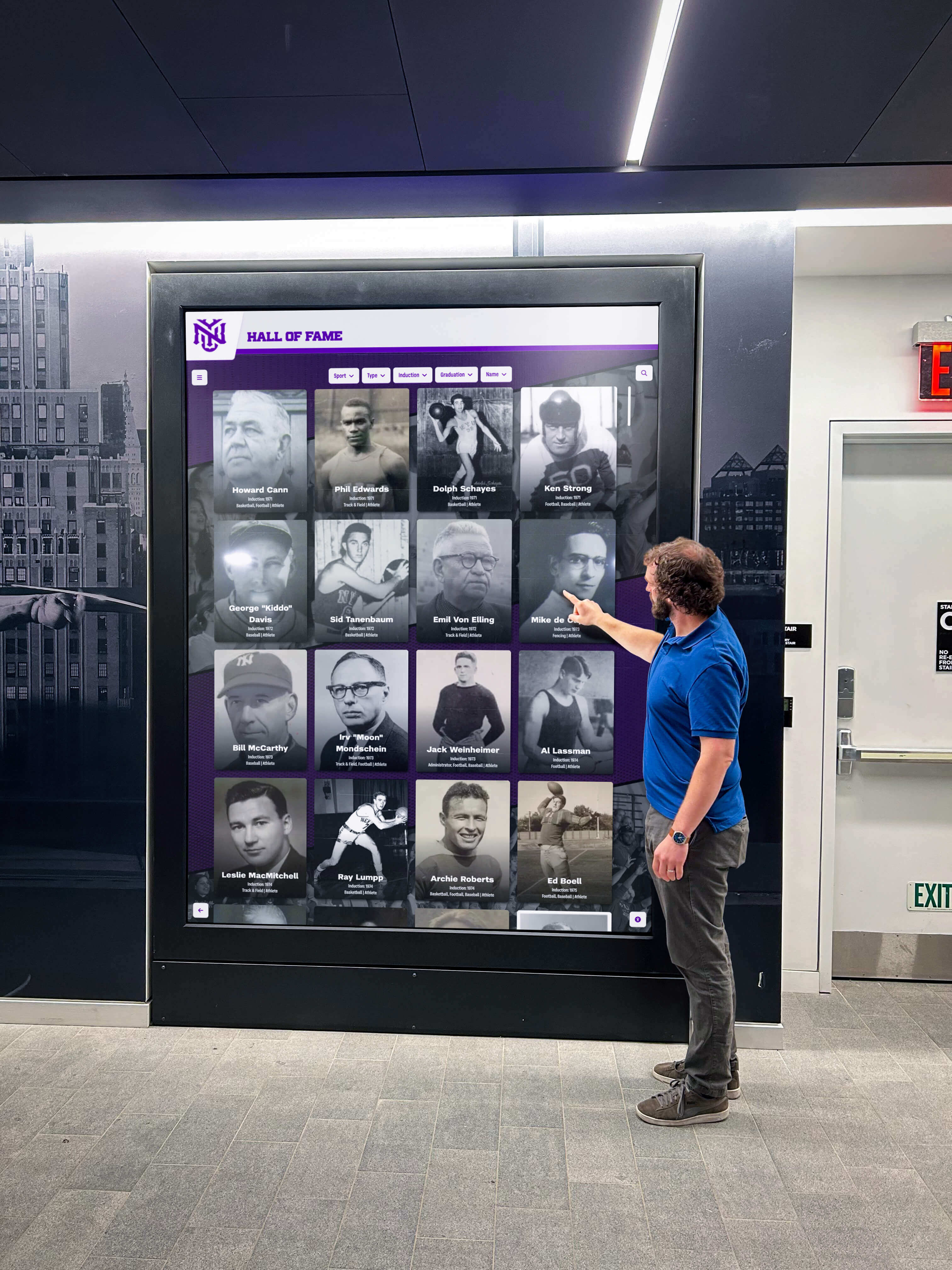
Large-Format Video Wall: Multi-screen video walls creating stunning visual impact cost $20,000-$40,000 for 2x2 or 3x3 configurations including commercial displays, mounting systems, video processors, and content management. These installations serve major exhibit introductions and signature interactive experiences.
Full-Room Projection Environment: Full-room projection creating 360-degree interactive experiences ranges from $30,000-$100,000+ including multiple projectors, audio systems, motion sensors, custom content creation, and professional installation. These installations create memorable signature experiences drawing visitors.
Holographic Display Systems: Emerging holographic technology presenting three-dimensional floating images costs $15,000-$40,000 per installation. While expensive, these create remarkable impact for featured artifacts or signature exhibits.
Comprehensive Interactive Strategy: Full museum interactive enhancement including multiple touchscreen kiosks, digital signage network, mobile application development, AR experiences, and coordinated content creation costs $50,000-$200,000+ depending on facility size and ambition. These comprehensive implementations transform entire visitor experiences rather than enhancing isolated exhibits.
Premium investments deliver exceptional experiences justifying costs through increased attendance, extended visit duration, enhanced reputation, and improved educational outcomes. Major museums typically implement flagship installations as signature attractions while using more modest solutions throughout facilities.
Solutions like interactive touchscreen software provide platforms supporting museums across all budget levels with flexible technology growing alongside institutional needs.
Technical Implementation Considerations
Successful interactive display deployment requires addressing technical details ensuring dependable operation, ease of management, and positive visitor experiences.
Hardware Selection Criteria
Display hardware quality significantly impacts interactive exhibit effectiveness and longevity. Key selection criteria include commercial versus consumer construction, with commercial units providing reliability necessary for continuous public operation, screen size and resolution appropriate for viewing distances and content types, touch technology quality ensuring responsive interaction across display surfaces, brightness sufficient for ambient lighting conditions in museum environments, and connectivity options supporting content management and updates.
Commercial displays designed for continuous operation typically cost 50-100 percent more than consumer televisions but provide three to five times longer operational lifespans with features including higher brightness for ambient light environments, anti-glare coatings reducing reflection, rugged construction withstanding public use, enterprise warranties and support, and industrial-grade components tolerating continuous operation.
Touch technology varies in responsiveness and durability. Capacitive touch screens used in smartphones and tablets provide excellent responsiveness and support multi-touch gestures but cost more and prove sensitive to liquids and extreme environmental conditions. Infrared touch overlays cost less and tolerate harsh environments but provide slightly less responsive interaction. Museums should select touch technology matching anticipated use patterns and environmental conditions.
Mounting and enclosure selection affects both security and aesthetics. Options include wall-mounted installations saving floor space, freestanding kiosks creating prominent presence, table-integrated displays enabling collaborative viewing, and custom enclosures matching exhibit aesthetics. Security features prevent theft and vandalism through anti-theft locking systems, tamper-resistant mounting, cable management hiding vulnerable connections, and rugged construction withstanding physical abuse.
Content Management Platform Selection
Software platforms managing interactive content vary significantly in capabilities, complexity, and cost. Evaluation criteria include content creation tools enabling staff to build and update exhibits, media support accommodating images, videos, audio, and interactive elements, template availability providing starting points for common exhibit types, analytics tracking visitor engagement patterns, reliability ensuring consistent operation without crashes, ease of maintenance supporting non-technical staff, and integration capabilities connecting with collection databases and other systems.
Many museums start with simpler content management systems and migrate to more sophisticated platforms as needs grow and budgets expand. Beginning with basic digital signage software or web-based content management provides immediate benefits while staff develop expertise.
Purpose-built museum technology platforms offer features specifically designed for collection management and exhibit creation, eliminating the need to adapt general-purpose tools. These specialized solutions typically include artifact database integration, conservation tracking, provenance documentation, and scholarly citation management—features absent from general interactive display software.
Network Infrastructure Requirements
Interactive displays require reliable network connectivity for content updates, remote management, and sometimes real-time visitor interaction tracking. Infrastructure considerations include internet bandwidth sufficient for content synchronization and media streaming, local network segments ensuring display connectivity, secure network isolation protecting exhibits from unauthorized access, backup connectivity preventing display failures during network outages, and remote management access enabling off-site troubleshooting and updates.
Museums with modern IT infrastructure typically accommodate interactive displays easily within existing networks. Older facilities or buildings with historical preservation restrictions might require creative solutions including wireless connectivity using museum-wide Wi-Fi, cellular connectivity via mobile data for locations without network access, local content storage enabling operation during network disruptions, and scheduled update windows using off-peak bandwidth.
Cloud-based content management reduces local infrastructure requirements by hosting content and management systems remotely. This approach enables smaller museums to implement sophisticated interactive exhibits without maintaining local servers while providing automatic backup and disaster recovery.
Maintenance and Support Planning
Interactive systems require ongoing maintenance ensuring continued dependable operation. Essential maintenance activities include software updates providing new features and security patches, content backups preventing exhibit loss from system failures, hardware cleaning maintaining display quality and touch responsiveness, component monitoring detecting potential failures before visible problems, and troubleshooting resolving technical issues promptly.
Clear maintenance responsibility assignment prevents neglect. Museums should designate specific staff or vendors responsible for interactive system maintenance, establish regular maintenance schedules, document procedures enabling consistent execution, and budget for ongoing support costs beyond initial installation.
Vendor support agreements provide valuable protection, particularly for museums with limited internal IT capabilities. Support packages typically include technical assistance via phone and email, remote diagnostics and troubleshooting, on-site service for hardware failures, software updates and bug fixes, and periodic system health checks. While adding ongoing costs, support agreements ensure expert assistance when problems arise.
Educational Benefits of Interactive Museum Displays
Museums serve educational missions requiring effective information delivery. Interactive displays enhance learning outcomes through multiple mechanisms.
Engagement Depth and Duration
Research consistently demonstrates that interactive exhibits increase visitor engagement compared to passive displays. Studies from museum education literature indicate interactive exhibits generate three to five times longer visitor dwell times than traditional displays, higher information retention measured through post-visit testing, increased repeat visitation driven by desire to explore more content, and enhanced satisfaction reflected in visitor surveys and reviews.
The engagement advantage stems from interactive displays enabling visitor control over experiences. Rather than passively receiving curator-selected information at predetermined paces, visitors choose content depth, exploration paths, and interaction duration matching personal interests and knowledge levels. This autonomy creates investment and ownership enhancing learning.
Interactive displays also accommodate different learning styles more effectively than text-heavy traditional exhibits. Visual learners benefit from rich imagery and video content, auditory learners access narration and audio descriptions, kinesthetic learners engage through touch interaction, and reading-focused learners still access text information. Multi-modal presentation ensures all visitors find effective learning pathways.
Family Learning Experiences
Museums serve multi-generational family groups requiring exhibits engaging both children and adults simultaneously. Interactive displays facilitate collaborative family learning through shared discovery as family members explore content together, teaching moments where adults help children understand exhibits, skill demonstration where children show adults technology operation, and conversation triggers as exhibits spark family discussion.
Touchscreen displays prove particularly effective for family engagement. Children comfortable with tablets and smartphones quickly master touch interfaces, often teaching less-technologically-experienced adults. Parents and children take turns exploring content, with each discovering items interesting the other. Grandparents share memories triggered by historical artifacts while grandchildren navigate digital interfaces accessing related information.
Content designed explicitly for multi-generational use increases family engagement. Features might include difficulty level selection offering age-appropriate information, challenge activities families complete together, photo opportunities encouraging family documentation, and take-home resources extending learning beyond visits.
Resources on student engagement strategies provide frameworks applicable to museum contexts for maximizing visitor interaction.
Research and Scholarship Support
While general visitors represent primary museum audiences, researchers and scholars require access to collection information supporting academic work. Interactive displays serve scholarly needs through detailed artifact documentation including provenance, conservation history, and bibliographic references, high-resolution imagery enabling detailed visual analysis, connection to related objects across collections, and access to archival materials and primary sources.
Advanced interactive systems can provide different interfaces for general visitors and researchers. Public-facing content emphasizes accessibility and engagement while researcher interfaces prioritize comprehensive information and scholarly features. Authentication systems might restrict certain content to credentialed researchers while making appropriate information publicly available.
This dual-purpose approach enables museums to serve both educational and scholarly missions through single installations rather than maintaining separate systems. Researchers access information on-site through the same interactive displays serving general visitors, with additional features available through login credentials.
Analytics and Visitor Insights
Digital interactive displays provide data collection capabilities impossible with traditional exhibits, enabling evidence-based exhibit optimization and visitor understanding.
Engagement Metrics
Interactive systems track user interaction providing insights into visitor behavior. Valuable metrics include total interactions measuring exhibit traffic, average session duration indicating engagement depth, content completion rates showing what percentage of visitors view entire exhibits, most-viewed content revealing popular topics and artifacts, navigation paths demonstrating how visitors explore exhibits, and time-of-day patterns informing staffing and maintenance scheduling.
These metrics inform exhibit optimization by identifying underperforming content requiring revision, revealing popular topics warranting expansion, demonstrating optimal content length and complexity, and highlighting technical problems like slow loading or navigation confusion.
Museums should establish regular analytics review processes examining data quarterly or semi-annually, comparing across exhibits to identify patterns, testing content improvements measuring impact, and sharing insights across staff informing broader exhibit strategies.
Privacy considerations require careful analytics implementation. While aggregate interaction data proves valuable, museums should avoid personally identifiable information collection unless explicitly necessary and properly disclosed. Anonymous usage tracking provides sufficient insight for exhibit optimization without privacy concerns.
Exhibit Performance Comparison
Multiple interactive exhibits enable performance comparison revealing which approaches work best for specific content types and visitor segments. Useful comparisons include engagement rates across different artifact categories, optimal information depth for various topics, effectiveness of multimedia versus text-heavy content, and visitor preference for different interaction models.
These comparisons inform future exhibit development by establishing evidence-based best practices. Rather than relying on intuition about what visitors want, museums can reference actual behavioral data demonstrating effectiveness.
Controlled testing enhances understanding. Museums might implement two different approaches to similar content, measuring engagement with each and adopting the more effective approach. This experimental methodology continuously improves exhibit effectiveness through iterative refinement.
Visitor Demographics and Patterns
Interactive systems can capture demographic information helping museums understand audiences and tailor experiences. Data collection methods include voluntary demographic surveys embedded in interactive exhibits, login systems for membership programs tracking repeat visitors, mobile application data from visitor devices, and observational studies noting visitor characteristics.
Understanding visitor demographics enables targeted content development, appropriate complexity and accessibility levels, effective marketing to underserved audiences, and program development addressing specific community needs.
Museums should maintain transparency about data collection, clearly communicating what information gets gathered, how it will be used, and providing opt-out mechanisms for visitors preferring privacy. Trust maintenance proves essential for ongoing visitor relationships.
Future Trends in Museum Interactive Technology
Interactive display technology continues evolving with emerging capabilities that will shape museum experiences in coming years.
Artificial Intelligence Integration
AI capabilities increasingly support museum applications including automated audio description generation for accessibility, smart content recommendations suggesting relevant exhibits, natural language interaction enabling conversational queries, object recognition identifying artifacts from visitor photos, and custom tour generation based on visitor interests.
These capabilities reduce staff workload while enhancing visitor experiences. What currently requires curator hours might soon become automated, enabling smaller museums to provide experiences matching well-resourced institutions. AI also enables customization at scale not possible through manual curation.
Extended Reality Experiences
Extended reality encompasses virtual reality, augmented reality, and mixed reality technologies. Museum applications include VR reconstructions of historical sites and contexts, AR overlay of information on physical exhibits, mixed reality enabling interaction with virtual recreations, and remote access allowing global virtual visitation.
While currently emerging, XR technology will likely become mainstream as hardware costs decrease and content creation tools improve. Museums can begin planning XR strategies now while technology matures, positioning for early adoption when practical implementation becomes feasible.
Internet of Things Integration
IoT technology connects physical objects to digital systems enabling novel museum applications. Examples include environmental sensors monitoring artifact preservation conditions, proximity sensors detecting visitor presence and preferences, wearable devices providing personalized experiences, and interactive object tracking informing collection management.
IoT enables museums to create responsive environments adapting to visitor needs automatically. Lighting might adjust based on gallery occupancy, interactive content could adapt to detected visitor age or interest, and climate control can optimize for both preservation and visitor comfort.
Blockchain and Digital Authentication
Blockchain technology offers potential for artifact authentication, provenance verification, digital rights management for collection imagery, and NFT creation for virtual collection access. While controversial and still maturing, blockchain may eventually provide valuable capabilities for collection management and digital engagement.
Museums should monitor blockchain developments while avoiding premature adoption of technologies that may not prove practical or aligned with institutional values. Pilot projects enable learning without major commitment while technology stabilizes.
Resources on museum kiosks explore emerging technologies and implementation strategies for forward-thinking institutions.
Institutional Applications Beyond Traditional Museums
While museums represent primary users of interactive display technology, other institutions benefit from similar approaches adapted to specific contexts.
Educational Institution Archives
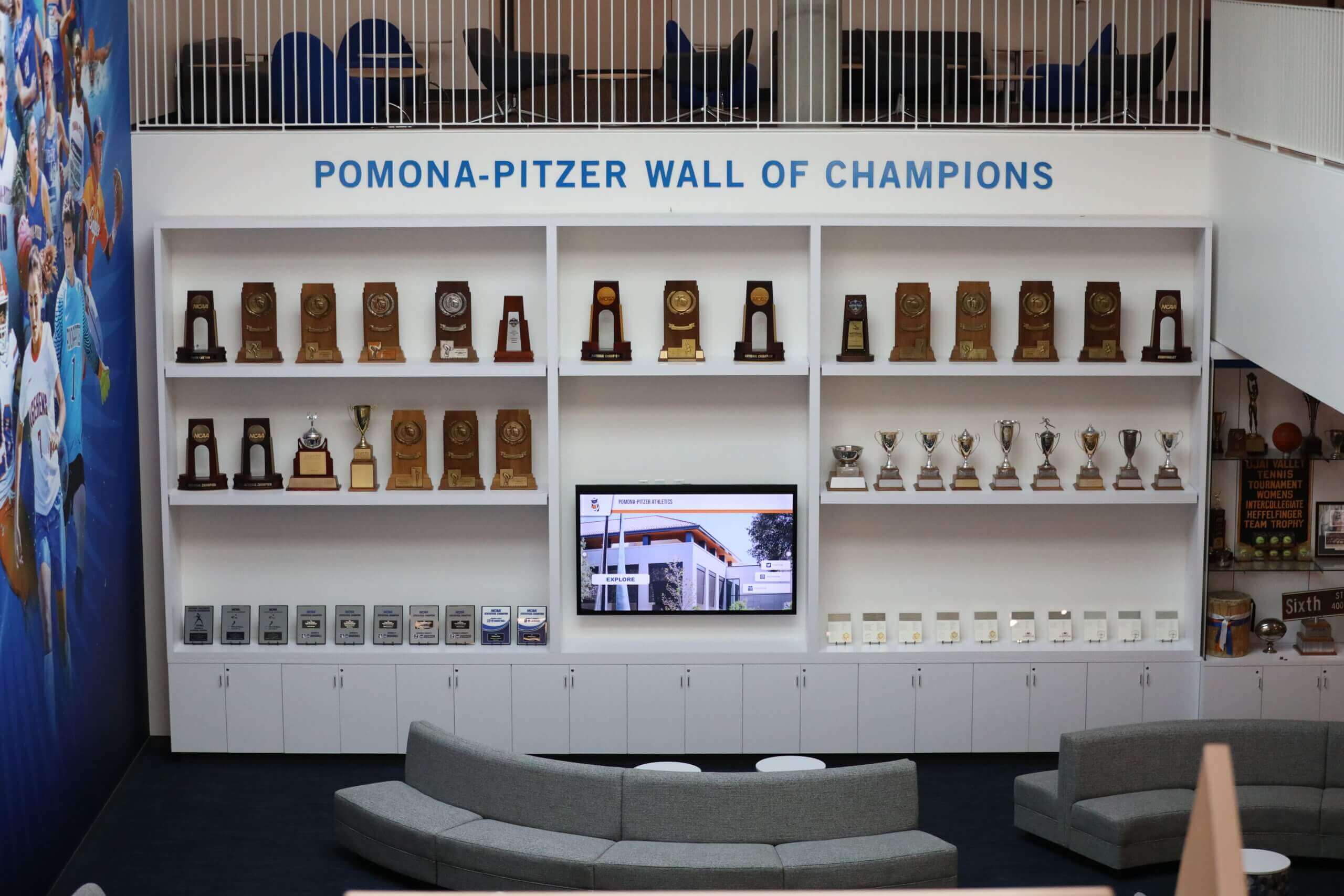
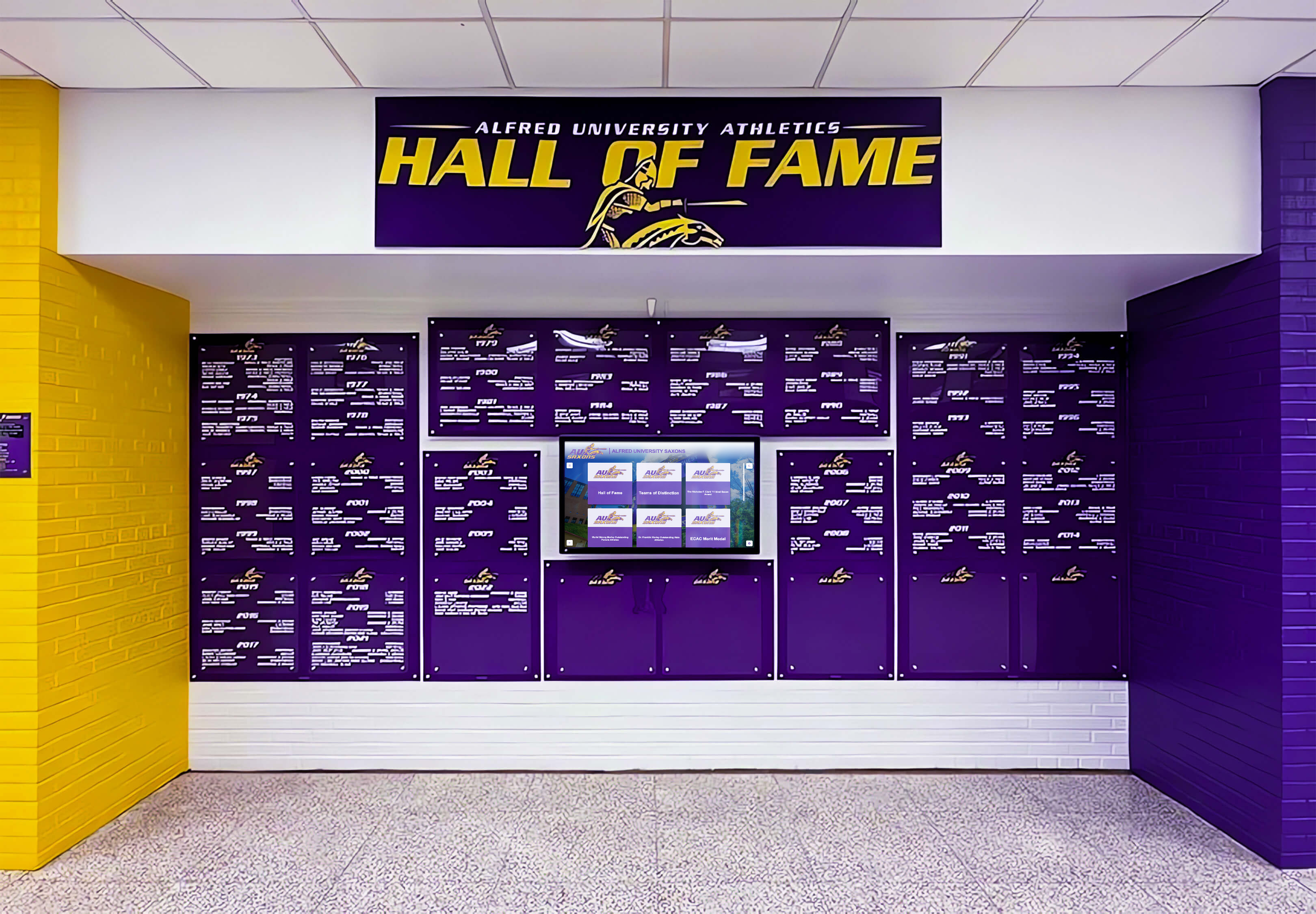
Schools, colleges, and universities maintain historical collections and institutional memories serving communities similar to museums. Interactive displays in educational settings showcase institutional history and traditions, honor distinguished alumni and faculty, present athletic achievements and records, document academic excellence and milestones, and engage current students with institutional heritage.
Educational institutions implementing interactive displays report enhanced school pride and community identity, improved alumni engagement and fundraising, recruiting advantages showcasing institutional history, and educational value connecting students to institution legacies.
Digital record boards specifically designed for educational athletics provide specialized functionality including automatic record ranking and updates, comprehensive athlete profile systems, statistical tracking and comparison, and integration with athletic management platforms. These purpose-built solutions address educational institution needs more effectively than adapted museum technology.
Resources on digital archives for schools provide implementation guidance for educational contexts.
Corporate Visitor Centers
Corporations maintain visitor centers and executive briefing centers requiring interactive technology to present company histories, product portfolios, customer success stories, innovation highlights, and brand narratives. Corporate applications demand professional appearance, reliable operation for executive audiences, brand alignment in design and content, and seamless integration with presentation technologies.
Interactive displays in corporate settings serve both marketing and internal culture functions by impressing potential customers and partners, educating new employees on company heritage, reinforcing brand values and identity, and celebrating employee achievements and milestones.
Sports Halls of Fame
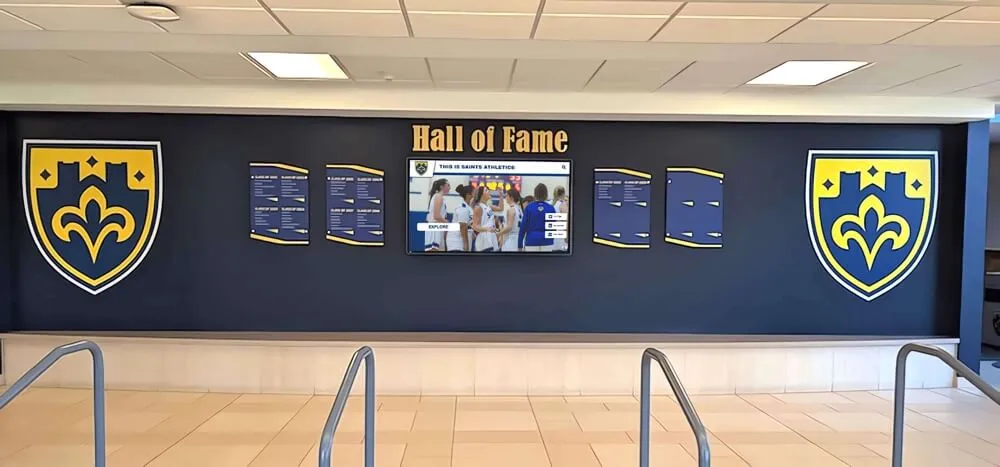
Athletic halls of fame celebrate sports achievements requiring rich multimedia content, statistical information, and comprehensive athlete profiles. Interactive displays serve sports recognition through career statistics and records, game highlight videos, championship documentation, athlete interviews and stories, and historical context showing evolution.
Sports halls of fame benefit from specialized interactive platforms designed specifically for athletic recognition including statistical comparison tools, video integration systems, automated ranking capabilities, and social media connection. These specialized features prove essential for effective sports recognition but remain absent from general museum technology.
Organizations seeking to implement museum-quality recognition for athletic achievements benefit from solutions specifically designed for sports applications rather than adapting general museum platforms. Purpose-built athletic recognition systems provide features critical for sports contexts while eliminating unnecessary museum-specific capabilities.
Cultural Centers and Heritage Sites
Cultural centers, heritage sites, and community history organizations serve educational missions similar to traditional museums but often operate with smaller budgets and volunteer support. These organizations benefit from accessible interactive technology enabling professional experiences without major investment.
Scalable solutions allow small organizations to begin with basic interactive exhibits and expand capabilities as resources allow. Cloud-based content management reduces technical requirements while enabling professional presentation. Template-based content creation simplifies exhibit development for organizations without dedicated exhibit design staff.
Implementation Roadmap for Museums
Museums beginning interactive technology journeys benefit from phased implementation approaches building capability progressively while managing investment and risk.
Phase 1: Foundation and Planning (Months 1-3)
Initial implementation establishes strategic direction and basic capabilities through technology needs assessment evaluating current exhibits and visitor needs, stakeholder engagement including curators, educators, and IT staff, vendor research identifying potential technology partners, pilot project planning selecting initial installation locations, and budget development estimating costs and funding sources.
This phase requires minimal financial investment while establishing foundation for successful implementation. Rushing directly to technology installation without adequate planning risks misalignment with institutional needs and wasted resources.
Museums should visit peer institutions with successful interactive exhibits, observing visitor engagement and discussing implementation experiences. Industry conferences provide opportunities to see emerging technologies and connect with vendors. Professional association resources offer guidance and case studies.
Phase 2: Pilot Installation (Months 4-9)
Building on planning foundation, pilot implementation deploys initial interactive exhibits testing technology and gathering feedback through single interactive kiosk installation in high-traffic location, basic content development for prioritized collection areas, staff training on content management systems, visitor feedback collection through surveys and observation, and analytics implementation measuring engagement.
Pilot projects provide learning experiences informing broader deployment. Technical challenges surface in manageable contexts. Content development processes refine before large-scale production. Visitor responses guide exhibit design decisions. Staff build confidence and capability.
Investment during pilot phase typically ranges from $5,000 to $15,000 depending on technology sophistication and content creation requirements. This modest investment proves valuable even if broader deployment doesn’t immediately follow, as single installations still enhance visitor experiences while informing future strategy.
Phase 3: Expansion (Months 10-18)
Successful pilot projects justify expansion through additional interactive kiosks in other galleries and exhibits, digital signage network throughout facility, mobile integration with QR codes or custom application, enhanced content development expanding beyond pilot focus, and advanced analytics measuring institutional impact.
Expansion phase represents significant investment typically ranging from $25,000 to $100,000+ depending on facility size and ambition. Phased implementation over 6-12 months manages cash flow while enabling continuous improvement based on early installations.
Museums should prioritize locations by anticipated impact—high-traffic areas reaching most visitors, signature exhibits attracting media attention, underperforming displays needing enhancement, and educational programs serving schools and youth groups.
Phase 4: Maturity and Optimization (Ongoing)
Mature interactive programs require continuous improvement through regular content updates maintaining freshness, technology refresh replacing aging hardware every 5-7 years, feature additions implementing emerging capabilities, process refinement improving efficiency, and impact measurement demonstrating value.
Museums should treat interactive technology as ongoing programs rather than one-time projects. Technology evolves, visitor expectations increase, and collections grow—all requiring sustained attention and investment. Annual budgets should include line items for content creation, technology maintenance, system updates, and periodic enhancement.
Organizations treating interactive displays as living programs rather than static installations achieve sustained excellence serving visitor needs while maximizing institutional investment value.
Measuring Return on Investment
Interactive display investments require justification through demonstrated value. Museums should establish measurement frameworks documenting impact across multiple dimensions.
Attendance and Visitation Metrics
The most straightforward ROI measurement examines attendance changes following interactive exhibit installation. Metrics include total annual attendance compared to pre-installation baselines, average visit duration measured through facility analytics, repeat visitation rates from membership and ticketing data, and peak versus off-peak attendance patterns indicating exhibit drawing power.
While attributing attendance changes solely to interactive technology proves difficult given multiple influencing factors, significant increases following major installations suggest positive impact. Museums should collect baseline data before implementation enabling meaningful comparison.
Visitor surveys asking what exhibits influenced visit decisions provide direct feedback about interactive display impact. Questions might ask whether specific interactive exhibits motivated visits, compare interactive versus traditional exhibit engagement, and solicit satisfaction ratings for technology experiences.
Educational Outcomes
Museums serve educational missions requiring assessment of learning effectiveness. Interactive exhibit evaluation should examine visitor learning through pre- and post-visit knowledge testing, long-term retention measured through delayed testing, behavioral changes indicating applied learning, and teacher feedback for school programs.
While rigorous educational assessment requires resources beyond many museum capabilities, even basic measurement demonstrates value. Simple quizzes embedded in interactive exhibits measure immediate learning while providing engaging visitor experiences. Follow-up surveys weeks after visits assess retention. Teacher surveys evaluate school program effectiveness.
Educational impact documentation proves valuable for grant applications, donor cultivation, and institutional planning by demonstrating mission fulfillment beyond entertainment value.
Operational Efficiency
Interactive displays can reduce operational costs while enhancing experiences. Efficiency gains include decreased docent requirements for basic information delivery, reduced printed material costs through digital delivery, streamlined exhibit updates without physical label replacement, and improved visitor flow reducing crowding and bottlenecks.
Quantifying these benefits demonstrates operational ROI complementing attendance and educational justifications. A $50,000 interactive installation might reduce $10,000 annual operational costs, achieving payback within five years while simultaneously improving visitor experiences.
Revenue Impact
Some museums directly monetize interactive exhibits through admission pricing, membership incentives, and auxiliary revenue. Impact metrics include premium admission pricing for special interactive exhibits, membership growth driven by technology enhancements, gift shop revenue from exhibit-related merchandise, and event rental premiums for facilities with impressive technology.
While revenue maximization shouldn’t drive mission-focused museum decisions, demonstrating financial sustainability strengthens institutional health and enables continued investment in visitor experiences.
Conclusion: Transforming Museum Experiences Through Interactive Technology
Museums occupy unique positions as educational institutions, cultural repositories, and community gathering spaces. These roles require engaging diverse audiences with varying interests, knowledge levels, and learning preferences. Traditional static exhibits served well for generations but increasingly struggle to capture attention in digital media environments.
Interactive display technology transforms museum capabilities through unlimited information depth beyond physical space constraints, multimedia presentation combining text, images, video, and audio, accessibility features serving diverse needs and abilities, engagement tracking informing continuous improvement, and visitor empowerment enabling self-directed learning.
The technology has matured substantially in recent years. Solutions exist across all budget levels from basic QR code integration costing under $100 to comprehensive interactive environments exceeding $100,000. Implementation no longer requires extensive technical expertise, with turnkey solutions and vendor support enabling museums of all sizes to deploy professional interactive exhibits.
Museums implementing interactive technology consistently report increased visitor engagement, extended visit duration, improved learning outcomes, enhanced accessibility, and measurable satisfaction improvements. The investment delivers returns across multiple dimensions—educational mission fulfillment, operational efficiency, visitor experience enhancement, and in many cases direct revenue impact.
Whether museums currently lack interactive technology or seek to enhance existing installations, solutions like Rocket Alumni Solutions provide purpose-built platforms specifically designed for institutional recognition and historical storytelling. These systems combine intuitive content management enabling non-technical staff to create and update exhibits, commercial reliability ensuring years of continuous operation, comprehensive analytics measuring visitor engagement, and flexible deployment accommodating various exhibit types and spaces.
Interactive technology doesn’t replace curators, educators, and the irreplaceable value of authentic artifacts. Rather, it amplifies human expertise, extends educational reach, and enables deeper engagement than traditional methods alone accommodate. The most effective museums blend physical and digital experiences, leveraging technology advantages while preserving qualities making museums unique.
The question facing museums isn’t whether to adopt interactive technology but rather which approaches best serve specific collections, audiences, and institutional missions. Every museum operates within unique contexts requiring customized solutions. Success comes from thoughtful planning, phased implementation, continuous improvement, and sustained commitment to visitor experience excellence.
Ready to explore how interactive display technology can transform your institution’s visitor experiences? Book a demo to discover how museum-quality recognition systems can honor your institution’s history, engage your community, and create lasting impressions that extend far beyond traditional displays.































