




Dental practices competing for patients in 2026 face mounting pressure to modernize facilities, improve patient experiences, and demonstrate professional excellence through every touchpoint. Yet many offices still rely on outdated static posters, cork bulletin boards with yellowing announcements, and missed opportunities to engage patients during valuable waiting room time.
Digital displays in dental offices are revolutionizing how practices communicate with patients, recognize exceptional team members, educate about procedures, and establish professional credibility. These systems range from simple announcement screens to sophisticated interactive touchscreen kiosks that transform waiting rooms into engagement centers while showcasing practice expertise and team excellence.
This comprehensive guide explores everything dental practice managers and office administrators need to implement digital display systems that enhance patient experiences, improve operational efficiency, and elevate practice positioning—from basic requirements through advanced interactive capabilities specifically relevant to dental environments.
Why Digital Displays Matter for Modern Dental Practices
Dental office digital displays deliver measurable benefits beyond basic aesthetics. Practices implementing these systems report 30-50% reductions in perceived wait times, improved patient education compliance, enhanced team morale through recognition, and differentiated positioning versus competitors maintaining outdated environments. For practices seeking competitive advantage through patient experience excellence, digital display technology proves essential rather than optional.
What Are Dental Office Digital Displays?
Dental office digital displays encompass various screen-based systems delivering content to patients, visitors, and team members throughout practice facilities. These installations serve multiple purposes simultaneously—patient education, entertainment, team recognition, procedure information, practice marketing, and operational communication—through strategically positioned screens managed via centralized software platforms.
Types of Digital Displays in Dental Practices
Waiting Room Entertainment and Education Displays
Large-format screens mounted in reception areas broadcasting educational content, practice information, procedure explanations, oral health tips, and patient testimonials. These displays engage patients during wait times while subtly marketing additional services and establishing expertise.
Interactive Touchscreen Kiosks
Free-standing or wall-mounted touchscreen displays enabling patient self-service functions including check-in, digital form completion, procedure information exploration, pre and post-care instruction access, and interactive educational content about dental health topics.
Team Recognition Displays
Dedicated screens showcasing team member achievements, professional certifications, continuing education accomplishments, patient satisfaction scores, practice milestones, and community involvement—establishing credibility while improving team morale through visible recognition.

Procedure Education Stations
Chairside or consultation room screens displaying procedure animations, treatment plan visualizations, before-and-after galleries, and detailed explanations supporting informed consent conversations and treatment acceptance.
Hygiene Bay Education Screens
Ceiling-mounted or wall-positioned displays in treatment rooms providing procedure explanations, distraction content during treatments, oral hygiene instruction videos, and post-treatment care information that patients view while reclined.
Back Office Communication Boards
Staff-area displays showing daily schedules, production metrics, team announcements, continuing education reminders, and operational information keeping the entire team informed and aligned.
The most effective implementations combine multiple display types throughout facilities, creating cohesive patient experiences while addressing diverse operational and marketing objectives through unified content management.
Why Dental Practices Need Digital Display Systems
Beyond surface-level modernization, digital displays address specific challenges dental practices face daily while creating opportunities for differentiation and growth.
Reducing Perceived Wait Time Through Engagement
Patient satisfaction correlates strongly with perceived wait time rather than actual duration. Even brief delays feel lengthy when patients sit bored in reception areas with nothing but aging magazines for distraction.
Well-implemented waiting room displays dramatically reduce perceived wait times by engaging attention through educational content, practice information, patient testimonials, procedure explanations, and oral health tips. Engaged patients perceive shorter waits, demonstrate better satisfaction scores, and exhibit more positive attitudes entering treatment rooms.
The same principles that make interactive displays effective for campus engagement apply equally to dental waiting rooms—strategic content holds attention while subtly educating and marketing.
Improving Treatment Acceptance Through Visual Education
Complex dental procedures prove difficult to explain through verbal descriptions alone. Patients struggle visualizing crown preparations, implant placements, or orthodontic treatment progressions from dentist explanations, leading to confusion, hesitation, and declined treatment recommendations.
Digital displays showing procedure animations, 3D visualizations, before-and-after galleries, and step-by-step treatment explanations significantly improve patient comprehension. When patients genuinely understand recommended treatments, acceptance rates increase measurably—many practices report 15-25% improvements in case acceptance after implementing visual education systems.
Recognizing Team Excellence and Building Morale
Dental team turnover creates expensive disruption while experienced team members prove difficult to replace. Yet many practices neglect systematic recognition beyond occasional verbal praise or annual reviews, missing opportunities to demonstrate appreciation through visible, permanent acknowledgment.
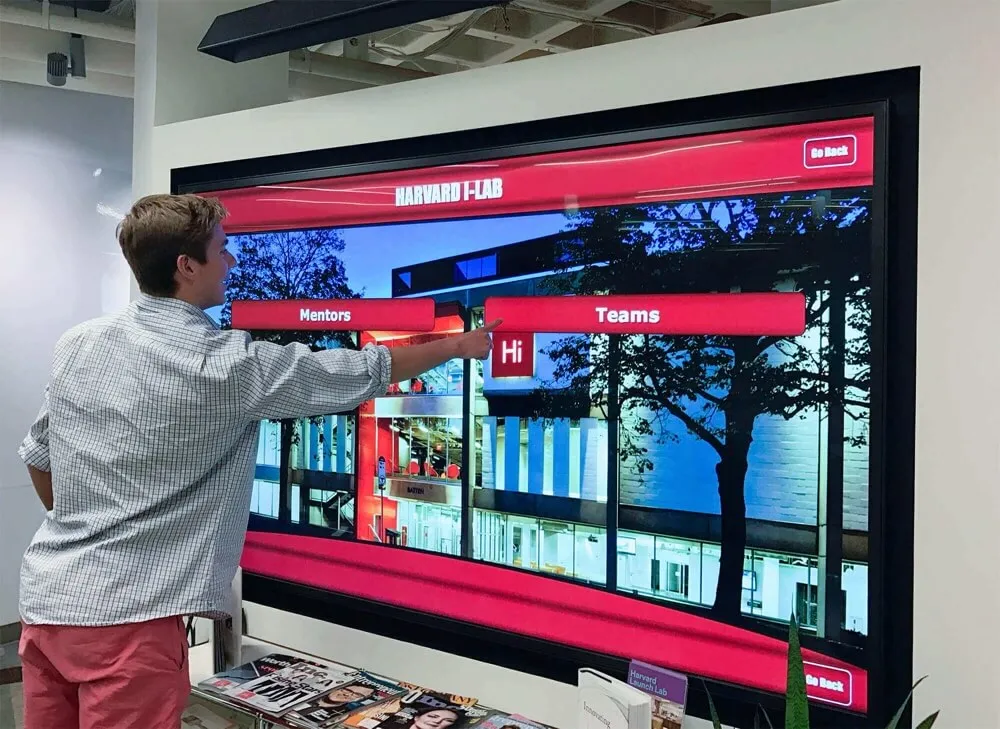
Digital recognition displays showcasing team member achievements, certifications, patient compliments, practice contributions, continuing education accomplishments, and professional milestones create powerful morale benefits. Visible recognition validates importance, demonstrates investment in team development, and establishes credibility with patients who see qualified, accomplished professionals providing their care.
The same recognition principles effective in athletic programs and corporate environments translate directly to dental practices—permanent, visible recognition motivates performance while building team culture.
Differentiating From Competitors Through Modern Environments
Patients choosing between dental practices evaluate multiple factors including location, insurance participation, appointment availability, and facility quality. When practical considerations align similarly across options, practice environment becomes decisive differentiator.
Outdated reception areas with peeling posters and dog-eared magazines communicate neglect regardless of clinical excellence. Modern environments featuring professional digital displays signal investment, attention to detail, and contemporary standards—creating positive first impressions that influence patient acquisition and retention decisions.
Practices implementing digital display systems report improved patient acquisition, enhanced online review ratings mentioning modern facilities, and competitive advantages versus practices maintaining outdated environments.
Maximizing Marketing Efficiency During Captive Attention
Practices spend thousands annually on external marketing attempting to capture patient attention through busy lives. Yet they commonly waste valuable opportunities to market additional services to existing patients sitting in reception areas with nothing but magazines.
Waiting room displays enable targeted marketing of services like teeth whitening, cosmetic dentistry, implant solutions, Invisalign, or periodontal treatments to patients already demonstrating interest through office visits. This captive audience marketing proves dramatically more cost-effective than external advertising while generating internal referrals and treatment plan upgrades.
Essential Features of Effective Dental Office Digital Display Systems
Understanding critical capabilities helps practices avoid investing in systems that disappoint after initial enthusiasm fades.
User-Friendly Content Management for Non-Technical Staff
Exceptional dental display systems recognize that office managers, practice administrators, and hygienists managing content typically lack technical backgrounds. The best platforms require no coding knowledge, professional design skills, or constant IT support for routine updates.
Critical Management Features:
- Web-based dashboards accessible from any internet-connected device
- Pre-built templates for common content types like team bios, procedure information, and announcements
- Drag-and-drop interfaces for organizing and scheduling content
- Mobile-responsive access enabling updates from smartphones or tablets
- Preview capabilities showing exactly how content displays before publishing
- Role-based permissions allowing appropriate staff to manage relevant content areas
- Cloud-based architecture eliminating need for local servers or complex infrastructure
Systems requiring professional developers or IT specialists for routine content changes inevitably stagnate as busy practice staff lack time or capability maintaining displays independently.
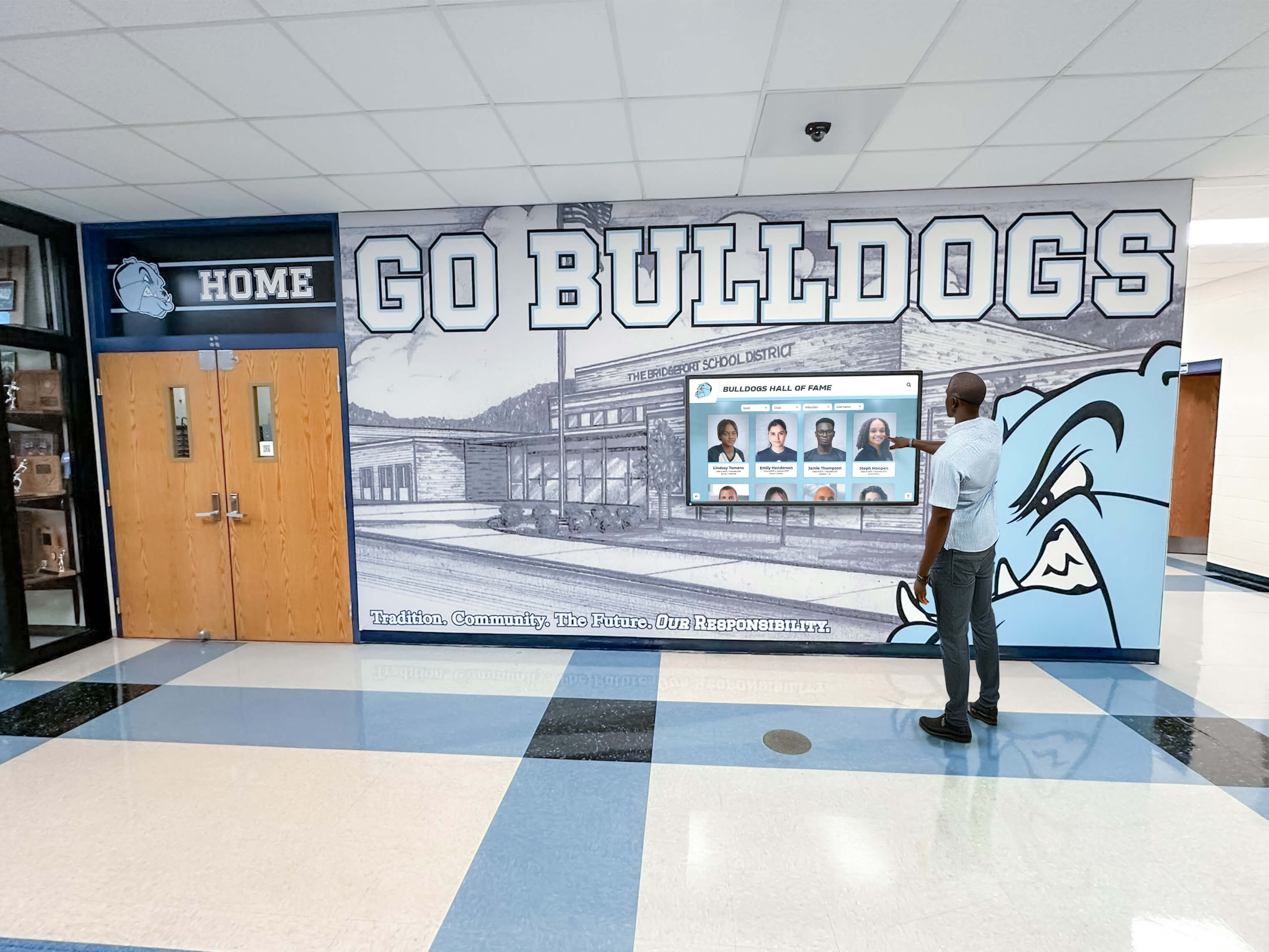
Professional Content Libraries and Templates
Creating engaging display content from scratch proves time-consuming and requires design skills most practices lack. Quality systems provide extensive ready-to-use content libraries specifically designed for dental environments.
Valuable Pre-Built Content:
- Oral health education videos covering brushing, flossing, diet, and prevention
- Procedure explanation animations for common treatments like fillings, crowns, and implants
- Seasonal health tips and awareness content addressing timely topics
- Practice information templates for hours, services, insurance, and policies
- Team member biography layouts showcasing credentials and experience
- Patient testimonial displays highlighting satisfaction and outcomes
- Before-and-after galleries demonstrating procedure results
Rather than starting from blank templates, practices customize proven content frameworks with their specific information, photos, and branding—dramatically accelerating implementation while ensuring professional quality.
Multi-Display Management from Centralized Dashboard
Practices deploying screens in reception areas, consultation rooms, hygiene bays, and staff areas need unified management rather than separately configuring each display manually.
Cloud-based platforms enable centralized control where administrators create content once then distribute selectively to appropriate displays. Reception area screens show different content than chairside displays or back office boards, yet all manage through single dashboards without physically accessing individual screens.
This centralized approach proves essential for consistent messaging, efficient content updates, and manageable long-term operation as practices scale from single screens to comprehensive installations throughout facilities.
Scheduling and Automation Capabilities
Effective displays adapt content automatically based on time, date, and context without requiring manual intervention for every change. Practices need systems supporting automated scheduling of seasonal content, weekly rotation of educational topics, time-of-day content variations, and special event messaging.
Critical Scheduling Features:
- Date-range scheduling for seasonal campaigns or awareness months
- Time-of-day rules showing different content during morning versus afternoon hours
- Day-of-week variations for different patient demographics visiting on specific days
- Special occasion overlays for holidays or practice events
- Emergency override capabilities for urgent announcements
- Content duration controls managing how long items display before rotating
Well-designed automation reduces ongoing administrative burden while ensuring fresh, relevant content continuously without constant manual management.
Analytics and Engagement Tracking
Understanding what content resonates helps practices optimize displays for maximum impact. Quality platforms provide analytics showing which procedure videos generate most views, what educational topics engage longest attention, which team member profiles patients explore, and how interactive content usage patterns evolve over time.
These insights inform content strategy decisions, identify popular topics deserving expansion, and demonstrate ROI by quantifying patient engagement generated through display investments.
Planning Your Dental Office Digital Display Implementation
Successful deployments require systematic planning addressing technical, operational, content, and budget dimensions.
Step 1: Define Objectives and Success Metrics
Begin by clearly establishing what you want to accomplish beyond vague “modernization” or “patient engagement” goals.
Specific Objectives Might Include:
- Reducing perceived wait time and improving patient satisfaction scores
- Increasing treatment acceptance rates for specific procedures
- Enhancing team morale through visible recognition
- Marketing cosmetic services and discretionary treatments to existing patients
- Establishing competitive differentiation through modern environments
- Improving operational communication with team members
- Supporting better patient education and informed consent
- Creating additional revenue through internal service marketing
Measurable Success Criteria Could Involve:
- Patient satisfaction survey scores related to wait time and practice environment
- Treatment acceptance rates for procedures featured in educational content
- Team satisfaction scores and turnover rates following recognition implementation
- New patient acquisition rates and source attribution mentioning modern facilities
- Revenue from internally marketed services featured on waiting room displays
- Patient engagement metrics from interactive kiosk usage analytics
Clear objectives inform all subsequent decisions about display types, content strategy, vendor selection, and budget allocation priorities.

Step 2: Assess Physical Locations and Technical Infrastructure
Evaluate your facility environment and technical capabilities:
Location Assessment:
- Reception/waiting area: Wall space, viewing angles, patient seating positions, ambient lighting conditions
- Consultation rooms: Available wall or counter space, power access, viewing angles during conversations
- Hygiene bays: Ceiling or wall mounting options, patient sight lines while reclined, power and network access
- Staff areas: Central locations visible to entire team, mounting options, existing bulletin board replacements
Technical Infrastructure:
- Network connectivity: Reliable internet access at proposed display locations via wired ethernet or robust WiFi
- Power availability: Accessible outlets or need for electrician installation at display locations
- Mounting considerations: Wall construction types, mounting weight limits, aesthetic preferences
- Existing equipment: Opportunities to replace outdated TVs or repurpose existing displays
Thorough assessment prevents implementation surprises while ensuring displays function reliably in actual practice environments.
Step 3: Develop Realistic Budget Including Total Cost of Ownership
Accurate budgeting accounts for initial investment and ongoing operations:
Initial Investment Components:
Hardware costs including commercial-grade displays ($500-$2,500 per 32-55" screen depending on quality and features), media players or integrated computing ($200-$800 per display), mounting hardware and installation ($200-$800 per location), and optional interactive touchscreen kiosks ($2,500-$6,000 for complete units with stands).
Software licensing typically bundles first year included, then annual subscriptions ($300-$1,200 per display depending on features, with multi-display discounts common).
Content development including initial setup, team photography, custom templates, procedure video licensing, and educational content library access ($1,000-$5,000 depending on scope and starting point).
Professional installation services including mounting, wiring, network configuration, and initial training ($500-$2,000 depending on complexity and number of displays).
Typical first-year total costs: $3,000-$12,000 per display location depending on system sophistication, hardware quality, and interactive capabilities.
Ongoing Annual Costs:
Software licensing and technical support ($300-$1,200 per display), content library subscriptions for updated educational videos and templates ($200-$800 annually), and minor maintenance including screen cleaning and occasional hardware replacement ($100-$300 annually).
Total cost of ownership over five years typically ranges $4,500-$18,000 per display installation. Compare this against benefits including improved patient satisfaction, increased treatment acceptance, team retention improvements, and competitive positioning advantages that commonly generate positive ROI within 18-36 months for practices measuring impact systematically.
Step 4: Evaluate Solutions and Select Platform
Not all dental display systems offer equivalent capabilities or long-term support. Thorough evaluation prevents costly mistakes:
Platform Requirements:
- Healthcare focus: Prioritize vendors with dental practice experience and compliant content libraries rather than generic digital signage adapted for medical use
- Content management ease: Request hands-on demonstrations attempting common tasks like scheduling content, updating team bios, or publishing announcements
- Template libraries: Review available pre-built content for dental education, team recognition, and patient communication
- Multi-display management: Verify efficient centralized control across reception, treatment, and staff displays
- Interactive capabilities: If considering touchscreen kiosks, thoroughly test user interfaces and content navigation
- Technical support: Understand included support levels, response times, and how practices receive assistance
- Integration possibilities: Explore connections to practice management systems, patient feedback platforms, or existing marketing tools
Platforms like Rocket Alumni Solutions specialize in recognition and engagement displays applicable to diverse professional environments beyond their origins in educational settings, offering advantages over generic digital signage platforms.
Step 5: Develop Content Strategy and Publication Schedule
How you organize and publish content determines system usefulness and patient engagement:
Content Categories:
- Patient education: Oral health tips, prevention strategies, procedure explanations, seasonal awareness topics
- Team recognition: Member profiles, certifications, continuing education, patient compliments, milestones
- Practice information: Hours, services, insurance, policies, special announcements
- Marketing: Featured procedures, cosmetic services, financing options, patient testimonials
- Entertainment: General interest content, community involvement, practice culture
Publication Planning:
- Core content: Evergreen material displayed consistently providing foundational information
- Rotating topics: Weekly or monthly content changes maintaining freshness without constant management
- Seasonal campaigns: Planned initiatives around awareness months, holidays, or back-to-school periods
- Event-based updates: Timely announcements about team changes, new equipment, or practice developments
Well-designed content strategies balance consistency with freshness, ensuring displays remain engaging without creating unsustainable administrative burdens for busy practice staff.
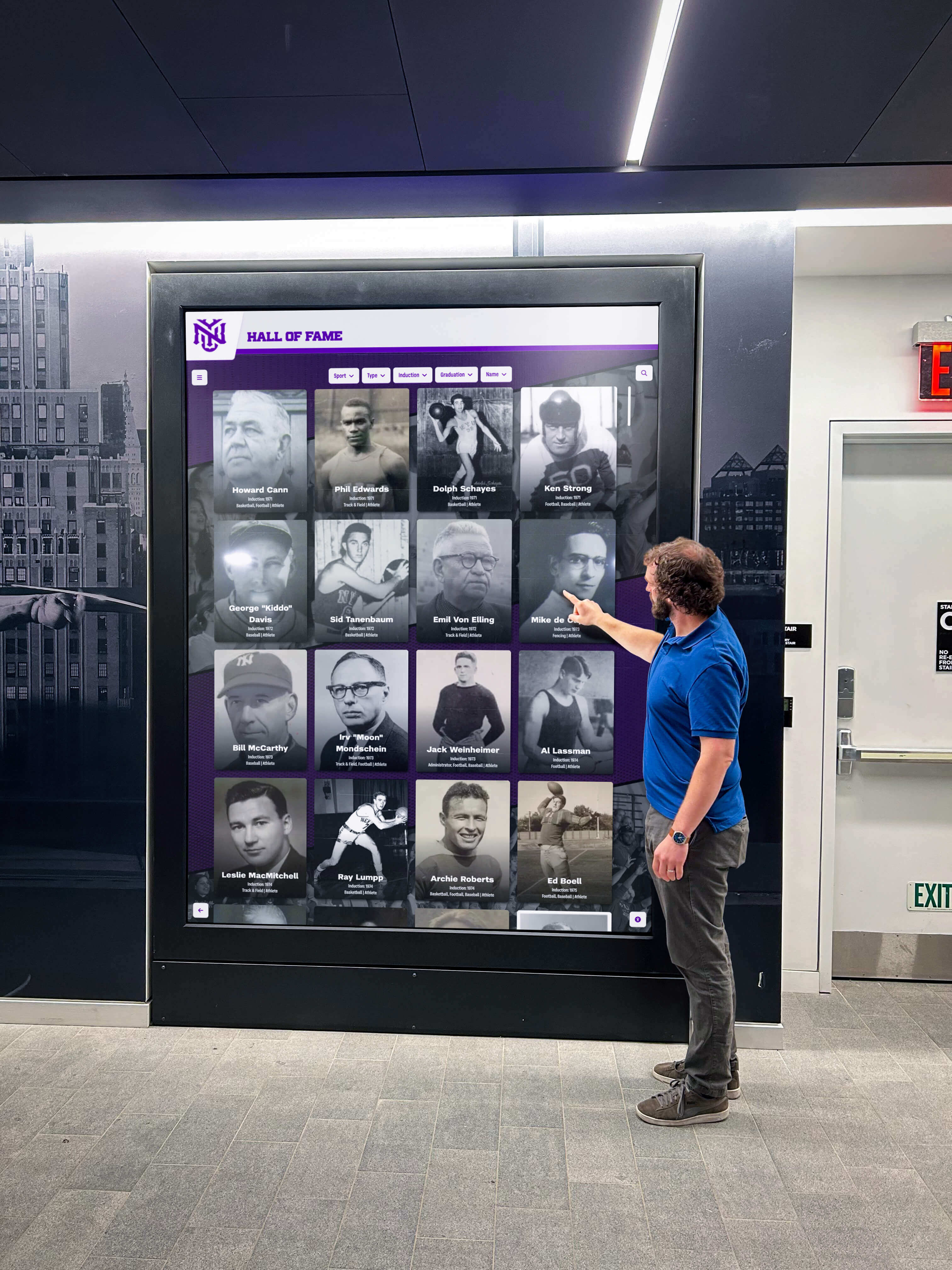
Step 6: Execute Professional Installation and Launch
Quality installation ensures systems start strong and maintain long-term reliability:
Pre-Installation Preparation:
- Complete electrical work and network configuration before installation day
- Coordinate with any necessary contractors for mounting surface preparation
- Plan around patient schedules minimizing disruption during busy periods
- Prepare initial content including team photos, practice information, and educational material
Professional Installation Services:
- Secure mounting using appropriate hardware for wall construction types
- Proper cable management creating clean, professional appearances
- Network configuration ensuring reliable connectivity
- Initial system setup, testing, and content loading
- Staff training on content management and routine operations
Launch Promotion:
- Patient communication through emails, social media, or practice newsletters
- Signage directing attention to new displays and interactive features
- Team briefing ensuring everyone understands systems and can answer patient questions
- Soft launch period allowing adjustment before major promotion
Thorough implementation prevents embarrassing malfunctions during initial use while maximizing patient awareness and team capability operating new systems effectively.
Overcoming Common Implementation Challenges
Understanding typical obstacles and proven solutions helps prevent problems derailing implementations:
“We Don’t Have Time to Manage More Technology”
Valid concern addressed through proper system selection and content strategy:
Well-designed platforms minimize ongoing effort through pre-built content libraries eliminating need to create educational material from scratch, template-driven publishing accelerating routine updates, scheduled automation maintaining fresh content without manual intervention, and cloud-based management enabling quick updates from any device rather than requiring dedicated sessions.
Initial content development requires focused investment, but ongoing maintenance typically requires 1-3 hours monthly rather than the significant burden initially feared. Many practices discover management integrates naturally into existing marketing or patient communication responsibilities rather than creating entirely new workload.
“Our Budget is Limited for Non-Essential Improvements”
Budget constraints affect most practices, but several approaches help manage costs:
Phased implementation starting with single high-impact waiting room display proving value before expanding to consultation rooms or treatment areas. Initial success builds support for additional displays in subsequent budget cycles.
Prioritize objectives focusing initial investment on highest-value applications—whether patient education, team recognition, or service marketing—rather than attempting comprehensive coverage immediately.
Explore creative funding through allocating portions of marketing budgets (displays enable internal marketing), team development funds (recognition improves retention), or facility improvement reserves (modern environments impact patient acquisition).
Many practices discover that comprehensive ROI analysis reveals measurable returns through improved treatment acceptance, enhanced patient satisfaction, team retention, and competitive positioning—justifying investments as strategic rather than discretionary expenses.
“We’re Concerned About Content Becoming Stale”
Legitimate concern addressed through realistic expectations and sustainable strategies:
Start with strong foundational content that remains relevant indefinitely—team profiles, core procedure explanations, practice information, evergreen oral health education. This content requires minimal updates beyond occasional staff changes or policy modifications.
Layer rotating content strategically through monthly educational topics, seasonal awareness campaigns, or quarterly service features rather than attempting constant comprehensive refreshment.
Leverage vendor content libraries providing regularly updated educational videos, awareness content, and professional templates rather than creating all material internally.
Establish realistic refresh schedules acknowledging that even static content proves superior to outdated cork boards or no information whatsoever. Perfect currency proves less important than professional presentation and foundational accuracy.
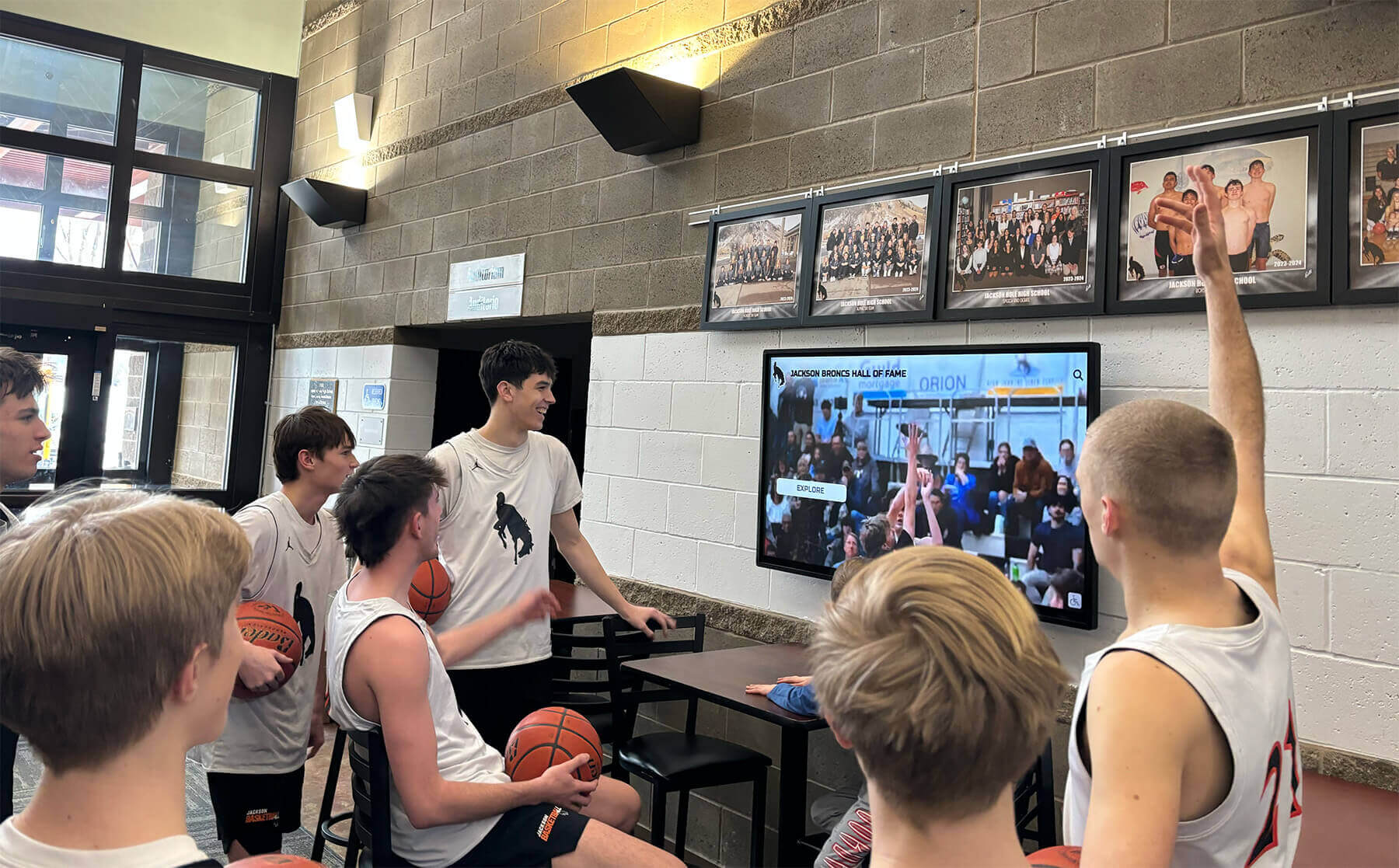
Advanced Applications: Interactive Patient Engagement
Beyond passive viewing, sophisticated implementations incorporate interactive touchscreen capabilities transforming displays into engagement centers.
Digital Check-In and Form Completion
Interactive kiosks enable patients to check in upon arrival, update demographic information, complete medical history questionnaires, review financial policies, and electronically sign consent forms—reducing reception desk bottlenecks while improving data accuracy through direct patient entry rather than staff interpretation.
Integration with practice management systems transfers information automatically, eliminating duplicate data entry while ensuring records remain current. Patients appreciate self-service convenience while front desk staff focus on higher-value interactions requiring personal attention.
Procedure Information Exploration
Interactive displays allow patients to explore procedure information at their own pace, viewing detailed animations of treatments they’re considering, browsing before-and-after galleries showing realistic outcomes, comparing treatment options side-by-side, and accessing detailed post-care instructions they can review repeatedly.
This self-directed exploration supports better informed consent conversations while reducing dentist explanation time—patients arrive at consultations already understanding treatment basics, enabling conversations focusing on personalized recommendations rather than fundamental education.
Team Member Recognition and Credentials
Interactive systems showcase team member profiles with photos, biographical information, professional credentials, continuing education accomplishments, and patient testimonials—establishing credibility while personalizing relationships between patients and care providers.
Patients explore team backgrounds discovering shared interests, community involvement, or extensive experience that builds trust and comfort. The same recognition principles that work for athletic achievements or academic honors apply equally to dental team recognition.
The Future of Dental Office Digital Displays
Understanding emerging capabilities helps practices make implementation decisions anticipating long-term needs rather than solving only today’s requirements.
Artificial Intelligence and Personalization
AI capabilities increasingly enhance display experiences through personalized content recommendations based on patient demographics, treatment history, or expressed interests, natural language interaction accepting conversational questions about procedures or practice information, and predictive scheduling suggesting optimal appointment times based on patient preferences and practice capacity.
Virtual Reality Procedure Previews
VR integration enables patients to experience realistic procedure previews through headsets, viewing treatment processes from patient perspective, exploring post-treatment outcomes in immersive environments, and reducing anxiety through familiarization with unfamiliar procedures.
Biometric Integration
Future systems may incorporate biometric identification enabling automatic check-in through facial recognition, personalized display content based on individual patient profiles and treatment history, and seamless integration with patient records without manual data entry.
These innovations will make displays even more powerful while maintaining core principles of patient engagement, team recognition, and practice differentiation that drive adoption today.
Making the Decision: Are Digital Displays Right for Your Practice?
Dental office digital displays deliver clear value for practices that:
- Experience patient wait times where engagement content creates value
- Want to improve treatment acceptance through better visual education
- Seek competitive differentiation through modern, professional environments
- Desire to recognize team excellence and improve morale through visible acknowledgment
- Need more effective internal marketing of additional services to existing patients
- Value operational efficiencies through digital communication replacing physical bulletin boards
- Aim to reduce perceived wait times and improve patient satisfaction scores
- Operate in competitive markets where facility quality influences patient acquisition
Practices may want to defer implementation if:
- Extremely short or non-existent wait times provide minimal engagement opportunity
- Very small facilities with minimal wall space and few patients simultaneously present
- Severe budget constraints require focusing resources on more pressing clinical equipment needs
- Team lacks capacity for even minimal content management and system oversight
For most dental practices seeking competitive advantage through patient experience excellence, the question isn’t whether digital displays offer value—they clearly do—but rather when to implement and how to prioritize within competing demands.

Taking the Next Step
Implementing dental office digital displays represents meaningful investment in patient experience, team recognition, operational efficiency, and competitive positioning. The decision deserves careful consideration, thorough research, and systematic planning.
Start by honestly assessing current challenges. Survey stakeholders about pain points including front desk staff managing check-in processes, clinical team explaining complex procedures, patients commenting on wait times or facility appearance, and existing team recognition practices. Quantify time spent on activities displays might streamline or enhance, establishing both justification for investment and metrics for measuring improvement.
Research available solutions thoroughly prioritizing vendors with healthcare or professional service experience rather than generic digital signage platforms. Request demonstrations from multiple providers focusing on content management ease, template libraries, and actual usability rather than feature checklists. Visit existing installations at peer practices observing real-world implementations and asking candid questions about satisfaction and lessons learned.
Develop realistic budgets accounting for total cost of ownership including initial investment and ongoing operational costs. Identify funding sources through marketing budgets, facility improvement funds, or team development allocations. Build stakeholder support articulating benefits relevant to each group—reduced administrative burden, improved patient satisfaction, enhanced team morale, and competitive differentiation.
Most importantly, view dental office digital displays not as technology purchases but as investments in practice excellence—demonstrating professionalism through modern environments, improving patient education supporting informed treatment decisions, recognizing team contributions that deserve visible acknowledgment, and positioning your practice as contemporary leader rather than outdated alternative.
Solutions like Rocket Alumni Solutions provide platforms applicable to diverse professional environments beyond traditional educational settings, delivering intuitive content management, pre-built template libraries, comprehensive multimedia support, and proven reliability across hundreds of installations. These purpose-built engagement systems offer significant advantages over generic digital signage platforms adapted for professional use.
The future of patient engagement is visual, interactive, and comprehensive. The future of professional team recognition is permanent, visible, and meaningful. The question is when your practice will embrace this future—and start experiencing the operational benefits, enhanced recognition, and improved patient experiences that digital display systems deliver.
Ready to transform how your practice engages patients and recognizes team excellence? Book a demo to see how digital display solutions combine patient engagement, team recognition, and practice marketing in unified platforms designed for professional environments prioritizing experience excellence.































