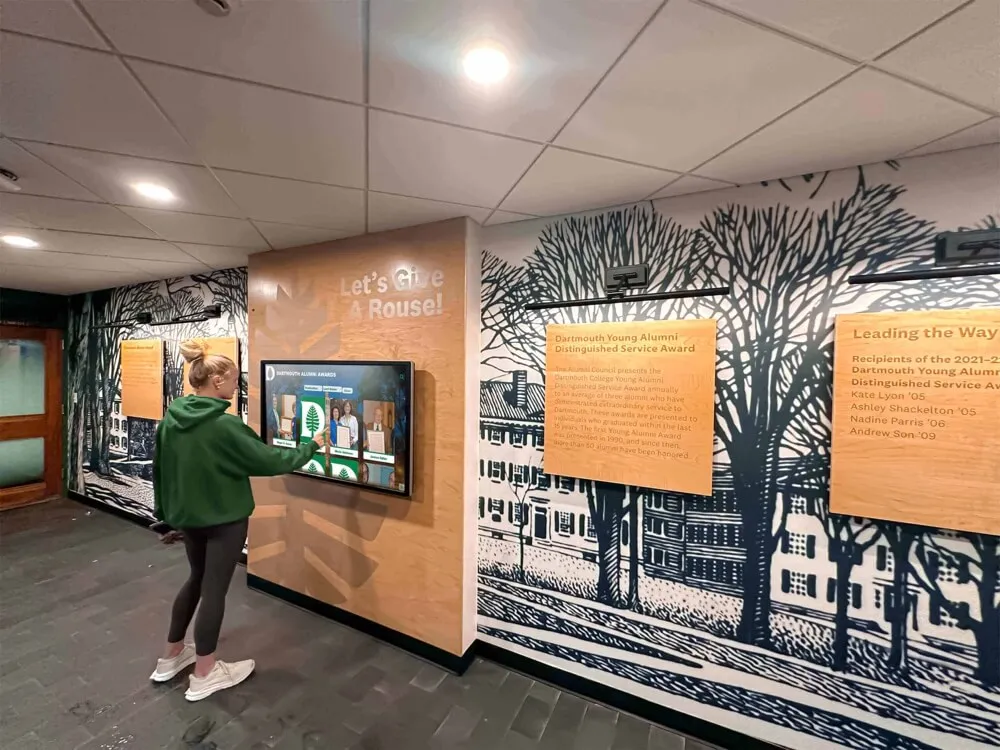




College residence halls serve as home for thousands of students navigating academic demands, social connections, extracurricular involvement, and personal growth during transformative undergraduate years. These living communities require effective communication systems connecting residents with essential information—event schedules, building policies, emergency alerts, dining options, maintenance updates, community programs, and campus resources. Traditional communication methods including paper flyers, bulletin boards, email lists, and dormitory announcements struggle to reach students effectively amid information overload and declining attention to static messaging.
Modern residence halls increasingly deploy interactive digital displays that transform how universities communicate with residential students. These sophisticated touchscreen kiosks and digital signage systems provide centralized information hubs delivering real-time updates, interactive wayfinding, event calendars, community announcements, and emergency notifications through engaging visual interfaces that capture student attention far more effectively than traditional communication channels. As universities recognize that residence halls significantly influence student satisfaction, retention, and academic success, investment in professional communication technology becomes essential infrastructure supporting comprehensive residential education missions.
Why Interactive Displays Matter in College Residence Halls
Interactive digital displays in residence halls serve multiple critical functions beyond simple information distribution. Modern systems enhance student safety through immediate emergency alert capabilities, improve operational efficiency by reducing staff time spent answering routine questions, strengthen community connections by promoting events and programs prominently, support academic success by highlighting resources and deadlines, reduce environmental waste by eliminating paper flyers and printed materials, and create welcoming spaces through dynamic visual content showcasing student life. Universities implementing professional interactive display systems discover that these investments generate measurable returns through improved student satisfaction, reduced operational costs, stronger community engagement, and enhanced institutional reputation among prospective students and families evaluating residential experiences.
Understanding the Evolution of Residence Hall Communication
Effective communication within college residence halls has challenged universities for generations. Understanding how communication methods evolved helps contextualize why interactive digital displays represent significant advancement over traditional approaches.
Traditional Communication Methods and Their Limitations
Historically, residence halls relied on limited communication channels including physical bulletin boards in lobbies and hallways, printed flyers slid under dormitory doors, email distributions to student mailing lists, community meetings and floor gatherings, resident assistant personal outreach, and whiteboard announcements in common areas.
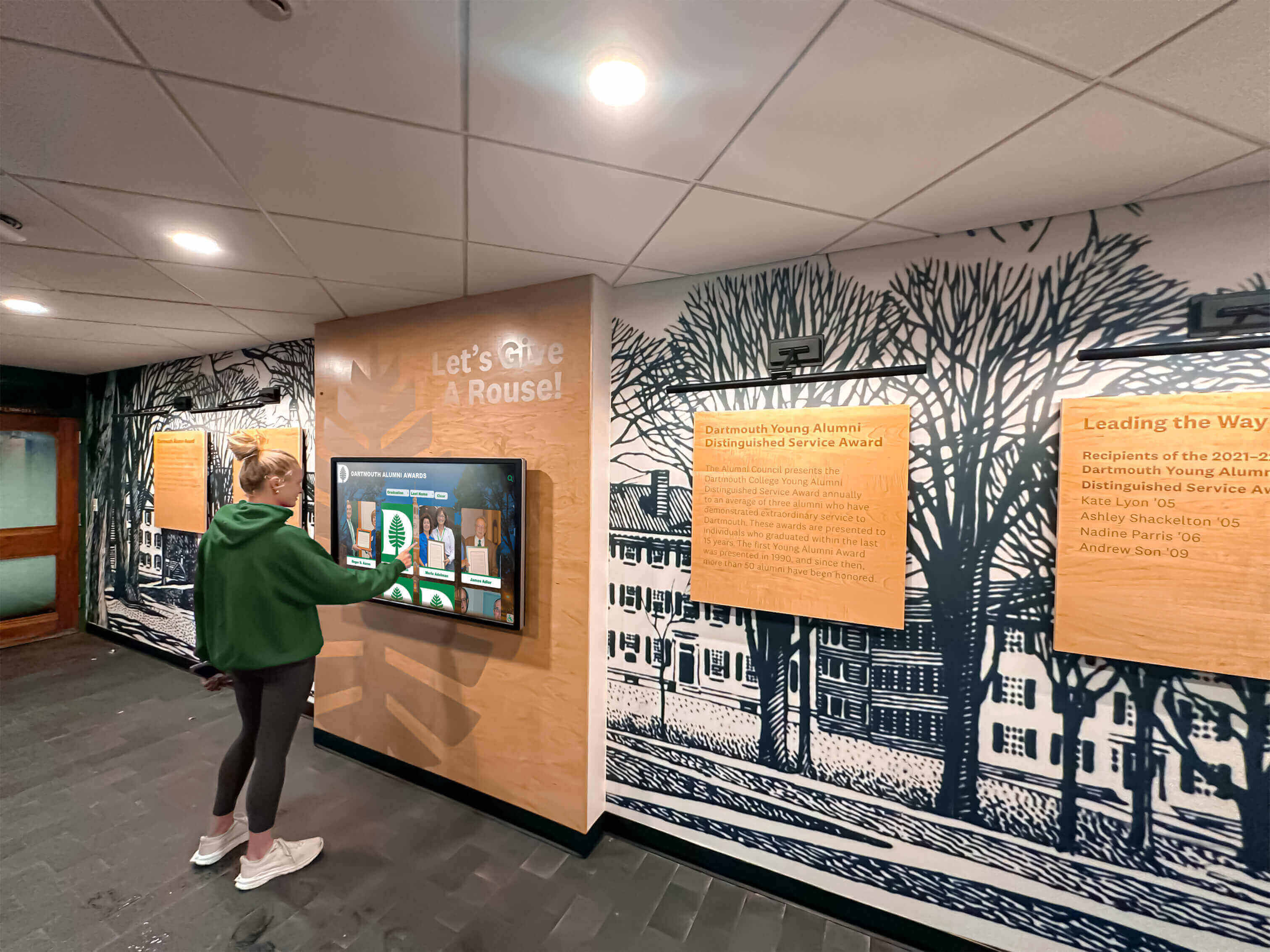
These traditional methods face fundamental limitations that reduce communication effectiveness. Students overwhelmed with daily information easily overlook static bulletin boards displaying outdated content mixed with current announcements. Paper flyers create environmental waste while achieving limited reach—most students discard door flyers without reading them. Email overload means residence hall messages compete with hundreds of other institutional emails students receive weekly, resulting in minimal open rates especially for routine announcements. Community meetings reach only students available during scheduled times, missing those with class conflicts, work commitments, or extracurricular obligations. Physical media cannot accommodate multimedia content like videos, interactive maps, or real-time data feeds that significantly enhance information utility and engagement.
The Rise of Digital Signage in Campus Environments
Universities began deploying digital signage throughout campus environments in the early 2000s, initially featuring basic slideshow displays in academic buildings, student unions, and athletic facilities. These early systems provided advantages over printed posters including remote content updates eliminating manual poster distribution, the ability to display rotating content maximizing limited display space, consistent professional visual presentation across campus locations, and reduced printing costs for frequently changing information.
However, first-generation digital signage remained passive—students viewed content without interacting with displays. These systems functioned essentially as electronic bulletin boards showing predetermined content sequences regardless of individual student information needs or interests. While representing improvement over static printed materials, passive digital signage still failed to engage students meaningfully or provide personalized information access.
Interactive Technology Transformation
The proliferation of smartphones and tablets during the 2010s fundamentally changed student expectations about information access. Students accustomed to touchscreen devices expected interactive experiences allowing personalized content exploration rather than passive viewing of predetermined content sequences. This shift created demand for interactive kiosks enabling students to search specific information, explore content at their own pace, access detailed information on topics relevant to them personally, and interact with systems in intuitive ways mirroring familiar smartphone experiences.
Modern interactive displays in residence halls leverage capacitive touchscreen technology similar to smartphones, intuitive user interfaces requiring minimal instruction, responsive design adapting to different interaction patterns, integration with campus databases providing real-time information, and mobile connectivity allowing students to continue information exploration on personal devices through QR codes or mobile links. According to research from campus technology specialists, universities are seeing increased interest in touchscreen kiosks specifically designed for residence halls, dining areas, and student gathering spaces where durable, tamper-resistant units accommodate high-traffic environments.
Strategic Benefits of Interactive Displays for Residence Hall Operations
Universities implementing interactive displays in residence halls discover multiple strategic advantages extending beyond improved communication to encompass operational efficiency, student development, community building, and institutional advancement goals.
Enhancing Student Safety and Emergency Response
Student safety represents paramount concern in residential environments where hundreds or thousands of students live in close proximity. Interactive displays provide critical infrastructure supporting comprehensive emergency response systems.

Immediate Alert Distribution: During emergencies requiring immediate student notification—severe weather, security threats, facility hazards, or campus incidents—interactive displays function as highly visible alert systems broadcasting urgent messages throughout residence hall common areas where students naturally congregate. Unlike email or text alerts that students might not check immediately, prominent digital displays positioned in lobbies, stairwells, and common areas ensure visual alerts reach students quickly regardless of whether they actively monitor personal devices.
Evacuation Guidance: Interactive displays can provide dynamic evacuation instructions during emergencies, showing optimal exit routes based on incident locations, displaying assembly point information for accountability checks, providing real-time updates as situations evolve, and connecting to building fire alarm systems for automatic emergency protocol display. This capability proves especially valuable during complex emergencies where predetermined evacuation routes may be compromised requiring alternative exits.
Safety Resource Information: Beyond emergencies, displays promote ongoing safety awareness by highlighting campus security escort services and contact information, publicizing safety workshops and self-defense training opportunities, displaying well-lit walking route maps for nighttime campus navigation, featuring emergency call box locations throughout campus, and providing sexual assault prevention resources and support services. Prominent display of safety resources normalizes help-seeking behavior while ensuring students know how to access support when needed.
Improving Operational Efficiency for Housing Staff
Residence hall staff including professional housing administrators, resident directors, and resident assistants spend significant time answering routine student questions about building policies, event information, campus resources, and logistical details. Interactive displays reduce this repetitive information load by providing self-service information access.
Frequently Asked Questions Access: Interactive kiosks can host comprehensive FAQs addressing common student questions including laundry room locations and hours, package pickup procedures and mail center hours, guest policy details and overnight visitor procedures, maintenance request submission processes, room key replacement procedures and costs, quiet hour enforcement and noise policies, and bicycle storage and parking regulations. When students can independently access this information through conveniently located displays, staff time redirects from answering routine questions to more substantive student support and community development activities.
Automated Information Distribution: Rather than staff manually distributing information through door flyers, email announcements, or bulletin board updates, digital displays provide centralized platforms where housing offices publish information once and it automatically displays across designated residence hall locations. This automation dramatically reduces administrative burden while ensuring consistent messaging across all buildings and faster information distribution when time-sensitive updates occur.
Data Analytics for Program Improvement: Many modern interactive display systems provide usage analytics showing which content students access most frequently, what times students interact with displays, how long students engage with different content types, and which features generate most interest. This data helps housing staff understand student information needs, optimize content strategy based on actual usage patterns, identify gaps where students seek information unavailable in current systems, and demonstrate program value through measurable engagement metrics supporting budget justifications.
Strengthening Residential Community and Student Engagement
Residence halls function as more than sleeping accommodations—they serve as communities supporting student development through social connections, educational programming, and shared experiences. Interactive displays strengthen community building by increasing awareness and participation in residential activities.

Event Promotion and Participation: Housing departments invest significant resources planning community events, educational programs, social activities, and cultural celebrations designed to foster community and support student development. However, low attendance often plagues these programs despite quality content—students simply don’t know events are happening. Interactive displays dramatically improve event visibility by showcasing upcoming programs with photos and descriptions, enabling calendar integration allowing students to add events to personal schedules, featuring countdown timers building anticipation for major programs, highlighting attendee testimonials and photos from previous events, and displaying real-time participation information for ongoing activities.
Universities implementing comprehensive digital recognition programs report significant increases in program attendance when interactive displays supplement traditional promotion methods, with some institutions documenting 40-60% attendance growth for regularly scheduled community programs.
Student Organization Visibility: Most residence halls host floors or communities affiliated with specific themes, academic interests, or student organizations including living-learning communities, academic interest floors, cultural affinity housing, substance-free communities, and honor program residences. Interactive displays provide platforms for these communities to maintain visible presence by showcasing member profiles and leadership teams, promoting organization-specific events and activities, displaying achievement recognition and awards, featuring service projects and community impact, and providing recruitment information attracting interested students. This organizational visibility strengthens group identity while helping students discover involvement opportunities aligned with their interests.
Community Recognition and Celebration: Recognizing student achievements, community contributions, and positive behaviors reinforces values while motivating continued engagement. Interactive displays enable scalable recognition by featuring resident of the month spotlights, acknowledging community service contributions, celebrating academic achievements like dean’s list honors, highlighting staff appreciation recognizing resident assistants and housing professionals, and showcasing student creativity through art displays or multimedia projects. Solutions like digital recognition displays from Rocket Alumni Solutions enable universities to showcase student achievements through engaging, professional presentations that strengthen community pride while creating lasting value through content that remains accessible and relevant throughout academic years.
Supporting Academic Success and Student Development
While residence halls primarily provide living space, they significantly influence academic outcomes and overall student development. Interactive displays contribute to academic mission by connecting students with resources supporting success.
Academic Resource Awareness: Many students struggle academically not because they lack ability but because they don’t know what support resources exist or how to access them. Interactive displays positioned in residence hall common areas promote academic resources including tutoring center locations and hours, writing center appointment scheduling, library research assistance services, academic advising contacts and office locations, disability services and accommodation procedures, and success coaching and study skills workshops. Promoting these resources in residential spaces where students spend significant time increases awareness especially among students who might not independently seek academic support.
Important Deadline Reminders: Students managing complex academic calendars benefit from visible deadline reminders displayed in frequently visited common areas. Displays can feature course registration dates and procedures, financial aid and scholarship application deadlines, internship and study abroad application periods, graduation requirement checkpoints, and academic calendar milestones like exam periods and breaks. These reminders support student success by preventing missed opportunities or administrative penalties from overlooked deadlines.
Career Development Connections: Professional development increasingly begins during undergraduate years through internships, career exploration, networking events, and employer recruiting activities. Interactive displays help students connect with career resources by promoting career fair attendance and employer visit schedules, featuring alumni career panels and networking events, displaying internship opportunity databases and application timelines, showcasing student employment opportunities on campus, and highlighting professional skill development workshops. Early career awareness and preparation significantly improve post-graduation outcomes, making career content integration into residence hall displays valuable student development investment.
Implementing Interactive Display Systems in Residence Halls
Universities ready to implement interactive displays in residence halls face important decisions about technology selection, display placement, content strategy, and management processes that determine long-term success and value.
Selecting Appropriate Technology Solutions
Multiple technology approaches enable interactive communication in residence halls, each offering different capabilities, cost implications, and implementation requirements.
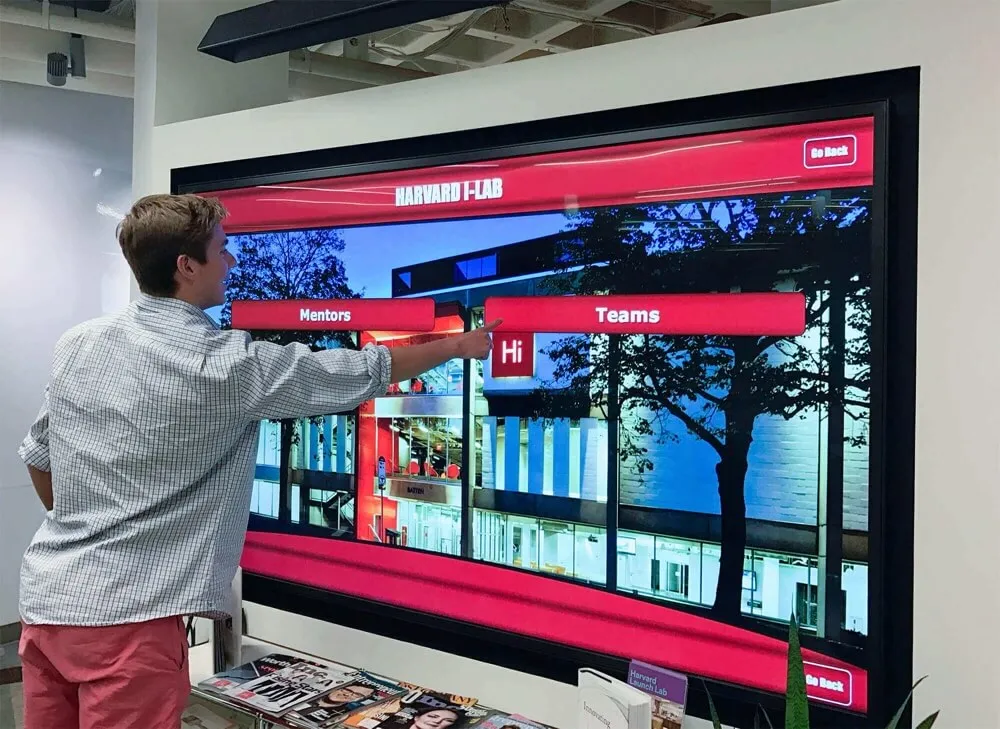
Dedicated Interactive Touchscreen Kiosks: Purpose-built touchscreen kiosks provide the most robust solution for high-traffic residence hall environments. These systems feature commercial-grade touchscreen displays designed for continuous operation and heavy use, ruggedized enclosures protecting electronics from physical impacts and vandalism, ADA-compliant mounting heights and accessibility features, integrated computing systems running specialized kiosk software, and network connectivity enabling remote content management and updates. Dedicated kiosks work particularly well in residence hall lobbies, common areas, dining facilities, and main entrances where students naturally congregate and where prominent displays maximize visibility.
Interactive touchscreen technology has revolutionized campus engagement by powering everything from digital information directories to interactive wayfinding systems guiding students through complex campus environments. Professional kiosk systems designed specifically for educational environments offer durability and features matching intensive residential use patterns.
Wall-Mounted Digital Displays: Large-format digital displays mounted on walls provide cost-effective information distribution in multiple locations throughout residence halls. While typically non-interactive, these displays show rotating content managed centrally including event calendars, announcements, emergency alerts, dining menus, weather updates, and campus news. Wall-mounted displays work well in hallways, elevator lobbies, stairwells, and distributed locations where space limitations or budget constraints make dedicated kiosks impractical. Many universities implement hybrid approaches combining interactive kiosks in primary locations with supporting digital displays in secondary spaces ensuring comprehensive building coverage.
Web-Based Mobile-Accessible Systems: Complementing physical displays, web-based information platforms accessible through smartphones enable students to access residence hall information anywhere on campus. These systems provide unlimited information capacity beyond what physical displays can show, enable personalized information filtering based on student interests and building assignments, facilitate two-way communication allowing student feedback and questions, and support off-campus access for families and visitors. QR codes displayed on physical kiosks can link to mobile-accessible platforms, creating seamless transitions between public displays and personal devices.
Hybrid Integrated Approaches: The most effective implementations combine multiple technologies creating comprehensive ecosystems where prominent interactive kiosks serve as primary information hubs, supplementary digital displays provide additional visibility in secondary locations, mobile-accessible platforms enable personalized access, and digital displays integrate with campus systems pulling information from housing databases, event calendars, dining services, and emergency notification systems. This integration ensures consistent messaging across platforms while accommodating different student preferences for information access.
Strategic Display Placement for Maximum Impact
Where universities position interactive displays significantly affects visibility, accessibility, usage rates, and overall communication effectiveness.
Primary High-Traffic Locations: Main residence hall lobbies and entrances receive traffic from students, staff, families, and visitors daily making these premium locations for interactive displays. Positioning systems prominently near main entrances ensures every person entering buildings encounters displays, communicates institutional investment in modern communication infrastructure, and provides convenient access when students check mail, meet friends, or enter buildings. Similarly, dining halls and cafeteria areas where students gather for meals provide ideal secondary locations where captive audiences waiting for food or eating have time to engage with displays reviewing upcoming events or campus information.
Floor-Level Common Areas: Most residence halls feature floor lounges, study rooms, or common areas where hall residents gather socially or academically. Placing displays in these spaces ensures information reaches students in their immediate living communities where floor-specific programming and community building primarily occurs. Floor-level displays can feature content customized to specific communities while maintaining connections to building-wide and campus-wide information.
24-Hour Study Spaces and Computer Labs: Many residence halls provide dedicated study spaces and computer labs where students spend significant time during evening and late-night hours. Displays in these academic-focused spaces can emphasize content supporting student success including study resource information, academic deadline reminders, tutoring service promotion, and wellness resources addressing stress management and mental health support especially relevant during high-pressure exam periods.
Service Desks and Mail Centers: Residence hall front desks and mail centers generate natural traffic as students check in guests, retrieve packages, and seek staff assistance. Interactive displays positioned near these service points reduce routine questions staff must answer by providing self-service information access while students wait in line or complete desk transactions.
Designing Effective Content Strategy and User Experience
Technology capabilities matter only if content engages students and user experience facilitates easy information access. Effective interactive display implementations prioritize intuitive design and valuable content over technical sophistication.
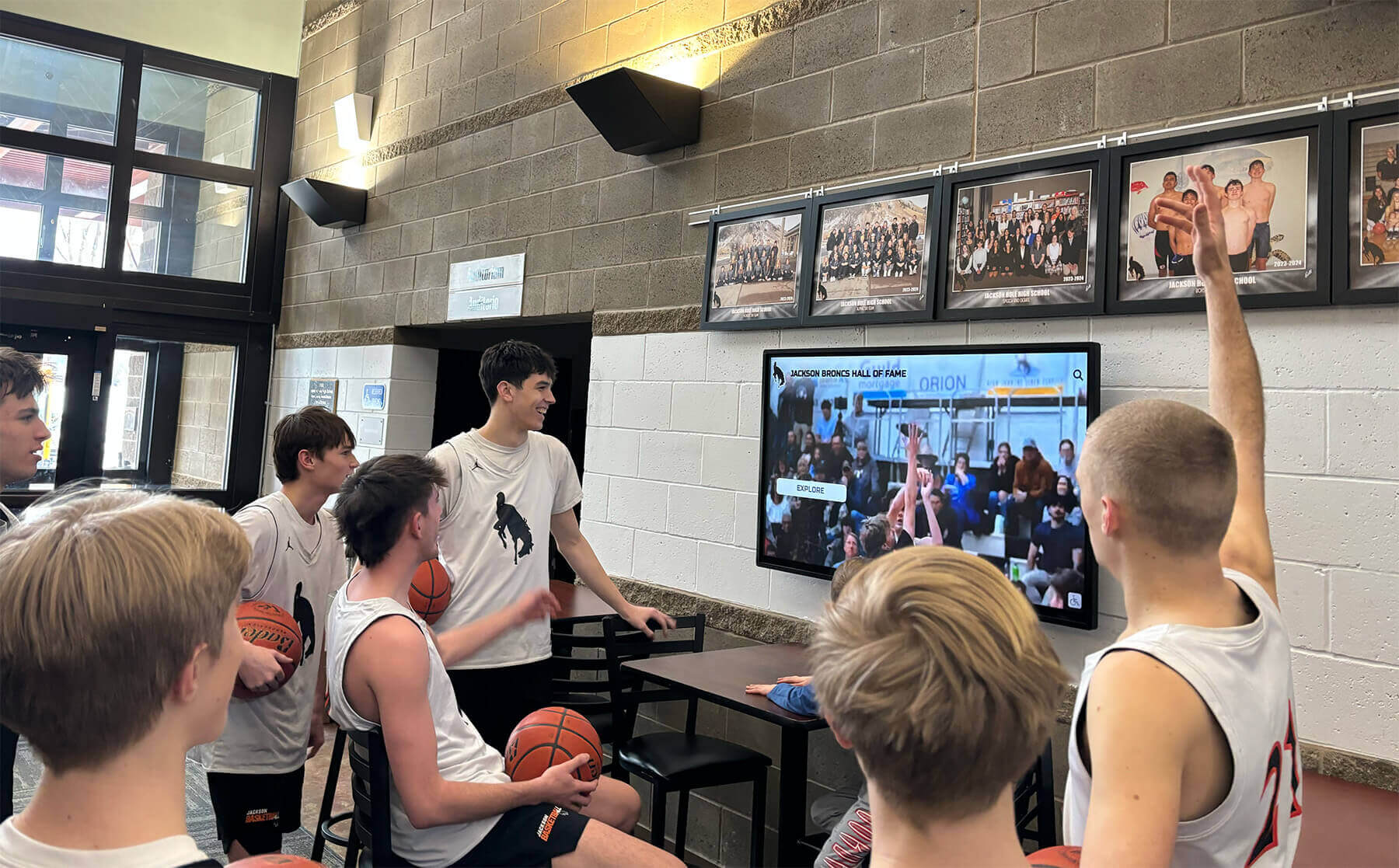
Intuitive Navigation and Interface Design: Students accustomed to smartphone interfaces expect touchscreen displays to function similarly without requiring instructions or extensive exploration. Effective interactive displays feature clear visual hierarchies with prominent buttons and obvious navigation paths, minimal text density avoiding overwhelming information presentation, touch targets sized appropriately for finger interactions preventing frustration from missed selections, consistent navigation patterns across screens reducing learning curve, and responsive feedback confirming touch interactions and system responsiveness. Universities implementing systems requiring complex navigation or extensive text reading discover students simply ignore displays in favor of more convenient information sources like smartphones.
Content Categories and Information Architecture: Organizing information logically helps students find needed content quickly. Effective structures typically include categories for current events and programs with calendars and registration information, building information covering policies, facilities, and services, campus resources highlighting academic support, health services, and student life, community recognition featuring resident spotlights and achievement celebration, emergency information providing safety resources and contact details, and dining information showing meal hours, menus, and nutrition facts. Each category should require minimal navigation depth—students should access most information within two to three screen interactions from the home screen.
Dynamic Real-Time Content Integration: Static content quickly becomes stale, training students to ignore displays showing unchanging information. Dynamic content maintains relevance and engagement by pulling live data from campus systems including real-time event calendars automatically updating from central scheduling databases, dining menu information synchronized with food service systems, weather forecasts showing current conditions and alerts, transportation schedules displaying bus arrival times and service updates, facility status information showing laundry room availability or computer lab capacity, and social media feeds featuring approved institutional and student organization content. Real-time integration ensures displays consistently offer current information worth checking regularly rather than displaying outdated content undermining system credibility.
Visual Design and Multimedia Content: Digital displays enable rich visual content impossible with text-based communication channels. Effective displays leverage high-quality photography showcasing campus life and residence hall events, short video content featuring student testimonials or program previews, animated graphics and motion design attracting attention in peripheral vision, color-coded information for quick visual scanning, and brand-consistent visual design reinforcing institutional identity. However, visual richness must balance with accessibility—displays should remain readable for students with visual impairments through appropriate contrast ratios, text sizing, and screen reader compatibility when available.
Content Management and Update Workflows
Interactive displays provide value only when content remains current, accurate, and comprehensive. Establishing efficient content management workflows ensures displays stay relevant without creating excessive administrative burden for housing staff.
Centralized Content Management Systems: Professional interactive display solutions provide web-based content management platforms enabling authorized staff to create and publish content without technical expertise, schedule content to display during specific date ranges automatically removing outdated information, manage multiple displays across different buildings from single interfaces, preview content before publishing to verify formatting and accuracy, and establish approval workflows when needed for content requiring administrative review. Most professional systems like those provided by Rocket Alumni Solutions offer intuitive interfaces requiring no technical expertise enabling housing staff to maintain displays efficiently without depending on IT departments or external contractors.
Distributed Content Contribution Models: While centralized management ensures oversight, empowering multiple contributors increases content diversity and reduces burden on individual staff members. Effective models include resident assistant content submission where RAs create floor-specific event promotions and community announcements, student organization access for registered groups to promote approved programs and activities, facility services updates allowing operations staff to post maintenance schedules or building closure notices, dining services integration enabling food service teams to publish menu information directly, and emergency management connections allowing campus safety offices to trigger alert displays instantly during incidents. Role-based permissions ensure appropriate content approval and oversight while distributing content creation workload.
Regular Content Refresh Schedules: Even dynamic systems benefit from human oversight ensuring content quality and relevance. Housing departments should establish regular review cycles including daily checks removing outdated event information and correcting errors reported by students, weekly content audits ensuring featured events align with upcoming programs and that all categories contain current relevant information, monthly strategic reviews assessing which content generates most engagement and adjusting emphasis accordingly, and semester transitions comprehensively updating building policies, staff contacts, calendar information, and featured programs reflecting new academic periods. Consistent maintenance prevents display degradation into neglected systems showing outdated information that trains students to ignore them.
Content Applications for Residence Hall Interactive Displays
Understanding specific content types that provide value helps universities plan comprehensive information strategies maximizing display utility for diverse student needs.
Campus Wayfinding and Navigation Support
Many universities occupy sprawling campuses where new students struggle to navigate complex building layouts, multiple campus zones, and distributed facilities. Interactive displays provide wayfinding support particularly valuable during initial transition periods.
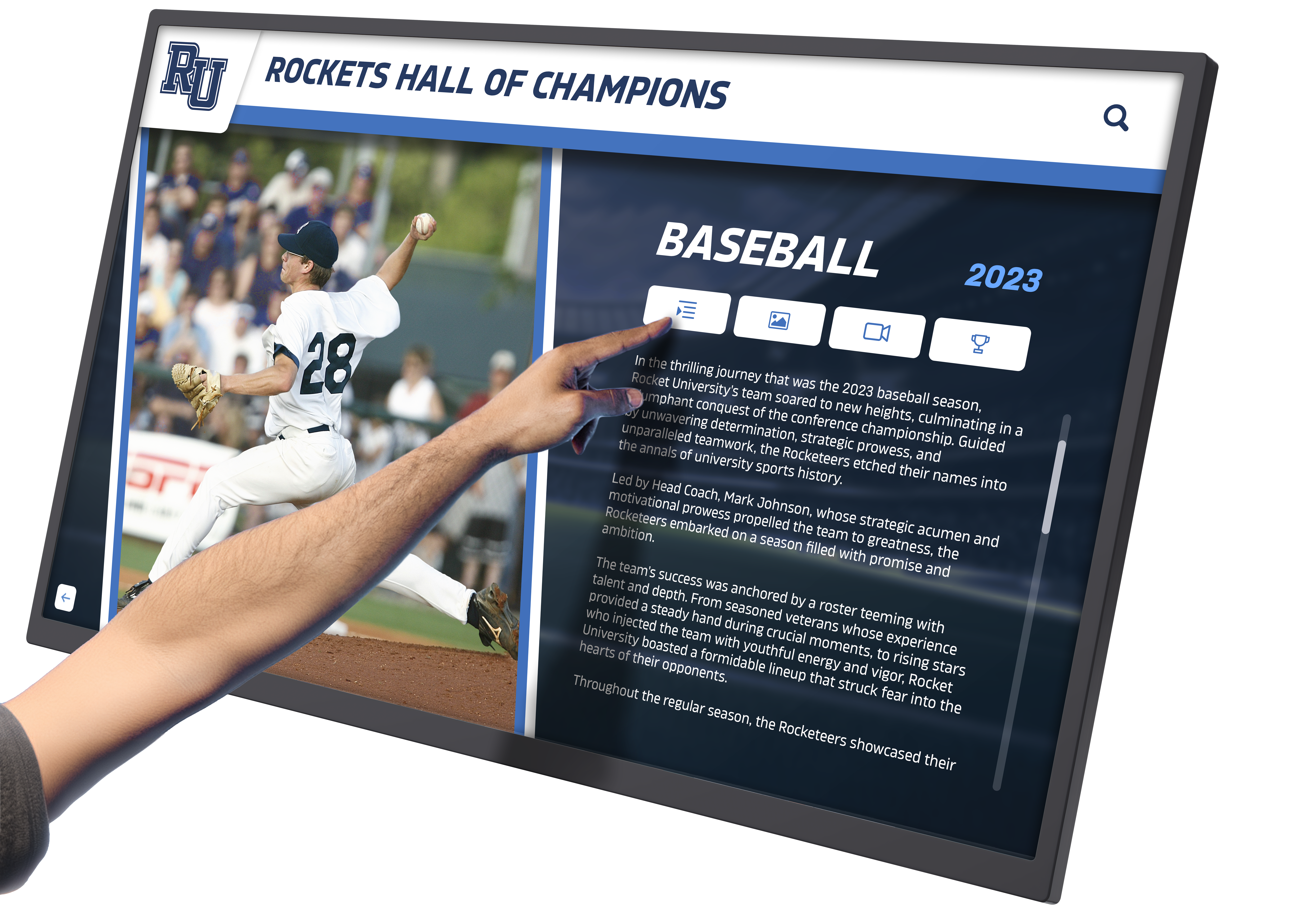
Building and Room Directories: Large residence hall complexes with multiple wings, floors, and connecting buildings confuse students seeking specific locations. Interactive displays can provide searchable directories showing office locations for housing staff, meeting room numbers and reservation information, study space availability and features, laundry room locations and equipment status, and common facility locations like fitness centers and game rooms. Students can search by name, room number, or facility type receiving directional information guiding them to destinations.
Campus Map Integration: Beyond individual buildings, students need campus-wide navigation assistance. Interactive displays can feature comprehensive campus maps with search functionality locating academic buildings, administrative offices, student services, recreation facilities, libraries, and dining locations. Maps should provide walking route guidance with estimated travel times, public transportation connections and bus stop locations, accessibility information showing wheelchair-accessible routes, and parking area identification for students with vehicles. Universities implementing comprehensive digital wayfinding systems report reduced directional questions asked of staff while improving visitor experiences during campus tours and events.
Local Area Information: Students living on campus need information about surrounding communities including off-campus dining and shopping options, entertainment venues and activity opportunities, public transportation connections to nearby cities, healthcare facilities and urgent care locations, and emergency services including police, fire, and hospitals. Comprehensive information helps students integrate into broader communities while supporting their independence navigating off-campus environments.
Event Management and Community Programming
Residence halls host extensive programming designed to build community, support student development, and create memorable undergraduate experiences. Interactive displays significantly improve event awareness and participation rates.
Comprehensive Event Calendars: Rather than promoting individual events through separate communications, interactive displays provide centralized calendar views showing all upcoming programming. Effective calendar systems enable filtering events by category (social, educational, recreational, cultural), date range (today, this week, this month), location (specific buildings or campus-wide programs), and target audience (all students, specific living communities, special interests). Students should be able to select events viewing detailed descriptions including date, time, and location information; program descriptions explaining content and objectives; registration requirements and capacity limitations; contact information for questions; and links to online registration or RSVP systems. This comprehensive approach helps students discover programs aligned with their interests while planning participation around academic schedules.
Visual Event Promotion: Beyond text calendars, visual promotion significantly increases event awareness and interest. Interactive displays can feature promotional graphics and posters designed for events, photo galleries from previous similar programs showing what students can expect, video previews highlighting program content or featuring organizer invitations, countdown timers building excitement for major annual events, and participant testimonials where previous attendees share experiences encouraging peers to attend. Visual content captures attention far more effectively than text descriptions alone, translating to measurably higher program attendance.
Real-Time Event Updates: During ongoing events, displays provide real-time information including current participation levels and remaining capacity for limited-space programs, location changes due to weather or facility issues, schedule modifications or program delays, photo streams from ongoing events encouraging additional attendance, and post-event content like winner announcements or competition results. This dynamic information keeps displays relevant throughout event lifecycles rather than becoming obsolete once programs begin.
Dining Services and Nutrition Information
Food service represents major operational component of residential life and frequent student concern. Interactive displays provide valuable dining information students check regularly.
Menu Information and Meal Planning: Students with dietary preferences, restrictions, or nutrition goals appreciate detailed menu information helping them plan meals effectively. Displays can show daily menus for all campus dining locations, nutrition information including calorie counts and macronutrient profiles, allergen warnings identifying common allergens present in dishes, dietary classification indicating vegetarian, vegan, gluten-free, and other options, and ingredient sourcing highlighting local or sustainable food choices. This transparency supports informed decision-making while demonstrating institutional commitment to student wellness.
Dining Hours and Locations: Students often struggle tracking which dining facilities operate during specific times especially during breaks, exam periods, and summer sessions when hours vary from regular schedules. Displays showing current operating hours for all campus dining facilities, temporary closures for holidays or facility maintenance, alternative dining options when primary facilities are closed, mobile ordering capabilities and pickup procedures, and special dining events like cultural meals or chef’s table experiences help students plan around meal service availability.
Nutrition Education and Wellness Programming: Beyond immediate meal information, displays can promote broader nutrition and wellness content including healthy eating tips and recipe ideas, information about nutrition counseling services, cooking demonstration events and food skills workshops, sustainability initiatives like composting programs or food waste reduction efforts, and links to detailed nutrition databases for students tracking specific dietary needs. This educational content supports student wellness while demonstrating comprehensive approach to dining services beyond basic meal provision.
Academic Support and Student Success Resources
While residence halls focus on living arrangements, they significantly influence academic outcomes. Interactive displays help connect students with resources supporting academic success.
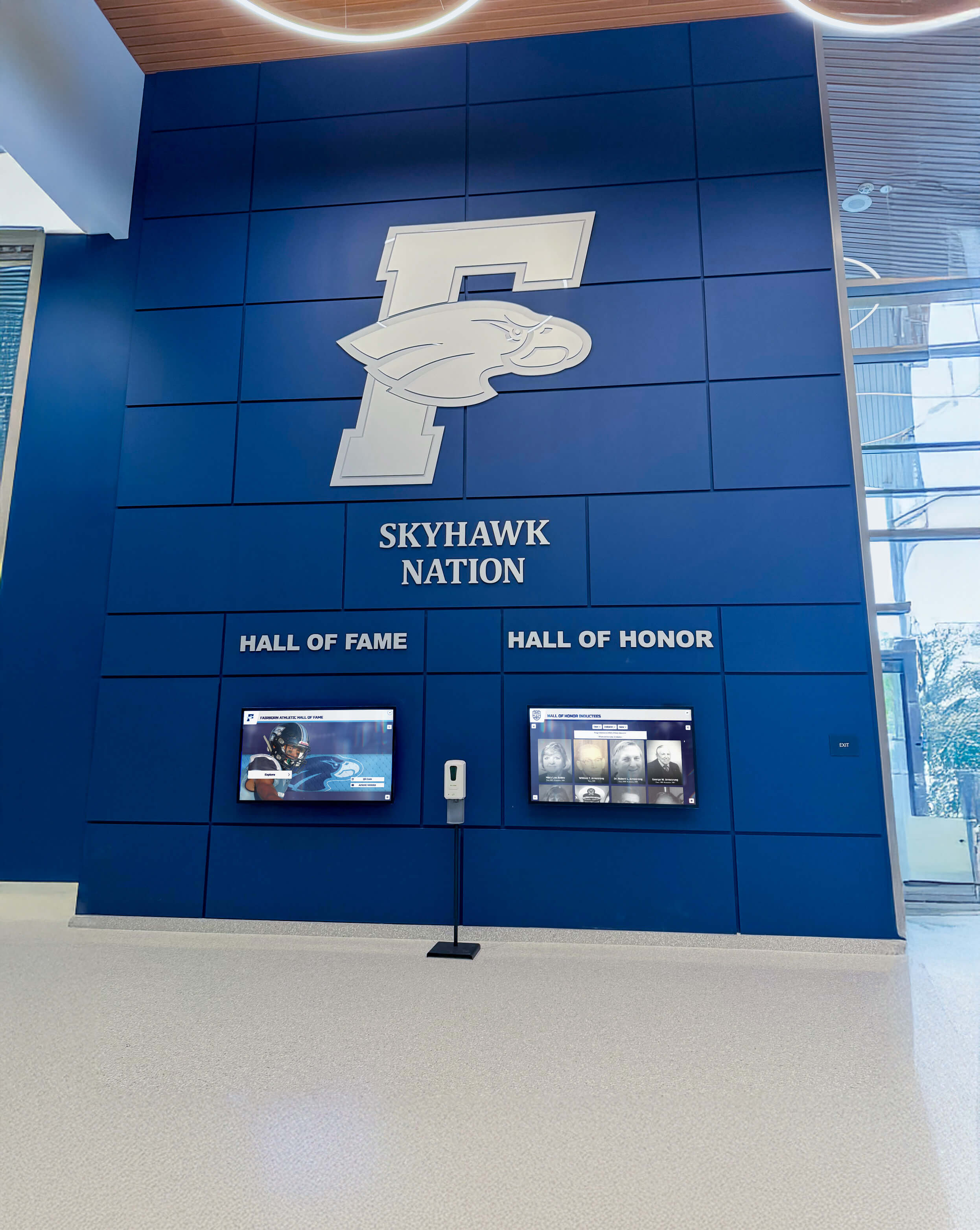
Tutoring and Academic Support Services: Many students who could benefit from tutoring or academic support never access these resources because they don’t know they exist or how to access them. Displays promoting tutoring center locations, hours, and appointment scheduling, writing center services including paper review and citation assistance, subject-specific study groups and peer learning opportunities, supplemental instruction sessions for challenging courses, and academic skill workshops covering time management, test-taking, and study strategies increase awareness among students who might otherwise struggle unnecessarily.
Library and Research Resources: Academic libraries provide extensive resources many students underutilize due to unfamiliarity. Interactive displays can promote research consultation services for major papers and projects, database access and research skill training, book holds and interlibrary loan services, study room reservations and technology equipment loans, and special collections and archive access procedures. Connecting students with library resources improves academic work quality while helping students develop information literacy skills valuable throughout careers.
Campus-Wide Academic Events: Universities host numerous academic lectures, symposiums, conferences, and cultural programs that enrich student intellectual development but often suffer low student attendance. Displays promoting distinguished speaker series, undergraduate research symposiums, departmental colloquia and academic talks, arts performances and gallery exhibitions, and civic engagement and social justice programming help students discover educational opportunities outside formal coursework that broaden perspectives and deepen learning.
Campus Safety and Wellness Resources
Student health, safety, and wellbeing represent fundamental priorities for residential life programs. Interactive displays promote resources supporting comprehensive student wellness.
Counseling and Mental Health Services: College students face significant mental health challenges including stress, anxiety, depression, and adjustment difficulties. Many students hesitate seeking support due to stigma or unfamiliarity with available resources. Displays can promote counseling center services and appointment procedures, crisis support including hotlines and after-hours resources, peer support programs and mental health student organizations, wellness workshops addressing stress management and resilience, and online resources including self-help tools and mental health screening. Prominent promotion of mental health resources normalizes help-seeking while ensuring students know how to access support when needed.
Campus Safety Information: Student safety requires both preventive education and emergency resource awareness. Displays should highlight campus security escort services for nighttime walking, emergency call box locations throughout campus, sexual assault prevention and response resources, substance abuse education and support services, and safety workshop opportunities including self-defense training. Safety information should balance awareness without creating fear, emphasizing available support while empowering students to make informed safety decisions.
Health Services and Wellness Programs: Physical health influences academic performance and overall student experience. Interactive displays can promote student health center services and hours, insurance information and cost structures, immunization requirements and flu shot clinics, wellness programming including fitness classes and recreation activities, and health education on topics like sleep hygiene, nutrition, and illness prevention. Comprehensive health information helps students maintain wellbeing while navigating undergraduate demands.
Addressing Common Implementation Challenges
Universities implementing interactive displays in residence halls encounter predictable challenges. Anticipating common obstacles enables proactive problem-solving preventing implementation difficulties.
Managing Vandalism and Equipment Durability
Physical equipment deployed in public spaces faces risks of accidental damage or intentional vandalism. Residence halls present particular challenges given student populations, social environments, and limited supervision in common areas.
Selecting Ruggedized Equipment: Commercial-grade interactive kiosks designed for high-traffic public environments incorporate durability features including tempered glass screens resistant to impact damage, sealed enclosures protecting electronics from liquid spills, tamper-resistant mounting systems requiring tools for removal, vandal-resistant button designs and touchscreen interfaces, and metal or heavy-duty plastic enclosures withstanding physical impacts. While ruggedized equipment costs more initially than consumer-grade displays, durability advantages justify investment through reduced replacement frequency and lower maintenance costs.
Strategic Placement Considerations: Equipment placement influences vulnerability to damage. Displays positioned in well-lit, heavily trafficked areas under natural surveillance from students, staff, and security personnel experience less vandalism than systems placed in isolated locations. Mounting displays in visible locations near resident assistant rooms, housing staff offices, or security desks provides natural oversight discouraging vandalism. Some universities avoid placing displays in certain high-risk locations like isolated stairwells or late-night gathering areas where supervision is minimal.
Monitoring and Rapid Response: Even durable equipment occasionally requires maintenance. Establishing clear reporting procedures where students and staff can quickly notify housing offices about damaged or malfunctioning displays enables rapid repair responses preventing extended outages that train students to ignore non-functioning systems. Many modern display systems include remote monitoring capabilities alerting administrators to technical issues proactively before students even report problems.
Ensuring Content Remains Current and Relevant
Interactive displays lose value rapidly when content becomes outdated, training students to ignore systems showing stale information. Maintaining content quality requires sustainable management approaches.
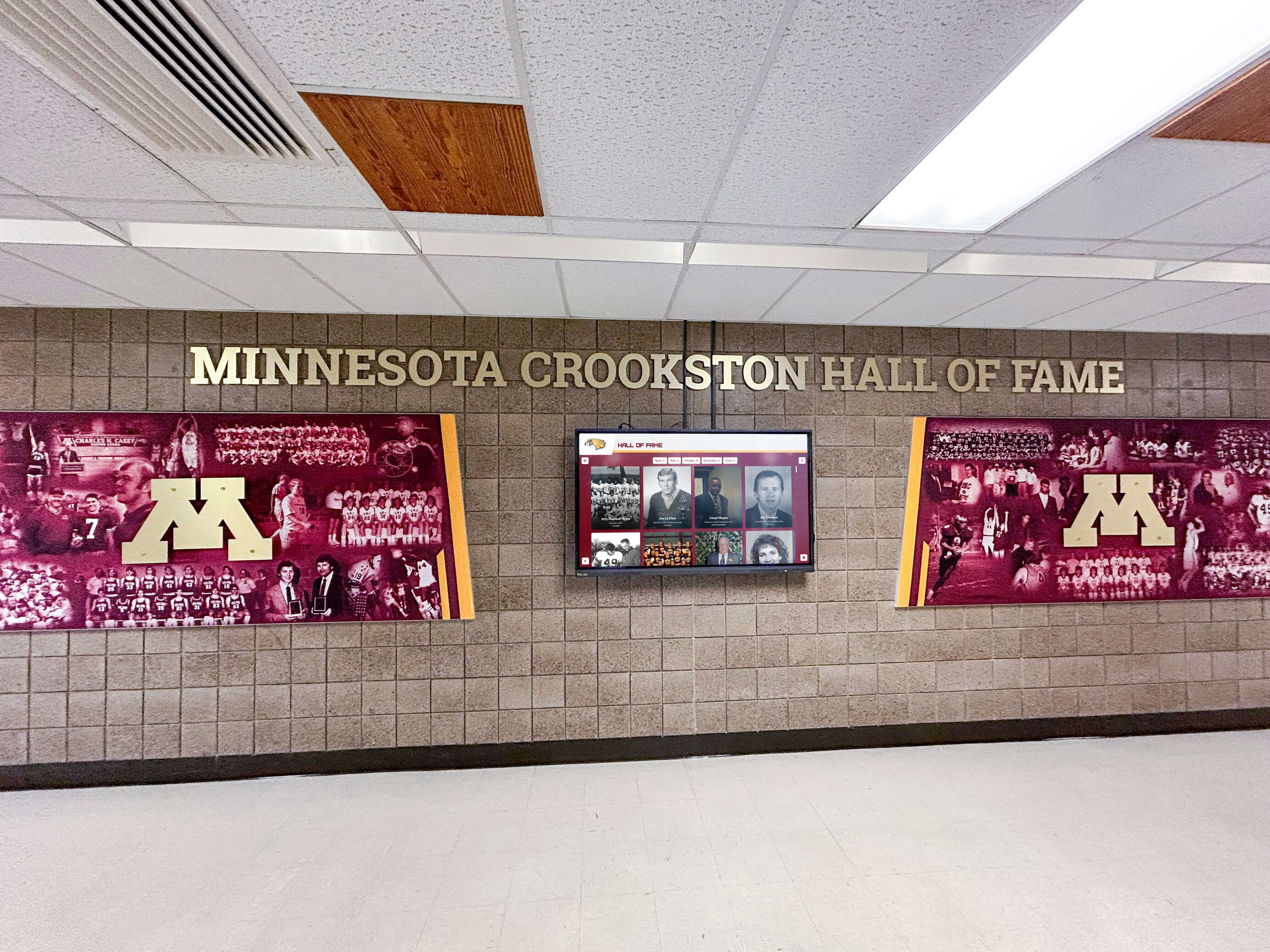
Clear Content Ownership and Accountability: Successful implementations establish clear responsibility for content management rather than assuming displays will maintain themselves. Housing departments should designate specific staff positions responsible for content updates, establish backup coverage for busy periods or staff absences, provide adequate training ensuring content managers understand system capabilities, allocate sufficient time within work responsibilities for display management, and include content management responsibilities in performance evaluations ensuring accountability. Without clear ownership, displays frequently deteriorate as everyone assumes someone else will maintain content.
Automated Content Expiration: Technical systems can assist content management by automatically removing event information after dates pass, requiring periodic reapproval for content to remain displayed long-term, sending reminder notifications to content managers about upcoming expirations, and displaying default content when categories lack current information rather than showing outdated material. Automation reduces manual maintenance burden while ensuring displays don’t show expired content managers forgot to remove.
Student Employment for Content Management: Many housing departments successfully employ student workers to manage interactive display content. Student employees understand peer perspectives on relevant information, bring familiarity with social media and digital platforms, provide cost-effective staffing for content creation and updates, and offer flexible availability including evenings and weekends when professional staff may be off duty. Proper training and supervision ensure student workers maintain content quality while leveraging their knowledge of student information needs and communication preferences.
Balancing Information Density and Visual Clarity
Interactive displays can theoretically show unlimited information, but overwhelming students with excessive content reduces effectiveness. Finding appropriate balance between comprehensive information and focused clarity challenges many implementations.
Prioritizing Essential Information: Not all information deserves equal prominence. Effective displays prioritize content based on student needs and usage patterns featuring time-sensitive information like emergency alerts and breaking news most prominently, frequently accessed information like dining hours and event calendars in primary navigation positions, seasonal content like move-in procedures and exam schedules during relevant periods, and secondary information through deeper navigation paths students can explore when needed. Usage analytics help identify which content students access most frequently, informing priority decisions based on actual behavior rather than administrative assumptions.
Progressive Disclosure Design: Rather than displaying all available information simultaneously on single screens, progressive disclosure presents overview information first with options to explore details when desired. For example, event calendars might show event titles and dates on primary screens, then display complete descriptions including registration links and contact information when students select specific events. This layered approach prevents overwhelming initial presentations while ensuring comprehensive information remains accessible to interested students.
Regular Content Pruning: Just as physical closets accumulate unnecessary items over time, digital systems accumulate content that made sense initially but no longer serves student needs. Regular content audits should remove programs that ended or changed scope, outdated policy information replaced by current guidelines, promotional content for completed events or past initiatives, and rarely accessed information consuming valuable screen space. Ruthless pruning keeps systems focused on relevant current content rather than cluttered archives of historical information students ignore.
Measuring Success and Demonstrating Value
Universities implementing interactive displays need metrics demonstrating that investments generate meaningful returns justifying ongoing operational costs and future enhancements. Comprehensive evaluation approaches combine quantitative usage data with qualitative student feedback.
Usage Analytics and Engagement Metrics
Modern interactive display systems provide detailed analytics tracking how students engage with systems showing which content receives most views and interactions, what navigation paths students follow accessing information, what times of day systems receive highest usage, and how long students engage with different content types. These metrics enable data-driven content optimization focusing resources on high-value content while reconsidering or removing rarely accessed material.
Specific metrics providing valuable insights include total interactions per day showing overall system usage trends, unique users accessing systems indicating reach across student populations, average session duration revealing whether students find systems valuable enough for extended engagement, content category usage showing which information types students access most frequently, and search terms entered revealing what information students seek that current content may not adequately address.
Universities should establish baseline metrics during initial deployment periods then track trends over time assessing whether usage increases as awareness grows, whether seasonal patterns emerge around academic calendar milestones, and whether specific content changes or promotional campaigns influence engagement rates. Solutions like those provided by Rocket Alumni Solutions often include built-in analytics dashboards enabling housing staff to monitor performance without requiring separate data analysis expertise.
Student Satisfaction and Feedback Collection
While usage data reveals what students do with interactive displays, it doesn’t explain why behaviors occur or what students think about systems. Direct student feedback provides essential qualitative insights complementing quantitative analytics.
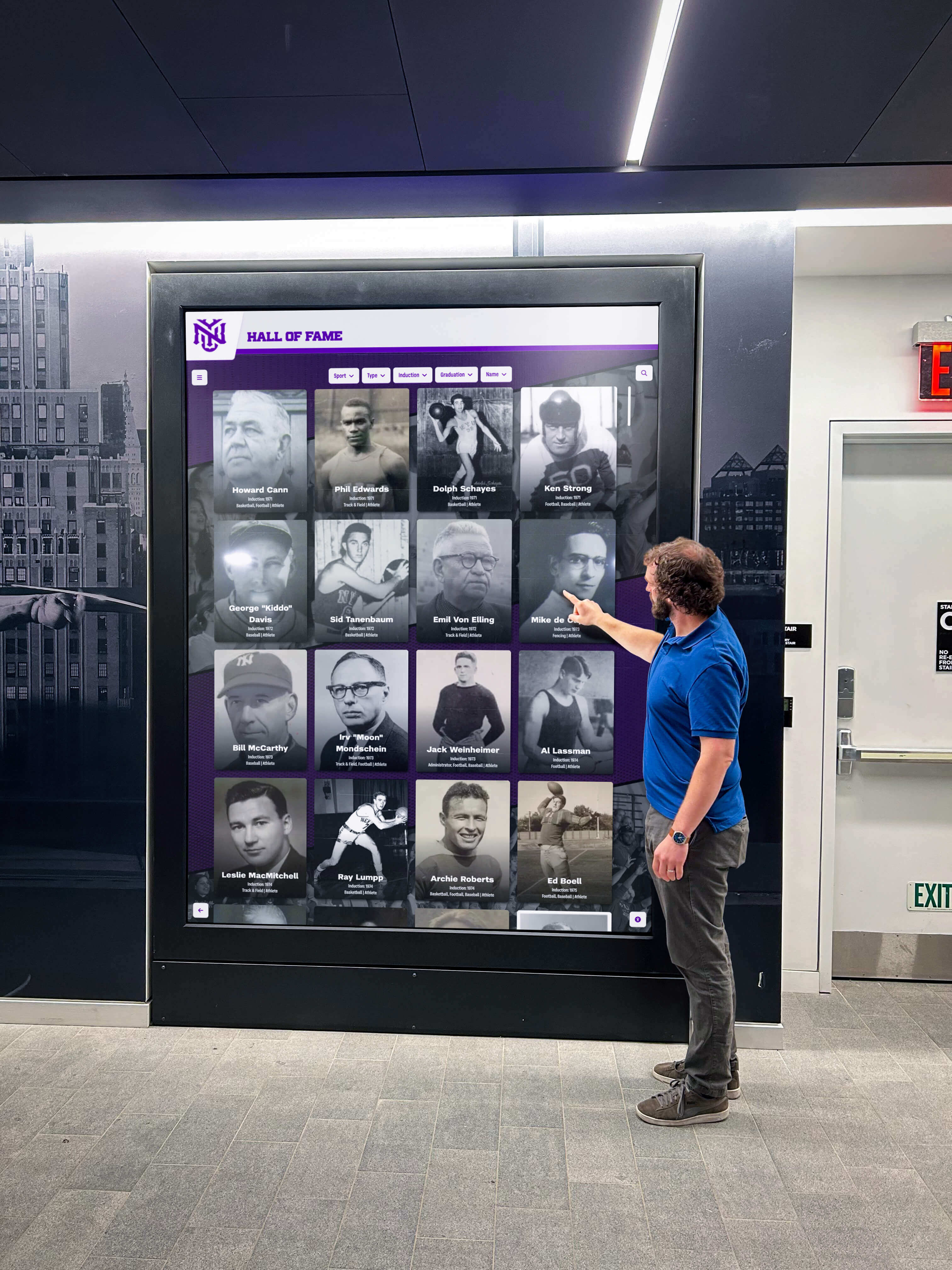
Regular User Surveys: Housing departments should periodically survey residents about interactive display experiences using questions about awareness (whether students know displays exist and where they’re located), usage frequency (how often students interact with displays), content value (which information types students find most useful), system usability (whether interfaces are intuitive and easy to navigate), and suggestions (what additional content or features students would value). Brief focused surveys distributed through residence hall email lists or housing portals typically generate sufficient response rates for meaningful insights especially when incentivized through prize drawings.
Embedded Feedback Mechanisms: Interactive displays themselves can include feedback features enabling students to rate content usefulness, report technical problems or outdated information, suggest new content or features, and provide general comments. Embedded feedback captures input from active users while problems remain fresh in their minds rather than depending on students remembering to provide feedback later through separate channels.
Comparative Analysis with Previous Communication Methods: Universities can assess whether interactive displays improve communication effectiveness compared to previous approaches by comparing event attendance before and after display implementation, measuring reductions in routine questions asked of housing staff, tracking emergency response awareness during drills or actual incidents, and monitoring changes in student satisfaction scores on housing surveys specifically related to communication items. Demonstrating measurable improvements validates investment while providing compelling evidence supporting expansion to additional buildings or enhanced functionality.
Return on Investment Demonstration
While student benefit justifies interactive displays on educational mission grounds alone, practical budget realities require demonstrating financial value through measurable returns on investment.
Operational Cost Reductions: Interactive displays generate quantifiable savings through reduced printing costs eliminating thousands of flyers and posters previously distributed manually, reduced staff time answering routine questions that students now access independently, improved operational efficiency through streamlined information distribution, and enhanced emergency response capabilities potentially reducing incident severity and associated costs. Housing departments should track these savings documenting return on investment justifying initial equipment purchases and ongoing operational expenses.
Student Retention Impact: Student satisfaction with residence hall experiences significantly influences retention decisions—students who feel connected to residential communities and well-supported by housing services are more likely to continue enrollment than dissatisfied peers. While interactive displays alone don’t determine retention, they contribute to comprehensive communication and community building systems supporting positive residential experiences. Universities should monitor whether enhanced communication through interactive displays correlates with improved housing retention rates and overall institutional persistence, particularly for first-year students for whom residential experience strongly influences continued enrollment.
Recruitment and Competitive Positioning: Prospective students and families evaluating universities notice technological infrastructure during campus tours. Modern interactive displays communicate institutional investment in student experience while demonstrating technological sophistication prospective students expect. When housing tours showcase interactive systems providing comprehensive resident information and community engagement, this positive impression influences enrollment decisions particularly for technology-savvy Generation Z students who expect interactive digital experiences throughout daily life. While difficult to quantify precisely, recruitment impact contributes to overall value proposition justifying investment in modern communication infrastructure.
Future Trends in Residence Hall Communication Technology
Interactive displays continue evolving alongside advancing technology, changing student preferences, and developing educational priorities. Forward-thinking universities anticipate emerging trends ensuring communication systems remain relevant and effective as technology and student expectations evolve.
Artificial Intelligence and Personalization
Emerging AI capabilities will enable increasingly personalized information experiences where interactive displays adapt content to individual students based on their interests, academic programs, involvement activities, and information access patterns.
Intelligent Content Recommendations: Future systems may analyze student interaction patterns then recommend relevant content such as suggesting events aligned with previously attended programs, highlighting academic resources related to declared majors, promoting clubs and organizations matching demonstrated interests, and featuring dining options accounting for previous preferences or dietary restrictions. This personalization increases information relevance while helping students discover opportunities they might otherwise overlook.
Natural Language Interaction: Voice-enabled interfaces using natural language processing could allow students to ask questions conversationally rather than navigating menu structures, similar to interactions with smartphone virtual assistants. Students might ask “What events are happening this weekend?” or “Where is the nearest tutoring center?” receiving immediate relevant responses. This intuitive interaction reduces barriers for students who find traditional navigation challenging while accommodating accessibility needs for students with mobility or visual impairments.
Predictive Analytics for Proactive Support: Advanced systems analyzing aggregate student data might identify concerning patterns triggering proactive interventions such as promoting counseling resources to students showing engagement patterns associated with distress, highlighting academic support when students access study resources frequently suggesting academic difficulty, or featuring social programming to students with interaction patterns indicating social isolation. While requiring careful privacy considerations and ethical oversight, predictive capabilities could help universities provide timely support before students reach crisis points.
Enhanced Mobile Integration and Continuity
Students increasingly expect seamless experiences across physical displays and personal mobile devices enabling information exploration to continue regardless of location or device.
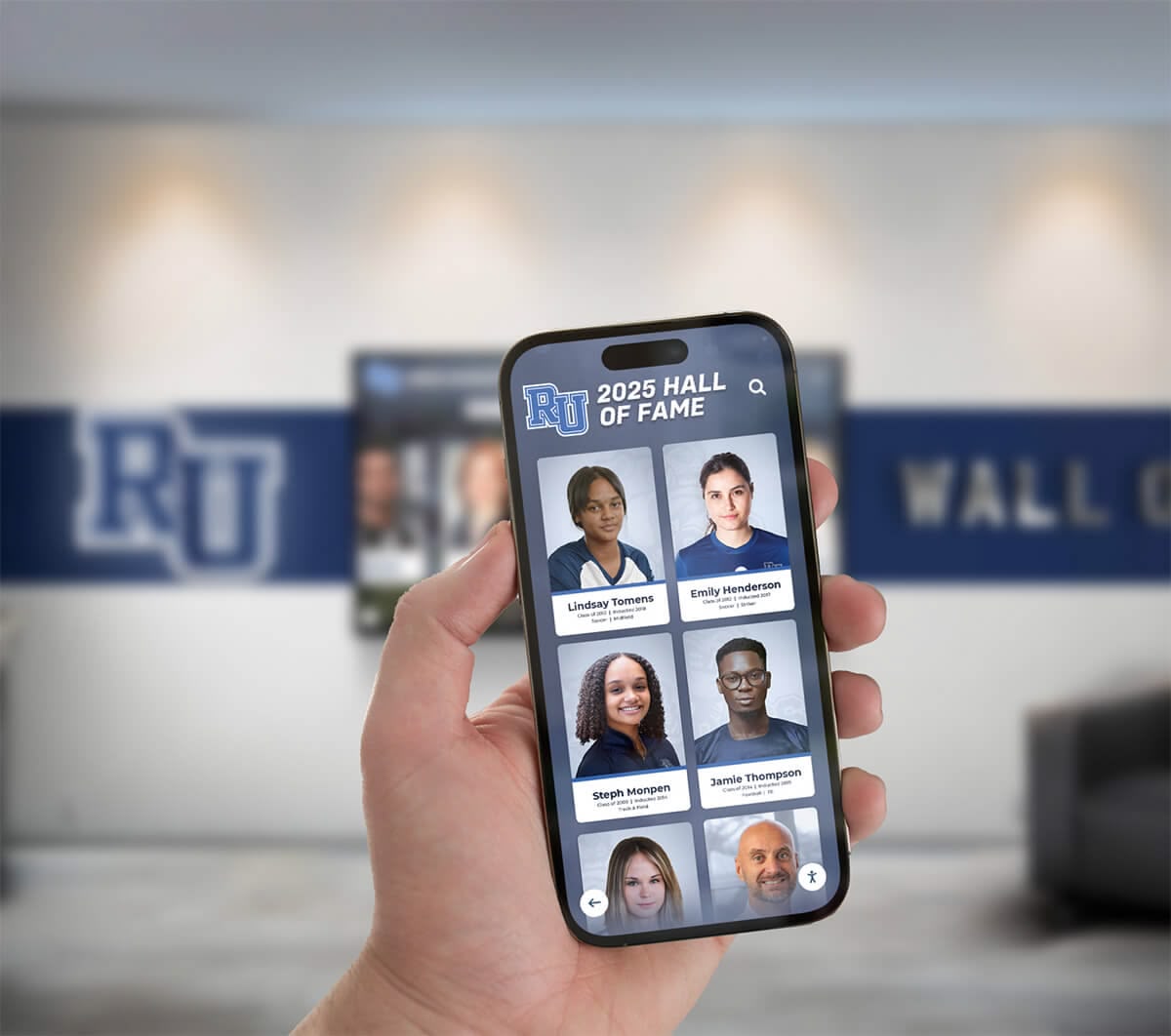
Cross-Device Session Continuity: Future implementations may enable students to begin information exploration on residence hall interactive displays then seamlessly continue on smartphones, transferring browsing sessions from public displays to personal devices through QR codes or Near Field Communication, saving content like event details or resource links for later access on phones, and syncing information with personal calendar and note-taking applications. This continuity accommodates how students actually consume information across multiple contexts rather than expecting complete interactions during brief display encounters.
Location-Aware Mobile Experiences: GPS-enabled mobile applications could provide context-aware information based on student locations such as showing relevant building information when students approach specific residence halls, highlighting nearby events happening at current times, providing turn-by-turn navigation to destinations students select, and sending timely notifications about programs starting soon in nearby locations. Location awareness increases information relevance while supporting navigation and time management.
Unified Communication Ecosystems: Rather than functioning as isolated systems, future interactive displays will integrate comprehensively with broader campus communication ecosystems including student information systems, learning management platforms, campus event calendars, emergency notification systems, and social media channels. This integration ensures consistent messaging across platforms while enabling students to access information through preferred channels whether physical displays, mobile apps, websites, or push notifications.
Sustainability and Environmental Consciousness
Environmental sustainability increasingly influences technology decisions as universities pursue carbon neutrality goals and students demand institutional environmental responsibility.
Energy-Efficient Display Technology: Future systems will incorporate energy-saving features including automatic display dimming during low-traffic periods, motion-sensor activation where displays sleep when no users are present, LED backlighting consuming less power than previous technologies, and solar power integration for outdoor displays or buildings with renewable energy capabilities. These features reduce environmental impact while decreasing operational costs through lower electricity consumption.
Digital-First Communication Policies: As interactive displays mature, universities may transition toward comprehensive digital-first communication policies eliminating most printed materials, reducing paper bulletin boards to minimal essential spaces, requiring student organizations to use digital platforms for event promotion, and tracking waste reduction achieved through decreased printing and physical material distribution. These policies align with broader sustainability initiatives while leveraging interactive display investments more comprehensively.
Sustainable Hardware Lifecycle Management: Universities will increasingly consider environmental factors in display procurement including equipment longevity and upgradability reducing replacement frequency, manufacturer take-back programs for end-of-life equipment recycling, modular designs enabling component replacement rather than complete system disposal, and local service and repair capabilities reducing shipping environmental costs. These sustainable procurement practices align display investments with institutional environmental commitments.
Conclusion: Building Connected Residential Communities Through Technology
College residence halls serve as more than housing facilities—they function as communities shaping student development, academic success, social connections, and overall undergraduate experience. Effective communication forms the foundation enabling these communities to thrive by connecting students with essential information, resources, opportunities, and each other. Traditional communication methods struggling to reach students in information-saturated environments increasingly give way to interactive digital displays providing engaging, accessible, comprehensive information hubs transforming residential communication.
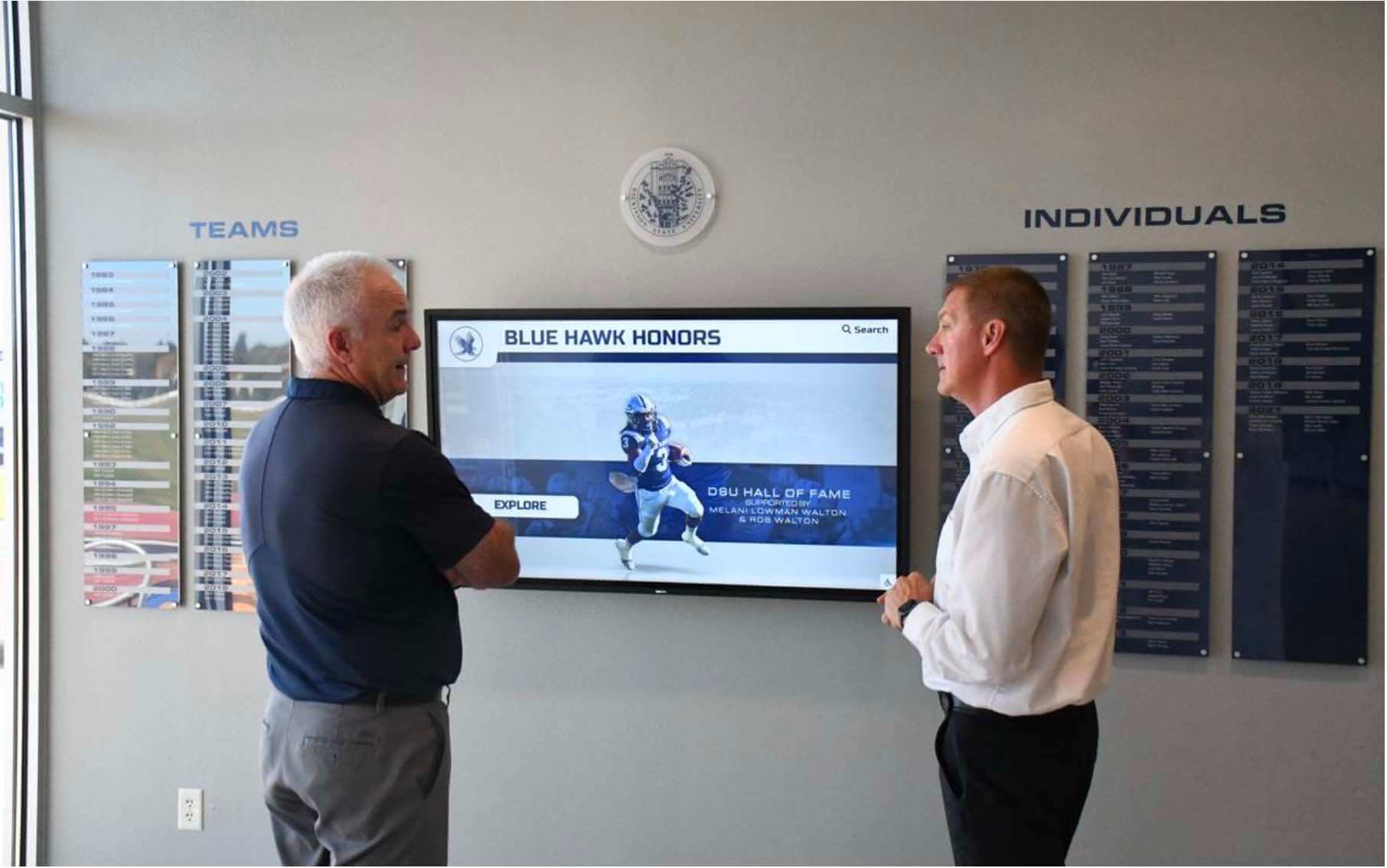
Universities implementing professional interactive display systems in residence halls discover multiple strategic benefits including enhanced student safety through improved emergency communication, strengthened community engagement through better program awareness and participation, improved operational efficiency through reduced staff burden answering routine questions, stronger academic support through prominent resource promotion, and enhanced institutional reputation through modern infrastructure demonstrating student experience commitment.
Successful implementations require thoughtful technology selection matching residence hall environments and student needs, strategic placement ensuring visibility and accessibility in high-traffic locations, comprehensive content strategy balancing diverse information needs, sustainable management approaches maintaining content quality long-term, and continuous evaluation demonstrating value while identifying improvement opportunities. Universities that approach interactive displays strategically rather than as simple equipment purchases create lasting value serving students, staff, and institutional missions effectively.
Digital platforms like those offered by Rocket Alumni Solutions provide flexible, professional systems enabling universities to transform residence hall communication through engaging touchscreen displays while maintaining year-round relevance through easy content management and multi-purpose utilization. As residence halls increasingly incorporate interactive touchscreen displays for communication and community building, these systems become essential infrastructure supporting modern residential education.
Essential Principles for Residence Hall Interactive Display Success:
- Begin with clear communication goals and student needs assessment
- Select durable, appropriate technology matching residence hall environments
- Position displays strategically in high-traffic, high-visibility locations
- Design intuitive interfaces enabling easy information access without instruction
- Maintain diverse content serving varied student information needs
- Establish sustainable content management with clear ownership and accountability
- Integrate with existing campus systems ensuring consistent information across platforms
- Monitor usage and gather feedback continuously improving effectiveness
- Demonstrate value through metrics supporting ongoing investment and expansion
- Anticipate future trends ensuring systems remain relevant as technology evolves
The most successful residence hall communication programs recognize that interactive displays serve broader purposes beyond simple information distribution. These systems strengthen community by promoting engagement opportunities, support student development by connecting students with resources, enhance safety through reliable emergency communication, improve operational efficiency enabling staff to focus on high-value student interactions, and demonstrate institutional commitment to student experience through modern technology infrastructure.
For guidance on implementing comprehensive interactive display systems supporting residence hall communication and campus-wide student engagement, explore resources on touchscreen kiosk software solutions, digital wayfinding systems, and campus technology implementation strategies that help universities maximize technology value while building connected communities supporting diverse student success comprehensively.
Ready to transform residence hall communication and student engagement through modern interactive technology? Professional digital display systems provide powerful platforms connecting students with essential information, resources, and opportunities while strengthening residential communities and supporting comprehensive student development. Explore how solutions from Rocket Alumni Solutions can help your university create effective communication infrastructure serving students, staff, and institutional missions while demonstrating commitment to exceptional residential experiences.
Sources:
Research for this article included information from:































