




Students rushing between classes, parents arriving for evening events, prospective families touring during open houses, delivery personnel searching for administrative offices—every school day brings dozens of people navigating complex campus buildings, often under time pressure. Effective campus wayfinding transforms these potentially stressful experiences into smooth journeys, reducing confusion, late arrivals, and the constant demand on staff to provide directions.
Yet many schools struggle with wayfinding systems that haven’t evolved with their facilities. Static signs become outdated when departments relocate, printed directories can’t accommodate temporary room changes, and hallway maps require visitors to memorize routes before beginning their journey. Traditional approaches that worked for smaller, simpler campuses often prove inadequate for modern educational facilities featuring multiple buildings, frequent room repurposing, and diverse visitor populations including students, parents, alumni, community members, and service providers.
School administrators, facilities managers, and principals face practical questions when evaluating wayfinding improvements: What systems balance budget constraints with functional effectiveness? How do schools accommodate frequent room changes without constantly updating expensive static signage? What solutions serve both regular students familiar with buildings and first-time visitors who need more comprehensive guidance? How can wayfinding integrate with other campus functions like event management, security protocols, and visitor recognition programs?
Understanding Campus Wayfinding Components
Comprehensive wayfinding systems combine multiple elements working together to guide people efficiently through educational facilities.
The Three Levels of Wayfinding Information
Effective navigation requires different information types depending on user location and needs:
Identification Signage
At the most basic level, identification signs answer “Where am I?” by marking specific locations:
- Room numbers and department names outside individual spaces
- Building identification on exterior facades and entrances
- Floor level indicators in stairwells and elevator lobbies
- Wing or section designations marking facility zones
Identification signage helps people confirm they’ve reached intended destinations and provides reference points for giving or following directions.
Directional Signage
Directional signs guide movement by answering “How do I get there?” through:
- Arrow indicators showing routes to departments or areas
- Corridor signs directing toward specific room number ranges
- Stairwell and elevator location markers
- Exit and emergency egress route indicators
Directional elements enable independent navigation without requiring visitors to memorize complex routes or constantly ask staff for assistance.

Informational/Orientation Displays
Comprehensive information helps visitors understand overall facility layout:
- Building directories listing all rooms and departments
- “You are here” maps showing current location in relation to destinations
- Campus maps indicating multiple building locations and connections
- Digital screens displaying schedules, events, and temporary location changes
Orientation information enables users to plan routes, understand relative distances, and identify the most efficient paths to destinations. Modern digital signage kiosk solutions provide this comprehensive information through interactive formats that users can explore at their own pace.
Static vs. Dynamic Wayfinding Elements
Schools implement wayfinding through both permanent and changeable components:
Permanent Static Signage
Fixed signs work well for stable information unlikely to change:
- Building names and exterior identification
- Primary corridor directional signs
- Stairwell and restroom location indicators
- Emergency exit route markers
- ADA-compliant accessibility signage
Static signage provides reliable baseline navigation that remains consistent across years, helping regular occupants navigate intuitively through familiar reference points.
Dynamic/Changeable Elements
Flexible systems accommodate the frequent changes characterizing educational environments:
- Digital directories updated remotely when departments relocate
- Electronic room signs reflecting daily scheduling changes
- Interactive touchscreens showing current event locations
- Mobile apps providing real-time navigation assistance
- Temporary paper signs for short-term room changes (though these often look unprofessional)
Schools with frequent room repurposing, regular special events, and evolving organizational structures benefit significantly from wayfinding systems supporting easy updates without physical sign replacement.
Traditional Campus Wayfinding Approaches
Understanding conventional methods helps schools identify limitations they may want to overcome through modernization.
Wall-Mounted Directories and Maps
The classic approach to campus wayfinding uses printed directories and facility maps:
Typical Implementation
Schools install framed directories near main entrances listing:
- Department names and room numbers
- Faculty and staff office locations
- Alphabetical organizational listings
- Simple floor plan drawings
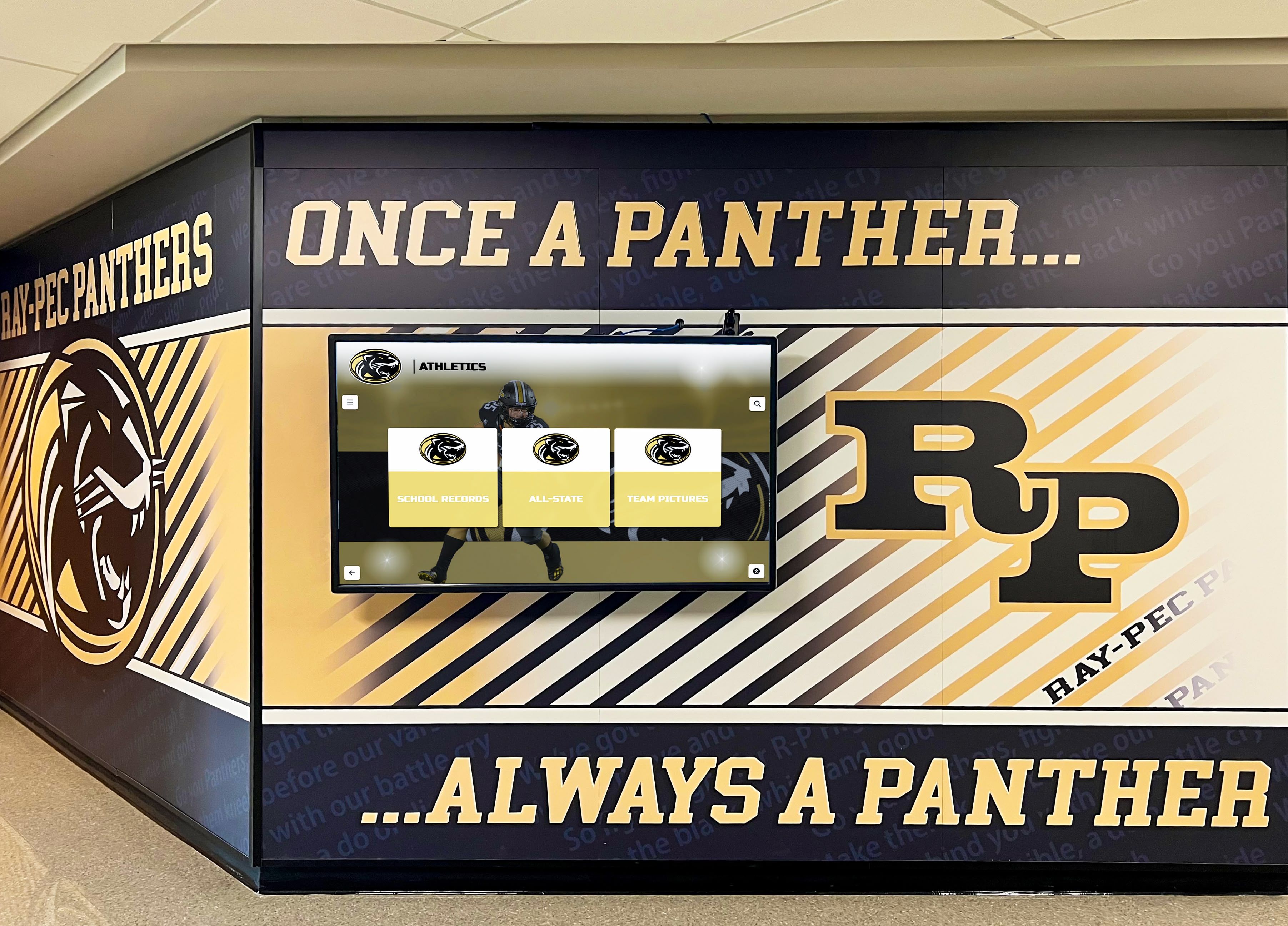
Wall directories provide basic orientation for visitors while maintaining professional appearances in lobbies and entrance areas.
Limitations Schools Experience
Despite widespread use, traditional directories create ongoing challenges:
Constant Obsolescence: Educational facilities evolve continuously. Teachers change classrooms, departments relocate, new staff arrive, organizational structures shift. Each change renders printed directories partially incorrect, gradually reducing user confidence until directories provide more confusion than assistance.
Update Costs and Delays: Replacing printed directory inserts requires graphic design, commercial printing, frame dismantling, and physical installation. The process typically costs several hundred dollars per directory and takes weeks to complete. Many schools delay updates until summer break, meaning directories remain inaccurate for months.
Information Density Limits: Physical space constraints limit how much information can appear on wall-mounted directories. Schools must choose between comprehensive listings too small to read comfortably or simplified versions omitting useful details.
Accessibility Challenges: Static directories positioned at standard heights may not serve all users equally. Text size becomes a tradeoff between readability for those with vision challenges and fitting adequate information within available space.
No Interactivity: Printed directories can’t respond to questions, suggest routes, or help visitors understand spatial relationships between locations. Users must interpret information and plan routes independently without assistance.
Corridor and Door Signage Systems
Beyond central directories, schools deploy distributed signs throughout buildings:
Standard Components
- Room number plates on every door
- Corridor directional signs at intersections
- Department name signs identifying office suites
- Floor level indicators in stairwells
- Wing or section designation signs
Distributed signage helps visitors navigate after receiving initial direction from central directories or staff.
Common Issues
Inconsistent Design Standards: Many schools accumulate signage over decades, resulting in varied styles, fonts, colors, and mounting methods that create visual confusion rather than clear wayfinding systems.
Missing or Damaged Signs: Over time, signs disappear, break, or become illegible through wear. Piecemeal replacement often doesn’t match original specifications, further degrading system consistency.
Inaccessible Room Numbering Logic: Numbering systems that made sense to original architects often confuse visitors. Room 237 located next to room 184 makes perfect sense when understanding a building wing system, but proves baffling to first-time visitors.
Inadequate Multilingual Support: In diverse communities, English-only signage creates barriers for parents and family members more comfortable with other languages.
Facilities managers researching comprehensive campus guidance improvements often explore how digital recognition displays can serve dual purposes—providing wayfinding information while also celebrating school achievements and history.
Digital Campus Wayfinding Solutions
Modern technology addresses traditional wayfinding limitations while adding capabilities impossible with static signage.
Interactive Touchscreen Directories
Digital touchscreen kiosks represent the current standard for advanced campus wayfinding:
Core Capabilities
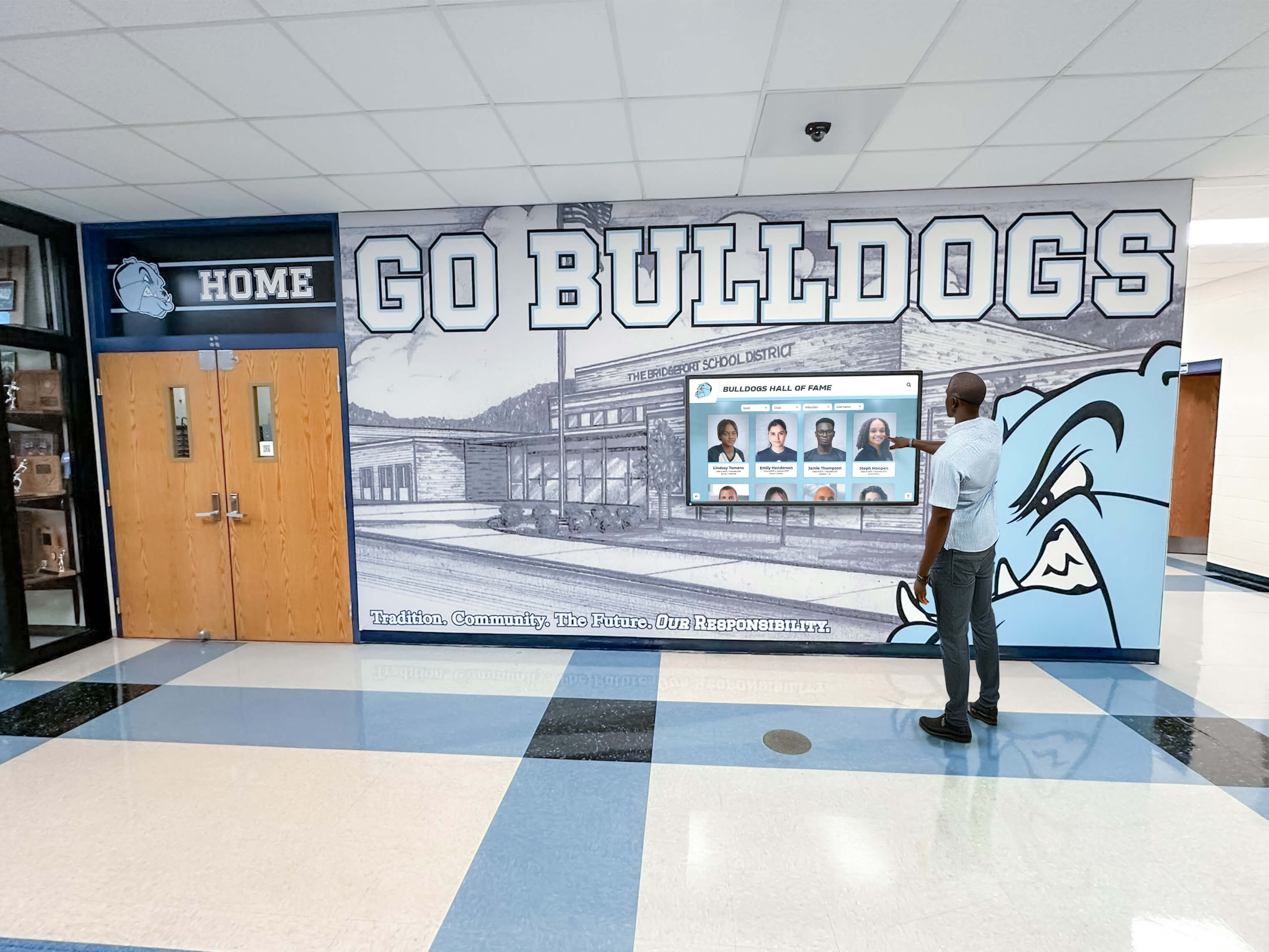
Interactive directories installed in school lobbies and major corridor intersections provide:
- Searchable Building Directories: Visitors type names or browse department lists to find specific locations
- Interactive Floor Plans: Touch-enabled maps showing routes from current kiosk location to destinations
- Staff/Faculty Directories: Searchable databases listing personnel with office locations and contact information
- Event Scheduling Integration: Daily event calendars showing room assignments for meetings, performances, or athletic events
- Multi-Language Support: Interface translation serving diverse school communities
- Accessibility Features: Text-to-speech capabilities and high-contrast display modes
Implementation Advantages
Digital directories solve problems that traditional approaches can’t address:
Instant Remote Updates: Administrators modify directory information from office computers without touching physical displays. Room changes, staff additions, organizational restructures, or temporary relocations update across all displays simultaneously within minutes rather than requiring weeks of production delays.
Unlimited Information Capacity: Digital systems store comprehensive details without space constraints. Instead of listing only department names to fit limited directory space, schools include full faculty rosters, individual room assignments, departmental contact information, and office hours—letting users access as much or as little detail as they need.
Enhanced User Experience: Search functionality helps visitors find specific people or departments quickly rather than scanning long alphabetical lists. Visual route guidance shows actual walking paths rather than requiring users to interpret abstract floor plans and translate those into navigation decisions.
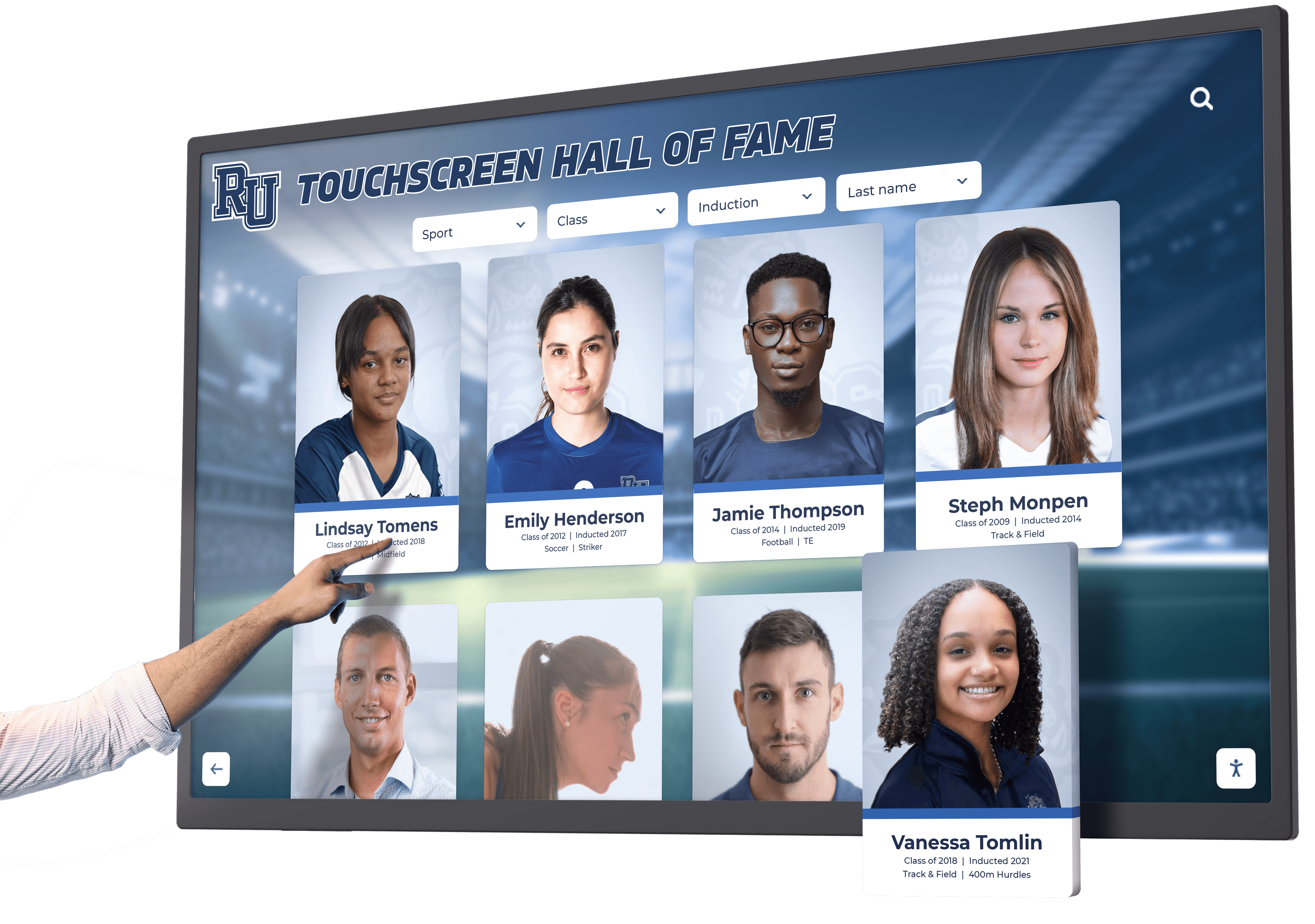
Dual-Purpose Functionality: When not actively used for wayfinding, touchscreen displays can showcase school achievements, upcoming events, student recognition, or community information. Resources like digital signage content ideas help schools maximize value from these installations by displaying engaging content between wayfinding uses.
Analytics and Usage Data: Digital systems track which searches occur most frequently, what times see peak usage, and what content visitors access. This data helps facilities managers identify confusing building areas, evaluate signage effectiveness, and make evidence-based improvements.
Professional Appearance: Sleek touchscreen kiosks create modern impressions during campus tours, open houses, and community events—silently communicating that schools invest in quality facilities and embrace contemporary technology.
Cloud-Based Directory Management Platforms
Behind effective digital wayfinding sits sophisticated content management software:
Platform Features
Modern directory platforms provide administrators with:
- Web-Based Management Dashboards: Update content from any internet-connected device without specialized software
- Multi-Display Synchronization: Manage dozens of directory screens across multiple buildings from centralized interfaces
- Template-Based Content Creation: Pre-designed layouts ensure consistent professional appearance without graphic design expertise
- Scheduled Content Publishing: Automate updates for known changes like semester transitions or scheduled room swaps
- User Permission Systems: Provide department administrators limited access to update their specific areas while maintaining overall control
- Import/Export Tools: Integrate with existing databases like student information systems or facility management platforms
Cloud-based management eliminates the technical barriers that traditionally required IT department involvement for every content update, enabling facilities managers and administrative staff to maintain current directory information as normal workflow rather than special projects requiring technical assistance.
Integration with Recognition and Engagement Systems
Forward-thinking schools leverage wayfinding infrastructure for additional purposes beyond navigation:
Dual-Purpose Touchscreen Deployments
The same interactive touchscreen displays providing wayfinding can simultaneously serve as:
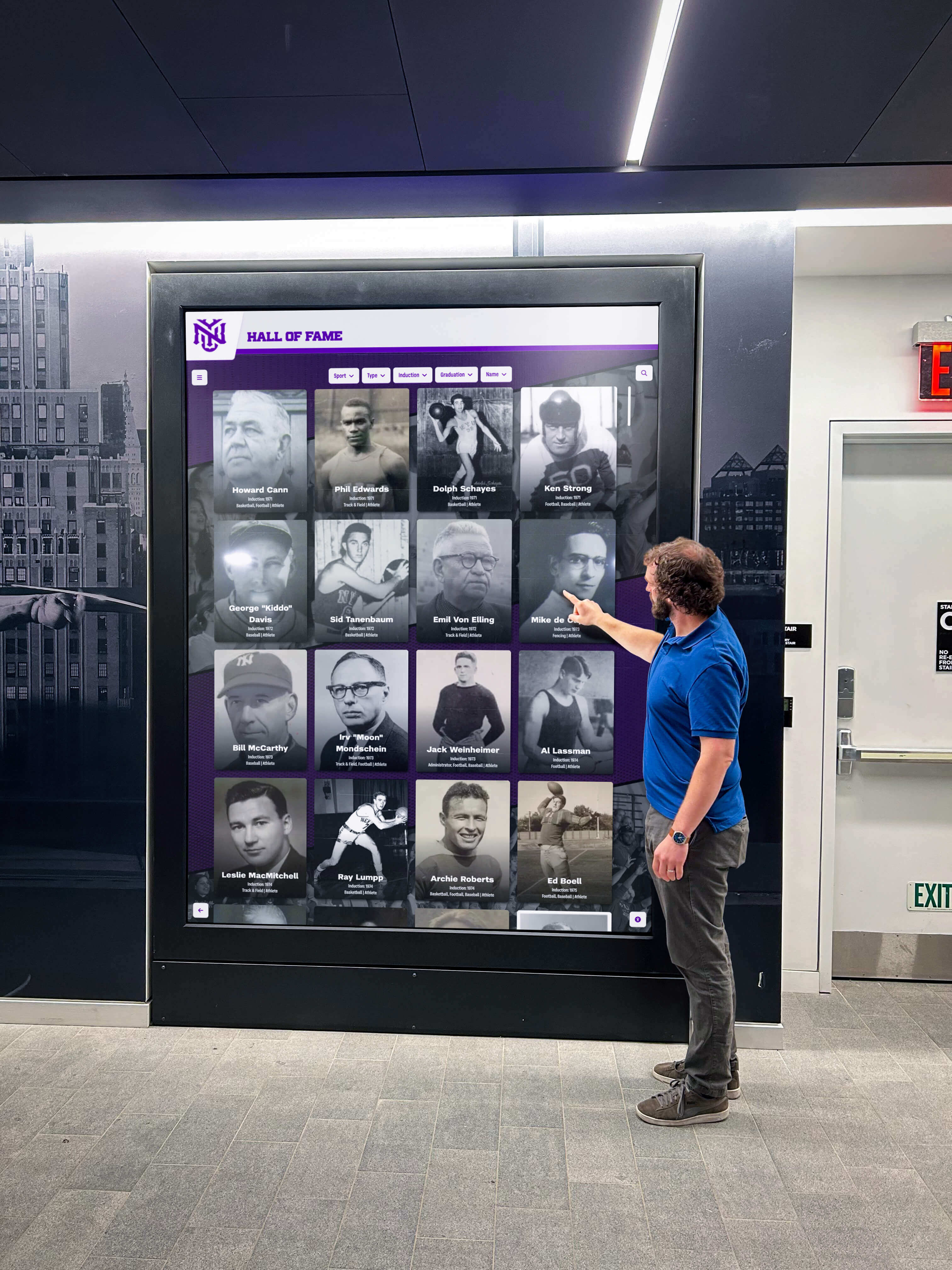
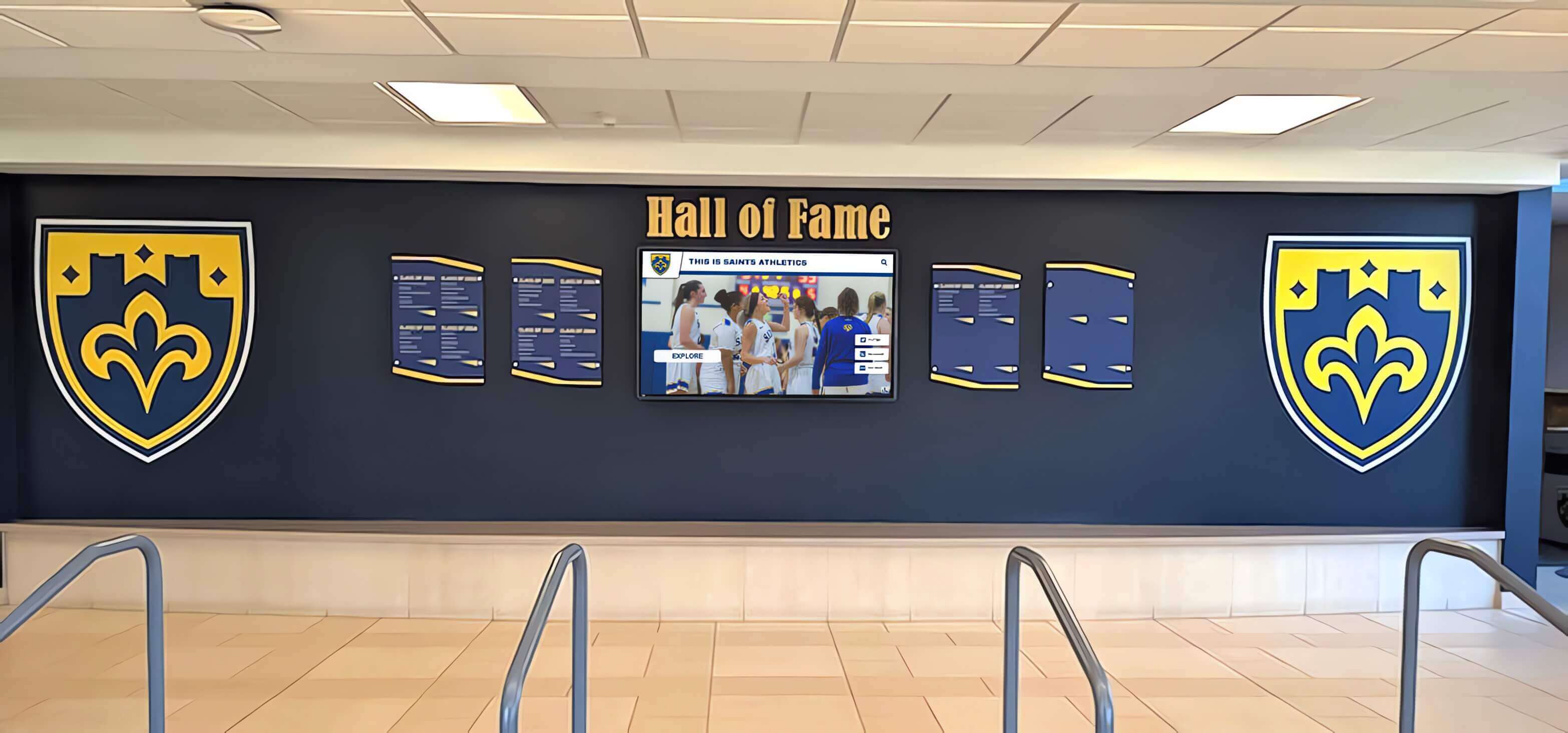
- Digital halls of fame showcasing athletic, academic, and extracurricular achievements
- Alumni recognition displays celebrating distinguished graduates and building community connections
- Historical archives preserving institutional memory through photos, documents, and multimedia
- Student achievement galleries highlighting academic honors, artistic accomplishments, and community service
- Donor recognition walls acknowledging philanthropic support for facility improvements and programs

This integrated approach maximizes return on technology investments by serving multiple institutional needs through shared infrastructure. Visitors arrive seeking directions and discover engaging content about school achievements, transforming purely functional interactions into opportunities for building school pride and community connection.
Solutions like Rocket Alumni Solutions provide purpose-built platforms designed specifically for educational institutions, delivering intuitive wayfinding alongside comprehensive recognition capabilities through unified systems requiring no technical expertise to manage. These integrated approaches help schools celebrate excellence while guiding visitors efficiently through facilities.
Mobile Wayfinding and Digital Integration
Beyond fixed touchscreen installations, mobile technology extends wayfinding capabilities:
Campus Navigation Apps
Custom or third-party mobile applications provide navigation assistance directly on smartphones:
Common Features
- Turn-by-turn navigation to specific rooms from any campus location
- Voice-guided directions assisting users while walking
- Building-specific indoor maps showing detailed room layouts
- Integration with calendar systems highlighting event locations
- Accessibility routing for wheelchair users or those avoiding stairs
- Multilingual support serving diverse communities
Mobile apps particularly help during large events when temporary visitors need navigation assistance beyond static signage capacity. Campus tours, graduation ceremonies, athletic tournaments, and performing arts events bring many first-time visitors who benefit from personalized digital guidance.
Implementation Considerations
Schools evaluating campus apps should consider:
- Adoption Barriers: Requiring app downloads creates friction—many visitors prefer not installing single-purpose applications for infrequent use
- Maintenance Requirements: Apps need regular updates as operating systems evolve and campus layouts change
- Wi-Fi Dependence: Indoor navigation requires robust wireless coverage throughout facilities
- Development Costs: Custom campus apps represent significant initial investments plus ongoing maintenance expenses
QR Code Wayfinding Systems
Quick Response codes provide low-cost bridges between physical signage and digital information:
Practical Implementation
Schools place QR codes on:
- Building entrance signs linking to mobile-optimized campus maps
- Room number plates connecting to detailed department information
- Event poster locations providing calendar integration and directions
- Static directory locations offering searchable digital versions
Visitors scan codes with smartphone cameras, accessing rich digital content without app installation requirements. When implemented thoughtfully, digital content systems can deliver comprehensive information while maintaining simple user experiences.
Advantages Over Apps
- No Installation Required: Works with standard smartphone cameras
- Lower Development Costs: QR codes link to mobile-responsive websites rather than custom applications
- Universal Compatibility: Functions across all smartphone platforms without platform-specific development
- Easy Content Updates: Change destination URLs without replacing physical QR codes
QR-based wayfinding provides compelling middle ground between purely static signage and comprehensive mobile apps—delivering digital capabilities at modest cost while avoiding app installation barriers.
Best Practices for Educational Facility Wayfinding
Successful campus wayfinding systems share common strategic approaches:
Design for First-Time Visitors
Regular students and staff who navigate buildings daily don’t need extensive wayfinding support—they memorize routes and develop intuitive spatial understanding. Effective systems must serve first-time visitors with no prior building knowledge:
Critical Design Principles
- Assume Zero Building Familiarity: Design as if every user has never visited before and knows nothing about organizational logic, wing systems, or floor layouts
- Provide Orientation Before Direction: Help visitors understand general building layout before trying to follow specific directions
- Use Natural Landmarks: Reference easily visible features (main entrance, auditorium, gymnasium) rather than abstract concepts like wing letters or section numbers
- Minimize Cognitive Load: Present just enough information for immediate decisions without overwhelming users with comprehensive details
- Offer Multiple Discovery Methods: Support both systematic directory browsing and specific name/room searches since different users prefer different approaches
Implement Consistent Visual Systems
Confusion multiplies when wayfinding elements use inconsistent design languages:
Standardization Elements
- Unified Color Coding: Assign specific colors to buildings, floors, or wings and use consistently across all signage types
- Consistent Typography: Select readable font families and maintain usage across physical signs, digital displays, and printed materials
- Standardized Symbols and Icons: Establish visual vocabulary for common destinations like offices, restrooms, stairs, and emergency exits
- Coherent Mounting and Placement: Position signs at consistent heights and locations relative to decision points
- Coordinated Materials and Finishes: Match signage materials to architectural character while maintaining clear readability
Systematic consistency enables intuitive navigation as users learn to recognize and trust wayfinding elements throughout their journey. Schools exploring comprehensive upgrades often find that athletic building displays provide opportunities to establish modern design standards while celebrating school achievements.
Plan for Accessibility and Inclusion
Wayfinding systems must serve all building users regardless of physical abilities or language backgrounds:
Universal Design Requirements
- ADA Compliance: Tactile room number plates, appropriate mounting heights, color contrast meeting visibility standards, accessible touchscreen placement
- Multilingual Support: Digital systems offering interface translation serve diverse communities—particularly important for parent engagement in schools with significant non-English-speaking families
- Multiple Information Channels: Provide both visual and tactile information recognizing different abilities and preferences
- Clear Typography: Choose fonts designed for legibility with appropriate size, weight, and spacing for various viewing distances
- Adequate Lighting: Ensure all wayfinding elements remain clearly visible regardless of time of day or weather conditions
Maintain Information Currency
Wayfinding value depends entirely on accuracy—outdated information creates confusion worse than no signage at all:
Update Protocols
- Assign Specific Responsibility: Designate individuals accountable for maintaining wayfinding accuracy
- Establish Regular Review Cycles: Schedule quarterly or semester reviews confirming all directory information remains current
- Create Update Request Systems: Enable faculty and staff to easily report needed changes
- Prioritize Digital Over Static: Invest primarily in changeable elements that accommodate evolving facilities without requiring physical replacement
- Document Room Assignment Changes: Maintain centralized records ensuring wayfinding updates happen whenever spatial assignments change
The maintenance advantage of digital systems becomes most apparent during typical school facility evolution. Room swaps that would require weeks and hundreds of dollars worth of static signage replacement happen instantly through administrative dashboard updates.
Special Wayfinding Challenges in Educational Settings
Schools face unique navigation challenges requiring thoughtful solutions:
Managing Temporary Event Spaces
Educational facilities regularly transform standard classrooms and common areas for special events:
- Evening parent conferences converting classrooms to meeting spaces
- Athletic tournaments using hallways and cafeterias for check-in and vendor areas
- Performing arts events turning lobbies into ticketing and reception zones
- Open houses featuring displays throughout buildings in non-standard locations
- State testing sessions requiring specific room assignments and quiet zones
Digital Solutions for Temporary Configurations
Touchscreen directories can display event-specific layouts and room assignments that appear only on relevant dates, then automatically revert to standard configurations. Mobile wayfinding can push notifications about temporary closures or relocated services during special events. This flexibility proves impossible with static signage that reflects only permanent room assignments.
Serving Diverse User Populations
Unlike single-purpose facilities, schools serve extremely varied populations with different wayfinding needs:
Student Populations: Elementary students require simpler navigation systems than high school students. Color coding, picture-based identification, and clear landmark references work better than abstract room numbering for younger children.
Parents and Guardians: Often visit infrequently for specific appointments or events. Need clear directions to specific offices or event locations without understanding overall building organization. Benefit most from search-based systems rather than browsing complex directories.
Prospective Families: Campus tours for enrollment decisions create critical first impressions. Comprehensive wayfinding systems contribute to perceptions of organizational competence and modern facility investment. Showcasing student achievement through integrated recognition displays creates positive impressions during tours.
Community Members: Athletic events, performances, and facility rentals bring community members unfamiliar with campus layouts. Clear signage from parking areas through buildings to venues reduces congestion and improves event experiences.
Substitute Teachers and Staff: Temporary employees need to navigate efficiently without extensive building knowledge. Clear room identification and readily available directories reduce time spent searching for classrooms.
Service Providers: Delivery personnel, maintenance contractors, and service providers need efficient navigation to specific locations without interrupting instruction or administrative work for directions.
Addressing Security While Maintaining Accessibility
Campus safety requirements sometimes conflict with open wayfinding:
Balancing Transparency and Security
Schools must provide sufficient wayfinding for legitimate visitors while maintaining appropriate access controls. Modern approaches include:
- Public vs. Restricted Area Distinction: Clear wayfinding for public spaces (main offices, auditoriums, gymnasiums) while requiring check-in before accessing restricted areas
- Visitor Management Integration: Digital directories that trigger check-in protocols when visitors search for locations in restricted zones
- Staff-Only Information: Detailed internal directories accessible through authenticated logins versus public-facing simplified versions
- Emergency-Aware Systems: Digital wayfinding that can highlight emergency exits or provide alternate routing during crisis situations
Evaluating Campus Wayfinding Solutions
Schools exploring wayfinding improvements should systematically assess options:
Conducting Wayfinding Audits
Understanding current challenges helps prioritize improvements:
Assessment Methods
- Shadow First-Time Visitors: Follow parents, prospective students, or volunteers through navigation tasks, noting confusion points and time spent searching
- Survey Event Attendees: Ask athletic event or performance attendees about wayfinding adequacy and specific difficulties encountered
- Map Frequent Direction Requests: Track what locations staff get asked about most frequently, revealing inadequate signage areas
- Evaluate Sign Condition: Catalog all existing wayfinding elements noting missing, damaged, or obsolete signs
- Test Accessibility: Review compliance with ADA standards for mounting heights, tactile elements, and visibility contrasts
Systematic audits reveal specific deficiencies rather than vague perceptions that wayfinding “needs improvement,” enabling targeted solutions addressing actual problems.
Budget-Appropriate Implementation Strategies
Wayfinding improvements don’t require simultaneous comprehensive overhauls:
Phased Approaches
Phase 1 – Critical Touchpoints: Focus initial investment on main entrances, administrative office areas, and major corridor intersections where most visitors need guidance.
Phase 2 – High-Traffic Periods: Add temporary solutions for recurring events like standardized paper signage templates for conference nights or tournament hosting.
Phase 3 – Secondary Locations: Extend improved systems to less frequently visited areas once primary wayfinding establishes core functionality.
Phase 4 – Integration and Enhancement: Add sophisticated features like mobile apps, QR code networks, or recognition content integration after establishing baseline wayfinding adequacy.

Many schools find that starting with digital directories in main lobbies provides immediate impact while establishing platforms that extend naturally to additional campus areas as budgets allow.
Cost Considerations for Digital Wayfinding
Understanding investment requirements helps schools plan appropriate solutions:
Typical Cost Components
Hardware Expenses:
- Commercial touchscreen displays (43"-55"): $2,000-$5,000 per unit
- Floor-standing kiosks or wall mounts: $500-$2,500 per installation
- Media players or computing hardware: $300-$800 per display
- Network infrastructure improvements if needed: $500-$5,000 per location
Software and Services:
- Wayfinding/directory platform licensing: $1,500-$5,000 annually depending on features and display quantities
- Initial content development and configuration: $2,000-$8,000
- Installation and professional setup: $1,000-$3,000 per location
- Staff training and documentation: $500-$2,000
Complete Entry Point: Schools can implement professional digital wayfinding with a single main entrance touchscreen directory for total initial investments around $6,000-$12,000, with annual operating costs of $2,000-$5,000 for software licensing and updates.
For schools interested in integrated solutions that combine wayfinding with recognition and community engagement, comprehensive digital display platforms provide multi-purpose capabilities through unified systems.
Future Trends in Campus Navigation
Understanding emerging developments helps schools make forward-looking decisions:
Artificial Intelligence and Personalization
Next-generation systems will provide increasingly sophisticated guidance:
- Contextual Awareness: Systems recognizing returning visitors and offering personalized suggestions based on previous searches or scheduled appointments
- Natural Language Processing: Voice-activated wayfinding responding to conversational queries rather than requiring typed searches or button navigation
- Predictive Routing: Navigation suggesting optimal routes based on real-time building congestion, scheduled events, or accessibility requirements
- Automatic Translation: Real-time translation of directory content and instructions into dozens of languages without manual multilingual content creation
Augmented Reality Navigation
Smartphone-based AR increasingly enables intuitive wayfinding:
- Visual Overlay Guidance: Camera views with directional arrows and destination highlights superimposed on real-world hallway scenes
- Historical Context Layers: Campus tours augmented with archival photos, historical information, and alumni achievement stories connected to specific locations
- Interactive Exploration: Pointing smartphones at signs, murals, or displays to access additional digital content and recognition information
Integration with Smart Building Systems
As facilities become more technologically sophisticated, wayfinding connects with building operations:
- Occupancy Awareness: Real-time indications of whether destination rooms are currently occupied or available
- Environmental Adaptation: Wayfinding that routes visitors around maintenance areas, directs toward open doors, or adjusts for weather-related entrance changes
- Emergency Integration: Systems that highlight safe egress routes during drills or actual emergencies, or redirect traffic around crisis areas
Creating Comprehensive Campus Guidance Systems
Effective wayfinding represents more than installing directories—it requires systematic thinking about how people navigate complex educational facilities.
The most successful campus navigation systems share core characteristics: intuitive design serving first-time visitors without building knowledge, consistent visual language creating reliable navigation cues throughout journeys, comprehensive coverage addressing all major decision points and destinations, accurate current information reflecting actual room assignments and organizational structures, accessible design serving all users regardless of physical abilities or language backgrounds, sustainable management enabling efficient updates as facilities evolve, and appropriate technology integration delivering digital capabilities where they provide genuine value without unnecessary complexity.
When schools invest thoughtfully in wayfinding improvement, benefits extend throughout organizations. Students reach classrooms efficiently maximizing instructional time. Parents attend conferences and events with reduced stress and improved punctuality. Prospective families form positive first impressions during campus tours. Community members enjoy events without navigation frustration. Administrative staff spend less time providing directions and more time on substantive work. Facilities project professional organized appearances reflecting overall institutional quality.
Ready to transform how your school guides students, families, and visitors through campus facilities? Modern wayfinding solutions designed specifically for educational institutions enable administrators to provide intuitive navigation through interactive touchscreen directories, manage content efficiently through web-based platforms requiring no technical expertise, accommodate facility changes instantly without physical signage replacement, integrate recognition and engagement content maximizing infrastructure value, and ensure accessible inclusive guidance serving diverse school communities.
Your campus serves as the physical foundation for educational excellence. When wayfinding systems guide every visitor efficiently from arrival to destination while celebrating institutional achievements and building community connections, schools create environments where confusion gives way to confident navigation, stress transforms into positive experiences, and facilities themselves become sources of pride rather than sources of frustration.
Effective campus wayfinding represents more than convenience—it’s a statement about institutional values prioritizing accessibility, inclusion, and respect for everyone who enters your buildings. When navigation works seamlessly, schools create welcoming environments where every student, parent, and community member can focus on education, connection, and celebration rather than searching for rooms or asking repeatedly for directions.
Schedule a demo to discover how integrated wayfinding and recognition platforms can transform your school’s campus navigation while simultaneously celebrating achievements, preserving history, and building the school pride that strengthens your entire educational community.































