




Navigating large educational campuses presents persistent challenges for students, visitors, faculty, and staff. Traditional static directories quickly become outdated, require expensive physical updates, and fail to provide the dynamic, searchable experiences that modern campus communities expect.
Campus directory touchscreen displays are revolutionizing how educational institutions manage navigation, recognition, and information access. These interactive systems combine real-time directory information, visual wayfinding, achievement recognition, and engaging multimedia content into centralized platforms that dramatically improve campus experiences while reducing administrative burdens.
This comprehensive guide explores everything decision-makers need to implement campus directory touchscreen displays that serve multiple institutional objectives simultaneously.
Why Campus Directory Touchscreen Displays Matter
Modern campuses require information infrastructure that matches the digital expectations of students, visitors, and staff. Campus directory touchscreen displays deliver measurable benefits—reducing directional inquiries by 40-60%, improving visitor satisfaction scores by 50-70%, and eliminating manual directory maintenance delays. For athletic departments managing team records, academic achievements, and visitor navigation across complex facilities, these displays prove essential for operational excellence and community engagement.
What is a Campus Directory Touchscreen Display?
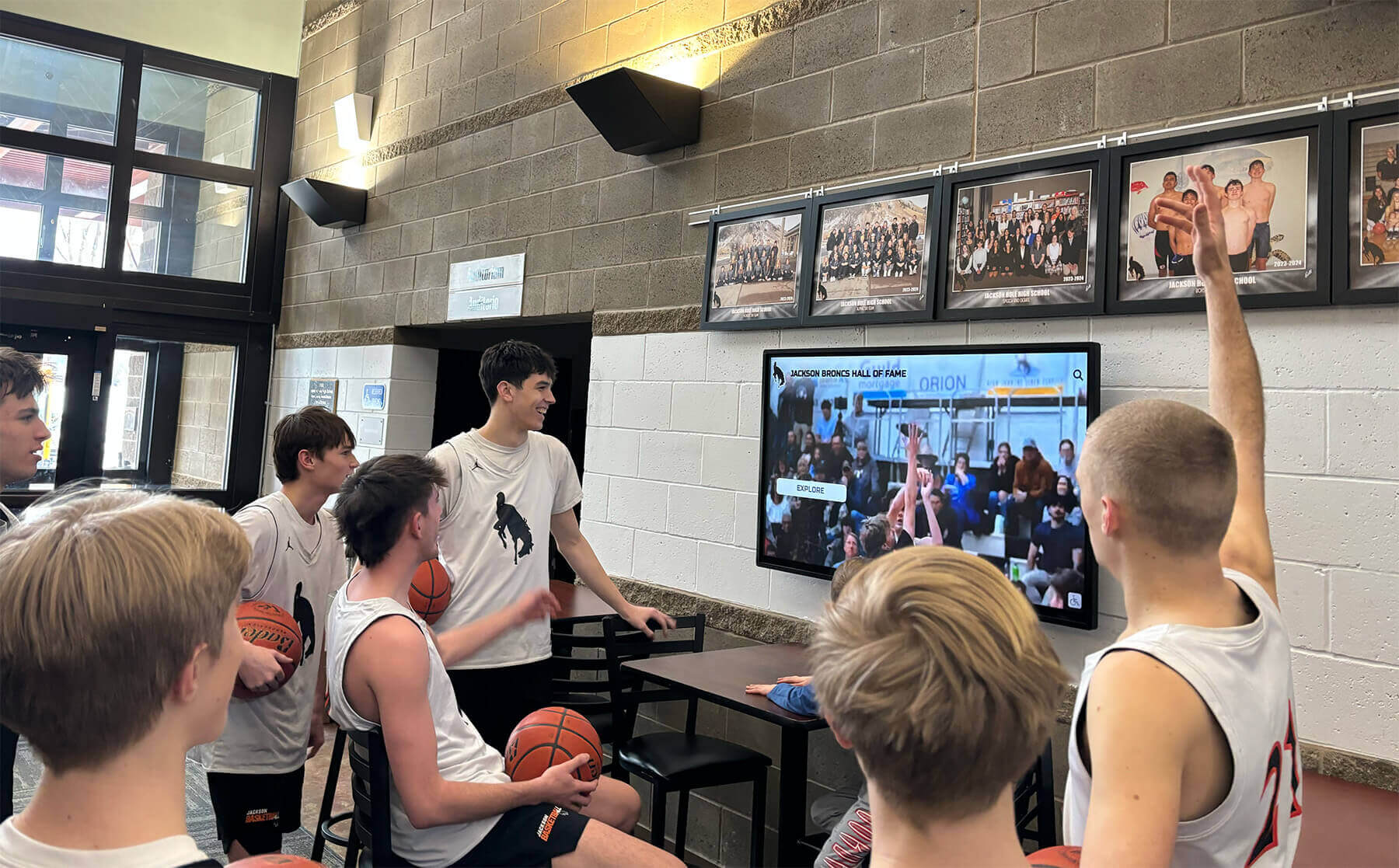
A campus directory touchscreen display serves as an interactive information hub providing navigation assistance, staff and faculty directories, achievement recognition, event information, and campus resource discovery through intuitive touchscreen interfaces. These systems help visitors locate buildings and offices, students find classrooms and services, families navigate athletic facilities, and community members discover campus resources and achievements.
Beyond Traditional Static Directories
Traditional directory approaches typically consist of printed building directories, engraved plaques with names and room numbers, vinyl signage requiring professional updates, disconnected department lists, and separate recognition displays for achievements. While familiar, these systems create significant limitations:
- Update delays: Every personnel change, room reassignment, or achievement requires ordering new materials, scheduling installation, and managing weeks-long delays creating inaccurate information
- Space constraints: Physical boards accommodate limited information, forcing difficult decisions about what to include and what to omit
- No interactivity: Visitors must scan entire lists manually to find specific information without search or filtering capabilities
- Poor engagement: Static displays generate minimal interaction compared to dynamic, touchscreen experiences
- Maintenance costs: Physical signage replacement for every update creates recurring expenses that accumulate rapidly
- Recognition limitations: Separate trophy cases and achievement displays remain disconnected from navigation and directory functions

Modern campus directory touchscreen displays leverage interactive technology, cloud-based content management, and integrated databases to overcome these fundamental limitations. Digital systems offer unlimited information capacity, instant updates from anywhere, powerful search and filtering, visual wayfinding with maps, multimedia content including photos and videos, achievement recognition integration, and real-time content management across multiple displays.
The transition to interactive touchscreen directories represents more than technological modernization—it reflects evolving campus community expectations shaped by smartphones, GPS navigation, and instant digital information access. Institutions maintaining outdated directories increasingly appear disconnected from contemporary standards while those implementing touchscreen systems demonstrate innovation and visitor-centricity.
Why Athletic Departments and Educational Institutions Need Touchscreen Directories
Schools, universities, and athletic facilities face unique challenges that make campus directory touchscreen displays particularly valuable investments aligned with the mission of Digital Record Board.
Managing Complex Athletic Records and Recognition
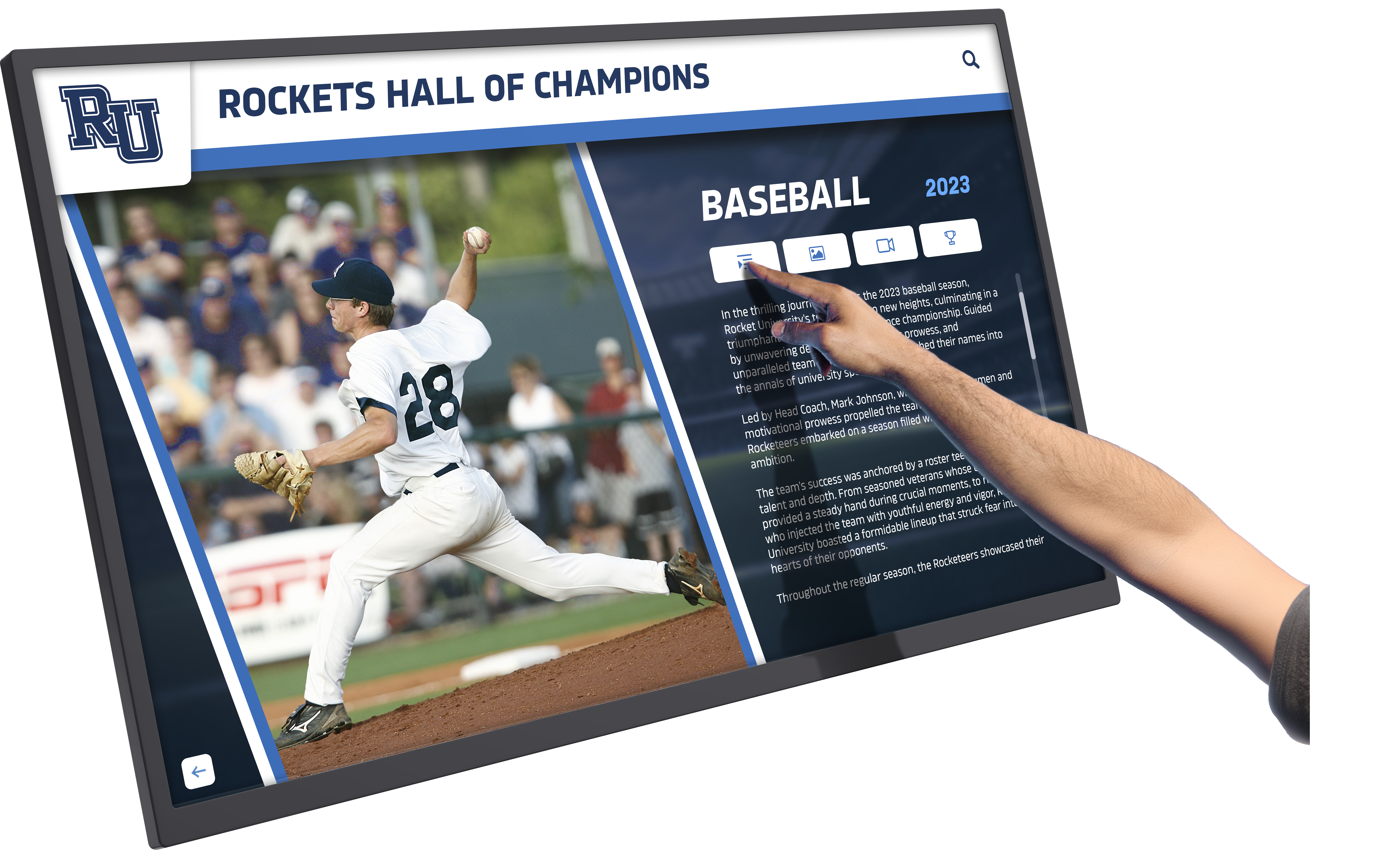
Athletic departments maintain extensive achievement records spanning decades—team championships, individual records, conference titles, All-American honors, coaching milestones, and program history. Traditional trophy cases and static wall displays accommodate limited information while requiring physical expansion for new achievements.
Campus directory touchscreen displays transform how athletic departments preserve and showcase achievements through:
Unlimited capacity: Store and display complete achievement records without physical space constraints. Every record holder, championship team, and program milestone receives permanent recognition regardless of when it occurred.
Auto-ranking capabilities: Automatically organize and display records in proper rank order. When athletes break records, the system instantly reorders displays showing current rankings without manual updates.
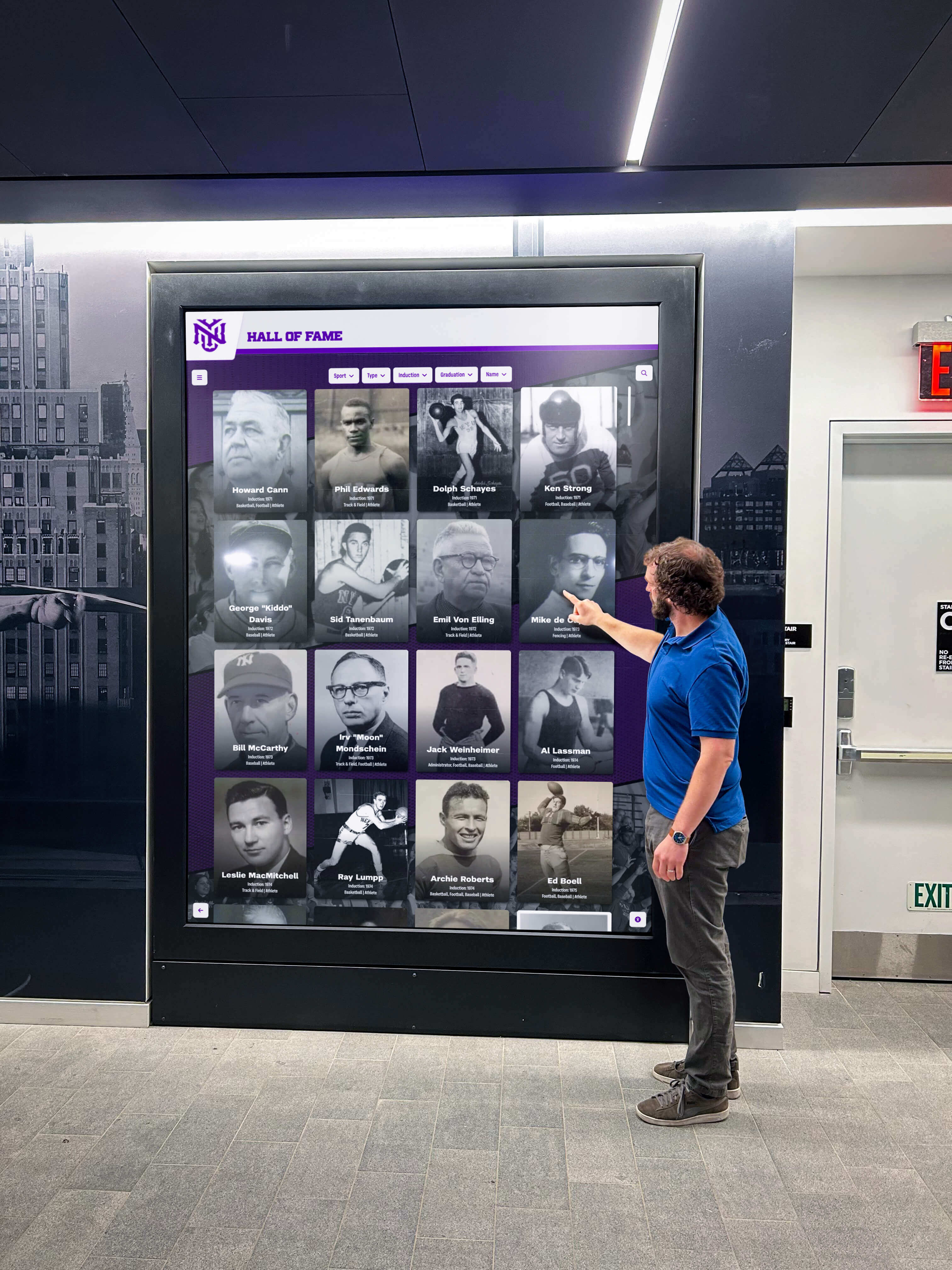
Searchable history: Allow visitors, recruits, alumni, and fans to search athletic history by sport, year, athlete name, record category, or achievement type. Decades of program success become instantly accessible rather than hidden in storage.
QR code access: Enable personal connections through QR codes that unlock individual achievement details on smartphones. Athletes, families, and alumni access personal records, photos, and career highlights instantly.
The same auto-ranking and unlimited entry principles that make digital record boards effective for displaying athletic achievements apply equally to comprehensive campus directory and recognition systems.
Improving Campus Navigation and Visitor Experience
Large campuses commonly span multiple buildings, complex room numbering systems, and extensive facilities where visitors frequently get lost. Athletic venues, academic buildings, administrative offices, and support services spread across campus create navigation challenges for:
Prospective students and families attending tours and recruitment events. Game day visitors navigating to athletic venues, concessions, and restrooms. Student-athletes finding weight rooms, training facilities, and coaching offices. Alumni returning to campus unfamiliar with recent facility changes. Parents attending athletic competitions, performances, and academic events.
Campus directory touchscreen displays eliminate navigation frustration through intuitive search, visual maps with “You Are Here” indicators, step-by-step routing to destinations, building and facility information, and service hours and contact details. First-time visitors navigate confidently while returning community members quickly locate specific destinations.
Institutions prioritizing visitor experience recognize that seamless navigation creates positive first impressions during critical recruitment events, enhances game day experiences, and demonstrates institutional investment in community service.
Reducing Administrative and Staff Burden
Reception staff, department secretaries, and facility managers spend considerable time answering repetitive questions about directions, office locations, service hours, and contact information. These interruptions disrupt workflow and prevent focus on higher-value responsibilities.
Athletic departments implementing effective touchscreen directory displays consistently report 40-60% reductions in directional questions. Self-service navigation empowers visitors while freeing staff capacity—essentially adding fractional full-time equivalent resources without increasing headcount. For budget-constrained athletic departments and educational institutions, this operational efficiency delivers measurable value.
Additional staff benefits include instant content updates without requiring physical signage changes, reduced costs eliminating recurring vinyl and engraving expenses, consistent information across all campus displays, and enhanced professional environment through modern technology.
Supporting Dual Purpose: Directory and Recognition
Unlike single-purpose wayfinding kiosks, campus directory touchscreen displays serve multiple institutional objectives simultaneously. The same display that helps visitors find the athletics director’s office also showcases program championships, displays individual records, recognizes team achievements, and celebrates coaching milestones.
This integration creates cost efficiency through shared infrastructure serving both navigation and recognition needs, enhanced engagement as visitors interact with directory functions and then explore achievements, comprehensive storytelling that contextualizes athletic success within institutional history, and recruitment advantage showing prospective student-athletes complete program history and records.
Solutions like interactive touchscreen software demonstrate how single platforms effectively serve multiple institutional purposes through thoughtful feature integration.
Essential Features of Effective Campus Directory Touchscreen Displays
Successful implementations share critical characteristics distinguishing professional solutions from basic alternatives.
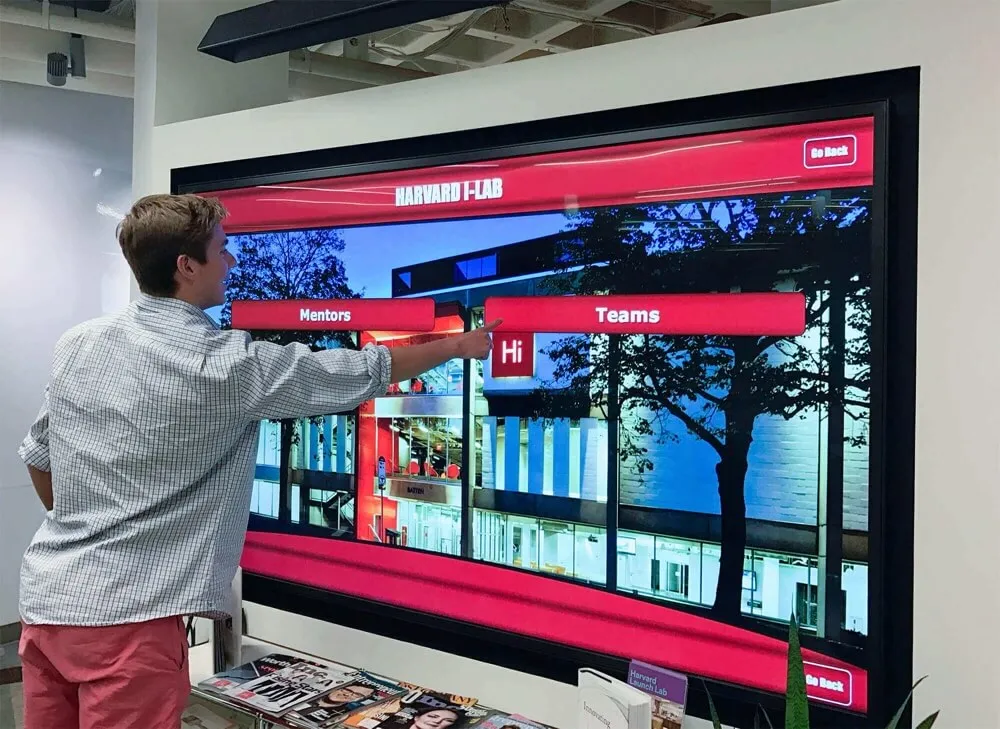
Intuitive Search and Navigation Interface
The most important directory feature helps users quickly find specific people, locations, or achievements. Effective search capabilities include:
Multi-field search: Query across names, departments, buildings, room numbers, achievement types, sports, and years simultaneously. Users should locate information within seconds regardless of which detail they remember.
Smart autocomplete: Real-time suggestions as users type prevent misspelling issues and speed searches. Partial name entry reveals relevant results instantly.
Category browsing: Options to explore content by department, sport, achievement type, building, or year. Alphabetical browsing accommodates users preferring systematic approaches.
Voice search capabilities: Hands-free directory queries through voice recognition technology particularly valuable for accessibility and convenience.
Achievement filtering: Athletic-specific filters showing records by sport, gender, indoor/outdoor, career/single-season, or record type enable precise queries.
Interface design makes or breaks adoption. Systems requiring training or explanation fail their fundamental purpose of making information access easier, not harder.
Comprehensive Content Management System
Behind every effective touchscreen directory sits robust content management infrastructure enabling non-technical staff to maintain accurate information efficiently.
Cloud-based administration: Update content from office computers, home devices, or smartphones without requiring physical access to displays. Cloud architecture ensures changes synchronize instantly across multiple installations throughout campus.
Role-based permissions: Grant appropriate access levels to different users—athletic directors controlling sports records, facilities managers updating room assignments, advancement staff managing donor recognition, department chairs modifying faculty listings.
Automated synchronization: Integration with existing databases including student information systems, HR platforms, athletic record databases, and facility management software eliminates duplicate data entry while ensuring perpetual accuracy.
Bulk operations: Import complete team rosters, upload semester schedules, update athletic records in batch operations, or synchronize entire employee directories rather than tedious manual entry.
Scheduled publishing: Prepare content updates in advance for automatic publication at specified times—perfect for new seasons, semester transitions, championship announcements, or special events.
Template systems: Pre-built layouts for common content types including individual records, team championships, faculty profiles, building directories, and service information maintain visual consistency while accelerating content creation.
The same content management principles that enable digital athletic recognition displays to remain current apply equally to comprehensive campus directory systems.
Auto-Ranking and Record Management
For athletic departments, automatic record ranking proves essential. When athletes break records, the system must instantly reorder displays without manual intervention.
Intelligent ranking algorithms: Automatically sort achievements by performance metrics—fastest times, longest distances, highest scores, most victories. The system maintains proper rank order as new performances occur.
Tie handling: Proper management of tied records ensuring all record holders receive appropriate recognition without manual workarounds.
Multiple ranking views: Display records by career performance, single-season achievements, single-game highlights, or all-time rankings. Users explore achievements from multiple perspectives.
Historical preservation: Never erase previous record holders when new records occur. Complete ranking history remains accessible showing progression over decades.
Performance comparisons: Visual representation of how records compare across eras, between genders, or within conference competition.
This auto-ranking capability represents fundamental advantage over static trophy cases requiring physical reorganization whenever records change.

Visual Wayfinding and Campus Maps
Text-based directions prove difficult to follow, especially for first-time visitors unfamiliar with campus layouts. Visual wayfinding dramatically improves navigation success rates.
Interactive campus maps: Detailed maps showing building layouts, parking areas, athletic facilities, landmarks, and points of interest with clear “You Are Here” indicators and destination highlighting.
Multi-floor navigation: Seamless representation of vertical movement between floors with clear identification of stairways, elevators, and accessible routes.
Route visualization: Animated or highlighted paths showing optimal routes from current kiosk location to destinations with turn-by-turn visual guidance and landmark identification.
3D building visualization: Advanced systems offering three-dimensional building representations that users rotate and explore providing intuitive spatial understanding.
Mobile continuity: QR codes allowing visitors to transfer directions to personal smartphones and continue navigation throughout journey.
Quality mapping requires accurate building floor plans and thoughtful design translating architectural drawings into visitor-friendly visual representations. The investment proves worthwhile through dramatically improved wayfinding success rates and reduced visitor frustration.
Multimedia Recognition Content
Static text listings fail to engage visitors or properly honor achievements. Multimedia capabilities transform recognition experiences:
Professional photography: High-resolution athlete portraits, team photos, action shots, and coaching images create visual impact and personal connection.
Video integration: Highlight reels, championship moment replays, interview footage, and historical program content bring achievements to life.
Statistical displays: Comprehensive performance data, career statistics, seasonal progressions, and comparative analytics provide context for achievements.
Timeline visualization: Chronological presentation of program history showing evolution across decades, coaching eras, or facility developments.
Social media integration: Live feeds from athletic department accounts showing current season highlights, upcoming events, and real-time updates.
These multimedia capabilities create engaging experiences that visitors voluntarily explore rather than passive displays people ignore while passing through lobbies.
ADA Compliance and Accessibility Features
Educational institutions and public facilities carry particular responsibility for ensuring accessible environments. Modern touchscreen directories help meet these obligations through:
Physical accessibility: Kiosks positioned at appropriate heights (15-48 inch reach ranges) with adequate clear floor space for wheelchair users and proper approach angles.
Screen reader compatibility: Proper semantic structure and alternative text enabling assistive technology to convey directory information to users with visual impairments.
Voice guidance: Audio instructions and content reading for navigation without requiring screen reading technology.
High-contrast modes: Enhanced display visibility for users with low vision or color blindness through user-controlled contrast adjustments.
Adjustable text sizes: User-controlled interface scaling accommodating different vision needs without requiring administrator intervention.
Simplified navigation: Alternative interface modes with reduced complexity for users with cognitive disabilities.
Accessibility represents legal obligation and institutional value. Systems designed inclusively from the start serve broader audiences more effectively than those treating accessibility as afterthought.
Planning Your Campus Directory Touchscreen Display Implementation
Successful deployments require systematic planning addressing technical, operational, and content management dimensions.
Step 1: Define Objectives and Success Criteria
Begin by clearly establishing what you want to accomplish:
Primary objectives might include: Reducing staff time spent answering directional questions, improving visitor satisfaction during campus tours and events, providing comprehensive athletic achievement recognition, eliminating manual directory update delays, creating recruiting advantage through professional facility technology, or generating community engagement with program history.
Success metrics could involve: Percentage reduction in directional inquiries to reception staff, visitor satisfaction survey scores, touchscreen interaction rates and dwell time, content update frequency and currency, recruiting feedback from prospective students and families, or alumni engagement with historical content.
Scope decisions include: Number and location of displays, content types to include (directory, wayfinding, athletics, academics, services), integration requirements with existing systems, and timeline for implementation and launch.
Clear objectives inform all subsequent decisions about features, vendors, content, and budget priorities.
Step 2: Assess Technical Infrastructure and Site Requirements
Evaluate your technical environment and physical locations:
Network connectivity: Verify reliable internet access at proposed kiosk locations through wired ethernet (preferred) or robust WiFi. Displays require consistent connectivity for content synchronization and real-time updates.
Power availability: Confirm accessible electrical outlets or plan for electrician installation of dedicated circuits at kiosk locations.
Physical space requirements: Ensure adequate clearance (typically 8-10 feet) around kiosks for user interaction, wheelchair accessibility, and traffic flow without blocking corridors.
Environmental conditions: Assess lighting, temperature, and foot traffic patterns affecting display visibility and durability.
Mounting options: Determine whether wall-mounted or free-standing floor kiosks work best for each location based on architecture and space configuration.
Integration opportunities: Identify existing systems for potential connection including student information databases, HR directories, athletic record systems, event calendars, or facility management platforms.
Thorough technical assessment prevents implementation surprises and ensures displays function reliably in actual campus environments.
Step 3: Develop Comprehensive Budget
Accurate budgeting accounts for initial investment and ongoing operations:
Initial Investment Components:
Hardware costs including commercial-grade touchscreens ($2,500-$6,000 per 43-55" display), integrated computing and media players ($800-$2,000), protective kiosks or wall-mount enclosures ($1,500-$4,000), and professional installation ($1,000-$2,500 per location).
Software licensing often bundled with first year included, then annual subscriptions ($1,200-$4,000 per display depending on features, support level, and number of displays).
Content development including initial database population, custom interface design, photography and videography, floor plan digitization, and achievement record compilation ($3,000-$12,000 depending on scope and starting point).
Integration services connecting to institutional databases, implementing automated synchronization, and configuring authentication systems ($2,000-$15,000 for complex integrations with multiple systems).
Typical first-year total costs: $10,000-$35,000 per location depending on system sophistication, content complexity, and site requirements.
Ongoing Annual Costs:
Software licensing and technical support ($1,200-$4,000 per display), content maintenance staff time or contracted services ($1,500-$5,000 annually depending on update frequency), and minor repairs and consumables including touchscreen cleaning and occasional hardware replacement ($300-$800 annually).
Total cost of ownership over five years typically ranges $18,000-$55,000 per installation. Compare this against hidden costs of traditional directories including staff time answering questions, recurring signage replacement expenses, outdated information causing misdirection, and lost recruitment opportunities from unprofessional facilities.
Many athletic departments discover ROI analysis reveals touchscreen directories pay for themselves through operational efficiencies and enhanced recruitment outcomes within 24-36 months.
Step 4: Evaluate Solutions and Select Vendor
Not all campus directory systems offer equivalent capabilities, particularly for athletic achievement integration. Thorough evaluation prevents costly mistakes:
Athletic focus: Prioritize vendors with proven track record implementing combined directory and athletic recognition systems. Generic digital signage platforms adapted for directory functions often lack auto-ranking, achievement management, and sports-specific features.
Auto-ranking capabilities: Verify the system automatically maintains proper rank order for athletic records without manual intervention when performances change. This feature proves essential for athletic departments.
Content management ease: Request hands-on demonstrations of both visitor-facing interfaces and administrative systems. Attempt common tasks like updating records, adding achievements, modifying directory listings, and scheduling content to assess actual usability.
Integration documentation: Obtain detailed information about available APIs, supported integration protocols, existing connectors for your specific systems, and case studies of successful implementations.
Education sector experience: Request references from similar athletic departments and educational institutions. Contact them directly to discuss implementation experiences, ongoing satisfaction, vendor responsiveness, and lessons learned.
Scalability planning: Confirm solutions accommodate growth including additional displays, expanded content, increased user volume, and new features without requiring complete system replacement.
Support and training: Understand included training, ongoing technical support availability, typical response times, and documentation quality.
Platforms like Rocket Alumni Solutions specialize in combined directory and recognition systems specifically designed for athletic departments and educational institutions, offering advantages over generic solutions.
Step 5: Plan Content Architecture and Information Design
How you organize and present information determines system usefulness and visitor engagement:
Logical categorization: Structure content matching how users think about your campus including athletics (by sport, gender, record type), academics (by college, department, building), services (by function, location, user type), and campus resources (by category, building, service hours).
Search optimization: Include common terms, abbreviations, acronyms, and alternate names people actually use. The athletic director’s office might be searched as “AD office,” “athletics administration,” “sports office,” or individual staff names.
Achievement hierarchies: Organize athletic content by sport, then record categories (career/season/game), then rankings. Establish consistent terminology for achievement types.
Progressive disclosure: Present high-level information first with options to drill down for details. Initial search results show summary information with touch-to-expand for comprehensive profiles avoiding information overload.
Visual consistency: Establish templates for different content types maintaining recognizable patterns so users quickly understand how to interact with various sections.
Update frequency planning: Identify content requiring frequent updates (event information, directory changes) versus relatively static content (building maps, historical achievements) informing maintenance workflow design.
Well-designed information architecture makes the difference between directories people successfully use and those that confuse rather than help. Approaches proven effective in college residence hall displays apply equally to comprehensive campus directory systems.
Step 6: Execute Professional Implementation
Quality installation ensures systems start strong and maintain long-term reliability:
Pre-installation preparation: Complete electrical work, network configuration, mounting surface preparation, and access clearance before installation day. Coordinate with facilities management, IT department, and campus security.
Professional installation services: Experienced installers handle secure mounting, proper cable management, network configuration, initial system setup, and compliance verification. While self-installation appears less expensive, professional execution typically proves worthwhile through proper integration and warranty compliance.
Content population: Load complete databases including athletic records, employee directories, building information, campus maps, achievement photos and videos, and supplementary content. Thoroughly test search functionality, verify information accuracy, and confirm all features work correctly.
Staff training: Train everyone involved in content maintenance on administrative systems. Provide documentation, video tutorials, and clear processes for common tasks. Identify primary administrators and backup staff ensuring institutional knowledge doesn’t depend on single individuals.
User acceptance testing: Before public launch, test with representative users including students, visitors unfamiliar with campus, faculty members, and athletic staff. Observe actual usage and identify confusing elements requiring adjustment.
Launch promotion: Create awareness through campus communications, social media announcements, physical signage directing people to new kiosks, mentions at athletic events and campus meetings, and possible launch events demonstrating capabilities.
Thorough implementation prevents embarrassing malfunctions during initial use while maximizing adoption through proper training and promotion.
Step 7: Establish Ongoing Operations and Maintenance
Long-term success requires sustainable content management and technical maintenance processes:
Content governance: Assign clear responsibility for different content areas. Who updates athletic records when performances occur? Who maintains employee directories? Who manages event information? Who moderates user-submitted content if enabled? Document these responsibilities and ensure assigned individuals understand expectations and have necessary system access.
Update schedules: Establish triggers for immediate updates (record-breaking performances, personnel changes, emergency information) versus periodic review cycles (quarterly directory audits, seasonal achievement compilations, annual content refreshes).
Quality assurance: Regularly verify content accuracy, test search functionality, check for broken links or missing images, and ensure consistent formatting across all content types.
Usage monitoring: Review analytics understanding how visitors use the system including popular searches, common destinations, content dwell times, peak usage periods, and navigation patterns. Data-driven insights inform content improvements and additional display locations.
Technical maintenance: Schedule periodic system health checks, software updates, security patches, touchscreen cleaning, and hardware inspections. Address issues promptly before minor problems become major failures affecting user experience.
Continuous improvement: Gather user feedback through observation, surveys, or comments. Implement enhancements based on actual usage patterns and community input rather than assumptions about what people need.
Succession planning: Develop training resources and documentation ensuring institutional knowledge transfers smoothly when responsible staff members change positions. Avoid scenarios where system maintenance depends entirely on single individuals.
Overcoming Common Implementation Challenges
Understanding typical obstacles and proven solutions helps prevent problems derailing implementations:
“We Already Have a Campus Directory Website”
Valid observation, but web-based directories and physical touchscreen displays serve complementary rather than redundant purposes:
Web directories require visitors to know to look for them, have internet-connected devices available, navigate away from other tasks to search, and lack physical presence at decision points where people need information. Touchscreen kiosks provide information exactly where and when needed—building entrances, lobby areas, corridor intersections, near elevators. Physical presence creates spontaneous engagement impossible with web-only solutions.
Most effective implementations combine both approaches allowing web directories for pre-visit planning while touchscreen displays serve in-moment navigation and information needs.
“Our Athletic Records Are Incomplete or Disorganized”
Common situation, particularly for programs with decades of history and insufficient record-keeping in earlier eras. However, implementation provides motivation and framework for record compilation:
Start with known information even if incomplete. Launch displays with current achievements and recent history, then systematically expand historical content over time. Incomplete recognition proves better than no recognition while perfect completeness remains unrealistic goal.
Implementation creates forcing function for research. Alumni engagement often improves when institutions request help identifying historical achievements, gathering photos, and verifying records. Many alumni enthusiastically contribute information when they see institution values program history.
Use phased rollout beginning with most complete sports or recent decades, then expanding as research progresses. Continuous improvement approach manages overwhelming compilation projects by breaking them into achievable phases.
“We’re Concerned About Content Maintenance Burden”
Legitimate concern addressed through proper system selection and workflow design:
Well-designed systems minimize ongoing effort through automated synchronization with existing databases eliminating manual updates for routine changes, template-driven content creation accelerating new entries, bulk operations handling multiple updates simultaneously, and role-based access distributing workload across appropriate staff rather than concentrating on single administrator.
Initial content development requires significant investment, but maintenance needs prove modest once established. Most changes occur sporadically (personnel changes, record updates, room reassignments) rather than requiring daily attention.
Calculate actual time requirements realistically. Many athletic departments discover content maintenance requires 2-4 hours monthly rather than the significant ongoing burden initially feared. Compare this against time currently spent updating physical signage, answering directional questions, and manually tracking achievements.
“Budget Constraints Limit What We Can Afford”
Budget limitations affect most educational institutions. However, several approaches help manage costs:
Phased implementation starting with single high-traffic location proving value before expanding. Initial success builds support for additional displays in subsequent budget cycles.
Prioritize features focusing initial implementation on essential capabilities rather than comprehensive feature sets. Add advanced functionality once core systems prove their value.
Explore funding sources beyond operating budgets including capital improvement funds, advancement office support for donor recognition capabilities, athletic booster contributions, facility renovation budgets when updating buildings, or grants specifically for campus technology improvements.
Consider total cost of ownership rather than just initial investment. Quantified staff time savings, eliminated signage replacement costs, and improved recruitment outcomes often justify investment through measurable returns.
Many athletic departments discover that comprehensive ROI analysis reveals touchscreen directories generate positive return through operational efficiencies and recruitment advantages within reasonable timeframes making investments financially justified rather than discretionary expenses.

Integration Opportunities: Maximizing System Value
Campus directory touchscreen displays deliver greatest value when connected to other institutional platforms creating seamless information ecosystems.
Student Information and HR Systems
Automated synchronization with student databases and human resources platforms ensures directory information remains perpetually current without manual updates. New hires appear in directories immediately, departing staff are removed promptly, students transition appropriately at graduation, and organizational changes reflect instantly.
Bidirectional integration enables contextual information access. Faculty accessing directories see advisee lists, department chairs view complete faculty rosters, and athletic staff access current team rosters with contact information and eligibility status.
Athletic Record Databases
For institutions maintaining separate athletic record systems or spreadsheets, integration eliminates duplicate data entry while ensuring displayed records match official documentation. Record updates flow automatically from authoritative sources to all displays throughout campus.
This integration proves particularly valuable for programs using specialized athletic administration software or comprehensive record-tracking systems ensuring consistent information across all platforms.
Event Management and Calendars
Connecting directories to campus event calendars enables automatic display of relevant information including game day schedules and locations, special event wayfinding, visiting team information, facility closures or changes, and temporary building access modifications. Displays dynamically adapt to current campus activities without requiring manual updates for every event.
Emergency Notification Systems
Critical integration for campus safety enables instant display of emergency messages, evacuation instructions, shelter-in-place guidance, weather alerts, or facility closures during crisis situations. Emergency coordinators communicate with everyone at strategic campus locations simultaneously.
Digital Signage Networks
Coordination with other campus displays creates unified communication infrastructure. Shared content libraries, consistent branding, synchronized messaging campaigns, and centralized management reduce administrative complexity while ensuring coherent institutional communications.
Recognition and Achievement Systems
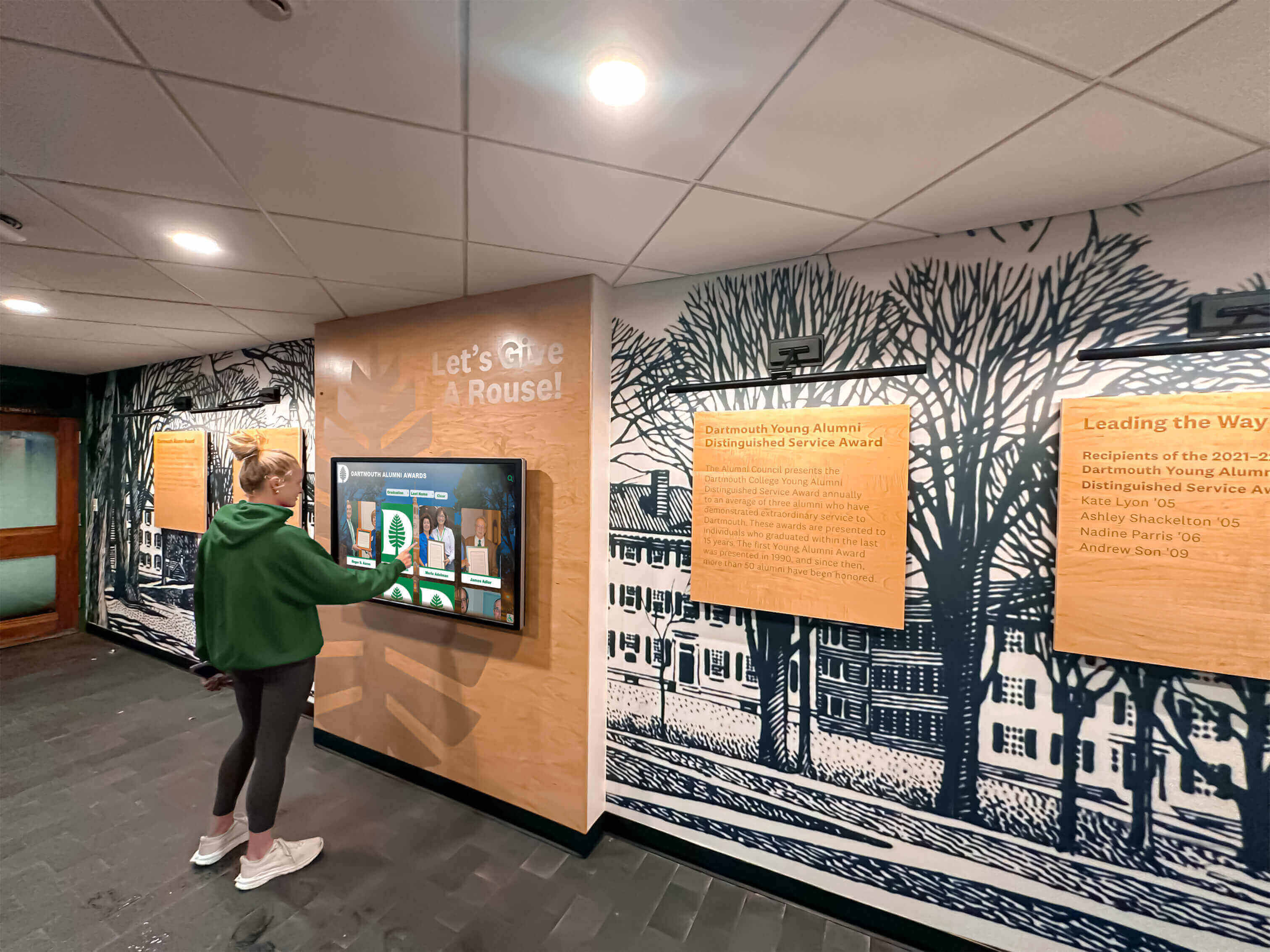
For institutions using comprehensive digital recognition displays celebrating multiple achievement types beyond athletics, integration creates holistic recognition ecosystems. Academic honors, service awards, faculty achievements, and donor recognition connect with directory and wayfinding functions through unified platforms.
The Future of Campus Directory Touchscreen Displays
Understanding emerging capabilities helps institutions make implementation decisions anticipating long-term needs rather than solving only today’s requirements.
Artificial Intelligence and Personalization
AI capabilities increasingly enhance directory experiences through natural language processing accepting conversational queries like “Where do I find the basketball coach?” rather than requiring structured searches, predictive suggestions anticipating common needs based on time, location, nearby events, or user patterns, intelligent routing calculating optimal paths considering accessibility needs, construction zones, or time constraints, and chatbot assistance answering complex questions beyond simple directory lookups.
Augmented Reality Navigation
AR integration bridges physical and digital wayfinding through smartphone apps overlaying directional arrows onto camera views showing exactly where to walk, visual landmark recognition helping users confirm they’re following correct paths, and persistent navigation continuing from kiosk interaction to mobile device throughout journey.
Enhanced Analytics and Insights
Sophisticated analytics reveal usage patterns informing institutional decisions including navigation pattern analysis showing how people move through campus and which destinations receive frequent searches, content engagement metrics revealing which achievements, records, or information generate most interaction, accessibility usage tracking understanding how diverse users interact with systems informing continuous improvement, and predictive planning identifying needs for additional displays or content based on usage trends.
Voice and Gesture Control
Touchless interaction addresses hygiene concerns while improving accessibility through voice-activated search enabling hands-free directory queries and navigation, gesture-based navigation using motion sensors detecting hand waves controlling displays without physical contact, and proximity activation automatically displaying interfaces when people approach.
These innovations will make directories even more powerful while maintaining core principles of intuitive, accessible, helpful information access serving diverse users effectively.
Making the Decision: Is a Campus Directory Touchscreen Display Right for Your Institution?
Campus directory touchscreen displays deliver clear value for institutions that:
- Manage athletic programs with significant achievement records deserving proper recognition
- Experience frequent directional questions from visitors, students, or families attending events
- Operate multiple buildings or complex single-building layouts where navigation challenges exist
- Prioritize recruitment outcomes and professional facility presentation
- Seek operational efficiencies through reduced staff time on routine inquiries
- Value dual-purpose infrastructure serving both navigation and recognition objectives
- Need to meet accessibility requirements serving diverse populations effectively
- Want to eliminate recurring costs of manual directory and signage updates
Institutions may want to defer implementation if:
- Buildings are small and simple with minimal navigation complexity
- Athletic programs generate limited achievements requiring recognition
- Extreme budget constraints require focusing resources on more pressing operational needs
- Very low visitor volume means navigation assistance demands prove minimal
For most educational institutions managing any significant athletic programs, campus complexity, or visitor volume, the question isn’t whether touchscreen directories offer value—they clearly do—but rather when to implement and how to prioritize within competing demands.
Taking the Next Step
Implementing campus directory touchscreen displays represents significant investment in visitor experience, operational efficiency, athletic recognition, and institutional image. The decision deserves careful consideration, thorough research, and systematic planning.
Start by honestly assessing current challenges. Survey stakeholders about pain points including reception staff fielding directional questions, athletic department staff managing achievement recognition, visitors struggling with navigation, and families attending events. Quantify time spent on directory-related tasks and recognition maintenance establishing both justification for investment and metrics for measuring improvement.
Research available solutions thoroughly prioritizing vendors with athletic department experience and proven implementations combining directory and recognition functions. Request demonstrations from multiple vendors focusing on auto-ranking capabilities, content management ease, and actual usability rather than feature checklists. Visit existing installations at peer institutions observing real-world implementations.
Develop realistic budgets accounting for total cost of ownership including initial investment and five-year operational costs. Identify funding sources through operating budgets, capital improvement funds, athletic boosters, or advancement office support. Build stakeholder support by articulating benefits relevant to each group—reduced staff burden, enhanced recruitment, improved visitor experience, and comprehensive achievement recognition.
Most importantly, view campus directory touchscreen displays not as technology purchases but as investments in institutional excellence—properly honoring athletic achievements that too often disappear from recognition when trophy cases fill, making visitor experiences less frustrating and more welcoming, demonstrating commitment to program history and athlete recognition, and projecting professional image consistent with institutional quality.
Solutions like Rocket Alumni Solutions provide platforms specifically designed for athletic departments and educational institutions, delivering auto-ranking record management, unlimited achievement capacity, intuitive directory integration, and proven reliability across hundreds of institutional installations. These purpose-built systems offer significant advantages over generic digital signage platforms adapted for directory functions.
The future of campus information access is interactive, searchable, and comprehensive. The future of athletic recognition is permanent, auto-ranked, and unlimited. The question is when your institution will embrace this future—and start experiencing the operational benefits, enhanced recognition, and improved experiences that campus directory touchscreen displays deliver.
Ready to transform how your campus manages navigation and recognition? Book a demo to see how Digital Record Board solutions combine comprehensive directory functionality with unlimited athletic achievement recognition in unified platforms designed specifically for educational institutions.































