




Schools, museums, athletic facilities, and organizations deploying touchscreen kiosks face a fundamental software architecture decision that affects everything from development costs to long-term maintenance: should your interactive display run on web-based software or a native application? This choice determines deployment complexity, ongoing management requirements, hardware compatibility, and ultimately whether your touchscreen investment delivers lasting value or creates technical burdens.
The debate between web-based and native app touchscreen software isn’t about finding a universally “better” option—it’s about matching software architecture to your specific requirements, technical capabilities, and operational context. Web-based solutions excel in scenarios prioritizing flexible deployment, centralized management, and cost-effective content updates across distributed installations. Native applications shine when hardware integration, offline operation, or maximum performance take priority over deployment simplicity.
Understanding Touchscreen Software Architecture
Touchscreen software fundamentally operates through two distinct architectural approaches. Web-based software delivers content and functionality through modern web browsers, leveraging HTML5, CSS, and JavaScript to create interactive experiences accessed through URLs and managed centrally through cloud platforms. Native applications install directly on operating systems—Windows, Android, iOS, or Linux—executing compiled code optimized for specific hardware and accessing system resources directly.
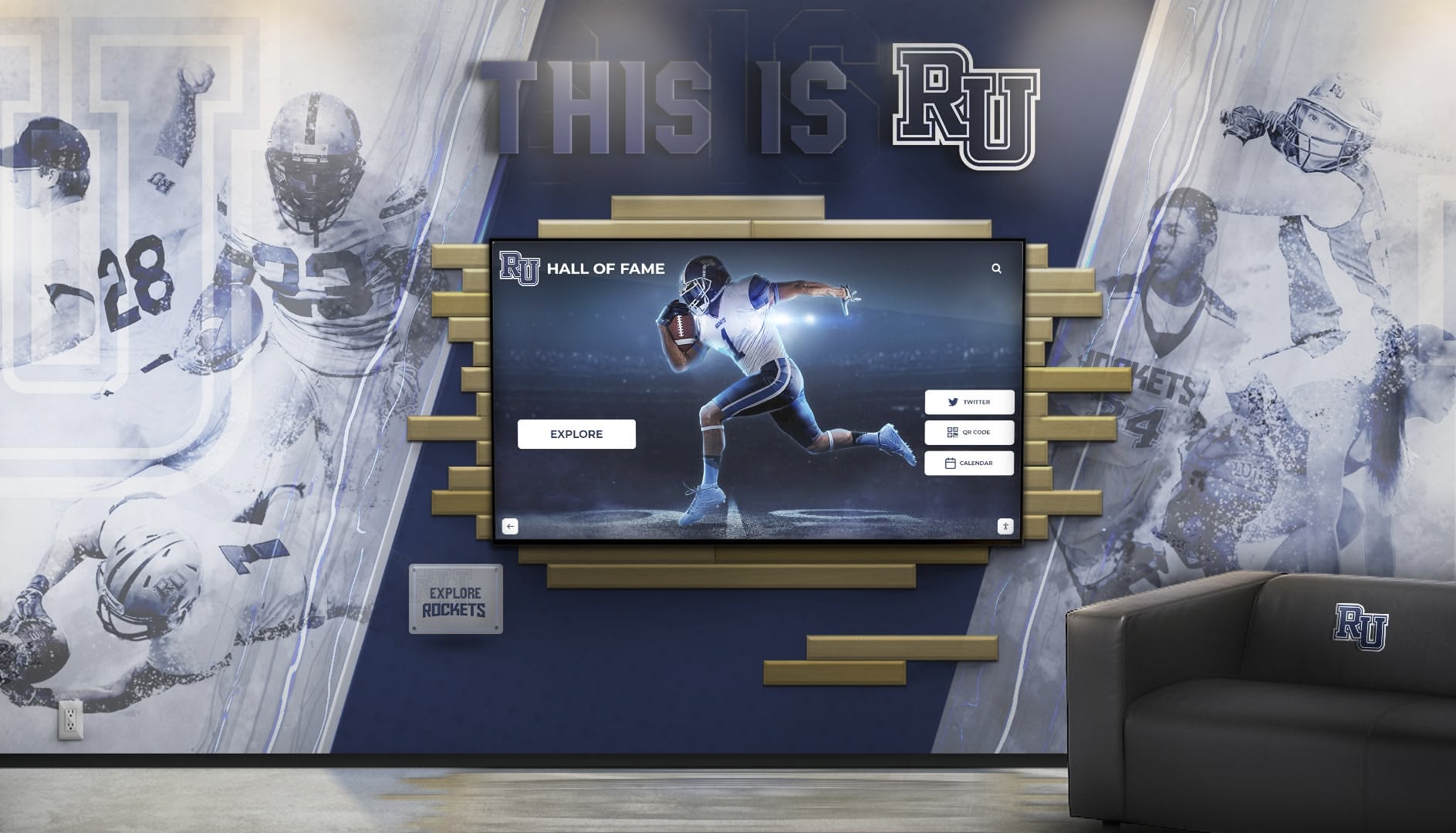

For organizations deploying digital recognition displays or interactive information kiosks, this architectural decision cascades through every aspect of deployment, from initial setup complexity to ongoing content management and technical support requirements. Solutions like Rocket Alumni Solutions leverage web-based architecture to simplify content management while delivering professional touchscreen experiences accessible from any device with a browser.
Web-Based Touchscreen Software Fundamentals
Web-based touchscreen software operates through web browsers configured in kiosk mode—full-screen operation with navigation controls, address bars, and system access disabled. Users interact with responsive web applications designed specifically for touch input, while all content, logic, and data reside on central servers accessible through internet connections.
How Web-Based Kiosk Software Works
Modern web-based touchscreen systems restrict devices to browser environments where users can only access approved websites or web applications. Browsers launch automatically in fullscreen mode without visible address bars, navigation controls, or menu access. Administrative controls require authentication, preventing casual users from exiting kiosk mode or accessing underlying operating systems.
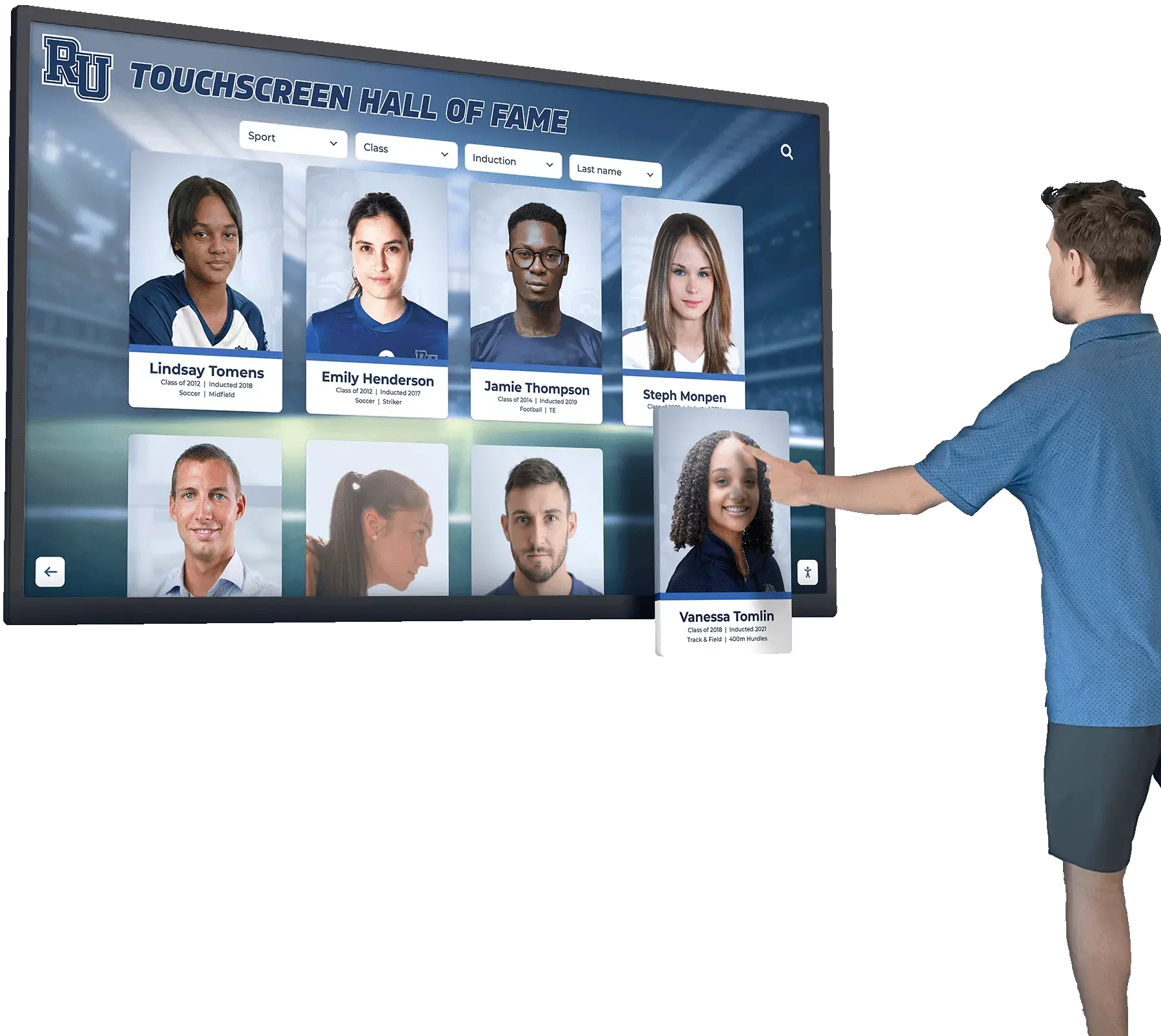
Content management occurs entirely through web-based administrative interfaces. Staff members log into cloud platforms from any computer or device, upload photos and text, organize information, and publish updates that immediately appear across all connected touchscreen displays. This centralized management eliminates needs for physical access to kiosk hardware when updating content—critical advantages for organizations managing multiple distributed displays across campus or multiple facilities.
Service workers and progressive web app (PWA) technologies enable sophisticated offline capabilities. Web applications can cache essential content locally, allowing continued operation during brief network interruptions while synchronizing updates when connectivity restores. This hybrid approach combines web deployment simplicity with native app reliability for many use cases.
Key Advantages of Web-Based Touchscreen Software
Platform Independence and Hardware Flexibility: Web-based software runs on any device with a modern web browser—Windows PCs, Mac computers, Android tablets, iPads, Chromebooks, or Raspberry Pi systems. This hardware flexibility allows organizations to select devices based on budget, mounting requirements, or specific environmental needs rather than being locked into particular hardware ecosystems.
Organizations deploying interactive touchscreen recognition systems appreciate choosing commercial displays, budget-friendly Android tablets, or repurposed computers based on specific location requirements while running identical software across all installations.
Rapid Deployment and Instant Updates: Web-based systems deploy as quickly as configuring browsers and pointing them to URLs. No installation packages, software downloads, or application compilation required. Updates occur centrally—developers modify server-side code once, and changes instantly appear across all touchscreens without updating individual devices.
This centralized update capability proves invaluable for organizations frequently updating content or regularly enhancing functionality. Athletic directors adding new athletic record achievements or museum curators updating exhibit information make changes through administrative interfaces that immediately reflect across all public-facing displays.
Lower Development and Maintenance Costs: Web developers command broader availability and lower rates than specialized native application developers for Windows, iOS, or Android platforms. Organizations can hire from larger talent pools, access freelance resources globally, or leverage existing web development capabilities within IT departments.
Maintenance costs similarly benefit from centralized architecture. Bug fixes, feature enhancements, and security updates deploy instantly to all installations without coordinating individual device updates or managing version compatibility across distributed hardware.
Simplified Cross-Device Compatibility: Responsive web design techniques automatically adapt interfaces for different screen sizes and orientations. A single codebase serves 55-inch touchscreen kiosks, mobile devices, desktop browsers, and tablets—each experiencing appropriately scaled interfaces without requiring separate development for each form factor.
This compatibility extension means recognition content created for public touchscreen displays automatically works when students, alumni, or community members access systems through personal smartphones or tablets—extending engagement beyond physical kiosk locations without additional development investment.
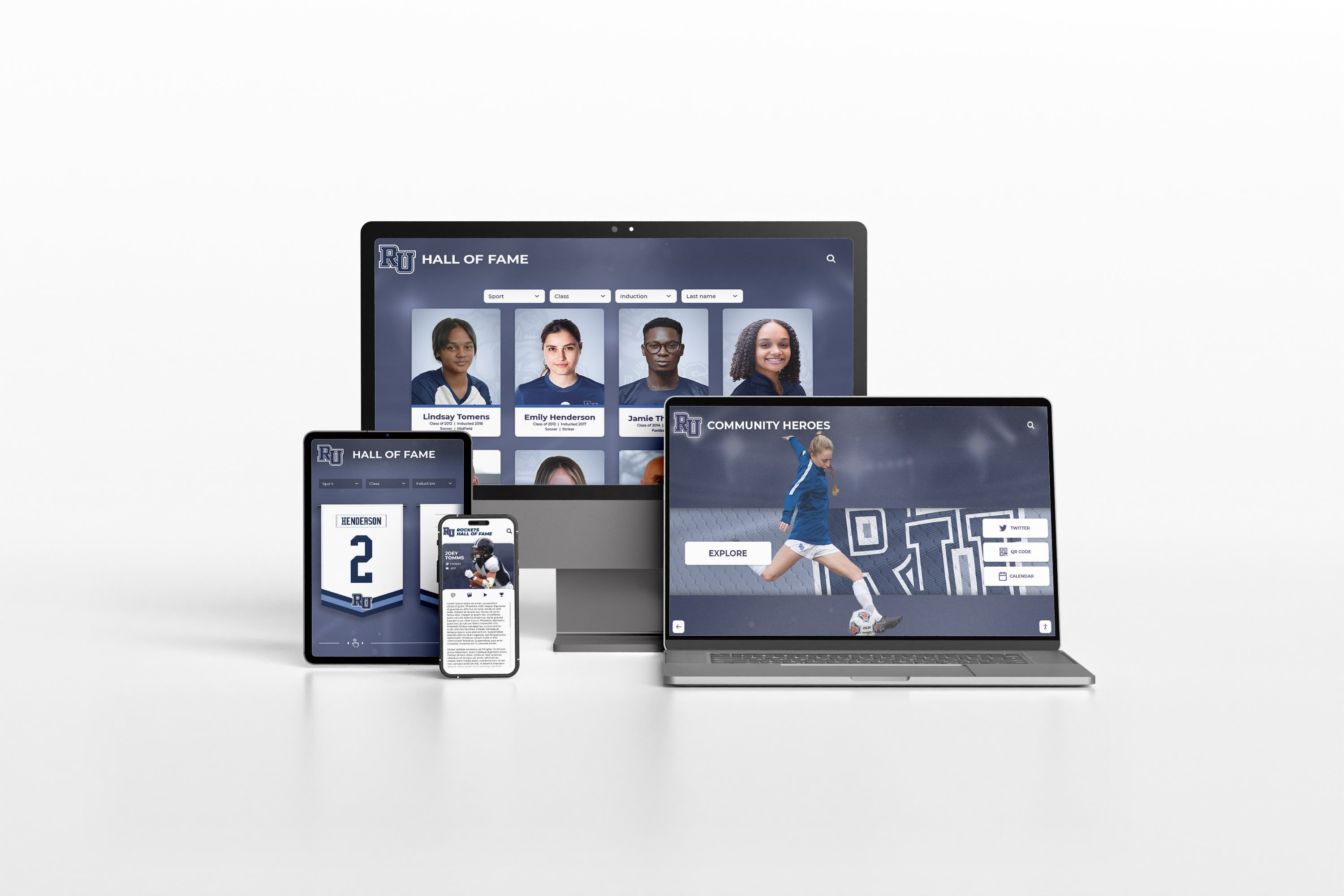
Cloud-Based Content Management: Web-based systems leverage cloud platforms for content management, user authentication, media storage, and analytics. Authorized staff access administrative interfaces from anywhere with internet connectivity—updating displays remotely without physical access to kiosk hardware. Cloud storage automatically handles backup, redundancy, and scalability as content libraries grow.
For schools implementing digital trophy case systems or recognition walls, cloud management means athletic directors can add championship results from home, administrators can review and approve content before publication, and archived achievements remain accessible indefinitely without local storage constraints.
Enhanced Security Through Centralization: Sensitive data, authentication credentials, and business logic remain on secure servers rather than residing on potentially compromised kiosk hardware. If kiosks experience security breaches, attackers gain access only to browser interfaces rather than underlying data or system credentials.
Server-side security updates deploy immediately across all connected devices without requiring individual kiosk updates. This centralized security management reduces vulnerability windows and ensures consistent protection across distributed installations.
Web-Based Touchscreen Software Limitations
Despite significant advantages, web-based touchscreen software faces constraints organizations must evaluate against their specific requirements.
Internet Connectivity Dependency: Web-based systems require reliable network connections for full functionality. While progressive web apps cache content locally for offline operation, complete features depend on server connectivity. Network outages, bandwidth limitations, or connectivity problems impact user experiences more severely than native applications storing data locally.
Organizations deploying touchscreens in locations with questionable network reliability should carefully evaluate offline requirements before committing to web-based architectures.
Hardware Integration Constraints: Web browsers provide limited access to specialized hardware peripherals. While modern browsers support basic hardware like cameras and microphones through standardized APIs, integration with barcode scanners, receipt printers, payment terminals, or proprietary sensors typically requires workarounds or proves impractical.
Applications requiring sophisticated hardware integration—point-of-sale systems, access control kiosks, or specialized data capture—often mandate native applications providing direct hardware access through device drivers and system-level APIs.
Performance Considerations for Complex Interactions: While modern browsers deliver excellent performance for most interactive content, extremely complex animations, real-time data processing, or graphics-intensive applications may perform better as optimized native code. The JavaScript interpretation layer adds minimal but measurable overhead compared to compiled native applications.
For most recognition and informational touchscreen applications, browser performance proves more than adequate. However, specialized applications with demanding performance requirements should benchmark web implementations against native alternatives.
Native App Touchscreen Software Fundamentals
Native application software installs directly on touchscreen device operating systems, executing compiled code optimized for specific platforms. These applications access system resources directly, integrate seamlessly with hardware peripherals, and operate independently of internet connectivity once installed.
How Native Touchscreen Applications Work
Native applications deploy through platform-specific installation packages—.exe installers for Windows, .apk packages for Android, or .ipa files for iOS. After installation, applications run as standalone programs with full access to device capabilities, file systems, and hardware peripherals through operating system APIs and device drivers.

Kiosk mode implementations vary by platform but generally involve configuring operating systems to automatically launch specific applications on startup while disabling access to system functions, taskbars, or application switching. Windows supports dedicated kiosk configurations. Android and iOS provide guided access or kiosk modes restricting devices to single applications.
Content management for native applications occurs through various approaches. Some implementations use local databases updated through file transfers or network synchronization. Others combine native interfaces with cloud-based content delivery, caching data locally while periodically synchronizing with central servers. The specific approach depends on application architecture and operational requirements.
Key Advantages of Native Touchscreen Applications
Direct Hardware Integration: Native applications access hardware peripherals directly through device drivers and system APIs. Barcode scanners, receipt printers, payment terminals, biometric readers, specialized sensors, and proprietary hardware integrate reliably through standardized or manufacturer-specific drivers supporting native application interfaces.
This hardware access proves essential for applications beyond simple information display or recognition—self-service check-in systems, retail point-of-sale kiosks, access control implementations, or data collection applications requiring specialized hardware.
Offline Operation Capabilities: Native applications store data locally, enabling full functionality without internet connectivity. After initial installation, applications operate independently—critical for locations with unreliable networks, remote facilities lacking broadband infrastructure, or applications requiring guaranteed availability regardless of network conditions.
For organizations deploying recognition displays in facilities with intermittent connectivity or requiring operation during network outages, native applications’ offline capabilities provide reliability web-based solutions cannot match without significant architectural complexity.
Optimized Performance: Compiled native code executes directly on processors without interpretation layers, delivering maximum performance for demanding applications. Complex animations, real-time data processing, sophisticated graphics, or computationally intensive operations typically perform better in native applications than equivalent browser-based implementations.
While modern JavaScript engines deliver impressive performance, native applications retain advantages for applications where every millisecond matters or where graphical sophistication exceeds typical web content complexity.
System-Level Integration: Native applications integrate deeply with operating systems—accessing file systems, launching external applications, monitoring system events, or implementing sophisticated background processes. This system integration enables capabilities difficult or impossible through browser-based approaches.
Applications requiring integration with existing desktop software, automated processes triggered by system events, or sophisticated background synchronization benefit from native architecture’s system-level access.
Enhanced User Experience Control: Native applications control every aspect of user experience without browser-imposed limitations. Custom transitions, sophisticated gestures, specialized input methods, or unique interface paradigms implement without considering browser compatibility or web standard constraints.
For touchscreen recognition applications emphasizing distinctive branded experiences or requiring specialized interaction models, native development provides maximum creative control.
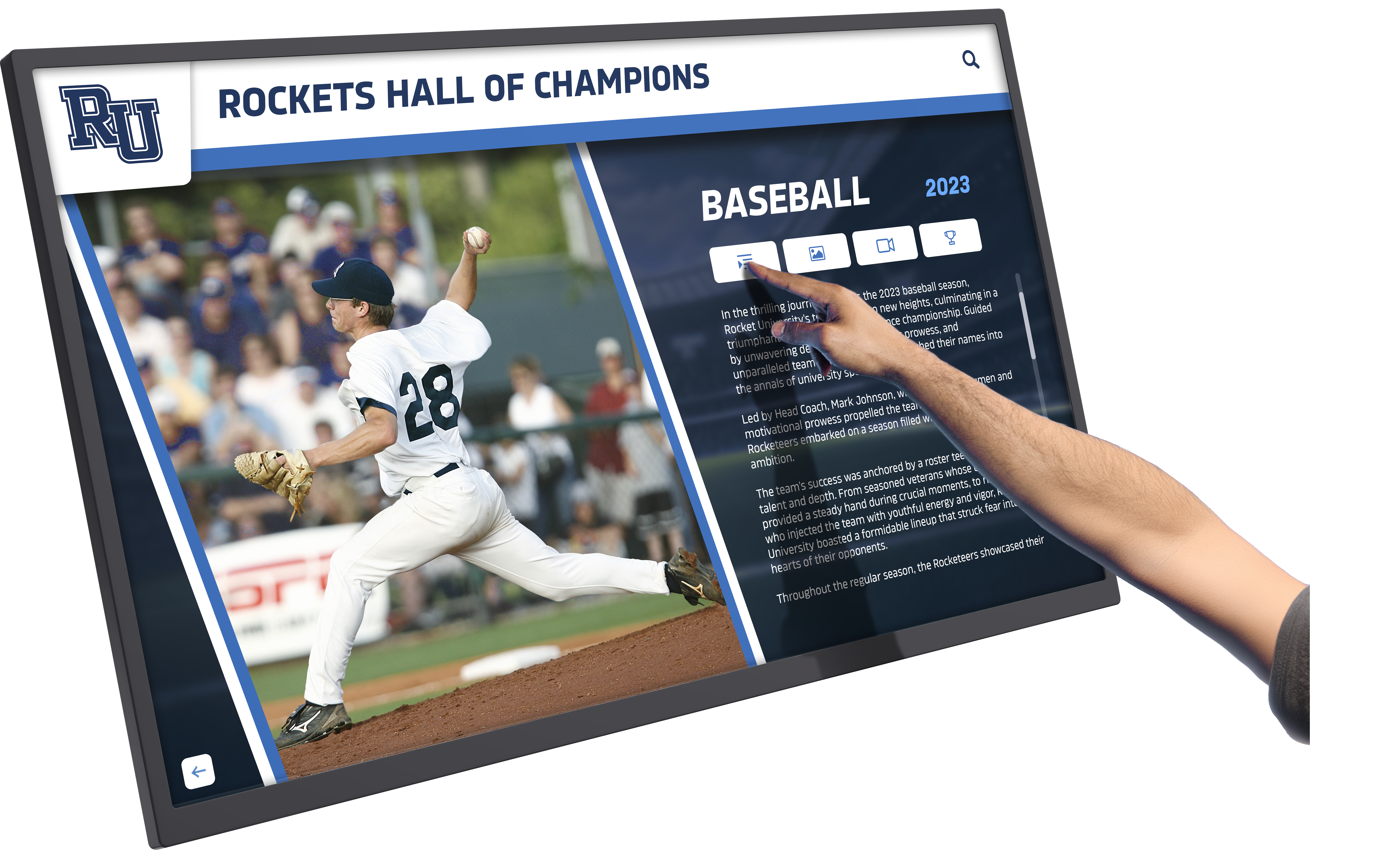
Native Touchscreen Application Limitations
Native applications’ advantages come with corresponding challenges organizations must weigh against their needs and capabilities.
Platform-Specific Development Requirements: Each operating system requires separate development—Windows applications don’t run on Android, iOS applications won’t execute on Windows. Organizations supporting multiple device platforms must develop, test, and maintain separate codebases for each, multiplying development costs and complexity.
Cross-platform development frameworks like Electron, React Native, or Flutter partially address this challenge by enabling shared codebases deployed across platforms, though with some compromise compared to purely native development for each platform.
Complex Deployment and Update Management: Native applications require installation on each device. Initial deployment involves visiting each kiosk physically or implementing automated deployment systems. Updates similarly require coordinating installations across all devices—through manual updates, automated update mechanisms, or mobile device management platforms.
This deployment complexity increases with installation count. Organizations managing dozens or hundreds of touchscreens find update coordination significantly more challenging than web-based approaches deploying updates instantly across all installations from central servers.
Higher Development and Maintenance Costs: Native application developers specializing in Windows, iOS, or Android typically command higher rates than web developers. The smaller talent pool limits hiring options and increases competition for qualified developers. Supporting multiple platforms multiplies these costs through separate development efforts.
Ongoing maintenance similarly costs more—bug fixes and feature enhancements require updating and redeploying applications to all devices rather than modifying central server code once. This per-device maintenance burden grows linearly with deployment scale.
Device-Specific Compatibility Challenges: Native applications must account for different screen sizes, resolutions, hardware capabilities, and operating system versions across device fleets. Older devices may lack capabilities newer applications require. OS updates occasionally break application compatibility, requiring emergency patches and redeployment.
Web-based applications handle device diversity through responsive design automatically adapting to different capabilities. Native applications require explicit handling of hardware and OS variations during development and ongoing compatibility maintenance as platforms evolve.
Comparing Web-Based vs Native Touchscreen Software
Understanding how web-based and native architectures compare across critical dimensions helps organizations make informed decisions matching software approaches to specific needs.
Development Time and Cost Comparison
Initial Development Investment: Web-based applications typically cost 30-50% less to develop than equivalent native applications for a single platform. Supporting multiple platforms through native development doubles or triples this cost difference. Web developers’ broader availability and competitive rates contribute to lower costs, as does single-codebase development serving all platforms.
Native applications requiring sophisticated hardware integration or maximum performance justify higher development costs through capabilities web-based approaches cannot match. However, for informational displays, digital recognition systems, or content showcases, web-based development delivers comparable functionality at significantly lower cost.
Ongoing Maintenance and Updates: Web-based systems maintain centrally. Developers modify server code once, and changes deploy instantly across all connected touchscreens. Annual maintenance costs typically run 10-15% of initial development costs for hosting, security updates, and minor enhancements.
Native applications require coordinating updates across all installed devices. Annual maintenance averages 20-25% of initial development costs when accounting for per-device update efforts, compatibility testing across device variations, and addressing platform-specific issues. Organizations managing many installations find native maintenance costs grow substantially compared to web-based alternatives.

Performance and User Experience
Interface Responsiveness: Modern web-based applications deliver excellent responsiveness for typical touchscreen interactions. Touch response times, page transitions, and interface animations match or closely approach native application performance for most use cases. Advanced browsers optimize JavaScript execution and rendering to near-native speeds.
Native applications retain measurable advantages for extremely demanding scenarios—complex real-time graphics, sophisticated animations, or computationally intensive processes. For recognition display applications showcasing photos, videos, and searchable databases, performance differences between well-implemented web and native solutions prove negligible to end users.
Offline Capability: Native applications excel in offline scenarios, storing complete functionality and content locally. Web-based progressive web apps (PWAs) provide offline capabilities through service workers caching content, but complex functionality may degrade without server connectivity.
Organizations requiring guaranteed operation regardless of network availability should prioritize native applications or invest in robust PWA offline implementations. Those with reliable connectivity find web-based solutions’ centralized management advantages outweigh offline limitations.
Hardware Integration Capabilities
Standard Input Devices: Both web and native approaches handle standard touchscreens, keyboards, and mice excellently. Modern browsers support webcams, microphones, and USB drives through standardized APIs. For applications requiring only these standard inputs, architecture choice based on hardware support is unnecessary.
Specialized Peripherals: Applications integrating barcode scanners, receipt printers, payment terminals, biometric readers, or proprietary hardware typically require native applications accessing device drivers directly. Browser APIs provide limited support for specialized hardware, often insufficient for reliable production use.
Schools implementing recognition touchscreen systems without specialized hardware requirements benefit from web-based flexibility. Organizations requiring payment processing, document printing, or specialized data capture should evaluate native solutions or hybrid approaches combining web interfaces with native components handling hardware integration.
Content Management and Updates
Content Publishing Speed: Web-based systems excel at content management. Authorized users access cloud platforms from any device, upload media, modify information, and publish updates appearing instantly across all touchscreens. No physical access to kiosk hardware required. No coordinating updates across distributed devices. No deployment windows or scheduled maintenance.
For athletic directors managing digital record boards or activities coordinators updating recognition displays, web-based instant publishing proves transformative compared to traditional update processes requiring IT department involvement or physical media transfers.
Native applications update content through various approaches—network synchronization with central databases, manual file transfers, or cloud-connected native applications. While functional, these approaches add complexity compared to web-based instant updates and may require technical expertise beyond typical content managers’ capabilities.
Security Considerations
Attack Surface and Data Protection: Web-based applications keep sensitive data on secure servers rather than distributed across potentially compromised kiosk hardware. If kiosks suffer security breaches, attackers access only browser interfaces rather than backend data or credentials. Central security hardening protects all endpoints simultaneously.
Native applications storing data locally distribute sensitive information across devices, expanding attack surfaces. Each device requires individual security hardening. Compromised kiosks potentially expose stored data or credentials.
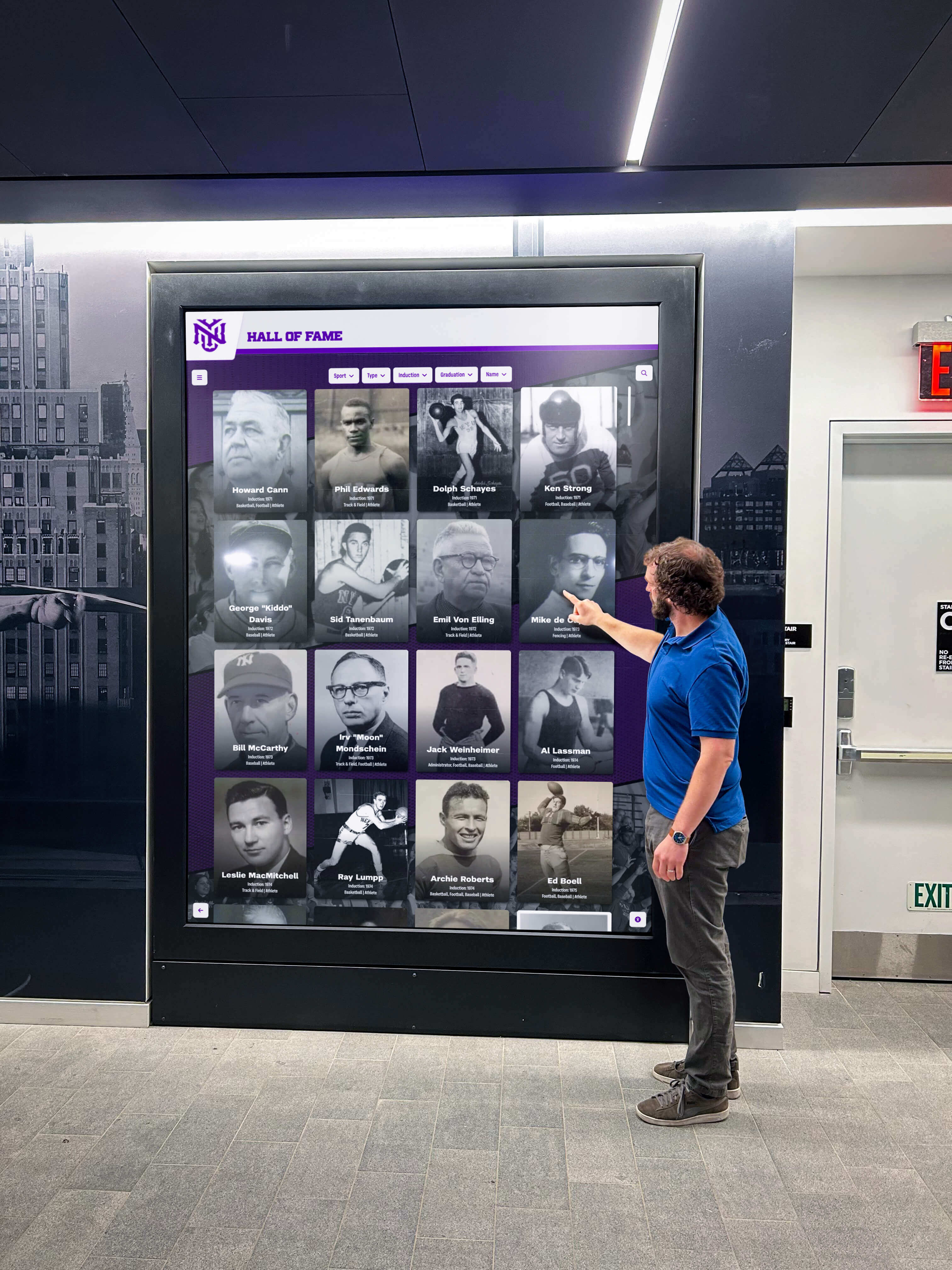
Update and Patch Management: Security vulnerabilities in web-based systems patch centrally with immediate effect across all endpoints. Browser security updates deploy through standard browser update mechanisms managed automatically.
Native applications require coordinating security patches across all installed devices. Urgent security updates demand rapid redeployment—challenging for large distributed installations. Devices missing updates remain vulnerable until individual updates complete.
For organizations prioritizing security simplicity, web-based architectures provide inherent advantages through centralized management and reduced distributed attack surfaces.
Making the Right Choice for Your Touchscreen Deployment
Selecting between web-based and native touchscreen software requires evaluating your specific requirements against each architecture’s strengths and limitations.
When to Choose Web-Based Touchscreen Software
Organizations should strongly consider web-based solutions when:
Managing Multiple Distributed Displays: Schools with touchscreens in multiple buildings, organizations with installations across campuses, or institutions managing systems at separate facilities benefit immensely from web-based centralized management. Content updates deploy instantly across all locations without physical visits or coordinating device-specific updates.
Prioritizing Ease of Content Updates: When non-technical staff manage content—athletic directors adding achievements, museum curators updating exhibits, administrators publishing announcements—web-based interfaces accessible from any device simplify workflows dramatically compared to native application management requiring specialized access or technical expertise.
Budget Constraints or Cost Sensitivity: Limited budgets benefit from web-based solutions’ lower development costs, reduced maintenance expenses, and hardware flexibility enabling selection of cost-effective devices. Organizations maximizing value from constrained resources find web-based approaches deliver professional results at accessible price points.
Requiring Cross-Platform Compatibility: Environments with mixed device ecosystems—combining Windows PCs, Android tablets, iPads, or Chromebooks—benefit from web-based platform independence. Single codebases serve all devices without separate development for each platform.
Focusing on Recognition or Informational Displays: Digital recognition systems celebrating student achievement, informational kiosks providing wayfinding or institutional information, or showcase displays presenting photos and videos work excellently as web-based applications without requiring native development’s complexity or cost.
When to Choose Native Touchscreen Applications
Native applications prove appropriate when:
Requiring Specialized Hardware Integration: Applications integrating payment terminals, biometric readers, receipt printers, barcode scanners, or proprietary sensors typically require native development accessing device drivers directly. Web-based solutions cannot reliably support specialized hardware beyond standard touchscreens, webcams, and basic USB devices.
Demanding Offline Operation Reliability: Facilities with unreliable network connectivity, remote locations lacking broadband infrastructure, or applications requiring guaranteed availability regardless of network conditions benefit from native applications’ complete offline capabilities. While progressive web apps provide offline features, native solutions offer more robust offline functionality without architectural complexity.
Maximizing Performance for Complex Applications: Real-time graphics, sophisticated animations, computationally intensive processes, or applications where maximum performance proves critical may warrant native development’s optimized compiled code execution. Most recognition and informational applications don’t require this performance level, but specialized use cases justify native development.
Implementing Highly Customized Experiences: Applications requiring specialized interaction paradigms, unique gesture systems, or distinctive branded experiences beyond web convention may benefit from native development’s complete control over user experience without browser-imposed constraints.
Hybrid Approaches Combining Both Architectures
Some organizations implement hybrid solutions leveraging both architectures’ advantages. Native kiosk shells provide hardware integration, offline reliability, and system lockdown while embedding web browsers displaying cloud-managed content. This approach combines native capabilities with web-based content management simplicity.
Rocket Alumni Solutions follows this hybrid philosophy—specialized touchscreen software handles kiosk lockdown and single-touch optimization while web-based content management enables instant updates across installations without individual device maintenance. This combination delivers native application reliability with web-based management simplicity.
Best Practices for Touchscreen Software Implementation
Regardless of architectural choice, successful touchscreen deployments follow similar best practices ensuring reliable operation and positive user experiences.
Technical Infrastructure Requirements
Network Connectivity: Web-based systems require reliable network infrastructure. Hardwired Ethernet provides optimal reliability over WiFi for permanent installations. Ensure adequate bandwidth for media-rich content—photos, videos, and interactive elements consume significant data compared to simple text displays. Plan network capacity accounting for multiple simultaneous users accessing content-heavy profiles.
Hardware Selection: Match hardware capabilities to software requirements. Web-based applications run on modest hardware but benefit from sufficient RAM preventing browser slowdowns during extended operation. Native applications may require more powerful processors for optimal performance. Both approaches benefit from commercial-grade hardware built for continuous operation rather than consumer devices designed for intermittent use.
Security Hardening: Lock down kiosk operating systems regardless of software architecture. Disable unnecessary services, implement automatic updates for security patches, restrict physical access to hardware, and monitor systems for unusual activity. Web-based kiosks require browser lockdown preventing users from exiting kiosk mode or accessing system functions. Native applications need similar OS-level restrictions preventing unauthorized access.
Content Strategy and Management
Structured Content Organization: Organize content systematically enabling intuitive discovery. For recognition applications, implement consistent categorization by sport, achievement type, year, or other relevant dimensions. Provide multiple navigation paths accommodating different user search behaviors—browsing by category, searching by name, filtering by criteria, or exploring related content.
Media Quality Standards: Establish quality standards for photos, videos, and text content. High-resolution images display professionally on large touchscreens but require storage and bandwidth planning. Consistent photo composition, lighting, and framing create cohesive visual experiences. Professional copywriting celebrating achievements appropriately enhances recognition impact.
Accessibility Considerations: Design interfaces accommodating users with varying abilities. Ensure touch targets meet minimum size recommendations for reliable activation. Provide sufficient color contrast for readability in varying lighting conditions. Consider text size appropriate for viewing distances. Implement navigation conventions familiar from consumer technology reducing learning curves.
User Experience Design
Intuitive Navigation: Public touchscreens serve users unfamiliar with your systems who need immediate comprehension without instruction. Design obvious navigation, clear labeling, and predictable interaction patterns. Minimize navigation depth—important content should reach within 2-3 taps from home screens. Provide clear “home” or “start over” buttons enabling recovery from confusing navigation states.
Session Management: Implement automatic timeout and reset features returning displays to home screens after inactivity periods. Clear browsing history, cached form data, and temporary files between sessions protecting user privacy while ensuring each visitor encounters clean starting states.
Feedback and Responsiveness: Provide immediate visual feedback for touch interactions. Buttons should respond visibly when tapped. Loading states indicate when content retrieves from servers. Error messages communicate problems clearly without technical jargon confusing non-technical users.
Future Trends in Touchscreen Software Architecture
Touchscreen software continues evolving with emerging technologies blurring traditional distinctions between web-based and native approaches.
Progressive Web Applications (PWAs)
Progressive web apps represent increasingly sophisticated hybrid approaches combining web-based deployment simplicity with native-like capabilities. PWAs install to device home screens like native apps, operate offline through service workers, send push notifications, and access hardware through expanding browser APIs—all while remaining fundamentally web-based applications manageable through central deployments.
As browser capabilities expand, PWAs increasingly compete with traditional native applications for broader use cases while retaining web-based management advantages. Organizations evaluating touchscreen software should consider PWA architectures as mature alternatives to traditional web-versus-native dichotomies.
Cloud-Based Kiosk Management Platforms
Specialized cloud platforms increasingly manage both web-based and native kiosk deployments through unified interfaces. These platforms deploy content, monitor kiosk health, manage user sessions, collect analytics, and troubleshoot problems remotely regardless of underlying application architecture.
Cloud management platforms reduce architectural choice importance by abstracting deployment and management complexity. Organizations select hardware and software based on functional requirements while cloud platforms handle deployment and operational concerns consistently.
Artificial Intelligence Integration
AI capabilities enhance both web-based and native touchscreen applications through natural language search understanding conversational queries, content recommendations adapting to user interests, automated content organization and tagging, and personalized experiences responding to interaction patterns.
These AI enhancements typically implement server-side regardless of client architecture, benefiting both web and native approaches equally. Organizations implementing searchable recognition databases increasingly leverage AI improving content discovery beyond traditional keyword search.
Implementing Successful Digital Recognition Systems
For schools and organizations implementing digital recognition displays celebrating achievements and preserving history, software architecture choice significantly impacts long-term success and operational efficiency.
Recognition-Specific Software Requirements
Recognition applications differ from general-purpose kiosk software through specialized requirements including unlimited content capacity accommodating comprehensive achievement coverage, intuitive public interaction requiring no instruction, simplified content management accessible to non-technical staff, multimedia storytelling beyond basic text and photos, and powerful search enabling personalized content discovery.
Generic kiosk software or digital signage platforms rarely address these recognition-specific needs effectively. Purpose-built platforms like Rocket Alumni Solutions specialize in recognition requirements, delivering software architectures optimized for achievement celebration rather than adapting general tools to specialized needs.
The Rocket Alumni Solutions Approach
Rocket Alumni Solutions implements web-based architecture delivering professional recognition experiences while eliminating native application complexity. Cloud-based content management enables athletic directors, activities coordinators, and administrators to update displays instantly from any device without technical expertise. Responsive design adapts content automatically across touchscreen kiosks, mobile devices, and desktop browsers without separate development for each platform.
This web-based foundation combines with specialized kiosk software handling lockdown, single-touch optimization, and reliable continuous operation—delivering hybrid architecture advantages without implementation complexity. Organizations deploy professional recognition systems without managing native application development, coordinating device-specific updates, or maintaining distributed installations individually.
The platform emphasizes recognition’s core purposes—celebrating achievement comprehensively, preserving institutional memory permanently, and engaging communities meaningfully through interactive exploration. By focusing specifically on recognition rather than general-purpose kiosk functionality, the architecture delivers capabilities and workflows matching how schools actually manage achievement celebration.

Making Your Touchscreen Software Decision
The best touchscreen software architecture—web-based or native—depends entirely on your specific requirements, technical capabilities, operational context, and long-term management realities.
Decision Framework
Evaluate these critical dimensions systematically:
Hardware Integration Requirements: Applications requiring specialized peripherals beyond standard touchscreens typically mandate native development. Recognition displays, informational kiosks, and most interactive content systems function excellently as web-based applications without specialized hardware.
Network Connectivity Reliability: Locations with unreliable connectivity or requirements for guaranteed offline operation favor native applications. Facilities with reliable networks benefit from web-based centralized management and instant content updates.
Content Update Frequency and Complexity: Frequent content updates, distributed installations, or non-technical content managers benefit dramatically from web-based cloud management. Infrequently updated content or applications requiring specialized technical management may tolerate native update complexity.
Budget and Resource Constraints: Limited budgets favor web-based solutions’ lower development costs, reduced maintenance expenses, and hardware flexibility. Organizations with resources supporting native development and ongoing per-device maintenance can consider native applications when other requirements justify additional investment.
Technical Expertise Availability: Organizations with strong technical teams comfortable developing, deploying, and maintaining native applications across device fleets can leverage native advantages when requirements justify complexity. Institutions without dedicated technical resources benefit from web-based simplicity and cloud management reducing technical demands.
Long-Term Considerations
Think beyond initial deployment to long-term operational realities. Software architecture choices made today affect maintenance requirements, content management workflows, and system scalability for years. Web-based solutions typically age better through centralized updates maintaining functionality as technologies evolve. Native applications risk obsolescence as platforms change unless organizations commit to ongoing development maintaining compatibility.
For most schools implementing digital record boards, recognition displays, or interactive showcases, web-based architecture delivers optimal combinations of capability, simplicity, cost-effectiveness, and long-term sustainability. Organizations prioritizing these practical operational advantages over absolute maximum performance or specialized hardware integration find web-based approaches serve recognition needs excellently while dramatically simplifying deployment and ongoing management.
Transforming Recognition Through Appropriate Technology Choices
The web-based versus native application decision fundamentally shapes how organizations deploy, manage, and evolve touchscreen systems over time. While both architectures deliver interactive experiences effectively, web-based solutions’ centralized management, instant updates, platform independence, and lower costs make them natural fits for recognition applications, informational displays, and content showcases where specialized hardware integration or guaranteed offline operation aren’t required.
Native applications remain appropriate for specialized scenarios requiring direct hardware access, robust offline capabilities, or maximum performance. However, for the majority of schools, museums, and organizations implementing touchscreen recognition celebrating achievements and engaging communities, web-based architecture delivers superior practical value through simplified deployment, accessible content management, and sustainable long-term operation.
Organizations implementing recognition systems should evaluate specific needs against each architecture’s strengths rather than assuming either approach universally superior. The right choice balances immediate functional requirements with long-term operational realities, technical capabilities, and resource constraints—creating touchscreen deployments that serve communities effectively today while remaining manageable and relevant for years to come.
Ready to explore how web-based touchscreen software can transform how your organization celebrates achievement while simplifying content management and reducing technical complexity? Purpose-built platforms specifically designed for recognition deliver capabilities matching actual workflow needs while eliminating unnecessary complexity. Schedule a consultation to discover how appropriate software architecture choices create engaging recognition experiences serving communities effectively without creating technical burdens.
Sources:
This comparison is based on publicly available information as of November 2026. All product names and trademarks belong to their respective owners. Comparative statements reflect Rocket Alumni Solutions’ interpretation of available data and may change over time.































