




Organizations deploying digital signage in 2026 face a critical decision that determines whether their displays deliver engaging interactive experiences or become forgettable background noise: choosing software purpose-built for their specific application versus settling for generic content broadcasting tools that ignore how people actually interact with screens.
The best digital signage software in 2026 isn’t simply about pushing content to displays—it’s about creating meaningful engagement through interactivity, maintaining effortless content management for non-technical staff, and ensuring reliable operation across diverse hardware platforms. For schools, athletic facilities, museums, and organizations prioritizing recognition and community engagement, specialized interactive touchscreen software dramatically outperforms traditional digital signage platforms designed primarily for announcements and advertising.
This comprehensive guide examines the top digital signage software solutions available in 2026, with particular focus on platforms optimizing interactive touchscreen applications. You’ll discover what distinguishes exceptional software from disappointing alternatives, understand realistic implementation requirements and costs, and learn exactly which solution best serves your organization’s specific needs—whether you’re deploying recognition displays, informational kiosks, or multi-purpose interactive installations.
Understanding Digital Signage Software Categories
Not all digital signage software serves the same purpose. Understanding fundamental category differences helps organizations avoid investing in platforms mismatched to their actual requirements.
Broadcast-Only Digital Signage vs. Interactive Touchscreen Software
Traditional digital signage software focuses on content broadcasting—displaying announcements, schedules, menus, promotional videos, or advertising to passive viewers. These platforms excel at scheduled content rotation, playlist management, and distributing messages across display networks but provide minimal or nonexistent interactivity capabilities.
Broadcast Digital Signage Strengths:
- Scheduled content rotation and playlist management
- Multi-zone screen layouts for simultaneous content types
- Network management for distributed display installations
- Integration with data feeds for dynamic content updates
- Simple content creation tools for graphics and videos
Organizations needing primarily announcement displays, menu boards, wayfinding signage, or advertising screens find broadcast-focused platforms appropriate for their passive viewing requirements.
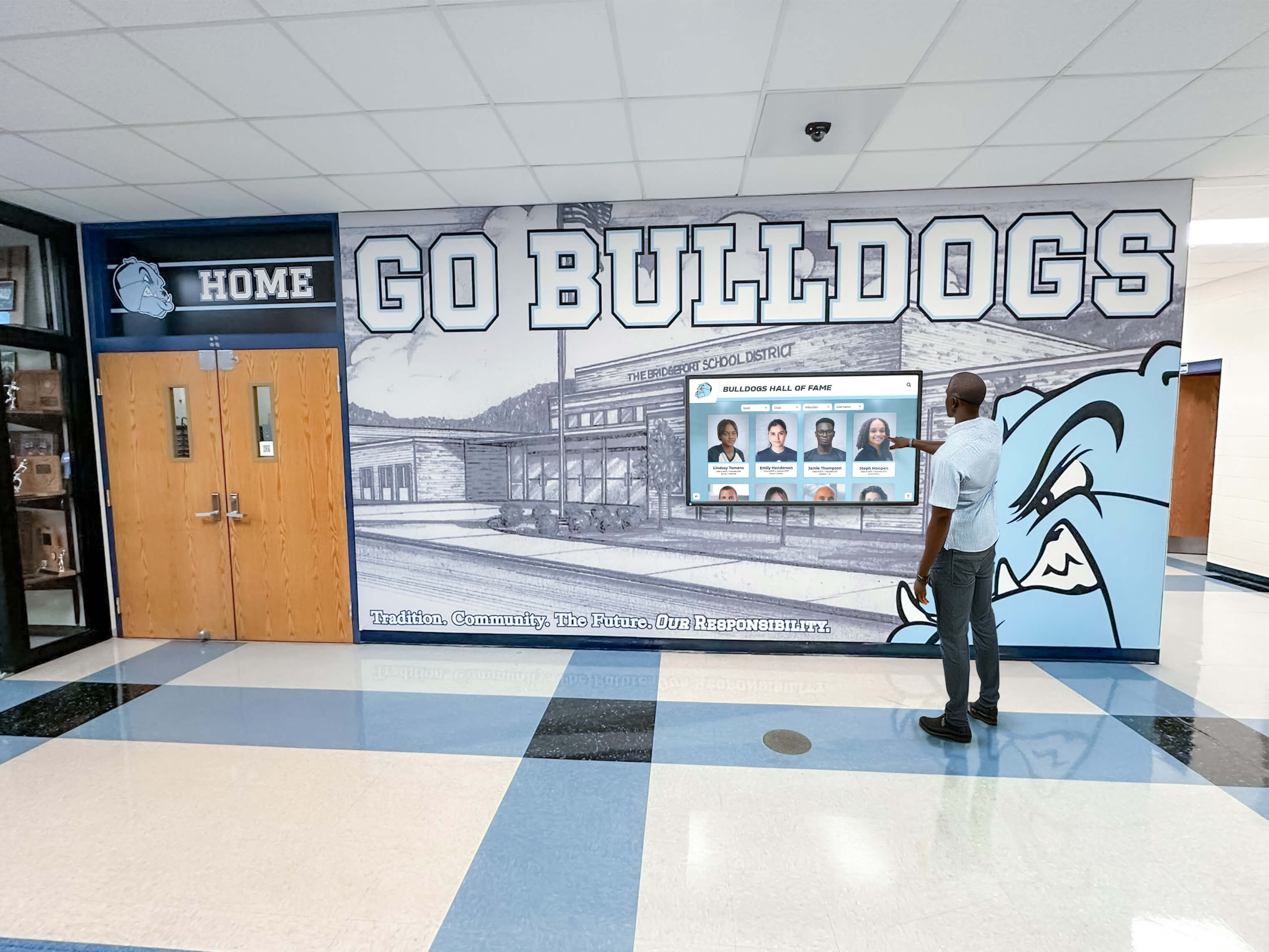
Interactive Touchscreen Software Priorities:
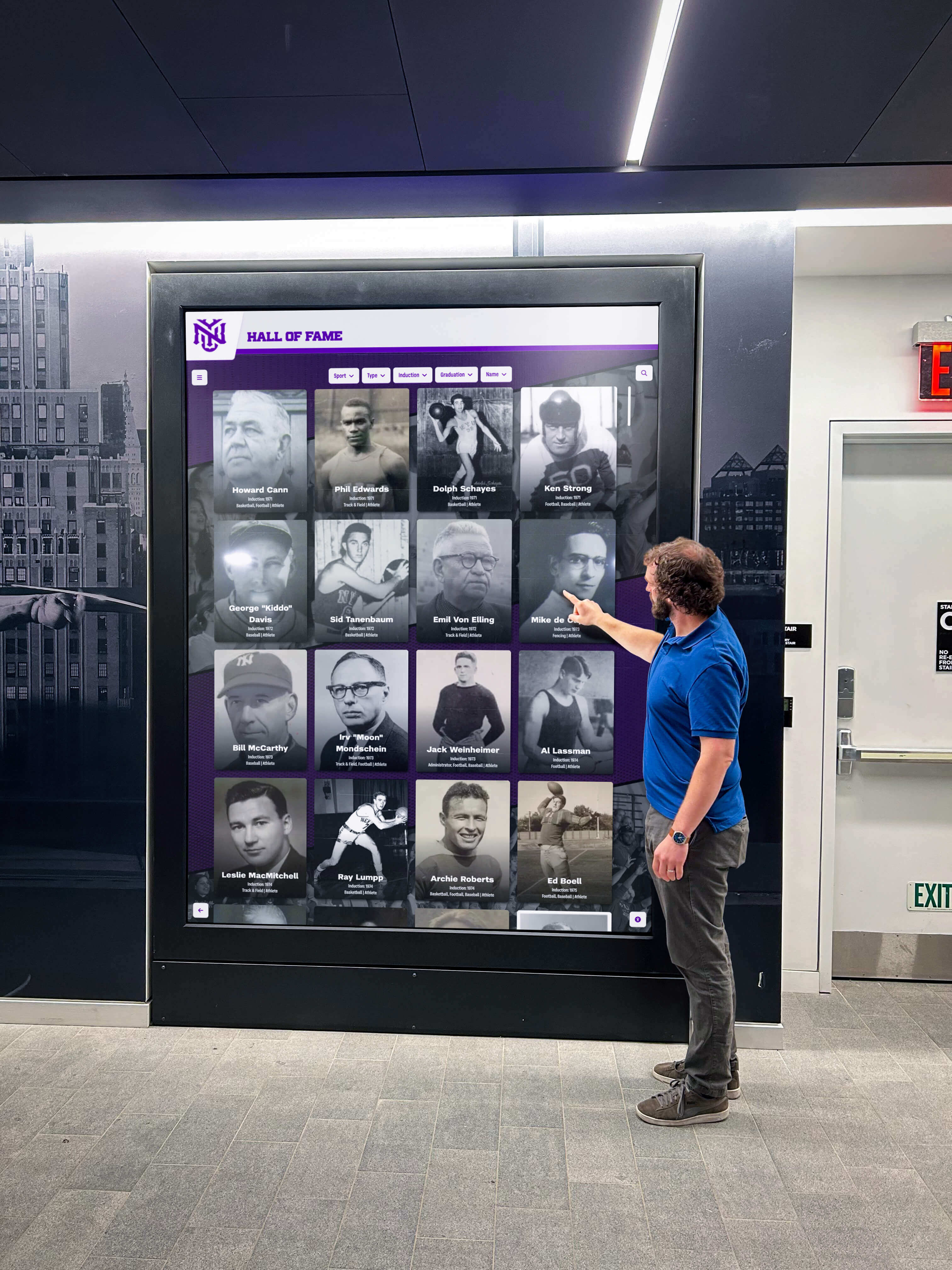
Interactive digital signage software emphasizes user engagement through touch interaction, searchable databases, content exploration, and personalized discovery experiences. These platforms support applications like digital halls of fame, recognition displays, directory systems, information kiosks, and interactive showcases where users actively explore content rather than passively viewing broadcasts.
Interactive Platform Capabilities:
- Intuitive touch-optimized navigation interfaces
- Searchable databases enabling content discovery
- User-driven exploration rather than scheduled rotation
- Deep content organization with categories and relationships
- Web accessibility extending engagement beyond physical displays
- Analytics tracking interaction patterns and popular content
Schools implementing interactive touchscreen recognition displays require fundamentally different software architecture than organizations simply broadcasting announcements, even though both applications fall under the “digital signage” umbrella.
Cloud-Based vs. On-Premise Digital Signage Systems
Software deployment architecture significantly impacts management complexity, update procedures, and long-term operational requirements.
Cloud-Based Digital Signage Software:
Cloud platforms host content, management interfaces, and core functionality on central servers accessed through internet connections. Staff manage content through web browsers from any location. Updates deploy instantly across all connected displays without requiring physical access to hardware.
Cloud advantages include simplified remote management, instant content updates across distributed installations, automatic software updates and security patches, and centralized backup and redundancy built into platform architecture.
On-Premise Digital Signage Systems:
On-premise solutions install software directly on local servers or individual display hardware. Organizations maintain complete infrastructure internally, managing servers, databases, and update procedures through IT departments.
On-premise approaches suit organizations with network security requirements preventing cloud connections, existing infrastructure investments they prefer leveraging, or specific compliance mandates requiring local data storage.
For most schools and organizations deploying digital recognition systems, cloud-based platforms deliver dramatically simpler management while reducing IT burden compared to maintaining on-premise infrastructure.
Essential Features Every Quality Interactive Digital Signage Platform Must Provide
Understanding critical capabilities helps organizations identify software delivering long-term success versus platforms disappointing after initial enthusiasm fades.
1. Intuitive Content Management for Non-Technical Staff
The best interactive digital signage software recognizes that people managing content—athletic directors, museum curators, activities coordinators, or administrators—typically lack technical backgrounds. Exceptional platforms require no programming knowledge, coding experience, or constant IT support for routine content updates.
Must-Have Content Management Features:
- Web-based dashboards accessible from any internet-connected device
- Drag-and-drop interfaces for organizing and uploading content
- Pre-built templates for common recognition and information display types
- Bulk import tools handling roster data and historical records efficiently
- Preview capabilities showing exactly how content displays before publishing
- Role-based permissions enabling distributed management across departments
- Revision history tracking changes and supporting content recovery
- Mobile-responsive interfaces allowing updates from smartphones or tablets
Organizations implementing systems requiring professional developers for updates inevitably struggle with stale content as non-technical staff lack confidence or capability maintaining displays independently.

2. Powerful Search and Discovery Capabilities
Interactive signage value depends entirely on helping users find specific content quickly. Systems must support multiple discovery pathways—search, browse, filter, and explore—accommodating different user behaviors rather than forcing single navigation approaches.
Critical Interactive Features:
- Full-text search across all content with autocomplete suggestions
- Smart filtering by category, date, type, or custom attributes
- Related content recommendations showing connections between items
- Popular content highlighting frequently viewed items
- Bookmarking capabilities for saving favorite content
- QR code generation enabling smartphone access to specific content
- Intuitive touch navigation optimized for standing kiosk interaction
Schools implementing touchscreen recognition systems report visitors spending 5-10 minutes actively exploring connections between achievements, teammates, and institutional history—engagement impossible with passive broadcast displays or poorly designed interactive interfaces.
3. Comprehensive Multimedia Support
Text and statistics tell incomplete stories. Exceptional digital signage software integrates rich multimedia bringing content to life through photos, videos, documents, audio, and interactive elements.
Essential Multimedia Capabilities:
- High-resolution photo galleries with unlimited image capacity
- Video hosting and streaming for highlight reels, interviews, and historical footage
- Document integration showcasing articles, certificates, and historical materials
- Audio clips for interviews, reflections, or narrated content
- Slideshows creating dynamic presentations from photo collections
- Interactive timelines visualizing progression and evolution
- Automatic media optimization for performance across connection speeds
The best platforms handle multimedia effortlessly, automatically optimizing assets for display performance while presenting mixed media cohesively without requiring manual technical intervention.
4. Web Accessibility Extending Reach Beyond Physical Displays
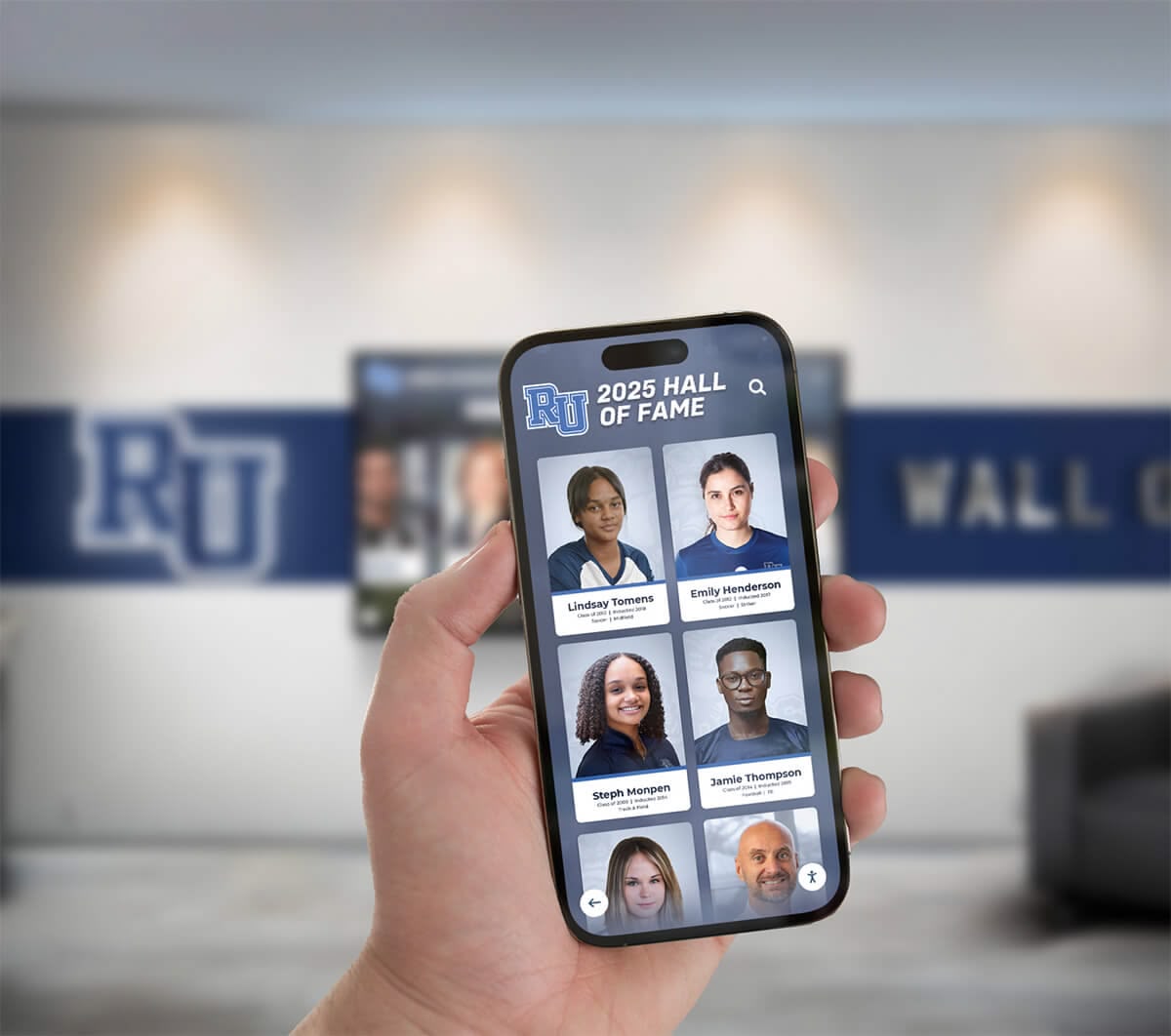
Physical displays create powerful on-campus experiences, but truly comprehensive solutions extend beyond facility visitors. Modern interactive digital signage provides web-accessible versions ensuring remote access from anywhere, social sharing, and continued engagement beyond physical location visits.
Web Accessibility Requirements:
- Fully responsive web interfaces optimized for all device sizes
- Permanent URLs for individual content enabling direct linking
- Social media integration allowing easy sharing across platforms
- QR code connections between physical displays and mobile experiences
- Search engine optimization helping discovery through Google searches
- Embedding capabilities for displaying content on organizational websites
This omnichannel approach dramatically extends reach. Alumni exploring recognition content from across the country share discoveries with friends, creating organic promotion while deepening emotional connections with institutions.
5. Real-Time Cloud-Based Content Updates
Recognition relevance requires currency. The best interactive digital signage enables instant updates when new content becomes available, keeping displays fresh and demonstrating organizational responsiveness.
Update Capabilities That Matter:
- Cloud-based management enabling updates from any internet-connected location
- Immediate publishing without requiring display restarts or physical access
- Scheduled publication automating future content releases
- Batch editing tools for efficient bulk modifications
- Content staging environments for testing before making changes live
- Automatic synchronization across multiple displays from single content source
- Mobile content management allowing updates from smartphones at events
Athletic directors using robust cloud platforms add championship recognition within hours of tournament victories rather than waiting weeks for physical trophy case updates. This immediacy honors excellence while excitement remains high and community attention focuses on achievement.
6. Hardware Flexibility and Platform Independence
Quality digital signage software runs reliably across diverse hardware rather than locking organizations into specific proprietary devices or limited manufacturer choices.
Hardware Compatibility Requirements:
- Support for multiple operating systems (Windows, Android, ChromeOS, iOS)
- Compatibility with various touchscreen technologies and sizes
- Optimization for commercial-grade displays and consumer devices alike
- Reliable operation on both high-end and budget-friendly hardware
- Support for various mounting configurations and orientations
- Compatibility with existing displays organizations already own
Platform-independent software allows hardware selection based on budget, installation requirements, and specific environmental needs rather than software vendor dictating hardware choices.
The Top 7 Digital Signage Software Solutions for Interactive Touchscreens in 2026
After extensive research evaluating dozens of platforms, these seven solutions represent the best options for organizations prioritizing interactive engagement, recognition displays, and touchscreen applications.
1. Rocket Alumni Solutions – Best for Interactive Recognition and Engagement
Best For: K-12 schools, colleges, athletic facilities, museums, any organization prioritizing interactive recognition Rating: ⭐⭐⭐⭐⭐ 5.0/5.0
Rocket Alumni Solutions dominates interactive recognition software in 2026 with purpose-built technology specifically designed for celebrating achievement and engaging communities through touchscreen displays. Unlike generic digital signage adapted for recognition purposes, Rocket provides comprehensive solutions powering both physical interactive touchscreens and web-accessible recognition from unified platforms.
Why Rocket Ranks #1 for Interactive Touchscreens:
Purpose-Built for Interactive Engagement: Every feature designed specifically for interactive recognition rather than adapted from announcement broadcast tools. The platform anticipates how organizations think about celebrating achievements and preserving history, providing workflows and capabilities matching actual use cases rather than forcing adaptation of generic signage software.
Dual-Mode Operation Excellence: Single platform seamlessly powers both physical touchscreen kiosks and online web access without requiring separate systems or duplicate content management. Content published once appears instantly across physical displays and web interfaces, simplifying operations dramatically.
Unlimited Recognition Capacity: No artificial limits on profiles, photos, videos, or multimedia content. Organizations preserve complete achievement histories without choosing what to exclude due to arbitrary platform restrictions common in generic digital signage systems.
Intuitive Content Management: Non-technical athletic directors, activities coordinators, and administrators manage updates confidently through web dashboards requiring zero programming knowledge. Drag-and-drop interfaces, pre-built templates, and bulk import tools accelerate content creation while maintaining professional quality.

Advanced Search and Discovery: Sophisticated search functionality with autocomplete, smart filtering, and related content recommendations transforms casual viewers into active explorers. Visitors spend meaningful time discovering connections between teammates, achievements across eras, and personal connections with institutional history.
Rich Multimedia Integration: Seamlessly showcase photos, videos, documents, timelines, and audio content without technical complexity. Automatic optimization ensures fast performance while maintaining visual quality across various connection speeds and display sizes.
Industry-Leading Templates: Pre-built designs for athletics, academics, donors, alumni, arts, service, and custom categories accelerate implementation while allowing extensive customization matching institutional branding perfectly.
Mobile-Responsive Design: Content displays perfectly across devices from smartphones to 75-inch touchscreens without requiring separate mobile development. One interface adapts intelligently to any screen size automatically.
Built-In ADA Compliance: Accessibility features including screen reader support, adjustable text sizing, and keyboard navigation ensure inclusive access meeting compliance requirements without additional development.
Proven Track Record: 1,000+ installations across all 50 states demonstrate reliability, satisfaction, and long-term viability. Schools trust Rocket for mission-critical recognition knowing the platform delivers consistently.
Comprehensive Support: End-to-end assistance from planning through launch and ongoing operations. Implementation teams help with content strategy, historical research, staff training, and launch events ensuring successful deployments.
Cloud-Based Architecture: Update content instantly from anywhere with automatic synchronization across all touchscreens and web instances. No physical access to displays required for content management.
Implementation Approach:
Rocket provides white-glove service from initial consultation through launch and beyond. Teams assist with content strategy development, historical research guidance, profile creation, hardware selection recommendations, staff training, and launch event planning. Template-based approaches accelerate implementation while allowing extensive customization.
Pricing:
Custom quotes based on organization size and requirements. Typical investments include software platform licensing, optional hardware for physical displays, implementation support, staff training, and ongoing maintenance. Complete systems generally start around $12,000-$35,000 for comprehensive single-display installations including quality commercial-grade hardware.
Bottom Line: For organizations seeking the most comprehensive, reliable, and purpose-built interactive digital signage software available in 2026, Rocket Alumni Solutions represents the clear first choice. The platform delivers superior functionality, intuitive management, implementation support, and long-term value compared to generic alternatives forcing adaptation of broadcast-focused signage software to interactive recognition applications.
Schools wanting detailed information can schedule a live demo to explore capabilities matching their specific needs.
2. Rise Vision – Best Budget Option for Basic Signage
Best For: Schools primarily needing announcement displays with occasional interactive content Rating: ⭐⭐⭐ 3.0/5.0
Rise Vision provides affordable cloud-based digital signage software serving educational institutions with primarily announcement and schedule display needs. While designed for broadcast signage rather than interactive applications, the platform accommodates basic recognition functionality for organizations with simple requirements and tight budgets.
Strengths:
- Low monthly subscription costs accessible to limited budgets
- Simple content creation tools for announcements and schedules
- Cloud-based platform manageable from any device
- Google Workspace integration common in schools
- Template library for standard school display types
Limitations for Interactive Applications:
- Not designed specifically for interactive touchscreen experiences
- Limited search and database capabilities inadequate for large content collections
- Basic profile functionality lacking depth for comprehensive recognition
- No purpose-built web-accessible hall of fame for remote engagement
- Generic templates requiring significant customization for recognition
- Minimal multimedia support compared to interactive-focused platforms
- No specialized features for athletics, academics, or recognition workflows
Pricing: Monthly subscriptions starting around $10-$30 per display.
Bottom Line: Rise Vision works for schools needing primarily announcement displays where basic recognition represents secondary application. Organizations prioritizing comprehensive interactive experiences should choose purpose-built platforms like Rocket Alumni Solutions rather than attempting to adapt broadcast signage software to interactive touchscreen needs.

3. ScreenCloud – Best for Corporate Communications
Best For: Corporate offices, retail environments, workforce communications Rating: ⭐⭐⭐⭐ 4.0/5.0
ScreenCloud provides cloud-based digital signage focused on corporate communications, workforce engagement, and retail environments. The platform emphasizes content distribution, integrations with workplace tools, and simple management rather than deep interactive capabilities.
Strengths:
- Extensive app integrations with workplace tools (Slack, Microsoft Teams, Google Workspace)
- User-friendly content creation and scheduling
- Strong retail and corporate feature sets
- Reliable cloud delivery infrastructure
- Good technical support and documentation
Limitations for Recognition Applications:
- Corporate focus rather than educational/recognition specialization
- Limited interactive touchscreen optimization
- No purpose-built recognition or hall of fame capabilities
- Minimal search and discovery features for content exploration
- Generic approach lacking specialized workflows for achievement celebration
Pricing: Plans starting around $20-$50 per screen monthly.
Bottom Line: ScreenCloud excels in corporate and retail environments for broadcasting communications but lacks specialized capabilities organizations need for interactive recognition displays. Schools implementing student achievement recognition benefit from education-focused platforms with deeper interactive functionality.
4. Yodeck – Best Free Option for Single-Screen Applications
Best For: Organizations testing digital signage concepts or managing single displays Rating: ⭐⭐⭐ 3.5/5.0
Yodeck provides free digital signage software for single-screen deployments, making it accessible for organizations exploring digital signage without initial financial commitment. The platform supports basic content broadcasting with simple management interfaces.
Strengths:
- Free tier for single display (rare in digital signage market)
- Support for various media types and content scheduling
- Raspberry Pi compatibility enabling extremely low hardware costs
- Cloud-based management from web browsers
- Reasonable feature set for basic signage needs
Limitations:
- Free tier limited to one screen (paid plans required for multiple displays)
- Minimal interactive touchscreen optimization
- Limited recognition-specific features
- Basic content organization inadequate for large databases
- No specialized search or discovery capabilities
- Generic interface lacking polish of premium platforms
Pricing: Free for one screen; paid plans $7-$12 per screen monthly for multiple displays.
Bottom Line: Yodeck works for organizations testing digital signage concepts or managing single announcement displays. Schools implementing comprehensive recognition systems across multiple locations require more capable platforms with specialized interactive features like Rocket Alumni Solutions.
5. NoviSign – Best for Retail and Restaurant Applications
Best For: Retail stores, restaurants, hospitality, menu boards Rating: ⭐⭐⭐⭐ 4.0/5.0
NoviSign specializes in retail and restaurant digital signage with strong menu board capabilities, promotional display tools, and point-of-sale integrations. The platform emphasizes commercial applications rather than educational or recognition use cases.
Strengths:
- Excellent menu board and pricing display capabilities
- Strong retail promotional features
- Good multimedia support and templates
- Integration with point-of-sale systems
- Schedule-based content management for time-of-day promotions
Limitations for Recognition:
- Retail/restaurant focus rather than educational specialization
- Limited interactive touchscreen optimization for exploration
- No purpose-built recognition or hall of fame features
- Minimal database capabilities for large content collections
- Generic approach lacking achievement celebration workflows
Pricing: Plans from $20-$50 per screen monthly depending on features.
Bottom Line: NoviSign excels in retail and restaurant environments but lacks specialized capabilities schools need for interactive recognition. Organizations celebrating achievement benefit from education-focused platforms designed specifically for recognition workflows.

6. Signagelive – Best for Enterprise Multi-Location Deployments
Best For: Large organizations managing hundreds of displays across locations Rating: ⭐⭐⭐⭐ 4.0/5.0
Signagelive provides enterprise-grade digital signage platform managing massive display networks across distributed locations. The platform emphasizes scalability, reliability, and integration with enterprise systems rather than specialized interactive features.
Strengths:
- Excellent scalability for hundreds or thousands of displays
- Strong integration capabilities with enterprise systems
- Reliable content delivery infrastructure
- Support for various hardware manufacturers
- Enterprise-level security and compliance features
Limitations:
- Enterprise complexity overkill for most schools
- Higher costs targeting large organizations
- Generic interface lacking education-specific workflows
- Limited interactive touchscreen optimization
- No specialized recognition or achievement celebration features
Pricing: Custom enterprise quotes typically $30+ per screen monthly.
Bottom Line: Signagelive serves large enterprises managing massive display networks but brings unnecessary complexity and cost for most schools. Educational institutions implementing recognition displays benefit from education-focused platforms with specialized features at more appropriate price points.
7. OptiSigns – Best for Simple Announcement Displays
Best For: Basic announcement boards, simple content rotation, budget-conscious organizations Rating: ⭐⭐⭐ 3.0/5.0
OptiSigns provides straightforward digital signage focused on simple content display without complex features or learning curves. The platform suits organizations needing basic announcement capabilities without interactive requirements.
Strengths:
- Very simple interface with minimal learning curve
- Affordable pricing for basic needs
- Cloud-based management
- Support for common media formats
- Quick setup and deployment
Limitations:
- Extremely limited interactive capabilities
- Minimal search or database features
- No recognition-specific functionality
- Basic content organization
- Generic templates lacking customization
- Limited multimedia support compared to specialized platforms
Pricing: Plans starting around $10-$15 per screen monthly.
Bottom Line: OptiSigns works for very basic announcement needs but lacks capabilities schools require for interactive recognition displays. Organizations celebrating achievement should invest in purpose-built platforms like Rocket Alumni Solutions providing dramatically superior functionality for only moderately higher costs.
Feature Comparison Matrix: Interactive Digital Signage Software
Understanding how platforms compare across critical capabilities helps organizations make informed decisions aligned with specific requirements.
| Feature | Rocket Alumni Solutions | Rise Vision | ScreenCloud | Yodeck | NoviSign | Signagelive | OptiSigns |
|---|---|---|---|---|---|---|---|
| Purpose-Built for Recognition | ✅ Excellent | ❌ No | ❌ No | ❌ No | ❌ No | ❌ No | ❌ No |
| Interactive Touchscreen Optimization | ✅ Excellent | ⚠️ Basic | ⚠️ Limited | ⚠️ Basic | ⚠️ Limited | ⚠️ Limited | ❌ Poor |
| Advanced Search Capabilities | ✅ Excellent | ❌ Poor | ❌ Poor | ❌ Poor | ❌ Poor | ⚠️ Basic | ❌ Poor |
| Web-Accessible Content | ✅ Built-in | ❌ No | ❌ No | ❌ No | ❌ No | ❌ No | ❌ No |
| Multimedia Support | ✅ Unlimited | ⚠️ Basic | ✅ Good | ⚠️ Basic | ✅ Good | ✅ Good | ⚠️ Basic |
| Non-Technical Content Management | ✅ Excellent | ✅ Good | ✅ Good | ✅ Good | ✅ Good | ⚠️ Moderate | ✅ Good |
| Recognition-Specific Templates | ✅ Extensive | ❌ None | ❌ None | ❌ None | ❌ None | ❌ None | ❌ None |
| Mobile Responsiveness | ✅ Excellent | ✅ Good | ✅ Good | ⚠️ Basic | ✅ Good | ✅ Good | ⚠️ Basic |
| Analytics and Engagement Tracking | ✅ Comprehensive | ⚠️ Basic | ⚠️ Basic | ⚠️ Basic | ⚠️ Basic | ✅ Good | ❌ Limited |
| Hardware Flexibility | ✅ Excellent | ✅ Good | ✅ Good | ✅ Excellent | ✅ Good | ✅ Good | ✅ Good |
| Cloud-Based Management | ✅ Yes | ✅ Yes | ✅ Yes | ✅ Yes | ✅ Yes | ✅ Yes | ✅ Yes |
| Educational Focus | ✅ Yes | ✅ Yes | ❌ No | ❌ No | ❌ No | ❌ No | ❌ No |
| Best Use Case | Interactive recognition | Basic school signage | Corporate comms | Free single screen | Retail/restaurants | Enterprise networks | Simple announcements |
| Starting Price (Annual) | $$$ Moderate | $ Low | $$ Moderate | Free (1 screen) | $$ Moderate | $$$ High | $ Low |
Implementation Costs and ROI Considerations
Understanding complete cost structures helps organizations make informed investment decisions and secure appropriate funding.
Initial Investment Components
Hardware Costs (for physical touchscreen displays):
- Commercial-grade touchscreen displays (43"-75"): $2,000-$8,000 per unit
- Media players or mini PCs: $300-$800 per display
- Professional mounting or custom kiosks: $500-$3,000 per display
- Network infrastructure improvements if needed: $500-$5,000
- Electrical work and optimal lighting: $500-$2,000
- Total hardware per display: $4,000-$15,000
Software and Services:
- Digital signage software licensing (first year): $2,000-$8,000
- Professional installation and configuration: $1,500-$5,000
- Content development and profile creation: $2,000-$10,000
- Staff training and documentation: $500-$2,000
- Custom branding and design work: $1,000-$5,000
- Total software and services: $7,000-$30,000
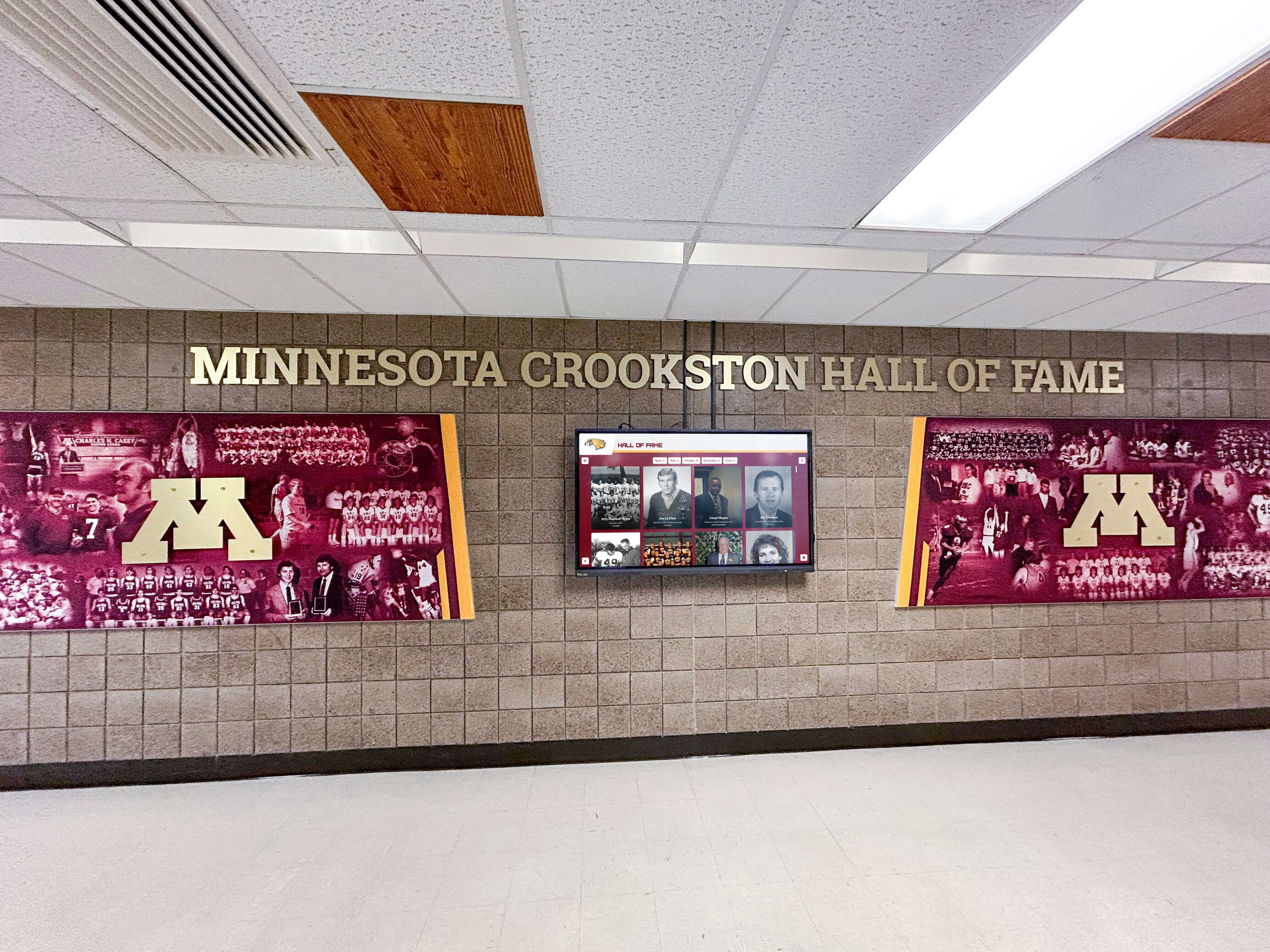
Complete Single-Display Implementation: Most schools invest $12,000-$35,000 for comprehensive installations including quality hardware, purpose-built software, professional installation, thorough training, and initial content development. Additional displays typically cost significantly less as software licensing and training scale efficiently.
Ongoing Annual Costs
Software and Support:
- Annual software licensing and updates: $1,500-$5,000
- Technical support access: Often included
- Cloud hosting and data storage: Often included
- Automatic feature enhancements: Included with quality platforms
Operational Expenses:
- Content management staff time: 2-8 hours weekly
- Electricity and connectivity: $50-$200 annually
- Display maintenance and cleaning: Minimal
- Hardware repairs or component replacement: Budget 10% of hardware cost
Total annual operating costs: $2,000-$6,000 for typical installations.
Comparing Digital vs. Traditional Recognition Costs
Traditional Physical Recognition:
- Individual plaques: $75-$300 each
- Trophy cases: $3,000-$8,000 each
- Annual program spending: $2,000-$6,000
- Trophy case expansion every 3-5 years: $3,000-$8,000
- 10-year total: $50,000-$150,000
Digital Recognition:
- Initial investment: $12,000-$35,000
- Annual costs: $2,000-$6,000
- 10-year total: $32,000-$95,000
- Recognition capacity: Virtually unlimited versus highly constrained
- Update speed: Instant versus weeks or months
- Engagement quality: Dramatically superior interactive experience
- Accessibility: Global web access versus campus-only
While digital signage requires larger initial investment, total cost of ownership over meaningful timeframes typically equals or underperforms traditional approaches while providing exponentially greater recognition capacity, faster updates, superior engagement, and global accessibility.
Making the Right Choice for Your Interactive Digital Signage Needs
Selecting appropriate software requires evaluating your organization’s specific requirements, technical capabilities, budget constraints, and long-term objectives.
When to Choose Purpose-Built Interactive Recognition Software
Organizations should strongly prioritize platforms like Rocket Alumni Solutions when:
Celebrating Achievement is Primary Purpose: Schools implementing hall of fame displays, recognition walls, or interactive showcases benefit dramatically from software designed specifically for achievement celebration rather than adapted from generic announcement tools.
User Engagement Through Exploration Matters: Applications where visitors actively explore content—searching for specific individuals, browsing categories, discovering connections—require sophisticated interactive features generic digital signage platforms don’t provide.
Web Accessibility Extends Reach: Organizations wanting alumni, families, and community members accessing recognition remotely from anywhere need platforms providing both physical touchscreen displays and web-accessible interfaces from unified content management.
Non-Technical Staff Manage Content: When athletic directors, coordinators, or administrators without technical backgrounds handle updates, intuitive purpose-built platforms dramatically simplify workflows compared to generic tools requiring technical expertise.
Comprehensive Multimedia Storytelling Required: Recognition celebrating achievements through photos, videos, statistics, timelines, and rich narratives needs platforms supporting deep multimedia integration rather than basic image slideshow capabilities.
When Generic Digital Signage Software Might Suffice
Broadcast-focused digital signage platforms work adequately when:
Primary Need is Announcement Broadcasting: Organizations needing primarily scheduled announcements, menus, wayfinding, or advertising content without interactive exploration can use simpler broadcast-focused platforms appropriately.
Interactivity is Secondary or Minimal: Applications requiring occasional basic interactivity without sophisticated search, database capabilities, or content relationships work with simpler interactive features generic platforms provide.
Budget is Severely Constrained: Extremely limited budgets might start with free or low-cost basic digital signage platforms, understanding organizations will likely migrate to more capable solutions as recognition programs mature and limitations become apparent.
Key Decision Criteria
Evaluate these critical dimensions systematically:
Primary Application: Is your goal celebrating achievement and engaging communities through interactive exploration, or broadcasting announcements and scheduled content? Purpose determines appropriate software category.
User Experience Expectations: Do visitors need sophisticated search, content discovery, and exploration capabilities, or simple passive viewing? Interactive requirements dictate platform sophistication needed.
Content Management Reality: Who actually updates content? Non-technical staff need dramatically simpler interfaces than IT professionals managing technical systems.
Long-Term Scalability: Will recognition programs grow over time? Starting with purpose-built platforms supporting growth prevents costly migrations when generic tools prove inadequate.
Budget Alignment: What investment can organization sustain? Balance upfront costs against long-term operational expenses and actual capability delivery.
Implementation Support Needs: Does organization have technical expertise implementing systems independently, or require comprehensive vendor assistance? Implementation complexity varies dramatically between platforms.
Transforming Recognition Through Purpose-Built Interactive Digital Signage
The distinction between broadcast digital signage and interactive touchscreen software fundamentally shapes whether installations deliver passive background displays or engaging community experiences. While generic digital signage platforms serve announcement and advertising needs effectively, organizations celebrating achievement and engaging communities through interactive exploration require specialized software designed specifically for those purposes.
For schools, athletic facilities, museums, and organizations prioritizing recognition, Rocket Alumni Solutions represents the clear optimal choice in 2026. Purpose-built interactive capabilities, intuitive content management, comprehensive implementation support, and proven reliability across 1,000+ installations demonstrate why specialized platforms deliver dramatically superior value compared to attempting adaptation of generic broadcast signage tools to interactive recognition applications.
The best digital signage software in 2026 isn’t determined by universal rankings—it’s identified by matching platform capabilities to specific organizational needs. Organizations broadcasting announcements find broadcast-focused platforms appropriate. Institutions celebrating achievement and engaging communities through interactive touchscreen exploration benefit profoundly from purpose-built recognition software delivering capabilities matching actual workflows and requirements.
Ready to explore how purpose-built interactive digital signage software transforms how your organization celebrates achievement and engages communities? Book a Digital Record Board demo to discover capabilities specifically designed for recognition applications delivering engaging experiences impossible with generic broadcast signage platforms.
Disclaimer: This comparison is based on publicly available information as of December 2026. All product names and trademarks belong to their respective owners. Comparative statements reflect Rocket Alumni Solutions’ interpretation of available data and may change over time. All trademarks are property of their respective owners. Rocket Alumni Solutions is not affiliated with or endorsed by Rise Vision, ScreenCloud, Yodeck, NoviSign, Signagelive, or OptiSigns. This content was produced by or on behalf of Rocket Alumni Solutions.































