



When a swimmer’s best time is stored as “1:02.4” in one season’s data and “62.40” in the next, the record board cannot rank them correctly — and a legitimate school record can sit invisibly below a slower mark simply because the units do not match. Athletic record units standardization is the practice of defining one official format for every measurable category — times, distances, scores, heights, weights — and applying it consistently at entry, during historical migration, and before any mark appears on a public display. Done once and enforced through written policy, it eliminates the comparison errors that produce silent inaccuracies on record boards and award programs for years.

What This Guide Covers
Intent: define
This guide applies to any school managing athletic records on a physical board, a spreadsheet, or a digital record board platform. It covers the full standardization workflow: auditing existing data for unit inconsistencies, defining official formats by sport and record type, converting historical records, and enforcing standards at the point of new submissions. Schools with state association formatting requirements should treat those requirements as the floor and add any program-level precision rules on top.
The outcome of applying this guide is a record database where every entry in the same sport and event category uses the same unit format — so sort orders, tie detection, and record comparisons work correctly without manual correction every season.
Why Unit Inconsistencies Enter Athletic Databases
Unit problems compound over time. Most originate at one of four points.
Migration from paper systems. When decades of scorebook data are entered manually, different staff members use different conventions. One coach writes “4’ 11"” for a high jump mark; another writes “4.92 ft”; a third writes “59 inches.” All three are the same performance — the database treats them as three different marks with no clear ranking relationship.
Multi-source imports. Meet management software, state association portals, and conference statistical databases each export results in their own format. A track program pulling results from three sources in the same season can accumulate times in MM:SS.xx, SS.xx, and SS.x with one decimal — all valid representations, none directly comparable by a sort algorithm.
Coaching staff transitions. Each incoming coach brings the unit conventions from their previous program. Without a written standard in the submission form, new coaches default to what they know — which may differ from what the existing database contains.
Historical display conversions. Schools that converted physical boards to digital systems often carried over the display format — feet-inches, fraction seconds — without normalizing to a database-friendly format underneath. The display looked right; the data was not.
Understanding the origin of unit inconsistencies makes them easier to prevent at the source rather than correct after they accumulate.
Step-by-Step Athletic Record Units Standardization Workflow
Step 1: Audit the Existing Database for Unit Inconsistencies
Before defining standards, identify where inconsistencies currently exist. A units audit reviews every event category in the database and flags entries that use more than one format for the same measurable type.
For each sport and event category, export the full list of performance marks and check:
- Time formats: Are all entries in the same precision (MM:SS.xx vs. SS.xx vs. SS.x)? Do any entries mix whole seconds with decimal representations?
- Distance formats: Are all entries in the same unit system (feet-inches vs. decimal feet vs. meters)? Do any entries switch between systems across seasons?
- Score formats: Are point totals, percentages, and cumulative statistics recorded with consistent decimal precision?
- Height and weight formats: Are vertical measurements in feet-inches or inches only? Are weight class records tied to a specific measurement unit?
Flag every event category where multiple formats appear. This audit produces the work list for Step 4 (historical conversion) and defines which categories need format enforcement in the submission form.
Step 2: Define the Official Unit Format for Each Record Type
The official unit format is the authoritative answer to “how should this measurement be stored in the database.” Define it explicitly for every record type your program tracks. The format should meet two requirements: it must sort correctly as a numeric value, and it must display in the form your community recognizes.
For most high school programs, the following formats meet both requirements:
| Record Type | Official Database Format | Display Format Example |
|---|---|---|
| Sprint times (under 60 seconds) | SS.xx (seconds with two decimal places) | 10.83 |
| Middle-distance times (60 s – 10 min) | MM:SS.xx | 4:07.52 |
| Long-distance times (over 10 min) | HH:MM:SS | 16:23:10 |
| Swimming times (all events) | MM:SS.xx (or SS.xx for short course) | 52.14 / 1:48.73 |
| Field event distances (throws, jumps) | Meters to two decimal places (for sorting); feet-inches for display | 14.32 m → 46’ 11¾" |
| Height (high jump, pole vault) | Meters to two decimal places | 1.85 m → 6’ 0¾" |
| Weight class (powerlifting) | Pounds as whole number | 185 lb |
| Points / scores | Whole number or one decimal, consistent by sport | 24 / 87.6 |
| Cumulative stat (career totals) | Whole number | 1,247 |
The database format is the authoritative sorting value. The display format is what appears on the record board. These can differ — and often should, because community members recognize “46’ 11¾”" immediately while “14.32 m” requires conversion for most audiences.
Step 3: Document the Standard in a Sport-by-Sport Reference Table
A unit standard that exists only in the athletic director’s memory does not survive staff transitions. Once formats are defined, write them into a sport-by-sport reference table that becomes part of the school’s athletic records policy. The table below provides a starting framework; adapt it to match your program’s actual event categories.
| Sport | Event / Category | Database Format | Display Format | Notes |
|---|---|---|---|---|
| Track & Field | 100m, 200m, 400m | SS.xx | SS.xx | FAT precision; hand-timed requires note |
| Track & Field | 800m, 1600m, 3200m | MM:SS.xx | M:SS.xx | Leading zero in minutes dropped for display |
| Track & Field | Long Jump, Triple Jump | M.xx (meters) | Ft’ In" | Convert at display layer |
| Track & Field | Shot Put, Discus, Javelin | M.xx (meters) | Ft’ In" | Convert at display layer |
| Track & Field | High Jump, Pole Vault | M.xx (meters) | Ft’ In" (fraction to nearest ¼") | Convert at display layer |
| Swimming | All events | MM:SS.xx | M:SS.xx | Short-course and long-course noted separately |
| Cross Country | 5K, 3-mile | MM:SS | M:SS | Course certification required in citation |
| Wrestling | Wins, Falls | Whole number | Whole number | Separate columns for season and career |
| Basketball | Points (season / career) | Whole number | Whole number | Separate season and career totals |
| Baseball / Softball | Batting average | .xxx (three decimal places) | .xxx | ERA: X.xx (two decimal places) |
| Golf | Stroke average | X.x (one decimal place) | X.x | Seasonal, based on qualifying rounds only |
| Powerlifting | Total lifted | Whole number, pounds | Whole number, pounds | Weight class in separate field |
| Volleyball | Kills, Aces (season / career) | Whole number | Whole number | Per-set averages: X.xx |
This table should live in the athletic records policy document, not in a spreadsheet that only one staff member can find. Every coach who submits records and every staff member who enters data should be able to locate it without asking.
Step 4: Convert Historical Records to the Standardized Format
With the official formats defined, convert existing database entries that do not conform. This is the most labor-intensive step for programs migrating from paper or from long-standing spreadsheet systems — but it is a one-time investment that prevents compounding errors in every future season.
Conversion priorities:
- Records that will appear on a public display are the highest priority. Any mark on the current record board or digital display should be in standard format before the next season opens.
- Records within 10% of the current top mark are the next priority. These are the entries most likely to affect ranking calculations as new athletes challenge existing records.
- All remaining historical records can be converted in batches, working backward by season. Flag each converted entry with the original format in an internal notes field — this preserves the as-recorded value and documents that the conversion was intentional.
For time-to-distance conversions (feet-inches to meters, or the reverse), use a single established conversion factor and apply it uniformly. Do not round intermediate values; carry full precision through the conversion and round only in the final stored value. Document the conversion method in the policy so that a future staff member applying the same conversion to a new historical record uses the same approach.
Step 5: Update Submission Forms to Enforce Unit Standards at Entry
The most durable way to maintain unit standards is to prevent non-conforming entries before they enter the database. Every record submission form — whether paper, PDF, or a digital platform intake form — should specify the required format for each field.
On a paper or PDF form:
- Label the field with the required format: “Performance time (MM:SS.xx):” not just “Time:”
- Include a worked example: “Example: 4:32.17 for a 1600m time”
- Flag the common errors in a submission guide footnote: “Do not use whole seconds only (4:32) — this format cannot be compared to FAT times”
In a digital record board platform:
- Configure field validation to accept only the standard format
- Display the required format as placeholder text in the entry field
- Flag format mismatches at submission with an error message that explains the standard — not just “invalid format”
- Reject the submission rather than accepting a non-standard entry and requiring a correction later
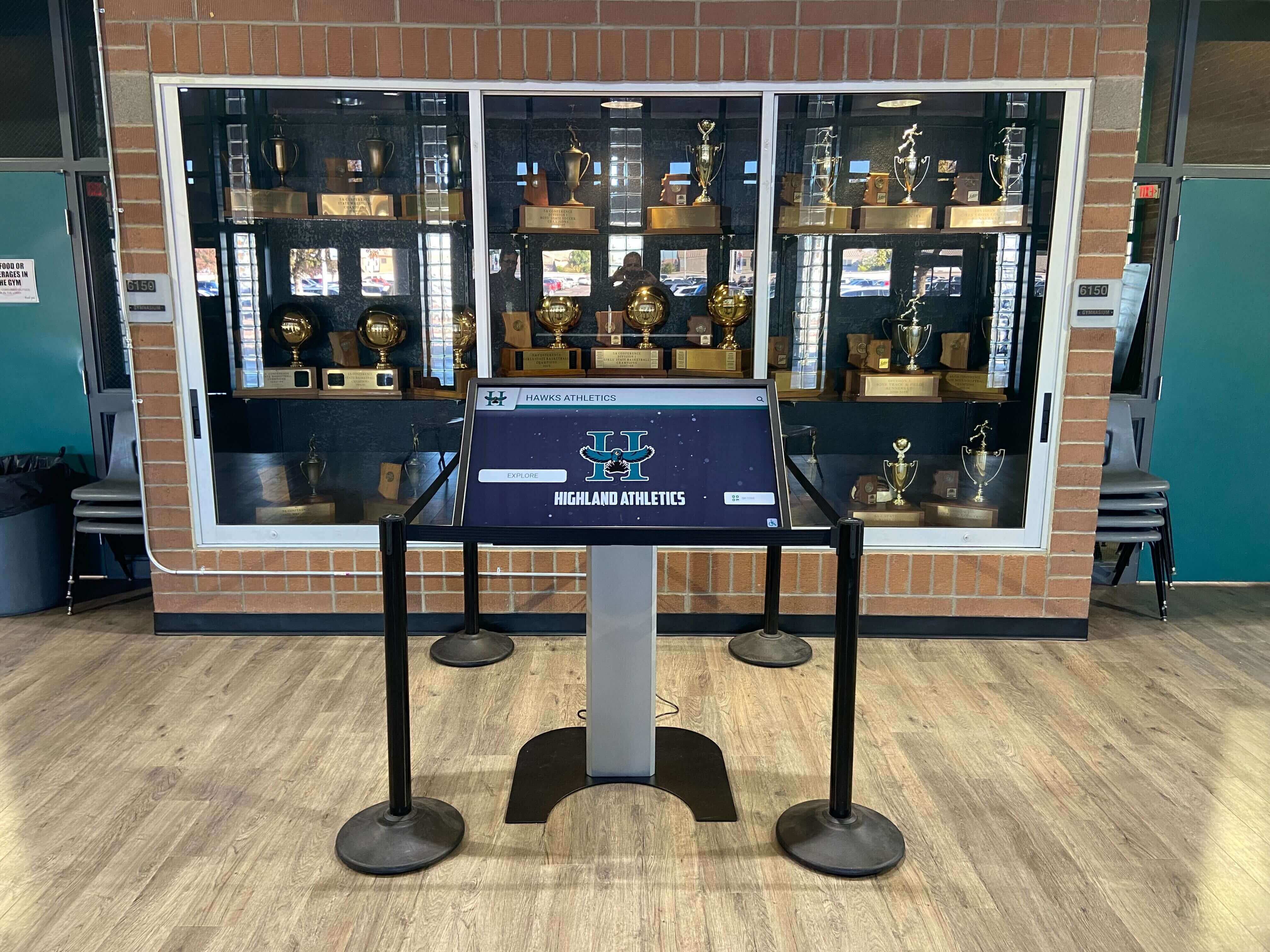
Programs reviewing whether their current platform enforces submission standards — or evaluating a new one — should consider how touchscreen-based athletic record board systems handle data entry and validation as part of the selection criteria. Field-level validation is a structural control; a policy document alone will not achieve the same consistency.
Step 6: Apply a Validation Check Before Each Display Update
Even with submission form enforcement, display validation is the final catch before a non-standard entry appears publicly. Before each season’s records are published — or before any batch update is pushed to the digital display — run a format check across all newly entered marks.
Display validation checklist:
- All time entries in this sport use MM:SS.xx format (or SS.xx for events under 60 seconds)
- All distance entries use the defined unit system (meters for database, feet-inches for display)
- No entries use ambiguous formats (whole seconds only, feet as a decimal, etc.)
- Records that sort differently depending on unit interpretation have been checked manually
- Any converted historical entry has its original format logged in the internal notes field
- Display precision (decimal places shown) matches the format defined in the sport reference table
A digital record board platform that auto-ranks entries by stored numeric value makes unit consistency a prerequisite for correct ranking. A non-conforming time stored as “62.4” in a field that expects “1:02.40” will sort as faster than a 58-second mark — placing the wrong name at the top of the board without any visible error signal.
For programs considering a full platform upgrade, digital touchscreen athletic record board systems and their feature sets vary significantly in how they handle data validation, auto-ranking, and format enforcement — understanding those differences before committing to a system saves significant cleanup work later.
Step 7: Communicate the Standard to Coaches and Staff
A standard that staff do not know about is not a standard. After the format definitions are finalized and historical data is converted, communicate the unit requirements to every coach, assistant, and staff member who submits or reviews records.
Communication steps:
- Distribute the sport-by-sport reference table with the records policy — in print and digitally.
- Cover the unit standard in pre-season coach meetings. This does not require a long presentation — five minutes with the reference table is enough.
- Include a one-page quick reference with submission forms and in the submission portal.
- When a coach submits a record in a non-standard format, correct it and notify the coach with the correct format — not just a rejection. The goal is learned compliance, not blocked submissions.
- Update the reference table whenever an event category is added, a sport is added to the program, or the state association changes its result format.
Programs developing a comprehensive sport-by-sport athletic record book policies guide can integrate the unit standard directly into the sport-level policies — so coaches have one document that covers acceptable sources, format requirements, and approval workflow for their sport.
Quick-Reference: Units by Measurement Category

Time Formats
| Scenario | Correct Format | Common Error to Avoid |
|---|---|---|
| Sprint under 10 seconds | SS.xx (e.g., 9.87) | 9.870 (unnecessary trailing zero) or 9.9 (insufficient precision) |
| Sprint 10–60 seconds | SS.xx (e.g., 47.32) | 47 (whole seconds only) or :47.32 (leading colon) |
| Middle distance 1–10 min | M:SS.xx (e.g., 4:07.52) | 4:7.52 (missing leading zero in seconds) or 4:07.5 (one decimal only) |
| Long distance over 10 min | MM:SS (e.g., 16:23) | 16.23 (decimal minutes) or 16 min 23 sec (text format) |
| Swimming short course | SS.xx or M:SS.xx by event | Mixing short-course and long-course times in same ranking |
| Swimming long course | SS.xx or M:SS.xx by event | Mixing pool lengths without notation |
Distance Formats
| Scenario | Database Format | Display Format | Notes |
|---|---|---|---|
| Long jump, triple jump | M.xx | Ft’ In" (fraction) | Round to nearest ¼ inch for display |
| High jump, pole vault | M.xx | Ft’ In" (fraction) | Round to nearest ¼ inch for display |
| Shot put | M.xx | Ft’ In" (one decimal) | One decimal inch on display is standard |
| Discus, javelin, hammer | M.xx | Ft’ In" (whole inch) | Whole inch sufficient for throws |
| Cross country (course) | Miles or kilometers, consistent | Same | Note course length in citation; do not compare times across different course lengths |
Score and Statistic Formats
| Category | Format | Example | Notes |
|---|---|---|---|
| Points per season / career | Whole number | 487 | No decimal for counting stats |
| Batting average | .xxx | .384 | Three decimal places; leading zero before decimal |
| Earned run average | X.xx | 1.87 | Two decimal places |
| Shooting percentage | X.x% | 54.3% | One decimal, percent symbol on display |
| Golf stroke average | X.x | 72.4 | One decimal; qualifying rounds only |
| Cumulative total (career) | Whole number | 1,847 | Comma separator for thousands on display |
Special Cases in Units Standardization
Mixed-Unit Historical Records
When a historical record was set and documented in a unit system your program no longer uses — feet-only for a long jump measured before your program switched to meters, for example — the original measurement is the authoritative value. Convert it to the standard format for database storage, but record the original measurement and unit in the source citation field. The conversion is transparent; the original is preserved.
Relay Records and Composite Times
Relay event times follow the same format as individual timed events. The database format should be MM:SS.xx regardless of event distance. Relay records require an additional field identifying all four leg athletes — this is a display and attribution requirement, not a unit issue, but it is often confused with unit formatting during data entry.
Hand-Timed vs. Fully Automatic Timing Records
Many programs carry records from eras before fully automatic timing (FAT). Hand-timed marks and FAT marks should not be ranked in the same column without a notation. The standard practice is to maintain separate rankings (“FAT Records” and “All-Time Records including hand-timed”) or to apply the NFHS hand-timing adjustment (+0.24 seconds for 100m, +0.14 seconds for 200m) and note it in the record entry. The choice between these approaches is a policy decision; whichever approach the program adopts, apply it consistently to all hand-timed marks in the database.
For programs building out comprehensive athletic history archives that surface this kind of record-board detail, digital hall of fame guides for school administrators cover the intersection of historical accuracy and public display in ways that apply directly to unit standardization decisions.
State Association Format Requirements
Some state athletic associations specify result formats in their record-keeping guidelines — particular precision requirements for track timing, for example, or specific distance units for field events. These requirements take precedence over program-level standards where they conflict. Review your association’s guidelines before finalizing the sport-by-sport reference table, and note which formats are association-mandated vs. program-defined so future staff know which fields can be adjusted and which cannot.
Connecting Units Standardization to Alumni and Donor Programs
A record board where every mark is stored and displayed in consistent units does more than satisfy a data quality standard — it creates a foundation for alumni engagement that is credible and searchable.
When alumni return to look up their old records, a display that shows times and distances in a format they recognize from their competition era communicates care for that history. When a record is broken and the athletic department sends a recognition notice, the precision of the mark — correctly formatted and comparable to the current record — is part of what makes the recognition meaningful. Regional athletic recognition programs and award ceremonies that incorporate school record history into their programming depend on that same consistency to present accurate, comparable achievements.
Donors and sponsors who support athletic programs often cite the program’s attention to history as a factor in their continued engagement. A record board that can show a clean, accurate, decades-deep performance history — with times and distances that sort correctly and display clearly — is a concrete demonstration of institutional care. For programs planning athletic banquets and recognition events where all-time records will be referenced or displayed, consistent units prevent the awkward moment of a mis-ranked record appearing on a program or screen.

Frequently Asked Questions
What is athletic record units standardization?
Athletic record units standardization is the process of defining one official format for every measurable category in an athletic database — times, distances, scores, heights — and applying it consistently at entry, through historical data conversion, and before any mark appears on a public display. The goal is a database where every entry in the same event category uses the same unit format so that ranking, tie detection, and performance comparison work correctly without manual correction.
Why does unit format matter for record board accuracy?
A record board that ranks entries by stored numeric value will produce incorrect rankings whenever two entries represent the same measurement in different formats. A time of “62.4” (decimal seconds) and “1:02.40” (minutes and seconds) are the same performance — but a system sorting by numeric value will rank 62.4 faster than 1:02, producing a wrong sort order and potentially hiding the true record holder. Unit standardization prevents this by ensuring that all entries in the same category use the same numeric representation.
Should times be stored in seconds or in MM:SS format?
For events under 60 seconds, seconds-only format (SS.xx) is the cleanest database representation because it sorts correctly as a numeric value. For events where times regularly exceed one minute, MM:SS.xx format is standard — but it must be stored as a text or structured field, not as a plain number, because “1:02.40” cannot be compared numerically to “47.32.” Most purpose-built athletic record platforms handle this internally by storing a sortable numeric value alongside the display format. If managing records in a spreadsheet, add a separate “sort value” column in seconds for all time events to enable correct ranking.
Do I need to convert historical records that are already on display?
Yes, if the existing format produces incorrect rankings. A historical record that sorts incorrectly because of its unit format will be overtaken or hidden by a new record entered in the correct format — even if the historical mark is actually faster or farther. Conversion does not change the performance; it changes the representation so that the database can compare the two correctly. The original as-documented format should be preserved in the citation or notes field.
How should I handle records from eras that used different unit systems?
Convert the historical mark to the current standard format for database storage and display, and record the original measurement and unit in the source citation notes. For example, a long jump record measured in feet-inches from 1979 should be stored as meters in the database (with the feet-inches original noted) so it sorts correctly alongside marks measured in meters today. The conversion is transparent — note the conversion method and the original value so future staff understand why the stored format differs from the source document.
Can two records in the same event category use different precision levels?
No. Mixing precision levels produces phantom ties and incorrect rankings. A time of “4:07.5” and a time of “4:07.52” may appear to be different marks, but one is simply less precise. The program with “4:07.5” may have achieved “4:07.52” or anything from “4:07.45” to “4:07.54” — a range that spans the existing record. Define one precision level for each event category and require all entries to match it. For events where source documentation supplies only one decimal place, store the mark with a notation indicating the available precision rather than artificially adding a zero in the second decimal position.
What precision level should our program use for field event distances?
For field events measured in meters, two decimal places (centimeters) is the standard for track and field. For field events that will be displayed in feet and inches, convert from the two-decimal-meter value rather than storing the feet-inches directly — this avoids rounding errors that accumulate when converting back and forth. Display the feet-inches to the nearest quarter inch, which matches how most competition results are reported.
How does unit standardization connect to the records verification process?
Unit format is one of the validation checks that should occur before a submitted record advances to the approval queue. A verification workflow that checks source documentation, athlete identity, and performance plausibility should also confirm that the submitted format matches the standard for the event. A non-conforming format should return to the submitter for correction — not be corrected silently by the records administrator — because the submitter needs to learn the standard for future submissions.
Does a digital record board platform handle unit standardization automatically?
Platforms vary. Purpose-built athletic record board platforms typically enforce field formats at submission and store a sortable numeric value alongside the display format — handling the time-in-seconds sorting problem automatically. General spreadsheet or database solutions require manual format enforcement and separate sort columns. When evaluating platforms, ask specifically how the system handles time sorting, distance unit conversion, and format validation at entry. A system that allows free-text entry for performance marks will accumulate the same unit inconsistencies that this guide is designed to prevent.
Unit standardization is not the most visible part of managing athletic records — but it is the foundation that makes every visible part accurate. A record board that displays incorrect rankings because times are stored in mixed formats undermines the credibility of every achievement it shows. The seven-step workflow above gives any athletic program a repeatable path from inconsistent historical data to a clean, consistently formatted record database — one that compares performances accurately across decades of school history and across every sport the program tracks.
See how a purpose-built digital record board platform enforces unit standards at entry, auto-ranks entries by stored numeric value, and displays times and distances in the format your community recognizes — so every record on the board is both accurate and comparable across decades of school athletic history.