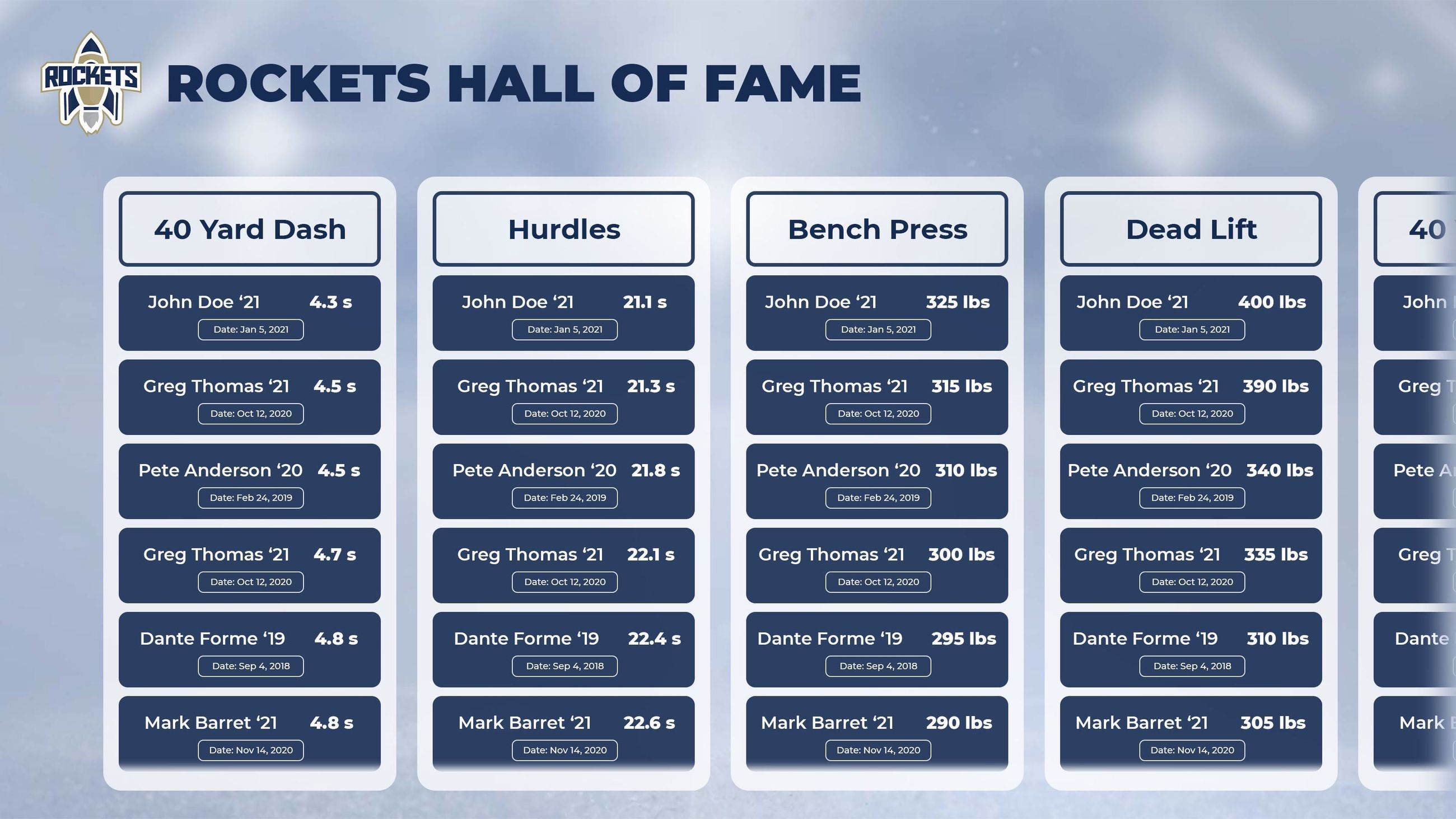




Athletic record boards represent significant investments that require proper maintenance to preserve their appearance, functionality, and longevity. Whether managing traditional physical displays or modern digital systems, understanding maintenance requirements and troubleshooting procedures ensures these recognition tools continue serving their vital role effectively. This comprehensive guide provides athletic directors, facilities managers, and coaches with practical strategies for maintaining record boards while addressing common issues before they become costly problems.

Proper maintenance keeps athletic record boards looking professional and functioning optimally for years
Modern solutions from providers like Rocket Alumni Solutions simplify maintenance significantly compared to traditional systems, but all display types benefit from systematic care and attention. Understanding both preventive maintenance and reactive troubleshooting ensures recognition displays remain centerpieces of athletic facility pride rather than sources of frustration.
Table of Contents
- Understanding Record Board Types and Maintenance Needs
- Preventive Maintenance Schedules and Procedures
- Common Issues and Troubleshooting Solutions
- Cleaning and Care Best Practices
- Digital Display System Maintenance
- Traditional Board Repair and Restoration
- Seasonal Maintenance Considerations
- When to Repair vs. Replace
- Documentation and Record Keeping
- Vendor Relationships and Support
Understanding Record Board Types and Maintenance Needs
Different record board systems require distinct maintenance approaches based on their construction, materials, and technology. Understanding these differences enables facilities managers to develop appropriate care strategies that maximize longevity while minimizing maintenance costs.
Traditional Record Board Construction Types
Physical record boards vary significantly in materials and maintenance requirements:
Vinyl and Applied Graphics Boards
- Construction: Vinyl lettering and graphics applied to painted or laminated backing boards
- Common Issues: Peeling edges, fading, adhesive failure, bubble formation
- Maintenance Frequency: Monthly cleaning, quarterly inspections, repairs as needed
- Expected Lifespan: 5-10 years depending on environment and quality
Engraved and Plaque Systems
- Construction: Individual metal or acrylic plates mounted to backing boards or directly to walls
- Common Issues: Tarnishing, mounting hardware failure, scratches, discoloration
- Maintenance Frequency: Quarterly cleaning, annual hardware inspection
- Expected Lifespan: 15-25 years with proper care
Painted and Lettered Boards
- Construction: Hand-painted or professionally lettered directly onto wood, metal, or composite backing
- Common Issues: Paint chipping, fading, moisture damage, warping of backing materials
- Maintenance Frequency: Monthly inspection, semi-annual touch-ups, refinishing every 3-5 years
- Expected Lifespan: 10-20 years with regular refinishing
Changeable Letter Boards
- Construction: Grooved boards with removable letters and numbers that slide into tracks
- Common Issues: Lost letters, track damage, backing discoloration, letter fading
- Maintenance Frequency: Monthly cleaning, quarterly letter inventory, annual track inspection
- Expected Lifespan: 15-30 years for frame, letters require periodic replacement
Digital Record Board System Components
Modern digital record boards comprise multiple components requiring specialized maintenance:
- 🖥️Display Hardware
Commercial-grade LCD/LED panels requiring temperature control, dust management, and periodic calibration to maintain optimal performance
- 💻Computing Components
Media players, computers, or integrated systems running content management software that need software updates and hardware monitoring
- 🔌Power and Connectivity Infrastructure
Electrical connections, network cables, surge protection, and wireless systems requiring periodic inspection and testing
- 🎯Interactive Components (If Applicable)
Touchscreen overlays, sensors, and interface hardware requiring calibration and cleaning to maintain responsiveness
Preventive Maintenance Schedules and Procedures
Systematic preventive maintenance dramatically extends record board lifespan while reducing expensive emergency repairs. Establishing consistent maintenance schedules ensures displays remain in excellent condition year-round.
Comprehensive Maintenance Calendar
Athletic departments should implement structured maintenance schedules adapted to their specific systems:
Annual Maintenance Schedule Framework
| Frequency | Traditional Boards | Digital Systems | Time Required |
|---|---|---|---|
| Daily | Visual inspection for damage | Check display operation, verify content updates | 5 minutes |
| Weekly | Spot cleaning as needed | Monitor system performance logs | 15 minutes |
| Monthly | Thorough cleaning, edge inspection | Screen cleaning, software updates check | 30-45 minutes |
| Quarterly | Mounting hardware check, touch-up repairs | Calibration, connection verification, backup testing | 1-2 hours |
| Semi-Annual | Deep cleaning, condition assessment | Comprehensive system health check, filter replacement | 2-3 hours |
| Annual | Professional inspection, major repairs | Vendor service visit, component testing, long-term planning | 3-4 hours |
Traditional Board Preventive Maintenance Tasks
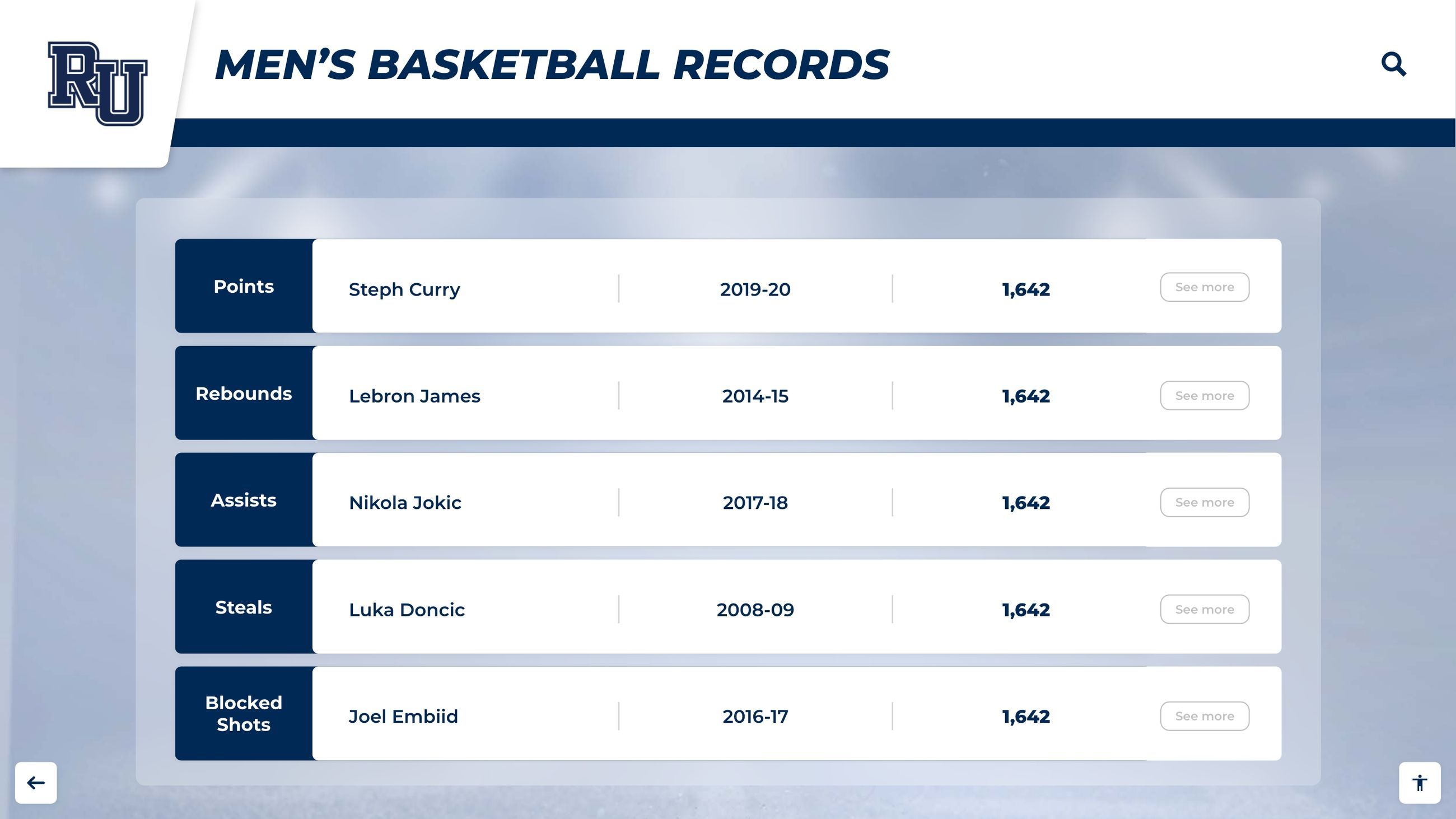
Regular preventive maintenance prevents small issues from becoming expensive repairs
Specific maintenance tasks for physical record boards include:
- Surface Inspection Check for lifting edges, bubbles, cracks, discoloration, or fading requiring immediate attention before damage spreads
- Hardware Verification Inspect mounting brackets, screws, anchors, and support systems for loosening, corrosion, or structural concerns
- Environmental Assessment Evaluate lighting exposure, humidity levels, temperature fluctuations, and physical impact risks affecting board condition
- Cleaning Procedures Apply appropriate cleaning methods for specific materials, avoiding harsh chemicals that damage finishes or adhesives
- Protective Measures Install or verify protective barriers preventing accidental contact, apply UV-protective coatings where appropriate
- Documentation Updates Record maintenance activities, condition changes, and repair needs in facility management systems
Digital System Preventive Maintenance Tasks
Digital displays require technology-focused maintenance procedures similar to those used for interactive touchscreen software systems:
Hardware Maintenance
- ✓ Display Cleaning: Use microfiber cloths and approved screen cleaners to remove dust and fingerprints
- ✓ Ventilation Check: Ensure air vents remain unobstructed for proper cooling and component longevity
- ✓ Connection Inspection: Verify all cables remain securely connected and show no signs of wear or damage
- ✓ Brightness Calibration: Adjust screen brightness to optimal levels for viewing environment and energy efficiency
- ✓ Component Testing: Verify all hardware components function correctly including speakers, media players, and sensors
Software Maintenance
- ✓ Update Management: Install security patches, firmware updates, and software upgrades on regular schedules
- ✓ Content Verification: Confirm displayed information remains accurate, current, and properly formatted
- ✓ Backup Testing: Regularly test data backup systems and practice restoration procedures
- ✓ Performance Monitoring: Review system logs for errors, crashes, or performance degradation indicators
- ✓ Security Audits: Verify access controls, password strength, and network security configurations
Common Issues and Troubleshooting Solutions
Understanding common record board problems and their solutions enables facilities managers to address issues quickly, minimizing downtime and preventing minor problems from escalating into expensive repairs.
Traditional Board Common Issues
Physical record boards encounter predictable problems that respond well to systematic troubleshooting:
Traditional Board Troubleshooting Guide
| Problem | Likely Causes | Solutions | Difficulty |
|---|---|---|---|
| Vinyl Peeling | Adhesive failure, moisture exposure, improper application | Re-adhere with pressure, heat application, or replace section | Easy |
| Fading/Discoloration | UV exposure, cleaning chemical damage, material aging | Apply UV-protective coating, relocate board, or replace faded sections | Moderate |
| Bubble Formation | Trapped air during application, moisture infiltration, adhesive failure | Puncture and flatten, apply heat, or remove and reapply affected area | Easy |
| Mounting Failure | Hardware corrosion, wall anchor failure, excessive weight | Replace hardware, install additional supports, redistribute weight | Difficult |
| Scratches/Damage | Physical impact, improper cleaning, vandalism | Touch-up paint, replace damaged sections, install protective barriers | Moderate |
Digital System Common Issues
Digital record board troubleshooting often involves both hardware and software diagnosis:
- Display Won't Turn On
Check: Power connections, outlet function, remote control batteries, power settings. Solution: Verify electrical supply, reset power, check circuit breakers, replace batteries, review sleep/power management settings. - No Network Connection
Check: Cable connections, Wi-Fi status, router function, network settings. Solution: Reseat cables, restart network equipment, verify credentials, check IP configuration, contact IT support if persistent. - Content Not Updating
Check: Software connection status, content management system access, scheduled update times, storage space. Solution: Verify cloud connectivity, check user permissions, review scheduling settings, clear cache, restart content player. - Touchscreen Not Responding
Check: Screen cleanliness, calibration status, touch overlay connections, software drivers. Solution: Clean thoroughly, recalibrate touch interface, verify cable connections, update or reinstall drivers, test with diagnostic tools. - Image Quality Issues
Check: Display settings, source resolution, cable quality, screen damage. Solution: Adjust brightness/contrast, verify content resolution, replace cables, check for physical screen damage, reset display to factory settings.
Step-by-Step Troubleshooting Process
Systematic troubleshooting minimizes downtime and prevents unnecessary component replacement:
1. Initial Assessment
- Document specific problem symptoms
- Note when issue first appeared
- Identify any recent changes or events
- Check if issue affects single component or system
- Review error messages or system logs
2. Basic Diagnostics
- Perform power cycle (turn off/on)
- Check all physical connections
- Verify power supply and electrical service
- Test with known-good components
- Review system settings and configuration
3. Resolution Steps
- Apply appropriate fixes based on diagnosis
- Test solution thoroughly before closing ticket
- Document solution for future reference
- Update maintenance records
- Consider preventive measures to avoid recurrence
Cleaning and Care Best Practices
Proper cleaning techniques preserve record board appearance and functionality while preventing damage from inappropriate cleaning methods or harsh chemicals. Different materials require specific approaches for optimal results.
Material-Specific Cleaning Guidelines

Correct cleaning methods preserve record board appearance while preventing damage
Different record board materials demand specific cleaning approaches:
Material-Specific Cleaning Reference
| Material Type | Approved Cleaners | Avoid | Method |
|---|---|---|---|
| Vinyl Graphics | Mild soap solution, water, microfiber cloths | Abrasives, acetone, alcohol-based cleaners | Gentle wiping, no pressure |
| Digital Screens | Screen-specific cleaners, distilled water, microfiber | Ammonia, paper towels, rough cloths, spray directly on screen | Spray cloth first, gentle circular motions |
| Metal Plaques | Metal polish, mild detergent, soft cloths | Abrasive pads, acidic cleaners | Polish periodically, buff to shine |
| Acrylic | Acrylic cleaner, mild soap, microfiber | Window cleaners, paper towels, ammonia | Light pressure, one direction |
| Painted Surfaces | Mild detergent, water, soft sponge | Harsh chemicals, abrasives, pressure washers | Gentle cleaning, dry thoroughly |
Cleaning Procedure Best Practices
Effective cleaning follows systematic procedures that protect record boards:
- Pre-Cleaning Preparation
Power down digital displays, gather appropriate materials, test cleaning solutions in inconspicuous areas first - Dusting and Dry Cleaning
Remove loose dust with microfiber cloths or soft brushes before applying liquids to prevent scratching - Wet Cleaning Technique
Apply cleaning solution to cloth rather than directly to boards, use gentle pressure in consistent patterns - Drying and Inspection
Thoroughly dry all surfaces, inspect for damage or areas requiring additional attention, document condition
Digital Display System Maintenance
Digital record board systems require specialized maintenance procedures addressing both hardware and software components. Understanding these requirements ensures reliable operation and maximizes return on investment.
Hardware Component Maintenance
Digital systems contain multiple hardware elements requiring regular attention similar to digital wall of fame implementations:
Display Panel Care
- Temperature Management: Maintain ambient temperature between 32-104°F (0-40°C) for optimal panel life
- Humidity Control: Keep relative humidity between 20-80% to prevent condensation and component damage
- Pixel Health Monitoring: Run built-in diagnostics to identify dead pixels or uniformity issues early
- Burn-in Prevention: Use screensavers, vary content, adjust brightness to prevent image retention
Media Player/Computer Maintenance
- Software Updates: Install operating system patches, security updates, and application upgrades regularly
- Storage Management: Monitor disk space, clear temporary files, maintain adequate free space (20%+ recommended)
- Thermal Management: Clean cooling fans quarterly, ensure adequate ventilation, monitor operating temperatures
- Performance Monitoring: Review system logs, check CPU/memory usage, identify performance degradation
Software and Content Management
Systematic software maintenance ensures digital systems remain secure and functional:
- Regular Update Schedules
Establish monthly update windows for non-critical patches, apply security updates within 72 hours of release, test updates in staging environment before production deployment - Content Quality Assurance
Verify content displays correctly across all screens, check formatting consistency, validate data accuracy, review automated content feeds regularly - Backup and Recovery
Implement automated daily backups, test restoration procedures quarterly, maintain off-site backup copies, document recovery procedures clearly - Security Maintenance
Change default passwords, implement strong authentication, review access logs, update security certificates, scan for malware monthly
Network and Connectivity Maintenance
Reliable network connections enable effective digital record board operation like those found in digital donor wall systems:
Connection Monitoring
- Test network connectivity daily
- Monitor bandwidth usage
- Track connection drops or interruptions
- Verify cloud service accessibility
- Document connectivity issues
Infrastructure Maintenance
- Inspect cable connections quarterly
- Test network equipment regularly
- Update router/switch firmware
- Verify redundancy systems function
- Replace aging network hardware
Performance Optimization
- Optimize content file sizes
- Schedule large updates off-peak
- Implement content caching
- Monitor latency and throughput
- Coordinate with IT department
Traditional Board Repair and Restoration
Physical record boards eventually require repairs or restoration to maintain professional appearance and functionality. Understanding repair techniques enables cost-effective maintenance that extends board lifespan significantly.
Common Repair Procedures
Traditional record board repairs range from simple touch-ups to comprehensive restoration:
Traditional Board Repair Techniques
Minor Repairs (DIY Capable)
- Vinyl Re-adhesion: Apply heat with hair dryer, press firmly, use vinyl adhesive if needed
- Paint Touch-ups: Match original paint color, use fine brushes, blend edges carefully
- Hardware Tightening: Secure loose screws, replace corroded fasteners, add support brackets
- Cleaning and Polishing: Deep clean surfaces, polish metal elements, restore shine
- Protective Coating: Apply UV-resistant clear coat, wax finishes, protective films
Major Repairs (Professional Recommended)
- Section Replacement: Remove damaged areas, fabricate replacement sections, color match and install
- Complete Refinishing: Strip old finish, repair substrate, repaint or re-letter, seal and protect
- Structural Repairs: Fix backing material damage, reinforce mounting systems, rebuild components
- Graphics Replacement: Remove old vinyl, prepare surfaces, apply new graphics professionally
- Historical Restoration: Research original appearance, source period-appropriate materials, restore authentically
Restoration Project Planning
Comprehensive restoration projects require systematic planning and execution:
- Condition Assessment Document current state with photos, identify all repairs needed, estimate materials and labor costs
- Budget Development Compare restoration vs. replacement costs, identify funding sources, plan phased approach if needed
- Vendor Selection Research qualified restoration professionals, obtain multiple quotes, verify references and credentials
- Timeline Planning Schedule work during off-seasons, plan for board removal period, coordinate with facility events calendar
- Historical Preservation Document original appearance before restoration, photograph restoration process, maintain historical records
- Quality Assurance Inspect work at completion, verify accuracy of restored content, test mounting security, document final condition
Seasonal Maintenance Considerations
Record board maintenance needs vary with seasonal changes in temperature, humidity, and facility usage patterns. Adapting maintenance schedules to seasonal factors prevents weather-related damage and ensures year-round optimal performance.
Seasonal Maintenance Calendar
Different seasons present unique maintenance challenges and opportunities:
Fall/Winter Maintenance
- Pre-Season Inspection: Complete comprehensive check before heating season begins
- Humidity Monitoring: Watch for low humidity damage in heated buildings, consider humidifiers
- Temperature Protection: Ensure digital displays maintain proper operating temperatures
- Condensation Prevention: Monitor for moisture buildup from temperature differentials
- Holiday Scheduling: Plan maintenance around facility closures and event schedules
Spring/Summer Maintenance
- Deep Cleaning: Perform thorough cleaning during lower facility usage periods
- UV Protection: Check and renew UV-protective coatings before peak sunlight months
- Cooling Systems: Verify HVAC systems function properly for digital display cooling
- Humidity Control: Monitor for high humidity issues, ensure dehumidification as needed
- Project Scheduling: Plan major repairs or upgrades during off-season windows
Climate-Specific Considerations
Regional climate patterns influence maintenance requirements:
- ❄️Cold Climate Facilities
Monitor for low humidity damage to adhesives and finishes, protect outdoor-exposed areas from freeze-thaw cycles, ensure digital systems maintain minimum operating temperatures
- ☀️Hot Climate Facilities
Prioritize UV protection for materials exposed to intense sunlight, ensure adequate cooling for digital displays, monitor for heat-related adhesive failure or material warping
- 💧Humid Climate Facilities
Implement aggressive moisture control measures, watch for mold/mildew formation, protect electronic components from humidity damage, inspect seals and gaskets regularly
- 🏜️Arid Climate Facilities
Address low humidity effects on materials, monitor for static electricity issues with digital systems, watch for dust accumulation requiring more frequent cleaning
When to Repair vs. Replace
Athletic directors face critical decisions about whether to repair aging record boards or invest in replacements. Understanding evaluation criteria and cost-benefit analysis ensures wise resource allocation that serves programs effectively.
Decision-Making Framework
Systematic evaluation guides repair versus replacement decisions:
Repair vs. Replace Evaluation Matrix
| Factor | Favor Repair | Consider Replacement |
|---|---|---|
| Age of System | Less than 50% of expected lifespan | Exceeded expected lifespan |
| Repair Cost | Less than 30% of replacement cost | More than 50% of replacement cost |
| Damage Extent | Localized to specific areas | Widespread throughout system |
| Future Maintenance | Parts available, simple procedures | Parts discontinued, complex repairs |
| Functionality Needs | Current system meets all needs | New features/capabilities needed |
| Historical Value | High sentimental/historical significance | No special historical importance |
Cost-Benefit Analysis
Comprehensive financial analysis clarifies optimal decisions:
Repair Cost Considerations
- Direct Costs: Materials, labor, vendor fees, shipping, installation
- Hidden Costs: Ongoing maintenance increases, future repair likelihood, downtime impact
- Short-Term Value: Immediate problem resolution, budget management, minimal disruption
- Long-Term Risk: Additional failures possible, limited capability improvements, technology obsolescence
Replacement Investment Benefits
- Initial Investment: Higher upfront costs, installation expenses, learning curve time
- Long-Term Savings: Reduced maintenance costs, improved efficiency, enhanced capabilities
- Added Value: [Modern features](https://halloffamewall.com/blog/digital-hall-of-fame/), improved engagement, easier updates, better aesthetics
- Future-Proofing: Current technology, scalability, warranty coverage, vendor support
Upgrade vs. Replace Considerations
Sometimes hybrid approaches offer optimal solutions, as explored in guides about converting traditional record boards:
- Phased Replacement Strategy
Replace highest-priority boards first, maintain others temporarily, spread costs over multiple budget cycles - Digital Conversion Option
Convert traditional boards to digital displays, leverage existing locations and infrastructure, gain modern capabilities - Supplemental Systems
Add digital displays while maintaining historical physical boards, combine traditional charm with modern functionality - Complete Redesign
Reimagine recognition strategy entirely, integrate multiple display types, create comprehensive recognition environment
Documentation and Record Keeping
Systematic documentation of maintenance activities, repairs, and system changes enables effective long-term management while supporting budget justification and vendor relationships. Comprehensive records prevent knowledge loss from staff turnover.
Essential Documentation Elements
Effective maintenance documentation includes multiple components:
System Information
- Installation date and vendor details
- Equipment specifications and models
- Warranty information and terms
- Operating manuals and guides
- Network configuration details
- Access credentials (secured)
Maintenance History
- Scheduled maintenance completion logs
- Repair tickets and work orders
- Parts replaced and costs
- Service vendor contact records
- Problem patterns and trends
- Photos documenting condition changes
Financial Records
- Original purchase costs and invoices
- Annual maintenance expenses
- Repair cost tracking
- Budget projections
- Cost-per-display metrics
- ROI calculations and analysis
Digital Documentation Systems
Modern facilities management software streamlines record keeping:
- Computerized Maintenance Management Systems (CMMS)
Centralized platforms tracking work orders, scheduling preventive maintenance, managing parts inventory, generating reports, and analyzing maintenance costs - Cloud-Based Documentation
Accessible documentation from any location, automatic backups, version control, collaborative editing, mobile access for field work - Photo and Video Documentation
Visual records of condition over time, before/after repair documentation, training materials creation, vendor communication support - Automated Monitoring Systems
Digital displays with built-in monitoring reporting performance metrics, error logs, usage statistics, and maintenance alerts automatically
Vendor Relationships and Support
Strong relationships with record board vendors and service providers ensure access to expertise, parts, and support when needed. Proactive vendor management maximizes value from maintenance agreements and professional services.
Selecting Maintenance Service Providers
Quality vendors provide reliable ongoing support:
Vendor Selection Criteria
- Experience and Expertise: Documented experience with similar systems and athletic facilities
- Response Time: Guaranteed service response times, emergency support availability
- Geographic Coverage: Local presence or service network ensuring timely on-site support
- Parts Availability: Access to replacement parts, component inventory management
- Training Support: Staff training programs, knowledge transfer, documentation quality
Service Agreement Components
- Scope of Services: Specific maintenance tasks included, frequency of service visits
- Response Guarantees: Maximum response times for different issue severity levels
- Parts Coverage: Which components are included, exclusions and limitations
- Labor Inclusions: Hours included in agreement, additional costs for extra work
- Performance Metrics: Uptime guarantees, service quality standards, reporting requirements
Maximizing Vendor Relationships
Strategic vendor engagement enhances support quality similar to partnerships with providers like Rocket Alumni Solutions:
- Regular Communication Schedule routine check-ins, provide feedback on services, discuss system performance, plan future enhancements collaboratively
- Clear Expectations Document service requirements, establish communication protocols, define escalation procedures, clarify response time expectations
- Performance Monitoring Track response times, evaluate repair quality, measure uptime metrics, assess cost-effectiveness of services
- Knowledge Transfer Request training for staff, understand system capabilities fully, learn basic troubleshooting, reduce dependency through education
- Long-Term Planning Discuss technology roadmaps, plan upgrade paths, anticipate end-of-life issues, budget for future investments proactively
- Contract Management Review agreements annually, negotiate favorable terms, compare service options, ensure competitive pricing and value
Conclusion: Proactive Maintenance for Lasting Recognition
Effective athletic record board maintenance represents an ongoing commitment that protects significant investments while ensuring recognition displays remain sources of facility pride and athlete inspiration. Whether managing traditional physical boards or advanced digital systems, systematic preventive maintenance combined with responsive troubleshooting minimizes costs while maximizing system longevity and performance.
Upgrade to Low-Maintenance Digital Recognition
Tired of costly, time-consuming traditional board maintenance? Modern digital record board systems from Rocket Alumni Solutions dramatically reduce maintenance requirements while enhancing recognition capabilities and engagement.
The difference between record boards that remain attractive, functional recognition centerpieces and those that become neglected eyesores lies entirely in maintenance commitment and execution. Athletic directors who implement systematic maintenance schedules, document procedures thoroughly, and build strong vendor relationships ensure their recognition displays continue serving athletes and communities effectively for decades.
Digital record board solutions from providers like Rocket Alumni Solutions transform maintenance from a burden into a streamlined process requiring minimal time and resources. These modern systems eliminate recurring material costs, reduce labor requirements, and provide built-in monitoring capabilities that identify issues before they impact operations.
For athletic programs evaluating maintenance costs against replacement benefits, the comprehensive analysis provided in resources about digital hall of fame implementations and digital trophy case conversions demonstrates clear long-term value of modernization. The most successful programs balance preservation of historically significant traditional displays with strategic investment in low-maintenance digital recognition systems that serve future generations of athletes effectively.






























