




Athletic directors and school administrators face a common challenge: keeping digital signage screens and kiosks filled with fresh, meaningful content that engages students, celebrates achievements, and maintains institutional pride. Empty screens or repetitive slideshow content undermines the investment in digital infrastructure.
The screens and kiosks in your athletic facilities, school lobbies, and hallways represent valuable real estate for recognition, communication, and community building. When deployed effectively, these displays become dynamic hubs that showcase achievements, preserve history, inform visitors, and strengthen school spirit across generations.
This guide provides 120 specific content ideas organized by category, designed specifically for educational institutions and athletic programs seeking to maximize the value of their digital signage infrastructure.
Athletic Recognition & Performance
Digital displays excel at showcasing athletic achievements in ways static plaques never could. These content ideas keep your recognition current and comprehensive.
Current Season Performance
1. Live game scores and upcoming schedules - Display real-time scores from ongoing games and upcoming matchups for all varsity sports, automatically updating as schedules change throughout the season.
2. Weekly athlete spotlight features - Highlight one athlete per week with photos, statistics, personal achievements, and future goals to build individual recognition programs.
3. Team rosters with photos and positions - Create visual rosters showing every team member, their position, jersey number, grade level, and hometown to help fans identify players.
4. Season statistics leaders - Track and display top performers in key metrics like points scored, assists, batting average, yards gained, or times across all sports.
5. Game day countdowns - Build excitement with countdown timers to major games, homecoming matchups, rivalry contests, or championship events.

6. Practice schedule boards - Eliminate confusion by posting daily practice times, locations, and any schedule changes for all athletic programs in one centralized display.
7. Player of the game recognition - Celebrate standout performances immediately after games with photos, statistics, and highlight descriptions.
8. Injury status updates - Where appropriate, provide transparent updates about athlete availability and expected return timelines to keep fans informed.
9. Team captains and leadership - Recognize team captains, co-captains, and student leaders with dedicated profiles explaining their leadership responsibilities.
10. Record watch notifications - Build anticipation when athletes approach school records, showing current progress and the record they’re chasing.
All-Time Records & History
11. School record boards by sport - Display complete record books showing all-time leaders in every major statistical category, automatically reranking as new records are set.
12. Championship banners timeline - Create an interactive timeline of every conference, district, regional, and state championship in school history with photos and rosters.
13. Olympic and professional athletes - Celebrate alumni who competed at elite levels after graduation, tracking their professional careers and Olympic appearances.
14. Coaching history and records - Honor all head coaches in school history with their tenure, overall record, championships won, and significant achievements.
15. Historic rivalry game results - Chronicle the complete history of traditional rivalry matchups, showing the all-time series record and memorable games.
16. Evolution of team uniforms - Display visual history of how team uniforms, logos, and colors have changed across decades.
17. Facilities history and improvements - Document the evolution of athletic facilities from original construction through major renovations and additions.
18. Historic game photos - Rotate through archival photos from significant games, championships, and moments throughout program history.
19. Conference affiliation history - Show which athletic conferences the school has belonged to throughout different eras and membership changes.
20. Retired numbers and jerseys - Dedicate space to explaining which numbers have been retired, who wore them, and why they earned that honor.
Strength & Conditioning
21. Weight room record boards - Track personal records in key lifts (bench press, squat, clean, etc.) by position, weight class, or grade level with auto-ranking as records fall.
22. Vertical jump leaderboards - Measure and display vertical jump improvements throughout the year, motivating athletes to improve their explosiveness.
23. 40-yard dash times - Post the fastest sprint times by position or overall, encouraging competition and documenting speed development.
24. Workout of the day boards - Display the daily strength training program so athletes know exactly what to expect when entering the weight room.
25. Training milestone celebrations - Recognize athletes who achieve significant strength milestones like joining the 300-pound bench press club or 400-pound squat club.

26. Body composition progress tracking - Where appropriate, share aggregate team improvements in body composition metrics to demonstrate program effectiveness.
27. Attendance and dedication boards - Track and display which athletes show perfect attendance in off-season training programs or demonstrate exceptional dedication.
28. Team strength rankings - Show how different teams or position groups stack up against each other in various strength and conditioning metrics.
29. Pre- and post-season comparisons - Visualize team-wide improvements by comparing baseline measurements at season start with end-of-season results.
30. Proper technique demonstrations - Display video clips or photo sequences showing correct form for major lifts to reduce injury risk and improve results.
Academic Achievement
Digital signage should celebrate intellectual accomplishments with the same enthusiasm as athletic victories. These ideas recognize academic excellence across your institution.
Honor Roll & GPA Recognition
31. Semester honor roll displays - List all students achieving honor roll status each semester, organized by grade level with photos when possible.
32. Team GPA leaderboards - Recognize athletic teams with the highest cumulative grade point averages to emphasize the student-athlete ideal. For more details, see this team GPA leaderboard digital display guide.
33. Academic letter winners - Showcase students who earned academic letters for maintaining excellence throughout the entire year.
34. Perfect attendance recognition - Celebrate students with perfect or near-perfect attendance records each quarter or semester.
35. Principal’s list and dean’s list - Give prominence to students achieving the highest academic distinction levels at your institution.
36. Improvement spotlights - Recognize students who demonstrated significant GPA improvement from one grading period to the next.
37. Subject area excellence - Highlight top performers in specific subjects like mathematics, science, literature, or foreign languages.
38. Academic comeback stories - With student permission, share inspiring narratives of students who overcame challenges to achieve academic success.
39. Senior academic statistics - Display aggregate data about the graduating class: average GPA, total scholarships earned, college acceptance rates, and other achievements.
40. Academic All-Americans - Celebrate student-athletes who earned Academic All-American recognition for combining athletic and academic excellence.
Standardized Testing & College Preparation
41. ACT/SAT score improvement tips - Share weekly test preparation strategies, study techniques, and resources available to students preparing for standardized tests.
42. Perfect score recognition - Honor students who achieved perfect or near-perfect scores on standardized tests like the ACT, SAT, or AP exams. Explore how to showcase these achievers with a perfect ACT score recognition guide.
43. National Merit Scholar spotlights - Provide dedicated recognition for National Merit Scholars, National Merit Finalists, and National Merit Commended Students.
44. Advanced Placement success - Display statistics about AP exam participation and success rates, along with students who earned AP Scholar distinctions.
45. College acceptance notifications - Create a dynamic feed showing recent college acceptances as students receive admission letters throughout senior year. Learn more about senior college decision display strategies.
46. Scholarship award announcements - Announce academic, athletic, and merit-based scholarships as students earn them, including amounts when appropriate.
47. College selection day content - On National Signing Day or College Decision Day, showcase seniors with their chosen colleges and intended majors.
48. Test preparation workshop schedules - Promote upcoming ACT/SAT prep workshops, tutoring sessions, and test dates so students don’t miss opportunities.
49. College visit day reminders - Display upcoming college representative visits, including which colleges are visiting and how students can schedule meetings.
50. Financial aid deadline countdowns - Help families stay on track by prominently displaying upcoming FAFSA deadlines and financial aid application dates.
Student Life & School Culture
Digital displays should reflect the full spectrum of student experiences beyond academics and athletics, celebrating diverse talents and building inclusive school culture.
Club & Activity Recognition
51. Club membership rosters - Display current membership rosters for all school clubs and organizations with photos and leadership positions.
52. Drama and theater production promotions - Build audience attendance by promoting upcoming plays, musicals, and performances with cast photos and show times.
53. Debate team tournament results - Recognize debate team members who place at tournaments, advance to elimination rounds, or earn speaker awards.
54. FBLA, DECA, and competition results - Celebrate students who compete in business competitions, leadership conferences, and skills competitions at the regional, state, and national levels.
55. Band and choir competition scores - Display ratings and rankings from marching band competitions, concert assessments, and choir festivals.
56. Robotics team achievements - Showcase robotics competition results, design awards, and innovation recognitions from FRC, VEX, or other programs.
57. Student government representatives - Introduce student government officers, class representatives, and student council members with their platforms and contact information.
58. NHS and honor society inductees - Recognize National Honor Society members, National Technical Honor Society inductees, and other academic honor societies.
59. Art show and competition winners - Display winning artwork from school art shows, regional competitions, and student gallery exhibitions.
60. Community service hour leaders - Celebrate students accumulating significant community service hours and making impacts beyond campus.
Daily Operations & Communication
61. Daily announcements and updates - Replace static morning announcements with dynamic digital displays showing important information, deadlines, and reminders.
62. Lunch menu and daily specials - Display cafeteria menus, nutritional information, and daily specials so students know meal options before arriving.
63. Bell schedule and timing - Show current period, time remaining, and next period start time, especially helpful on modified schedules or exam days.
64. Weather updates and alerts - Display current weather conditions, forecasts, and severe weather alerts so students prepare appropriately for outdoor activities.
65. Transportation notifications - Announce bus delays, early dismissals, or transportation changes affecting how students get home.
66. Visitor check-in instructions - Guide visitors through proper check-in procedures, direct them to the main office, and explain campus security protocols.
67. Emergency procedure reminders - Periodically display emergency procedures, evacuation routes, and safety protocols without creating alarm.
68. Lost and found notifications - Help reunite students with lost items by displaying descriptions of recently turned-in items.
69. Upcoming calendar of events - Show the next 7-14 days of school events including athletic contests, performances, testing dates, and school holidays.
70. Library hours and resources - Promote media center hours, new book arrivals, research databases, and librarian availability for research assistance.
Special Events & Traditions
71. Homecoming court and king/queen - Build excitement around homecoming by introducing court nominees, sharing voting information, and announcing winners.
72. Spirit week daily themes - Display each day’s spirit week theme with costume ideas, judging criteria, and photos of participants from previous years.
73. Pep rally countdowns and promotions - Generate enthusiasm for upcoming pep rallies with countdown timers, planned activities, and encouragement to attend.
74. Senior week activities - Guide graduating seniors through their final week of traditions, activities, deadlines, and celebrations.
75. Alumni reunion schedules - When graduates return for reunions, display schedules of events, campus tours, and opportunities to connect with current students.
76. Hall of Fame induction ceremonies - Promote upcoming induction ceremonies for athletic halls of fame, academic honors, or distinguished alumni recognition.
77. Yearbook sales and distribution - Keep yearbook sales top-of-mind with promotions, pricing information, and distribution day details.
78. Class ring and graduation regalia - Share ordering deadlines, measurement days, and information about class rings, caps, gowns, and graduation products.
79. Senior sunset and milestone events - Promote senior-specific traditions like senior sunrise, final sporting events, awards ceremonies, and graduation rehearsal schedules.
80. Historical throwback Thursdays - Each Thursday, share a photo and story from school history, creating anticipation and celebrating institutional heritage.
Donor Recognition & Fundraising
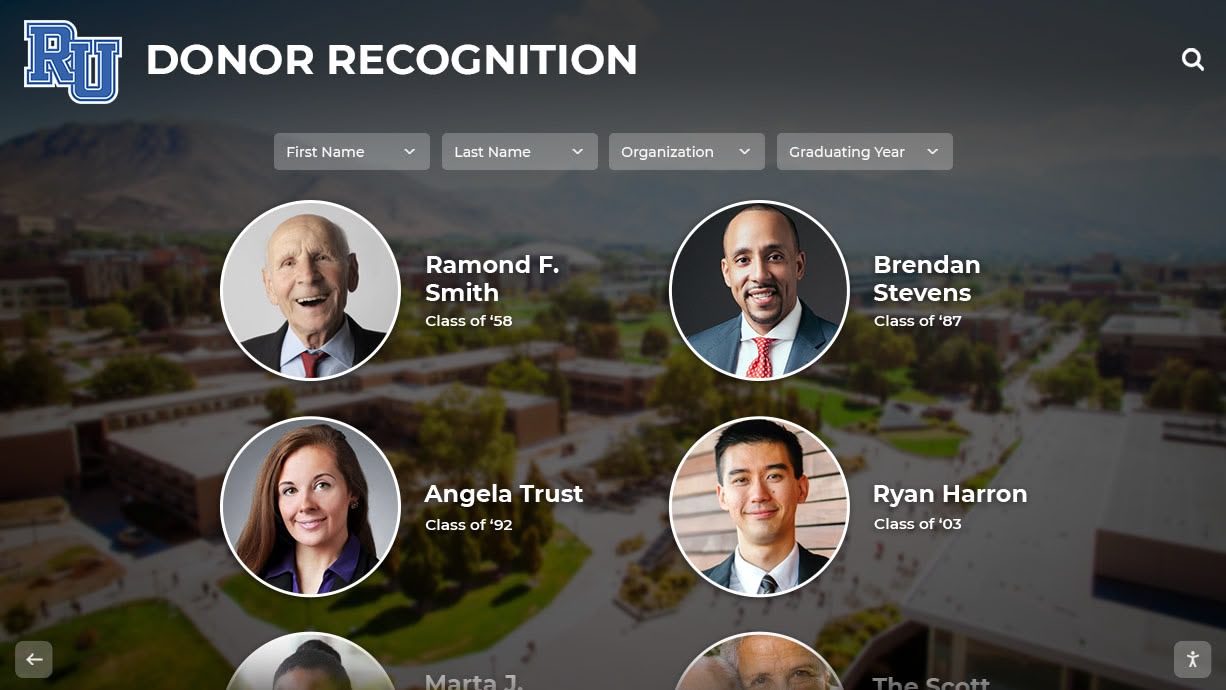
Educational institutions depend on donor support. Digital signage provides permanent, dynamic recognition that honors contributions while encouraging future giving.
Major Gift Recognition
81. Capital campaign progress thermometers - Visualize fundraising progress toward major capital projects like facility renovations, new construction, or endowment goals.
82. Naming rights recognition - Display recognition for donors who funded specific spaces, fields, gyms, classrooms, or equipment through naming gifts.
83. Legacy society members - Honor donors who included the school in their estate plans or committed to multi-year giving programs.
84. Annual fund leadership circle - Recognize annual fund donors at various giving levels, refreshing displays as new donors join each year.
85. Athletic booster club rosters - Display current booster club members, leadership teams, and volunteer coordinators who support athletic programs.
86. Scholarship endowment founders - Celebrate donors who established scholarship funds, including scholarship names, criteria, and recipient recognition.
87. Volunteer recognition boards - Thank volunteers who contribute time to programs, events, concessions, fundraisers, and school operations.
88. In-kind donation acknowledgment - Recognize businesses and individuals who donate equipment, supplies, services, or expertise to school programs.
89. Grant funding acknowledgment - Credit foundations, corporations, and government agencies that provide grant funding for programs and initiatives.
90. Multi-generational giving families - Highlight families with multiple generations of alumni who continue supporting the institution across decades. Implement comprehensive donor recognition with a digital recognition wall guide.
Fundraising Campaigns
91. Crowdfunding campaign progress - When running specific fundraising campaigns for equipment, travel, or projects, display real-time progress toward goals.
92. Giving day countdowns and results - Promote annual giving days with countdown timers, matching gift information, and real-time donation tallies.
93. Text-to-give instructions - Make impulse giving easy by displaying clear text-to-give codes and instructions at events and high-traffic locations.
94. Sponsorship opportunities - Advertise available sponsorship opportunities for programs, events, scoreboards, or facilities to businesses and families.
95. Raffle and auction promotion - Drive participation in fundraising raffles, silent auctions, or charity events with item showcases and ticket purchase information.
96. Concessions proceeds beneficiaries - Inform fans that concessions purchases directly support specific teams or programs to increase sales.
97. Brick and paver program visualization - Show how memorial bricks, donor pavers, or recognition tiles will be displayed once purchased, encouraging participation.
98. Program ads and business sponsors - Display rotating sponsor recognition for local businesses supporting programs through program ads or sponsorships.
99. Crowdsourced wish lists - Share specific needs (equipment, uniforms, technology) with pricing so donors can fund particular items rather than general funds.
100. Impact stories from donations - Share specific stories about how donor contributions made tangible differences for students, teams, or programs.
Visitor Experience & Wayfinding
Strategic content improves the experience for visitors, prospective families, and community members navigating your facilities.
Campus Navigation
101. Interactive campus maps - Provide searchable maps showing locations of athletic facilities, classrooms, offices, restrooms, and parking areas.
102. Event-specific wayfinding - During games, performances, or special events, display directions to venues, restrooms, concessions, and seating areas.
103. Parking information and directions - Guide visitors to appropriate parking areas for different events, including overflow parking instructions.
104. Accessibility resource locations - Clearly mark accessible entrances, elevators, restrooms, and seating areas for visitors with mobility needs.
105. Building directory and office locations - Help visitors find specific offices, departments, or staff members without wandering hallways.
106. Touring prospective families - Guide prospective student tours with suggested routes, stop locations, and key facilities to showcase institutional strengths.
107. Check-in and security procedures - Explain visitor badge requirements, check-in locations, and campus security protocols clearly and welcomingly.
108. Public restroom locations - Eliminate common visitor questions by clearly displaying nearest restroom locations from any display location.
109. Concessions and fan shop locations - Direct game attendees to concessions stands, spirit wear shops, and program sales locations during events.
110. Stadium seating charts - Help ticket holders locate their seats with visual seating charts showing sections, rows, and entrance gates.
Informational Content
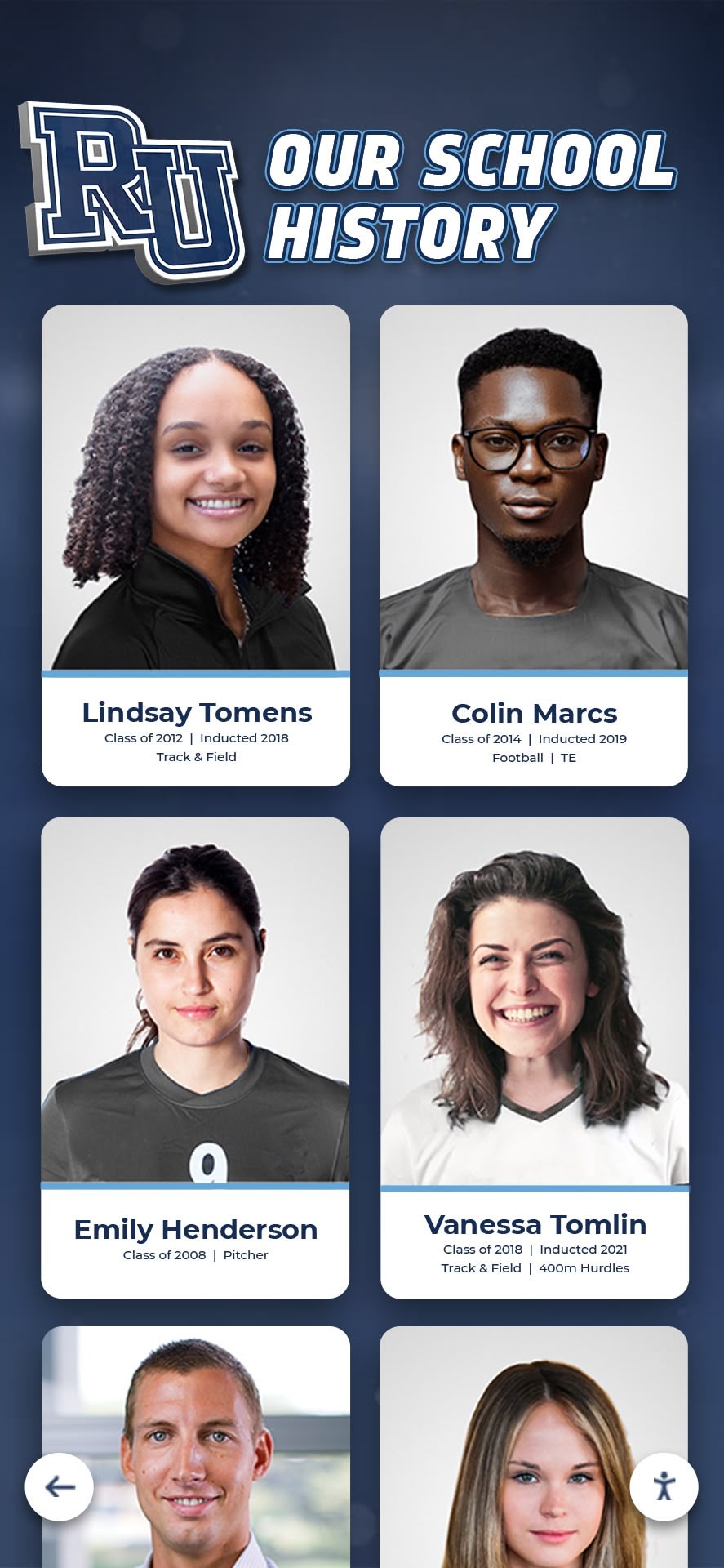
111. School history timelines - Tell the institutional story through interactive timelines showing founding, milestones, growth, and transformation across decades.
112. Mission, vision, and values - Reinforce institutional identity by displaying mission statements, core values, and strategic priorities for all visitors.
113. Enrollment and admissions information - Provide contact information, application deadlines, tuition details, and next steps for prospective families.
114. Athletics program overview - Introduce visitors to the breadth of athletic offerings, conference affiliations, and competitive levels across sports.
115. Alumni achievement showcases - Build institutional prestige by highlighting notable alumni accomplishments in business, arts, military service, or public service.
116. Faculty and staff directories - Help visitors identify key personnel with photos, titles, office locations, and areas of responsibility.
117. Quick facts and statistics - Display impressive institutional statistics: enrollment, graduation rates, college acceptance rates, championships won, or years of operation.
118. QR codes for deeper information - Include QR codes linking to program-specific pages, donation portals, or detailed information beyond what displays can show.
119. Multi-language welcome messages - Demonstrate inclusivity by displaying welcome messages in languages spoken by significant portions of your community.
120. Social media feeds and hashtags - Display live social media feeds showing recent posts, encouraging visitors to follow accounts and use school hashtags.
Implementation Strategies for Maximum Impact
Having great content ideas means nothing if your implementation creates bottlenecks or requires constant manual updates. Purpose-built digital recognition platforms solve the operational challenges that plague generic digital signage systems.
Auto-Updating Systems Eliminate Manual Work
Traditional digital signage requires someone to manually create slides, export files, and update displays each time information changes. This creates delays that cause displays to show outdated scores, incorrect schedules, or last season’s achievements.
Solutions like Rocket Alumni Solutions provide purpose-built platforms where athletic directors and administrators update records, rosters, and achievements through simple web interfaces, and changes appear instantly across all connected displays. When a school record falls, updating the record board takes seconds rather than creating new graphics and manually pushing updates.
This automation matters most during busy athletic seasons when staff lack time for constant display management. Auto-ranking features ensure record boards always show current leaders without manual sorting or calculation.
Interactive Touch Capabilities Drive Engagement
Static slideshow displays limit how much information visitors can access. If your display shows 120 different pieces of content rotating every 10 seconds, visitors might wait 20 minutes to see the specific information they want—and they won’t wait.
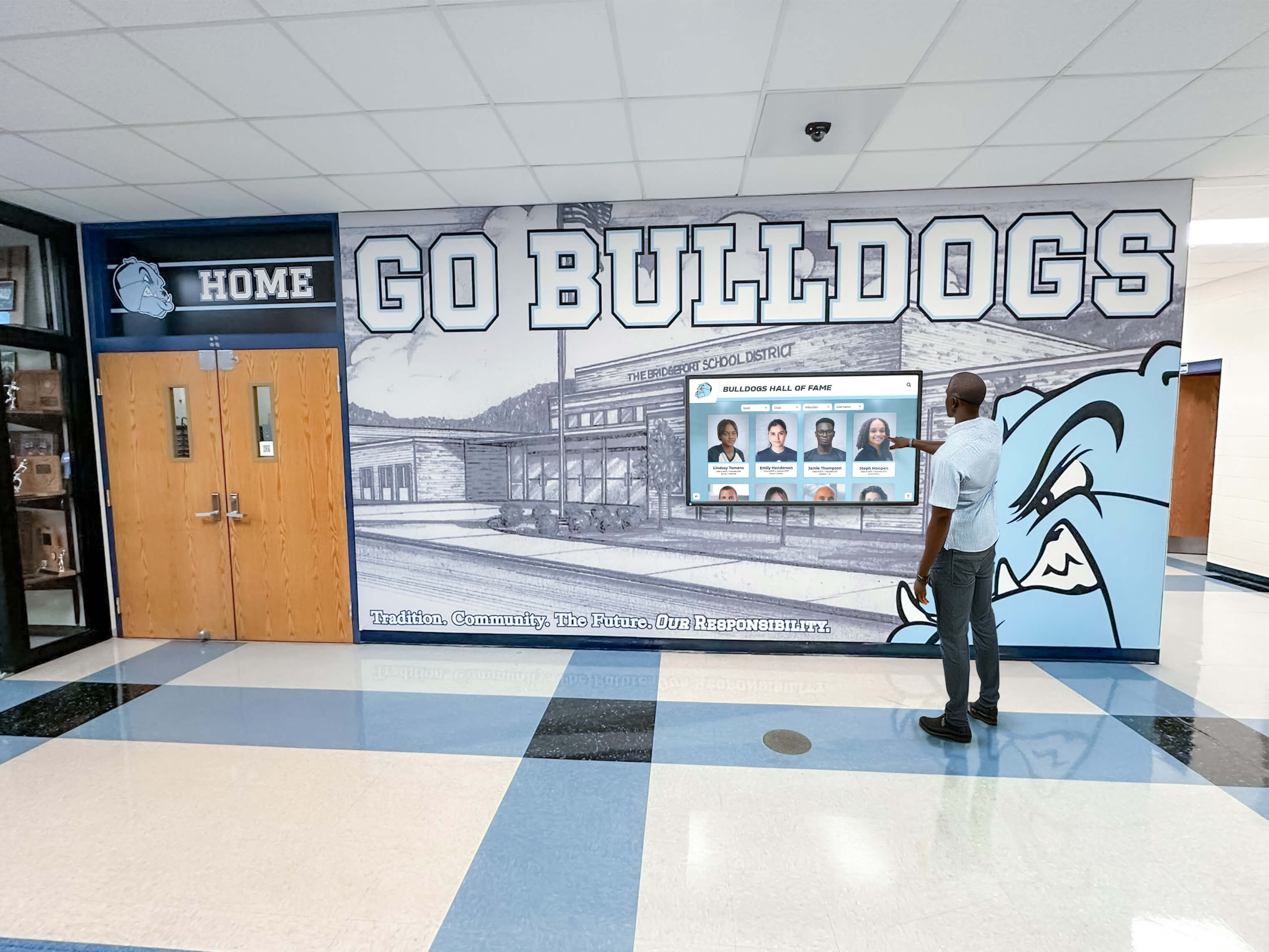
Interactive touchscreen kiosks let visitors navigate directly to athletes, teams, sports, or years they care about most. This self-directed exploration increases engagement time from seconds (passive viewing) to minutes (active interaction), strengthening emotional connections to institutional history and achievements.
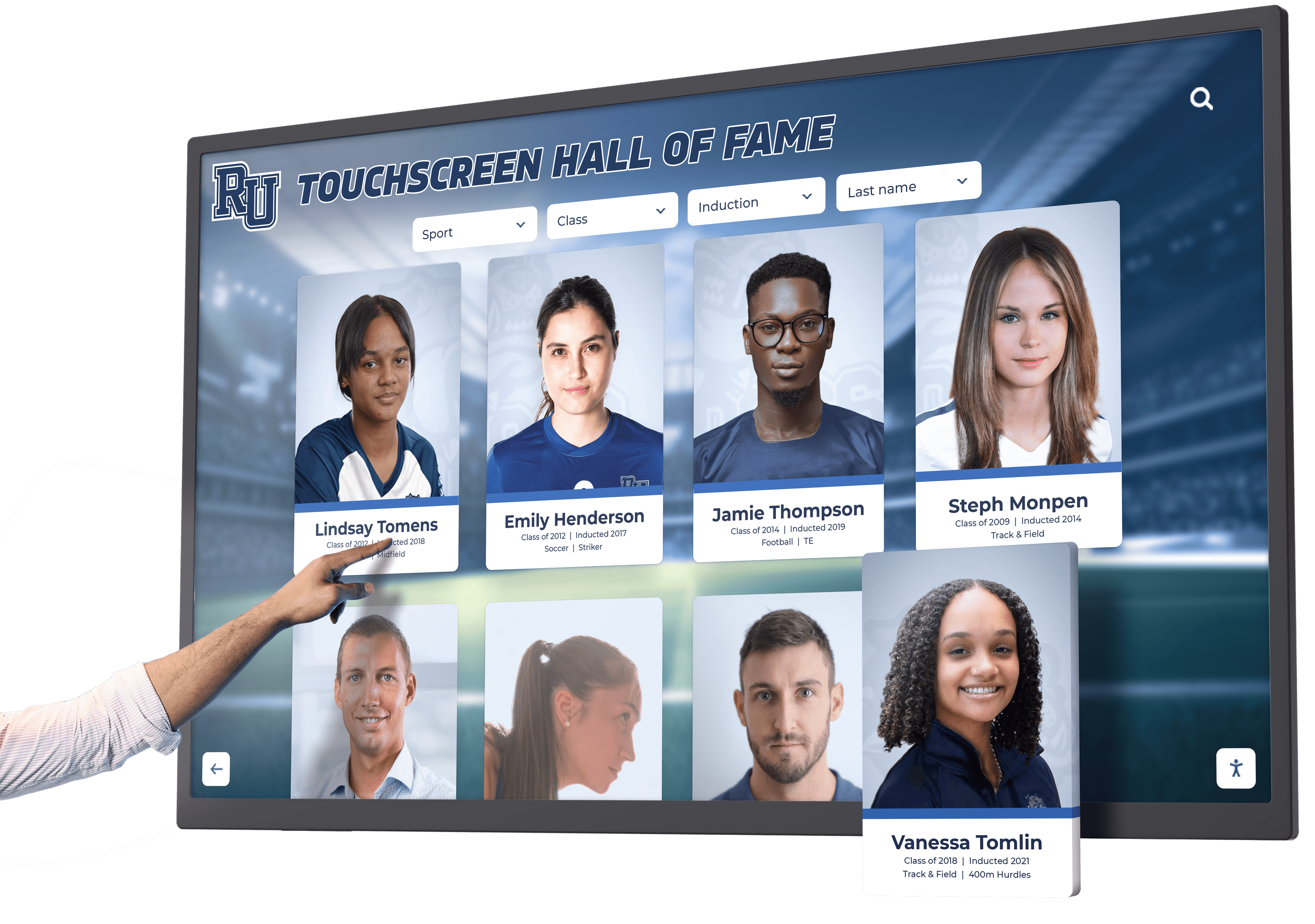
Touch capabilities transform recognition from broadcast (showing what you decide) to personalized (showing what visitors choose), increasing relevance and satisfaction. Alumni visiting campus can instantly find their own records, teammates, and era without sorting through decades of rotating slides.
Multi-Location Synchronization Maintains Consistency
Institutions with multiple buildings, campuses, or display locations face consistency challenges when managing content separately for each screen. Different displays showing conflicting information damages credibility and confuses audiences.
Centralized content management systems let administrators update information once and push changes simultaneously to every connected display location. Whether you operate displays in athletic facilities, main lobbies, alumni centers, or multiple campus locations, synchronized content ensures everyone sees current, accurate information.
This centralization matters during schedule changes, emergency notifications, or last-minute updates when you cannot physically visit every display location to make changes manually.
Long-Term Scalability Supports Growth
Generic digital signage platforms impose artificial limits on content volume—maximum number of records, athlete profiles, photos, or storage capacity—requiring costly upgrades as programs grow.
Purpose-built recognition platforms provide unlimited capacity for records, achievements, photos, and historical content. Whether your school recognizes 100 athletes or 10,000 across all sports and all years, the system accommodates growth without hitting storage caps or requiring expensive expansions.
This unlimited capacity lets institutions finally digitize and preserve complete historical records rather than selectively displaying only recent achievements. For more on implementation best practices, review this digital hall of fame buying guide.
Content Strategy Best Practices
Deploying screens is easy. Keeping them filled with meaningful content requires intentional strategy and sustainable processes.
Balance timely and timeless content: Mix time-sensitive information (today’s games, this week’s announcements) with permanent content (all-time records, historical timelines) so displays remain valuable even when no current events exist.
Establish clear content ownership: Assign specific staff members responsibility for updating different content categories. Athletic directors manage sports records, activities directors update club information, development staff control donor recognition.
Create content calendars: Plan seasonal content rotations aligned with academic calendars, athletic seasons, and major events so displays stay fresh without reactive scrambling.
Implement approval workflows: Before publishing sensitive content (student information, donor recognition, financial data), establish clear approval processes ensuring accuracy and appropriateness.
Monitor engagement analytics: Track which content categories receive most interaction on touch displays to understand what audiences value most and adjust content mix accordingly.
Maintain accessibility compliance: Ensure all text meets size and contrast requirements for readability, provide alternative text for images, and follow ADA digital accessibility guidelines.
Test content across devices: Verify that content displays properly on different screen sizes, orientations (landscape vs. portrait), and resolutions before publishing broadly.
Build content archives systematically: Capture high-resolution photos, document achievements, and preserve statistics in real-time rather than recreating history years later when memories fade and records disappear.
Measuring Success Beyond Screen Time
The value of digital signage extends far beyond impressions or viewing time. Effective recognition displays generate measurable impacts across institutional priorities.
Alumni engagement increases: Track website traffic from QR codes on displays, social media mentions after visitors see themselves featured, and reunion attendance among classes prominently recognized.
Donor behavior changes: Monitor donation patterns, volunteer signups, and capital campaign participation among donors whose recognition appears on displays versus those without visible recognition.
Recruitment advantages grow: Survey prospective students and families about how recognition displays influence school selection decisions and perceptions of institutional pride.
Student participation rises: Measure participation in recognized activities and programs compared to non-recognized opportunities to understand recognition’s motivational impact.
Community pride strengthens: Conduct periodic surveys measuring staff, student, and community perceptions of school pride, tradition, and institutional support before and after implementing comprehensive recognition displays.
These outcome metrics demonstrate return on investment far beyond the hardware costs, justifying continued investment in content development and system enhancements.
Moving Forward with Your Digital Signage Strategy
Your digital displays and kiosks represent significant infrastructure investments deserving content strategies that maximize their value. The 120 ideas presented here provide starting points for recognition, communication, and engagement across athletic, academic, and community dimensions of school operations.
The institutions seeing greatest success move beyond treating digital signage as electronic bulletin boards toward integrated recognition platforms that preserve history, celebrate current achievements, and build connections across stakeholder groups.
Purpose-built systems designed specifically for educational recognition solve the operational challenges—manual updates, limited capacity, generic templates, disconnected displays—that prevent generic digital signage from delivering lasting value.
Ready to Transform Your Digital Displays?
Discover how purpose-built recognition platforms eliminate manual updates and maximize the impact of your digital signage investment.
Your digital signage screens and kiosks can become powerful tools for recognition, communication, and community building—when supported by systems designed to make comprehensive content management sustainable rather than overwhelming.































